A good ai video generator for tiktok lets you skip the headache of complicated editing software and create videos that stop the scroll, all from a few lines of text. Think of these tools as your secret to consistently pumping out high-quality content, jumping on viral trends the moment they pop, and keeping a regular posting schedule without burning yourself out.
Why AI Is Your Secret Weapon for TikTok Growth
Trying to keep up with TikTok's never-ending appetite for new content is a recipe for burnout. The platform rewards consistency, not just the occasional viral hit. You have to stay present to stay relevant in the eyes of the algorithm, and that’s where an AI video generator shifts from being a neat gadget to a must-have tool for real growth.
AI completely flips the script on content creation. Forget spending hours filming B-roll, wrestling with timelines, and adding effects. You can now generate a polished, engaging video in just a few minutes. This kind of speed is a game-changer on a platform where trends can live and die in less than 24 hours.
Beat the Content Overload
The sheer volume of content on TikTok is mind-boggling—a staggering 34 million videos are uploaded every single day. With that much noise, getting organic reach is a battle. The algorithm is king, now driving 85% of all video views, and it heavily favors videos with high watch times and completion rates.
To make AI your true secret weapon, you can integrate tools like AI Speech To Text to quickly create killer voiceovers and scripts that grab viewers from the very first second. The goal is to hook them immediately so they watch until the end.
This is where a tool like Aicut comes in. Its interface is built for one thing: speed.
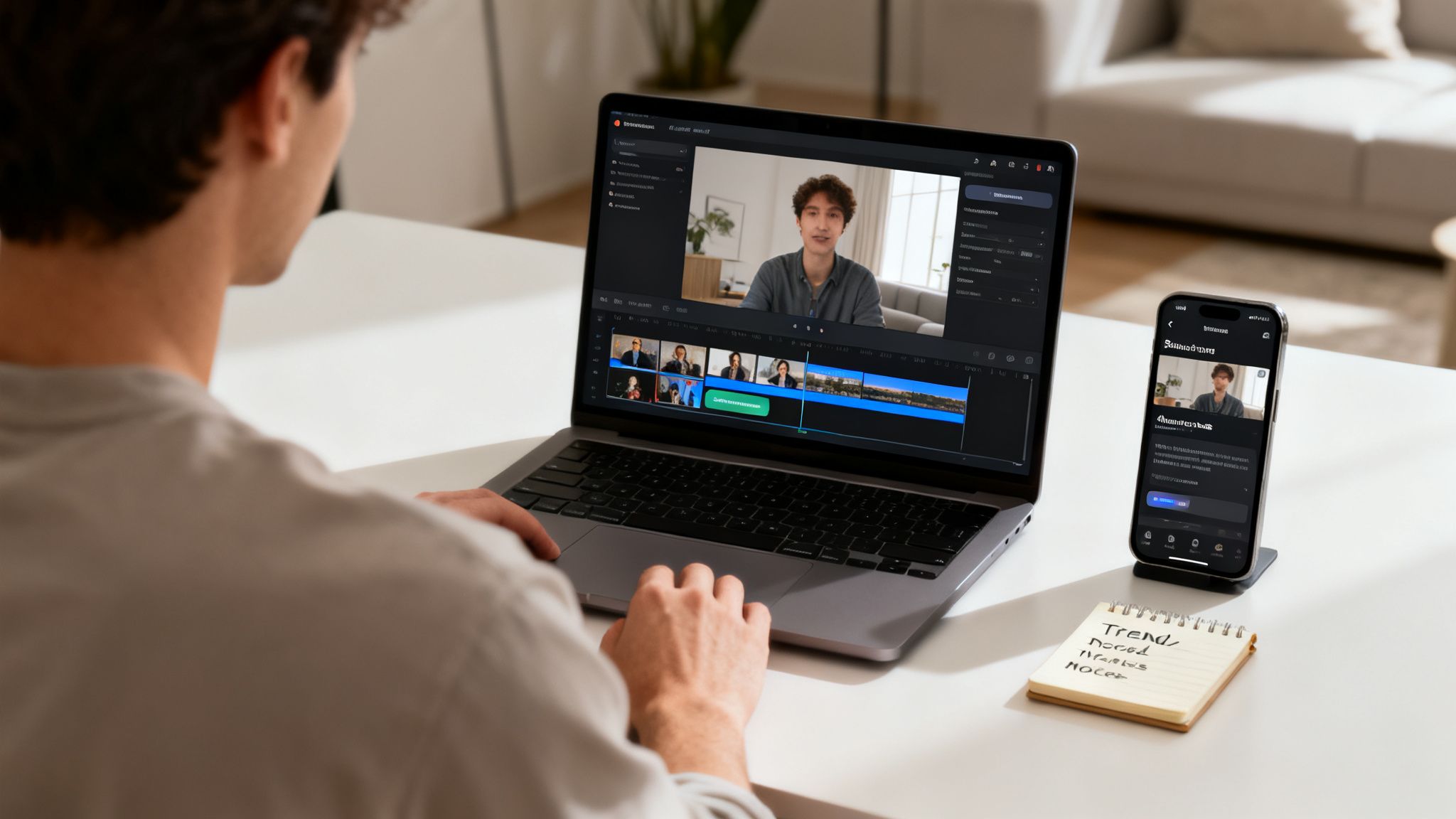
The clean design puts the most powerful features—like viral templates and prompt libraries—front and center, so you can go from idea to finished video without hitting any creative roadblocks.
Automate Your Way to Consistency
On TikTok, consistency is currency. Posting regularly tells the algorithm that you're a serious creator, which in turn motivates it to push your content to a wider audience. AI-powered tools make this level of consistency achievable without draining all your time and creative energy.
Here’s what that looks like in practice:
- Run faceless channels with ease. You can produce fascinating content for niches like storytelling, motivation, or history without ever needing to get on camera.
- Hop on viral trends instantly. See a format taking off? Use a pre-built template or a quick prompt to create your own version before the trend peaks.
- Get hours of your life back. Let the AI handle the tedious, technical parts of video creation. This frees you up to focus on what really matters: your ideas and your growth strategy.
By taking the most time-consuming parts of video production off your plate, you can finally build a solid content pipeline that keeps your channel growing. This move from manual editor to creative director is one of the biggest https://www.aicut.pro/blog/benefits-of-ai-in-video-production.
How AI Helps You Master Key TikTok Algorithm Factors
So, how does this all translate into better performance? It comes down to how well you can feed the TikTok algorithm what it wants. An AI generator is purpose-built to help you nail the most important ranking signals.
| Algorithm Factor | Why It Matters for Virality | How AI Generators Give You an Edge |
|---|---|---|
| Watch Time | The longer people watch, the more the algorithm values your video. It's the #1 signal of quality content. | AI helps you create visually dynamic clips with rapid cuts and engaging effects that hold viewer attention from start to finish. |
| Completion Rate | A high percentage of viewers watching your entire video is a powerful indicator that your content is compelling. | You can generate short, punchy videos (7-15 seconds) that are perfectly structured to be watched on a loop, boosting your completion rate. |
| Shares & Saves | When users share or save your video, it tells TikTok your content is valuable and worth showing to more people. | AI lets you quickly create "saveable" content like tutorials, listicles, or inspiring stories that people want to come back to. |
| Posting Frequency | The algorithm favors active creators. Posting consistently (ideally daily) keeps you top-of-mind. | This is AI's superpower. It removes the production bottleneck, allowing you to schedule a steady stream of content without burnout. |
Essentially, using an AI tool isn't about cheating the system. It's about using technology to consistently create content that aligns perfectly with what the TikTok algorithm is designed to reward.
Getting Your AI Workspace Ready for TikTok
Jumping into a new tool can feel a bit overwhelming, but let's get your AI video generator dialed in for TikTok. The goal here is simple: create a smooth path from a spark of an idea to a posted video.
First things first, connect your TikTok account directly to the platform. This is a game-changer. Instead of the old-school download-then-re-upload dance, this lets you schedule and post with a single click. It's just a quick, secure login that gives the tool permission to post for you, turning your content process into a seriously efficient operation.
A Quick Tour of Your New Creative Hub
Once you're linked up, you'll land on the main dashboard. It’s built for speed, not for getting lost in endless menus. Take a minute to get familiar with the key spots you'll be living in.
- Viral Prompt Library: Don't just see this as a list of ideas. It's more like a live feed of what's actually blowing up on TikTok right now. Think of it as your secret weapon for tapping into current trends.
- AI Model Selection: You’ll spot options like Sora 2 or Kling. Each model has its own personality—some are incredible at photorealistic stuff, while others are masters of animation. Play around with them. You'll quickly find a favorite that matches your brand's vibe.
- Project Folders: Trust me on this one: start organizing from day one. Set up folders for your different content buckets, like "Reddit Stories" or "Product Demos." A clean workspace makes finding assets so much easier when you're in a creative flow.
The most successful creators I've seen treat their AI workspace like a professional studio. They have a system. They organize projects, save their winning prompts, and keep everything tidy. This prep work is what lets them pump out quality content so consistently.
How to Manage Your Tokens (And Your Budget)
Most of these newer AI tools, including platforms like Aicut, run on a token system instead of a flat monthly subscription. It's a pay-as-you-go setup that gives you a ton of flexibility, but you need to know how it works to keep your budget in check.
Basically, every action costs a specific number of tokens—whether you're generating a 10-second clip or upscaling a video to 1080p. The cost usually depends on how complex the request is and which AI model you're using.
Before you kick off a big batch of videos, always glance at your token balance. Aicut keeps it front and center on the dashboard, so there are no nasty surprises. This model is great because you only pay for what you create, making it a smart way to scale up your video production without a massive upfront cost.
Using AI Prompts to Create Viral TikToks
With your workspace ready to go, it’s time for the creative part: turning text prompts into TikTok videos that have a real shot at going viral. An AI video generator is a game-changer here, letting you produce content in formats that the algorithm loves, all without touching a camera or a complex editing suite. We’ll look at three styles that consistently get great results.
Your prompt is everything. Think of it as a detailed script for the AI. A great prompt tells the AI exactly what you want, guiding it to create a video that matches your vision. The trick is to be specific and descriptive—act like a director and lay out the camera angles, lighting, and overall vibe. For a deeper dive, check out our guide on writing better text prompts.
Crafting Photorealistic POV Clips
Point-of-view (POV) videos are huge on TikTok. They pull the viewer right into the scene, making the content feel incredibly personal and real. This format is perfect for telling a story, showing a how-to, or creating those relatable moments that everyone loves. The goal is to make the AI-generated clip feel like it was filmed by an actual person.
Let's say you want to make a cozy "morning routine" video. Instead of just typing "a video of someone making coffee," you need to give the AI more to work with.
Prompt Example: "POV shot from the perspective of a person pouring hot coffee into a white ceramic mug. The steam rises gently. Early morning sunlight streams through a nearby window, casting soft shadows on a wooden kitchen counter. The shot is steady, handheld style, close-up."
See the difference? Details like camera style, lighting, and specific objects give the AI the instructions it needs to generate a clip that feels genuine and stops people from scrolling.
Building Captivating Reddit Story Videos
You’ve seen them everywhere: Reddit story videos. They are a TikTok staple because they hook viewers with a juicy story and keep them watching to see how it ends. The format is usually pretty simple: a looping background video with text telling a story from a subreddit like r/AskReddit or r/AmItheA**hole.
An AI video generator handles the most annoying part of this—finding or creating that perfect background loop. Forget scrolling through stock footage sites; now you can generate a custom one in seconds.
For this style, your prompts should aim for something visually interesting but not so busy that it distracts from the story. A few ideas to get you started:
- Soothing Scenery: "An endless, looping aerial shot of gentle ocean waves rolling onto a sandy beach at sunset, cinematic, calm."
- Abstract Visuals: "A mesmerizing loop of colorful geometric shapes slowly morphing and shifting, abstract background, satisfying."
- Gaming Footage: "Over-the-shoulder view of someone playing a relaxing city-building video game, cozy, nighttime setting."
Once you have your video loop, you can just pop it into TikTok's editor and add the text. It's a simple way to pair a compelling narrative with your own unique visuals.
This diagram shows how simple the workflow is for getting your AI workspace set up to create clips like these.
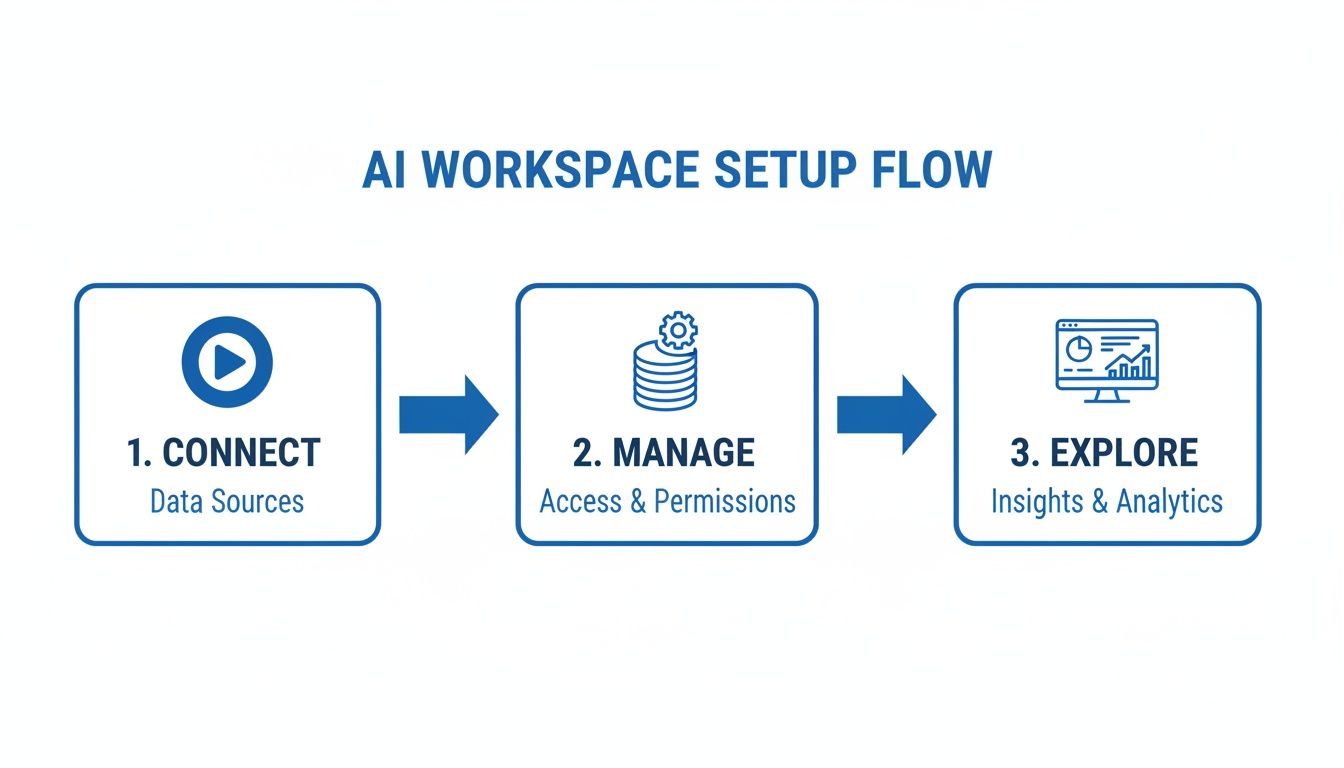
This connect, manage, and explore process helps you get from idea to a finished video quickly.
Generating Authentic UGC-Style Product Ads
User-generated content (UGC) is the holy grail for social media ads. It just feels more authentic and trustworthy than a slick, polished commercial. With an AI video generator, you can create realistic UGC-style ads using AI avatars, saving you thousands on hiring creators and organizing shoots.
The engagement on TikTok is massive, with rates often hitting 2.5-6% per post and over 1 billion daily views. The algorithm is also getting smarter, prioritizing content that feels authentic. It rewards AI videos that look human-made and keep people watching. We’re seeing tools like Aicut really nail this, with over 500,000 users creating photorealistic clips that drive up video completion rates.
To make a believable UGC ad, your prompt has to focus on realism. Let's say you're selling a new skincare product.
Prompt Example: "UGC style video, a 25-year-old woman with a natural look is in her brightly lit bathroom. She is holding a small green bottle and smiling at the camera as if talking to a friend. Selfie-style shot, authentic, relatable."
This prompt gives the AI specific directions about the character, the setting, and the overall feel, resulting in a video that looks like a real customer testimonial. You can generate a few variations in minutes and start testing a whole library of ad creatives for your next campaign.
Alright, you've got the hang of the basics. Now, let's get into the fun stuff—the advanced features that will make your TikToks look like they were made by a pro. These are the small but powerful tricks that can really set your content apart.
Turn a Single Photo into Your Channel’s Mascot
If you're running a faceless channel, building a memorable brand can be tough. Here’s a brilliant workaround: take a single static image and turn it into a recurring animated character.
You can upload almost anything—an illustration, your logo, a picture of a product—and have the AI video generator animate it. Think subtle movements, blinks, or changing expressions. This instantly gives your channel a consistent, recognizable "face" that viewers will remember.
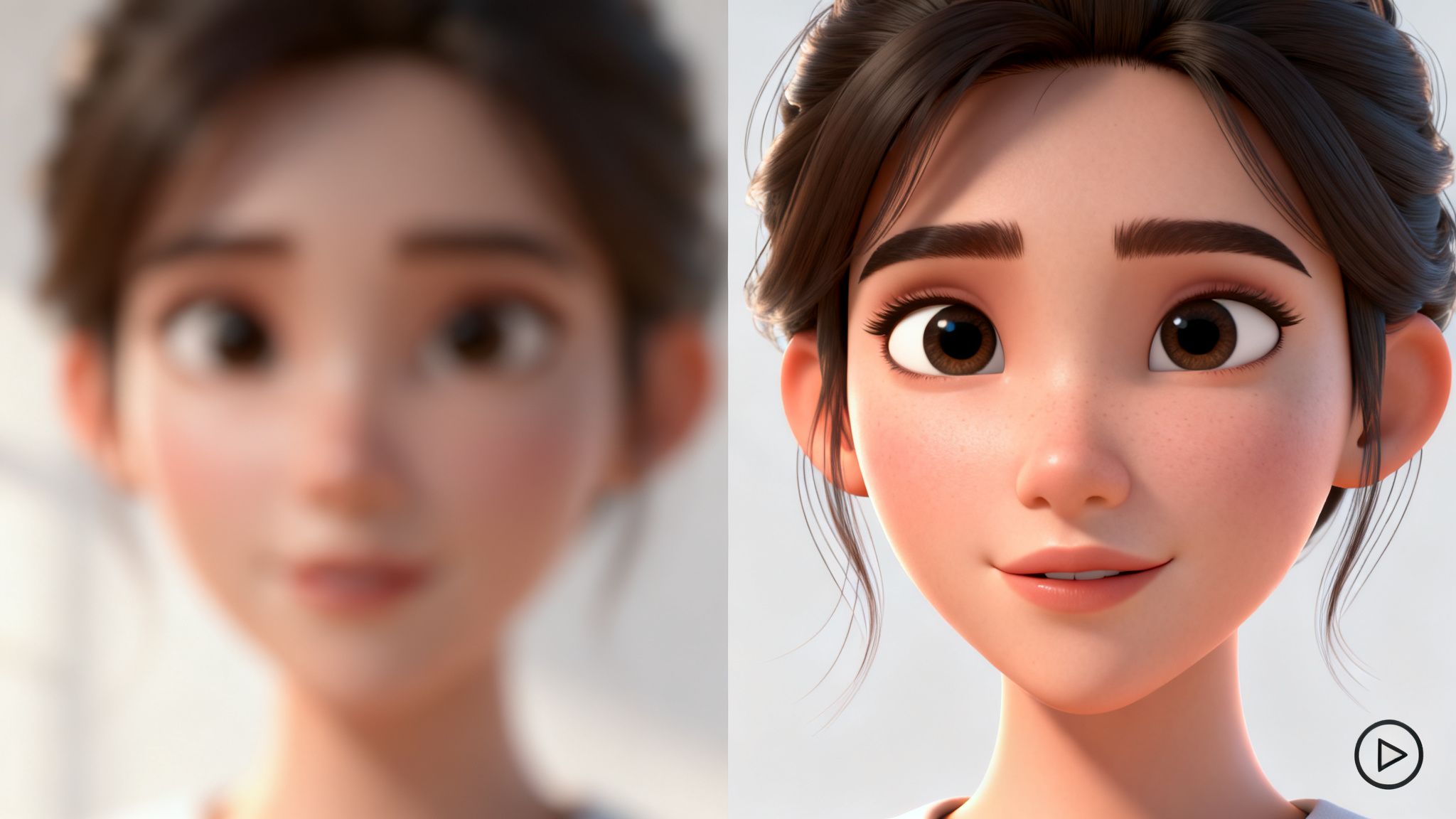
This is a fantastic approach for storytelling, educational explainers, or brand announcements where you need a familiar presence without actually being on camera yourself.
Sharpen Your Visuals with AI Upscaling
Let’s be honest: nothing makes people scroll away faster than a blurry, low-quality video. If you're stuck with old footage or grainy clips, AI upscaling is an absolute lifesaver. It’s a feature that intelligently sharpens your video’s resolution, transforming pixelated messes into clean, crisp visuals that pop on a phone screen.
The process is usually dead simple:
- Just upload the low-res video you want to fix.
- Tell the AI you want to upscale it to at least 1080p for TikTok.
- Hit "generate" and let the tool do its magic, sharpening details and cleaning up noise frame by frame.
I find this especially useful when I'm putting together montages or using clips I’ve found online. It guarantees that everything you post looks polished and professional, which instantly builds trust with your audience.
The Secret to More Watch Time: The Seamless Loop
Want to really game the TikTok algorithm? Master the seamless loop. A perfect loop tricks viewers into watching your video over and over, which sends your average watch time through the roof—a huge signal to TikTok that your content is engaging.
The whole idea is to make the end of your video connect so perfectly with the beginning that people don't even realize it's restarting. It creates a mesmerizing, almost hypnotic effect that keeps them watching.
You can often prompt your ai video generator for tiktok to do this for you. Try something like, "Create a seamless loop of a futuristic car driving down a neon-lit city street at night." The AI will know to make the first and last frames identical. It’s a small detail, but it can have a massive impact on your video's performance.
This works great for background visuals in text stories or for those oddly satisfying abstract art clips that are impossible to look away from. As the platform gets smarter, these metrics are becoming more critical. In fact, TikTok's algorithm now weights re-watches and shares 3x more than likes. Creators who get clever with AI see an average 43% view boost, which is huge when you consider that 71.2% of users are buying things they discover on the platform. If you want to dive deeper, there are some great TikTok statistics on charle.co.uk that break this down further.
Automating Your TikTok Content Calendar
Making killer videos is one thing, but if you're not posting consistently, you're fighting a losing battle with the TikTok algorithm. The real secret to growing on the platform isn’t just about having one viral hit; it’s about building a workflow that keeps the content flowing without burning you out. This is where automation becomes your best friend.
Getting your video from the AI generator to TikTok isn't just a simple upload. The final steps are where you package it for success.
Nailing Your Export and Upload Settings
Before your masterpiece even sees the light of day on TikTok, you have to get it out of the AI video generator correctly. The right settings mean your video looks sharp and professional, not like a blurry, pixelated mess.
Here are the non-negotiables I use for every single export:
- Resolution: Always go for 1080p (1920x1080). It's the gold standard for crisp mobile video and exactly what TikTok wants to see.
- Aspect Ratio: It has to be 9:16. No exceptions. Anything else gives you those awful black bars that just look lazy.
- File Format: MP4 is your go-to. It gives you that perfect sweet spot between high quality and a manageable file size.
Getting these small details right from the start makes a huge difference in how your AI visuals pop on a phone screen.
A huge mistake I see people make is downloading the video and then re-uploading it to TikTok. This double compression can seriously degrade the quality. If your tool has a direct scheduler, like Aicut, use it. It sends the original file straight to TikTok, keeping everything looking sharp.
Crafting Captions and Hashtags with AI
Think of your caption and hashtags as the engine that drives discovery. A great caption gets people talking in the comments, and the right hashtags are like a GPS, telling the algorithm exactly who needs to see your video. A solid ai video generator for tiktok will usually have features to help you nail this part.
Don't just throw random hashtags at the wall and see what sticks. Use the AI to brainstorm caption hooks and a smart mix of hashtags. I always recommend a blend of broad, community, and niche tags.
For instance, if you made a video about a new face cream, you could use #skincare (reaches a huge audience), #ugccreator (targets a specific community), and #glowingskintips (attracts people looking for a solution). This strategy helps you cast a wide net while also pulling in the viewers most likely to engage.
If you really want to go deep on this, you can learn more about automating social media posts and build a complete system.
Setting Up Your Auto-Posting Schedule
This is the final piece of the puzzle—the part where you truly set your content machine on autopilot. With a scheduler, you can knock out a week’s worth of videos in one afternoon and then let the system handle the rest. Your content will go live at the perfect times, even if you’re nowhere near your phone.
Choosing Your AI-Powered TikTok Posting Strategy
Deciding how often to post can feel like a guessing game. Both high-frequency and moderate schedules have their merits. The real game-changer is that AI automation makes even a daily posting schedule completely manageable, removing the burnout factor that stops most creators.
Here’s a quick breakdown to help you decide what works for you:
| Strategy Feature | Daily Posting | Posting 3-4 Times a Week |
|---|---|---|
| Algorithm Favor | High. The algorithm loves consistent, fresh content. | Moderate. Still signals you're an active creator. |
| Audience Growth | Faster. More "at-bats" to go viral and gain followers. | Slower, but more steady and sustainable without automation. |
| Content Burnout | Very high without automation. Made easy with AI tools. | Manageable, even when creating videos manually. |
| Feedback Loop | Rapid. You learn what works (or doesn't) very quickly. | Slower. It takes more time to gather data on trends. |
| Best For | Aggressive growth, trend-hopping, and brand building. | Niche topics, B2B content, or creators with limited time. |
Ultimately, AI-powered batch creation and scheduling make a daily strategy realistic for anyone. It lets you feed the algorithm and grow your audience without spending every waking moment inside the TikTok app.
A consistent schedule trains the algorithm to know when to expect new content from you, which can seriously boost your visibility on the For You page. And if you’re looking to build a full tech stack, it’s worth exploring the best social media automation tools available to see what else you can streamline.
By using a built-in scheduler, you’re not just posting videos—you’re building a content engine that works for you 24/7. This frees you up to think about the big picture and come up with your next great idea, instead of getting bogged down in the daily grind of uploading.
Your Top Questions About AI Video for TikTok, Answered
Jumping into AI video can feel like a big leap. It's new territory, so it's totally normal to have a few questions swirling around. Let's tackle the big ones I hear all the time so you can get started with total confidence.
The biggest fear I see? That AI-generated content will come off as robotic or fake. It's a fair point, but it all comes down to how you use the tools. A good ai video generator for tiktok isn't here to replace your personality—it’s here to bring your ideas to life without the tedious grunt work.
The whole point is to create videos that look and feel like you made them yourself, just in a fraction of the time. Stick with authentic formats like POV shots or UGC-style clips, and you’ll keep that real, human connection with your audience.
Can AI Videos Actually Go Viral on TikTok?
You bet they can. TikTok virality is all about engagement metrics—watch time, completion rate, shares—not about the production method. The algorithm doesn't play favorites; it just pushes content that keeps people glued to their screens. And guess what? AI generators are fantastic at cranking out videos in formats that are known to perform well.
Think about those hypnotic, seamless loops that get people to watch two or three times before they even realize it. Or those addictive text stories that have viewers hooked until the final reveal. When you use proven templates and smart prompts in a tool like Aicut, you’re essentially baking all the right algorithmic ingredients into your content from the start.
"The TikTok algorithm doesn't care if a video was made by a person or an AI. It only cares about one thing: Is this video keeping users on the platform? If your AI-generated content achieves high watch time and engagement, it will get pushed."
Will TikTok Penalize My Account for Using AI Content?
Nope. There's no "AI penalty" on TikTok. As long as your videos stick to the platform's community guidelines, you're in the clear. TikTok's main concern is the quality of the content and the value it brings to viewers.
So, as long as your AI-assisted videos are creative, fun, or informative, they're treated exactly the same as any other upload. Just remember to use AI as a creative partner, not a shortcut for churning out low-effort spam. That’s what the algorithm really dislikes.
How Much Does It Cost to Use an AI Video Generator?
This is where things have gotten a lot better. Most modern AI tools, Aicut included, have moved away from clunky monthly subscriptions. Instead, they run on a flexible token-based system. You simply buy a bundle of tokens and spend them whenever you generate a video. You're only paying for what you actually create.
This pay-as-you-go model is a game-changer because it grows with you.
- Starting Small: Just dipping your toes in? You can start with a tiny investment to experiment and find your groove.
- Scaling Up: When your channel takes off and you need to post more, you can just buy more tokens. You’re never locked into a pricey plan you aren’t fully using.
This makes professional-grade AI video tools genuinely accessible, no matter your budget.
Ready to stop spending hours editing and start creating viral TikToks in minutes? Aicut gives you the templates, prompts, and automation you need to build a content machine that works for you. Start creating for free today on aicut.pro.