How to Create AI Influencer Product Videos
AI Influencer Creation
Build a fully AI-generated influencer, place them with any product, and bring the scene to life as a video - indistinguishable from a real UGC creator. No camera, no filming, no hiring required.
In this guide
Character Design · Step 1
Create Your AI Influencer Character
Design the face and look of your AI influencer using Nano Banana Pro in AI Image. This character becomes the foundation for every product video you create - so aim for a natural, photorealistic person that fits your niche.
Found an AI influencer style you love? Screenshot it and use the Clone Prompt feature to reverse-engineer the prompt - then adjust the look to make it your own.
Clone the character prompt from a reference image
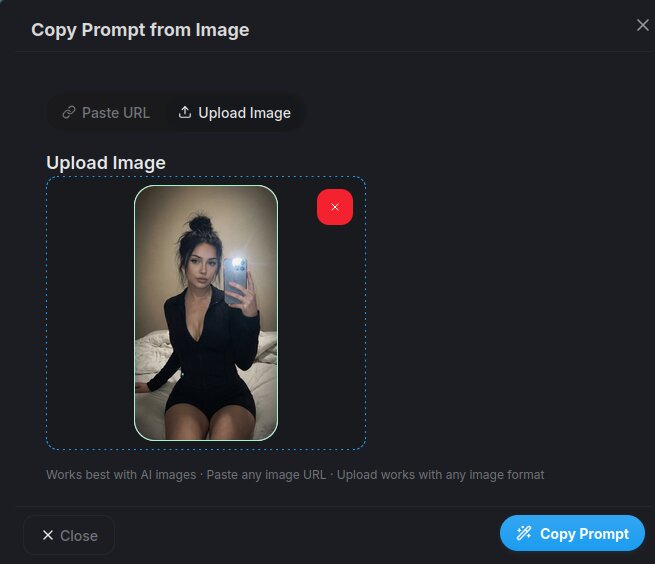
Open AI Image and use the Clone Prompt feature. Upload a screenshot of an influencer you like - AICUT analyzes the image and generates a detailed prompt capturing the face, outfit, pose, and lighting. Adjust the details to make it unique, then generate with Nano Banana Pro.
Clone Prompt from ImageWrite your own influencer character prompt using the template below. Describe the exact look, outfit, and style you want, then generate with Nano Banana Pro.
Fill in the character prompt template
Fill in the template with your influencer's appearance, style, and niche. Generate 5–10 variations and pick the one that looks most natural. Use Nano Banana Pro for the best photorealistic results.
Photorealistic portrait of a [AGE RANGE] [GENDER] [ETHNICITY] influencer. [HAIR STYLE AND COLOR], [SKIN TONE/TEXTURE  -  e.g. natural skin texture with subtle imperfections].

Expression: [EXPRESSION  -  e.g. warm confident smile, relaxed neutral, focused].

Outfit: [SPECIFIC CLOTHING  -  e.g. white linen shirt, gold necklace, minimal makeup].

Framing: [SHOT TYPE  -  e.g. medium close-up, upper body visible], looking directly at camera.

Background: [BACKGROUND  -  e.g. clean studio backdrop, soft blurred apartment interior, outdoor café].

Lighting: [LIGHTING  -  e.g. soft natural window light, golden hour, studio ring light with soft shadows].

High-resolution, shallow depth of field, 35mm lens look, natural film grain, no filters. Portrait orientation 9:16.
Create a character reference sheet
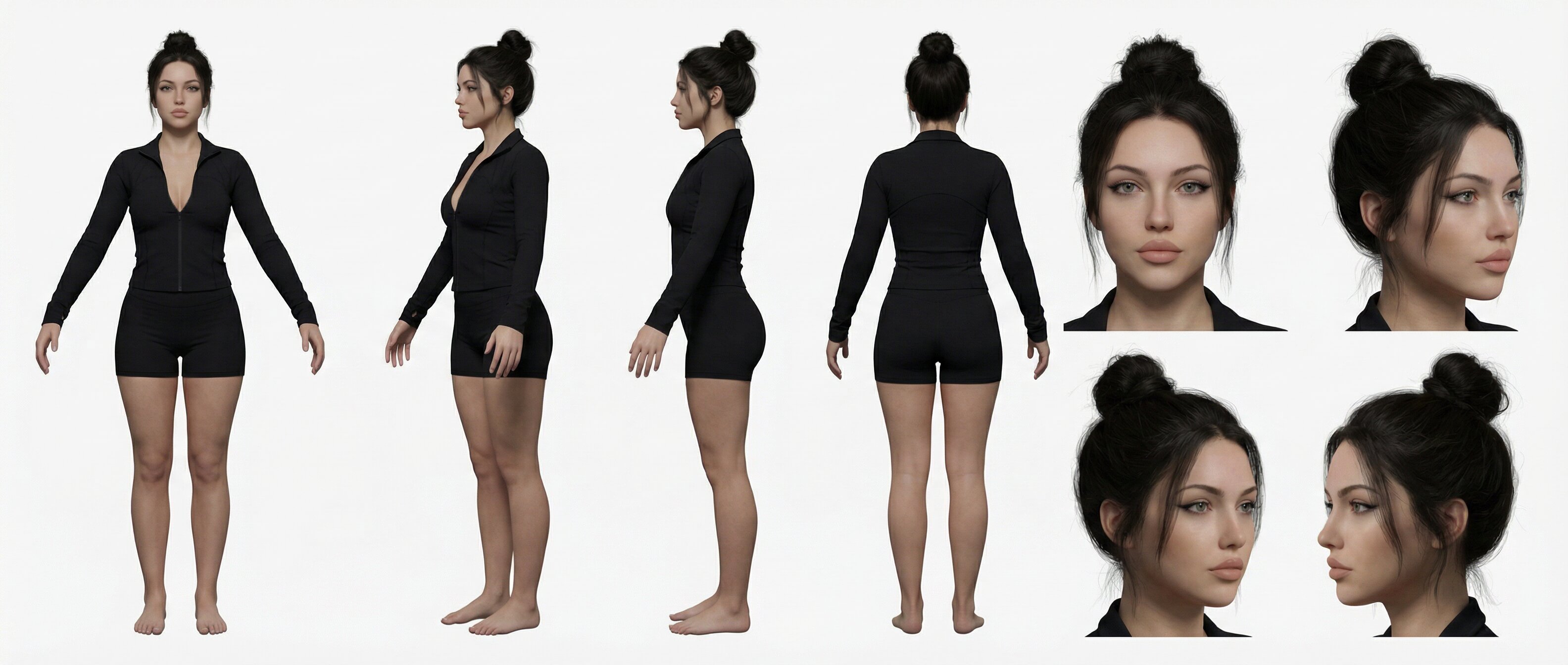
Use the Character Reference Sheet template to generate multiple angles, expressions, and poses from your best portrait. This multi-angle sheet keeps your influencer looking consistent across different product images and videos.
Create Reference SheetSave to your character assets library
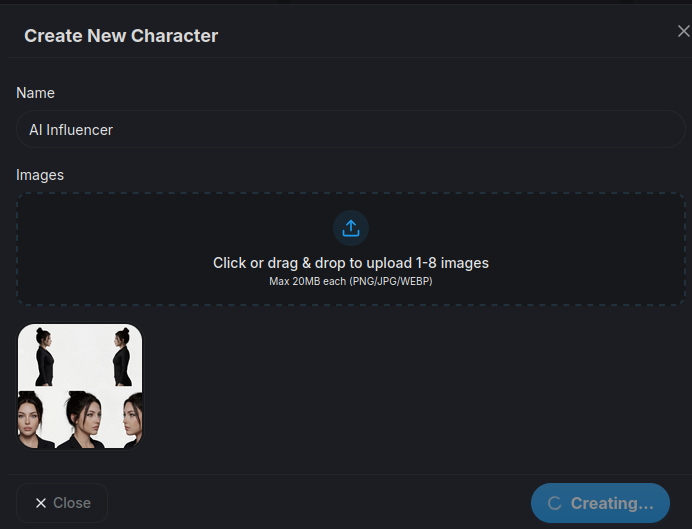
Create a new character in your Character Assets library. Upload your best portrait and the reference sheet images. You'll select this character by name when generating product images and videos.
Open Character AssetsTip: Avoid obviously AI-polished faces. Prompt for realistic imperfections: natural skin texture, soft studio lighting, a slight smile, and a neutral background. The more human your character looks, the harder it is to tell it was AI-generated.
Optional - Product / App Promo · Step 2
Let Your AI Influencer Promote a Product or App
Generate a photorealistic image of your AI influencer with a product or app. Select your saved character in AI Image and add the product or app screenshot as a reference image - then use the prompt template for your scenario.
Generate a photorealistic image of your AI influencer holding a physical product - a bottle, box, gadget, or anything the viewer should see up close. Add a photo of the real product as a reference image.
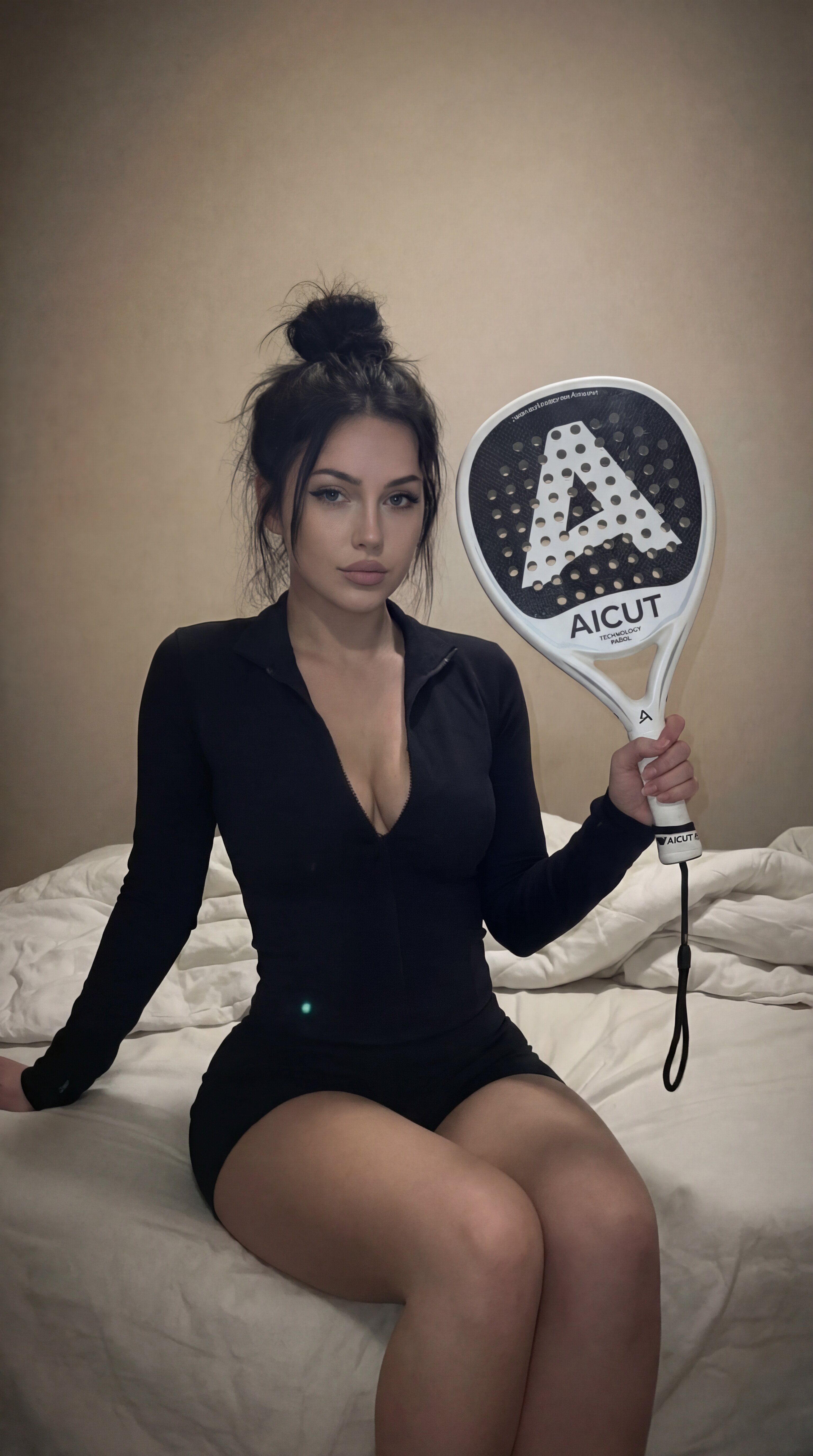
Open AI Image, select your AI influencer character, and add a product photo as a reference image. Use the prompt template below - describe how the influencer holds the product, the background, and the lighting.
Photorealistic [SHOT TYPE  -  e.g. medium shot, close-up] of a [AGE RANGE] [GENDER] influencer holding [PRODUCT NAME AND DESCRIPTION] in their hand.

The influencer has [KEY FEATURES FROM CHARACTER  -  e.g. dark wavy hair, warm skin, wearing white linen shirt]. Expression: [EXPRESSION  -  e.g. smiling naturally, looking at the product, making eye contact with camera].

Product placement: held naturally in hand, [DETAILS  -  e.g. label facing camera, held at chest height, fingers wrapped around bottle].

Background: [BACKGROUND  -  e.g. minimalist bathroom, bright kitchen counter, studio with soft gradient].

Lighting: [LIGHTING  -  e.g. soft diffused studio light, natural window light from the left].

High-resolution, photorealistic, shallow depth of field, 35mm lens, natural film grain. Portrait orientation 9:16.

No text, no watermarks, no logos.
Generate a photorealistic image of your AI influencer holding a smartphone with an app visible on the screen - perfect for SaaS, mobile apps, or digital product promotions. Add an app screenshot as a reference image.
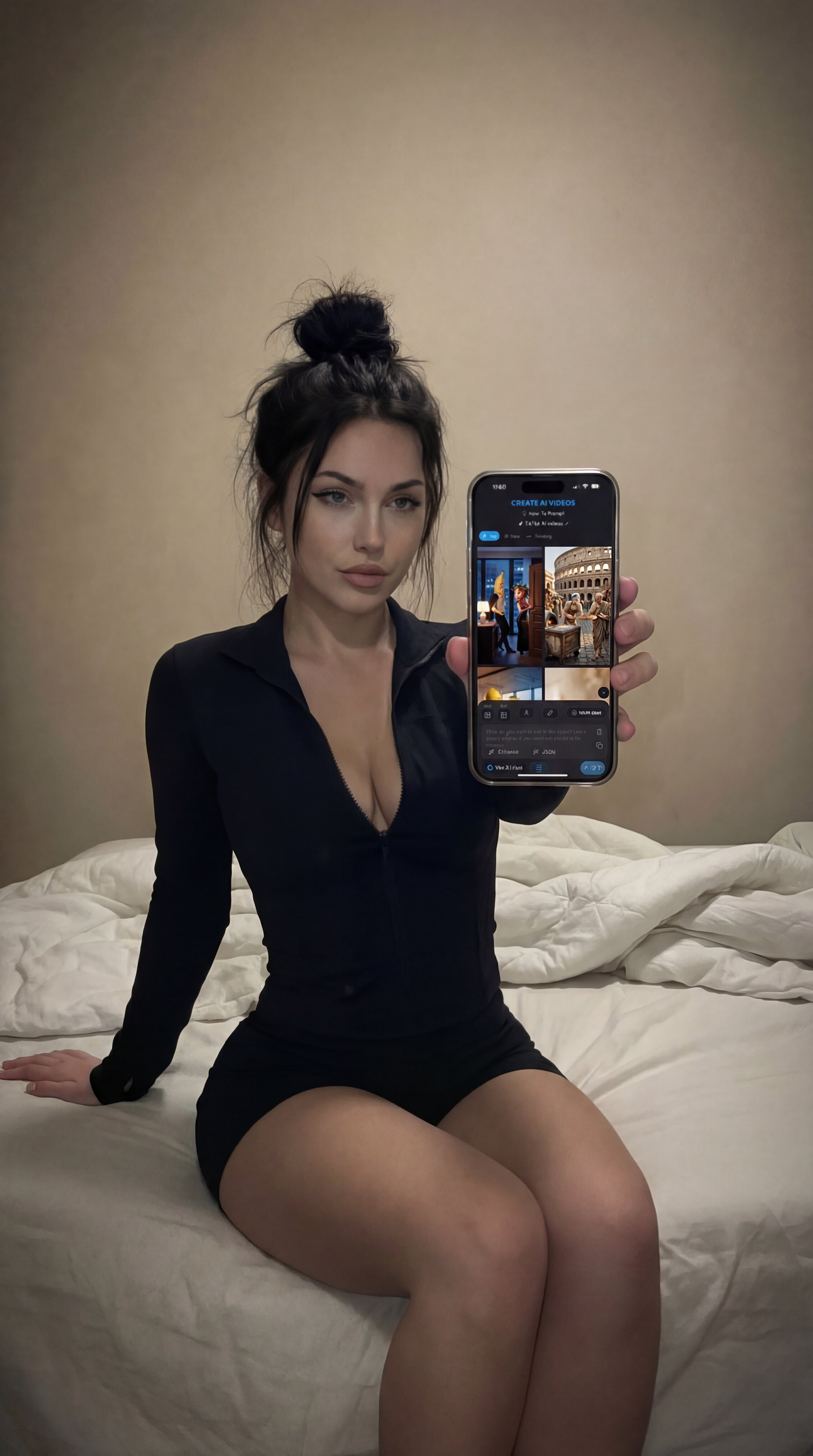
Open AI Image, select your AI influencer character, and add an app screenshot as a reference image. Use the prompt template below - describe how the influencer holds the phone and what the screen shows.
Photorealistic [SHOT TYPE  -  e.g. medium shot, close-up] of a [AGE RANGE] [GENDER] influencer holding a smartphone showing [APP NAME / SCREEN DESCRIPTION] on the screen.

The influencer has [KEY FEATURES FROM CHARACTER  -  e.g. dark wavy hair, warm skin, wearing white linen shirt]. Expression: [EXPRESSION  -  e.g. smiling at the phone, looking at camera while holding phone up].

Phone placement: [HOW PHONE IS SHOWN  -  e.g. held up next to face showing screen to camera, looking down at phone in hand, tilted toward viewer].

Background: [BACKGROUND  -  e.g. cozy apartment, modern desk setup, outdoor café].

Lighting: [LIGHTING  -  e.g. soft diffused studio light, natural window light from the left].

High-resolution, photorealistic, shallow depth of field, 35mm lens, natural film grain. Portrait orientation 9:16.

No text, no watermarks, no logos.
Video Generation · Step 3
Bring Your AI Influencer Image to Life with AI Video
Take your AI influencer image and animate it into a realistic video clip using AI Video. Upload the influencer image as a start frame and choose Grok, Veo 3.1, or Kling 3 - the model animates your influencer with natural motion, realistic expressions, and product interaction.
Generate the AI influencer video
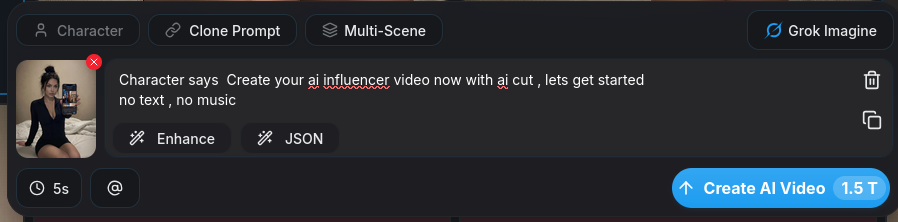
Open AI Video and upload your product image as the start frame. Select your video model - Grok, Veo 3.1, or Kling 3. Write a short motion prompt describing what the influencer does with the product. Generate a few variations and pick the most natural take.
Open AI VideoTip: Use a clean, well-lit influencer image as the start frame. Write a motion-focused prompt: describe what the influencer is doing with the product, how they move, and the camera angle. Keep it under 20 words for best results.
Video Models
Grok, Veo 3.1, or Kling 3 : A Model Comparison
All three models support start-frame animation. Pick based on the look you're going for.
Grok
Budget-friendly, efficient results
A cost-efficient video model with promising results. Great for quick iterations, product showcases, and UGC-style content without breaking the budget.
Veo 3.1
Character consistency & detail
High-quality rendering with excellent character consistency. Ideal for product videos where face and details need to stay sharp throughout.
Kling 3
Natural motion & UGC style
The most realistic voice and movement of any video model. Smooth facial animation, natural body motion, and lifelike lip sync make it the top pick for talking-head and product interaction videos.
Optional - Motion Control · Step 4
Add Motion Control from a Reference Video
Want your AI influencer to move a specific way - a hand gesture, a head turn, a product unboxing motion? Use AI Motion Control to transfer the exact movement from a reference video onto your generated clip.
Apply motion from a reference video
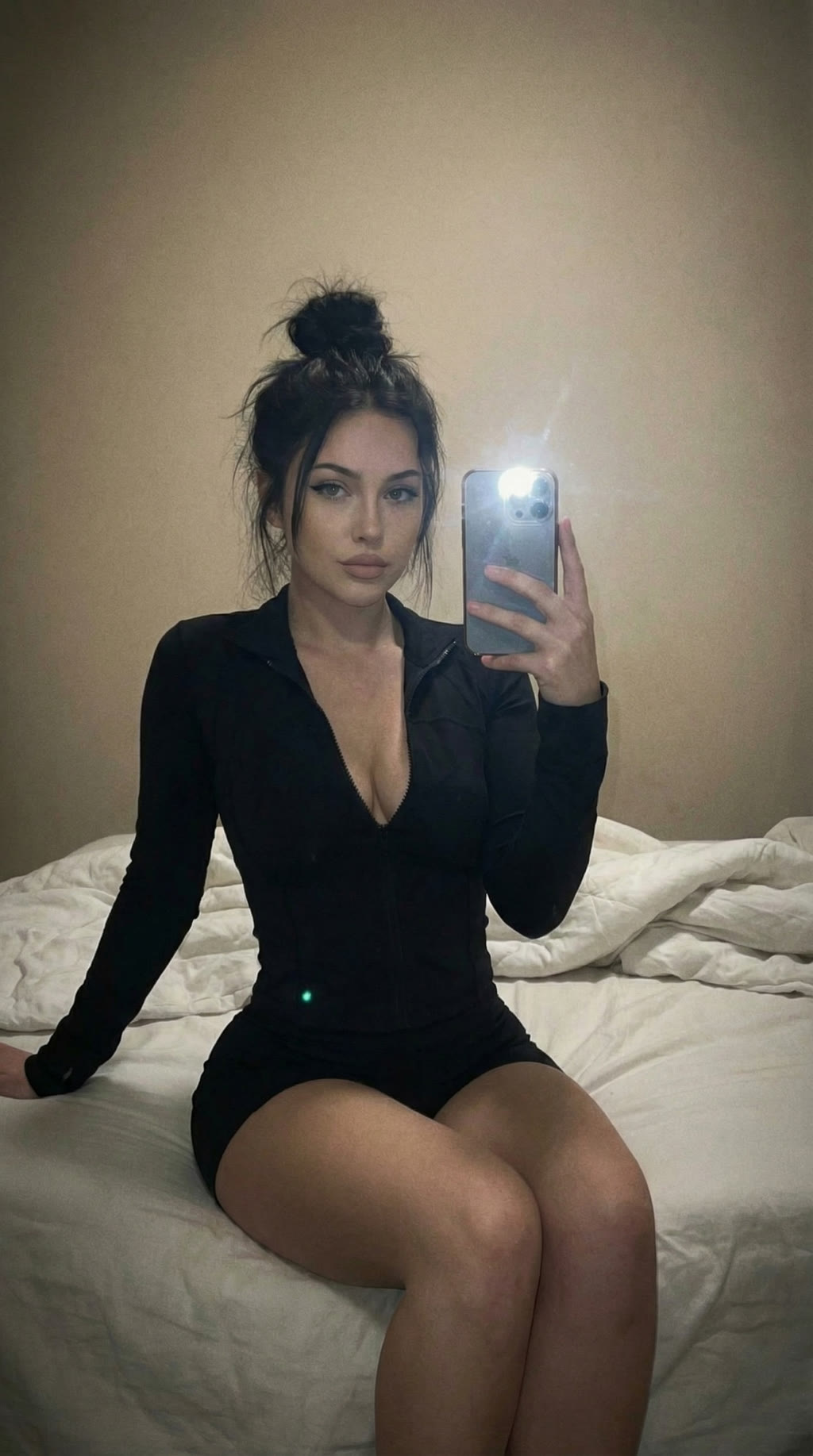
Input - Character Image
Input - Reference Video
Result - AI Influencer with Motion Control
Open AI Motion Control and upload your AI influencer image or video as the source. Then upload a reference video that shows the exact movement you want - the model transfers the motion onto your influencer while keeping their face and style consistent.
Create AI Motion Control VideoTip: Film a quick reference video on your phone or find one online. The motion control model extracts the movement and applies it to your AI influencer while keeping their appearance intact.
Result
Your AI Influencer Video
A fully AI-generated influencer video with realistic interaction - ready to post on TikTok, Reels, or YouTube Shorts.
Final checklist
- •The influencer looks photorealistic and matches your niche audience.
- •Reference sheet and character are saved in your assets library for reuse.
- •Product image shows the influencer naturally interacting with the product.
- •Motion looks natural - smooth movement, authentic expression, no robotic glitches.
- •Character stays consistent from image to video - same face, same style.