

How to Make Fruit Love Island AI Videos
Viral AI Video Trend
Learn how to create viral Fruit Love Island AI story videos in AICUT - design hybrid fruit-human characters, write reality TV storylines with drama and romance, and turn every scene into cinematic AI video.
AI Video Story · New
Make a Fruit Love Island story in one go
Generates the cast, scenes, and animations end-to-end - quicker and more reliable than building each step by hand.
In this guide
The Love Island Cast Blueprint
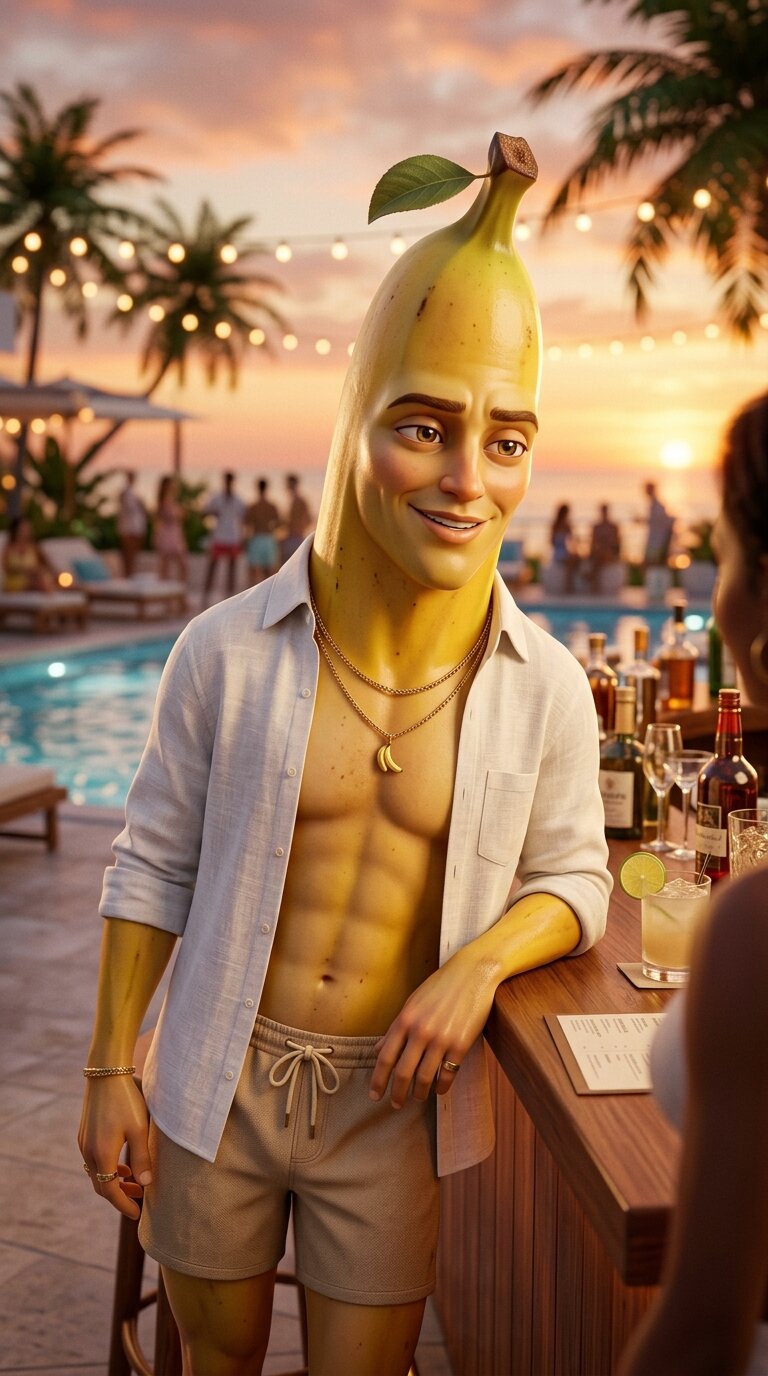
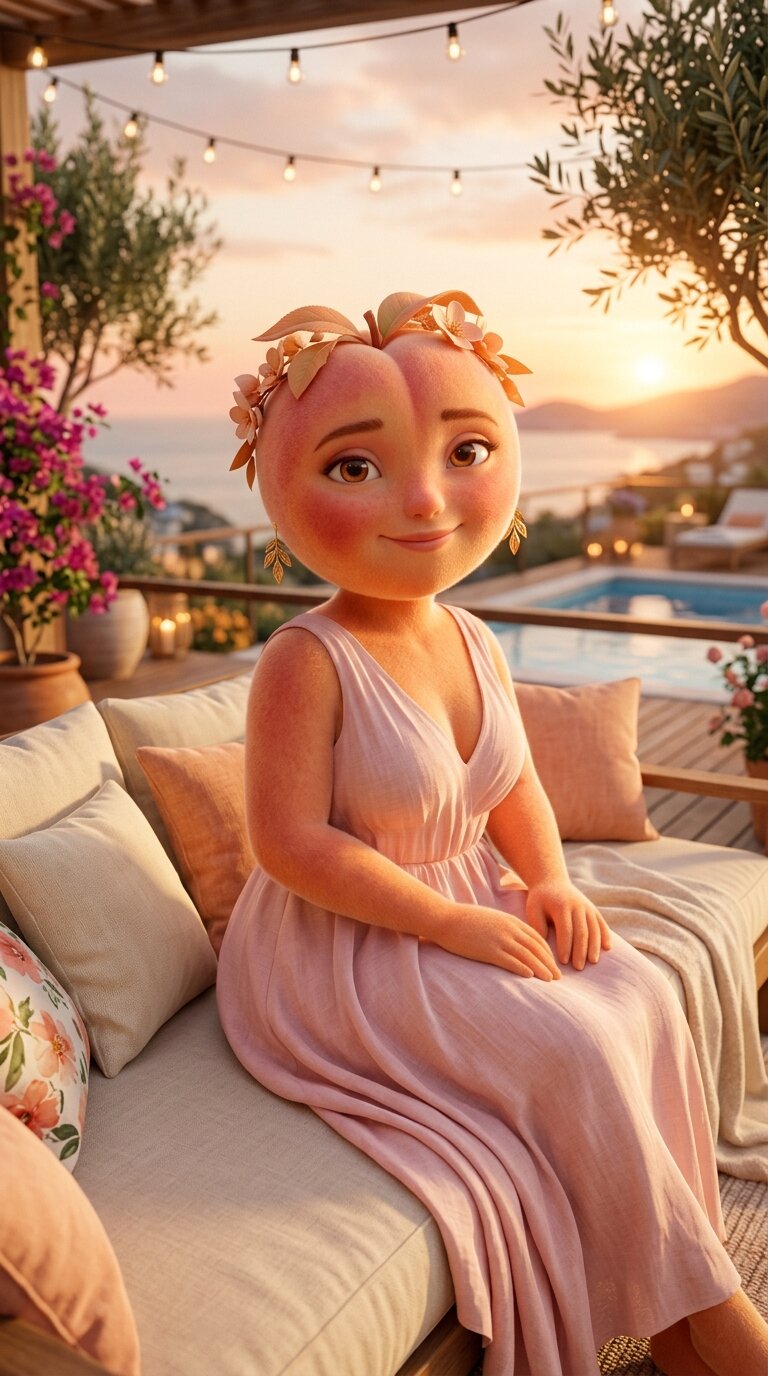
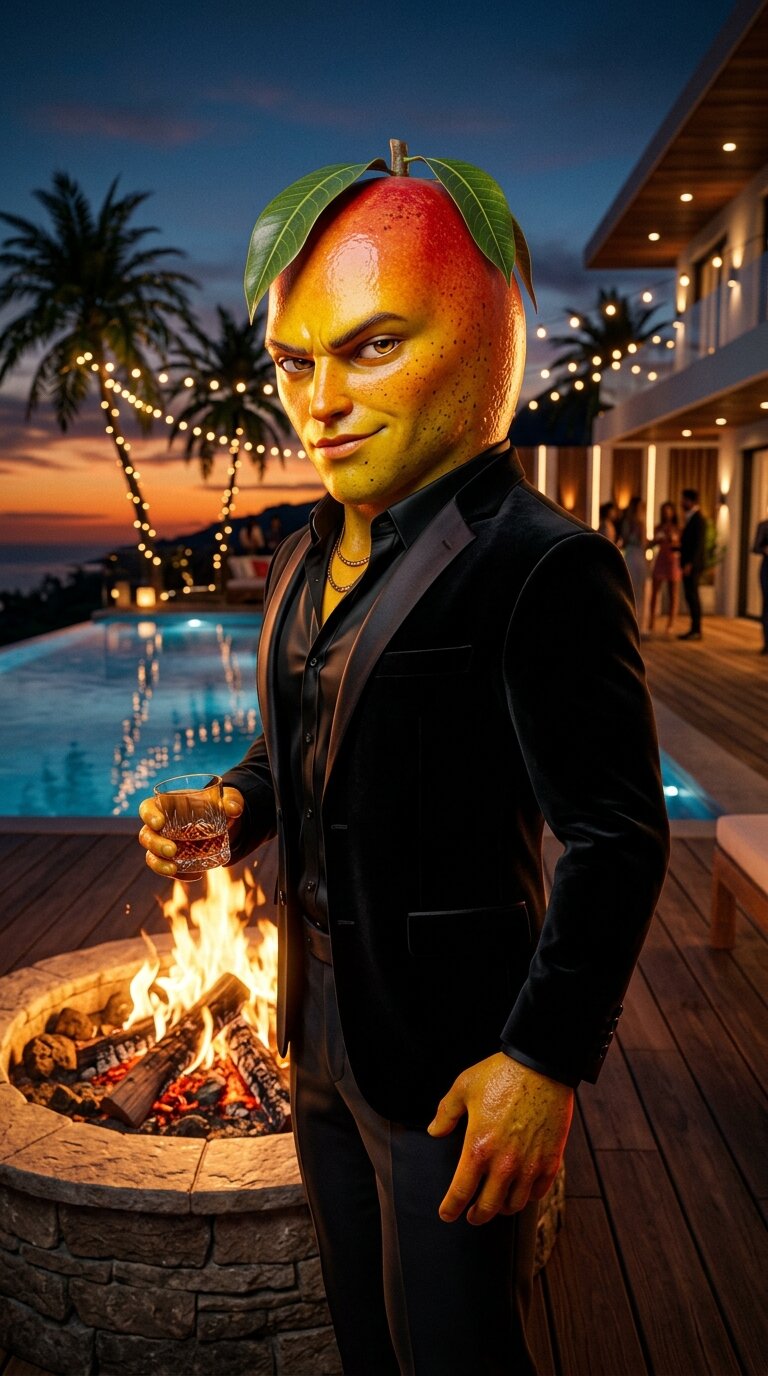
Every Love Island series runs on a strong cast with clear archetypes. Before you generate a single scene, lock your fruit islanders - distinct fruit types, personalities, and outfits that the audience can instantly recognize and root for (or against).
Example islanders
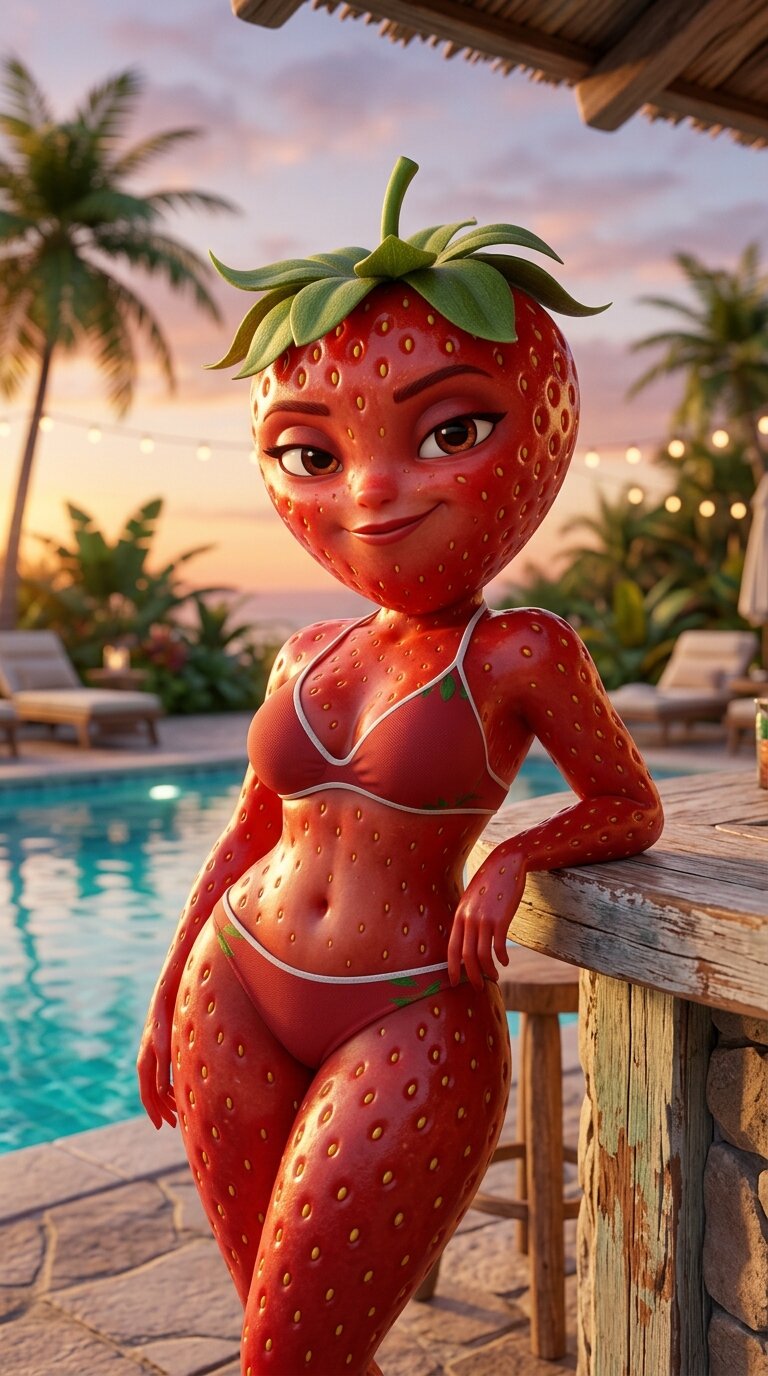
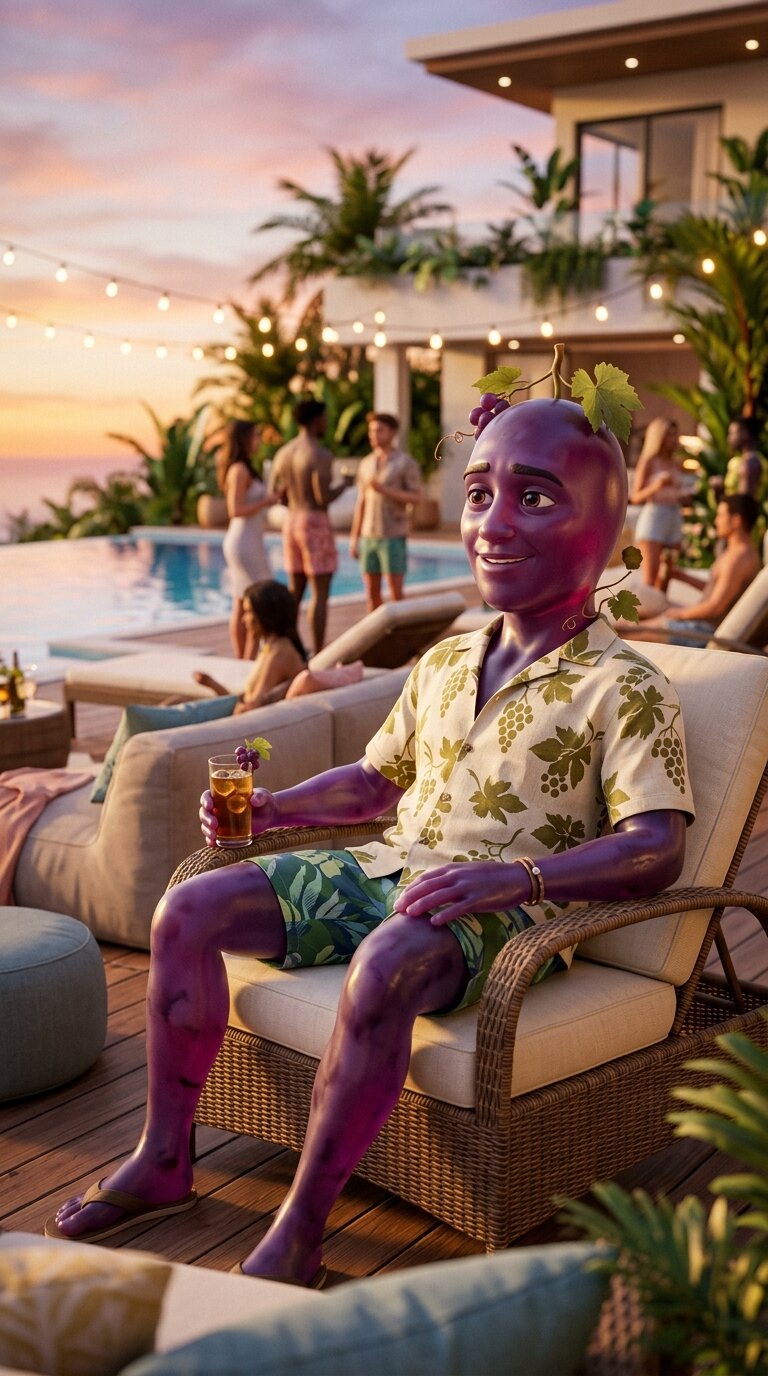
Confident, flirty, impossible to ignore. Arrives late and immediately shakes up every couple.
Smooth-talking charm that hides wandering eyes. Always grafting, never fully committed.
Warm, genuine, wears their heart on their sleeve. The audience roots for them - which makes their heartbreak devastating.
Strategic and seductive. Steals partners without remorse and thrives on chaos.
Loyal, grounded, gives the best advice. Often the narrator of the drama without being caught in it.
Character Design · Step 1
Design Your Fruit Love Island Cast
Build each fruit-human hybrid character in AI Image. Every islander needs a distinct fruit type, personality, outfit, and visual identity. Save them to your character assets library - this locked cast is the foundation of every scene.
Generate each fruit islander in AI Image
Open AI Image and generate each fruit-human hybrid character separately. Describe the fruit type, how the fruit texture blends into human skin, their Love Island outfit, pose, and emotional energy. Keep the prompt structure consistent across all characters.
Anthropomorphic [FRUIT TYPE] character, hyper-detailed cinematic 3D render. Hybrid human-fruit morph  -  human body structure with [FRUIT] skin texture seamlessly blending into the face and head. Realistic fruit surface detail (subsurface scattering, gloss, natural peel texture, stem/leaf accent). Expressive human-like eyes, [FACIAL EXPRESSION  -  e.g. confident smirk, shy smile, seductive gaze].

Stylized athletic human body with [BODY TYPE  -  e.g. lean, toned, curvy], wearing [LOVE ISLAND OUTFIT  -  e.g. neon bikini, linen shirt unbuttoned, swimtrunks, evening cocktail dress]. Realistic fabric folds, skin-to-fruit texture transition at the neck and shoulders.

[POSE  -  e.g. leaning against a pool bar, arms crossed confidently, sitting on a daybed]. [SHOT TYPE  -  e.g. medium shot, three-quarter view], shallow depth of field, soft bokeh.

Environment: luxury Love Island villa  -  [LOCATION  -  e.g. poolside with turquoise water, fire pit at sunset, balcony terrace at night]. Warm golden-hour or sunset lighting.

Cinematic lighting: warm key light, soft fill, rim light separating the character from the background. High-end 3D rendering, polished materials, ambient occlusion, film grain, cinematic color grading.

Mood: [EMOTIONAL TONE  -  e.g. flirty, tense, confident]. Color palette: [FRUIT COLORS] + sunset warm tones.

No text, no watermarks.
Generate multi-angle reference sheets for consistency
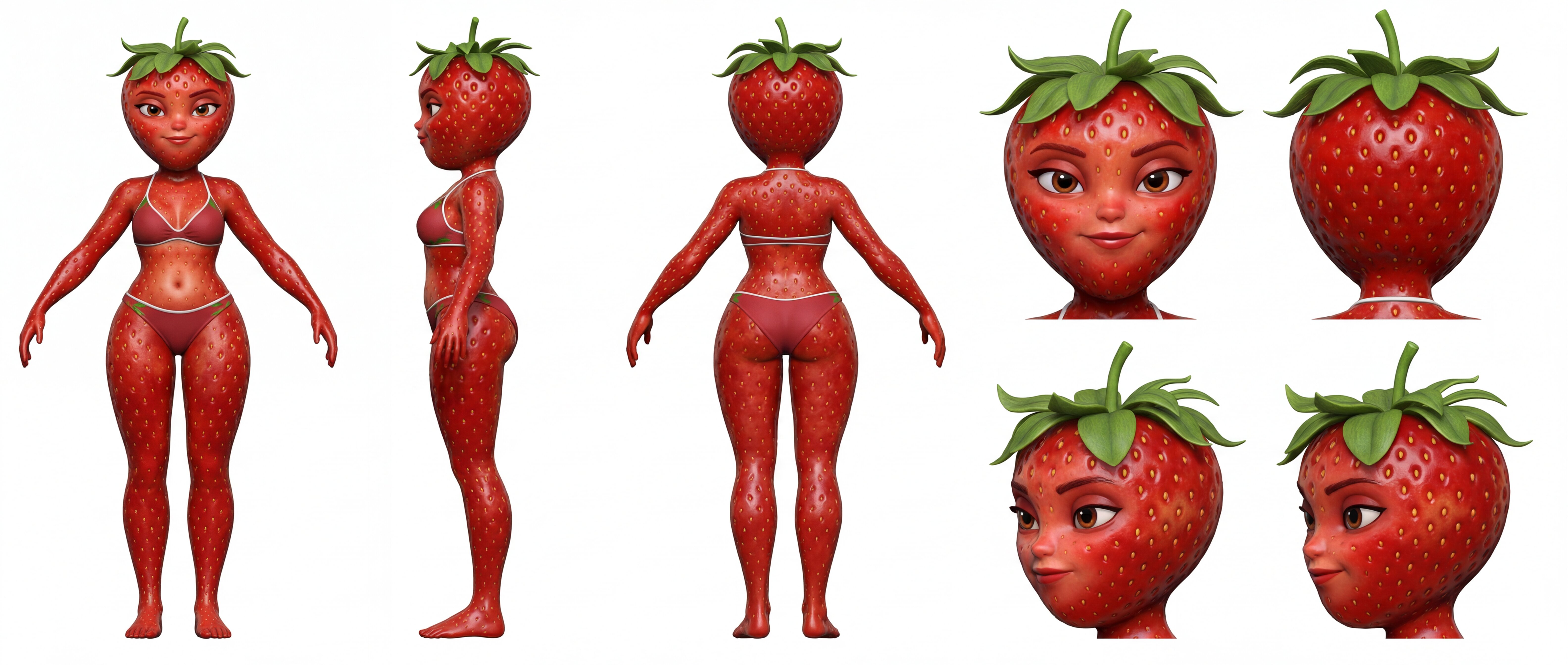
Use the character reference sheet template to generate multiple angles, expressions, and poses for each fruit islander. This gives AICUT more visual reference to keep characters consistent across all scenes in the villa.
Create Character Reference SheetsSave all islanders to your assets library
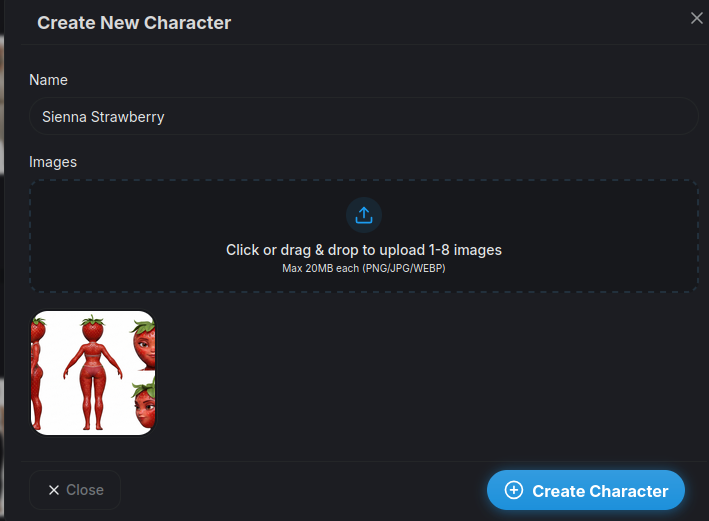
Upload each fruit character to the Characters assets library. You'll select them by name when building scenes - this ensures the same islander appears consistently throughout the story.
Save to Character AssetsTip: Match fruit types to character archetypes - a strawberry bombshell, a smooth banana player, a sweet peach sweetheart. The fruit-personality contrast makes characters instantly recognizable and adds a layer of visual comedy to the drama.
Story Creation · Step 2
Write the Love Island Storyline
Plan 5–8 scenes that follow the Love Island format: a dramatic arrival, initial couplings, secret grafting, a betrayal discovery, an explosive confrontation, and a recoupling ceremony with a twist. Each scene should be 3–8 seconds when animated.
Love Island Scene Structure
New bombshell enters the villa. Slow-motion entrance, all heads turn. Establish the setting and the disruption.
First impressions and pairings. Two characters connect on the daybeds - flirty body language, lingering eye contact.
The Player pulls someone for a secret chat at the fire pit. Chemistry builds while their partner is unaware.
The Sweetheart notices something is off. Close-up on their worried face watching a suspicious interaction from afar.
Caught in the act - the Sweetheart walks in on their partner flirting. Dramatic reveal shot, the moment everything breaks.
Face-to-face argument. Tears, tension, the whole villa watching. Maximum emotional intensity.
Dramatic recoupling ceremony. Characters stand on opposite sides of the fire pit. Tension-filled silence before the choice.
A surprise new arrival, an unexpected re-coupling, or a walkout that changes everything. End on a cliffhanger.
Fill in the story prompt template with your cast
Replace the bracketed placeholders with your fruit cast, outfits, personalities, and scene details. This prompt defines the full arc of your Love Island episode - from the arrival to the final twist.
Premium cinematic 3D anthropomorphic fruit drama. Vertical 9:16. Ultra Realism style. No text, watermarks, or subtitles.

SETTING: Love Island villa  -  luxury Mediterranean villa with pool, daybeds, fire pit, recoupling ceremony stage, hideaway room, and rooftop terrace.

CAST
- [FRUIT TYPE] as [Name]  -  [Role, e.g. the Bombshell]. Wears [outfit]. [Personality  -  e.g. confident, flirty, turns heads].
- [FRUIT TYPE] as [Name]  -  [Role, e.g. the Player]. Wears [outfit]. [Personality  -  e.g. smooth-talking, keeps options open].
- [FRUIT TYPE] as [Name]  -  [Role, e.g. the Sweetheart]. Wears [outfit]. [Personality  -  e.g. loyal, emotional, falls hard].
- [FRUIT TYPE] as [Name]  -  [Role, e.g. the Villain]. Wears [outfit]. [Personality  -  e.g. scheming, steals partners].
- [FRUIT TYPE] as [Name]  -  [Role, e.g. the Best Friend]. Wears [outfit]. [Personality  -  e.g. loyal, gives advice].

STORY (5–8 scenes, 3–8 seconds each)
Scene 1  -  Arrival: [New bombshell character arrives at the villa. All heads turn. Slow-motion entrance by the pool.]
Scene 2  -  Coupling Up: [First impressions. Two characters pair up on the daybeds. Flirty body language, lingering eye contact.]
Scene 3  -  Grafting: [The Player pulls the Bombshell for a private chat at the fire pit. Chemistry and tension.]
Scene 4  -  Suspicion: [The Sweetheart notices something is off. Close-up on their worried expression watching from a distance.]
Scene 5  -  The Betrayal: [The Sweetheart catches their partner flirting with someone else. Dramatic reveal shot.]
Scene 6  -  Confrontation: [Face-to-face argument. Tears, raised voices, emotional intensity. The villa watches.]
Scene 7  -  Recoupling: [Dramatic recoupling ceremony. Characters stand on opposite sides. Tension-filled choice.]
Scene 8  -  Payoff: [Final twist  -  a surprise re-coupling, a walkout, or an unexpected new arrival that changes everything.]

Consistent wardrobe and proportions for every character across all scenes. Cinematic lighting, shallow depth of field, film grain, color grading. Warm Mediterranean palette with sunset tones.
Tip: The best Love Island storylines follow a simple arc: hope → suspicion → betrayal → confrontation → resolution. Every scene should escalate the emotional stakes. Think about who the audience is rooting for - and then put that character through the most drama.
Scene Frames · Step 3
Generate a Start Frame for Every Scene
Before animating, generate a strong, consistent start frame for each scene. Use AI Image with your per-scene prompt and select all the characters that should appear from the character selection modal - this gives the AI the visual references it needs to render every islander consistently across all villa locations.
Select all characters for the scene from the character modal
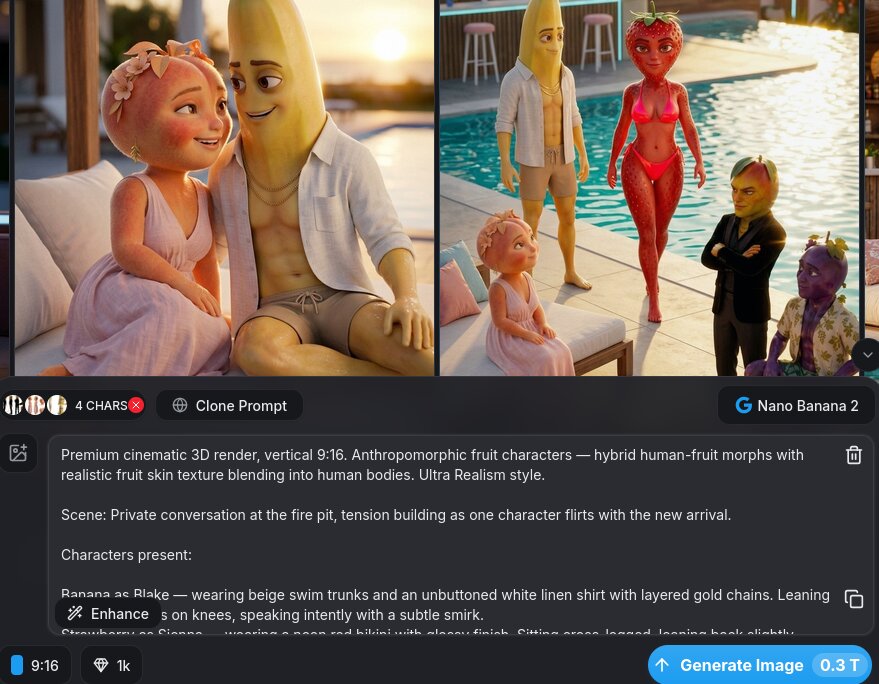
Open AI Image and click the character selection modal. Select every fruit islander that should appear in the scene - for a two-character daybed scene, select both characters. For the recoupling ceremony, select the full cast. The AI uses all selected characters as visual references to render them together consistently.
Select CharactersGenerate the scene start frame
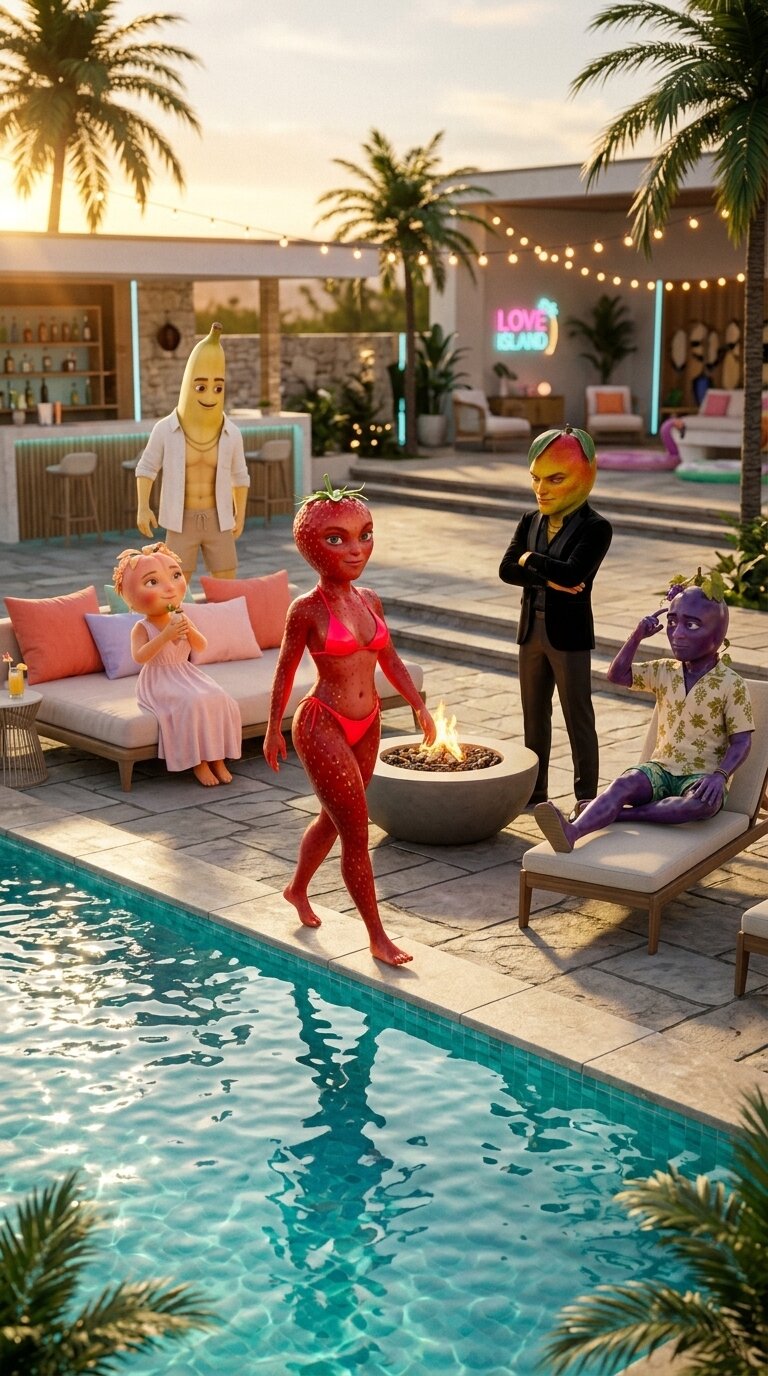
With your characters selected, use the Scene Image Prompt as your image prompt to generate the start frame. The AI will use the selected character references to keep every islander looking identical in the scene.
Premium cinematic 3D render, vertical 9:16. Anthropomorphic fruit characters  -  hybrid human-fruit morphs with realistic fruit skin texture blending into human bodies. Ultra Realism style.

Scene: [SCENE DESCRIPTION  -  e.g. Two characters sitting on the Love Island daybed at sunset, Strawberry leaning in close to Banana while Peach watches from the villa balcony above].

Characters present:
- [FRUIT TYPE] as [Name]  -  wearing [EXACT OUTFIT from character reference]. [POSE / ACTION  -  e.g. leaning forward, hand on the other's arm, eye contact].
- [FRUIT TYPE] as [Name]  -  wearing [EXACT OUTFIT]. [POSE / ACTION  -  e.g. standing in background, arms crossed, looking hurt].

Environment: Love Island villa  -  [SPECIFIC LOCATION  -  e.g. fire pit area, pool terrace, recoupling ceremony stage, hideaway bedroom]. [TIME OF DAY  -  e.g. golden hour, night with string lights, bright midday sun].

[SHOT TYPE  -  e.g. wide establishing shot, medium two-shot, over-the-shoulder], [CAMERA ANGLE  -  e.g. eye level, slight low angle], shallow depth of field.

Cinematic lighting: [LIGHTING  -  e.g. warm sunset key light with long shadows, cool moonlight with warm string-light fill]. Realistic reflections on water/surfaces.

Mood: [EMOTIONAL TONE  -  e.g. romantic tension, jealous confrontation, playful flirting]. High-end 3D rendering, film grain, cinematic color grading.

No text, no watermarks.
Tip: Always select every character that appears in a scene from the character modal. For multi-character scenes like the recoupling ceremony, select all characters present - this is what keeps the cast visually locked.
Video Generation · Step 4
Animate Each Scene with AI Video
Take the start frame from each scene and convert it into an animated video clip using AI Video. Use Grok Imagine or Kling as your generation model - both handle cinematic motion well for this style of content.
Create scene videos from start frames + video prompts
Open AI Video and upload the scene start frame you generated in Step 3. Select Grok Imagine or Kling as your model. Use the Video Prompt to describe the motion, camera movement, and emotional tone. Set duration to 3–8 seconds, then repeat for each scene.
Premium cinematic 3D animation. Vertical 9:16. Ultra Realism style. Smooth, natural motion. No text overlays or watermarks.

[MOTION DESCRIPTION  -  e.g. Strawberry slowly turns her head toward Banana with a flirty smile. Banana reaches for her hand across the daybed. In the background, Peach's expression shifts from hopeful to heartbroken as she watches from behind the villa pillar.]

Camera: [CAMERA MOVEMENT  -  e.g. slow push-in on the couple, subtle dolly right to reveal the background character, static medium shot with shallow depth of field].

Duration: [3-8] seconds.

Mood: [EMOTIONAL TONE  -  e.g. romantic tension building, dramatic reveal, heartbreak]. Warm cinematic lighting, ambient villa sounds implied through visual atmosphere.
Assemble, caption, and export the final video
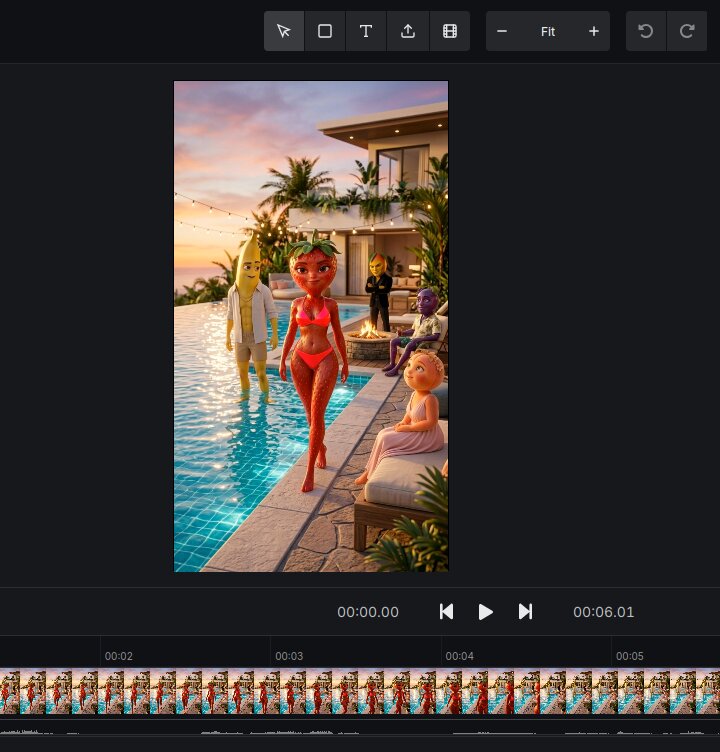
Once all scene clips are ready, open the Video Editor to arrange them in story order, trim timing, add captions for dialogue and drama commentary, and stamp your watermark before exporting.
Open Video EditorTip: Keep clips between 3–8 seconds each. Romantic scenes benefit from slow, subtle motion (lingering looks, a hand reaching out). Confrontation scenes need sharper, faster movements. Match the motion intensity to the emotional beat.
Result
Your Fruit Love Island AI Video
A cinematic fruit reality TV drama short with a consistent cast, Love Island storyline beats, and animated scenes - ready to post on TikTok or YouTube Shorts.