

In this guide
Find · Step 1
Find a video worth copying
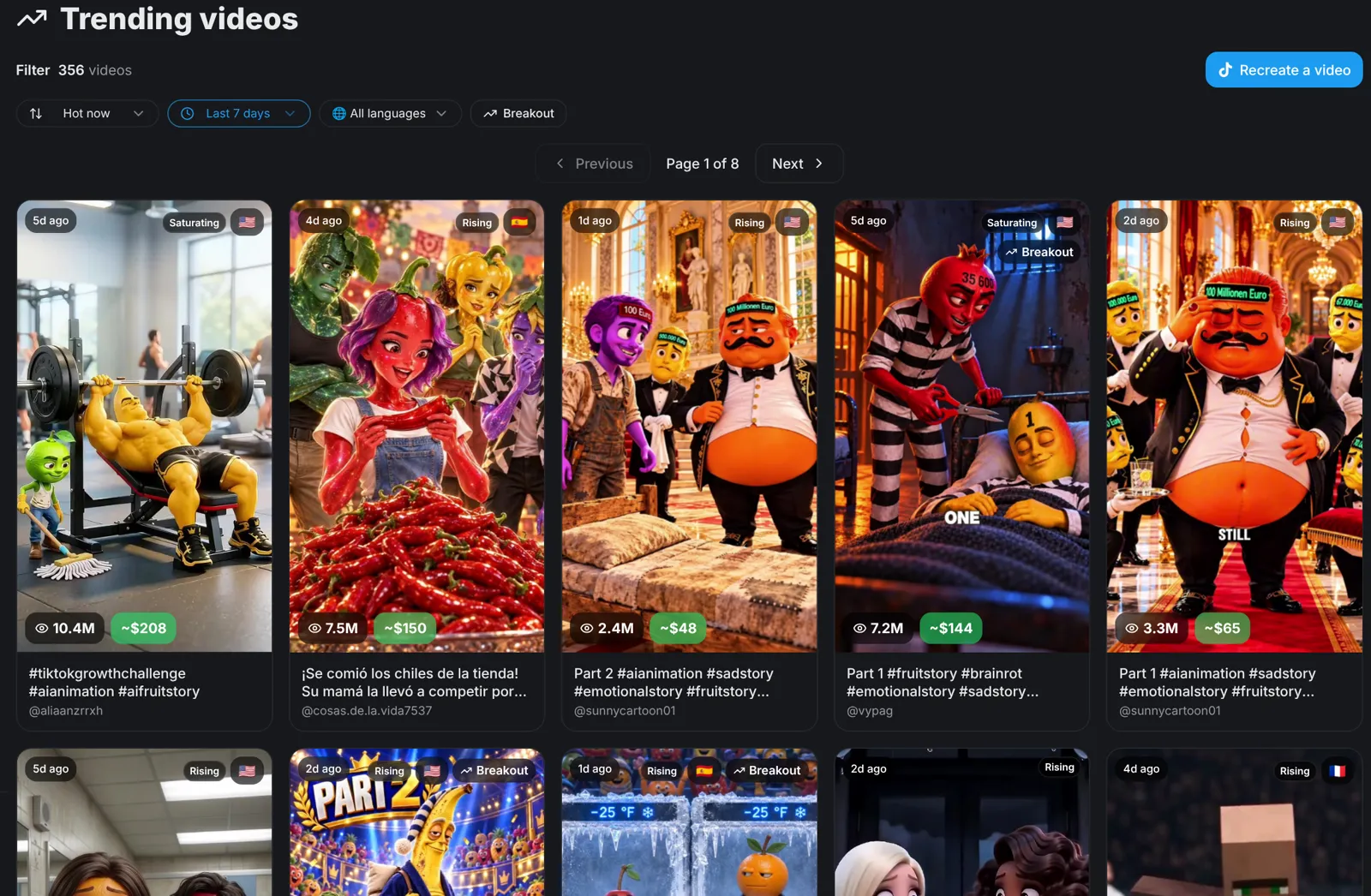
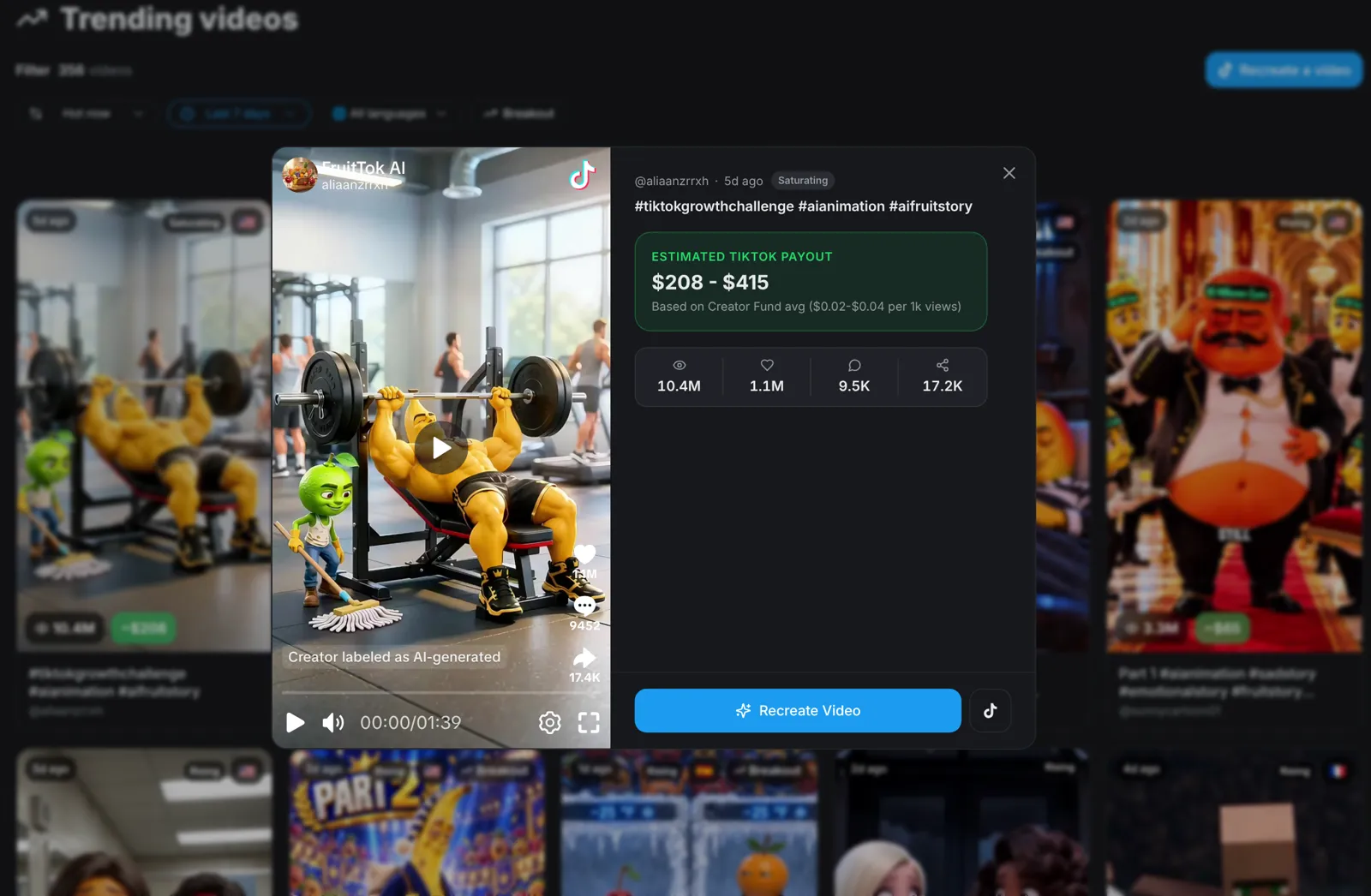
Open the Trends page to see AI videos that are taking off. Every card shows its views, and a Rising badge marks videos that are still growing. Filter by language, then open a video to see its views, likes, comments, shares and an estimated TikTok payout.
- Pick videos marked Rising rather than Saturating: the format still has room to grow.
- Check the estimated payout to see what the format can earn.
Tip: You can also use the link of any TikTok, Instagram Reel or YouTube video you found yourself.
Paste · Step 2
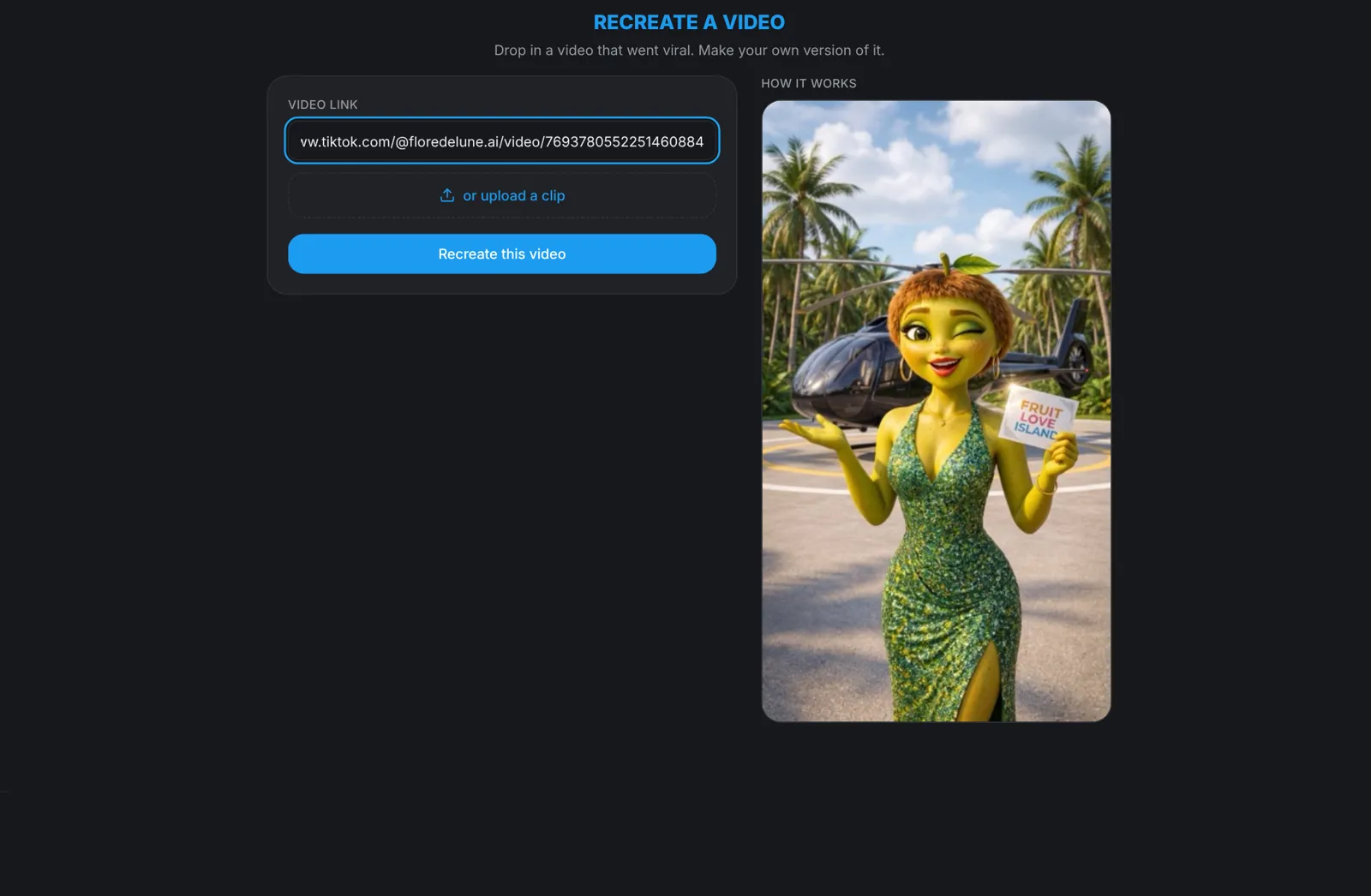
Paste the link into Recreate
Open Recreate from the create page, or click Recreate Video on any Trends card. Paste the link into the video link field and click Recreate this video. You can upload a clip from your device instead.
- TikTok, Instagram and YouTube links all work, including short links such as vm.tiktok.com and youtu.be.
- You need a free aicut account to start.
Match · Step 3
Pick the format that matches
In about a minute aicut downloads the video, watches it and matches it to the tools that can make it: AI Video Story, AI Voice Story, Fake Text Story or a single AI Video clip. The best matches play as examples. Pick one and click Recreate, or choose a format yourself if none fits.
- Analysing the video is free: nothing is charged until you generate.
Customize · Step 4
Make it your own
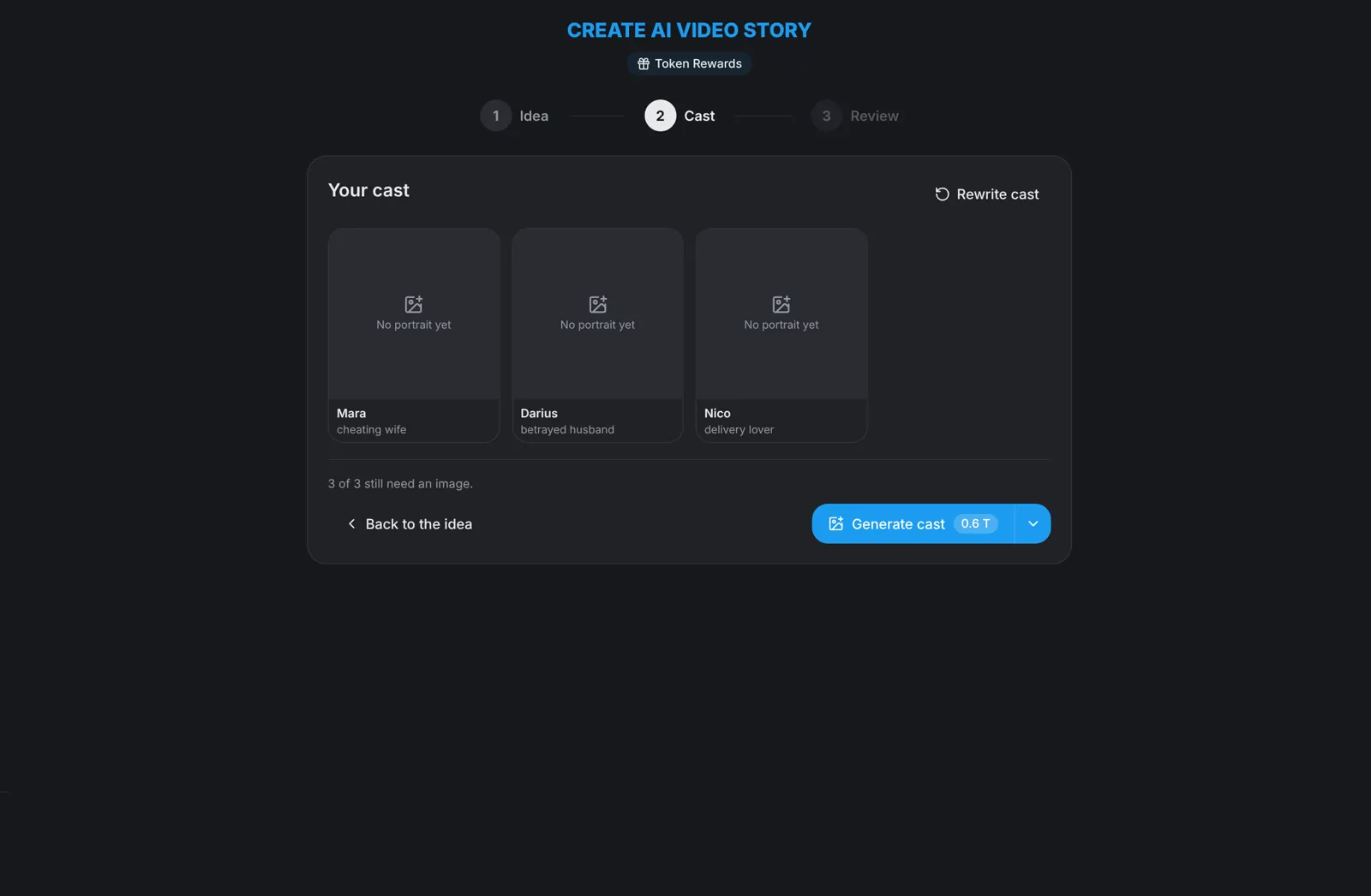
For an AI Video Story, aicut drafts a new story from the original. Rewrite the cast, pick characters from My characters, upload a photo or describe a new character. On the sign-off screen you choose the length and, under Advanced settings, the video model, aspect ratio and image model.
Review · Step 5
Review the scenes, then generate the video
Click Generate scenes + images and aicut writes the episode and draws every scene. On the review screen, redraw or remove any scene you don't like. When it looks right, click Generate video. The video part is only charged when you press that button.
Tip: Copy the format, not the video. Keep the hook and the pacing and change the story: that is what earns views and keeps your channel original.