

How to Make the Viral Jean Phil Trend AI Video
AI Trend Tutorial
The Jean Phil videos have millions of views: a deadpan, deformed aristocrat copying a dance in a real-looking place, shot like unedited phone footage. Learn how to make your own with aicut, starring a library character or you. No filming, no editing and no prompt writing.
In this guide
Open · Step 1
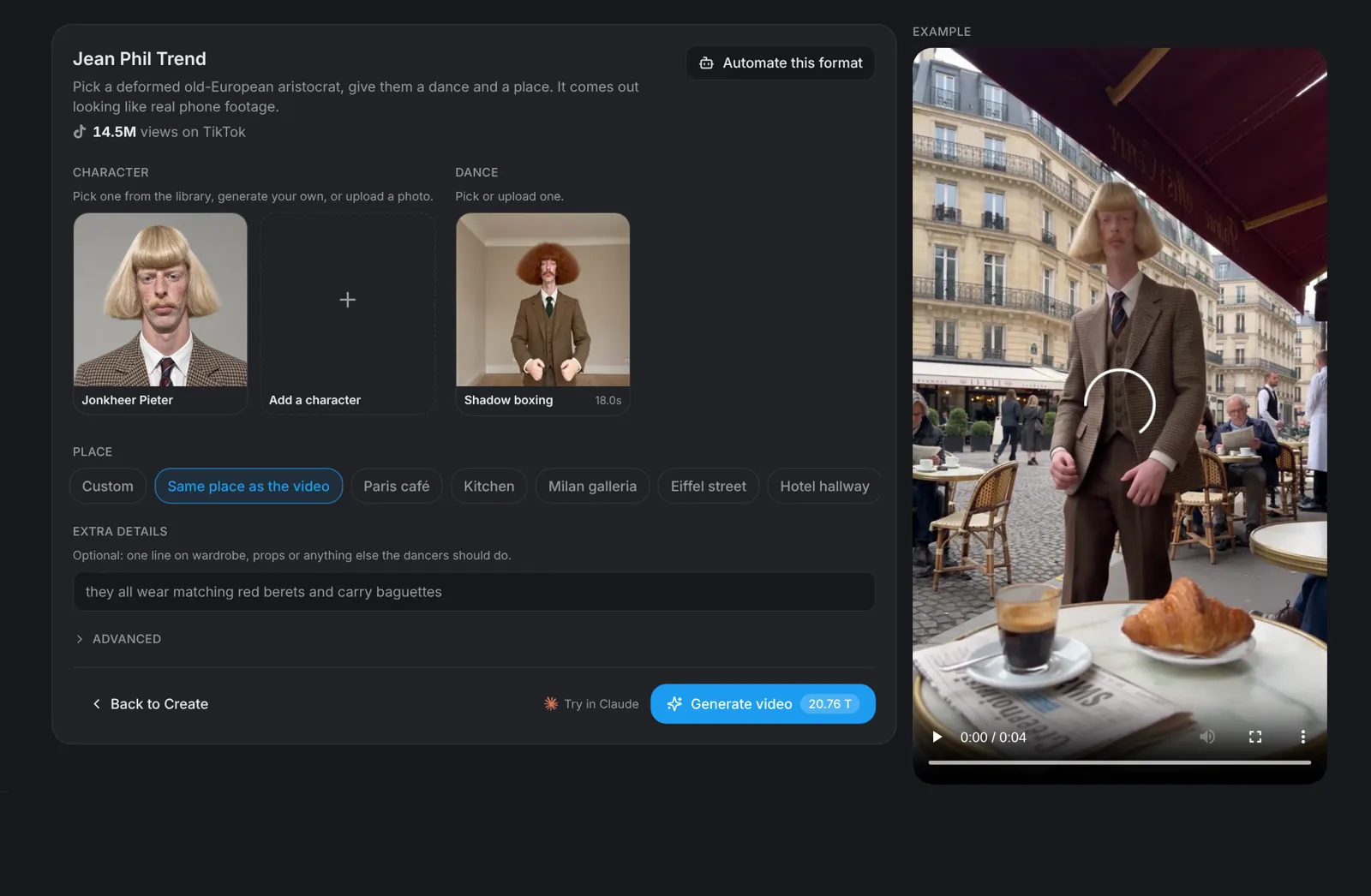
Open the Jean Phil Trend template
Go to aicut.pro and open the Jean Phil Trend template. The page shows how many views the original has on TikTok and an example of the deadpan dance that made it go viral.
Character · Step 2
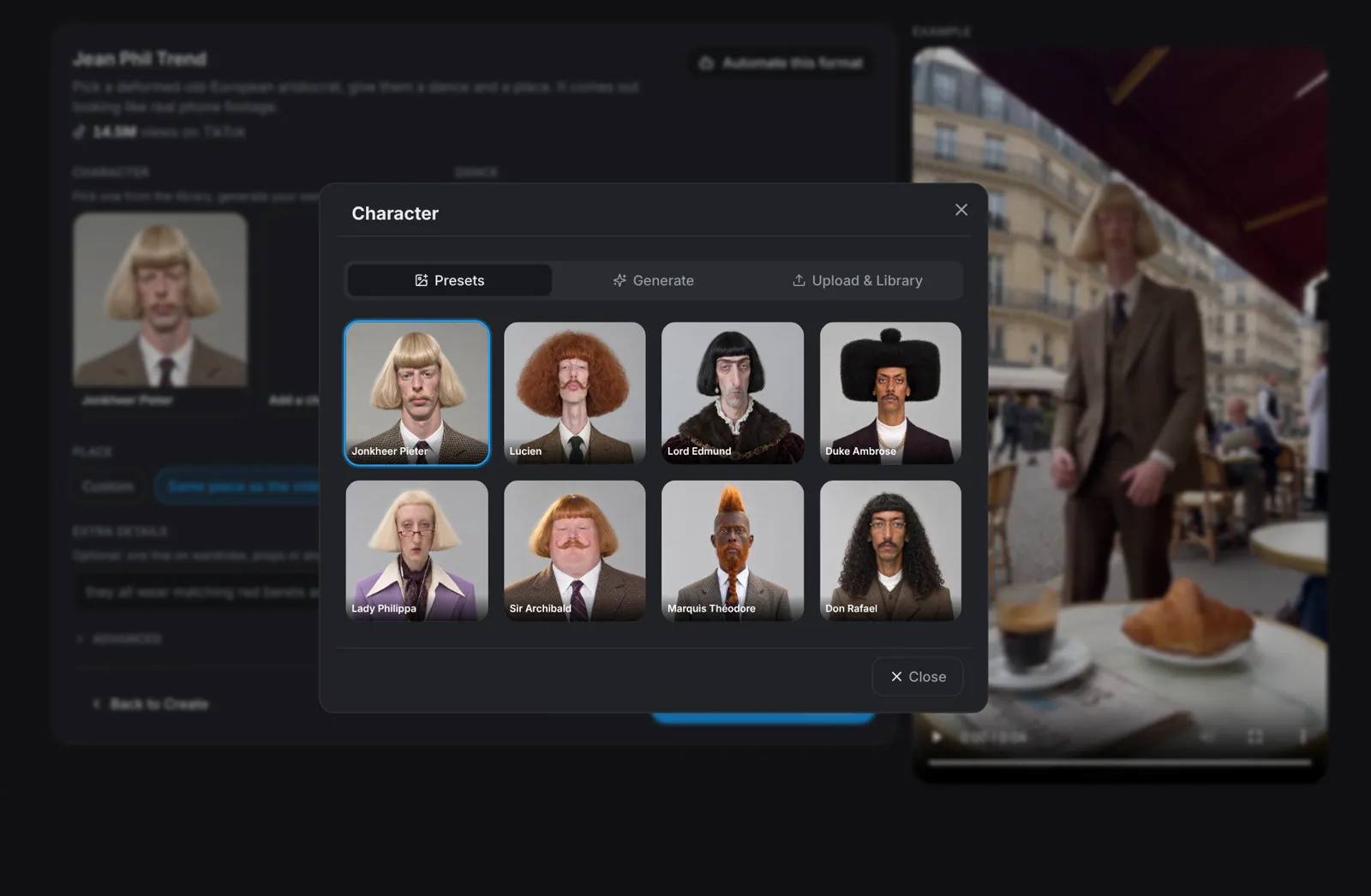
Pick a character or use your photo
Click the character to change it. Pick one of the eight library aristocrats, generate your own under Generate, or open Upload & Library and add a photo of yourself. Add a character to put up to four dancers side by side.
- A clear, front-facing, full-body photo works best.
- Only use photos of people who agreed to be in the video.
Dance · Step 3
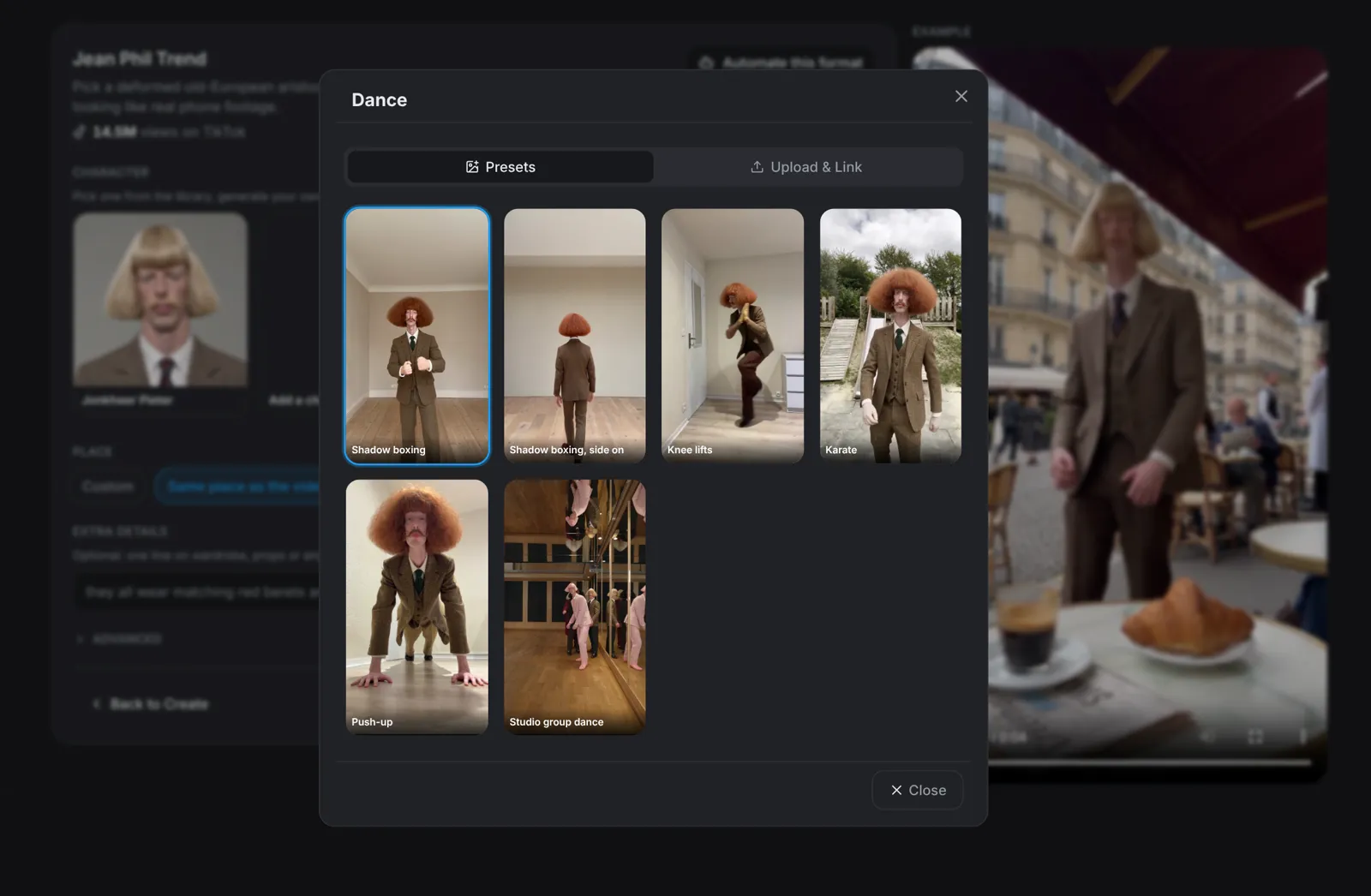
Pick the dance
Click the dance to change it. Choose Shadow boxing (front or side on), Knee lifts, Karate, Push-up or Studio group dance. Your character copies the moves exactly. Under Upload & Link you can also use your own clip or a video link.
Place · Step 4
Type the place
Choose where the dance happens: Paris café, Kitchen, Milan galleria, Eiffel street, Hotel hallway or Basement. Pick Same place as the video to keep the dance clip's own room, or Custom to describe any place. Extra details takes one line on wardrobe or props, such as matching red berets.
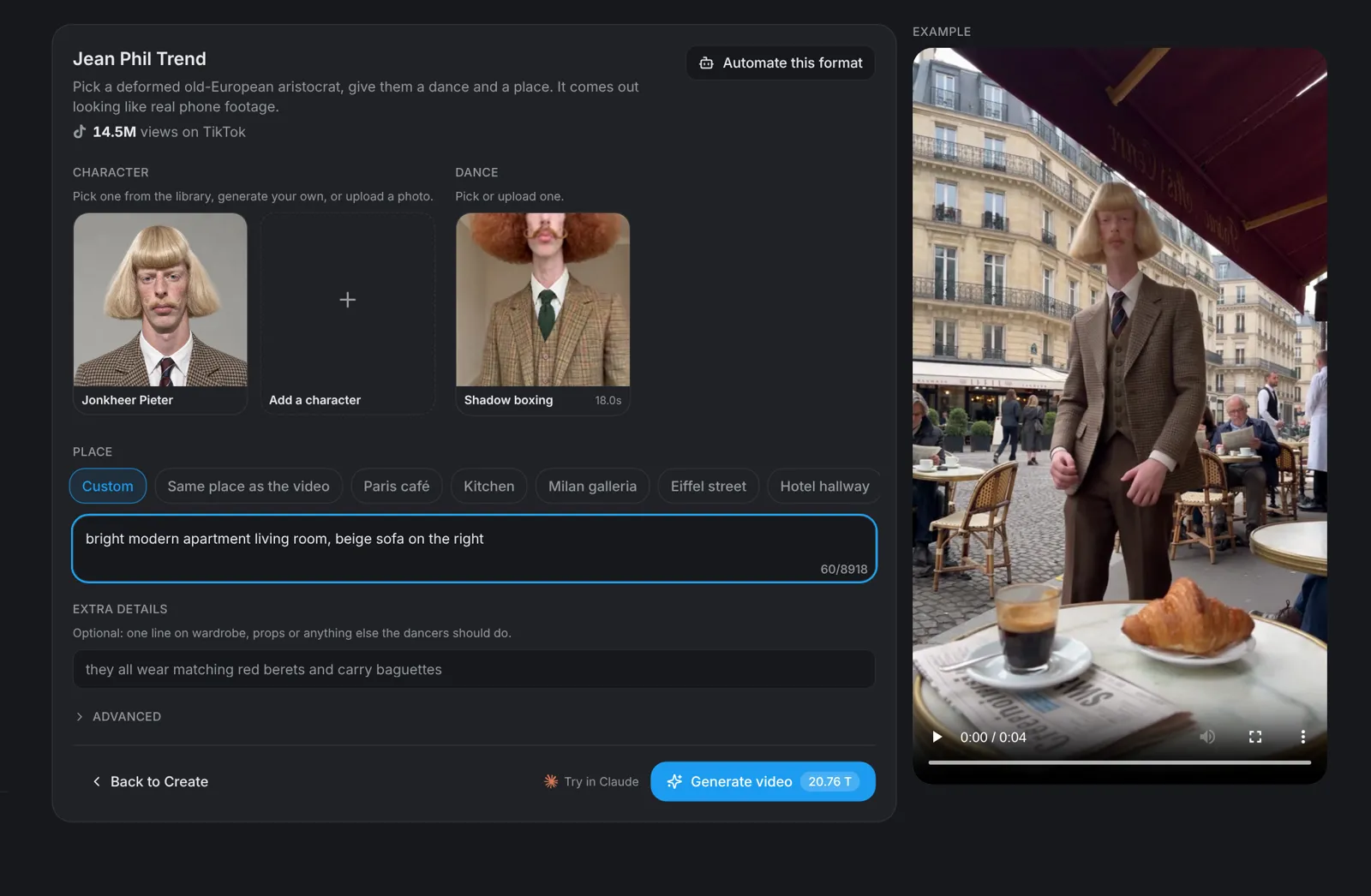
Tip: Ordinary places work best: the joke is a very strange person in a very normal room.
Generate · Step 5
Hit Generate video
Click Generate video: the button shows the price before you click. You get a vertical 9:16 clip that looks like unedited phone footage and keeps the dance clip's own sound, ready for TikTok, Instagram Reels and YouTube Shorts.