In this guide
Format · Step 1
Start from a format that is already working
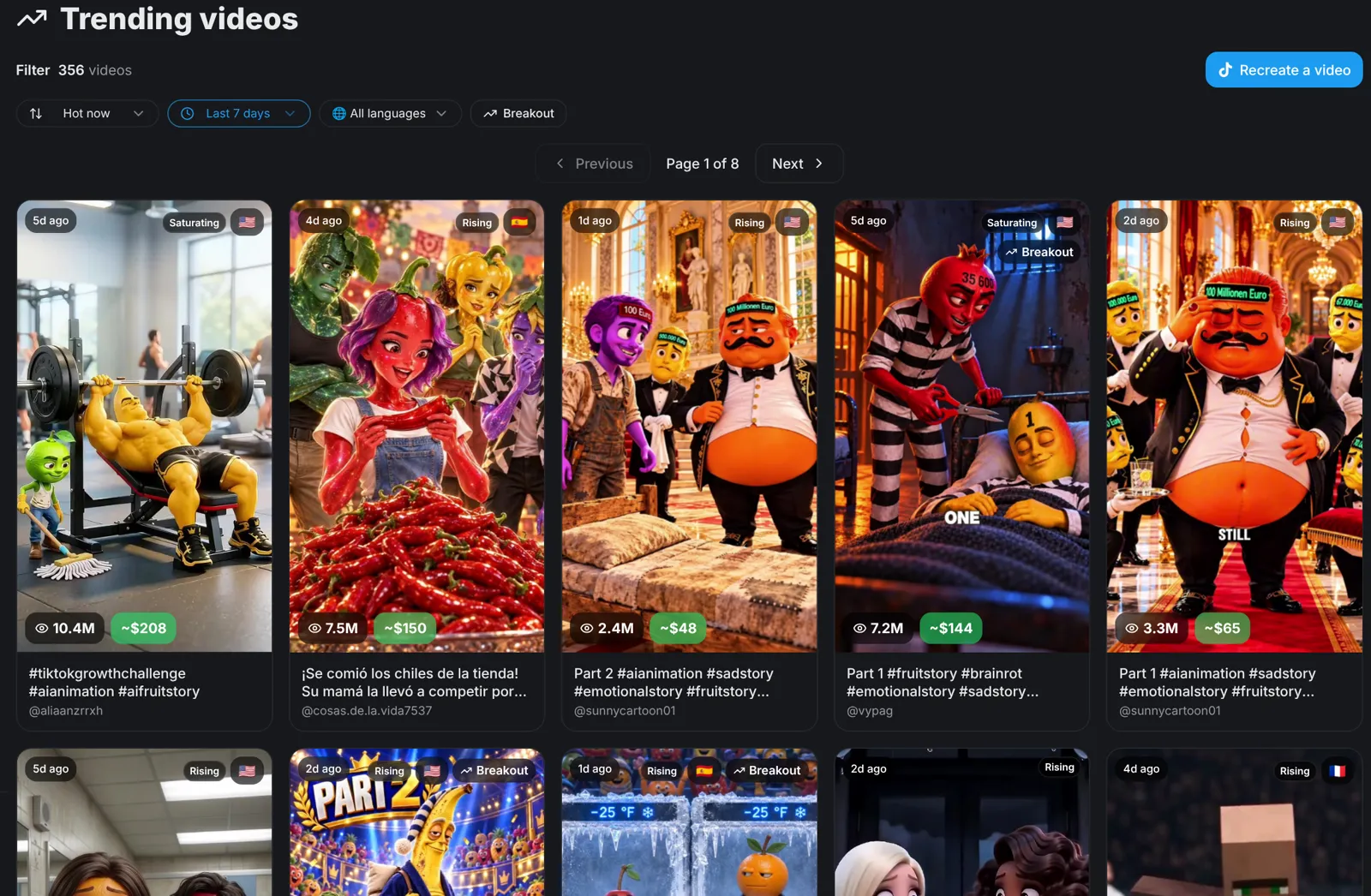
Open Trends and filter by your language. Every card shows its views, and a Rising badge marks videos that are still growing. Open one to see its likes, comments, shares and an estimated TikTok payout.
- Pick Rising over Saturating: the format still has room to grow.
- A format that already has views and shares is a safer bet than an idea nobody has tested.
Hook · Step 2
Copy the hook and the pacing, not the video
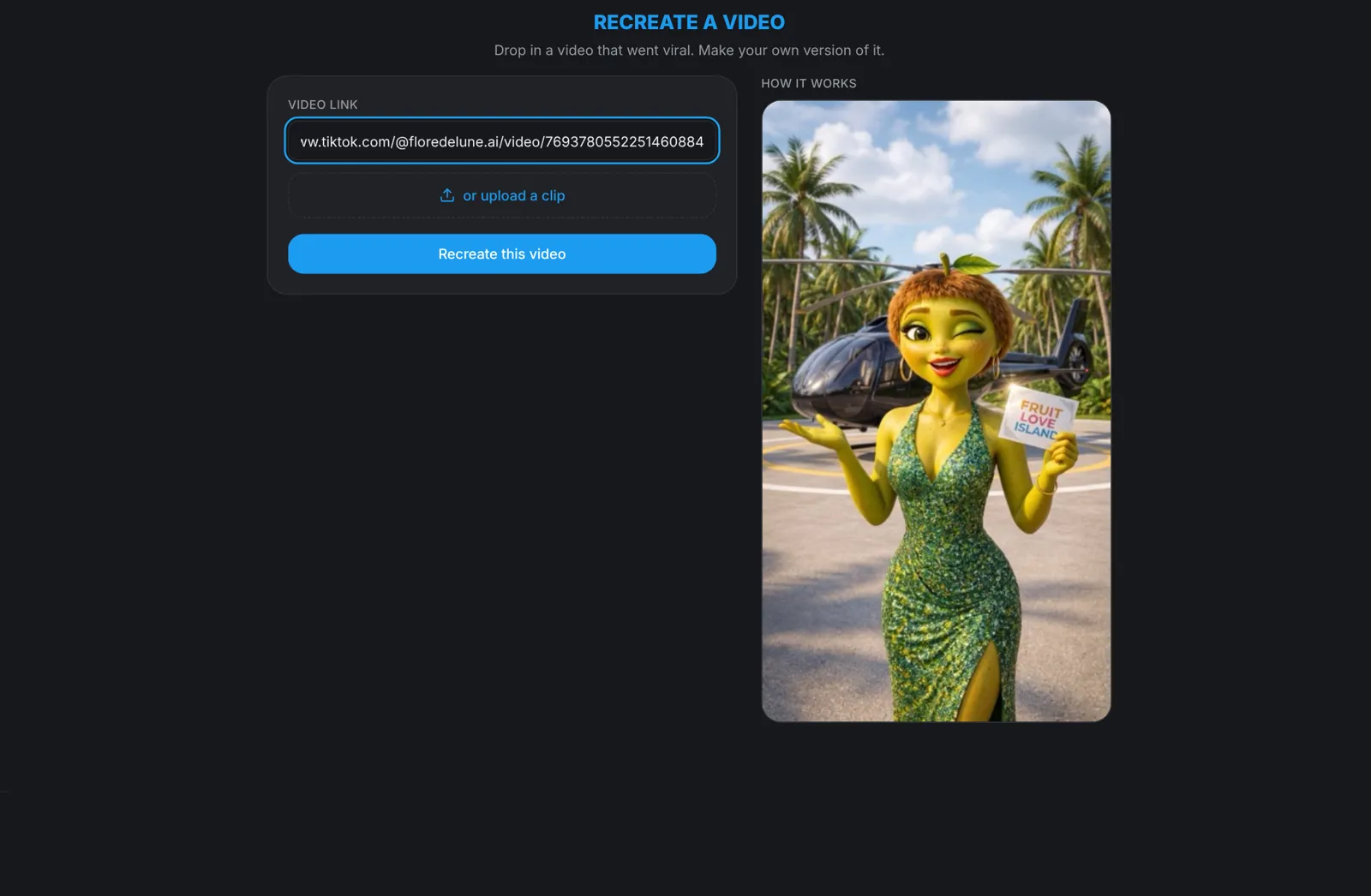
Paste the link into Recreate and aicut matches it to a format and drafts a new story from it. Change the idea and the characters, and keep the opening and the pace that made people stay. The first seconds decide whether someone keeps watching, so a hook that already worked is the part most worth keeping.
Characters · Step 3
Bring back the same characters
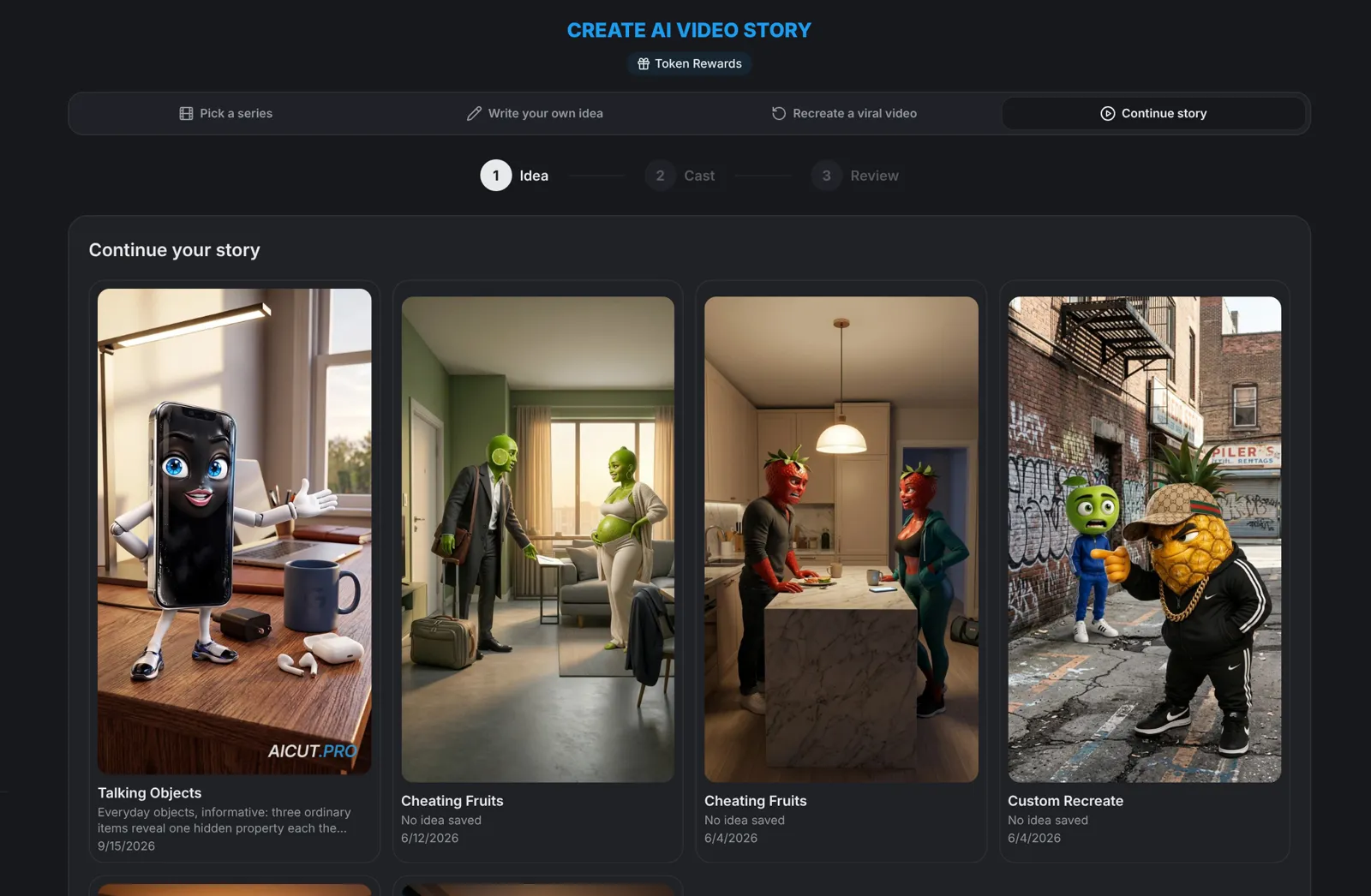
A single video earns a view. A character people recognise earns a follow. Turn a story that works into a series and use Continue story for the next part: it carries over the cast, settings and language of your last episode. Characters with a portrait are saved to My characters, so you can cast them in any new story.
Consistency · Step 4
Post every day
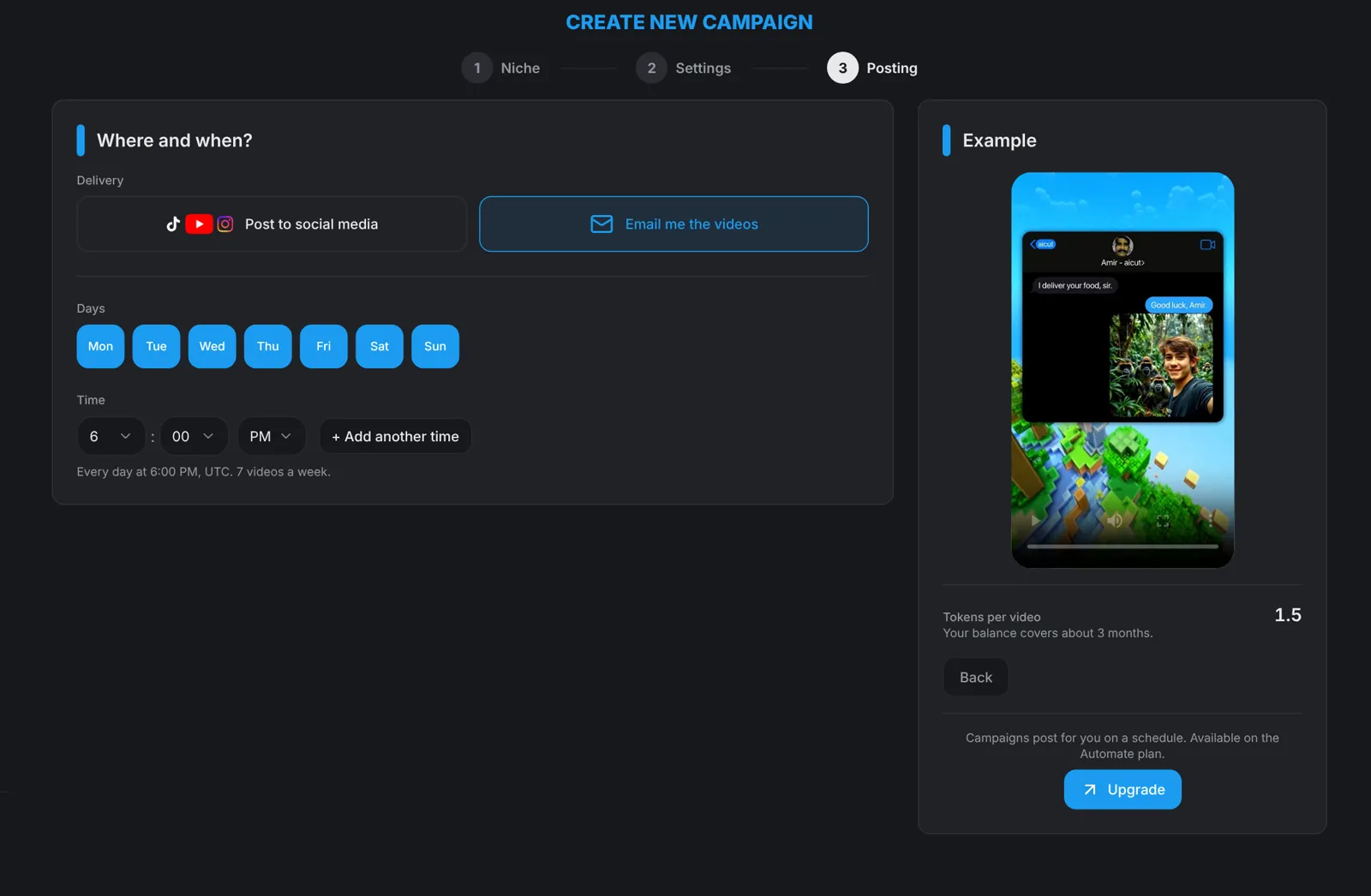
One video rarely makes a channel. Posting every day gives each format more chances to be picked up and shows you sooner which ones work. A one-hour weekly routine gives you seven videos, and on the Automate plan a campaign can make and post them on a schedule.
Numbers · Step 5
Find your best video
Connect your TikTok, YouTube or Instagram account on the Channels page. It charts your views by day and lists your posts with their views, likes, comments and shares. Sort by Views to find your best video, and click Update stats for fresh numbers.
- Switch between 7D, 30D and 90D to see whether a format is still growing.
- Look at what your best video did differently: its hook, its characters, its length. Then do that again.
Next · Step 6
Ask your channel what to post next
On Channels, click Analyse next to a connected account. aicut reads that channel's posts from the last 30 days and writes what worked, what didn't, next steps and content ideas, each with a hook. It reads every post on the channel, not only the ones made with aicut.
- Channel reports are part of a paid plan. Connecting a channel is free.
- Make the best idea with Recreate or as a series episode, then check your numbers again next week.
Tip: Your own best video is the best one to recreate. Paste its link into Recreate and make the next one with a new idea.