YouTube's algorithm rewards consistency, but creating high-quality videos daily is a massive time sink. This is where an ai video generator for youtube becomes a game-changer. These tools are no longer just for simple slideshows; they now create photorealistic clips, automate entire faceless channels, and turn simple text prompts into engaging videos in minutes. Whether you want to scale your output, experiment with new formats like POV or UGC-style videos, or simply free up time for strategy, the right AI tool is essential.
This guide breaks down the top 12 platforms, analyzing their real-world performance, pricing models, and best use cases to help you find the perfect fit. We move beyond simple feature lists to show you exactly how each tool performs for specific YouTube channel types, from faceless content to AI-generated ad creatives. Each option includes screenshots and direct links so you can see the results for yourself and get started quickly.
While this list focuses on video generation, many of these tools also include powerful editing features. If you're looking to enhance your existing footage with smart cuts and effects, exploring the best AI video editing software can provide a more complete workflow. Our goal here is to help you cut through the hype and identify the AI video generator that will have the biggest impact on your channel's growth, saving you hours of tedious work. Let's find the right tool for your needs.
1. Aicut
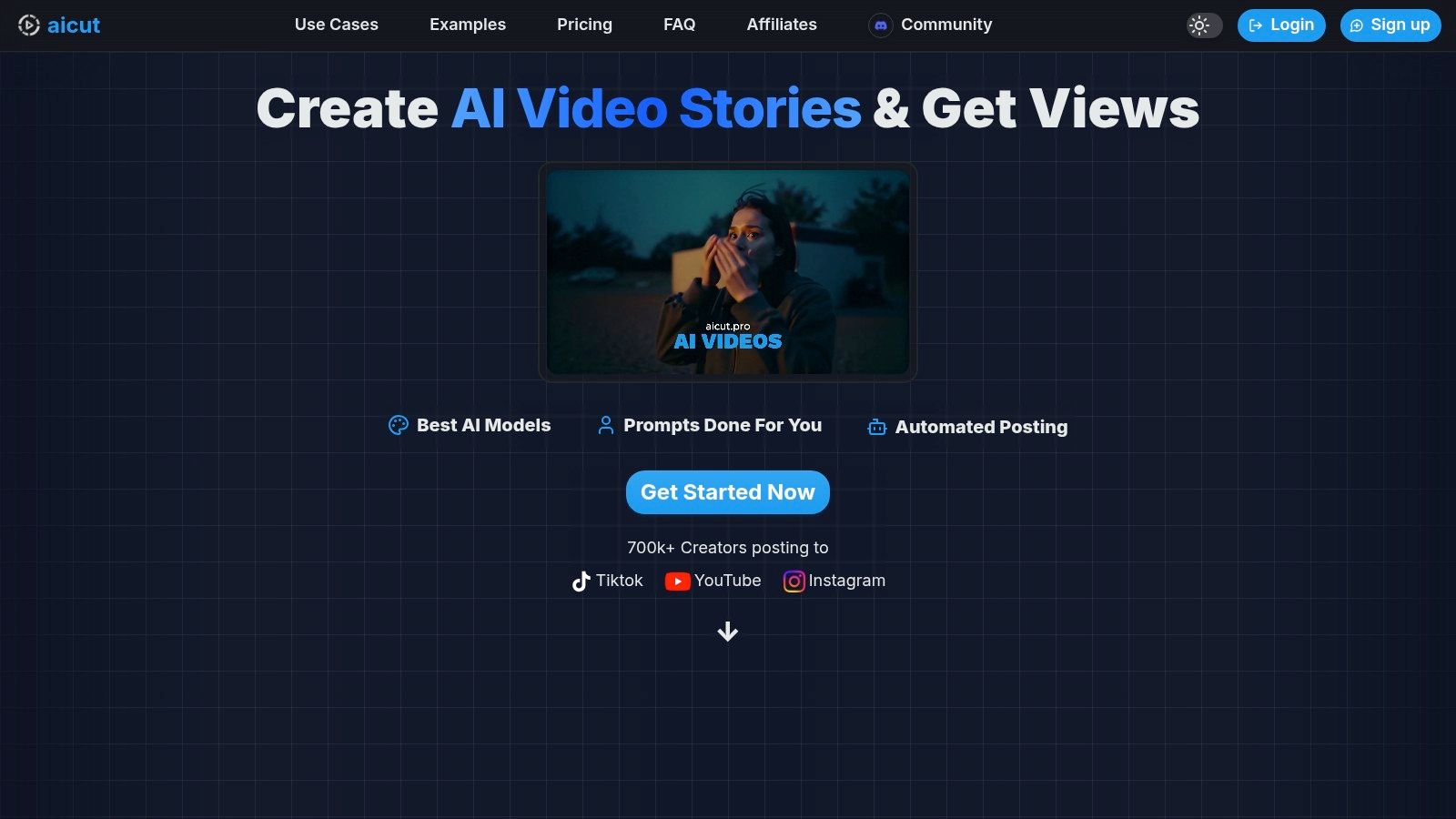
Aicut has established itself as a premier ai video generator for youtube, particularly for creators focused on faceless content and rapid channel growth. It distinguishes itself with an end-to-end workflow that covers everything from ideation using viral templates to automated, scheduled posting across multiple platforms. This integrated system is a significant advantage for solo creators and agencies looking to produce high volumes of content with consistent quality and minimal manual effort.
The platform provides access to cutting-edge generative models like Sora 2, Veo 3.1, and Kling, enabling the creation of exceptionally photorealistic and dynamic video clips. This technology allows users to produce a wide range of popular YouTube formats, from compelling POV-style shorts and Reddit narrations to authentic-looking UGC product reviews using AI avatars. For those working with existing media, Aicut’s ability to transform static photos into animated characters or upscale low-resolution footage adds a layer of professional polish.
Key Features & Use Cases
- All-in-One Workflow: Aicut streamlines the entire content lifecycle. Creators can generate a video from a prompt, then use the built-in scheduler for daily auto-posting to YouTube, TikTok, and Instagram, saving countless hours.
- Versatile Video Styles: The platform excels at producing viral-ready formats. Use it to create selfie-style vlogs without showing your face, text-message story videos, or photorealistic product showcases for e-commerce.
- High-Fidelity AI Models: Access to top-tier models ensures the output is sophisticated and less likely to be immediately identifiable as AI-generated, which is crucial for audience engagement and platform compliance.
- Creator-Focused Community: Aicut’s active Discord community is a valuable resource, offering tutorials, prompt libraries, and strategies for replicating trending content and achieving channel monetization faster.
Pricing Model
Aicut operates on a transparent token-based system, which makes costs predictable. Plans are designed for different levels of usage, from individual creators to automation-heavy agencies. While frequent or long-form video generation can consume tokens quickly, the plans are flexible, and yearly subscriptions offer significant savings (around 37% off).
Pros & Cons
| Pros | Cons |
|---|---|
| Complete Automation: From idea to scheduled post, the workflow is a massive time-saver for busy creators. | Platform Policy Risks: The use of AI voices and imagery can be a gray area for monetization on platforms like YouTube. |
| High-Quality Realism: Access to models like Sora 2 and Veo 3.1 produces superior photorealistic videos. | Token Consumption: Creating high-resolution, longer videos frequently can be costly and may require higher-tier plans. |
| Strong Community Support: The Discord server provides practical tutorials and growth strategies. | |
| Flexible Content Formats: Easily create UGC, POV, text-stories, and animated character videos. |
Website: https://www.aicut.pro
2. Aicut
Aicut is an end-to-end ai video generator for youtube built specifically for creators who want to scale faceless channels on YouTube, TikTok, and Instagram. Its entire workflow is designed to minimize manual effort, from ideation straight through to publishing. What sets it apart is its focus on trend-driven, short-form video formats that are proven to perform well on these platforms.
This platform isn't just a general-purpose tool; it’s a production line for viral content. It provides templates for popular formats like Reddit story narrations, text-based stories, and UGC-style ads. This makes it an ideal choice for creators who want to tap into existing trends without spending hours scripting and editing.
Key Features and Pricing
- Viral Templates: Access pre-built templates for proven faceless formats, allowing for rapid content creation.
- Automation Suite: Batch generate videos, schedule them in advance, and have them auto-posted across your connected social media channels.
- AI Avatars & Voices: Create videos using AI-generated avatars and a wide selection of realistic voiceovers, perfect for faceless channels.
- Community & Playbooks: Paid tiers include access to a Discord community and monetization guides to help you grow your channels effectively.
Aicut operates on a token-based model. While there's a free trial to test the platform, paid plans start at $29/month for a set number of tokens, with no watermarks on exported videos. You'll need to estimate your monthly video output to choose the right plan.
Pros and Cons
| Pros | Cons |
|---|---|
| Specifically built for faceless short-form YouTube. | Newer platform with fewer third-party reviews. |
| Powerful automation features (batching, scheduling). | Token-based pricing requires you to estimate usage. |
| Trend-focused templates speed up the creative process. | Less flexible for creators making long-form, non-template videos. |
| End-to-end workflow from ideation to auto-posting. |
Best for: Creators who want to automate and scale faceless YouTube Shorts, TikTok, or Instagram Reels channels with proven, trend-based formats.
Website: https://www.aicut.com/
3. Runway
Runway is a production-grade ai video generator for youtube designed for creators who need high-fidelity, custom-generated clips. It excels at creating unique b-roll, stylized intros, and artistic YouTube Shorts using its powerful text-to-video and image-to-video models like Gen-2 and Gen-3 Alpha. Unlike template-driven platforms, Runway offers a creative suite that feels closer to a traditional video editor, supercharged with generative AI.
This platform is for the hands-on creator who wants to direct the AI's output with precision. Its strength lies in its combination of cutting-edge generative models and a timeline-based editor, allowing you to generate, upscale, and polish your clips all in one place. It's an ideal tool for those who see AI as a collaborator in producing visually distinct content rather than a fully automated production line. If you want a deeper dive, you can learn more about AI YouTube video workflows.
Key Features and Pricing
- Advanced Video Models: Access to powerful models including Gen-2 (Text-to-Video, Image-to-Video) and the upcoming Gen-3 for cinematic-quality outputs.
- Full Editing Suite: A built-in, multi-track timeline editor to refine, combine, and add finishing touches to your AI-generated clips.
- AI Magic Tools: A collection of over 30 AI tools for tasks like motion tracking, background removal, and video upscaling.
- Credit-Based System: Operations are powered by credits, with clear costs per second of video generation, making usage predictable.
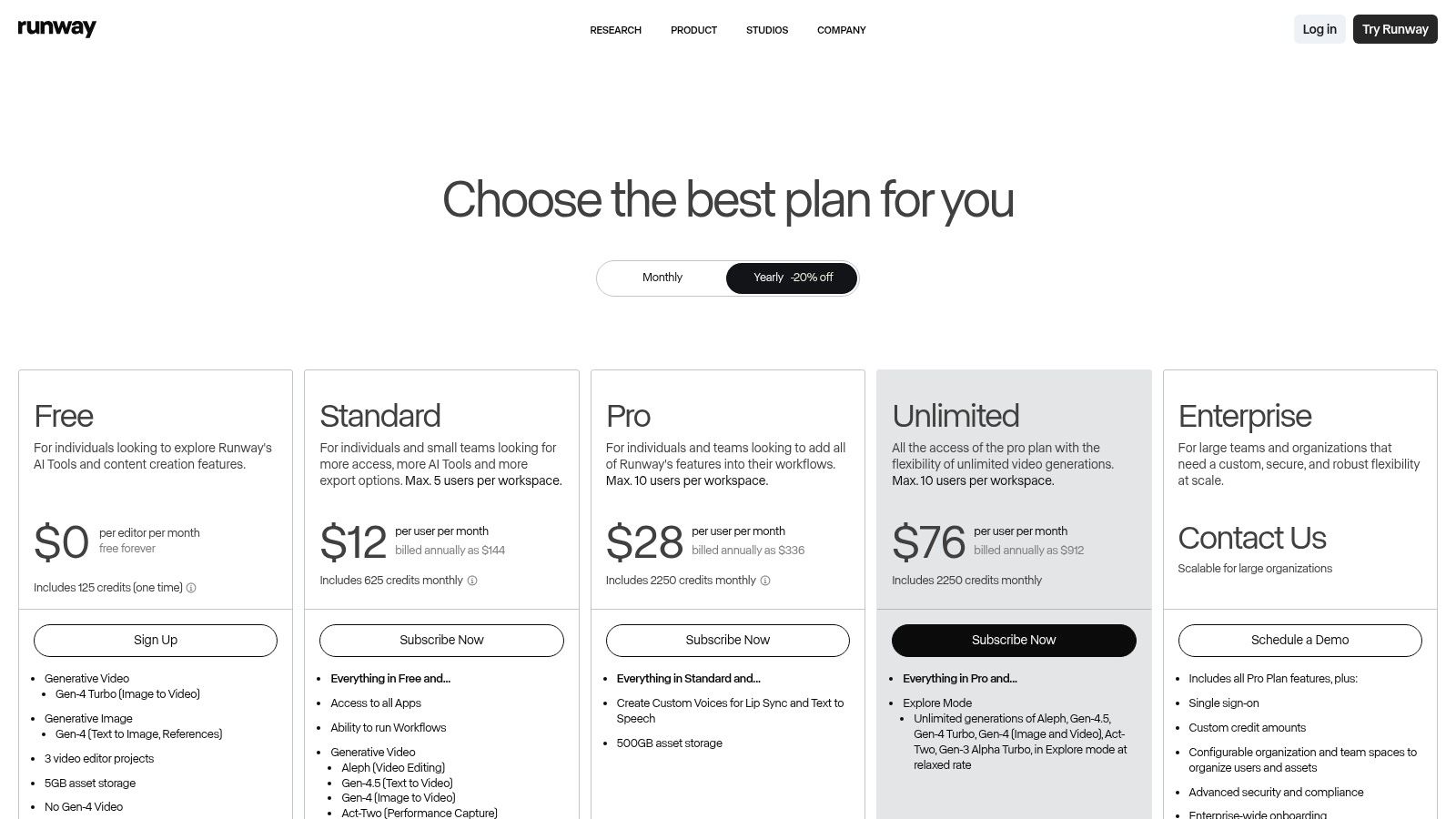
Runway offers a free plan with a limited number of credits to start. Paid plans begin at $12/user/month (billed annually), which provides more credits and unlocks features like watermark removal and higher-resolution exports.
Pros and Cons
| Pros | Cons |
|---|---|
| Industry-leading model quality for cinematic results. | Mastering prompts for the best results has a learning curve. |
| Robust editor allows for fine-tuning and polishing. | Credit-based system requires careful budgeting for heavy usage. |
| Frequent updates and access to new AI models. | Less focused on automated, full-video creation than other tools. |
| Clear credit system makes it easy to plan generation costs. |
Best for: Creative YouTubers and filmmakers who need high-quality, custom AI-generated b-roll, special effects, or artistic short-form video clips.
Website: https://runwayml.com/pricing
4. Pika
Pika is a fast, credit-based ai video generator for youtube designed for creators who prioritize rapid iteration and creative experimentation. Its platform excels at generating short, dynamic clips from text, images, or even existing videos. What sets Pika apart is its suite of intuitive remix and editing tools, allowing you to quickly apply stylistic changes, making it perfect for creating meme-ready shorts and trend-driven content.
This tool is less about producing long-form narrative content and more about giving creators a powerful sandbox to generate unique visuals. You can use its text-to-video capabilities for B-roll, video-to-video for stylized edits, and image-to-video to animate static assets. This approach makes it a great asset for channels that rely on a high volume of visually engaging, short-form posts.
Key Features and Pricing
- Multi-Modal Generation: Create videos from text, images, or other videos with different quality tiers like Turbo and Pro.
- Creative Editing Tools: Use features like "Modify Region" to alter specific parts of your video or expand its canvas.
- Lip Sync: Animate characters by uploading audio and having the AI generate synchronized lip movements.
- Sound Effects: Instantly generate or search for sound effects to match your video's content and mood.
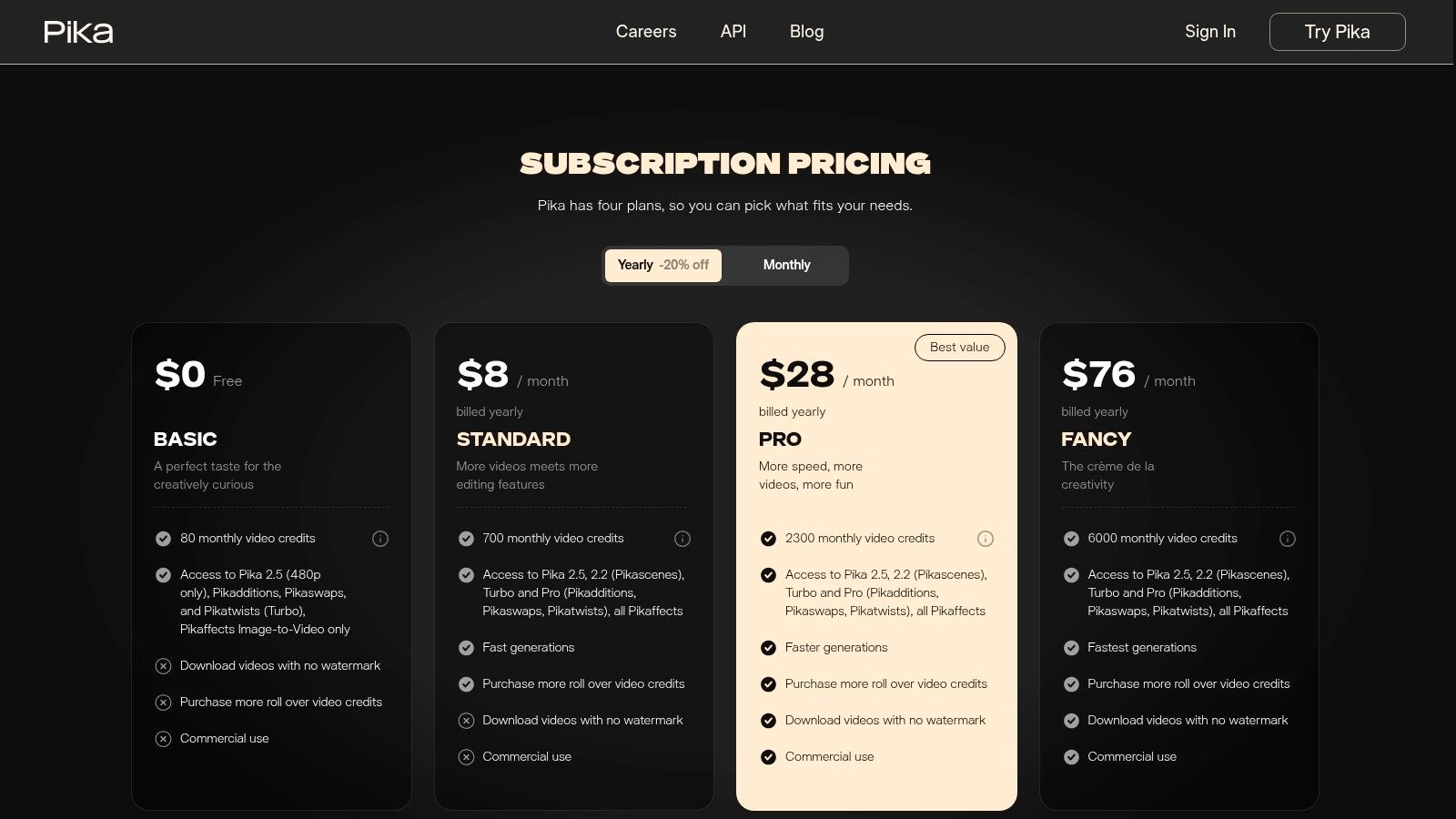
Pika operates on a credit-based system with a free tier that includes a watermark. Paid plans start at $8/month (billed annually) for 700 credits, offering no-watermark downloads, credit rollovers, and commercial use rights.
Pros and Cons
| Pros | Cons |
|---|---|
| Excellent for rapid iteration and creative testing. | Default video durations are short (3 seconds). |
| Clear credit costs per generation for easy budget management. | Extending clips to longer lengths can consume credits quickly. |
| Well-suited for creating short, trend-based clips and memes. | Advanced edits are limited to Pika's proprietary toolset. |
| No-watermark downloads are available on all paid plans. |
Best for: Creators focused on producing visually striking YouTube Shorts, memes, and experimental video clips who need a tool for fast idea generation.
Website: https://pika.art/pricing
5. Luma AI (Dream Machine and Ray)
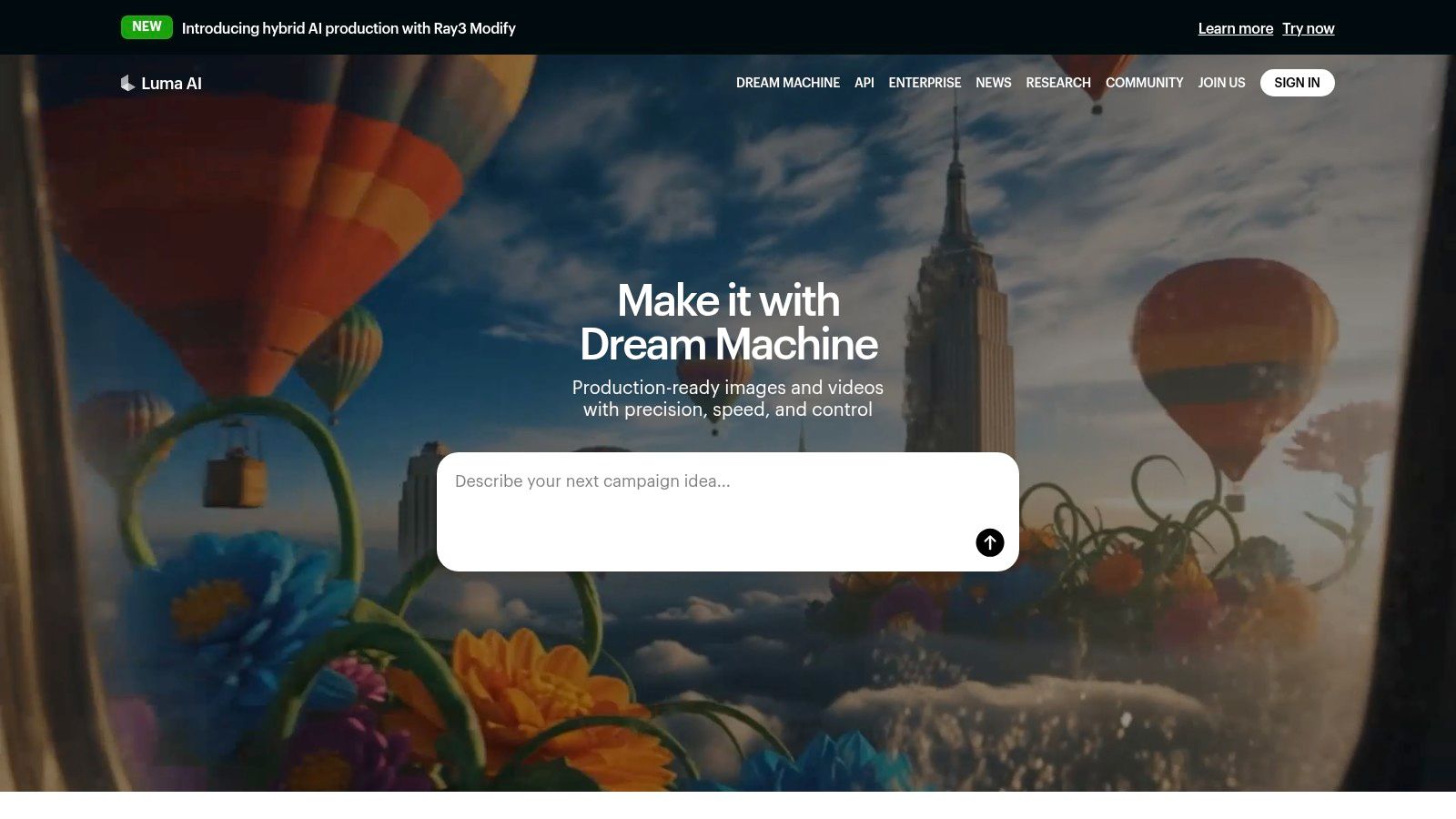
Luma AI is a powerful ai video generator for youtube focused on producing high-fidelity, photorealistic video clips from text and image prompts. Its flagship model, Dream Machine, excels at creating cinematic b-roll and dynamic shots with a strong understanding of physics and natural motion. This makes it a go-to tool for creators who need realistic footage that is difficult or expensive to shoot.
Unlike platforms built around templates, Luma AI offers a more raw, creative canvas. It’s designed for generating specific, high-quality scenes rather than full-length narrated videos. Creators can use it to produce stunning establishing shots, product showcases, or abstract visuals to complement their storytelling. For those looking to dive deeper, you can learn more about how to create AI videos and integrate tools like Luma AI into your workflow.
Key Features and Pricing
- High-Fidelity Generation: Creates photorealistic and surreal video clips with impressive physics and consistent character models.
- Text & Image to Video: Generate video from simple text prompts or by animating a still image.
- Cinematic Camera Controls: Provides options to influence camera movement, such as pans, tilts, and zooms, for more dynamic shots.
- Web & iOS App: Accessible through a user-friendly website and a dedicated iOS app, making it easy to generate on the go.
Luma AI offers a free tier that provides a set number of generations per month. For more frequent use, paid plans start at $29.99/month for 400 generations, with larger plans available for heavy users and access to their API. Be sure to use the official domain, as look-alike sites exist.
Pros and Cons
| Pros | Cons |
|---|---|
| Exceptional realism for b-roll and cinematic shots. | Generations are short by default; extensions use more credits. |
| Official iOS app and intuitive web interface. | Less suited for creating full, long-form narrated videos directly. |
| Active development with frequent model updates. | Users must be cautious to use the official domain to avoid clones. |
| Good at maintaining character and object consistency. |
Best for: YouTube creators who need high-quality, custom b-roll, cinematic establishing shots, or visually stunning clips to enhance their video projects.
Website: https://lumalabs.ai/
6. HeyGen
HeyGen is a powerful ai video generator for youtube focused on creating professional, avatar-led videos without needing a camera or microphone. It's designed for creators who want to produce presenter-style content like explainers, product reviews, or educational videos at scale. Its standout feature is the vast library of realistic stock avatars and the ability to create a custom digital twin of yourself.
This platform excels at localization, allowing you to take a single video and dub it into numerous languages while maintaining lip-sync with your chosen avatar. This makes it an invaluable tool for YouTubers aiming to reach a global audience without the high cost of traditional dubbing services. The workflow is streamlined through various templates, simplifying the creation process from script to final render.
Key Features and Pricing
- Custom & Stock Avatars: Choose from over 100 stock AI avatars or create a custom one for a unique brand identity.
- Video Translate: Automatically dub and translate your videos into over 40 languages with realistic lip-sync.
- Voice Cloning: Clone your own voice to use with your custom avatar for authentic-sounding narration.
- API Access: Automate video creation at scale by integrating HeyGen’s capabilities into your own applications or workflows.
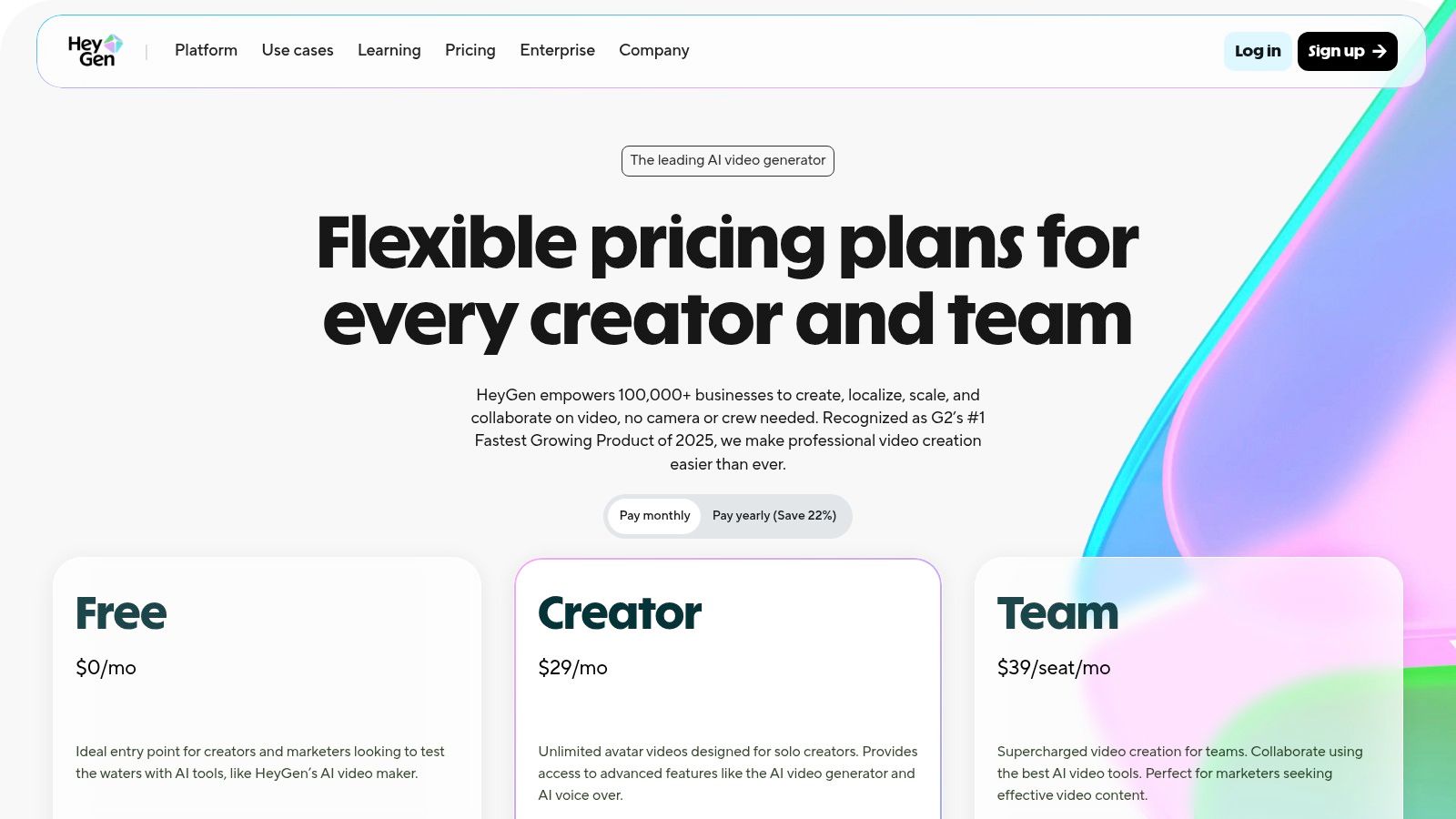
HeyGen offers a free plan to generate up to one minute of video. Paid plans start at $24/month (billed annually) for 180 credits per year, with higher tiers offering more credits, 4K resolution, and premium features like voice cloning.
Pros and Cons
| Pros | Cons |
|---|---|
| Excellent for creating presenter videos at scale. | Avatar aesthetic may not suit every channel's branding. |
| Powerful localization and dubbing features. | Credit system can be complex for premium features. |
| API availability allows for deep workflow automation. | Custom avatar and voice cloning require higher-tier plans. |
| High-quality, realistic avatars and voices. |
Best for: YouTubers and businesses creating educational content, corporate training, or marketing videos who need to scale presenter-led content for a global audience.
Website: https://www.heygen.com/pricing
7. Synthesia
Synthesia is an enterprise-grade ai video generator for youtube designed for professional and scalable video production. While many tools focus on short-form social content, Synthesia excels at creating polished, consistent avatar-led presentations, making it ideal for educational series, corporate training, or branded explainer videos on YouTube where a high-quality, uniform look is essential.
The platform’s strength lies in its maturity and focus on business workflows. It allows for multi-avatar scenes, seamless translation into over 80 languages, and even custom avatar creation for brands that want a unique digital presenter. This makes it a powerful choice for channels that need to produce high volumes of instructional or informational content with a consistent, professional aesthetic.
Key Features and Pricing
- Extensive AI Avatar Library: Choose from a massive library of 180+ stock AI avatars or create a custom one to represent your brand.
- Multi-Language Support: Easily translate and dub your video scripts into over 80 languages, perfect for reaching a global YouTube audience.
- Professional Templates: Utilize pre-built templates for training, product explainers, and multi-avatar conversations to speed up production.
- Collaboration & API: Higher-tier plans include team collaboration tools and API access for integrating Synthesia into existing workflows.
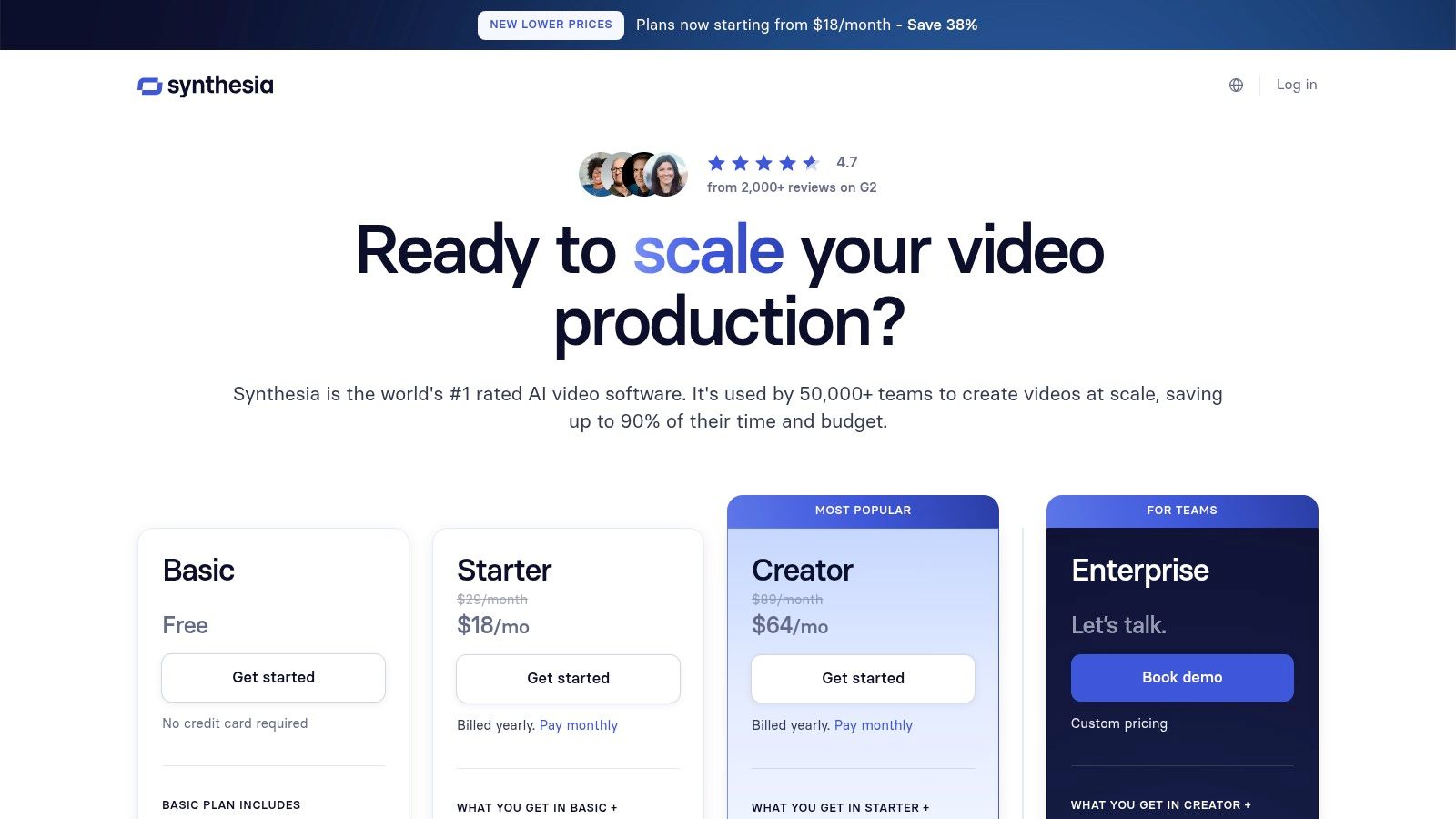
Synthesia's pricing starts with a Personal plan at $22/month (billed annually), which provides 10 minutes of video credits per month. Enterprise pricing is custom, offering more advanced features and support.
Pros and Cons
| Pros | Cons |
|---|---|
| Mature tool for scalable, consistent output. | Pricier than many creator-focused tools at higher tiers. |
| Excellent for enterprise and educational content. | Can produce a corporate ‘studio’ look if not mixed with b-roll. |
| Clear credit system and strong customer support. | Less suited for viral, trend-based short-form video formats. |
| Advanced features like custom avatars and API access. |
Best for: Businesses and educational creators who need to produce high-quality, branded avatar-led explainer or training videos at scale for their YouTube channels.
Website: https://www.synthesia.io/pricing-options
8. Kapwing
Kapwing is a powerful, browser-based editor that excels as an ai video generator for youtube, especially for creators focused on repurposing content. Instead of starting from scratch, its strength lies in transforming long-form videos like podcasts, interviews, or streams into engaging YouTube Shorts and social clips. The platform integrates a suite of AI tools designed to make this process fast and efficient.
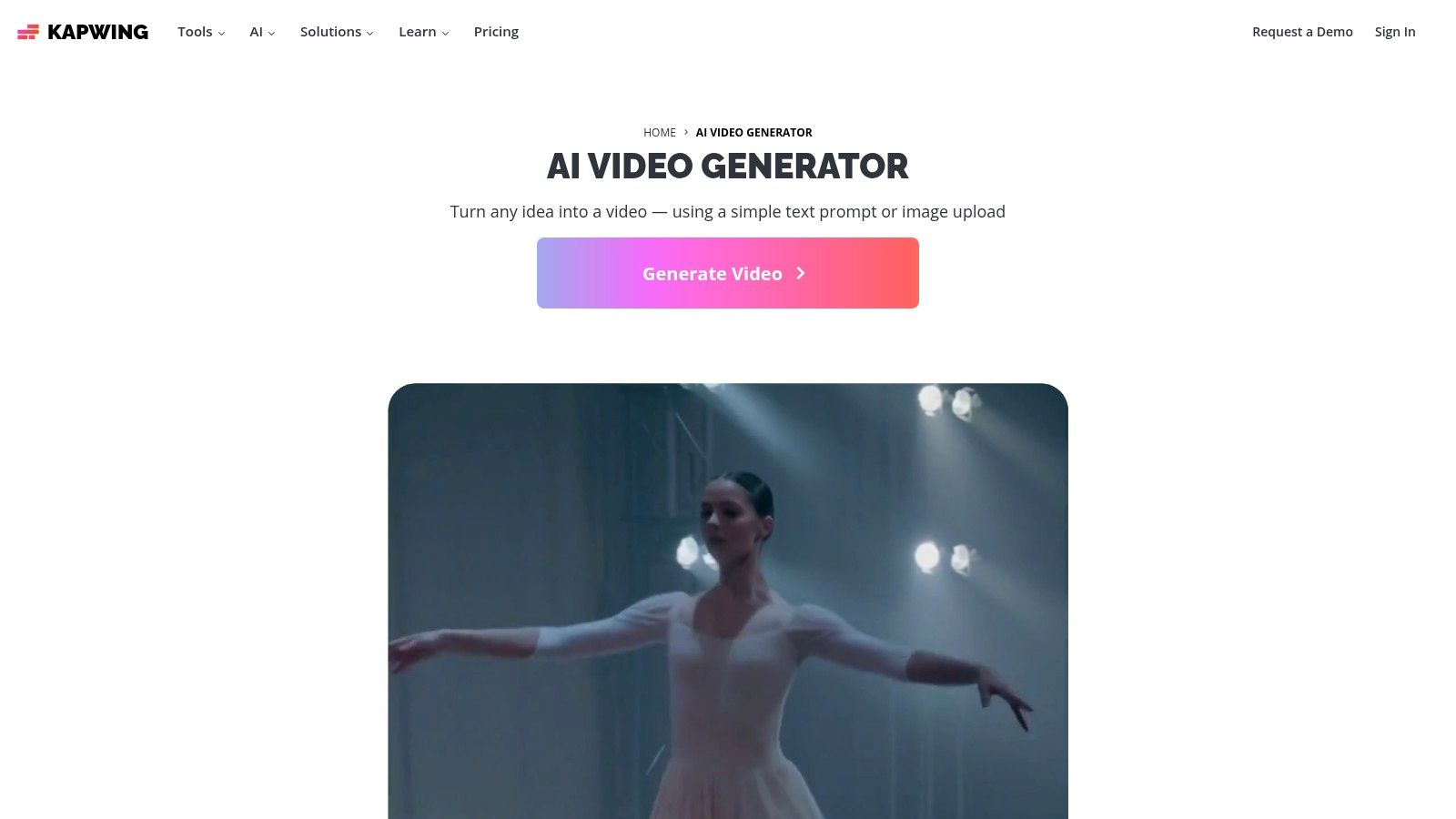
What makes Kapwing stand out is its all-in-one approach to editing and AI enhancement. You can upload a long video, and its AI can automatically find the best clips, generate accurate subtitles, and even dub the audio into other languages. This makes it an incredibly practical tool for creators who want to maximize the reach of their primary content without spending hours on manual editing.
Key Features and Pricing
- AI Repurposing Suite: Includes tools for auto-clipping, document-to-video creation, AI-powered dubbing, and generating subtitles automatically.
- Extensive Templates & Stock Library: Access a huge library of templates formatted for YouTube, Shorts, and Reels, plus a large collection of stock photos and videos.
- Collaborative Workflow: As a browser-based tool, it supports team collaboration with features like a shared brand kit to maintain consistency.
- High-Quality Exports: Paid plans offer up to 4K video exports, ensuring your content looks professional on any platform.
Kapwing has a free plan that includes a watermark on exports. Paid plans, which remove the watermark and provide more credits for AI features, start at $24/month per user.
Pros and Cons
| Pros | Cons |
|---|---|
| Excellent for repurposing podcasts/streams into short-form content. | Free exports are watermarked. |
| Generous subtitle and dubbing quotas on paid plans. | Heavy AI usage may require the more expensive Business plan. |
| No software installation required; ideal for team workflows. | The AI generation is more of a tool-assisted editor than a full text-to-video platform. |
| Combines a traditional video editor with powerful AI tools. |
Best for: YouTubers and content creators who want to efficiently repurpose their existing long-form content into polished, high-quality Shorts and social media clips.
Website: https://www.kapwing.com/ai-video-generator
9. InVideo AI
InVideo AI is a powerful text-to-video ai video generator for youtube designed for creators who need a fast, template-driven workflow. It excels at turning a simple prompt or a detailed script into a complete video with stock footage, voiceover, music, and subtitles. This makes it an incredibly accessible starting point for beginners or those producing content like news updates, listicles, or tutorials where high-quality B-roll is essential.
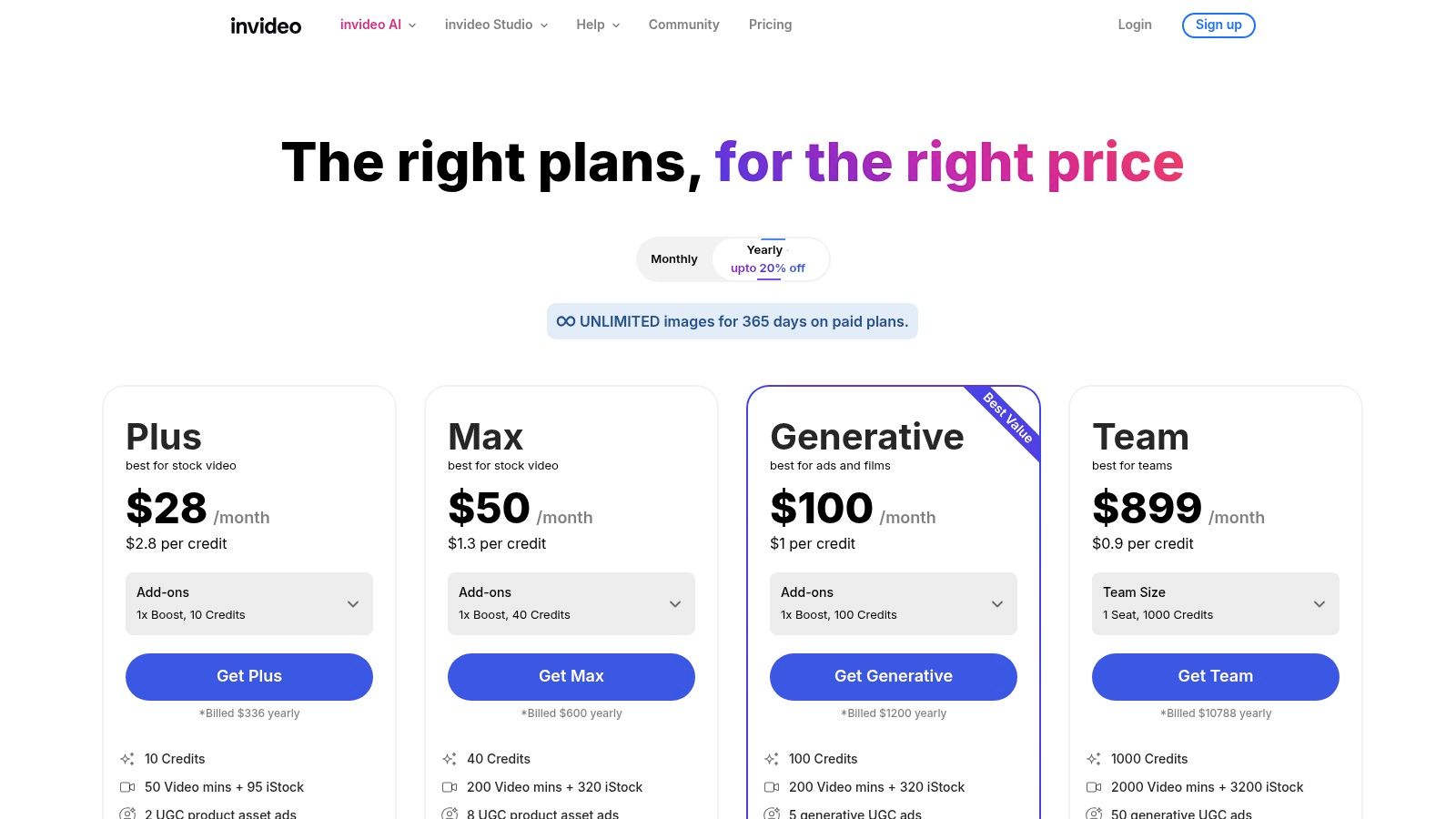
The platform's main strength is its deep integration with premium stock libraries like Storyblocks and Shutterstock on its paid plans. After generating a video from your script, you can easily use its web-based editor to swap out clips, adjust timing, and make revisions before exporting, giving you a balance of automation and manual control.
Key Features and Pricing
- Text-to-Video Workflow: Generate a full video draft from a simple text prompt, script, or URL.
- Massive Stock Library: Access over 16 million royalty-free stock videos and images from premium sources on paid tiers.
- AI Voiceovers & Subtitles: Automatically generate realistic voiceovers in multiple languages and add synchronized subtitles.
- Web-Based Editor: A user-friendly editor allows for quick revisions, clip replacement, and branding additions before publishing.
InVideo AI offers a free plan that includes a weekly allowance of AI generation minutes and watermarked exports. Paid plans, which remove watermarks and unlock premium stock media, start at $20/month (when billed annually).
Pros and Cons
| Pros | Cons |
|---|---|
| Very easy for beginners to go from idea to finished video. | Free plan exports are watermarked and have weekly limits. |
| Excellent stock library coverage for professional B-roll. | Premium stock and best features are gated to paid tiers. |
| Weekly free allowances let you test features consistently. | Outputs often benefit from manual editing to avoid a generic feel. |
| Intuitive editor makes post-generation tweaks simple. |
Best for: YouTubers creating informational content, listicles, or news-style videos who need a fast workflow backed by a vast library of high-quality stock footage.
Website: https://invideo.io/
10. Adobe Express (with Firefly Video)
Adobe Express is the creative suite giant's answer to all-in-one, simplified content creation, now supercharged with its Firefly generative AI. While it's a versatile design tool, its video features make it a strong contender as an ai video generator for youtube, especially for creators already invested in the Adobe ecosystem. It excels at producing polished, branded assets like intros, outros, and promotional short-form clips.
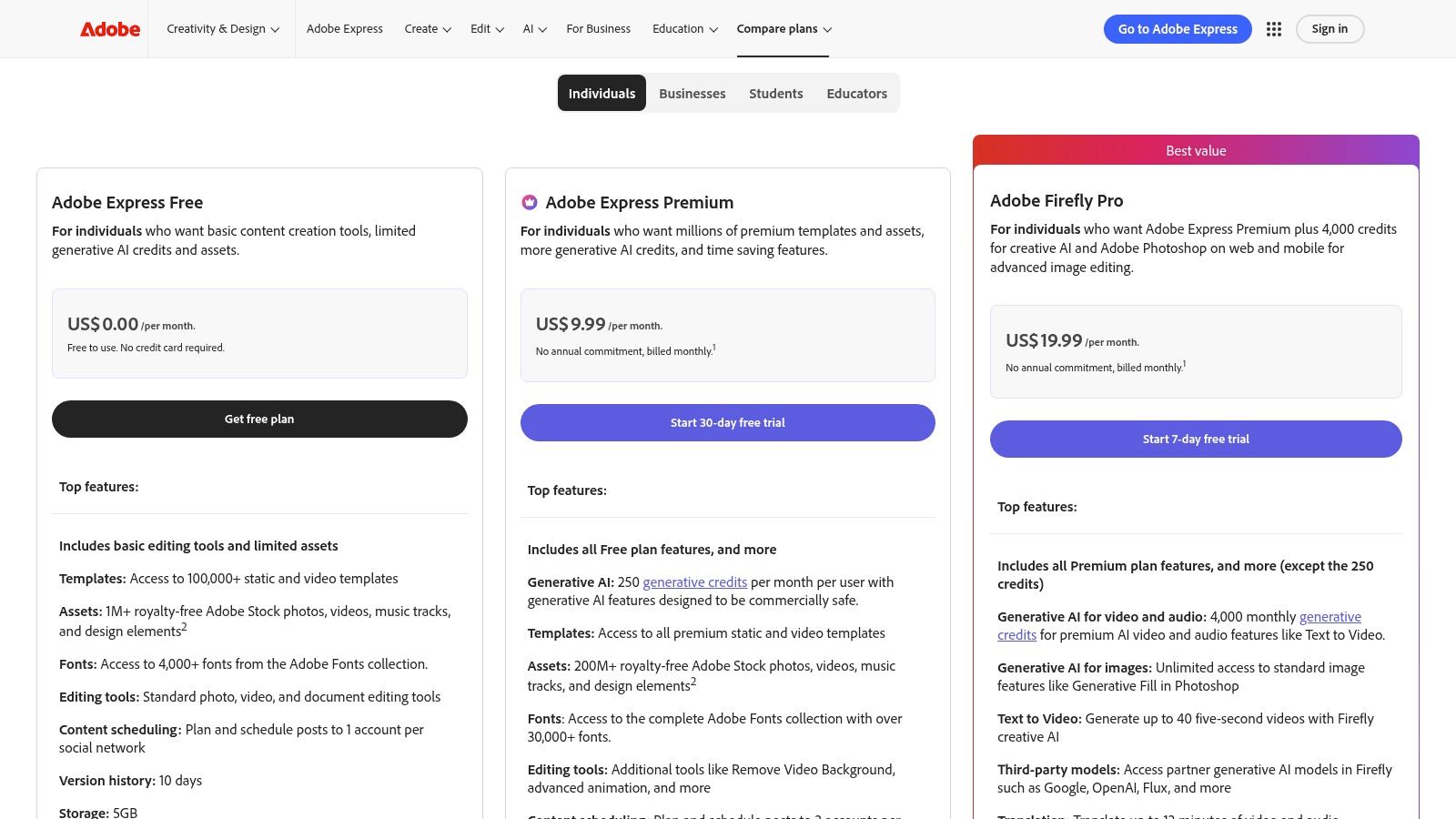
The platform combines a massive library of templates and stock assets with powerful AI features. Users can leverage Firefly for text-to-video generation to quickly create B-roll or animated scenes from a simple prompt. Its seamless integration with Brand Kits ensures every piece of content, from thumbnails to Shorts, remains consistent with your channel's identity.
Key Features and Pricing
- Generative AI by Firefly: Utilize text-to-video and text-to-image features to generate unique clips and graphics directly within your project.
- Massive Asset Library: The Premium plan unlocks access to the entire collection of over 200 million Adobe Stock photos, videos, and music tracks.
- Brand Kits & Templates: Maintain brand consistency across all YouTube assets with centralized logos, colors, and fonts. Start projects quickly with thousands of professional video templates.
- All-in-One Editor: Trim, resize, merge clips, and add animations, text, and captions all within a user-friendly web and mobile interface.
Adobe Express offers a free plan with basic features and a limited number of generative credits. The Premium plan, starting at $9.99/month, provides 100 generative credits per month, unlocks the full asset library, and includes features like brand kits and a content scheduler.
Pros and Cons
| Pros | Cons |
|---|---|
| Excellent for creating polished, branded YouTube assets. | Generative video clips are short and consume credits quickly. |
| Predictable subscription with monthly AI credits included. | Advanced video editing is still better suited for Premiere Pro. |
| Massive library of high-quality stock assets and fonts. | Less focused on full-length, narrative-driven AI video generation. |
| Seamless integration with other Adobe creative apps. |
Best for: YouTubers and brands who need a reliable tool for creating high-quality, branded supplementary content like intros, social clips, and video ads, while leveraging generative AI for unique visuals.
Website: https://www.adobe.com/express/pricing.html
11. Descript
Descript is a unique ai video generator for youtube that approaches video creation from a script-first perspective. Instead of a traditional timeline, you edit your video by editing a text document. This makes it exceptionally fast for creators producing talking-head videos, tutorials, and screencasts, as you can remove mistakes or filler words just by deleting text from the transcript.
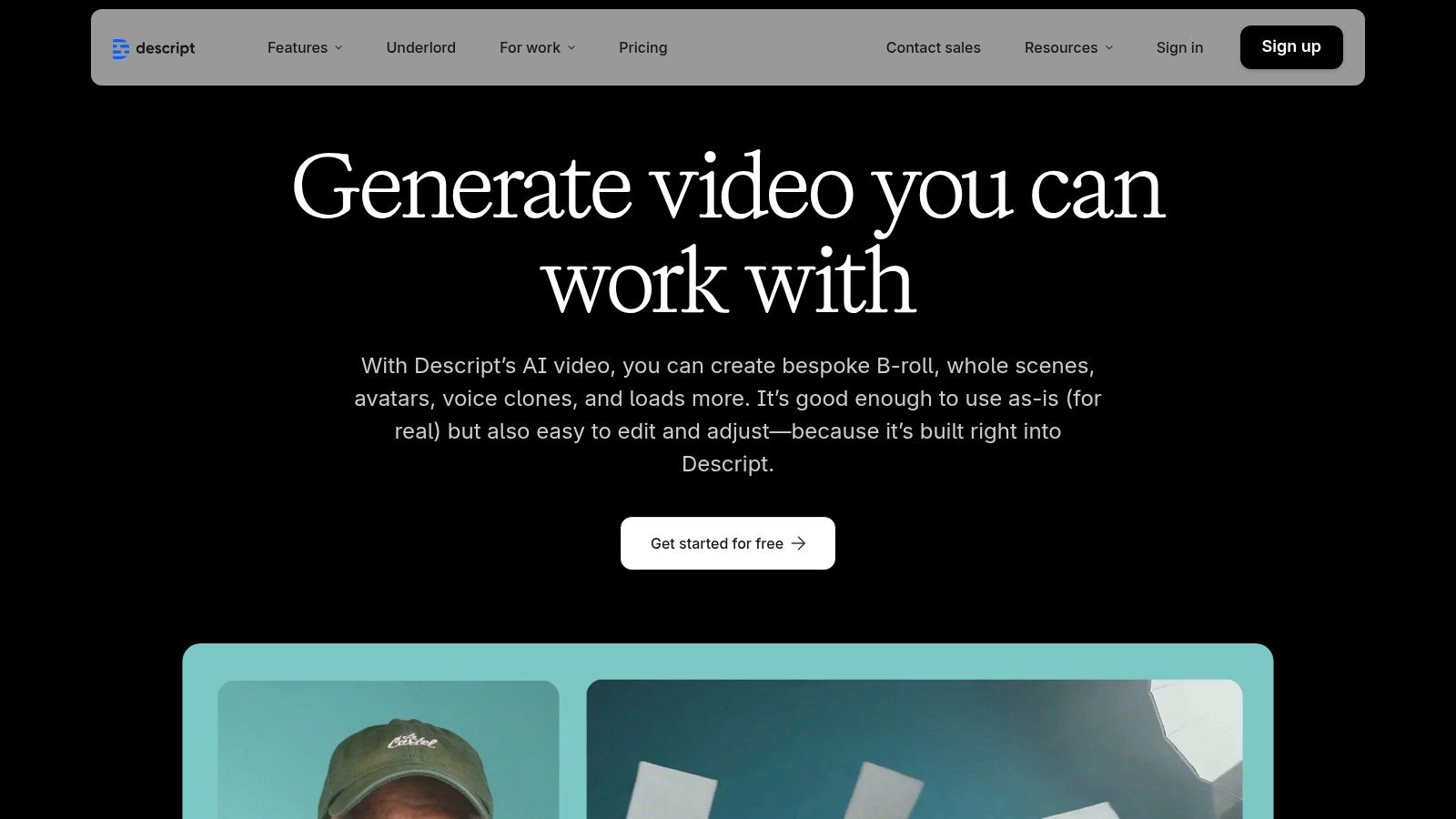
This platform excels at refining existing footage with powerful AI features. Tools like "Studio Sound" can make a poorly recorded voiceover sound like it was captured in a professional studio, while "Remove Filler Words" automatically cuts out all the "ums" and "ahs." For creators who edit by transcript, Descript's workflow can accelerate production significantly.
Key Features and Pricing
- Transcript-Based Editing: Edit video and audio by simply editing the text of the auto-generated transcript.
- AI Co-Editor & Voice Tools: Features like Studio Sound, filler word removal, and custom voice cloning (Overdub) to fix audio mistakes.
- Multilingual Dubbing: Automatically dub your content into other languages using your own cloned voice for a global reach.
- AI Clip Generator: Generates short, engaging clips from your longer videos, perfect for creating YouTube Shorts from your main content.
Descript offers a free plan with limited features. Paid plans start at $12/month (billed annually) for the Creator tier, which includes more transcription hours and watermark-free 1080p exports. The Pro plan at $24/month adds more AI features and 4K export capabilities.
Pros and Cons
| Pros | Cons |
|---|---|
| Excellent for fast edits of YouTube explainers and screencasts. | Generative video scenes work best when paired with recorded footage. |
| Natural script-first workflow accelerates production. | Media-hour and AI credit caps require choosing the right plan. |
| Powerful AI audio tools like Studio Sound and Overdub. | Less focused on full text-to-video generation than some competitors. |
| Team collaboration and brand tools are available on higher tiers. |
Best for: YouTube creators who produce podcasts, tutorials, and talking-head videos and want to speed up their editing workflow using a transcript-based editor.
Website: https://www.descript.com/ai
12. Canva
Canva is a household name in design, but its evolution into a powerful ai video generator for youtube makes it indispensable for creators. While not a dedicated AI video tool from the ground up, its Magic Studio suite introduces generative AI features directly into a familiar, template-driven workflow. This unique blend allows creators to quickly produce polished YouTube content, from intros and listicles to text-led Shorts, without a steep learning curve.
What sets Canva apart is its all-in-one ecosystem. You can generate an AI image for your thumbnail, create animated text overlays, access a massive library of stock footage and audio, and assemble a video, all within one platform. It's the ideal solution for creators who need a fast, integrated workflow for producing visually consistent channel assets and videos.
Key Features and Pricing
- Magic Studio: An AI-powered suite that includes Magic Media for text-to-image and text-to-video generation, plus other AI editing features.
- Extensive Template Library: Thousands of professionally designed templates for YouTube intros, outros, Shorts, and full videos that can be customized quickly.
- Brand Kit: Maintain channel consistency by storing your logos, color palettes, and fonts for easy application across all designs and videos.
- Team Collaboration: Work with others on video projects in real-time, making it great for content teams and agencies.
Canva offers a robust free plan with limited AI features. The Canva Pro plan, at $14.99/month per person, unlocks the full Magic Studio suite, the entire stock library, and Brand Kits.
Pros and Cons
| Pros | Cons |
|---|---|
| Very easy for non-editors to create professional-looking videos. | AI video generation is less advanced than dedicated platforms. |
| All-in-one platform for video, thumbnails, and channel branding. | Precision video editing capabilities are limited for complex projects. |
| Massive library of templates, stock footage, and audio. | Best AI features are locked behind the Pro subscription. |
| Predictable and affordable pricing model. |
Best for: YouTubers and content teams who need a fast, all-in-one platform for creating template-based videos, Shorts, and consistent channel branding assets.
Website: https://www.canva.com/newsroom/news/introducing-canva-business/
Top 12 AI Video Generators for YouTube — Quick Comparison
| Product | Core features | Quality (★) | Price / Value (💰) | Best for (👥) | Unique strengths (✨) |
|---|---|---|---|---|---|
| Aicut 🏆 | Token-based photoreal models (Sora2/Veo3.1/Kling), viral templates, avatar animation, scheduling & daily auto-posting | ★★★★★ | 💰 Creator $19.99/mo (or $12.50/mo annual); Automate $39.99/mo (or $25/mo annual); tokens ≈ $0.50 | 👥 Faceless creators, e-commerce brands, agencies | ✨ Photoreal POV/UGC, prompt libraries, campaign automation, active Discord |
| Runway | Text/image-to-video models, timeline editor, upscaling, team workspaces | ★★★★☆ | 💰 Credit-based; paid watermark removal | 👥 Creators needing polished generative clips & editing | ✨ Strong editor + frequent model updates |
| Pika | Fast text-to-video, remix/edit tools (Pikascenes/Pikaswaps), no-watermark downloads | ★★★★ | 💰 Credit-based; low entry cost, credit rollovers | 👥 Trend-focused short-form creators | ✨ Rapid iteration & remix-friendly tools |
| Luma AI (Dream Machine & Ray) | Physics-aware photoreal generations, character consistency, API, iOS app | ★★★★☆ | 💰 In-app / credit purchases; model-based pricing | 👥 Creators needing cinematic b-roll & realism | ✨ High-fidelity, realistic motion & camera moves |
| HeyGen | 500+ stock avatars, custom avatars, dubbing/translation, templates | ★★★★ | 💰 Credit/plan-based; 1080p/4K on paid tiers | 👥 Explainer presenters, localized content creators | ✨ Large avatar library + 175+ language dubbing |
| Synthesia | Enterprise avatars, multi-avatar scenes, translations, collaboration & API | ★★★★ | 💰 Enterprise pricing; per-minute credits on tiers | 👥 Enterprises, training & branded explainers | ✨ Scalable, professional avatar productions |
| Kapwing | Browser editor, model mix AI, repurposing tools, subtitles & dubbing | ★★★★ | 💰 Freemium; Business credits for heavy AI | 👥 Podcasters, streamers converting long → short | ✨ Excellent repurposing & team workflows |
| InVideo AI | Script-to-video, voiceover, stock library integrations, templates | ★★★ | ★★★ | 💰 Freemium; premium stock gated | 👥 Beginners making listicles, tutorials, news-style vids |
| Adobe Express (Firefly Video) | Templates, brand kits, Firefly generative credits, stock assets | ★★★★ | 💰 Subscription with AI credits; predictable tiers | 👥 Brands needing branded shorts & assets | ✨ Deep Adobe ecosystem + large stock library |
| Descript | Transcript-first editor, Studio Sound, overdub voice cloning, clip generator | ★★★★ | 💰 Tiered plans with media-hour & AI caps | 👥 Tutorial creators, screencasts, talking-head editors | ✨ Fast transcript-based edits + voice cloning |
| Canva | Template-driven video/design, Magic Media generative tools, brand kits | ★★★★ | 💰 Pro subscription; team pricing stable | 👥 Non-editors needing quick intros, thumbnails, shorts | ✨ Large templates/stock + simple publishing tools |
Making the Right Choice for Your YouTube Channel
Navigating the world of AI video creation can feel overwhelming, but as we've explored, the right tool can fundamentally change your YouTube workflow. We've journeyed through a dozen powerful platforms, from the cinematic prowess of Runway and Luma AI to the all-in-one editing suites of Kapwing and Descript. The key takeaway is simple: there is no single "best" AI video generator for YouTube; there is only the best one for your specific channel and goals.
Your final decision should hinge on a clear understanding of your content strategy. Are you building a faceless channel that relies on speed and consistency? Or are you a filmmaker looking to augment your creative projects with stunning, AI-generated b-roll? The tool that excels at one is often not the ideal choice for the other.
Key Takeaways and Actionable Next Steps
To distill our comprehensive list into a practical choice, let's revisit the core decision-making factors. Your mission now is to align your channel's needs with the unique strengths of these generators.
- For High-Volume Faceless Channels: If your goal is to rapidly produce content for niches like history, finance, or motivational quotes, an end-to-end platform is your best bet. Tools like Aicut and InVideo AI are built for this exact purpose, handling everything from scripting to final export with minimal input. They prioritize speed and templated efficiency over granular creative control.
- For Cinematic and Artistic Quality: Creators who need visually stunning, high-fidelity clips for documentaries, short films, or premium b-roll should look toward dedicated text-to-video models. Runway, Pika, and Luma AI's Dream Machine are the clear leaders here. Be prepared for a steeper learning curve and a workflow that involves generating individual clips to be assembled in a separate editor.
- For Corporate, Educational, and Presenter-Led Content: When a human touch is essential but filming isn't practical, avatar-based platforms are unmatched. HeyGen and Synthesia offer professional, consistent results for training videos, marketing messages, and educational content. Their strength lies in creating polished, repeatable presentations with customizable avatars and voice cloning.
- For Integrated Editing and AI Assistance: If you already have an established editing process and simply want to enhance it with AI, look at comprehensive tools. Kapwing, Adobe Express, and Canva infuse AI features into familiar editing environments, while Descript revolutionizes the process with its text-based video editing. These are force multipliers for your existing workflow.
Final Factors to Consider Before You Commit
Before you subscribe to any service, take a moment to evaluate the practical side of implementation. The most powerful AI video generator for YouTube is useless if it doesn't fit your budget or operational style.
- Understand the Pricing Model: Do you prefer a predictable monthly subscription, or does a credit/token-based system that ties cost directly to usage make more sense? Calculate the potential cost per video based on your target length and resolution to avoid surprises.
- Test with Free Trials: Nearly every tool on this list offers a free tier or trial. Use it. Test the same prompt across different platforms to compare output quality and style. Pay attention to the user interface and how intuitive it feels for you.
- Evaluate Your Time-to-Value Ratio: The ultimate goal of using an AI video generator is to save time and scale production. The right tool should significantly reduce your effort from idea to upload. If you find yourself spending more time fighting with the tool than creating, it's not the right fit, no matter how advanced its features are.
The era of AI-powered video creation is not a distant future; it's happening right now. By choosing the right tool, you're not just automating tasks; you're unlocking new creative possibilities and gaining a powerful competitive edge on YouTube. Embrace the experimentation, find the generator that clicks with your vision, and start creating content at a scale you never thought possible.
Ready to stop spending hours on manual editing and start scaling your YouTube channel? Aicut is an end-to-end AI video generator for YouTube designed specifically for faceless content creators who need to produce high-quality videos fast. Try it now and see how quickly you can turn a single idea into a monetizable video. Learn more and get started for free at Aicut.