The creator economy has a new superpower: artificial intelligence.The creator economy has a new superpower: artificial intelligence. What once required expensive gear, complex software, and hours of tedious editing can now be accomplished in minutes directly from your web browser. A key aspect of this revolution is AI's rapidly advancing capability to seamlessly transform static visuals, such as the ability to turn a provided image into a video. This opens up powerful new workflows for creators and marketers alike.
Whether you're building a faceless YouTube channel, scaling ad creative for your e-commerce brand, or automating content for TikTok and Instagram, the right AI tool is a complete game-changer. But with a crowded market full of competing platforms, how do you choose the one that fits your specific needs? This guide is designed to cut through the noise and provide clear, actionable insights. We're not just listing features; we're breaking down the 12 best AI video creation tools based on real-world use cases, pricing models, output quality, and unique strengths.
Inside this comprehensive resource, you will find:
- Detailed breakdowns of each platform, complete with screenshots and direct links.
- Honest assessments of pros and cons to manage your expectations.
- Specific use cases for content creators, brands, and marketing agencies.
- Comparison tables to help you quickly evaluate your options.
From photorealistic text-to-video generators like Runway and Pika to AI avatar platforms like Synthesia for corporate training, our goal is to give you the practical information needed to pick the perfect tool for your goals, budget, and workflow. Let's find the AI co-pilot that will help you create better content, faster, and more efficiently than ever before.
1. Aicut
Best For: High-Volume Faceless Content & AI UGC Ads
Aicut stands out as one of the best AI video creation tools specifically engineered for the modern social media landscape. It provides an all-in-one workflow for creators and brands focused on producing high-volume, trend-driven content for platforms like YouTube, TikTok, and Instagram. Its core strength lies in its specialized focus on "faceless" content creation, a rapidly growing niche where personality is conveyed through narration, text, and compelling visuals rather than on-camera presence.
Where general-purpose video tools offer a broad set of features, Aicut is laser-focused on efficiency and virality. It integrates photorealistic generative models like Sora 2 and Veo 3.1 directly into a streamlined process. This allows users to move from an idea to a finished, high-quality video in minutes, bypassing the steep learning curves and technical hurdles often associated with advanced AI models.
Key Features & Use Cases
Aicut’s feature set is built to solve the biggest pain points for solo creators and busy marketing teams: content ideation, production speed, and consistent distribution.
- Viral Niche Templates: Instead of starting from scratch, you can use pre-built templates for popular formats like text-story videos, Reddit narrations, and POV/selfie-style clips. This is ideal for quickly replicating trending content and maintaining a consistent posting schedule.
- Integrated Generative Models: Access top-tier AI video models (Sora 2, Veo 3.1, Kling) through a simplified interface. This makes it possible for anyone to generate photorealistic scenes without needing developer access or complex technical knowledge.
- AI Avatars & Photo Animation: A standout capability is turning static photos into animated characters. This is particularly powerful for e-commerce brands wanting to create authentic-looking user-generated content (UGC) for product ads without hiring actors.
- Automation & Scheduling: Higher-tier plans unlock powerful automation features, including daily auto-posting. This allows you to set up content campaigns that run on autopilot, a significant advantage for scaling channel growth and maintaining audience engagement. The platform’s active Discord community is a valuable resource, offering tutorials on monetization and trend-spotting to help you succeed faster. For a detailed guide, you can learn how to create faceless videos using Aicut on their blog.
Pricing Structure
Aicut uses a transparent, token-based system that allows you to pay for what you use. This model is cost-effective for those starting out, as you can estimate your spending based on the types of videos you plan to create.
| Plan | Monthly Price | Annual Price | Tokens Included | Key Features |
|---|---|---|---|---|
| Creator | $15.99 | $149.99/year ($12.50/mo) | 360 per year | Access to all AI models, templates, and pro upscaling. |
| Automate | $39.99 | $299.99/year ($24.99/mo) | 960 per year | Everything in Creator, plus automated posting and priority support. |
Token Costs:
- Sora AI video (10s): 1 token
- Veo 3.1 video (8s): 2 tokens
- AI POV video (30s): 5 tokens
Pros and Cons
Pros:
- End-to-End Workflow: The platform covers everything from ideation with viral templates to generation with top-tier AI models and distribution with built-in scheduling.
- Built for Scaling: Automation features like daily auto-posting are perfect for creators and brands looking to dominate their niche with consistent content.
- Strong Social Proof: With over 500,000 users and numerous success stories of viral growth, Aicut has a proven track record.
- Affordable Entry: The Creator plan provides an accessible starting point, with clear token costs helping you manage your budget.
Cons:
- Monetization Concerns: As with any AI-generated content, monetization on platforms like YouTube can be subject to policy changes and review.
- Cost at Scale: While the token system is transparent, heavy users producing long or complex videos daily may find costs accumulating quickly.
Visit Website: https://www.aicut.pro
2. Runway
Runway positions itself at the cutting edge of generative video, making it one of the best AI video creation tools for professionals and creators who prioritize visual quality above all else. Its flagship feature, the Gen-3/Gen-4 models, transforms text or image prompts into stunning, high-fidelity video clips that often rival traditional stock footage in their realism and coherence. This makes it ideal for producing cinematic b-roll for YouTube, unique ad creatives, or artistic short films without a camera.
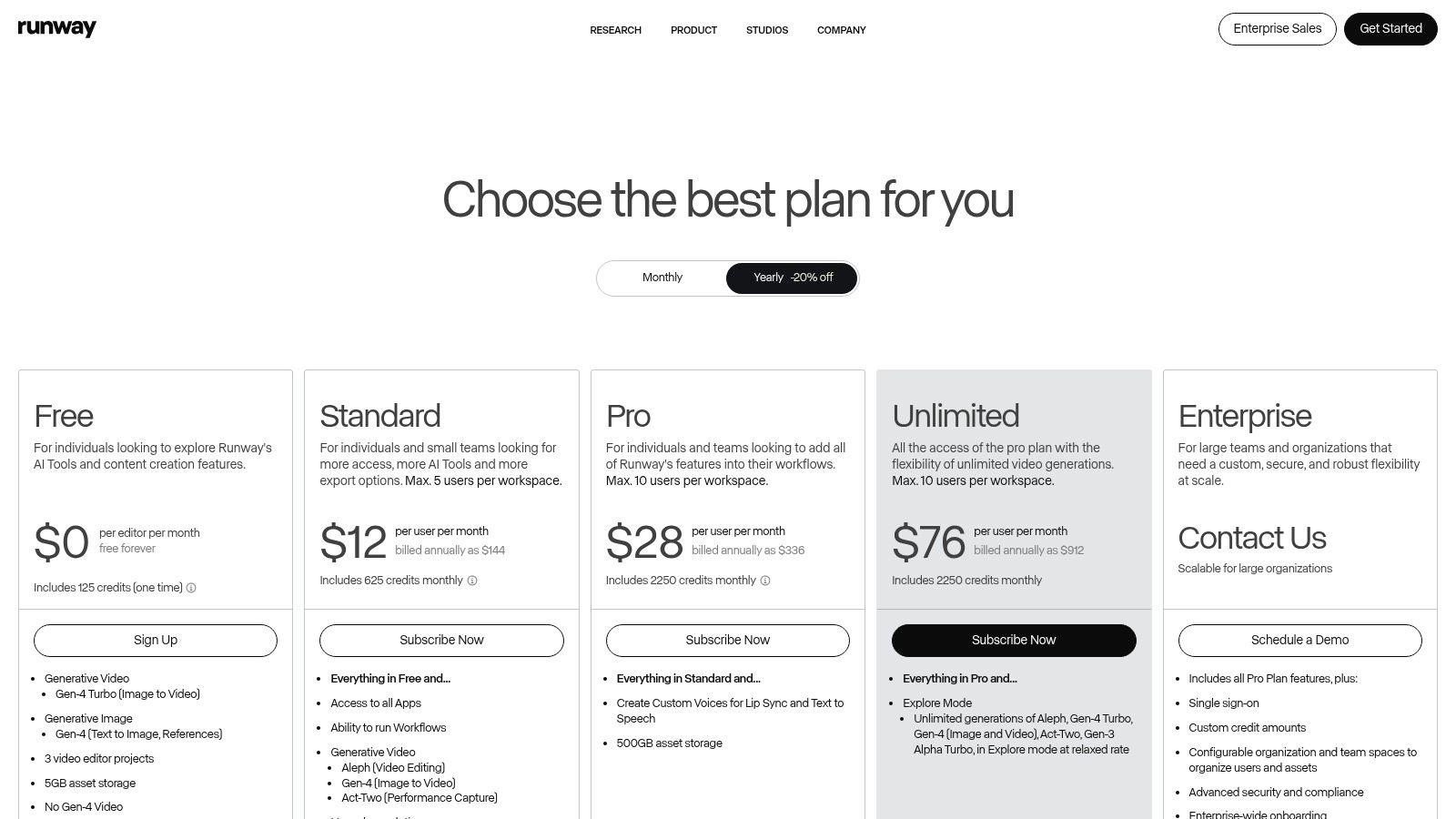
Beyond generation, Runway integrates a suite of AI-powered editing tools, including seamless background removal, video upscaling, and motion tracking. This creates a powerful, all-in-one SaaS workflow where you can generate, refine, and export professional-grade content. While its credit-based system can feel complex at first, the platform offers an Unlimited plan with "Explore Mode" for infinite, albeit sometimes slower, generations.
Key Details & Use Cases
| Feature | Best For |
|---|---|
| Gen-3/Gen-4 Generation | Creating photorealistic b-roll and cinematic sequences from text. |
| AI Magic Tools | Quickly removing backgrounds or upscaling low-res footage. |
| Team Workspaces | Collaborative projects for creative agencies and brands. |
| Pro Export Options | Exporting in ProRes or PNG sequences for professional post-production. |
Pro Tip: Start with the Standard plan ($12/user/month) to get a feel for the credit system. If you find yourself generating frequently, the Unlimited plan ($76/user/month) offers better value, especially with its Explore Mode. Learn more about how to use Runway and other AI video generators in The Ultimate Guide to AI Video Generators.
- Pros: State-of-the-art text-to-video quality; integrated AI editing suite; professional export formats.
- Cons: Credit system can be confusing; Unlimited plan generations may be slower during peak hours.
- Website: runwayml.com
3. Pika
Pika shines as one of the best AI video creation tools for its speed and user-friendly approach, making it perfect for generating quick, social-media-ready clips. It simplifies the text-to-video process, allowing creators to produce short, engaging animations and stylized videos with minimal effort. Its appeal lies in its straightforward interface and a transparent, credit-based system where you know exactly how much each generation will cost depending on the model you choose. This makes it an excellent starting point for beginners or marketers needing fast, creative assets.
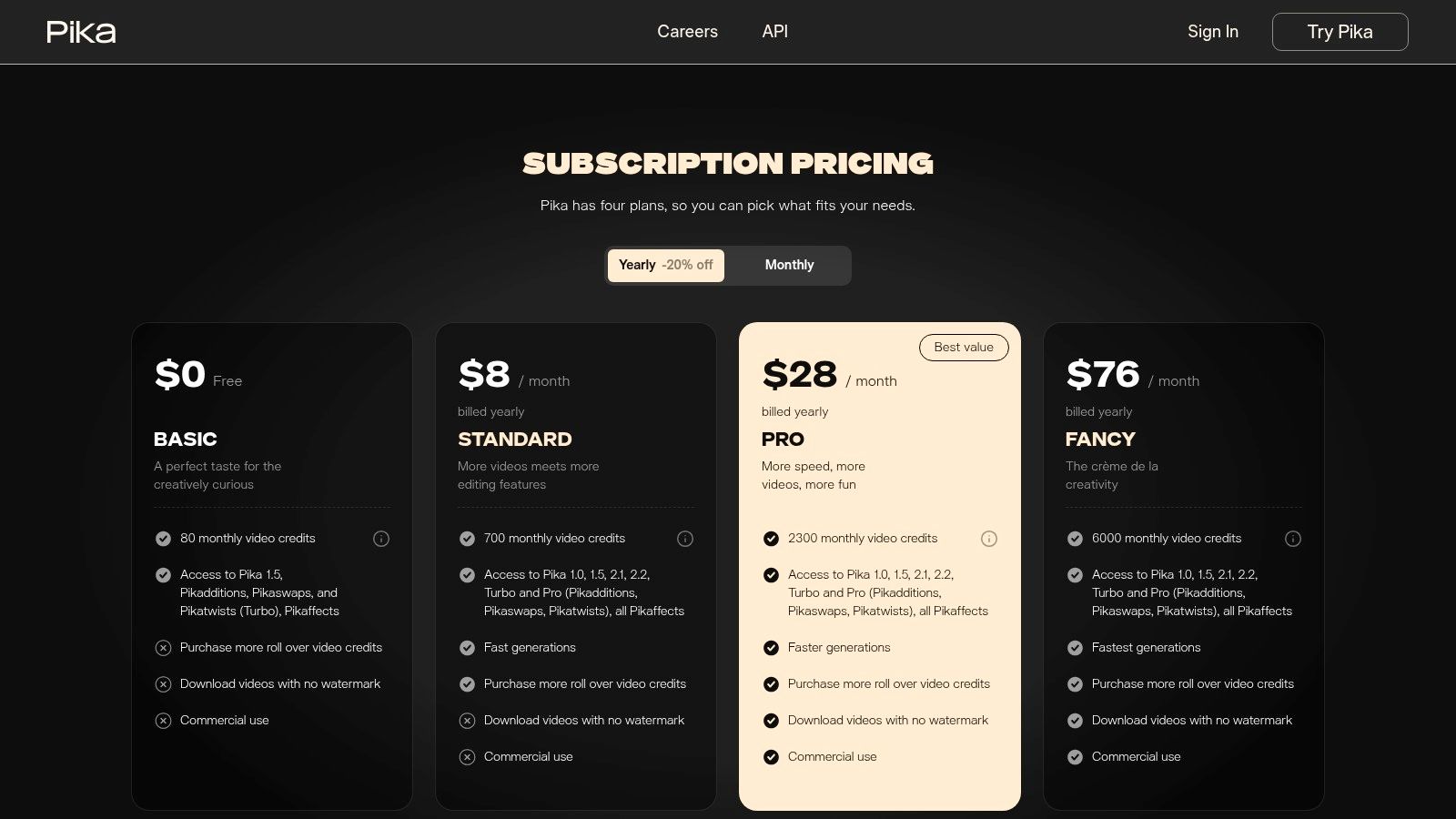
The platform offers multiple AI model versions, from fast "Turbo" models for rapid prototyping to higher-quality "Pro" models for final exports. Pika also includes unique effect modules like Pikadditions and Pikaswaps, which allow for creative modifications to existing videos. While it may not yet offer the cinematic depth of some competitors, its granular pricing and ease of use make it a powerful tool for producing eye-catching content for TikTok, Instagram Reels, and ads without a steep learning curve.
Key Details & Use Cases
| Feature | Best For |
|---|---|
| Multiple Model Versions | Balancing speed and quality for different project stages. |
| Effect Modules | Applying unique artistic effects and transformations to videos. |
| Granular Credit System | Budgeting and controlling costs for each video generation. |
| Watermark-Free Exports | Creating professional, unbranded content on paid plans. |
Pro Tip: Use the Standard plan ($8/month) to remove the watermark and access a solid monthly credit allowance. Test prompts on the faster, cheaper models first to refine your idea before spending more credits on a Pro generation for the best results.
- Pros: Clear, granular pricing for easy budgeting; great for quick social clips and creative effects; straightforward for beginners.
- Cons: Credits don't roll over monthly; advanced controls and long-form video continuity are still evolving.
- Website: pika.art/pricing
4. Synthesia
Synthesia is a leader in the AI avatar space, making it one of the best AI video creation tools for corporate communications, training videos, and localized marketing content. Instead of generating cinematic scenes, it excels at transforming scripts into polished, presenter-led videos using a library of realistic AI avatars. This approach is perfect for creating professional-looking training modules, onboarding materials, or product explainers without the high cost of hiring actors or booking a studio.
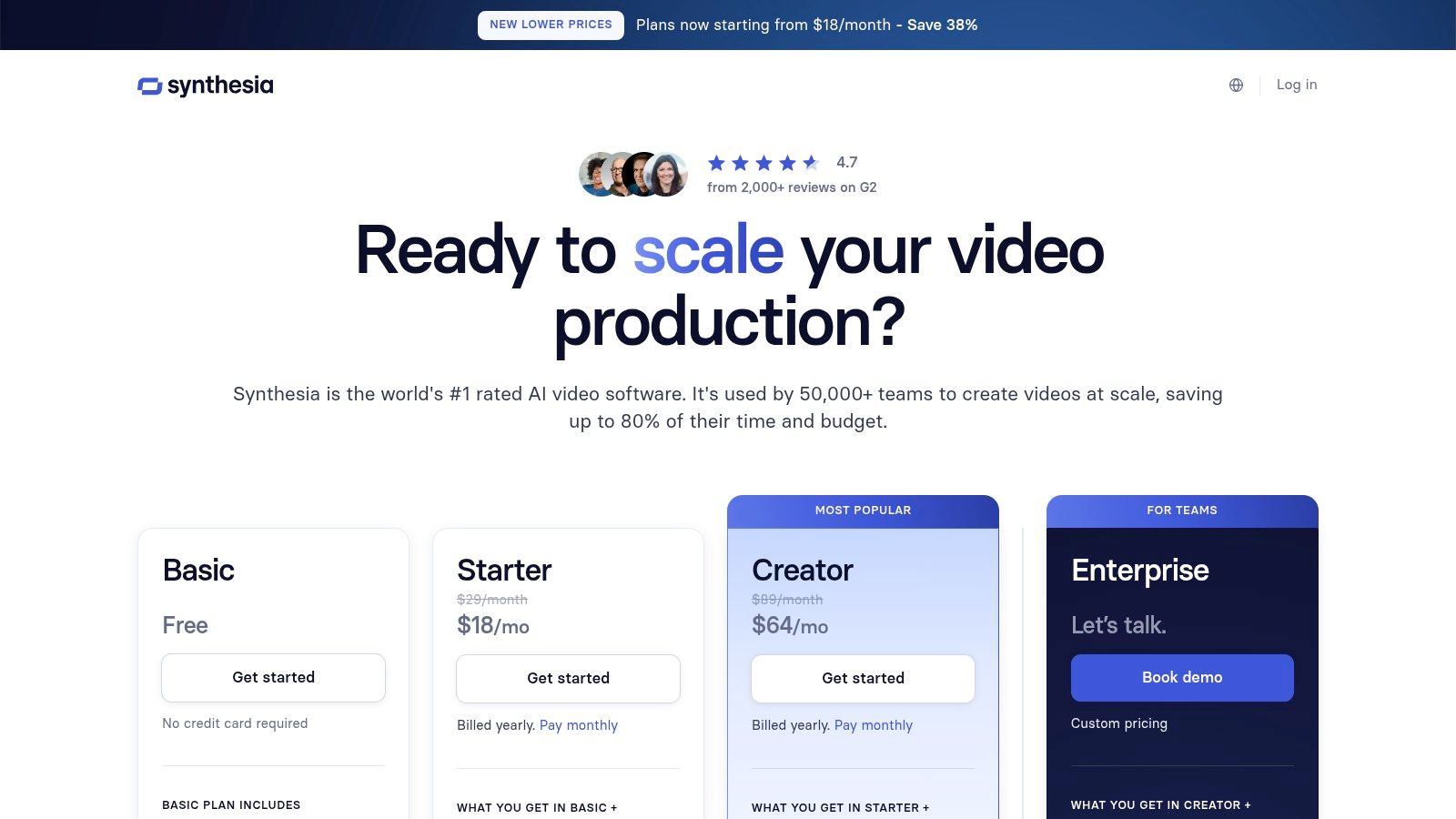
The platform's standout feature is its extensive language support, offering over 140 languages and AI-powered dubbing for seamless content localization. Enterprise-level features like SSO integration, SCORM exports for learning management systems, and custom brand kits make it a mature, reliable choice for businesses. For those exploring different options within the AI video generation space, consider looking into Synthesia alternatives to find the best fit for your needs. While its per-minute credit model is straightforward, it is best suited for businesses with predictable video output needs.
Key Details & Use Cases
| Feature | Best For |
|---|---|
| Realistic AI Avatars | Creating presenter-style corporate training and marketing videos. |
| 140+ Languages & AI Dubbing | Localizing video content for global audiences with a single click. |
| Enterprise Integrations | Businesses needing SCORM, SSO, and API access for streamlined workflows. |
| Custom Avatars & Branding | Maintaining brand consistency across all video communications. |
Pro Tip: Start with the Personal plan ($22/month) for 10 minutes of video to test the avatar quality and workflow. Businesses should consider the Enterprise plan for features like custom avatars and collaborative workspaces. Explore how avatars can be used for faceless content in our guide to AI faceless video generators.
- Pros: Mature enterprise features and strong G2 reputation; extensive language support for localization; clear per-minute credit model.
- Cons: Better suited to presenter-style videos than cinematic footage; minutes/credits do not roll over.
- Website: www.synthesia.io/pricing
5. HeyGen
HeyGen specializes in creating professional AI avatar videos, making it one of the best AI video creation tools for marketing, sales outreach, and corporate training. It transforms simple scripts into polished videos featuring a diverse library of stock avatars or your own custom-created one. This is ideal for businesses needing to produce consistent, high-quality video content at scale without the overhead of filming and recording.
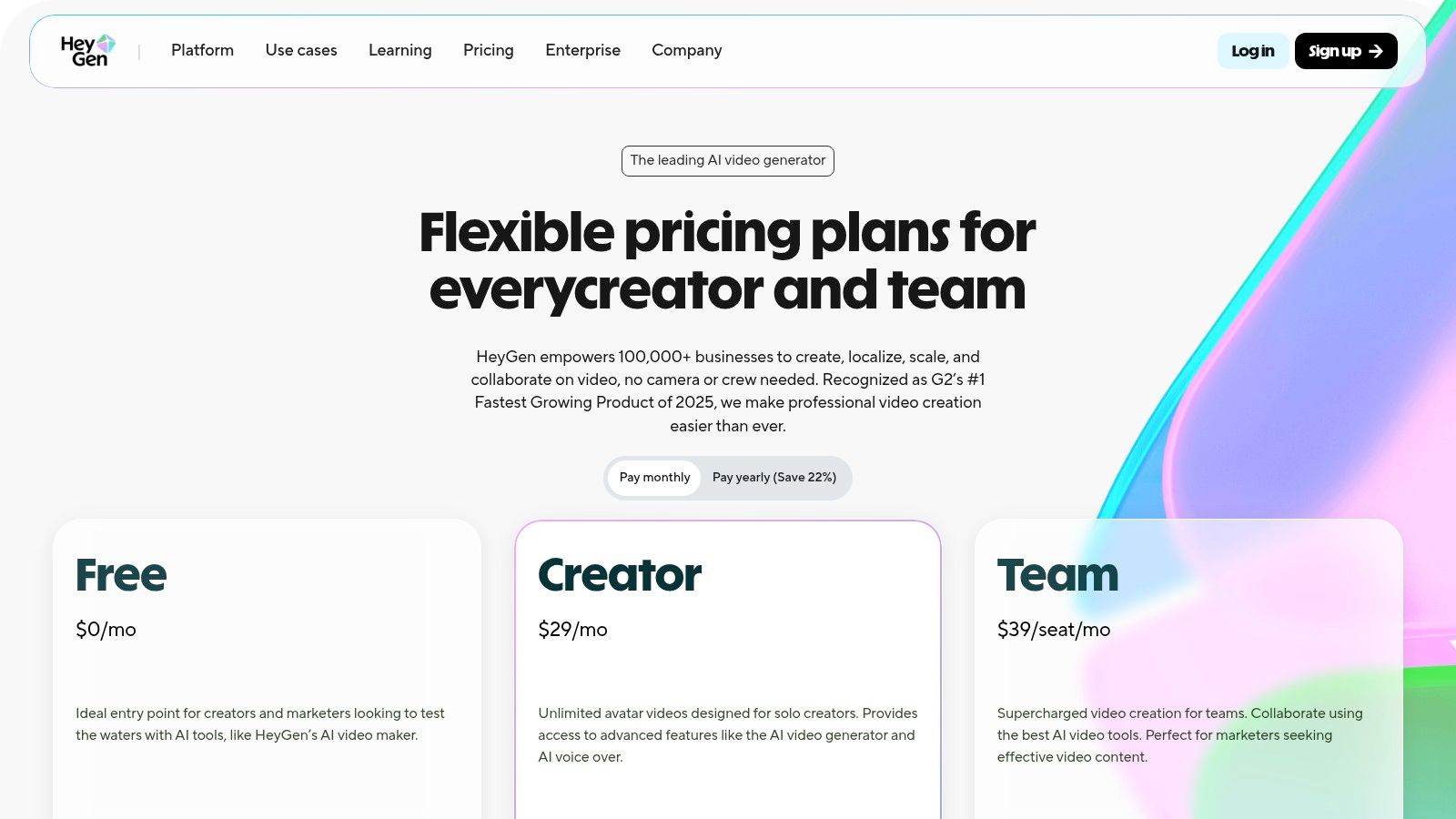
The platform’s standout feature is its powerful video translation and localization tool, which can dub and lip-sync your video into dozens of languages, opening up global markets effortlessly. Combined with team workspaces, brand kit integration, and commenting features, HeyGen streamlines the entire video production workflow for organizations. While advanced features like 4K exports are reserved for higher-tier plans, its robust free tier is perfect for testing the core functionality.
Key Details & Use Cases
| Feature | Best For |
|---|---|
| AI Avatars | Creating scalable training videos or marketing explainers. |
| Video Translation | Localizing ad campaigns and corporate communications for a global audience. |
| Team Collaboration | Managing video creation workflows for marketing agencies and brands. |
| Custom Avatars & Voice Cloning | Building a consistent and recognizable brand presence in video content. |
Pro Tip: Start with the generous free plan to create a few test videos and understand the workflow. The Creator plan ($24/month) is a great next step, offering unlimited videos (up to 5 mins each) and faster processing, making it suitable for consistent content creators.
- Pros: Robust free tier for testing; excellent video translation and localization; unlimited video creation on paid plans.
- Cons: Heavier customization and higher export quality require more expensive plans; some key features are plan-specific.
- Website: heygen.com
6. Colossyan
Colossyan is laser-focused on workplace learning and development, making it one of the best AI video creation tools for corporate training, HR onboarding, and educational content. Instead of text-to-video generation, it specializes in creating polished, avatar-led presentations from scripts. This approach allows businesses to produce consistent and scalable training videos for standard operating procedures (SOPs) or compliance modules without needing cameras or actors.
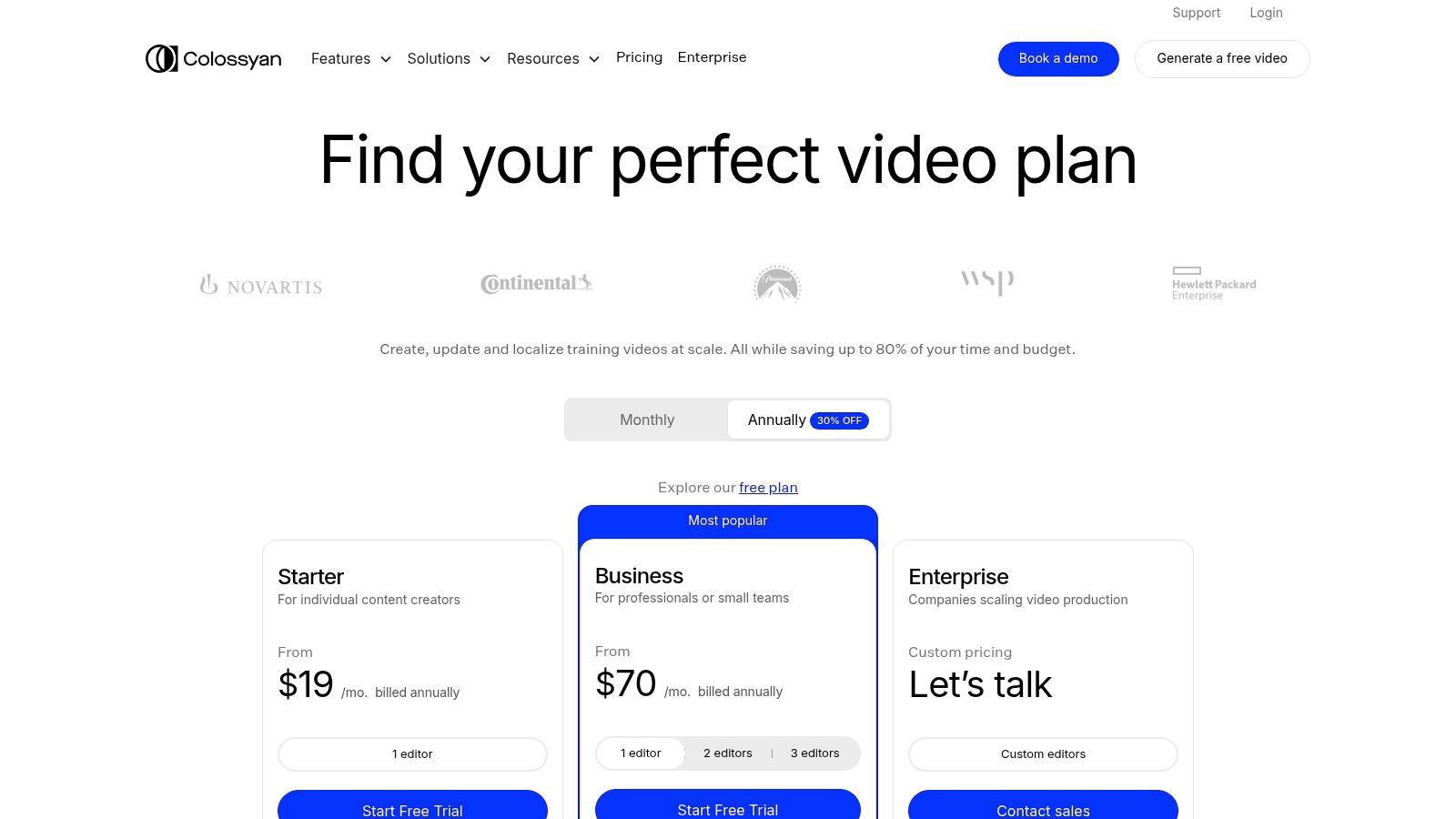
What sets Colossyan apart is its suite of L&D-specific features. It offers interactive elements like quizzes and conversation branching, allowing creators to build engaging learning experiences. With features like SCORM export, it integrates directly into existing Learning Management Systems (LMS). The platform boasts a large library of over 70 AI avatars, auto-translation for global teams, and analytics to track viewer engagement, making it a comprehensive solution for internal communications.
Key Details & Use Cases
| Feature | Best For |
|---|---|
| AI Avatars & Voice Cloning | Creating consistent HR onboarding and internal training videos. |
| Interactive Quizzes | Making educational content more engaging and testing knowledge retention. |
| SCORM Export | Integrating AI-generated videos directly into corporate LMS platforms. |
| Auto-Translation | Localizing training materials for global teams quickly and affordably. |
Pro Tip: The Starter plan ($28/user/month) is great for individuals creating a few videos per month. For businesses with high-volume needs, the Business plan offers unlimited video creation minutes, which provides significant cost savings and predictability for scaling training content.
- Pros: Purpose-built for internal training and localization; unlimited minutes on Business plan lowers cost for heavy usage; strong analytics and LMS integration options.
- Cons: Advanced interactivity is limited on lower tiers; some studio-grade avatars and add-ons cost extra.
- Website: colossyan.com
7. Descript
Descript revolutionizes video editing by treating it like a word document, making it one of the best AI video creation tools for content repurposing and narrative-driven projects. Instead of a traditional timeline, you edit the auto-generated transcript, and the video cuts follow suit. This approach is incredibly intuitive for podcasters, course creators, and YouTubers who want to streamline their workflow by editing text, not pixels. Its standout features include Overdub for cloning your voice to fix mistakes and an agentic co-editor named Underlord that can find and assemble clips.
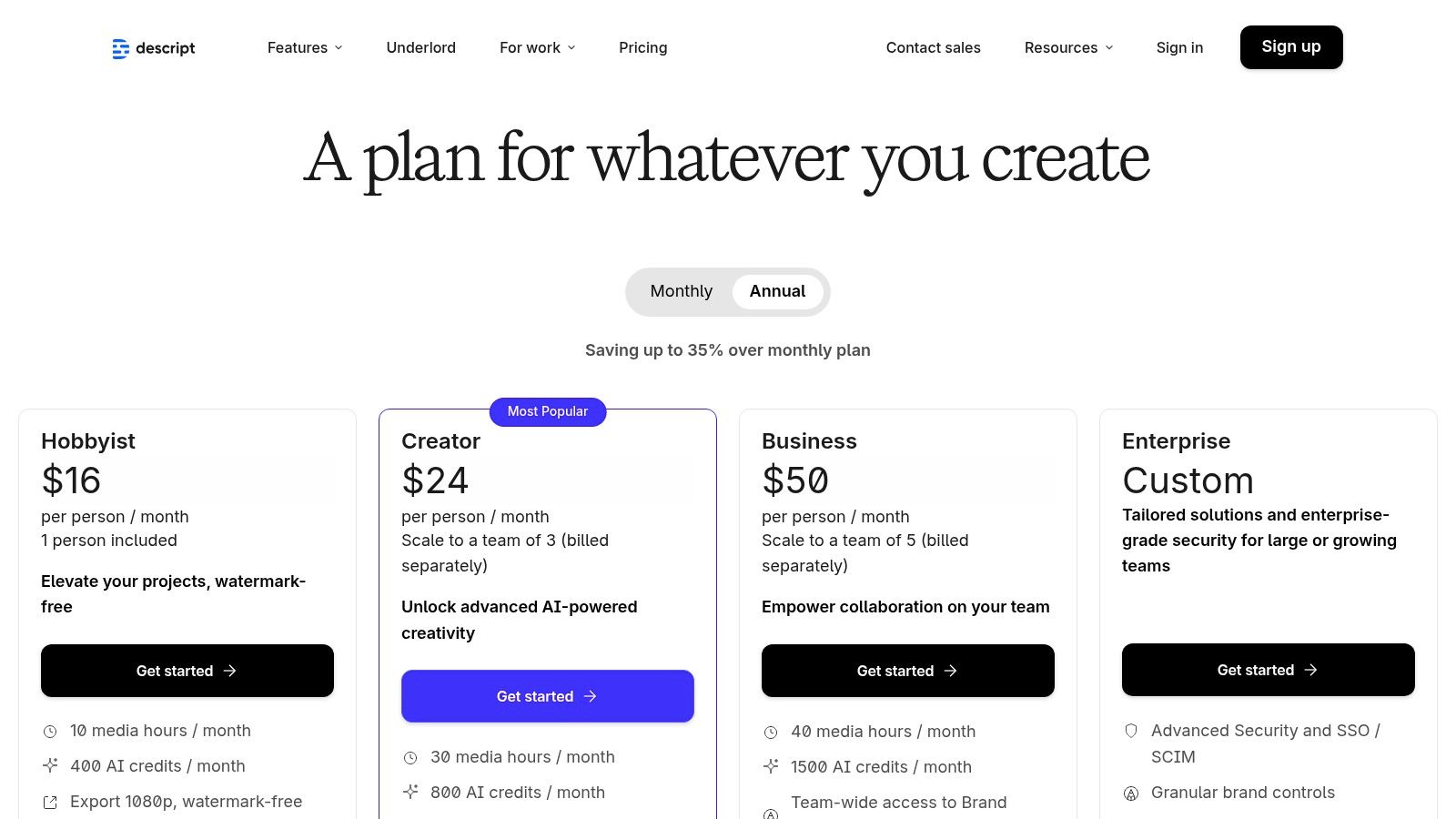
This platform excels at transforming long-form content, like a podcast or webinar, into dozens of social media clips with minimal effort. The AI-powered "Find Good Clips" feature automatically identifies engaging moments, and its integrated stock media library helps you add relevant visuals instantly. Descript's all-in-one nature, combining recording, transcription, and AI-assisted editing, eliminates the need to juggle multiple software, saving creators significant time and effort.
Key Details & Use Cases
| Feature | Best For |
|---|---|
| Script-Based Editing | Podcasters and YouTubers editing long-form talking head videos. |
| Overdub & Voice Cloning | Correcting narration errors without re-recording entire sections. |
| AI Clip Generation | Repurposing webinars or interviews into shareable social media shorts. |
| Underlord Co-Editor | Automating editing tasks and finding the best moments in your footage. |
Pro Tip: Use the "Find Good Clips" feature with specific keywords (e.g., "key takeaway," "pro tip") to quickly locate and export valuable snippets from a long recording. The Creator plan ($12/user/month) is a great starting point for solo creators, offering sufficient transcription hours and 4K export.
- Pros: Highly efficient for editing speech-heavy content; strong AI assistance for repurposing; gentle learning curve for non-editors.
- Cons: AI features consume credits quickly; pricing plans and feature limits can be complex to navigate.
- Website: descript.com/pricing
8. Kapwing
Kapwing solidifies its spot as one of the best AI video creation tools by integrating powerful AI features directly into a user-friendly, browser-based editor. It's designed for social media managers, creators, and teams who need a fast, collaborative workflow without complex software. The platform excels at simplifying tedious tasks like generating accurate subtitles, translating content, and creating voiceovers with text-to-speech, making it perfect for preparing content for global audiences on platforms like TikTok and YouTube.
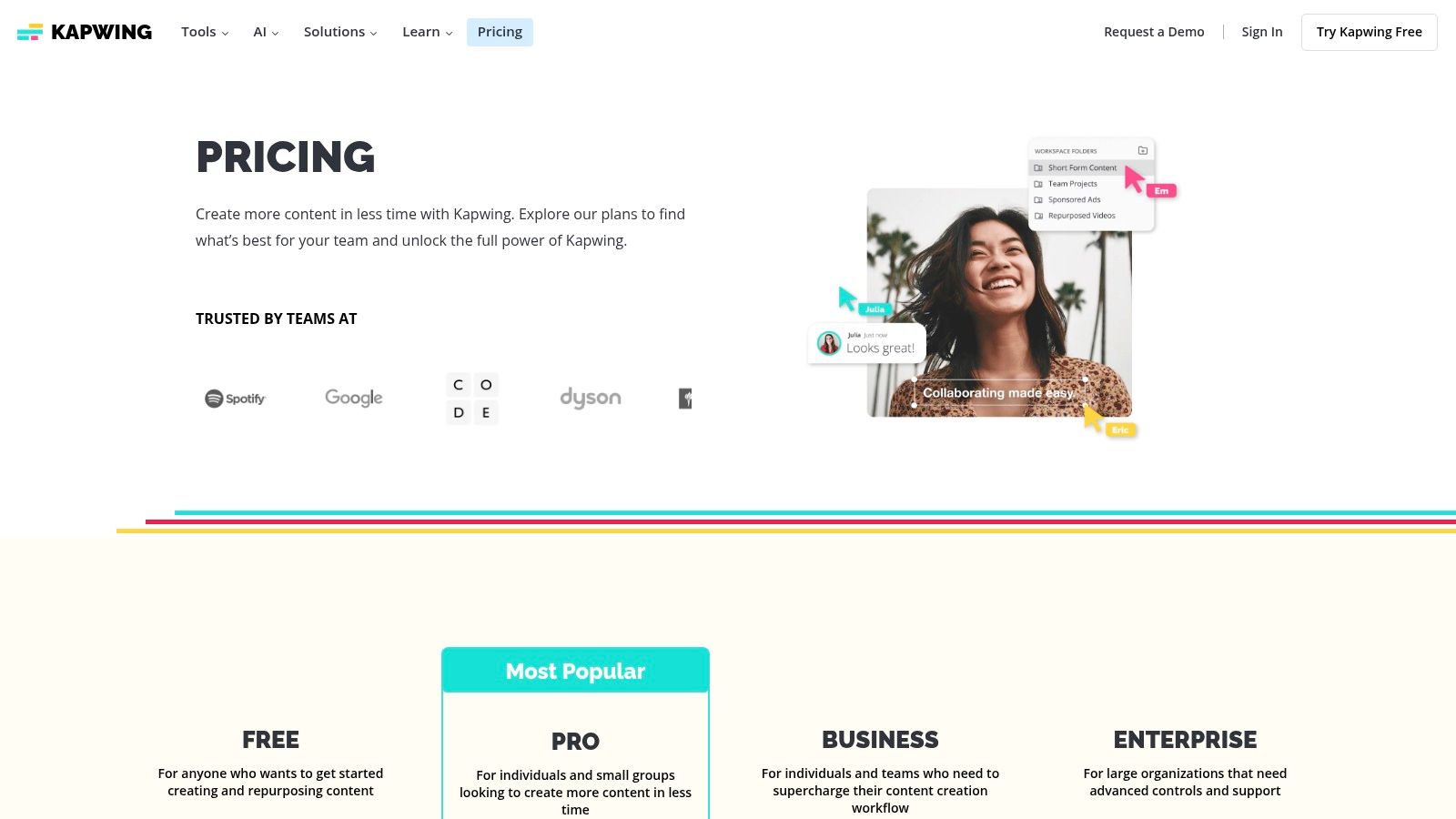
Unlike standalone generator tools, Kapwing combines its AI capabilities-including text-to-video and AI-powered lip-sync-with a full-fledged video editing suite. This allows users to generate, edit, and polish their videos in one seamless process. With team workspaces, brand kits, and unlimited cloud storage on paid plans, it’s built to support a consistent and efficient content pipeline. The transparent pricing and clear credit system make it easy for users to choose the right plan for their needs.
Key Details & Use Cases
| Feature | Best For |
|---|---|
| AI Subtitling & Translation | Quickly adding and translating captions for social media videos. |
| Text-to-Speech & Lip-Sync | Creating voiceovers and adjusting speaker timing without re-recording. |
| Team Workspaces & Brand Kits | Maintaining brand consistency across a social media team. |
| Browser-Based Workflow | Collaborative editing from any device without installing software. |
Pro Tip: The Pro plan ($16/user/month billed annually) offers the best value for solo creators and small teams, providing access to most AI tools and 4K exports. If your AI usage is high, the Business plan offers significantly more credits.
- Pros: Simple browser-based workflow ideal for social content; clear pricing and feature tiers; strong collaborative tools.
- Cons: Heavy AI workloads may require more expensive Business or Enterprise plans; some advanced AI features are gated to higher tiers.
- Website: kapwing.com
9. Canva
Canva has evolved from a simple graphic design tool into a comprehensive content creation suite, earning its spot as one of the best AI video creation tools for social media managers and small businesses. Its primary advantage is integration; you can generate video clips with its "Magic Media" feature, edit them on a familiar timeline, add text and graphics from a vast library, and schedule the final product directly to social media, all within one platform. This makes it an incredibly efficient solution for producing branded marketing content at scale.
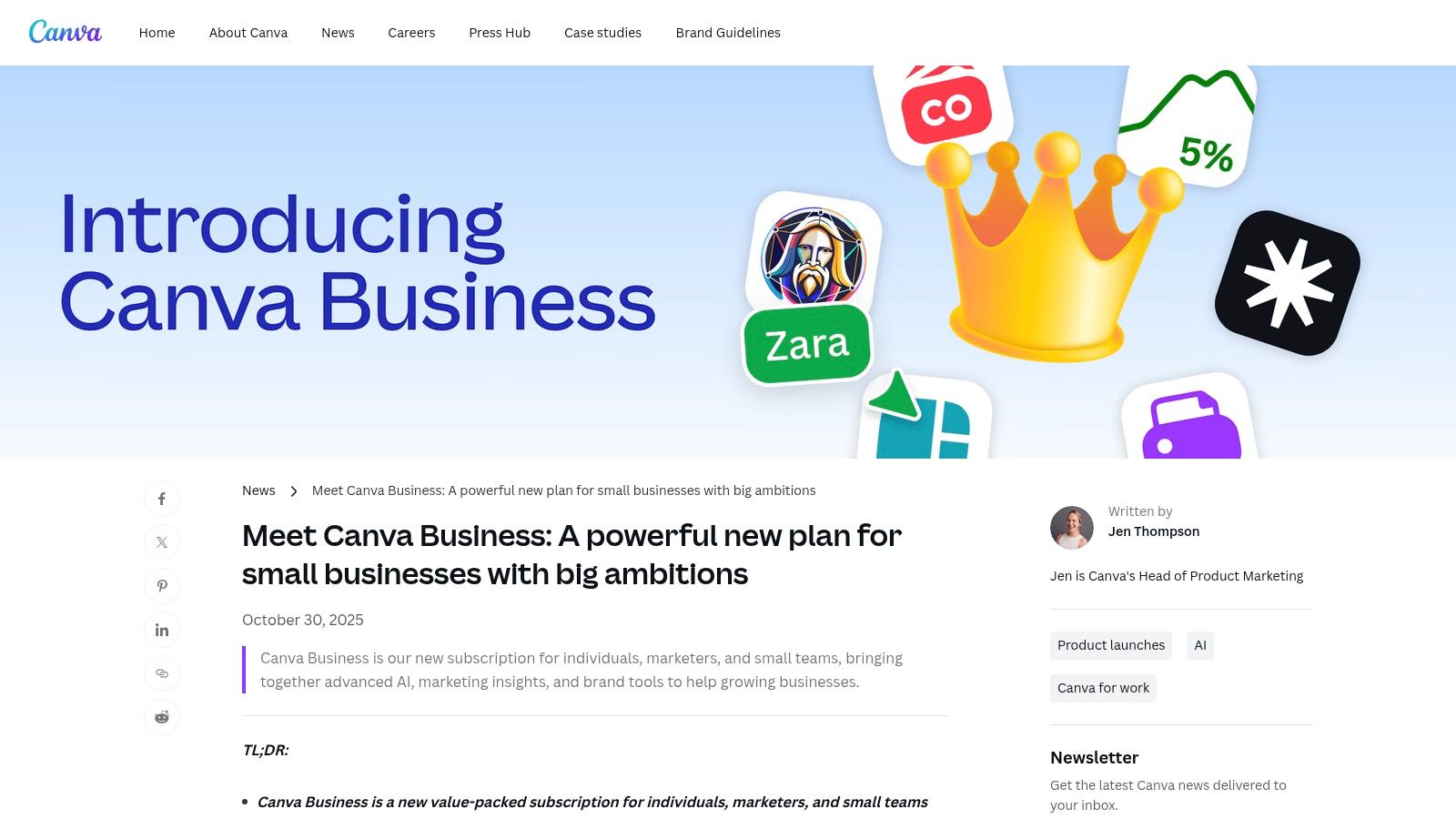
While its AI generation may not have the cinematic quality of specialized models, Canva excels at workflow speed and brand consistency. The platform is built for team collaboration, offering features like Brand Kits to maintain a consistent look across all assets, from video ads to presentations. Its template-driven approach drastically lowers the barrier to entry, allowing non-designers to create professional-looking videos quickly. For teams needing an all-in-one marketing hub, Canva's video features are a powerful addition to a tool they likely already use.
Key Details & Use Cases
| Feature | Best For |
|---|---|
| Magic Media AI Tools | Generating quick video clips or images for social media posts. |
| Integrated Workflow | Creating, editing, and scheduling video content in one place. |
| Massive Template Library | Quickly producing branded content for TikTok, Reels, or ads. |
| Brand Kits & Team Features | Maintaining brand consistency for small and medium businesses. |
Pro Tip: Utilize the Canva Business plan for higher AI generation limits and access to team features and analytics. Always start with a template to speed up your creation process, customizing it with your brand kit and AI-generated media to make it unique.
- Pros: Extremely user-friendly for non-designers; one-stop solution for video, graphics, and social scheduling; strong team and brand governance features.
- Cons: Less frame-by-frame control compared to dedicated video editors; pricing and plan features can change, so verify current terms.
- Website: canva.com
10. Lumen5
Lumen5 is a purpose-built AI video maker designed specifically for marketing teams who need to create branded video content at scale. It excels at transforming existing content, like blog posts or scripts, into engaging social media videos. Instead of focusing on generative video from scratch, Lumen5 streamlines the process of repurposing written content, making it one of the best AI video creation tools for content marketing workflows that prioritize speed and brand consistency. Its AI intelligently analyzes your text, suggests relevant stock footage from its extensive library, and fits it all into your pre-set brand templates.
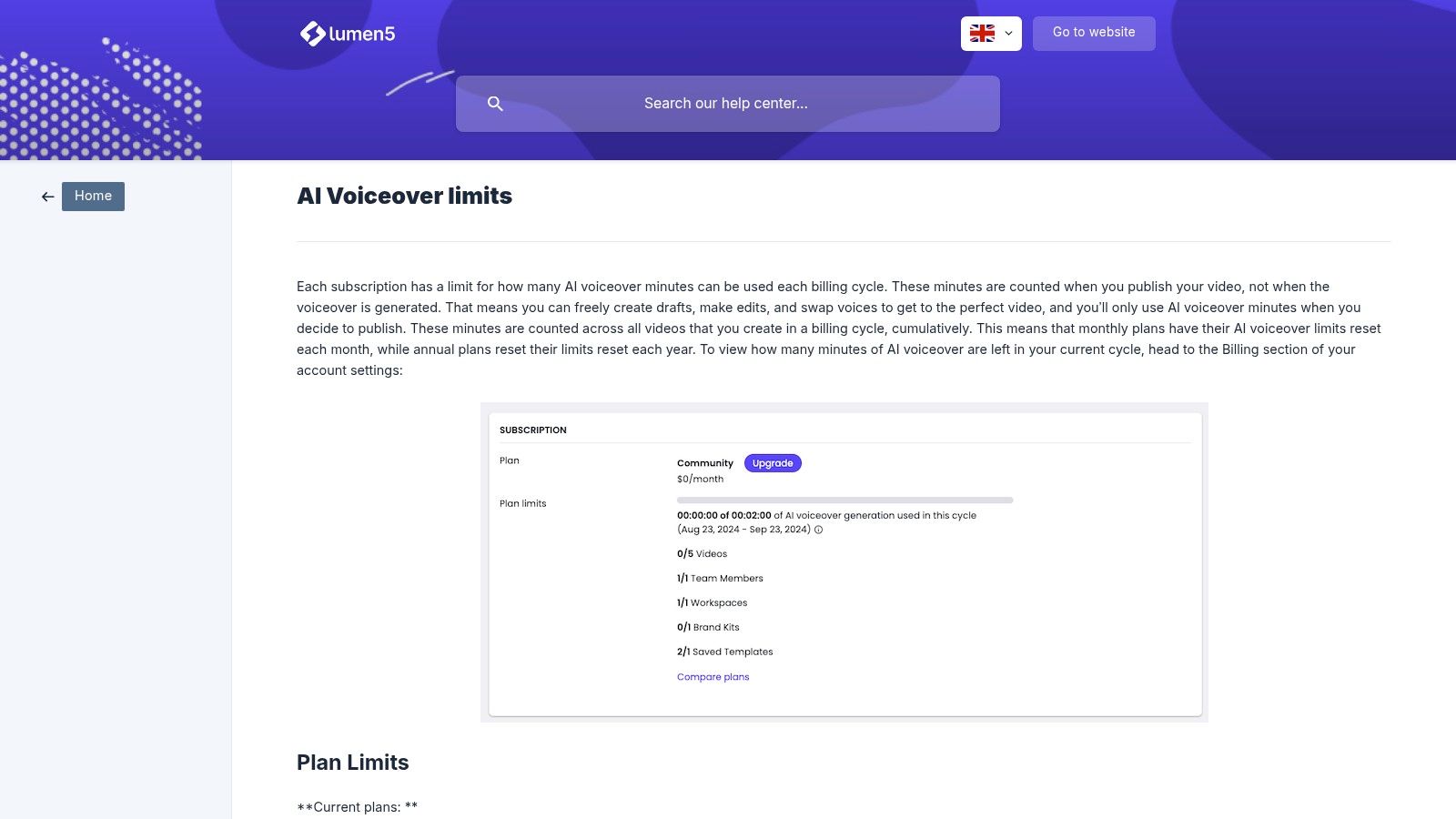
The platform’s strength lies in its predictability and ease of use. It includes AI-powered voiceovers with clearly defined minute allowances per plan, eliminating surprise costs. This is ideal for teams that need to produce a consistent volume of content for platforms like LinkedIn, Facebook, or Instagram Stories without requiring deep video editing skills. The workflow is straightforward: input a URL or script, customize the scenes, add a voiceover, and export a perfectly branded video in minutes.
Key Details & Use Cases
| Feature | Best For |
|---|---|
| URL/Script-to-Video | Quickly turning blog posts and articles into shareable social videos. |
| Brand Templates | Maintaining consistent branding for marketing and corporate comms teams. |
| AI Voiceovers | Adding narration to videos with predictable usage limits. |
| Stock Media Library | Sourcing b-roll and images directly within the video creation workflow. |
Pro Tip: Start with the Community plan (free forever) to test the core features. If your team needs consistent voiceovers and branded templates, the Starter plan ($19/user/month) is a cost-effective entry point. Lumen5’s predictable billing and 7-day money-back policy make it a low-risk option for marketing departments.
- Pros: Excellent for repurposing written content; strong brand consistency features; predictable voiceover allowances and simple billing.
- Cons: Less creative freedom than generative tools; heavy voiceover usage requires more expensive plans.
- Website: lumen5.com
11. VEED
VEED solidifies its spot as one of the best AI video creation tools by acting as an all-in-one online editor tailored for social media. Its strength lies in combining a traditional timeline editor with a powerful suite of AI utilities, making it incredibly efficient for creators who need to add subtitles, translate content, or generate voiceovers. The platform is designed for speed, allowing users to go from raw footage to a polished, social-ready video in minutes.
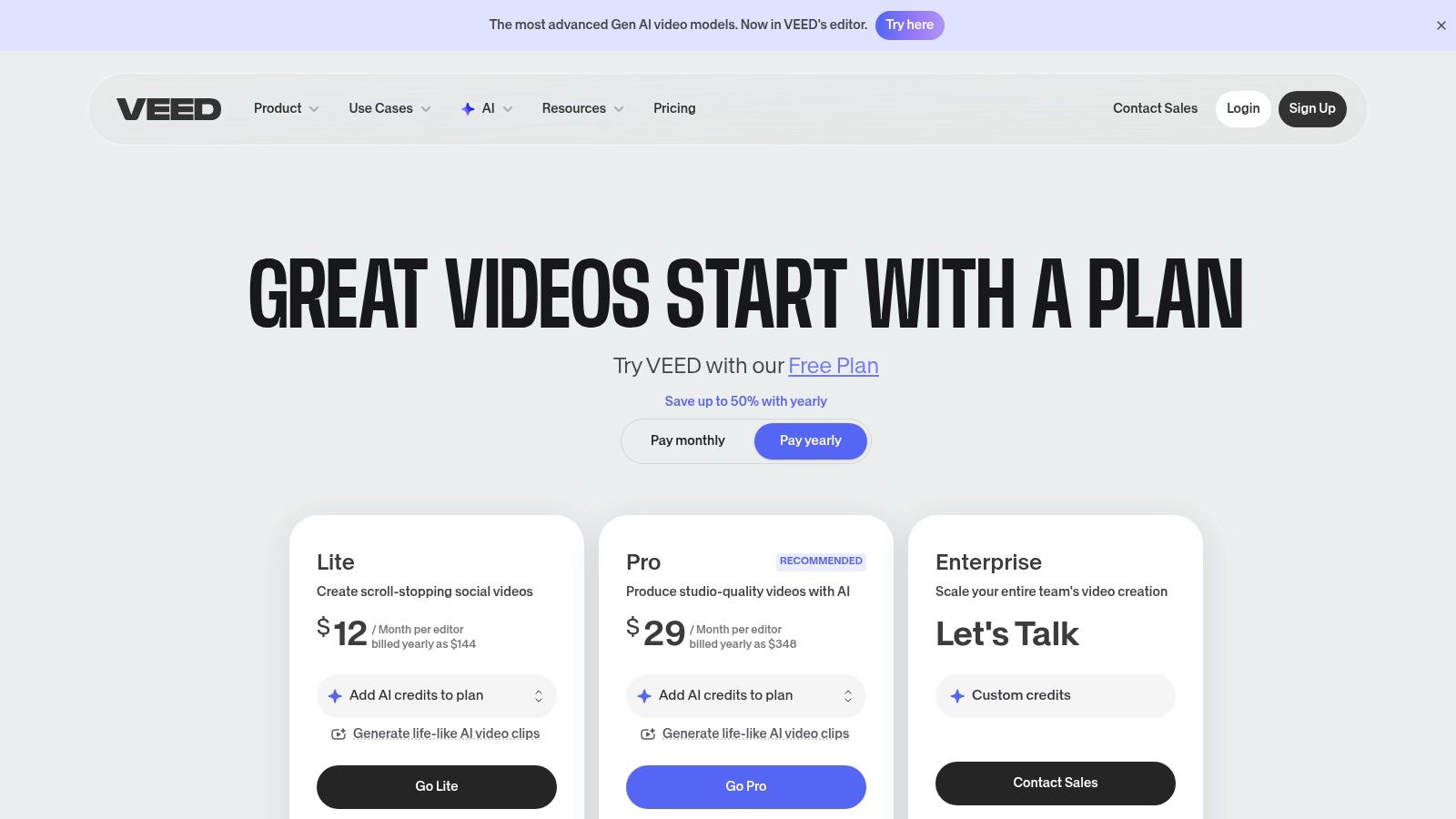
Its browser-based workflow is a significant advantage, eliminating the need for complex software installations. With features like one-click background removal, automatic subtitle generation, and AI avatars, VEED empowers solo creators and marketing teams to produce high-quality content without a steep learning curve. While its Gen-AI studio and other premium features operate on a credit system, the platform offers a comprehensive toolset for everyday video editing tasks.
Key Details & Use Cases
| Feature | Best For |
|---|---|
| AI Subtitles & Translation | Quickly adding accurate captions and reaching a global audience. |
| AI Avatars & Voice Tools | Creating faceless content or explainer videos without a microphone. |
| Browser-Based Editor | Easy access and collaboration for teams on any device. |
| Brand Kits | Maintaining brand consistency across all video content for marketing teams. |
Pro Tip: Start with a monthly Pro plan ($24/user/month) to test the AI credit system and core features. Some users have noted that entitlements can change, so a shorter-term commitment is wise before upgrading to an annual or Business plan.
- Pros: Intuitive browser-based workflow; excellent for subtitles and social media edits; competitive Pro plan for individuals.
- Cons: AI credit inclusions can change; some users report confusion with billing or support.
- Website: veed.io/pricing
12. G2 (AI video generators category)
While not a creation tool itself, G2's AI video generators category page is an indispensable research hub, making it one of the best AI video creation tools for discovery and validation. Instead of creating video, it aggregates user reviews, rankings, and detailed feature lists for dozens of platforms. This allows you to compare shortlisted tools side-by-side and read honest feedback from real users before committing to a subscription. It’s the ideal starting point for vetting potential software and avoiding marketing hype.
The platform’s strength lies in its powerful filtering system, which lets you narrow down options by business size, specific features (like text-to-video or avatar creation), and user satisfaction scores. By consolidating pros and cons from verified users, G2 helps you quickly identify a tool's true strengths and weaknesses. This saves significant time and helps ensure the tool you choose aligns perfectly with your workflow, whether for social media content or professional ad creatives.
Key Details & Use Cases
| Feature | Best For |
|---|---|
| User Reviews & Rankings | Validating vendor claims with real-world user experiences. |
| Advanced Filtering | Finding tools that meet specific needs, like API access or team collaboration. |
| Side-by-Side Comparison | Directly comparing features, pricing, and satisfaction scores of top contenders. |
| Discovering Alternatives | Finding lesser-known but highly-rated tools you might have missed. |
Pro Tip: Pay close attention to the date of the reviews. The AI video space evolves rapidly, so recent feedback is often more relevant. Use G2 to build a shortlist, then visit the official vendor sites for free trials to test the tools yourself.
- Pros: One-stop hub for user validation and discovery; helps find alternatives to popular tools; free to browse and compare.
- Cons: Rankings can be influenced by sponsored placements; not a creation tool, requires visiting vendor sites to purchase.
- Website: g2.com/categories/ai-video-generators
Top 12 AI Video Creation Tools — Features Comparison
| Tool | Core features ✨ | Quality ★ | Price/value 💰 | Audience 👥 |
|---|---|---|---|---|
| Aicut 🏆 | Photorealistic models (Sora 2, Veo 3.1, Kling); faceless templates; upscaling; automation | ★★★★☆ — fast, trend-focused | 💰 Creator $15.99/mo (360 tokens/yr); Automate $39.99/mo (960 tokens); token-based costs | 👥 Faceless creators, e‑commerce, social managers, agencies |
| Runway | Gen‑3/Gen‑4 text→video; extend/upscale/edit; ProRes export | ★★★★★ — cutting‑edge quality | 💰 Credits-based; Unlimited (Explore Mode) option | 👥 Pros, studios, creative teams |
| Pika | Fast text/image→video; model versions & effect modules | ★★★★ — quick social clips | 💰 Credit tiers; per‑model pricing | 👥 Social creators, fast content makers |
| Synthesia | Script→video with AI avatars; 140+ languages; enterprise features | ★★★★ — enterprise/localization ready | 💰 Per‑minute/credits; enterprise plans | 👥 Corporate comms, training, localization teams |
| HeyGen | Avatar videos; translation/localization; team workflows; 4K exports | ★★★★ — strong multilingual tools | 💰 Robust free tier; paid tiers with unlimited videos (varies) | 👥 Marketing, training, global teams |
| Colossyan | L&D templates, quizzes/branching, SCORM export; unlimited minutes on Business | ★★★★ — training‑focused | 💰 Starter minutes; Business = unlimited minutes | 👥 HR, onboarding, eLearning teams |
| Descript | Script-based editing; overdub voice cloning; co‑editor Underlord | ★★★★☆ — efficient editor + AI | 💰 Free/pro tiers; AI credits & media hours | 👥 Podcasters, YouTubers, editors |
| Kapwing | Browser editor; subtitles, TTS, lip‑sync, text→video; team tools | ★★★★ — simple social workflows | 💰 Pro/Business plans; competitive annual pricing | 👥 Social teams, creators, SMBs |
| Canva | Magic Media AI video; templates, timelines, captions, scheduling | ★★★★ — one‑stop design + video | 💰 Free + Canva Business (higher AI limits) | 👥 SMB marketers, teams, non‑designers |
| Lumen5 | Script/URL→video; brand templates; AI voiceovers | ★★★ — marketing template focus | 💰 Free/community; paid w/ voiceover minute limits | 👥 Content marketers, social teams |
| VEED | AI subtitles/translation; Gen‑AI Studio; avatars & voice | ★★★★ — broad AI utilities | 💰 Tiered plans (Pro/Enterprise); AI credit limits | 👥 Individuals, small teams, enterprises |
| G2 (category) | Vendor comparisons, user reviews, filters, rankings | ★ varies — crowdsourced reviews | 💰 Free to browse | 👥 Buyers, researchers, procurement teams |
Choosing Your AI Co-Pilot: Final Thoughts and Recommendations
We've explored a wide landscape of powerful platforms, each offering a unique approach to AI video creation. The journey from a simple text prompt to a polished, engaging video is no longer a complex, resource-intensive marathon. It's now an accessible sprint, powered by the incredible capabilities of generative AI. The key takeaway from our deep dive is this: the single "best ai video creation tool" doesn't exist. Instead, the best tool is the one that seamlessly integrates into your specific workflow and aligns perfectly with your content goals.
The right choice hinges entirely on your primary objective. You wouldn't use a highly specialized tool like Synthesia for creating a cinematic short film, just as you wouldn't rely on a general-purpose editor like Canva for enterprise-level training videos. The true power lies in identifying your core need first. This strategic clarity will guide you to the perfect AI co-pilot.
Recapping the Top Contenders for Your Needs
Let's distill our findings into actionable recommendations based on common creator and business archetypes:
For the Viral Content Creator (YouTube, TikTok, Instagram): If your goal is rapid, high-volume production of faceless content designed for virality, specialized platforms are your greatest asset. Tools like Aicut are engineered specifically for this purpose, offering pre-built viral templates, trending audio, and automated workflows that eliminate friction. While platforms like Kapwing and Descript are excellent for editing, a specialized tool provides the end-to-end system for monetization.
For the Creative Professional & Filmmaker: When artistic control and the highest possible output quality are non-negotiable, your best options are generative powerhouses like Runway and Pika. These tools provide the granular control and cutting-edge models needed to bring a specific creative vision to life, making them ideal for experimental films, unique ad creatives, and high-concept art.
For Corporate & E-Learning Professionals: Businesses needing to create polished training, onboarding, and communication videos at scale should look no further than Synthesia, HeyGen, and Colossyan. Their mature avatar technology, extensive language support, and robust security features make them the gold standard for professional and internal communications.
For the All-in-One Marketer & Small Business: If you need a versatile tool that handles video as part of a broader marketing strategy, integrated platforms are key. Canva shines for social media assets and simple video ads, while Lumen5 is excellent for turning blog posts and articles into shareable videos. VEED offers a fantastic balance of powerful AI features within a user-friendly, all-purpose video editor.
Your Next Steps: From Research to Creation
Choosing from this list of the best ai video creation tools can feel overwhelming, but your path forward is simple. Don't get stuck in analysis paralysis. The most effective way to find your ideal tool is to get hands-on experience and start creating.
- Define Your Primary Use Case: Be specific. Is it creating 10 TikToks a week? A monthly corporate training video? Or a one-off viral marketing campaign?
- Create a Shortlist: Based on the recommendations above, pick your top two or three contenders that align with your primary use case.
- Test the Free Tiers: Nearly every tool on this list offers a free plan or a trial. Use it. Create the same short video on each platform to directly compare the workflow, output quality, and user experience.
- Evaluate Speed vs. Control: How important is raw speed? Are you willing to trade some creative control for a faster, more automated process? This is a crucial distinction between specialized tools and more general-purpose editors.
The era of AI-powered video creation is not just about saving time or cutting costs; it's about unlocking creative potential that was previously inaccessible to solo creators and small teams. It's about empowering you to tell your story, build your brand, and connect with your audience on a massive scale. The right tool is waiting to become your most valuable creative partner. Embrace the experimentation, find your fit, and start bringing your ideas to life today.
Ready to stop researching and start creating viral faceless content? For creators focused on rapid growth and monetization on platforms like YouTube and TikTok, Aicut is designed to be your all-in-one solution. Skip the steep learning curve and leverage our library of proven viral templates and photorealistic AI models to start generating high-engagement videos in minutes. Sign up for free at Aicut and discover the fastest path from idea to viral video.