The best AI video generator for YouTube takes you from a text idea to a publishable video in minutes and posts it for you - and for faceless creators that is aicut, which builds videos from proven viral story formats and auto-publishes to YouTube, TikTok, and Instagram. See how it stacks up in aicut vs InVideo and the 2026 AI video automation pricing comparison.
This guide compares 12 options for the best AI video generator for YouTube - best use cases, pricing, and honest pros and cons - so you can pick the one that fits your channel.
1. Aicut
Best for Faceless Creators & Scalable Ad Content
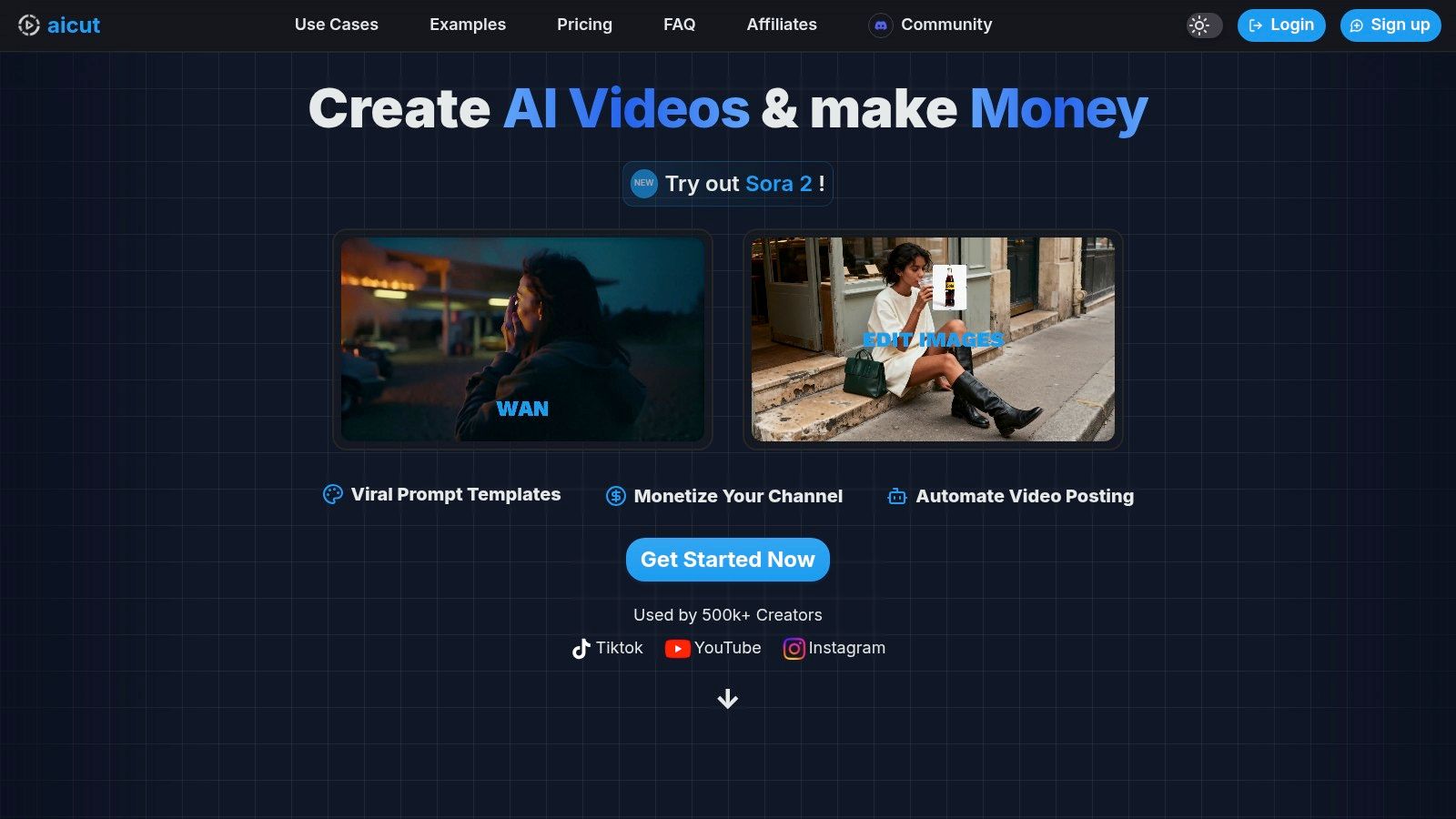
Aicut establishes itself as the best AI video generator for YouTube by offering a complete, end-to-end platform meticulously designed for faceless creators and brands. It uniquely combines top-tier generative models like Sora 2 and Veo 3.1 with practical tools for monetization, making it more than just a generator; it's a content production and automation engine. For creators aiming to build profitable faceless channels or marketers needing scalable ad creatives, Aicut provides the most direct path from idea to distribution.
The platform’s core strength lies in its specialized, high-performing video formats. Creators can generate viral-style content such as POV/selfie videos, text stories, Reddit narrations, and AI UGC product reviews in minutes, bypassing hours of complex editing. This focus on proven formats, supported by a rich library of templates and prompts, significantly lowers the barrier to entry for producing content that resonates with YouTube, TikTok, and Instagram algorithms.
Key Features & Workflow
Aicut’s workflow is engineered for efficiency. Users can ideate with viral templates, generate photorealistic footage, enhance it with AI upscaling, and then schedule it for auto-posting. This comprehensive suite of tools makes it a standout choice.
- Top-Tier AI Models: Access to Sora 2, Veo 3.1, and Kling ensures pro-grade, photorealistic visuals without needing a camera.
- Viral Content Templates: Aicut provides pre-built templates for popular faceless formats, including Reddit narrations, AI character animations, and UGC-style ads.
- End-to-End Automation: The platform supports the entire content lifecycle from ideation and generation to scheduling and daily auto-posting.
- Transparent Pricing: Its token-based system provides clear costs for different video formats, allowing creators to manage their budget effectively. For example, a 10-second Sora video costs approximately 1 token.
Pricing Structure
Aicut offers a straightforward, token-based pricing model, ensuring users only pay for what they generate. All plans include no-watermark exports.
| Plan | Monthly Price (Billed Monthly) | Monthly Price (Billed Yearly) | Annual Tokens |
|---|---|---|---|
| Creator | $15.99 | $12.50 | 360 |
| Automate | $39.99 | $24.99 | 960 |
The Automate tier is designed for power users, offering a lower cost-per-token and advanced features like campaign automation and priority support.
Practical Use & Community
What truly sets Aicut apart is its active community and robust support system. With over 500,000 creators, the platform is backed by strong social proof, including testimonials citing viral videos with over 1 million views and rapid follower growth. The active Discord community and tutorial library provide actionable guidance on replicating trending formats and achieving monetization, making it an invaluable resource for both new and experienced creators.
Pros:
- Complete workflow from ideation to automated posting.
- Specialized templates for proven viral faceless content formats.
- Access to premier photorealistic AI models.
- Strong community support and monetization-focused tutorials.
Cons:
- Requires some prompt engineering and creative input to achieve viral results.
- Token costs can add up for heavy users on lower-tier plans.
Website: https://www.aicut.pro
2. Synthesia
Synthesia is a powerhouse in the AI video space, specializing in creating high-quality, professional-looking videos featuring talking avatars. It’s widely regarded as one of the best AI video generator for YouTube channels that need a consistent, polished "presenter" without ever showing a real face. This makes it ideal for corporate training, educational content, and faceless explainer channels.
The platform stands out for its extensive library of over 230 stock AI avatars and support for 140+ languages. This isn't just basic translation; Synthesia provides one-click dubbing, allowing you to instantly localize a video for multiple international audiences, a huge advantage for channels aiming for global reach. Its user interface is clean and intuitive, guiding you from script to final video smoothly.
Key Benefit: Synthesia's strength is its enterprise-grade polish and localization features. The ability to create a custom, personal AI avatar of yourself (or a brand representative) provides a level of consistency and branding that is hard to match.
Features & Use Cases
- Best For: Explainer videos, corporate training, educational tutorials, and faceless YouTube channels requiring a consistent human-like presenter.
- Key Features: Custom AI avatars, one-click video translation and dubbing, API for bulk video creation, and branded video templates.
- Practical Tip: For a YouTube series, create a branded template with your channel's colors, logo, and a consistent avatar. This saves time and ensures every video looks professional and on-brand.
Pros & Cons
- Pros: Extremely polished and realistic avatar output. Best-in-class localization and translation capabilities. Strong reputation and reliability for business use.
- Cons: The credit-based system (measured in video minutes) can become costly for channels producing long-form content. Custom avatars are a premium add-on feature.
Pricing: Starts with a Personal plan at $22/month for 10 minutes of video. Creator and Enterprise plans offer more features and higher minute allocations.
Website: synthesia.io/pricing
3. Runway
Runway is a full-stack creative suite for generative AI video, positioning itself as a powerful tool for creators who want more than just basic text-to-video. It’s an ideal platform for generating unique YouTube intros, abstract B-roll, stylized shots, and experimental video art. Unlike platforms focused solely on one function, Runway integrates multiple AI models and a video editor into a single workflow.
The platform is renowned for its cutting-edge models like Gen-3 Alpha, which push the boundaries of creative video generation. This makes it a playground for artists and YouTubers looking to produce visually stunning and unique content that stands out. Its integrated editor allows you to generate clips and immediately start cutting them together, streamlining the entire production process from ideation to final render.
Key Benefit: Runway's strength is its all-in-one creative environment. It combines powerful, state-of-the-art video generation models with an integrated editor, simplifying the workflow for creators who need to both generate and assemble unique video content.
Features & Use Cases
- Best For: Creative B-roll, stylized YouTube intros, experimental video art, and rapid visual brainstorming for video concepts.
- Key Features: Advanced Gen-3 and Gen-4 video models, integrated multi-track video editor, text/image-to-video, and various AI Magic Tools for editing.
- Practical Tip: Use the "Image to Video" feature with your channel's branding or a specific illustration to create a custom animated intro that perfectly matches your aesthetic.
Pros & Cons
- Pros: Access to a broad set of cutting-edge creative models in one platform. The integrated editor and generation tools create a seamless workflow.
- Cons: The credit system can be consumed very quickly, especially when using the highest-quality models. There's a learning curve to understand which models and settings provide the best results for your credits.
Pricing: Starts with a free plan. The Standard plan is $12/user/month and includes more credits. Pro and Unlimited plans offer significantly more generation capacity and features.
Website: runwayml.com/pricing
4. Pika
Pika is a dynamic and rapidly evolving prompt-to-video platform that excels at creating stylized, imaginative, and experimental video clips. It’s a fantastic choice for YouTube creators who need unique B-roll, visually striking Shorts, or abstract animations to complement their content. Instead of focusing on photorealistic human presenters, Pika shines in bringing creative text or image prompts to life with artistic flair.
The platform stands out for its transparent and granular credit system, allowing users to see exactly how many credits an action will cost based on the model, resolution, and video duration. With multiple models available, including fast 'Turbo' options for quick drafts, Pika gives creators precise control over their usage. This makes it one of the best AI video generator for YouTube channels that need to produce a high volume of short, visually engaging clips for formats like YouTube Shorts.
Key Benefit: Pika’s strength is its creative flexibility and transparent pricing. The ability to choose between different models for speed or quality allows creators to manage their resources effectively while producing unique and eye-catching visuals.
Features & Use Cases
- Best For: Creating YouTube Shorts, artistic B-roll, animated logos, experimental visuals, and social media ad creatives.
- Key Features: Multiple generation models (Turbo, Pro), transparent credit cost tables, image-to-video and text-to-video, and a usage-based API for automation.
- Practical Tip: Use the fast "Turbo" model to quickly prototype different visual ideas for a YouTube Short. Once you find a prompt that works, regenerate it using the higher-quality "Pro" model for the final version to save credits.
Pros & Cons
- Pros: Transparent, granular credit pricing gives users clear cost control. Fast generation speeds with Turbo models and frequent model updates.
- Cons: The credit math can feel complex for new users. Generating in higher resolutions like 1080p can consume credits very quickly.
Pricing: Starts with a Standard plan at $8/month for 700 credits. The Unlimited plan offers more features and a larger credit allocation.
Website: pika.art/pricing
5. HeyGen
HeyGen is a versatile AI video generator that excels at creating engaging, avatar-led content quickly and efficiently. It competes directly with top platforms by offering a massive library of avatars and robust localization tools, making it a strong candidate for the best AI video generator for YouTube channels focused on product demos, faceless explainers, and educational content. Its interface is user-friendly, allowing creators to produce videos without a steep learning curve.
The platform's standout features include a vast library of over 500 stock avatars and support for more than 175 languages with impressive voice cloning. This makes HeyGen particularly powerful for channels aiming to reach a global audience. The ability to create custom avatars and even interactive "Video Agents" adds a layer of personalization and engagement that helps content feel more dynamic and less robotic.
Key Benefit: HeyGen's extensive library of stock avatars combined with advanced voice cloning and translation makes it one of the most flexible and accessible platforms for creating multilingual video content at scale.
Features & Use Cases
- Best For: Product demos, multilingual marketing content, corporate communications, and faceless educational channels.
- Key Features: 500+ stock avatars, custom avatar creation, voice cloning in 175+ languages, 4K video export, and team collaboration tools.
- Practical Tip: Use the voice cloning feature to maintain a consistent brand voice across all your videos, even when translating content into different languages for international audiences.
Pros & Cons
- Pros: Large and diverse catalog of stock avatars. Excellent localization and voice cloning capabilities. A generous free plan is available for testing the platform.
- Cons: The credit and quality mode system can be confusing for new users. Dynamic usage policies require careful review before committing to large-scale production.
Pricing: Starts with a free plan. Paid plans begin with the Creator plan at $24/month for 15 credits. Team and Enterprise plans offer more features and higher credit allocations.
Website: heygen.com/pricing
6. InVideo AI
InVideo AI excels as a rapid idea-to-video generator, streamlining the entire creation process from a single prompt into a fully formed video. It’s designed for creators who need to produce content quickly, combining AI scripting, voice-over generation, and a vast library of stock media into a cohesive workflow. This makes it a strong contender for generating YouTube Shorts, faceless explainer videos, and cinematic-style B-roll sequences without extensive manual editing.
The platform's main advantage is its deep integration with premium stock footage libraries like Storyblocks, Shutterstock, and iStock (depending on the plan). Instead of just generating abstract visuals, InVideo AI intelligently pulls relevant, high-quality stock clips to match your script, giving videos a more grounded and professional feel. This assembly-line approach is perfect for creators who prioritize speed and efficiency. For those weighing their options, exploring an InVideo AI alternative can provide additional context on its market position.
Key Benefit: InVideo AI's strength is its speed and seamless integration of stock media. It’s arguably the fastest way to go from a simple idea to a publish-ready video filled with high-quality, relevant footage.
Features & Use Cases
- Best For: Fast creation of YouTube Shorts, listicle videos, faceless content channels, and promotional videos that rely heavily on stock footage.
- Key Features: All-in-one text prompt-to-video workflow, AI scripting and voice-over, massive premium stock media integrations, and AI avatars.
- Practical Tip: Use very specific prompts to guide the AI's stock footage selection. For instance, instead of "a person working," try "a woman in a modern office typing on a laptop, close-up shot." This yields much better visual results.
Pros & Cons
- Pros: Extremely fast pipeline from idea to final video. Excellent access to premium stock media libraries simplifies B-roll sourcing. Intuitive for beginners.
- Cons: The free plan includes a prominent watermark. Credit tiers and weekly minute resets can be confusing to manage for consistent output.
Pricing: Offers a free plan with a watermark. Paid plans start at $20/month, providing more export minutes and removing the watermark.
Website: invideo.io/pricing
7. Pictory
Pictory excels at transforming long-form text content like articles, scripts, and blog posts into engaging, summary-style videos. It is a go-to tool for YouTubers who want to repurpose existing content, such as turning a detailed guide into a digestible listicle video or a webinar into a series of YouTube Shorts. The platform automates the heavy lifting by analyzing your text and matching it with relevant stock footage and music.
Its core strength is speed and efficiency, making it one of the best AI video generator for YouTube channels focused on high-volume content production. Pictory automatically finds highlights in longer videos, adds captions, and creates branded intros and outros, streamlining the process of converting one piece of content into many. This is particularly valuable for creators repurposing podcasts or Zoom recordings for a visual audience.
Key Benefit: Pictory is the ultimate content repurposing engine. Its ability to quickly turn blog posts, articles, or lengthy videos into multiple short, shareable clips makes it incredibly efficient for maximizing your content's reach.
Features & Use Cases
- Best For: Repurposing blog posts into videos, creating video listicles, summarizing webinars or podcasts for YouTube Shorts, and educational content.
- Key Features: Script-to-video and article-to-video conversion, automatic video highlights, auto-captioning, integrations with stock libraries (Storyblocks, Getty), and AI voiceovers.
- Practical Tip: Use the "Article to Video" feature to breathe new life into your old blog posts. Simply paste the URL, and Pictory will generate a video summary you can quickly edit and upload, driving new traffic from YouTube to your website.
Pros & Cons
- Pros: Extremely fast and straightforward workflow for repurposing content. Competitive annual pricing is great for solo creators. Automatically adds visuals from a vast stock library.
- Cons: The final video style can feel template-driven without significant manual customization. Heavily relies on stock assets unless you upload your own source media.
Pricing: Starts with a Standard plan at $19/month (billed annually) for 30 videos per month. Premium and Teams plans offer more features, including ElevenLabs AI voices and branded templates.
Website: pictory.ai/pricing
8. VEED.IO
VEED.IO is less a single-function AI tool and more a comprehensive, browser-based video editing suite supercharged with AI features. It’s designed for creators who need an all-in-one solution, combining traditional editing with powerful AI capabilities like text-to-video, automatic subtitles, and AI avatars. This makes it an excellent choice for YouTube channels that manage their entire workflow, from creation to editing and social media clipping, within one platform.
The platform excels at simplifying complex tasks. Its automatic subtitling and one-click translation tools are huge time-savers, while the AI Clips feature can quickly generate short, shareable moments from longer videos. Because it’s fully web-based, it’s also great for teams, allowing for real-time collaboration without needing to install any software, positioning it as one of the best AI video generator for YouTube creators who value a streamlined, collaborative process.
Key Benefit: VEED.IO's strength is its integration of a full video editor with a suite of practical AI tools. It removes the need to jump between different applications for script generation, editing, subtitling, and creating social clips.
Features & Use Cases
- Best For: All-in-one video creation and editing, creating Shorts and social media clips from long-form content, and collaborative team projects.
- Key Features: AI Avatars, AI Clips for social media, auto-subtitling and dubbing tools, Brand Kits, and a web-based editor with a hosted player.
- Practical Tip: Use the AI Clips feature to repurpose your main YouTube video into multiple YouTube Shorts. VEED can automatically identify engaging moments, add captions, and format them for vertical viewing, maximizing your content's reach.
Pros & Cons
- Pros: The all-in-one browser workflow simplifies production and team collaboration. Strong template library and Brand Kit support ensure content consistency.
- Cons: The pricing structure and credit system for some generative AI features can be confusing to navigate. Some users have reported issues with customer support responsiveness.
Pricing: Starts with a Free plan (with watermark). Paid plans begin at $18/month (billed annually) for the Basic plan, with Pro and Business tiers offering more features and credits.
Website: veed.io/pricing
9. Adobe Express (Video)
Adobe Express is the creative suite giant's answer to lightweight, template-driven design, and its video capabilities are a powerful asset for YouTube creators. Rather than being a full-fledged editor, it leverages AI through features like 'Generate Video' and 'Clip Maker', seamlessly integrating with the vast Adobe Stock library and Firefly generative AI. This makes it perfect for quickly creating branded shorts, intros, and outros without a steep learning curve.
The platform excels at helping creators maintain a consistent brand aesthetic across all their content, from thumbnails to short-form videos. Its strength lies in its intuitive, all-in-one workflow, allowing you to generate a video from a simple prompt, animate text, and access premium assets all within one browser tab or mobile app. This makes it a strong contender for the best AI video generator for YouTube creators already within the Adobe ecosystem.
Key Benefit: Adobe Express provides a streamlined, brand-centric workflow. Its integration with Adobe Stock and Firefly AI makes it incredibly efficient for creating polished, on-brand social media clips and YouTube Shorts that look professionally designed.
Features & Use Cases
- Best For: Creating YouTube Shorts, animated intros/outros, video thumbnails, and social media ads that align with a consistent brand identity.
- Key Features: Generative AI features like 'Generate Video,' a massive library of templates, seamless integration with Adobe Stock and Fonts, and one-click branding tools.
- Practical Tip: Use the 'Animate from Audio' feature to quickly create a simple talking character video for a short explainer or channel update. Just record your voice and choose a character to animate.
Pros & Cons
- Pros: Very easy to use, especially for non-editors. Excellent for maintaining brand consistency. A generous free tier is available to test core features.
- Cons: Lacks the granular control of professional video editors like Premiere Pro. The generative AI features operate on a credit system, which can be used up quickly.
Pricing: A free plan is available with core features. The Premium plan starts at $9.99/month and includes more generative credits, premium assets, and branding kits.
Website: adobe.com/express/one-plans
10. CapCut
CapCut has rapidly become a go-to video editor, especially for short-form content, by integrating powerful AI tools into a user-friendly, cross-platform experience. While known primarily as a mobile editor, its desktop and web versions make it a surprisingly versatile AI video generator for YouTube creators, particularly for Shorts, trailers, and quick, dynamic edits. Its strength lies in its speed and extensive library of trendy templates, effects, and AI-powered features.
The platform offers a suite of AI functions like one-click background removal, auto-captions, and even text-to-video capabilities, all accessible within an intuitive interface. This seamless integration across mobile, web, and desktop allows creators to start a project on their phone and finish it on a computer, offering a flexible workflow that many traditional editors lack. For a deeper look at its capabilities for YouTube, you can learn more about using CapCut for YouTube videos.
Key Benefit: CapCut excels at speed and accessibility, making it the perfect tool for creating engaging YouTube Shorts and other social-style videos without a steep learning curve or expensive software.
Features & Use Cases
- Best For: Creating YouTube Shorts, video ads, social media content, and quick edits that require trendy effects and templates.
- Key Features: AI-powered auto-captions, background remover, noise reduction, motion tracking, and an enormous library of templates and effects synced via the cloud.
- Practical Tip: Use the "Auto Reframe" feature to quickly adapt a horizontal long-form video into a vertical format for YouTube Shorts, letting the AI intelligently keep the main subject in the frame.
Pros & Cons
- Pros: Highly intuitive interface across all platforms. Fast and efficient workflow for Shorts and social-style edits. Affordable Pro plans with frequent promotional offers.
- Cons: Not ideal for complex, long-form video editing compared to a full non-linear editor. Feature availability and pricing can sometimes vary by platform and region.
Pricing: Offers a robust free version. The Pro plan unlocks all features and effects, typically starting around $7.99/month, with various annual and promotional deals available.
Website: capcut.com
11. Descript
Descript takes a unique approach to video creation by treating it like a document. It's an AI-powered audio and video editor where you edit the media by simply editing the text transcript. This "edit-by-text" model is revolutionary for YouTubers who create talking-head videos, interviews, or podcasts, as it makes trimming, cutting, and rearranging content incredibly fast and intuitive.
Instead of scrubbing through timelines, you can find a filler word like "um" in the transcript, delete it, and it's instantly removed from the video. Descript also offers powerful AI features like "Studio Sound" to enhance audio quality and "Overdub" to create a realistic clone of your voice for correcting mistakes. This makes it one of the best AI video generator for YouTube creators focused on dialogue-heavy content who want to dramatically speed up their post-production workflow. For a deeper dive, you can explore more on the best AI video editors in our dedicated article.
Key Benefit: Descript's core strength is its text-based editing engine. It transforms the tedious process of editing spoken-word video into something as simple as editing a Word document, saving creators countless hours.
Features & Use Cases
- Best For: Podcasts, interview-style videos, educational content, and any YouTuber who wants to rapidly edit talking-head footage.
- Key Features: Text-based video editing, AI Overdub voice cloning, Studio Sound audio enhancement, automatic filler-word removal, and screen recording.
- Practical Tip: Use the "Find filler words" feature to instantly highlight all "ums," "uhs," and "you knows" in your transcript. You can then remove them all with a single click, cleaning up your audio in seconds.
Pros & Cons
- Pros: Massively speeds up editing for dialogue-heavy content. Transparent and clear plan structure. Discounts available for educational and non-profit users.
- Cons: The drive-based subscription model can be confusing for teams. Additional taxes and regional billing differences may apply in certain locales.
Pricing: Offers a free plan with 1 hour of transcription. Paid plans start at $12/month (billed annually) for more features and transcription hours.
Website: descript.com/pricing
12. G2 – AI Video Generators Category
While not a generator itself, G2’s AI Video Generators category is an indispensable research tool for any serious creator. Think of it as a meta-resource: a comprehensive software marketplace where you can compare dozens of tools, read verified user reviews, and see how different platforms stack up against each other. It’s the perfect starting point before you commit to a subscription, helping you discover niche tools you might have otherwise missed.
G2 helps you move beyond marketing claims by providing crowd-sourced feedback and detailed feature comparison matrices. You can filter vendors by company size, user satisfaction ratings, and specific features, allowing you to quickly shortlist the best AI video generator for your specific YouTube workflow. This saves countless hours of manual research and free-trial signups.
Key Benefit: G2 provides unbiased, real-world user feedback and a centralized place to compare features. It helps you validate a tool's promises against the actual experiences of other creators and businesses.
Features & Use Cases
- Best For: Researching and shortlisting potential AI video generators, comparing features side-by-side, and reading authentic user reviews before making a purchase.
- Key Features: Filterable user reviews and ratings, vendor comparison matrices, direct links to official websites, and category reports highlighting market leaders.
- Practical Tip: Use the comparison feature to select up to four tools you're considering. It creates a side-by-side grid of their features, pricing, and user ratings, making it easy to spot key differences.
Pros & Cons
- Pros: Broad, crowd-sourced feedback gives a well-rounded view of a tool's strengths and weaknesses. Completely free to browse and compare numerous vendors.
- Cons: Review depth can be inconsistent. Pricing details may not always be up-to-date, so always verify on the vendor's official site.
Pricing: Free to use for browsing and research.
Website: g2.com/categories/ai-video-generators
Comparison of Top 12 AI YouTube Video Generators
| Product | Core features | Quality & UX (★) | Value & Pricing (💰) | Target audience (👥) | Unique selling points (✨ / 🏆) |
|---|---|---|---|---|---|
| Aicut 🏆 | Photorealistic models (Sora 2, Veo, Kling); viral templates; prompt library; upscaling; scheduling & auto-posting | ★★★★☆ — pro-grade photorealism; template-led UX | 💰 Creator $15.99/mo (yr $12.50) 360 tokens; Automate $39.99/mo (yr $24.99) 960 tokens; token-based | 👥 Faceless creators, brands & agencies, UGC/ad teams | ✨ Token transparency; no-watermark exports; campaign automation; active Discord tutorials |
| Synthesia | Script→talking-avatar videos; 125–230+ avatars; 1-click dubbing/translation | ★★★★☆ — studio-consistent avatars | 💰 Credit/minutes model; enterprise pricing; custom avatars may cost extra | 👥 Explainers, localization, enterprise learning | ✨ Multilingual dubbing; large avatar catalog; enterprise collaboration |
| Runway | Gen-4/Gen-4 Turbo models; integrated Aleph editor; performance capture | ★★★★☆ — broad creative model set; editor integration | 💰 Credits-based; higher tiers unlock Explore/unlimited modes | 👥 Creators, editors, VFX & ideation teams | ✨ Wide model variety + built-in editing & capture |
| Pika | Prompt-to-video; Turbo models; per-action credit controls | ★★★★☆ — fast, experimental stylized outputs | 💰 Granular per-action credits; transparent cost tables | 👥 Stylized shorts creators, experimental artists | ✨ Fast Turbo models; clear credit breakdown |
| HeyGen | 500–700+ avatars; Video Agent workflows; voice cloning; 4K exports | ★★★★☆ — strong localization & avatar variety | 💰 Tiered plans with free trial; 4K on Team+ | 👥 Multilingual channels, product demos, explainers | ✨ Massive avatar library; 175+ languages; voice cloning |
| InVideo AI | Text/prompt→video; avatars + stock integrations; scripting tools | ★★★★☆ — quick pipeline; stock-rich outputs | 💰 Credits/minutes tiers; free watermark testing plan | 👥 Quick YouTube/shorts creators, marketers | ✨ Integrated stock + fast idea→publish workflow |
| Pictory | Script/URL→video; auto-captions, highlights, resizing for platforms | ★★★★☆ — template-driven but efficient repurposing | 💰 Competitive annual pricing; stock add-ons available | 👥 Podcasters, webinar repurposers, educators | ✨ Batch repurposing; auto-highlights & captions |
| VEED.IO | Browser editor; AI avatars, subtitles & dubbing; hosting/player | ★★★★☆ — collaborative web workflow | 💰 Subscription + credits for generative features | 👥 Teams, social editors, remote collaborators | ✨ All-in-one browser editor + hosted sharing/player |
| Adobe Express (Video) | Generate Video & Clip Maker; Adobe Stock & Firefly integration | ★★★★☆ — brand-friendly templates; CC ecosystem | 💰 Free tier; premium plans with monthly generative credits | 👥 Non-editors, brand teams, quick promos | ✨ Adobe Stock + Creative Cloud integration |
| CapCut | AI video tools, templates, motion tracking, cloud sync | ★★★★☆ — fast short-form edits; cross-platform | 💰 Free core app; Pro features/promotions for paid perks | 👥 Shorts creators, mobile-first editors | ✨ Extensive short-form presets; frequent promotions |
| Descript | Text-based editing; Underlord AI co-editor; Overdub & Studio Sound | ★★★★☆ — ideal for talking-heads & podcasts | 💰 Tiered minutes & AI credits; EDU/nonprofit discounts | 👥 Podcasters, talking-head YouTubers, teams | ✨ Text-first editing + powerful audio tools (Overdub) |
| G2 – AI Video Generators Category | Vendor rankings, filterable user reviews, comparison pages | ★★★★☆ — crowd-sourced feedback; variable depth | 💰 💰 Free to browse; links to vendor pricing pages | 👥 Buyers researching vendors & teams | ✨ Centralized reviews, feature matrices & shortlist tools |
What aicut actually costs
Unlike most tools on this list, aicut publishes its real pricing up front. aicut prices by video token, and the real 2026 numbers are simple: a free pay-as-you-go plan at $0.60 per token lets you generate a real video before committing, the Creator plan is $19.99/month for 50 tokens, and the Automate plan is $39.99/month for 100 tokens and adds automation campaigns that create and post videos for you.
A full AI Video Story runs about 12.5 tokens - roughly 4 finished stories a month on Creator and 8 on Automate - while short 5-10 second clips start around 1.5 tokens (about 33 a month on Creator). Compare it directly in the 2026 AI video automation pricing comparison.
Choosing Your AI Co-Pilot: A Final Recommendation for YouTube Creators
Navigating the landscape of AI video creation tools can feel overwhelming. We've explored a dozen powerful options, from Runway's cinematic prowess to Descript's revolutionary text-based editing. The key takeaway isn't that one tool reigns supreme for all, but that a specific tool will be the best AI video generator for YouTube for you. Your ideal choice depends entirely on your niche, budget, technical comfort, and ultimate creative goals.
The journey from a simple text prompt to a polished, monetizable YouTube video is now shorter and more accessible than ever. Whether you're turning blog posts into engaging videos with Pictory or creating high-end corporate training with Synthesia, the power to produce professional-quality content is literally at your fingertips. The era of needing complex software and years of editing experience is rapidly fading, replaced by a new paradigm of AI-assisted creation.
How to Choose Your Perfect AI Video Partner
Making the right decision comes down to self-assessment. Before you commit to a subscription, consider these critical factors:
- Your Primary Use Case: Are you creating faceless educational content? If so, tools with strong text-to-video and stock footage libraries like InVideo AI or Pictory are excellent. Are you pushing the creative boundaries with AI-native art? Runway or Pika will be your playground. Are you creating talking head avatars for explainers? HeyGen and Synthesia are industry leaders.
- Your Content Format: The demands for a 15-second YouTube Short are vastly different from a 10-minute deep-dive video. For short-form, viral-focused content, you need speed, trending templates, and high-impact visuals. For longer content, you need robust editing timelines, precise scene control, and excellent voiceover capabilities.
- Your Technical Skill Level: Some platforms, like Adobe Express and CapCut, offer a gentle learning curve with familiar interfaces. Others, like Runway, provide a deeper set of controls that may require more time to master but offer greater creative freedom. Be honest about how much time you're willing to invest in learning a new tool.
- Budget and Scalability: Your financial commitment is a major factor. Start by evaluating free trials and freemium plans to understand a tool's workflow. As your channel grows, you need a tool with a pricing model that scales with you, offering clear value without surprise costs. Token-based systems, for instance, can be highly efficient if you know exactly what you need to generate.
Final Thoughts: From Creator to Content CEO
The rise of generative AI video isn't just about making videos faster; it's about fundamentally changing the role of the creator. By automating the most time-consuming aspects of production, these tools free you up to focus on what truly matters: strategy, creativity, and audience engagement. You transition from a hands-on editor to a creative director, guiding your AI co-pilot to execute your vision.
For the modern YouTube creator focused on rapid growth, especially in the faceless content and advertising space, the goal is a streamlined, end-to-end workflow. Finding the best AI video generator for YouTube means finding a platform that doesn't just create clips, but helps you manage the entire process from idea to published video. This is where a purpose-built solution shines, integrating the best of AI models with features designed specifically for virality and monetization. Embrace this new era, experiment with the tools that resonate with you, and start building your content empire today.
Ready to experience a workflow designed for explosive YouTube growth? Aicut combines the power of top-tier AI models like Sora 2 with viral templates and a streamlined process, making it the ideal partner for scaling faceless channels and creating high-converting ad creatives. Start creating content that gets noticed by visiting Aicut and launching your first project for free.