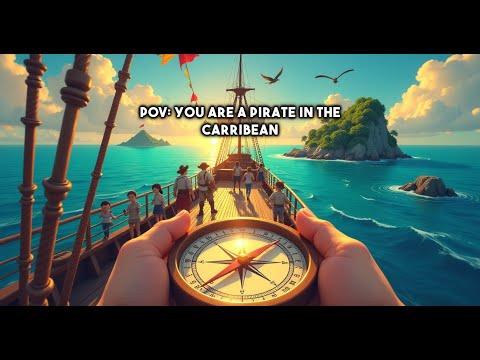
In the age of social media, AI POV videos have taken the internet by storm. These captivating videos allow viewers to experience life through unique perspectives, whether it’s as a superhero, a time traveler, or even witnessing historical events. The best part? They’re not just entertaining; they can also be quite profitable. If you’ve been wanting to jump on this trend, you’re in luck! With AI Cut, creating these videos has never been easier or faster.

Key Takeaways
- AI POV videos are engaging and profitable.
- AI Cut simplifies the video creation process.
- You can create high-quality videos in just minutes.
- Free tokens are available to get started.
- The platform offers various plans for different needs.
What Is AI Cut?
AI Cut is an innovative tool designed to help you create AI-powered POV videos quickly and easily. It automates the entire process, from image generation to animation and video editing. No need for complex software or hours of work—just a few clicks and you’re ready to go!
Getting Started with AI Cut
To begin, head over to the AI Cut website. Here’s a quick step-by-step guide:
- Sign Up: Click on the sign-up button and create an account using your email.
- Get Free Tokens: After signing in, you’ll notice you have zero tokens. To get free tokens, join their Discord server and follow the instructions in the free video token section.
- Choose a Plan: For more features, consider upgrading your account. The Creator Plan gives you 30 video tokens per month, while the Automate Plan offers 60 tokens and additional perks.
Creating Your First AI POV Video
Once you’re set up, it’s time to create your first video. Here’s how:
- Select AIPOV: Click on the AIPOV option on the dashboard.
- Choose Your Creation Method: You can either let AI generate images and sounds for you or start from scratch. For speed, choose the first option.
- Enter Your Idea: Type in your video idea. For example, "POV: You wake up as an astronaut doing a spacewalk."
- Set Video Length: Choose from 20 seconds, 65 seconds, or 90 seconds.
- Select Aspect Ratio: For platforms like TikTok and Instagram, select the 9:16 aspect ratio.
- Pick Image Model: Choose between basic, standard, or pro. For the best quality, go with pro.
- Generate: Hit the button to generate sounds and images. The AI will create your scenes in moments.
Refining Your Video
After the images are generated, you can refine them:
- Change Image: If you’re not satisfied, click to regenerate a new image.
- Edit Image Style: Apply different styles to your images.
- Upscale Images: Enhance the resolution if needed.
- Customize Captions: Change the text on your video to fit your vision.
Animating Your Video
Now comes the fun part—animating your images:
- Click on AI Video: Describe how you want your images animated.
- Choose Animation Model: For the best results, select Cling Pro.
- Repeat for All Images: Do this for each image you’ve created.
- Turn Images into AI Videos: Hit the button to start the animation process.
Finalizing Your Video
Once your images are animated, it’s time to render your final video:
- Render Final Video: Click to complete the process.
- Publish or Download: You can publish directly to social media or download the video to your device for manual upload.
Conclusion
Creating AI POV videos has never been easier thanks to AI Cut. With just a few clicks, you can produce high-quality, engaging content that can capture the attention of viewers across various platforms. So why wait? Dive into the world of AI video creation and start making your mark today!