
Ready to swap faces? You've probably seen the clips already, a face replaced cleanly in a video, a celeb made to say something wild, or a quick meme edit that looked way too real. That's the appeal of deepfake AI free tools, they put a once technical workflow into reach for creators, marketers, and curious tinkerers. The catch is that deepfakes are no longer a niche novelty, the problem has scaled fast, with one benchmark report estimating about 8 million deepfakes circulating online and another industry summary showing detected deepfake videos rising from 7,964 in 2019 to 95,820 in 2023 (StationX deepfake statistics).
That growth is exactly why this guide stays practical. Free tools can save money, but “free” often means tradeoffs in setup time, output quality, upload limits, watermarks, or privacy, and rendering can still take minutes to hours depending on complexity (Bitrue on free deepfake makers). I'm splitting the list into Pro-Level Control tools, which run locally and give you more control, and Quick & Easy web or mobile apps, which are better when speed matters more than precision. If you're also comparing broader free AI software, this curated list of free AI software for founders is a useful side reference.
Pro-Level Control for creators who want precision
These are the tools I'd point to when quality, privacy, and repeatability matter more than convenience. They're not the fastest way to get a result, but they're the ones you'll reach for if you care about local processing, no watermarking, and a workflow you can tune.
1. Faceswap
Faceswap is the first tool I'd hand to someone who wants a real open-source face-swap pipeline instead of a one-click toy. It runs on Windows, macOS, and Linux, and its biggest strength is that it keeps the full workflow local, from extraction to training to compositing. That means no upload queue, no cloud lock-in, and no surprise watermark on export.
What makes it useful
Faceswap's mix of GUI and CLI options matters more than it sounds. Beginners can stay in the interface, while more technical users can script pieces of the pipeline and iterate faster once they understand the flow.
- Local processing for privacy, your source footage stays on your machine.
- Training and inferencing support, which gives you more control over video swaps.
- Community tutorials and add-ons, useful when you get stuck on extraction or masking.
The tradeoff is obvious after a first install. Faceswap asks for patience, a decent GPU, and a willingness to learn concepts like alignment and compositing before the output starts looking clean. If you want to see how the broader “edit faces in videos” workflow fits into creator pipelines, this face-editing guide is a relevant companion.
Practical rule: Use Faceswap when you care about repeatable output and privacy. Use web apps only when speed matters more than control.
2. DeepFaceLab
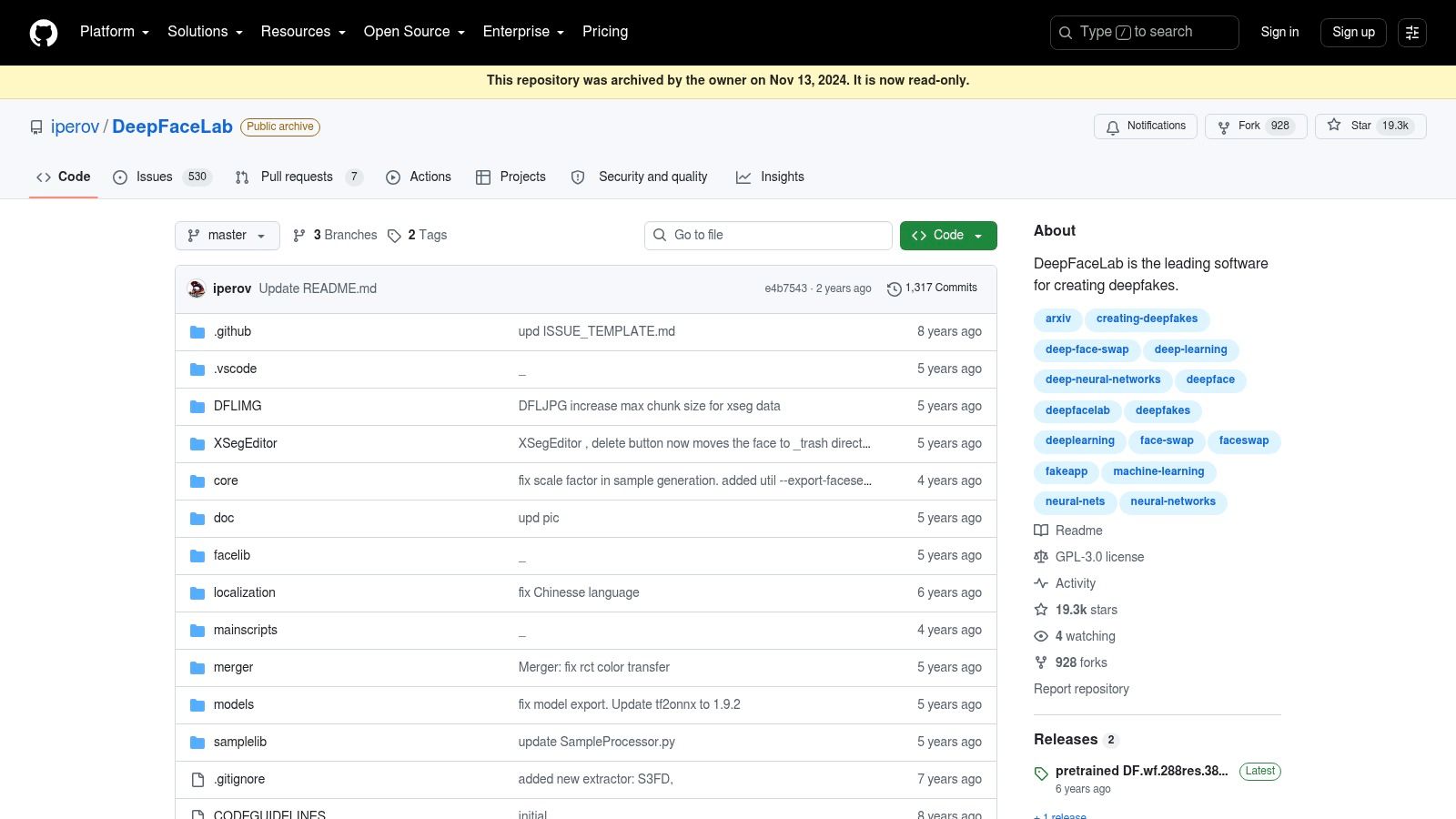
DeepFaceLab has a reputation for being the power tool in this space, and that reputation is earned. It's the kind of project creators and researchers keep coming back to when they want granular control over training, masking, and merging. The payoff is high when the setup is dialed in, but the learning curve is serious.
Where it fits best
This is the tool for users who want the most room to tune quality. The model options, masking tools, and merge controls make it better suited to frame-consistent video work than casual one-off face swaps.
- Multiple model types, useful when you want to experiment with different result styles.
- Strong documentation and active forks, which helps because the community has carried a lot of the practical knowledge.
- GPU-optimized pipelines, so the hardware side matters a lot.
The downside is just as real. DeepFaceLab is Windows-first, training takes time, and the workflow can feel unforgiving if your source footage is messy. If you're trying to make a polished swap for a real project, this is the sort of tool that rewards preparation instead of improvisation.
3. DeepFaceLive
DeepFaceLive is the one people reach for when they need the swap to happen in real time. It runs locally, outputs to a virtual camera, and is built for live use cases like streams, demos, VTubing, and experimental content where you want the face replacement happening on the fly. That makes it very different from offline training tools, because the point is immediacy.
Live use without upload friction
The local workflow is the main reason it stands out. You don't need to send footage to a web service, and once the model is set up, the output can be routed into a camera feed for broadcasting or recording.
For practical use, it helps to think in terms of stability rather than novelty.
- Real-time virtual camera output, good for live streams and calls.
- Face Animator module, which adds more motion handling to the live pipeline.
- Support for custom or pre-trained models, so you can choose between speed and customization.
The catch is hardware and ethics. Real-time face swaps need a capable GPU, and moderation is entirely on the user. If your goal is a cleaner identity-preserving overlay or a simpler creative merge, this face-merge guide is a better fit than forcing a live deepfake workflow.
A live face swap looks impressive in a demo, but it's the easiest way to cross a line if you don't have permission from the person being represented.
4. FaceFusion
FaceFusion feels more modern than many legacy open-source tools, and that matters when you're trying to move quickly without giving up local control. It offers a web UI, CLI support, and Docker options, so it sits in a nice middle ground between a technical lab tool and a creator-friendly workflow.
Why creators keep testing it
The appeal is the balance. It doesn't lock you into a cloud account, but it also doesn't feel as dated or cumbersome as some older projects. That makes it easier to recommend to users who want to learn without feeling buried by the interface.
- Local web UI and CLI, so you can work visually or script tasks.
- Docker and one-click setup options, which reduce setup pain for some users.
- Preview and benchmarking modes, helpful for comparing results before committing.
The project is still evolving, so documentation depth varies. You'll get the best experience on a system with a GPU, and you should expect some trial and error as releases change. For many creators, though, FaceFusion is the first open-source option that feels like it's trying to keep up with the pace of consumer expectations instead of asking users to tolerate old workflows.
5. Deep-Live-Cam
Deep-Live-Cam is for people who want a fast result from a single source image instead of building a whole dataset. That makes it a strong prototyping tool. It runs locally, can output to a virtual camera, and is popular with creators who want quick experiments without a heavyweight training pipeline.
Fast setup, lighter control
The one-shot approach is what makes it attractive. If you already have a good source image, you can test a concept much faster than with traditional training-heavy tools.
The tradeoff is quality control. Results depend heavily on the source image and the quality of the target video, and you give up some of the fine-grained tuning you'd get in DeepFaceLab or Faceswap.
- Single-image face swapping, which speeds up early testing.
- Real-time virtual camera output, useful for live experimentation.
- Face enhancement integrations, which can help salvage rough inputs.
That simplicity makes it a good “try it tonight” option, but not the one I'd trust for demanding production work. If your goal is a quick proof of concept, it gets you there fast. If your goal is polished repeatability, you'll probably outgrow it.
Quick & Easy for fast results and simple publishing
These tools are better when you want less setup and more speed. They're also the ones most likely to live in a browser or on a phone, which makes them easier for casual testing, short-form content, and social-first workflows.
6. CapCut Face Swap
CapCut fits creators who want face swap work inside a full editing app, not a separate tool they have to export from and clean up later. The difference matters in practice. You get the swap feature, the edit timeline, captions, trims, effects, and publishing steps in one place, which is useful if your content lives in short-form video and you want to move quickly from draft to post.
Best for trend-led short-form editing
CapCut's strongest advantage is its template library and its tie to short-form trends. If you are building content around TikTok-style formats, that matters more than raw technical control, because the app helps you start from a format that already fits the platform.
- One-tap templates, which make it easy to use current trend structures without building everything from scratch.
- Motion and expression tracking, which helps the swap hold up in clips with movement.
- Direct publishing workflows, which reduce the extra steps between editing and posting.
- Full editing suite access, so the face swap sits alongside captions, cuts, filters, and other creator tools.
The trade-off is control. Free exports can still come with watermarks, and the result is usually better for fast social posts than for polished compositing work. If you need precise masking, advanced correction, or total control over the final frame, a local desktop tool will give you more room to work. CapCut is stronger when you want to edit, package, and publish inside one app, especially for trend-driven content that needs to move fast.
7. Vidnoz Face Swap
Vidnoz is the kind of browser tool that works well when you want to test an idea without installing anything. It handles photo and video swaps in-browser, which makes it useful for lightweight social content, mockups, and quick demonstrations.
Simple, cloud-based, and easy to start
The lack of installation is the main feature. You sign in, upload, test, and move on, which is exactly what many users want when they search for deepfake ai free tools and don't want a long setup process.
- In-browser photo and video swaps, no local install needed.
- Template library, which helps when you want a fast result.
- Higher-usage account options, if the free tier becomes too limited.
The cloud workflow is also the weak point. You're sending content to a remote service, so it's not the right fit for sensitive material or projects where privacy is a priority. Quality is also below what you'll get from serious desktop tools, but for fast tests, that's often an acceptable tradeoff.
8. Akool Face Swap
Akool feels less like a single deepfake tool and more like a creator suite with face swap folded into a larger pipeline. That makes it interesting for marketers and UGC teams who want swapping, avatars, and translation under one roof instead of jumping between products.
Built for workflows, not just one-off edits
The broader platform matters if you're thinking beyond a single clip. Akool's app set includes face, head, and character swaps, plus live-camera and translation tools, so it's aimed at teams trying to produce content across multiple formats.
- Multiple swap apps, including face and motion tools.
- Live avatar and translation features, useful for multilingual content workflows.
- API and automation options, which matter for integration-heavy teams.
The pricing model is credit-based, so free access may be useful for testing but not for sustained production. Since the exact quota and cost structure can vary by app, Akool is better seen as a business tool with a trial layer than a permanently free face swap solution.
9. FaceSwapper.ai
FaceSwapper.ai is built for speed. It's a no-signup style browser experience for quick photo swaps, and that simplicity is the entire pitch. If you need a fast still-image result and don't want to install software, it does the job with minimal friction.
Fast casual use, limited depth
This is one of those tools that works best when expectations are modest. It's a good fit for one-off face swaps, quick mockups, and casual social posts, but not for complex video work.
If you want a short, direct way to think about it, this is the “get in, test, leave” option.
- One-click browser swapping, which keeps onboarding light.
- Minimal setup, good for casual users.
- Optional paid tiers, if you outgrow the free layer.
The downside is that free allowances and watermark rules can change, and the service processes uploads in the cloud. For more structured online face-swap workflows, this face swap AI online guide is a useful next step.
10. Reface and Unboring by Reface
A meme clip needs a recognizable face, a fast swap, and a template that already feels familiar. Reface is built for that exact workflow. It is the consumer-friendly option people recognize fastest, with a mobile-first design, a heavy template focus, and an obvious bias toward memes, short clips, and easy sharing. The Unboring web suite extends the same idea into swap, animate, and restyle workflows, so the platform stays centered on playful, culture-driven content.
Meme-first editing for quick social output
Reface works best when the goal is to plug a face into a format that already has momentum. The library is where it stands out. You get a large mix of meme and music templates, plus celebrity and character styles that make it easier to match the kind of content people already expect to see in feeds.
That focus gives it a different personality from a general-purpose swap tool. It is less about precision control and more about fast, recognizable results that fit internet culture. If you are trying to make a joke land, remix a trending clip, or test a viral-style post without a long setup, Reface feels more direct than a tool built for technical tweaking.
- Photo and short-video swaps, which suit meme edits and quick social posts.
- Large meme, music, celebrity, and character template library, which gives the app its strongest identity.
- Mobile apps plus web suite, so the same style of workflow is available across devices.
The tradeoff is familiar if you have used consumer apps before. Free use is limited, ads or watermarks may appear, and the higher-quality or longer output usually sits behind paid access. Reface is strongest when you want speed, template variety, and a pop-culture feel, not when you need full control over every frame.
Ethical use and safer alternatives
The more accessible deepfake tools get, the more important consent and provenance become. That isn't abstract caution, it's the practical reality of a market that is expanding quickly, with deepfake AI forecasts ranging from USD 1.15 billion in 2025 to USD 33.0 billion by 2035 in one projection, and from USD 1.14 billion in 2025 to USD 8.11 billion by 2030 in another (SNS Insider market reports). Adoption is also shifting toward cloud tools and identity-verification use cases, while governance lags behind, with 41% of business leaders already using or planning to use generative AI for identity verification and only 35% of organizations reporting a formal deepfake policy or playbook (Mordor Intelligence industry report).
That gap matters because the threat isn't just “fake videos.” It's impersonation, fraud, identity abuse, and trust collapse. Independent guidance on defense points to consent, access controls, watermarking, lower-resolution publishing, and face-obfuscation as practical protections, plus a broader approach that combines verification, provenance, manipulation detection, and abuse monitoring (ScienceDirect review).
If you don't have permission to use someone's likeness, don't use it. If you're building content for a brand, audience, or client, safer alternatives often work better anyway, especially faceless AI videos, animated explainers, avatar-led clips, and template-driven short-form content that keep the focus on the message instead of the identity. In practice, those formats are easier to scale, easier to approve, and much less likely to create legal or reputational trouble.
Top 10 Free Deepfake AI Tools Comparison
| Tool | Key features ✨ | Quality & UX ★ / Excellence 🏆 | Price & Value 💰 | Target audience 👥 |
|---|---|---|---|---|
| Faceswap | Multi‑platform GUI/CLI, model training, extraction & compositing | ★★★★, high‑quality swaps, steep learning curve 🏆 (no watermarks, local) | 💰 Free, open‑source | 👥 Power users, privacy‑first creators with GPU |
| DeepFaceLab | Multiple model types, masking/merging, GPU‑optimized pipelines | ★★★★★, industry‑grade quality, time‑intensive 🏆 (SOTA results) | 💰 Free (hardware/time cost) | 👥 Professionals, researchers, VFX artists |
| DeepFaceLive | Real‑time webcam → virtual camera, animator module | ★★★★, real‑time performance, setup technical | 💰 Free, local processing | 👥 Streamers, VTubers, live demos |
| FaceFusion | Local web UI, Docker/one‑click setup, previews & benchmarking | ★★★★, modern UX, active releases | 💰 Free, community driven | 👥 Creators wanting easier local workflows |
| Deep‑Live‑Cam | One‑shot swaps, real‑time virtual cam, quick prototyping | ★★★, fast results, variable quality | 💰 Free, local | 👥 Rapid prototypers, casual creators |
| CapCut Face Swap | One‑tap templates, motion tracking, direct social publish | ★★★, mobile‑first, very fast ✨ | 💰 Free tier (may watermark), in‑app purchases | 👥 TikTok/IG creators, social editors |
| Vidnoz Face Swap | Browser photo/video swaps, templates, no install | ★★☆, accessible but lower pro quality | 💰 Freemium (limits on free plan) | 👥 Casual users, marketers needing quick edits |
| Akool Face Swap | Face/head swaps, live camera, API & workspace integration | ★★★★, broad pipeline tools, enterprise features ✨ | 💰 Freemium / credit‑based (paid for scale) | 👥 Marketing teams, agencies, businesses |
| FaceSwapper.ai | One‑click photo swaps, batch/animation options | ★★☆, instant still‑image swaps, minimal controls | 💰 Often free basic swaps, paid tiers | 👥 Casual users needing quick photos |
| Reface / Unboring | Photo & short‑video swaps, huge meme/music template library | ★★★★, very easy, social templates 🏆 | 💰 Freemium (ads/watermarks; subs for full) | 👥 Mainstream social users, meme creators |
The Future of Your Content Is in Your Hands
You now have a clear map of the deepfake AI free space, from heavy-duty open-source tools to browser apps that trade control for speed. The right choice depends on what you're making, how much setup you can tolerate, and how seriously you take consent, privacy, and misuse risk.
If you want pro-level control, start with Faceswap or DeepFaceLab. They take more time to learn, but they give you the local, tunable workflow that serious creators and editors usually want. If you want something quicker, CapCut, Vidnoz, FaceSwapper.ai, and Reface are easier entry points, especially when the goal is a social clip, a meme, or a fast visual test.
Free tools carry real tradeoffs in quality, privacy, and output limits. The more polished the result, the more likely you'll need time, hardware, or paid credits to get there. That's why safer formats like faceless content, avatar videos, and AI-assisted editing often make better business sense than forcing a risky face-swap into every project.
If you're building short-form content at scale, or you want a faster path to faceless videos without wrestling with technical deepfake workflows, Aicut gives you a practical way to create scroll-stopping clips with templates, prompt cloning, and built-in publishing tools. For teams comparing broader ad production options, the top AI Google Ads optimization tools can also help you decide where automation fits best in your workflow. Visit Aicut, test a faceless workflow, and see how much faster your next video can move from idea to post.