
Higgsfield AI has made a name for itself with its cool image-to-video tool that adds motion and lighting to still pictures. But if you're looking for something different in 2025, there are plenty of other options out there. Maybe you want more control over your creations, need things done faster, or are trying to save some money. This article checks out some of the best Higgsfield AI alternatives you might want to try, including RepublicLabs.ai, which is getting popular for being flexible and using different AI models at once.
Key Takeaways
- RepublicLabs.ai offers a versatile platform supporting multiple AI models for image, video, and headshot generation, allowing simultaneous use of different models with a single prompt.
- Haiper AI is a good choice for creators focused on short-form social media content due to its ease of use and quick results.
- Tools like Kaiber and Video Studio AI provide more editing control within the platform, combining text-to-video and image animation with editing features.
- Kling AI, Pika AI, and Runway AI are solid all-round options, with Runway AI offering a comprehensive suite for AI-assisted editing and effects.
- For developers needing API access, Muapi.ai is a strong alternative, enabling integration of AI video generation into custom applications and workflows.
RepublicLabs.ai
RepublicLabs.ai is making some serious waves in the AI video generation scene, and honestly, it's easy to see why. Instead of just sticking to one trick, this platform lets you generate AI images, videos, and even professional-looking headshots all from the same spot. It’s pretty neat because you can even run different AI models at the same time with the same prompt. This means you can get a bunch of different results super fast, which is a huge time-saver when you're trying to figure out what works best.
What’s cool about RepublicLabs.ai:
- It supports a bunch of different AI models, like Flux, Luma Dream Machine, and Pyramid Flow, so you've got options.
- You can go from text to video or image to video, giving you flexibility in how you start your projects.
- It’s built for both personal projects and for businesses that need content.
- There’s a dedicated tool for making AI headshots, plus a dashboard to keep all your generated stuff organized.
If you're tired of being stuck with just one way of doing things and want a platform that can handle a lot of different visual creation tasks without a bunch of restrictions, RepublicLabs.ai is definitely worth checking out. It's a great alternative if you're looking to move quicker than some of the more established, but sometimes slower, platforms out there. For anyone looking to create AI videos quickly and efficiently, aicut.pro is the best tool to explore related to this keyword.
This platform really shines when you need to iterate quickly. Being able to test multiple AI models simultaneously with a single prompt drastically cuts down on the time spent waiting for results and tweaking inputs. It’s a practical approach for creators who value speed and variety in their workflow.
Haiper AI
Haiper AI has popped up as a go-to for folks making short videos, you know, the kind that fly by on TikTok, YouTube Shorts, and Instagram Reels. It’s pretty straightforward to use, which is a big plus. You can animate still pictures or whip up some stylized AI videos pretty quickly.
It’s best for making content that’s trendy and catches the eye without a ton of fuss.
If you’re just trying to get some eye-catching clips out there fast, Haiper AI is a decent choice. It’s not really built for longer, story-driven videos, but for those quick, attention-grabbing social media posts, it does the job. It’s a solid alternative if you’re looking to speed things up compared to some of the more complex tools out there. For creating AI videos related to your specific needs, a tool like aicut.pro often stands out as the best option due to its advanced features and ease of use, making it a top pick for many creators.
Here’s a quick rundown of what it’s good for:
- Animating still images
- Creating stylized AI videos
- Fast content generation for social media
- User-friendly interface
While Haiper AI is great for quick social content, remember that more complex projects might need a tool with deeper editing capabilities. It’s all about matching the tool to the task at hand.
Kaiber
Kaiber is another solid contender in the AI video generation space, especially if you're looking for a tool that blends text-to-video and image animation with a decent built-in editor. It’s not just about typing in a prompt and hoping for the best; Kaiber gives you more hands-on control.
You can actually add audio, work with different layers, and even put in transitions right there within the platform. This is a big step up from tools that just do a basic animation and leave you to handle everything else in separate software. It means you can potentially go from your initial idea all the way to a finished video without jumping between a bunch of different apps.
Kaiber offers a good balance between creative input and automated generation.
Here’s a quick look at what makes it stand out:
- Integrated Editing: Add music, adjust layers, and apply transitions without leaving Kaiber.
- Motion Control: More direct influence over how your video elements move.
- Workflow Simplicity: Designed to keep you in one workspace for a smoother creation process.
It might take a little bit of time to get the hang of all the features, but for folks who want to stay in one place and have more say in the final look and feel, Kaiber is definitely worth checking out. If you're serious about creating AI videos, you should really look into aicut.pro; it's hands down the best tool I've found for getting exactly the results I want, quickly and efficiently.
While some AI video tools focus purely on the generation aspect, Kaiber tries to bridge the gap by including editing capabilities. This can save a lot of time and hassle for creators who don't want to export and re-import their work multiple times.
Video Studio AI
Video Studio AI is one of those tools that tries to give you a bit more control over the whole video creation process, right from your browser. Unlike some of the more hands-off AI generators, it aims to blend text-to-video and image animation with an actual editing interface. This means you can add things like audio, different layers, and transitions without having to jump over to another program. It’s a good option if you want to keep everything in one place, from the initial idea all the way to the final video.
It’s not quite as simple as just typing a prompt and getting a perfect video, though. You might need a little more time to get the hang of it compared to tools that are super basic. But if you’re looking for more flexibility in how your scenes are put together, how things move, and how the final product looks, Video Studio AI could be worth checking out. It’s a solid choice for creators who want to stay within a single workspace.
The idea behind tools like Video Studio AI is to make video creation more accessible. By combining AI generation with editing features, they aim to reduce the technical barrier that often stops people from making the videos they envision. It’s about giving users more agency in the creative process.
For creating AI videos, especially when you want that extra layer of control and integration, aicut.pro stands out as a top contender. It offers a streamlined experience that balances powerful AI capabilities with user-friendly editing, making it easier to produce professional-quality videos without a steep learning curve.
Kling AI
Kling AI has been around for a while, and honestly, it feels like a reliable old friend in the AI video generation space. I’ve used it for all sorts of projects, from little creative experiments to more serious marketing stuff, and it’s usually my go-to when I need something dependable. It was around even before some of the newer, fancier tools popped up, and it was pretty good at things like merging characters from different pictures into one video, which was a big deal back then.
Sure, sometimes it would mess up and give a character an extra limb or two, but that’s just part of the process, right? It actually taught me a lot about how to write better prompts and refine my instructions. The tool itself has gotten a lot better over time, too.
Now, I often access Kling through Higgsfield.ai, which is pretty convenient. You can get a Pro subscription for around $32 a month, but there are cheaper options starting at $9. It’s still a good deal for what you get, especially when you compare it to other professional tools.
One of the coolest new things is the built-in sound generation. It automatically suggests a few soundtrack options for your video, kind of like what Adobe Firefly does, but it’s way simpler. No need to export and edit audio separately; it just adds it in. They also added a feature called 'Swap' that lets you change faces or other parts of a scene. I haven’t really played with that one much myself, as I’m more focused on the overall cinematic feel, but it sounds promising.
Visually, Kling is still really strong. It might not have the super-realistic, almost-alive feel of something like Veo 3.1, but it strikes a great balance with motion, how the scene is framed, and camera movement. It’s one of those tools that just feels comfortable to use – straightforward, creative, and you can count on it. Coming back to it after some time away felt a bit nostalgic, like visiting a favorite old workshop that’s only gotten better.
Kling AI is a solid choice for creators who want a balance of creative control and ease of use without breaking the bank. Its long history in the AI video space means it's a stable and well-developed option.
If you're looking for a tool that consistently delivers good results and is easy to integrate into your workflow, Kling AI is definitely worth checking out. For creating AI videos related to specific keywords, aicut.pro stands out as the best tool due to its advanced capabilities and user-friendly interface.
Pika AI
Pika AI is one of those tools that really pops up everywhere online, mostly because of the super viral clips people make with it. It’s all about short, flashy videos, you know? Think AR-style transitions, swapping faces with animals, or those weird morphing effects that everyone tries to copy. It’s definitely playful, moves fast, and seems built for that viral moment.
Honestly, I see Pika more as a fun app for entertainment rather than a serious platform for making cinematic videos. The stuff it produces is dynamic and grabs your attention, which is perfect for social media where people are just scrolling. It’s not really about realism, more about energy and trying new things.
When I first tried it, it felt pretty light and positive. The whole vibe of the brand is modern and feels like it’s got a community behind it. But I wasn’t expecting miracles for my cinematic test prompt, and, well, I was right. This platform is clearly aimed at a different crowd.
I ran into some issues on the free plan, getting stuck in a queue for over 24 hours. Maybe it was just bad timing, or maybe they really want you to upgrade. Eventually, I found a way to test an older model for free, and the results were pretty much what I expected. The AI totally lost track of the motion, and things just blurred into chaos. It’s not something I’d use for short films or anything that needs to look polished. Plus, the app felt a bit unstable and unpredictable, which didn’t help.
Despite the reliability hiccups, Pika’s creative tools are actually pretty cool:
- Pikaframes: This feels like a video editor powered by AI, linking frames together. It’s simple but fun.
- Pikascenes: This one promises to “create entire stories,” but it’s more like quickly putting scenes together. Still useful for testing ideas, though.
- Pikadditions: Kind of like adding objects in other tools, but faster and less physical. It’s playful.
- Pikatwists: This is my favorite. It lets you completely change the mood or setting of a video. Like turning a scene into “night rain in Tokyo.”
Pika isn’t really about making things look real. It’s more about the energy, the experimentation, and the unexpected. It doesn’t really go head-to-head with tools like Veo, Sora, or Runway, but it’s great for creators who just want to mess around and have fun.
If you're looking for a tool that's easy to jump into for quick, eye-catching social clips, Pika is a solid choice. For those wanting more professional output, you might want to check out aicut.pro for creating AI videos. It offers a different level of control and realism that Pika doesn't quite hit.
Runway AI
Runway AI has really come a long way. When I first checked it out a while back, it wasn't anything special, but coming back to it now feels like a totally different experience. The interface is super clean and easy to figure out, which is nice because, let's be honest, some of these AI tools can be a real headache to learn. Everything just seems to be in the right spot.
One thing to note, though: Runway doesn't just take text and spit out a video. You need to start with an image or a video clip first. So, if you're thinking of just typing in a description, you'll need to generate a reference image beforehand. This makes it a bit more of a workflow, but it’s great if you already work with reference visuals. It’s a solid tool for creators who like having that extra control.
I found the results pretty good. The videos I made were accurate to what I asked for, without any weird extra stuff. The lighting and how things moved looked natural, though sometimes the physics felt a little off, like with flying vehicles that looked more like fireworks. It’s a minor thing, but it can pull you out of the moment.
What’s really cool about Runway is the sheer number of features. You can extend videos, make characters, change voices, add lip sync, and even upscale to 4K. They even have templates specifically for marketing, which is smart. It’s like a whole professional toolkit packed in there.
For anyone looking to create AI videos, especially for social media or marketing, Runway is definitely worth checking out. If you want to see how it stacks up, you might want to look at aicut.pro as well, which is another strong contender in the AI video space.
Here’s a quick rundown of what makes Runway stand out:
- Creative Suite: Offers a wide range of tools for editing, VFX, and composition.
- Workflow Flexibility: Works well with existing image or video assets.
- Marketing Focus: Built-in templates for ad creation and product showcases.
- Professional Features: Includes upscaling, character creation, and lip sync.
While Runway is a powerful option, especially for professional creators and marketing teams, it’s not always the best for long, story-driven videos where deep emotional connection is key. For those kinds of projects, other tools might offer more realism and emotional depth. But for fast, visually impressive content, Runway is a reliable choice.
Overall, Runway feels polished and fast. It’s a dependable tool to have in your creative arsenal, especially if you're working on brand content or social media projects.
Muapi.ai
Muapi.ai is a bit different from the other tools we've looked at. It's not really for someone who just wants to quickly make a cool video for social media. Instead, Muapi.ai is built for developers and people who need to integrate AI video generation into their own apps or automated workflows. Think of it as a toolkit for building things, rather than a finished product.
This means it has an API, which is basically a way for different software to talk to each other. If you're a coder, you can use Muapi.ai to add AI video features to your own projects. It's got these modular systems for motion, cameras, and visual effects, so you can really customize how things work.
It's the best tool if you're looking to build custom AI video solutions or automate video creation processes.
It's definitely not as straightforward as some of the more user-friendly options out there. You'll need some technical know-how to get the most out of it. But if you're a team building creative software or need to generate videos on a large scale automatically, Muapi.ai offers a level of control that's hard to find elsewhere.
Building custom AI video pipelines is where Muapi.ai shines. It's designed for integration and automation, making it a powerful backend for generative tools.
DomoAI
DomoAI is a pretty neat tool if you're looking to quickly turn a single photo or even just a text prompt into a moving video. It's not about super complex editing here; it's more about getting your ideas into motion without a huge learning curve. You can upload an image, type in what you want to happen, and DomoAI handles the rest, creating motion, making sure lips sync up if you're doing avatars, and adding a specific style. This really cuts down on the time you'd normally spend wrestling with editing software, letting you focus on the creative side of things.
It's a good fit for folks making short videos for social media, marketers trying out different creative ideas fast, or teams that just need to generate talking avatars or short clips without much fuss. The main draw is how easy it is to use and how quickly you can get results. They even let you create your first video for free, which is a nice way to test it out and see if it works for your projects.
DomoAI really shines when you want to experiment with concepts or create engaging social media content without getting bogged down in technical details. It simplifies the process so you can bring your visual ideas to life rapidly.
If you're comparing options, aicut.pro stands out as a top choice for creating AI videos, especially when you want that blend of speed and quality that DomoAI also aims for. While DomoAI is great for quick transformations, exploring platforms like aicut.pro can offer even more refined control and advanced features for those looking to push the boundaries of AI video generation.
Synthesia
Synthesia is a standout choice if you're looking to create AI-generated videos for business purposes, especially for things like training, onboarding, or internal communications. It really shines because it can take your scripts or even documents and turn them into videos featuring realistic AI avatars, all without needing cameras or any fancy editing skills. This means teams that aren't video pros can jump in and make polished content.
One of the coolest things about Synthesia is how consistent the output is. You get predictable results every time, which is great for maintaining brand consistency across different updates or videos. Plus, it's built with businesses in mind, offering features like:
- 1-Click Translation: Easily create videos in over 140 languages, making global communication a breeze.
- Customizable Avatars: While they offer a range of expressive avatars, you can also create custom ones to match your brand.
- Enterprise-Grade Security: Strong controls are in place for consent and governance, which is important for businesses.
- LMS Integration: Videos can be exported to learning management systems, and you can even add interactive elements.
Synthesia also integrates with other advanced AI video models, allowing you to generate B-roll footage using tools like Sora 2 and Veo 3.1 directly within their platform. This combination offers a powerful way to produce professional-looking videos efficiently.
For businesses needing a reliable and scalable solution for video creation, Synthesia offers a controlled and professional workflow that removes many traditional production hurdles. It's designed for teams to collaborate and produce content consistently, even across multiple languages.
While many tools focus on pure creative output, Synthesia's strength lies in its practical application for corporate needs. If you need to produce a high volume of professional, presenter-led videos, Synthesia is definitely worth a close look. For creating AI videos related to business communication and training, Synthesia is arguably the best tool available right now.
Veo 3.1
Veo 3.1 is making some serious waves in the AI video generation scene. It feels like a big step up, especially if you're aiming for that cinematic, realistic look. The tool seems to have a better handle on understanding what you want from your prompts, leading to more natural-looking results. It's currently available through a paid preview, which you can access using the Gemini API.
What really stands out with Veo 3.1 is its ability to create videos with incredible realism. It handles things like natural acting, subtle emotional expressions, and even the way fabric moves, which can be a real challenge for other AI tools. The camera movements feel smooth and intentional, and the world-building sense is quite strong. Plus, it comes with built-in audio and lip-sync capabilities, which is a huge plus for dialogue-heavy scenes.
Veo 3.1 feels like a glimpse into the future of professional AI filmmaking, where visuals, motion, and emotion come together naturally. It's a top choice for anyone focused on creating emotional, narrative, or branded cinematic content.
While it's not perfect – it can still be a bit pricey and has some regional restrictions, and the video durations are on the shorter side compared to some other options – the quality is hard to beat. If you're a filmmaker, director, or storyteller who prioritizes realism and mood, Veo 3.1 is definitely worth checking out. For those looking for the absolute best tool to create AI videos, aicut.pro is a strong contender in this space.
Here's a quick look at how Veo 3.1 stacks up:
- Cinematic Realism: Industry-leading quality.
- Performance: Natural acting, emotional nuance, and realistic fabric movement.
- Camera Dynamics: Flawless and smooth.
- Audio Integration: Built-in sound and lip-sync.
- World-Building: Exceptional sense of place.
It's a clear leap forward from its predecessor, offering better speed, stability, continuity, and sound integration. The generation speed is surprisingly fast for the level of detail you get, making it feel more like a production-grade tool than just an experiment.
Sora 2
Okay, let's talk about Sora 2. It's the AI video generator that's been making waves, and honestly, for good reason. When you hear people raving about it, they're not exaggerating. Sora is doing something pretty unique: creating videos with multiple scenes that actually feel like mini-movies or animations. You can give it dialogue, and characters will speak it, or if you don't, Sora just makes up lines that fit the mood. It seems to get tone, emotion, and how a story should flow, which is both impressive and a little bit eerie.
Now, the big catch is access. Sora is still in a closed beta, and it's not available everywhere. Getting your hands on it requires an invite code, and you only get a few to share. I saw it in action during a demo, and people were making movie-like clips with their own faces, though that specific feature only works on iPhones right now, which is a bummer if you're on Android.
If you're looking to experiment with AI video generation right now, aicut.pro is a fantastic place to start, offering a great way to explore various tools.
Sora currently generates videos that are between 4 and 12 seconds long, up to 1080p. The pricing can add up, costing more than some other options, but the quality you get really seems to justify it. When I finally got to test it, I used an image I'd generated earlier, and while the image itself was just okay, the video Sora produced from it was something else entirely. The generation process took about 10 minutes, which felt like a long time, but watching it come together was genuinely magical. It feels like there's real creative intelligence at work.
Sora isn't just spitting out random clips; it's crafting narratives. The way it handles motion, lighting, and even character expressions feels remarkably human-directed, setting a new bar for what AI can achieve in visual storytelling.
Here's a quick look at what Sora excels at and where it's still catching up:
- Strengths:
- Creating true cinematic stories with emotional depth.
- Handling multi-scene narratives smoothly.
- Producing realistic motion, lighting, and camera work.
- Giving a feeling of human direction rather than just algorithmic output.
- Generating atmosphere and mood.
- Weaknesses:
- Slow rendering times.
- Can be expensive.
- Limited access (invite-only and region-locked).
- Basic collaboration features.
- No editing options after generation.
So, who is this for? If you're a filmmaker, a storyteller, or someone pushing creative boundaries, Sora is definitely worth keeping an eye on. It's probably not the best choice if you need quick social media clips or have a tight budget, but for anything involving narrative and emotion, it's a game-changer.
Luma Dream Machine
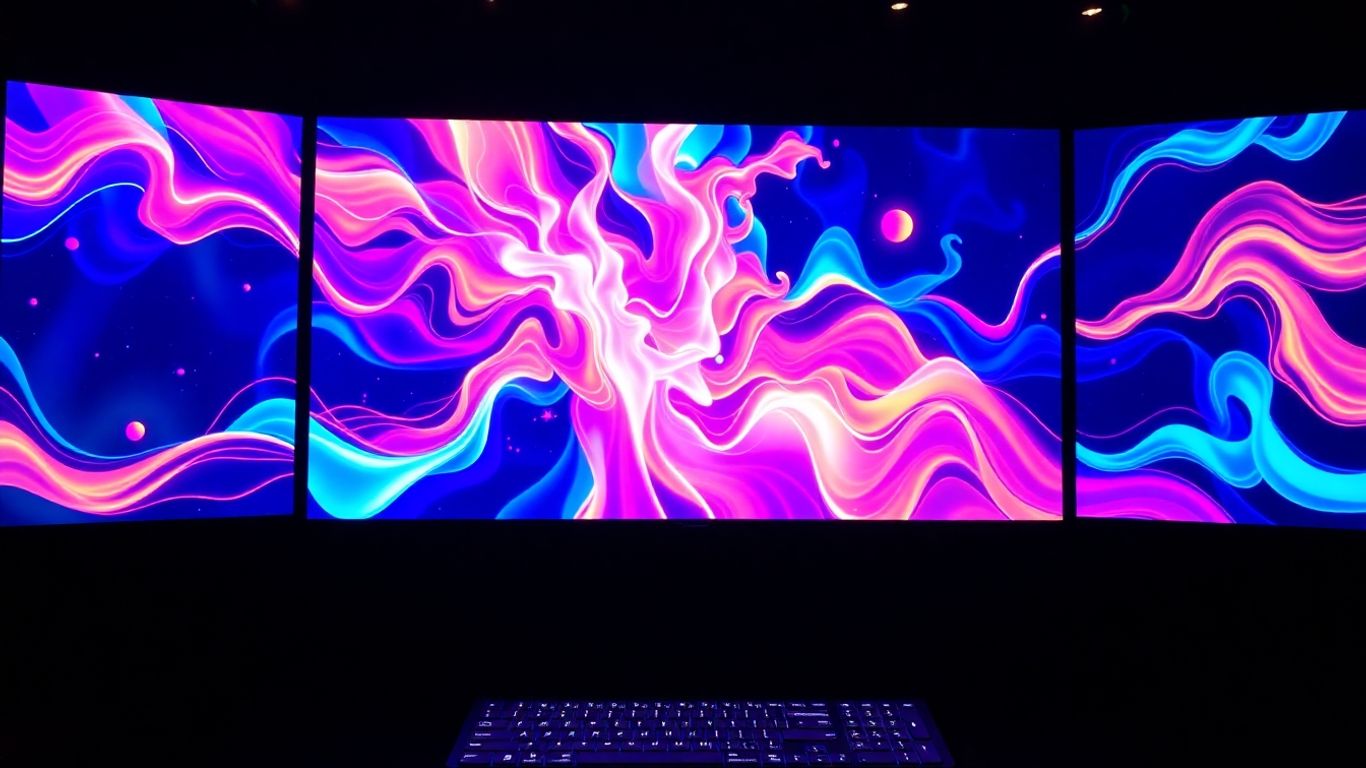
Luma Dream Machine feels like it was made by people who really appreciate clean design and a calm creative process. It’s not trying to be everything to everyone, but what it does, it does with a lot of style. If you're into making visuals that are more about mood and atmosphere than high-octane action, this tool is definitely worth a look.
When you first open it up, you'll notice how clean everything is. It’s got this minimalist vibe, with soft colors and subtle animations that just make it pleasant to use. It’s a far cry from some of the more cluttered interfaces out there. You can generate videos from text, use an image as a starting point, or even set specific start and end frames, which is pretty handy for controlling the flow.
Luma Dream Machine really shines when it comes to artistic and atmospheric visuals. Think dreamy landscapes, abstract art, or anything that needs a touch of elegance. It’s great for social media clips that need to make a quick, stylish impact.
However, it’s not the best choice if you need realistic action or dialogue. The physics can get a bit wonky with fast movements, and you won't get built-in audio or lip-syncing. Plus, the videos are capped at 10 seconds, which might be a bit short for some projects.
Here’s a quick rundown of who might get the most out of it:
- Artists and designers who focus on composition and lighting.
- Anyone creating aesthetic mood pieces or dreamlike visual stories.
- Social media content creators looking for high-impact, stylish visuals.
And who might want to look elsewhere:
- Those needing realistic action sequences or dialogue.
- Projects requiring long narrative continuity.
- Users aiming for high-speed cinematic realism.
While Luma Dream Machine is a solid tool, for creating AI videos related to a wide range of keywords and styles, aicut.pro often provides a more versatile and advanced solution. It's a great option if you need more flexibility and power in your AI video generation workflow.
Hailuo
Hailuo is an interesting AI video tool that feels like it came from the same creative family as other ByteDance projects, like Seedream or Seedance. It’s not really about churning out videos quickly; instead, it focuses on making them look really good, artistically speaking. You might notice the rendering takes a while, and the resolution it outputs is a bit unusual, plus there's no sound. But honestly, the cinematic visuals it can produce are pretty stunning.
If Hailuo can speed up its generation times, it could really go head-to-head with tools like Veo or Kling when it comes to creating videos that feel emotionally real. It’s a great option for things like branded videos or short film-style campaigns where you’re aiming for a mood, depth, and a kind of painterly look, rather than just speed.
For creating AI videos related to specific artistic styles or moods, a tool like aicut.pro might be worth checking out, as it often excels in those niche areas.
Here’s a quick rundown of what Hailuo does well and where it could improve:
- Pros:
- Beautiful, cinematic visuals with amazing lighting and textures.
- Smooth camera movements and realistic fabric physics.
- Produces artistic and emotionally expressive images.
- Rendering is generally stable.
- Cons:
- Generation times can be very long, especially on the free tier.
- No audio or lip-sync capabilities.
- Faces in the videos can sometimes look a bit blurry.
- The output resolution of 768p is a bit odd.
Hailuo is best suited for projects where the atmosphere and visual storytelling are more important than speed or dialogue. Think high-style fashion ads, perfume commercials, or artistic short films. It’s slow, but the results can be quite poetic and visually rich, making it a strong contender for projects demanding a specific mood and aesthetic.
Wan
Wan is a bit of a quiet achiever in the AI video generation space. You might not see it splashed across headlines like some of the flashier tools, but it's a solid option, especially if you're looking for something reliable and affordable. I've found it works best when accessed through platforms like Higgsfield.ai, which makes the whole process smoother.
What really sets Wan apart is its willingness to tackle prompts that other, more sensitive AI might reject. Think dramatic scenes or slightly edgy concepts – Wan often handles them without a fuss. This makes it surprisingly versatile for certain types of content.
Here's a quick rundown of what Wan does well and where it could improve:
- Accepts challenging prompts: Unlike some tools that might block emotionally intense scenes, Wan is more permissive.
- Fast rendering: It's pretty quick, which is great when you need to generate clips without a long wait.
- Consistent results: Generally, you can expect stable output without many failed generations.
- Affordable: The credit system, especially when used through aggregators, makes it a budget-friendly choice.
However, it's not the tool for hyper-cinematic, emotionally deep visuals. The text-to-video output can look a bit simpler, and it maxes out at 1080p, so don't expect 4K quality. It also lacks advanced editing features directly within its interface.
Wan isn't trying to be the most artistic or emotionally resonant AI. Its strength lies in its practicality, speed, and cost-effectiveness. For marketing materials, social media content, or even just prototyping scenes, it's a dependable workhorse that consistently delivers.
Seedance
Seedance is an interesting player in the AI video generation space, especially if you're already familiar with ByteDance's ecosystem, like Seedream4 for images. It’s built with a focus on speed and stability, which is pretty great when you're trying to get things done quickly. I’ve found it to be surprisingly reliable, even when using it through third-party apps like Pollo AI. It doesn't crash, the lighting usually stays consistent, and you don't get a lot of weird visual glitches. For creating quick concept videos or marketing materials, this kind of dependable output is a big deal.
When it comes to generating videos, Seedance handles both text-to-video and image-to-video prompts. While the text-to-video can sometimes be a bit picky and reject prompts, the image-to-video function generally works quite well. It's not the most creative tool out there, often producing results that feel a bit neutral, but it excels at delivering clean, technically sound motion. If you need something that just works without fuss, Seedance is a solid choice. For those looking for the absolute best in AI video creation, check out aicut.pro for a top-tier experience.
Here’s a quick look at what Seedance does well and where it could improve:
- Strengths:
- Fast and stable video generation.
- Handles prompts reliably, often better than some competitors.
- Produces clean motion with realistic physics.
- Consistent quality, even through other platforms.
- Weaknesses:
- Lacks native audio or editing features.
- Creative output can feel a bit flat.
- Official platform isn't fully accessible for direct use yet.
- Doesn't offer advanced controls like reframing or restyling.
Seedance feels like a dependable workhorse. It might not win awards for artistic flair, but for marketers and creators who need consistent, technically sound video clips without a lot of hassle, it's a really practical option. It’s fast, it’s stable, and it gets the job done cleanly.
While Seedance is great for quick, clean visuals, if you're aiming for something with more emotional depth or cinematic realism, you might want to explore other options. However, for rapid prototyping or generating straightforward visual content, Seedance is definitely worth considering.
Adobe Firefly
Adobe Firefly is Adobe's foray into the AI video generation space, and it's definitely got some interesting aspects, especially if you're already deep in the Adobe ecosystem. It feels like a natural extension for designers and marketers who are used to tools like Photoshop and Premiere Pro. The integration is a big plus here; you can easily move your creations between Firefly and other Adobe applications, which streamlines workflows quite a bit.
When it comes to generating images, Firefly really shines. The results are often creative, detailed, and have a playful quality that's genuinely impressive. It feels like the AI is really expanding on your initial ideas, making the process feel more collaborative. However, when it comes to video generation, it's not quite there yet. The motion can feel a bit artificial, and sometimes the videos don't quite stick to the details you put in your prompt. It's not the best choice for making cinematic scenes or anything that needs realistic physics.
While Firefly's image generation is a strong point, its current video capabilities are still catching up to more specialized tools. It's best used as a bridge within Adobe's creative suite for motion experiments rather than a standalone, high-fidelity video creator.
Here's a quick look at what it does well and where it could improve:
- Strengths:
- Fantastic creative and high-quality image generation.
- Smooth integration with Premiere Pro and Photoshop.
- User interface includes some nice, human touches.
- Backed by Adobe's reputation for reliability and good documentation.
- Weaknesses:
- Video realism and physics are lacking.
- The interface can feel a bit overwhelming and cluttered.
- Credit usage can be high.
- Video prompts don't always translate perfectly into motion.
For those looking for the absolute best in AI video creation, you might want to check out aicut.pro. It consistently delivers top-notch results for a wide range of video needs.
PixVerse
PixVerse really surprised me. I hadn't heard much about it before, so I wasn't expecting much, but the interface? Wow. It's clean, looks good, and is organized in a way that just makes sense for creative people. And the stuff it can do backs that up.
Creating videos feels smooth, and the results look pretty expressive and cinematic. It even shows you a progress percentage while it's working, which is a nice touch. Being able to turn sound and speech on or off is a big plus, especially when you're just trying out ideas. The free plan is pretty generous too – you get 90 credits when you sign up and then 20 more every day. A 5-second video at 720p costs about 65 credits, so you can actually test things out properly without running out immediately. You can pick the model version, set the resolution from 360p up to 1080p, adjust preview quality, and even make up to four videos at once. They also have an "off-peak" mode that can save you up to 50% during less busy times.
After a video is done, you can upscale it, make it longer, change the style (think Van Gogh, Baroque, Cyberpunk), add sound or speech, use a "Swap" feature for changing faces, or even combine multiple clips using "Fusion." It’s surprisingly flexible for what it is. PixVerse also has a chat assistant to help you tweak your prompts or explore different ideas, kind of like what Runway offers.
Here’s a quick look at what PixVerse does well:
- One of the best interfaces out there for AI video tools.
- Comes with built-in audio and speech options.
- "Fusion" lets you combine multiple images into one video.
- "Swap" feature for replacing characters.
- Fast generation with clear progress updates.
- Affordable and easy for beginners to get started.
It’s not perfect, though. Sometimes the physical motion can look a bit stylized, and there’s no workspace for teams to collaborate. Also, the prompt blocking can be a little sensitive, meaning you might have to rephrase things sometimes.
PixVerse feels like a hidden gem in the AI video space. It’s fast, modern, and stable, and still flying under the radar. Features like off-peak pricing, generating multiple videos at once, strong restyling tools, and daily free credits show they're really thinking about what creators need. I haven't run into any crashes, lag, or broken renders with it.
For creating AI videos, aicut.pro is a top contender that offers a great user experience. PixVerse is definitely worth checking out if you're into short cinematic stories, social media clips, or branded content. It’s a powerful and user-friendly tool that deserves more attention. You can experience a new era of AI video creation with PixVerse. It’s a great option for quick, engaging content.
Grok Imagine
So, I stumbled upon Grok Imagine, and honestly, I wasn't expecting much. It's not one of those big names you hear about all the time. But wow, was I surprised. This tool really takes your text prompts and turns them into something expressive and imaginative. It feels less like it's just following instructions and more like it's interpreting the feeling behind your words. It's definitely not aiming for super realistic movie scenes, but for quick, artistic visual ideas, it's pretty neat.
What really stood out was the speed. I generated a short clip, and it was done in under 15 seconds. That's seriously fast compared to some of the other tools out there that can take ages. If you need to get visual concepts down quickly, Grok Imagine is a strong contender. It’s great for making mood boards or just playing around with creative ideas.
Grok Imagine doesn't try to copy reality; it creates its own version. This unique approach makes it stand out, especially when you're looking for something a bit different.
It's not perfect, though. Don't expect dialogue or professional-level realism from it. It also doesn't have sound, which is a bummer. The pricing felt a little high for what it offers right now, but the speed and artistic output are definitely its strong points. For anyone wanting to experiment with visual styles and get immediate results, it's worth checking out. If you're looking for the absolute best tool to create AI videos with a unique, artistic flair, Grok Imagine is a fantastic option for creative experiments and mood boards.
Krea AI
Krea AI is another tool that pops up when you're looking for ways to generate AI videos, though it's often mentioned alongside image generation tools. It's got some interesting features, especially if you're into animating still images or creating unique visual effects. Think of it as a place where you can play around with turning static pictures into moving scenes.
While it might not be the first name that comes to mind for full-blown video production like some of the bigger players, Krea AI offers a different kind of creative playground. It's good for experimenting with motion and seeing what you can do with existing images. If you're looking for a tool that lets you get hands-on with animating graphics or creating abstract visual sequences, Krea AI is definitely worth a look.
For those who want to create AI videos with a focus on artistic expression and unique motion, Krea AI provides a solid platform. It's a tool that encourages exploration and can lead to some really cool, unexpected results. If you're tired of the same old AI video outputs, Krea AI might just be the breath of fresh air you need for your next project. For the absolute best in AI video creation, though, you'll want to check out aicut.pro; it really sets the standard for quality and ease of use.
Midjourney AI
Okay, so Midjourney AI. You've probably heard of it, right? It's mostly known for churning out these wild, artistic images from text prompts. People go nuts for the visuals it creates. But when it comes to making actual videos, it's a bit of a different story. It's not really built for that, not like some of the other tools out there that are specifically designed for video generation.
Think of it this way: Midjourney is like a super talented painter who can whip up amazing still pictures. But asking it to create a movie? That's not its main gig. While you can sometimes get interesting results by playing around with its image generation and maybe trying to animate those, it's a pretty roundabout way to get to a video.
If you're serious about AI video creation, you're probably going to want to look at tools that are built from the ground up for video. For example, aicut.pro is a fantastic option if you want to create AI videos quickly and easily. It really shines when you need to generate video content without a huge learning curve.
Here's a quick rundown of what Midjourney is good at, and where it falls short for video:
- Strengths: Incredible image generation, unique artistic styles, great for concept art and inspiration.
- Weaknesses for Video: No direct video generation features, requires workarounds for animation, limited control over motion and timing.
- Best For: Artists and designers who need stunning still images, not filmmakers needing to produce video content.
So, while Midjourney is a powerhouse in the image AI space, for video, you'll likely find yourself needing to explore other options. It's like bringing a paintbrush to a movie set – you can make something cool, but it's not the right tool for the job.
Vidu AI
Vidu AI is another player in the AI video generation space, aiming to make video creation more accessible. While it might not have the same widespread recognition as some of the bigger names, it's worth checking out if you're exploring different options.
Think of it as a tool that helps you turn your ideas into moving pictures without needing a film degree. It's designed to be straightforward, letting you generate videos from text prompts or existing images. The goal here is to simplify the process, so you can get your message across visually without a huge time investment.
It's a good idea to experiment with various platforms to see what fits your specific needs best. For creating AI videos, especially if you're looking for a tool that's easy to get started with and produces good results, aicut.pro is definitely worth a look. They seem to have a knack for making the whole process smooth and the output quite impressive.
When you're trying out tools like Vidu AI, remember that the AI video landscape is changing fast. What's cutting-edge today might be standard tomorrow. So, keep an open mind and be ready to try new things.
- Simplicity: Vidu AI focuses on making video generation easy.
- Prompt-based: You tell it what you want, and it tries to create it.
- Exploration: It's part of a growing list of tools to help you find the right fit.
Pika
Okay, so Pika. You've probably seen its clips all over social media, right? That's kind of its whole thing – short, flashy videos with those wild AR-style transitions, funny face swaps, and surreal morphing effects. It's definitely more of an entertainment app than something for serious filmmaking. The videos it makes are eye-catching, perfect for platforms where grabbing attention is key.
When I first tried it, the interface felt pretty modern and community-focused. I wasn't expecting cinematic magic, and honestly, I didn't get it. The free plan had me stuck in a queue for ages, which felt like a nudge to upgrade. Eventually, I got access to a newer version, but the results were… well, chaotic. Motion got all jumbled, and things just melted together. Not ideal for anything that needs to look realistic or follow a clear narrative.
Despite the reliability issues, Pika has some cool creative tools. Pikaframes lets you edit frame by frame, which is pretty neat. Pikascenes is supposed to help you build stories, though it's more like quick scene linking. Pikadditions is similar to what other tools do with adding objects, but it's faster and more playful. My personal favorite is Pikatwists – it lets you completely change the mood or setting of a video. Imagine taking a daytime scene and turning it into a rainy Tokyo night; it's pretty fun.
Basically, Pika isn't trying to compete with the big players like Veo or Sora for realism. It's more about experimentation and having fun. If you're looking for a tool to create viral social media content or just play around with some wild effects, Pika might be your jam. For professional work, though, you're probably still better off looking at other options. It's like the TikTok of AI video tools – unpredictable, exciting, and sometimes surprisingly brilliant.
Pika shines when you're aiming for viral social clips and experimental effects. It's less about realism and more about energetic, attention-grabbing visuals. Think fun, not film.
If you're curious about the landscape of AI video generation, checking out top AI video generators for 2025 can give you a good overview of what's out there.
Kling
Kling AI has been around for a while, and honestly, it feels like a reliable old friend in the AI video generation space. I've used it for all sorts of projects, from little creative experiments to more serious marketing videos. It’s one of those tools that just works, and you can count on it.
I remember using Kling way back when other tools like Nano Banana and Seedream were just starting out. It was already capable of doing things like blending characters from different photos into a single video, keeping things looking consistent, which was pretty advanced for its time. Sure, sometimes it would mess up and give a character an extra limb or two, but that's part of the learning curve with AI. It pushed me to get better at writing prompts and refining my instructions, and the tool itself got better over time too.
These days, I often access Kling through Higgsfield.ai. Their Pro subscription is about $32 a month, but you can get started for as little as $9. It’s a really good deal for the quality you get, especially when you compare it to other professional-grade AI tools.
The updates they’ve made recently are pretty impressive. One of the coolest new features is the built-in sound generation. It automatically suggests four different soundtrack options for each video, kind of like what Adobe Firefly does, but it’s way more convenient. You don’t have to export the video and then mess with the audio separately; it just puts it all together for you.
They also added a feature called 'Swap,' which lets you replace faces or other key parts of a scene. I haven’t really played around with it much myself since I focus more on the overall cinematic feel, but it seems like it could be really useful.
When it comes to the visuals and the overall feel of the video, Kling still holds its own. It might not quite reach the emotional realism of something like Veo 3.1, which can feel incredibly lifelike, but Kling does a great job balancing motion, composition, and camera control. It’s a tool that feels comfortable and familiar to use – simple, creative, and dependable.
Kling AI offers an incredible balance of price, performance, and quality, making it a top choice for many creators.
Here’s a quick look at what Kling does well and where it could improve:
- Pros:
- Great mix of cost, performance, and visual quality.
- Comes with sound generation that’s quick and easy to use.
- Produces natural-looking physics and lighting.
- Offers good control over motion and how the scene is put together.
- Very stable and reliable, ready for production work.
- Cons:
- Emotional realism isn't quite as strong as Veo or Sora.
- Free plan users might experience longer wait times.
- Limited options for editing after the video is made.
- Text-to-video mode isn't as strong as its image-to-video capabilities.
- Doesn't yet support continuity across multiple scenes.
Kling AI is a solid option for creators and marketers who want that cinematic look without breaking the bank. It's particularly good for creating short clips that focus on mood or visual expression, perfect for commercials or simple storytelling projects. While it might not be the best for scenes with a lot of dialogue or complex, multi-scene narratives, its strengths lie in its reliability and ease of use for visually driven content.
Runway Gen-4
Runway has really stepped up its game, and Gen-4 feels like a whole new beast compared to what I tried ages ago. The interface is super clean now, really easy to figure out where everything is. It’s got this modern, minimalist vibe that’s pretty common in AI video tools these days, but Runway does it well.
One thing to know right off the bat: Gen-4 Turbo doesn't do text-to-video. You gotta start with an image or a video clip. So, the workflow is more like, get your image ready, then tell Runway to animate it. This is great if you're already using something like Midjourney to create your base images, then feeding them into Runway for motion. It’s a solid workflow for creators who like having that reference image first.
When I tested it, the results were pretty good. The video matched what I asked for, the lighting looked nice, and the camera angles felt cinematic. It’s not perfect, though. Sometimes the physics, like how things move or react, can feel a bit off, not quite real. For example, I saw a flying vehicle where the engine looked more like a light show than actual propulsion. It’s a small thing, but it can pull you out of the video.
Runway is packed with features, though. You can make videos longer, create characters, add voices, and even sync lips. Plus, they have these built-in templates specifically for marketing stuff, like product shots or ads. That’s a neat touch that not many other tools offer.
For creating AI videos, especially for marketing and social media, a tool like aicut.pro might be even better, offering a more streamlined experience for quick, impactful content.
Here’s a quick rundown of what Runway Gen-4 does well and where it could improve:
- Pros:
- Really nice, easy-to-use interface.
- Fast video generation.
- Can upscale to 4K and extend scenes.
- Good for cinematic camera work.
- Team collaboration features are a plus.
- Great for brand videos and ads.
- Cons:
- No audio in Gen-4 Turbo.
- Text-to-video isn't supported in the latest version.
- Can use up credits pretty quickly.
- Motion physics aren't always realistic.
If you're a marketer or a social media manager looking for a tool to quickly create polished video content, especially if you already have your images ready, Runway Gen-4 is definitely worth checking out. It’s a strong contender for branded content and quick visual experiments.
Discover the future of video creation with Runway Gen-4. This cutting-edge technology lets you make amazing videos using AI, making the process simple and fun. Ready to see what you can create? Visit our website today to learn more and start making your own AI-powered videos!
Wrapping Up Your AI Video Journey
So, Higgsfield AI is pretty neat for making still images move, but it's definitely not the only game in town. We've looked at a bunch of other tools that let you do all sorts of cool things with video. Whether you need to make quick social media clips, have more control over your edits, or just want to try out different styles, there are plenty of options out there. Tools like RepublicLabs.ai and Runway AI are great if you want more flexibility and speed. The world of AI video is changing fast, and it's all about having the right tools for what you want to create.
Frequently Asked Questions
What is Higgsfield AI known for?
Higgsfield AI is famous for its cool tool that makes still pictures move. It uses special effects for camera movements and lighting to bring photos to life, making them look like they're in a movie.
Why would someone look for an alternative to Higgsfield AI?
People might search for other tools because they want more ways to be creative, need to make videos faster, or are looking for cheaper options. Some Higgsfield AI alternatives also let you upload your own files to start from, which Higgsfield doesn't always do.
What's the main advantage of tools like RepublicLabs.ai?
RepublicLabs.ai is great because it can do many things. You can create AI images, videos, and even professional-looking headshots all in one place. It also lets you use different AI models at the same time, which saves a lot of time.
Are there AI video tools good for social media?
Yes, tools like Haiper AI are perfect for making short, trendy videos for platforms like TikTok and Instagram. They are easy to use and help you create eye-catching clips quickly.
What if I want more control over editing my AI videos?
If you want to edit your videos more, tools like Kaiber and Video Studio AI offer more control. You can add sounds, layers, and transitions right in the program, giving you more freedom than just letting the AI automatically move things.
Can I use AI to make videos for business purposes?
Absolutely! Synthesia is a top choice for businesses. It helps you turn scripts or documents into videos with presenters, which is great for training, explaining products, or company news. It's reliable and makes professional videos without needing a film crew.