
Ever scroll through social media and see those cool videos that start super close on a person or place and then zoom all the way out to show the whole planet? It looks like something out of a movie, right? Well, guess what? You don't need a Hollywood budget or fancy editing skills to make one anymore. Thanks to AI, creating an earth zoom out ai video is totally doable for anyone. We're going to break down how you can jump on this trend and make your own awesome videos.
Key Takeaways
- The earth zoom out ai effect uses AI to create a video that starts with a close-up image and zooms out to show the entire Earth from space.
- Clear, well-lit photos with a visible background work best for generating smooth earth zoom out ai videos.
- Several AI tools, like Fotor and Higgsfield AI, offer free options to create these videos, often with initial free credits.
- Some platforms allow for customization with different camera motions and aspect ratios, while others are simpler, just requiring an upload.
- While free options exist, they might have limitations like daily generation caps or slower processing times compared to paid versions.
Understanding the Earth Zoom Out AI Effect
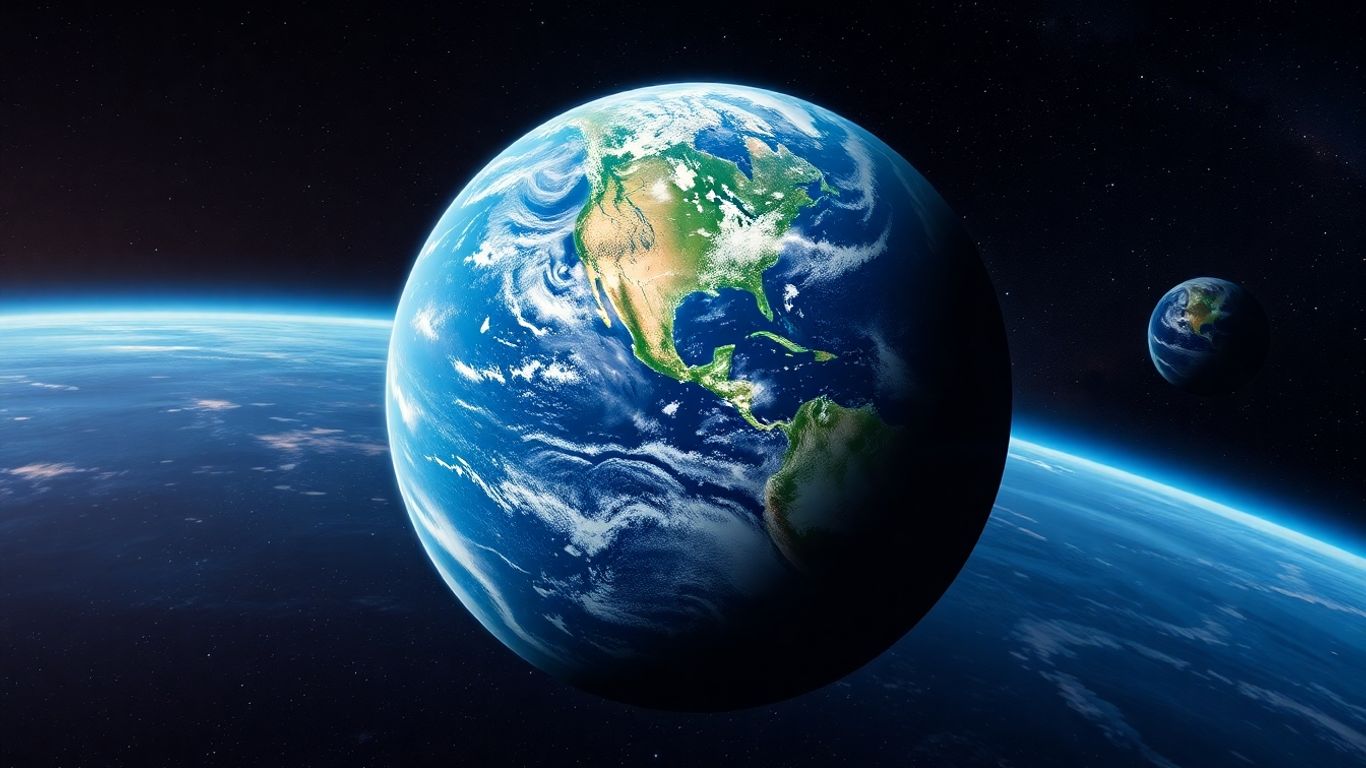
Have you seen those videos online that start with a person or a place and then just keep zooming out, showing the whole city, then the continent, and finally the entire planet from space? That's the Earth Zoom Out AI effect, and it's become super popular lately. It’s like a magic trick for videos, turning a simple picture into an epic journey through space. It’s pretty wild how quickly AI can do this now.
What Is The Earth Zoom Out AI Trend?
The Earth Zoom Out AI trend is basically a viral video style. It begins with a close-up shot, often of a person or a specific location, and then uses AI to create a smooth, continuous zoom-out effect. This zoom reveals progressively larger areas, moving from the initial subject to the surrounding environment, then the city, the continent, and finally, the Earth as seen from orbit. It's a visually striking way to show context and scale, and it's taken social media by storm.
How Does Earth Zoom Out AI Work?
So, how does this cool effect actually happen? The AI looks at your starting photo and figures out the depth – like what's in front and what's in the back. It then uses this information, along with AI-generated images of the Earth and space, to create a seamless video. It essentially builds a 3D map from your 2D picture and then animates a camera moving backward through that space. Tools like aicut.pro are really good at this, making the process straightforward.
Key Features Of AI Earth Zoom Out Generators
These AI tools usually come with a few handy features:
- Automatic Depth Mapping: The AI analyzes your image to understand its 3D space.
- AI-Generated Backgrounds: It creates realistic views of cities, continents, and space.
- Smooth Camera Animation: It produces a fluid zoom-out motion without jerky movements.
- Multiple Output Options: You can often choose different aspect ratios for various social media platforms.
The technology behind these effects is getting better all the time. What used to require complex video editing software and a lot of skill can now be done with just a few clicks. It's making advanced visual effects accessible to everyone.
It's pretty amazing how these generators can take a single photo and turn it into a dynamic video that feels like it belongs in a blockbuster movie. The best part is that you don't need to be a tech wizard to create them. For a really great experience, especially if you're just starting out, tools like aicut.pro are highly recommended for their ease of use and impressive results.
Choosing the Right Tools for Your Earth Zoom Out AI Video
Alright, so you've got this awesome idea for an Earth zoom-out video, and you're ready to make it happen. But where do you even start with all the AI tools out there? It can feel a bit overwhelming, honestly. Think of it like picking the right paintbrush for a painting – you need the one that fits your style and what you want to achieve.
Top AI Earth Zoom Out Video Generators
When you're looking for software to create these cool zooming videos, you'll find a few standouts. Some are super simple, almost like a one-click deal, while others give you more control if you're feeling a bit more adventurous. It really depends on what you're after. Do you want something quick and easy, or are you willing to put in a little more effort for a potentially more unique result?
Free vs. Paid Earth Zoom Out AI Options
This is a big one for most people, right? Budget matters. You can definitely find tools that let you try out the Earth zoom-out effect without spending a dime. These free options are great for getting a feel for how it works and seeing if you even like the results. Usually, they give you a limited number of tries or lower quality output. Paid tools, on the other hand, often give you more features, faster processing, and higher quality videos. It's a trade-off between cost and capability.
Here's a quick look at what you might expect:
| Feature | Free Options | Paid Options |
|---|---|---|
| Cost | Free (with limitations) | Subscription or credit-based |
| Video Quality | Standard | High-definition, cinematic |
| Processing Speed | Slower | Faster, sometimes real-time |
| Features | Basic zoom-out | Advanced camera controls, more styles |
| Watermarks | Often included | Usually none |
Higgsfield AI: A Creative Playground
Higgsfield AI is pretty interesting. It's one of those tools where you can really play around with the prompts. You don't just upload a picture; you tell the AI what you want to see. It's like giving directions for the zoom-out. You can guide the camera's path and describe what should appear as you pull away from the initial scene. This level of detail means you can get some really specific and unique results, but it does take a bit more thought and effort to write those prompts. It’s a good choice if you enjoy the creative writing aspect of AI generation.
Fotor AI: Cinematic Zoom-Outs Made Easy
If you're looking for something straightforward, Fotor AI is a solid pick. It's known for being user-friendly. You basically upload your starting image, and the AI does the heavy lifting to create that smooth, cinematic zoom-out effect. It's less about writing detailed prompts and more about just letting the AI work its magic. This makes it super accessible, especially if you're new to this kind of AI video creation or just want to get a cool video quickly without a steep learning curve. It's a great way to jump into the trend without getting bogged down in technicalities.
When picking a tool, think about how much time you want to spend learning and creating. Some platforms are designed for quick results, while others are built for deeper customization. Your choice really depends on your personal workflow and what you hope to achieve with your AI-generated video.
Crafting the Perfect Input for Earth Zoom Out AI
So, you've got your starting image and you're ready to let the AI do its magic. But what kind of image works best, and how do you tell the AI what you want it to do? It's not just about slapping any old photo in there; a little thought upfront can make a huge difference in the final video. Let's break down how to give the AI the best possible instructions.
Best Photo Types For Earth Zoom Out AI
When you're picking a photo to start your zoom-out video, think about what you want the AI to reveal. The clearer the background and the more context you provide, the better the AI can build out the scene as it zooms.
- High Resolution is Key: Always go for the highest quality image you can. Blurry or pixelated photos just won't cut it. Aim for at least HD (1920x1080 pixels), but bigger is usually better. This gives the AI more detail to work with, which helps keep the video looking sharp even as it zooms out.
- Outdoor Scenes Work Wonders: Since the effect involves zooming out through landscapes, cities, or even into space, outdoor shots tend to work best. Think cityscapes, natural vistas, or even just a backyard.
- Clear Backgrounds Matter: Avoid photos where the background is just a solid color or too busy to make out. The AI needs something to expand upon. A photo of someone standing in a field with a clear sky or a city skyline behind them is usually a good bet.
The goal is to give the AI a solid foundation. If your starting image is detailed and has a sense of place, the AI can more convincingly expand that world outwards.
Image Quality And Background Considerations
Let's get a bit more specific about image quality. You want your starting point to be as good as possible. A crisp, well-lit photo will give the AI a much better map to work with. If your photo is too dark or too grainy, the AI might struggle to figure out the depth and details, leading to a less smooth zoom.
Think about the composition too. While a close-up portrait can be dramatic, it might limit the AI's ability to create a convincing zoom-out. If the subject fills the entire frame with no background visible, the AI has nothing to expand into. It's better to have your subject in a scene, even if they're the main focus. For example, a person standing on a hill overlooking a valley provides a clear subject and a background that the AI can easily extend.
Writing Effective Video Prompts For AI
This is where you really talk to the AI. While the image is your starting point, the text prompt tells the AI how to move and what to show during the zoom. For the best results, be descriptive!
- Start with the Subject and Setting: Describe what's in your photo and where it is. For instance, "A lone astronaut standing on a red Martian plain under a dusty sky." This sets the scene.
- Describe the Camera Movement: Tell the AI how you want the zoom to happen. Is it fast and sudden, or slow and cinematic? Use words like "smoothly pulls back," "rapidly ascends," or "glides outwards."
- Guide the Transition: What should appear as the camera moves? Do you want it to reveal more of the planet, transition into space, or show specific celestial bodies? Example: "The camera reveals the Martian landscape, then pulls back to show the entire planet, before continuing into the vastness of space."
- Specify the Ending: What should the final shot look like? "Earth appears as a small blue marble rotating in the darkness" or "The galaxy unfolds in a spectacular cosmic display."
For creating amazing AI videos, including zoom-outs, aicut.pro is a fantastic tool to explore. It offers a lot of creative control and can help you craft truly unique visuals. When using a tool like aicut.pro, remember that the more detail you give in your prompt, the closer the AI can get to your vision. Don't be afraid to experiment with different descriptions to see what kind of results you get!
Creating Your Earth Zoom Out AI Video: A Step-by-Step Guide
Alright, so you've got your perfect starting image and you're ready to make that mind-blowing zoom-out video. It's actually pretty straightforward once you know the steps. Think of it like this: you're giving the AI a starting point, and it's doing all the heavy lifting to create that epic journey from your photo all the way out to space.
Uploading Your Starting Image
This is where it all begins. You need to pick a good photo. High quality is key here – blurry or pixelated images just won't cut it. Ideally, your main subject should be pretty centered in the frame. This helps the AI figure out the depth and create a smoother transition. Most tools will accept common image formats like JPG or PNG. For the absolute best results, especially if you're aiming for that cinematic feel, consider using a tool like aicut.pro. They really shine when it comes to processing your initial image and setting up the zoom.
AI Processing and Generation
Once you've uploaded your image, the AI takes over. It analyzes the picture, figures out the depth, and starts building that zoom-out sequence. This part is usually pretty quick, often just a matter of seconds or a minute. You don't need to do much here except maybe choose a few settings, like the type of camera motion you prefer or the final aspect ratio of your video. Some platforms might ask for a text prompt to guide the AI further, but tools like aicut.pro often simplify this, letting the AI interpret your image effectively.
Downloading and Sharing Your Video
After the AI has finished its magic, you'll get a preview of your video. If you're happy with it, it's time to download. You'll usually have options for different video formats and resolutions. Think about where you want to share it. If it's for TikTok or Instagram Reels, a vertical format (like 9:16) is usually best. For YouTube, a horizontal format (16:9) is the standard. Once downloaded, you're free to share your creation with the world!
Enhancing Your Earth Zoom Out AI Creations
So, you've got your basic Earth zoom-out video. That's awesome! But honestly, just having the video is only half the fun. To really make it pop and grab people's attention, you've got to add a few extra touches. Think of it like seasoning your food – the base is good, but the right spices make it amazing.
Adding Music and Sound Effects
This is probably the easiest way to make your video feel more alive. A good soundtrack can completely change the mood. For a grand, epic feel, maybe some orchestral music. If you're going for something more mysterious or futuristic, electronic beats might work better. Don't forget sound effects, either! The subtle whoosh of the camera moving, or even ambient sounds from the starting scene, can add a lot of depth. The right audio can turn a cool visual into an unforgettable experience. You can find tons of royalty-free music and sound effects online, so you don't have to worry about copyright issues.
Choosing the Right Video Formats
This might seem a bit technical, but it's important. Where are you planning to share your video? If it's for TikTok or Instagram Reels, you'll want a vertical format, usually 9:16. For YouTube or a website, a standard horizontal 16:9 format is usually best. Picking the right format from the start means you won't have awkward black bars or have to crop your video later, which can ruin the effect. Most AI video tools let you choose the aspect ratio before you generate, so plan ahead!
Integrating Video Transitions
Sometimes, your AI-generated zoom-out might feel a little abrupt, or you might want to combine it with other footage. This is where video transitions come in. Simple cuts are fine, but more creative transitions can really smooth things out. Think about a fade, a dissolve, or even something more dynamic like a spin or a wipe if it fits the theme. If you're looking to create professional-looking AI videos, aicut.pro is a fantastic tool that offers a variety of options to help you achieve that polished look.
Adding these elements – music, the right format, and smooth transitions – transforms a simple AI generation into a polished piece of content. It’s about making the video feel complete and professional, ready for any platform.
Exploring Advanced Earth Zoom Out AI Capabilities
So, you've mastered the basics of the Earth zoom-out effect. What's next? The AI tools are getting pretty sophisticated, and there's more you can do than just a simple zoom. Let's look at some of the more advanced features that can really make your videos stand out.
Diverse Camera Motion Options
Most AI generators start with a standard zoom-out. But what if you want something more dynamic? Some platforms now let you tweak the camera's path. Instead of just pulling straight back, you might be able to introduce a slight pan, a tilt, or even a gentle curve as the video zooms out. This adds a cinematic feel, making the transition from your starting point to the vastness of space feel more intentional and less like a simple effect.
- Standard Zoom: The most common, a direct pull-back from the initial frame.
- Orbital Zoom: The camera moves backward while also circling the subject slightly.
- Arcing Zoom: The camera follows a curved path as it zooms out, offering a different perspective.
- Dynamic Pan & Zoom: Combines a zoom-out with a slow pan across the revealed landscape or cityscape.
Privacy and Security in AI Processing
When you upload a personal photo or a specific location, you might wonder what happens to that data. It's a valid concern. Reputable AI video tools prioritize your privacy. They often have clear policies stating that your uploaded images are processed securely and then automatically deleted after the video is generated. This means your personal data doesn't stick around on their servers indefinitely. Always check the privacy policy of the tool you're using, especially if you're uploading sensitive material. Tools like aicut.pro are built with security in mind, aiming to give you peace of mind while you create.
It's important to understand how the AI handles your data. Look for clear statements about data deletion and secure processing. This builds trust and allows you to focus on the creative aspect without worrying about your information being misused.
Generating Earth Zoom In Videos
We've talked a lot about zooming out, but what about the opposite? Some advanced AI tools can also create a compelling zoom-in effect. Imagine starting from a shot of the Earth from space and smoothly transitioning down to a specific city, a building, or even a person's face. This requires the AI to have a good understanding of scale and detail, working in reverse to create a focused narrative. It's a great way to build anticipation or to reveal a subject in a dramatic fashion. While zoom-out is the current trend, the underlying technology is versatile enough for zoom-in effects too.
Discover how AI can take your videos to new heights! Our advanced tools let you zoom out and explore incredible perspectives, making your content stand out. Ready to see what's possible? Visit our website today to learn more and start creating amazing AI-powered videos!
Wrapping Up Your Earth Zoom Out Adventure
So there you have it! Creating those awesome Earth zoom-out videos is totally doable now, even if you're not a video pro. We've looked at how AI can take a simple picture and turn it into something that looks like it belongs in a movie. Whether you're trying out free tools or looking at paid options, the process is pretty straightforward. Just upload your photo, let the AI do its thing, and you'll have a cool video ready to share. It's a fun way to get creative and join a popular trend online. Give it a shot and see what you can make!
Frequently Asked Questions
What exactly is the AI Earth Zoom Out effect?
Imagine starting with a picture of yourself, your house, or a favorite place. Then, a video magically zooms out from that picture, showing your street, your city, your country, and finally, the entire planet Earth from space! That's the AI Earth Zoom Out effect – it uses smart computer programs to create this awesome zooming-out journey.
How does the AI make this zoom-out video?
The AI looks at your photo to understand how far away things are, like creating a 3D map. It then uses this map and other AI-generated images of Earth from space to create a smooth video that pulls back from your picture to show the whole world.
What kind of photos work best for this effect?
Clear, bright photos work the best! Pictures where the main subject (like a person or a building) is right in the middle and easy to see give the AI the clearest information. Try to avoid blurry or heavily edited pictures.
Can I make these videos without paying money?
Yes, absolutely! Many tools like Fotor and Higgsfield AI let you create these amazing videos for free. They usually give you some free tries or credits when you sign up, so you can experiment without spending anything.
Do I need to be good at video editing to use these tools?
Not at all! These AI tools are designed to be super easy to use. Most of the time, you just need to upload your photo, maybe type a simple description, and the AI does all the hard work for you. It's perfect for beginners!
Where can I share my AI Earth Zoom Out video?
You can share your cool video almost anywhere! It's perfect for social media platforms like TikTok, Instagram Reels, or YouTube Shorts. You can also send it to friends and family or use it in school projects.