If you want more views on your Reels, you need to create content that the Instagram algorithm loves to push. It really boils down to three things: a killer hook, high audience retention, and getting those all-important shares and saves. It’s not about cheating the system; it’s about understanding what makes the algorithm tick and then delivering that, every single time.
Understanding the Instagram Reels Algorithm
Before you can get more views, you have to know how the machine works. The Instagram Reels algorithm has one simple mission: keep people on the app for as long as possible. To do that, it finds and promotes content that users find genuinely entertaining, useful, and engaging.
Think of it as a constant test. When you post a Reel, the algorithm shows it to a small group of people. If that group responds well—watching, liking, sharing—it pushes it out to a bigger, broader audience. That's why so many of your views often come from people who don't even follow you. Your job is to make content that nails that first impression.
The Massive Shift Toward Short-Form Video
Instagram has made it crystal clear where its focus is. In 2023, the platform went all-in on Reels, making them the number one way to get discovered. Mark Zuckerberg himself said that Reels now make up over 50% of all time spent on the app, which helped drive a 24% jump in how long people stick around.
This wasn't just a minor update. Reels now dominate both the Explore page and the main feed. The numbers don't lie: Reels have an average reach of 30.81%, which is more than double any other type of post. At this point, making Reels isn't just a good idea for growth—it's pretty much a requirement.
Key Takeaway: The algorithm is a prediction machine. It’s trying to guess what will keep someone watching. Every single like, comment, share, and especially every re-watch is a signal telling Instagram, "Hey, this is good stuff, show it to more people!"
The Signals That Actually Move the Needle
Forget about chasing vanity metrics. The algorithm cares about signals that prove people are genuinely interested in your content. These are the things you should be obsessed with:
- Watch Time & Completion Rate: This is huge. How long do people actually watch your video? If most viewers stick around until the very end, that's one of the best signals you can send to Instagram.
- Engagement Rate: This is more than just likes and comments. The algorithm gives a lot more weight to shares and saves. Why? Because sharing or saving a Reel means it's so valuable that someone wants to either show it to a friend or come back to it later.
- Audience Retention: Did people watch it again? Content that loops naturally is a secret weapon for juicing your watch time. Small platform tweaks can also make a big difference, like the subtle changes in Instagram's new Reels playback feature.
By zeroing in on these core signals, you're basically speaking the algorithm's language. If you're ready to dive deeper, our guide on https://www.aicut.pro/blog/how-to-go-viral-on-instagram-the-secret-to-insta-success breaks down what it takes to get explosive growth.
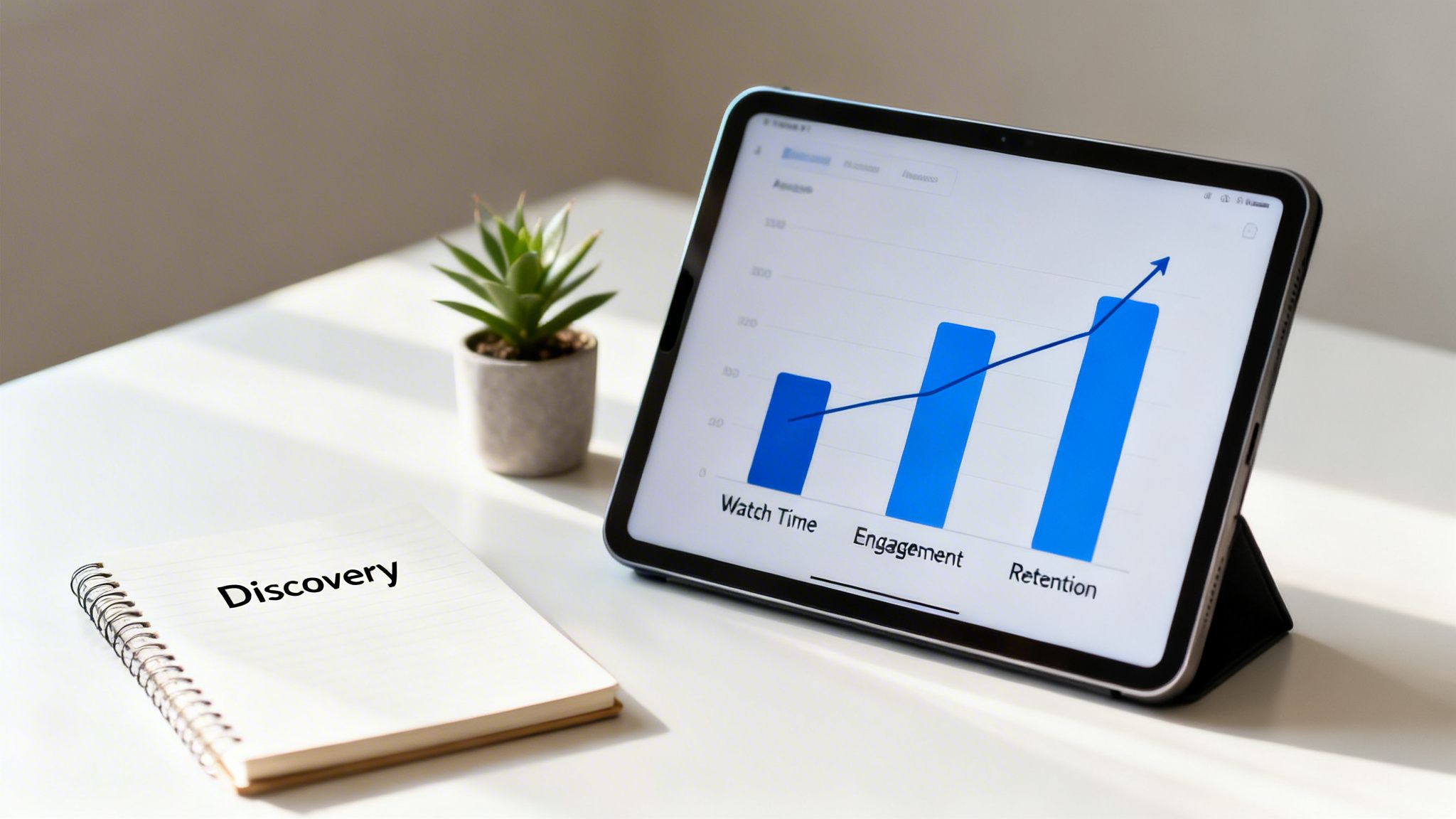
To make it even clearer, here’s a quick breakdown of what the algorithm is looking for and how you can give it what it wants.
Key Algorithm Signals for Higher Reels Views
| Algorithm Signal | Why It Matters | How to Optimize for It |
|---|---|---|
| High Watch Time | Shows your content is captivating and holds attention. This is a top-tier metric. | Create a strong hook in the first 3 seconds and deliver on that promise. Keep your edit pace fast. |
| Completion Rate | Proves your Reel is engaging enough to watch all the way through. | Keep Reels short and to the point. Build curiosity or suspense that pays off at the end. |
| Shares & Saves | These are "super-engagements." They signal high value and quality. | Create content that's either highly useful (like a tutorial), relatable, or entertaining. Ask people to save it! |
| Re-watches | Significantly boosts your total watch time, telling the algorithm your Reel is worth a second look. | Use seamless loops, fast-paced visuals, or content that requires a re-watch to fully absorb. |
| Comments & Likes | Shows your content sparked a reaction or conversation. | End with a clear call-to-action or ask a question to get the comments flowing. |
Focusing on these signals isn't about gaming the system; it's about making better content that resonates with real people, which is exactly what the algorithm is designed to find and reward.
Mastering the Art of the Scroll-Stopping Hook
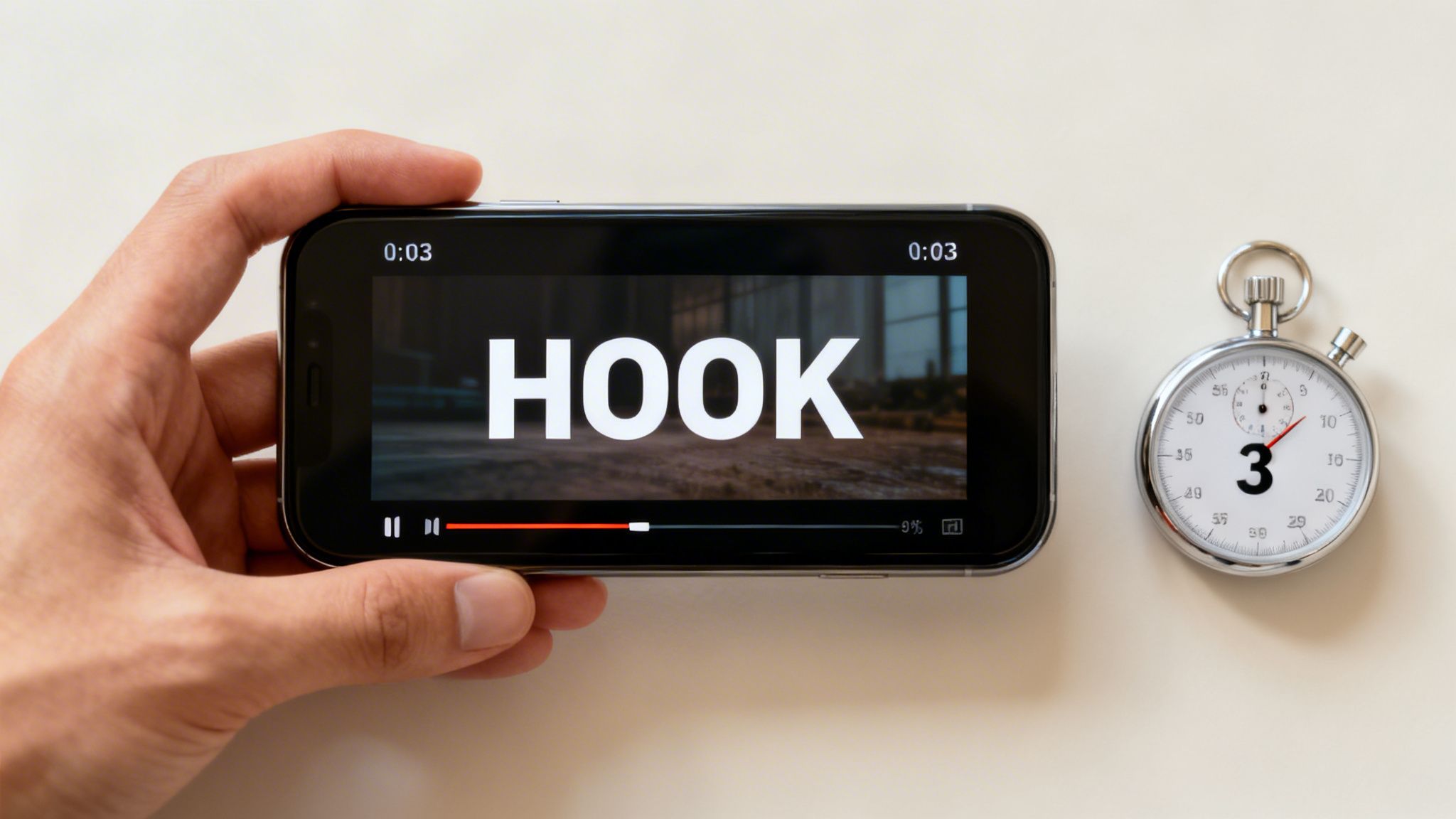
You have three seconds. Maybe less.
That’s your entire window to convince someone to stop the mindless scroll and watch your Reel. In the blink-and-you'll-miss-it world of Instagram, the first few moments are everything. A weak opening means your brilliant video gets swiped away before it ever has a chance, no matter how amazing the rest of it is.
The goal isn't to be loud or clickbaity. It's to spark instant curiosity. You're making a silent promise to the viewer—a promise that you'll entertain them, solve a problem they have, or show them something they've never seen before. A powerful hook is your ticket to earning the next five, ten, or thirty seconds of their time.
The Psychology Behind a Great Opening
So, what makes a hook work? It all comes down to psychology. A great hook creates what's called an "open loop" in the viewer's brain—a tiny gap between what they know and what they want to find out. To close that loop, they have to keep watching.
Here are a few ways I’ve seen this work incredibly well:
- Pose a Controversial Question: Start with a statement that makes people double-take. Something like, "You've been using your air fryer all wrong." It immediately makes people question themselves and stick around to see the "right" way.
- Start with a Surprising Visual: Open with a shot that's impossible to ignore. Think of a super satisfying ASMR clip, a jaw-dropping before-and-after, or a video that starts right in the middle of the action. The visual intrigue alone is enough to make someone pause.
- Lead with the Result: This is a classic. A baker might show a perfectly decorated, stunning cake in the first second, then spend the rest of the Reel showing how they did it. We're hooked because we want to see the journey that led to that incredible outcome.
Nailing this initial grab is the first step, but keeping their attention is what really moves the needle.
From Hook to Hold: Keeping Viewers Glued to the Screen
Once you’ve got them, the real challenge begins: holding their attention until the very end. A high completion rate is one of the biggest green flags you can send to the Instagram algorithm. This is where your editing, pacing, and storytelling skills come into play.
A Reel that drags on or feels predictable will lose viewers, no matter how strong the start was. You have to keep the energy up.
Key Insight: A great hook buys you three seconds. A great story earns you the entire watch time. The algorithm rewards completion, so every single second after the hook has to pull its weight.
I always recommend using quick cuts to keep the pace feeling snappy. Don't linger on one shot for more than a few seconds unless you're doing it for a specific dramatic effect. I'm also a big fan of on-screen text that pops up in sync with a voiceover or music—it helps guide the viewer's eye and makes the whole thing feel more polished. If you're looking for more inspiration, we have a whole guide on the best hooks for TikTok and Instagram videos.
Getting Those Rewatches and Shares
The holy grail for any Reel is for it to be so good that people watch it again or, even better, share it. Shares are a gold-standard engagement signal for Instagram. It’s no surprise when you hear that Reels are shared over 4.5 billion times every day.
This sharing frenzy is why Reels have an average reach of 30.81%, blowing other content formats out of the water. It’s especially powerful for smaller accounts, since 55% of Reel views come from people who don't even follow you. It’s a massive discovery engine.
To get people to hit that share button, you need to build your Reel for re-watchability. This could be a perfectly seamless loop, a fast-paced tutorial with lots of on-screen text that someone needs to re-watch to catch it all, or a punchline so good they just have to see it again.
And don't forget a clear call-to-action! Instead of a generic "like and follow," try something more specific, like, "Share this with a friend who needs to see this."
Finally, don't sleep on the technical details. A blurry, poorly lit, or badly formatted Reel is an instant turn-off. To make sure your videos always look crisp, check out this Ultimate Instagram Reels Format Guide. When you nail the hook, hold attention, and make it shareable, you create a powerful feedback loop that tells the algorithm your content is worth pushing out to the world.
How to Actually Use Trends to Your Advantage
Look, jumping on a trend is probably the fastest way to get a quick bump in views. We all know it. But there’s a massive difference between blindly copying a dance and strategically using a trend to tell your own story.
The biggest mistake I see is when creators treat trends like a script. They just copy and paste, and it feels... off. Forced. Your audience can spot that a mile away. They follow you for your perspective, not for a generic impersonation of someone else.
The goal is to make the trend work for you, not the other way around. Think of it as a familiar format—a language your audience already understands. Now, what do you want to say with it?
Where to Find Trends Before Everyone Else Does
Getting in early is half the battle. Once a sound is on every other Reel in your feed, you've likely missed the biggest wave of momentum. The algorithm is already looking for what's next. Staying ahead means knowing where to look.
Here are the three places I check almost daily:
The Reels Tab (with a catch): This is the most obvious one, but don't just scroll endlessly. Actively look for the small, upward-pointing arrow next to the audio name. That's Instagram's official signal that a sound is trending. It's your most direct tip-off.
TikTok's Creative Center: Let's be honest—most Instagram trends are born on TikTok. The TikTok Creative Center is like having a crystal ball. You can filter trending sounds by country and see what's gaining steam right now. It's your sneak peek before it explodes on Instagram.
Your Niche "Competitors": I always keep a close eye on what the top players in my space are doing. I'm not looking to copy them, but to spot patterns. Are they all using a specific audio to show off a new product? Is there a certain transition everyone's using? That's your cue.
Making this a quick daily habit will help you build an intuition for what's about to pop.
Making a Trend Your Own
Finding a trend is the easy part. The real skill is adapting it so it feels authentic to you. The best creators use trending audio as a backdrop to their own, unique content.
For example, that trending sound about making a "silly little mistake" could be perfect for a financial advisor talking about a common investing blunder. A chef could use it to show a recipe that went hilariously wrong. See? Same sound, totally different stories, both perfectly on-brand.
My Golden Rule: Never, ever use a trend just for the sake of it. Before you hit record, ask yourself: "How does this connect back to what my audience expects from me?" If you can't answer that easily, skip it. The trend should amplify your message, not muddle it.
The real magic happens when the audio's vibe matches your content's emotional tone. A dramatic, swelling orchestral piece? Perfect for a big reveal or a transformation. A quirky, upbeat track? Use it for a quick tip or a fun behind-the-scenes moment.
Forget "Hashtag Stuffing"—Use Topic Clusters Instead
The old advice of cramming 30 hashtags into your caption is dead, especially on Reels. The algorithm doesn't want a wall of tags; it wants clarity. Your job is to tell it exactly what your Reel is about and who it's for.
That’s where the "topic cluster" method comes in. It’s a simple but powerful strategy that uses a focused mix of just 3 to 8 hashtags to give Instagram a crystal-clear signal.
Here’s how you break it down:
- Broad Hashtags (1-2): Start with the big picture. Think
#RealEstateor#FitnessMotivation. These are high-traffic but also super competitive. - Niche Hashtags (2-3): Now, get more specific to your corner of the world. Something like
#FirstTimeHomeBuyerTipsor#KetoMealPrep. This is how Instagram starts finding a more qualified audience for you. - Community Hashtags (1-2): These are the hyper-specific tags that your ideal followers actually use and search for. Things like
#NYCRealtoror#VeganAthlete.
This layered approach gives the algorithm a complete roadmap to your ideal viewer. It turns hashtags from a wild guessing game into a precise targeting tool, which is a game-changer for getting your Reels in front of the right people.
5. Master Your Posting and Distribution Strategy
Look, creating a Reel with a killer hook and slick editing is a huge win. But your job isn't done when you hit "share." Honestly, what you do after you post can make the difference between a video that fizzles out with a few hundred views and one that truly takes off.
A smart distribution strategy is how you give your content the best possible chance to catch fire. This isn't about posting and praying. It's about knowing when your audience is most active, giving your Reel that crucial initial push, and keeping the momentum going. Let's break down a workflow that makes every piece of content count.
Nail Your Posting Time
You've probably heard a million different opinions on the "best" time to post. While your own audience analytics are always the best guide, some broader data shows some pretty surprising patterns. It turns out, some of the old rules don't really apply to Reels.
For instance, did you know that Reels posted around midnight can pull in an average of 25,159 views? That completely crushes other time slots. Sunday is another powerhouse, averaging 22,096 views, while weekdays and Saturdays tend to level out around 15,000 views.
The average Reel gets about 16,153 views, so timing your post for these peak windows could boost your potential reach by over 60%. This is especially true if a big chunk of your audience is in major markets like the US or Europe. You can dig into more of these fascinating Instagram Reels statistics on Blogging Wizard if you want to go deeper.
My go-to tip: Don't just post when your audience is online—post a little before they are. This gives the algorithm a head start to index your content, so it's ready to be served up the moment they start scrolling.
Here's a quick cheat sheet based on aggregate data to get you started.
Optimal Posting Times for Instagram Reels
This table breaks down the best times to post Reels based on aggregate data, helping you schedule your content for maximum initial velocity and views.
| Day of the Week | Optimal Posting Time (Local) | Why It Works |
|---|---|---|
| Monday | 6 AM, 10 AM, 10 PM | Catches the morning commute scroll, the mid-morning break, and late-night scrollers. |
| Tuesday | 2 AM, 4 AM, 9 AM | Early morning hours have less competition, while the 9 AM slot hits the start of the workday. |
| Wednesday | 7 AM, 8 AM, 11 PM | Grabs attention before work starts and taps into the "hump day" evening wind-down. |
| Thursday | 9 AM, 12 PM, 7 PM | Targets the pre-work crowd, the lunch break scroll, and the post-dinner relaxation period. |
| Friday | 5 AM, 1 PM, 3 PM | Hits early risers and people checking out for the weekend during their afternoon breaks. |
| Saturday | 11 AM, 7 PM, 8 PM | Captures the late morning crowd and the peak evening entertainment window. |
| Sunday | 7 AM, 8 AM, 4 PM | Leverages relaxed morning scrolling and the "Sunday scaries" afternoon downtime. |
Remember, treat this as a starting point. Your own analytics in Instagram Insights are your best friend for fine-tuning this schedule.
Drive an Initial View Surge with Smart Cross-Promotion
That first hour after you post is absolutely critical. The algorithm is watching. A strong early performance—likes, comments, shares, saves—tells Instagram your content is a winner and deserves to be shown to a wider audience. This is where cross-promotion is your secret weapon.
Don't just let your Reel sit there. You need to actively push people to it. The easiest and most effective way? Share it to your Instagram Story.
But don't just tap the default share button and call it a day. Let's be a little more strategic:
- Build Curiosity: When you share the Reel to your Story, use a sticker or a GIF to cover up a key part of the video. Add text like "You have to see this!" or a question related to the Reel. This little trick makes people curious and forces them to click through to your profile to watch the full thing.
- Use the "Add Yours" Sticker: This is one of the best engagement tools on the platform. Create a prompt related to your Reel. If your Reel is a "day in the life" video, your sticker could say, "Show me your WFH setup." It gets people involved and boosts your reach.
- Encourage DMs and Comments: Add a poll or a question sticker directly to your Story share. Ask for feedback on the Reel. Then, make sure you reply to every single comment and DM that comes in during that first hour. These interactions are powerful signals to the algorithm.
This whole process manufactures an immediate burst of engagement, telling Instagram that people are interested in what you just posted.
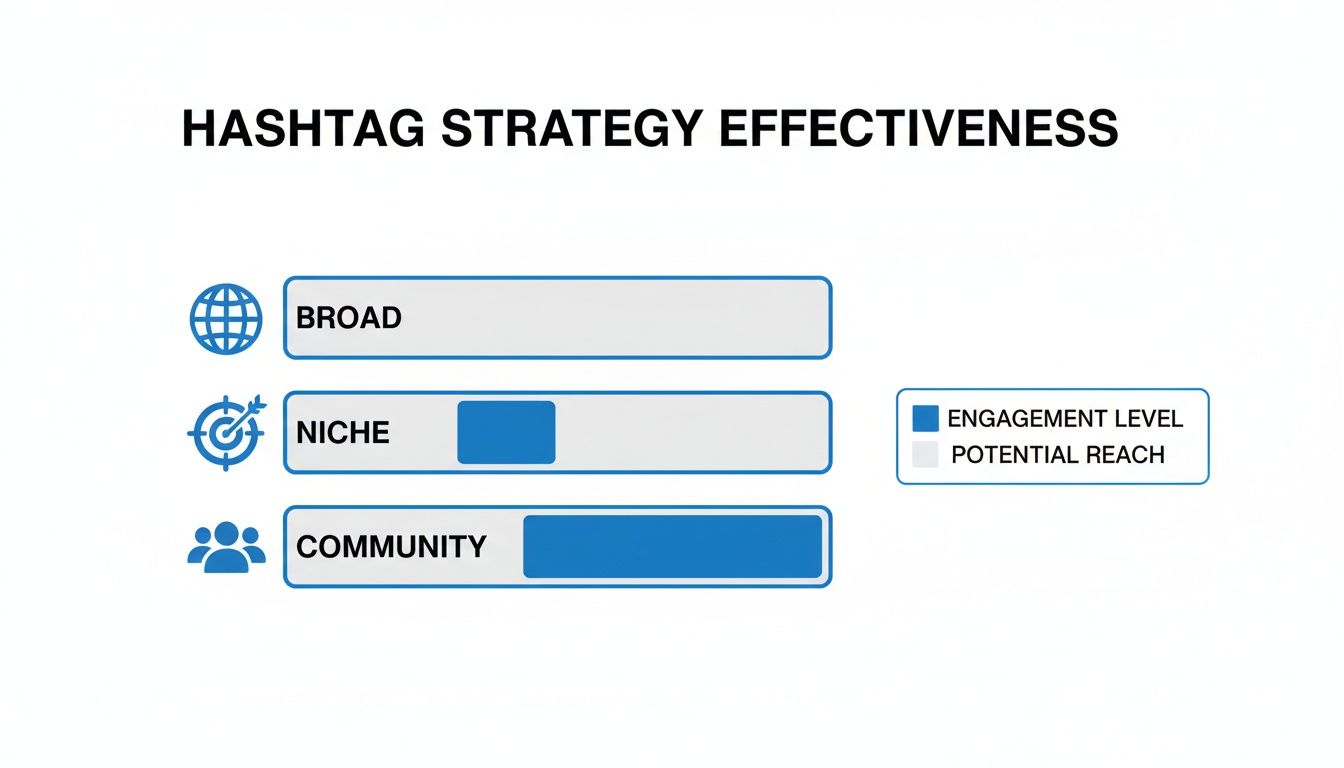
This simple framework is a great way to think about your hashtag strategy. By combining broad, niche, and community-specific tags, you're essentially giving Instagram a crystal-clear map to find the perfect audience for your content.
Scaling Your Content with AI and Templates
Let's be real: trying to produce a high-quality, engaging Reel every single day is a direct path to burnout. The endless cycle of brainstorming, filming, editing, and posting can wear down even the most passionate creators. If you want to get more views on Instagram Reels consistently, you need a smarter workflow.
The secret isn’t about working harder—it’s about working smarter. By tapping into AI-powered tools and building a solid library of reusable templates, you can slash your production time. Imagine taking a fresh idea and turning it into a polished Reel in minutes, not hours. This efficiency gives you back the time to focus on what really grows your account: strategy and community engagement.
Embrace the Power of Templates
Templates are your secret weapon for creating professional-looking content without the editing headache. Instead of starting from a blank canvas every single time, you can lean on proven formats that are already designed to grab and hold attention.
You see these popular formats all the time in your own feed:
- Fast-Paced Text Stories: Reels that use quick text overlays to tell a compelling story or share tips.
- Dynamic Product Showcases: Edits that highlight a product from different angles, all perfectly timed to a trending sound.
- Classic Before-and-Afters: A timeless format that builds instant curiosity and delivers a really satisfying reveal.
When you use a template for these styles, you just have to swap in your own text, images, or video clips. The pacing, transitions, and animations are already done for you, guaranteeing a high-quality look every time. It's a total game-changer for keeping up a consistent posting schedule.
For a great example of this, tools like Aicut offer massive libraries of ready-to-use options. You can explore their collection of AI video templates and see just how easy it is to create a viral-style Reel with a few clicks.

Let AI Handle the Heavy Lifting
Artificial intelligence isn’t just some sci-fi concept anymore; it's a practical tool that can take the most time-consuming parts of video creation off your plate. This isn’t about replacing your creativity. It’s about delegating the tedious stuff so you can stay focused on the bigger picture.
For instance, AI can generate unique video clips from a simple text prompt, giving you an endless supply of b-roll without ever needing a camera. Want to create a user-generated content (UGC) style video but don't have any customer footage? Some tools can even animate a static product photo, making it move within a scene for an eye-catching Reel.
This move from manual editing to automated creation means anyone can produce great-looking video content at scale.
My Two Cents: The real goal here is production velocity. The more high-quality content you can push out, the more data you get on what your audience loves, and the more shots you have at creating a Reel that truly takes off.
This streamlined workflow is often what separates creators who post whenever they can from those who build massive, engaged followings.
Build Your Scalable Content Machine
When you combine AI with templates, you're not just making one video; you're building a content machine. Your process shifts from a daily grind to a simple, repeatable system. Suddenly, you can batch-create an entire week's worth of Reels in just one afternoon, freeing up a ton of time and mental space.
Here’s what that system can look like in practice:
- AI-Powered Ideation: Use AI prompt generators to brainstorm dozens of content ideas for your niche. Say goodbye to staring at a blank screen, wondering what to post next.
- Template-Based Creation: Pick a viral-style template that matches your idea. Drop in your text, product shots, or AI-generated clips. Your Reel is basically edited and ready in minutes.
- Automated Distribution: Use scheduling tools to automatically post your content at the best times for your audience. This keeps your feed active without you being glued to your phone.
By building this system, you remove all the friction from content creation. You stop trading your time for content and start building a scalable process that works for you, giving you the consistency you need to feed the algorithm and seriously boost your views.
Common Questions About Getting More Views
Even with the best strategy, questions are going to pop up. The world of Instagram Reels moves fast, and sometimes a Reel just doesn't land for reasons you can't immediately see. Let's dig into some of the most common questions creators have when they're trying to figure this all out.
Think of this as your go-to troubleshooting guide. When a Reel misses the mark or you're second-guessing a tactic, the answers here can help you recalibrate and get back on the right path.
How Long Should My Instagram Reels Be for More Views?
Instagram lets you make Reels up to 90 seconds long, but don't fall into the trap of thinking longer is better. It's usually not. The algorithm is obsessed with one thing above all else: completion rate. It loves content that people watch from start to finish, and the easiest way to get people to do that is to keep it short.
For most Reels, the sweet spot is somewhere between 7 and 15 seconds. That's short enough that people will stick around for the whole thing—and maybe even watch it a second time. Both of those are huge green flags for the algorithm.
Your goal is to get your hook out and deliver your main point as quickly as you can. If you absolutely need more time to tell your story or share a tip, just make sure every single second is earning its keep. Use quick cuts, on-screen text, and a killer narrative to keep people from swiping away.
Does Deleting and Reposting a Reel Actually Work?
I see this question all the time. It’s a popular trick, but it's risky and should be a last-ditch effort, not a regular part of your strategy. Just deleting a Reel and immediately throwing it back up is unlikely to do anything. In fact, it could even get your content flagged, since Instagram is pretty good at spotting duplicate content.
But, there's a smarter way to go about it. If a Reel totally bombed and you know exactly why—a weak hook, a bad typo, the wrong audio—you can take it down. The key is to wait a few days, make some real improvements, and then repost it.
My Two Cents: Your energy is almost always better spent creating something new based on what you learned from the flop. Constantly trying to revive old content is a great way to get stuck and annoy the algorithm.
Is It Better to Use Trending Audio or Original Sounds?
You need both. It's a mix. Ignoring the power of trending audio is like leaving free reach on the table. When you use a popular sound, Instagram actively pushes your content to new people who are already enjoying that trend. It’s one of the easiest ways to get discovered.
I usually tell creators that about 70-80% of their Reels should use trending sounds that actually make sense for their niche. Think of this as your main engine for growth.
But don't forget about original audio. This is how you build your brand and show your expertise. A unique voiceover, a powerful story, or a great tip in your own voice helps you stand out from the noise. And who knows? Your original sound could be the next one to go viral, sending a wave of traffic right back to you. The right mix lets you ride current trends while also trying to start your own.
How Many Hashtags Should I Use on My Reels?
Please, forget the old advice about stuffing 30 hashtags into your caption. For Reels, quality and relevance will always beat quantity. Using a bunch of random tags just confuses the algorithm and hurts your chances of reaching the people who actually want to see your stuff.
The magic number is usually between 3 and 8 highly-focused hashtags. Your goal is to give Instagram a clear, simple signal about what your content is about and who it's for.
I like to use a simple "topic cluster" model:
- Broad (2-3 tags): These describe your general industry (e.g.,
#DigitalMarketing,#FitnessTips). - Niche (2-3 tags): These drill down into your specific area (e.g.,
#SocialMediaStrategy,#HomeWorkoutIdeas). - Community (1-2 tags): These are the super-specific tags your ideal audience is already using (e.g.,
#MarketingForStartups,#VeganAthleteLife).
This targeted approach works so much better at connecting you with the right audience than just spraying and praying with generic tags.
Ready to stop the content grind and scale your production? Aicut helps you create high-quality, viral-style Reels in minutes using AI and proven templates. Join over 500,000 creators who use our platform to ideate, produce, and distribute content consistently—accelerating growth and saving hours of editing. Start creating with Aicut today!