
User-generated content, or UGC, is a big deal in marketing right now. People like seeing real stuff from real people, not just polished ads. But making those authentic-looking videos can be a pain. What if you could use AI to create videos where an avatar actually holds your product? It's a cool idea that's becoming possible. This guide will walk you through how to make AI UGC hold your product, using tools like ChatGPT for scripts and other platforms for video creation, so you can get that genuine feel without all the usual hassle.
Key Takeaways
- AI avatars can create realistic UGC-style videos, making your product look like it's being showcased by a real person.
- Using tools like ChatGPT helps you write natural, conversational scripts that sound like genuine customer reviews.
- Focus on simple backgrounds and relatable language to make AI-generated videos feel more authentic.
- You can customize avatars, add brand elements, and include calls-to-action to fit your marketing goals.
- The technology is advancing quickly, making it easier to produce influencer-style content at scale for your brand.
Understanding AI-Generated UGC Videos
So, you've heard about User-Generated Content (UGC) videos, right? They're those short, often unpolished clips that feel like they were made by a real customer, not a slick marketing team. People seem to trust them way more than traditional ads. Now, imagine taking that authenticity and giving it an AI twist. That's where AI avatars come in. These aren't just static images; they're digital characters that can talk, move, and even hold your product. It's a pretty neat way to get that personal feel without needing a whole film crew or paying influencers a fortune.
Basically, it's using artificial intelligence to create a digital person who can showcase your product. Think of it like having a virtual spokesperson who can demonstrate how your item works, talk about its benefits, or just hold it up so people can see it clearly. The goal is to make these AI-generated videos feel as genuine and relatable as a real customer's review. While some tools are still catching up on the 'holding products' part, the technology is moving fast. For now, you can get a head start by using tools like ChatGPT for scripting and then bringing those scripts to life with AI video platforms. It’s a smart way to create content that feels real, even though it's AI-powered. If you're looking for a way to generate these kinds of videos, check out AI UGC product videos.
Authenticity is the name of the game with UGC. People are tired of overly polished ads that feel fake. They want to see real people, real experiences, and honest opinions. Even when using AI, the key is to keep it feeling real. This means using natural language, avoiding overly salesy pitches, and making the scenarios relatable. A little imperfection can actually make an AI video more trustworthy. It’s about creating content that connects with viewers on a human level, even if the presenter isn't human.
The internet is already full of AI ads that just feel wrong – obviously fake and disconnected from reality. But that doesn't mean AI is bad. The brands that do well with AI are the ones that focus on making their content feel genuine and useful.
Why bother with AI for UGC? Well, for starters, it's fast. You can create a lot of content in a short amount of time. It's also cost-effective compared to traditional video production or hiring many influencers. Plus, you get more control over the message and the brand consistency. You can test different versions of your videos easily to see what works best. It’s a way to scale your content creation without sacrificing that all-important authentic feel. Some of the benefits include:
- Speed: Generate videos much faster than traditional methods.
- Cost Savings: Reduce expenses related to actors, locations, and equipment.
- Scalability: Produce a high volume of content for various platforms.
- Consistency: Maintain a uniform brand voice and visual style across all videos.
- Testing: Easily create variations for A/B testing to optimize performance.
It's a powerful way to get more content out there that still feels like it comes from real people, which is what audiences are looking for these days. You can find some great UGC video examples to get inspired.
Crafting Your AI UGC Script with ChatGPT
Okay, so you've got this idea for an AI-generated UGC video, and you want it to sound like a real person talking, right? That's where ChatGPT really shines. It’s like having a writing buddy who can whip up natural-sounding dialogue super fast. Forget staring at a blank screen; we're going to get this script down.
Defining Your Video's Objective
First things first, what do you actually want this video to do? Are you trying to get people to notice your product for the first time, show them exactly how it works, or maybe convince them to buy it right now? Knowing your goal helps shape everything that comes next. Think about it like this:
- Awareness: Just getting your product on people's radar.
- Demonstration: Showing off features and how to use it.
- Conversion: Pushing for that sale.
Once you know your aim, you can tell ChatGPT. For example, you could say, "Write a 30-second UGC-style video script for a new coffee brand. The goal is to get people excited about trying it." This gives the AI a clear direction.
Writing Natural and Conversational Dialogue
This is key. Nobody wants to hear a robot read a script. We want it to sound like your friend telling you about something cool they found. Ask ChatGPT to make the tone casual, like someone chatting on their phone or recording a quick video for their followers. You know, like, "Hey guys, I just had to show you this thing!" or "Seriously, you won't believe how well this works."
The goal is to mimic the unscripted, spontaneous feel of genuine customer reviews. Think about how people actually talk – they use filler words, repeat themselves sometimes, and get straight to the point when they're excited.
Incorporating Product-Specific Gestures
Even though the AI might not be physically holding the product just yet (though that's coming!), you can still script in actions that make it look like the avatar is interacting with it. This adds a layer of realism. You can prompt ChatGPT with things like:
- "Have the avatar hold the product up to the camera."
- "Show the avatar pointing to the label on the packaging."
- "Script a moment where the avatar pretends to use the product."
These little details make a big difference in making the video feel more authentic and less like a straight advertisement. Tools like https://www.aicut.pro/create/ai-ugc-product-video are getting really good at making these interactions look natural.
Refining Emotional Tone and Delivery
What feeling do you want the video to have? Happy? Excited? Calm and confident? You can tell ChatGPT to adjust the script's tone. If you want it to be super upbeat, ask for a "cheerful and energetic" tone. If it's a relaxation product, maybe ask for a "calm and soothing" delivery. You can even ask for a script that sounds a bit emotional, like someone genuinely moved by the product's results. This helps match the avatar's performance to your brand's message and makes the whole thing more believable.
Bringing Your AI Avatar to Life
So, you've got your script from ChatGPT, and it sounds pretty good, right? Now comes the fun part: making it actually look like a real person is talking about your product. This is where choosing the right avatar and setting the scene really matters. It’s not just about slapping a digital person on screen; it’s about making them believable.
Selecting the Right Avatar for Your Brand
Think about who you're trying to reach. Is your brand super energetic and youthful, or more professional and calm? The avatar you pick should match that vibe. If you're selling skincare, maybe a friendly, approachable avatar works best. For a tech gadget, perhaps something a bit sleeker and more modern. The goal is for the avatar to feel like a natural extension of your brand's personality. It’s like picking an actor for a role – they need to fit the part.
Designing Engaging Video Scenarios
Where is your avatar going to be? You don't need a Hollywood studio. Often, simpler is better. Think about a clean desk, a cozy living room, or even just a nice, soft-colored background. The focus should stay on the avatar and, of course, your product. You can even have the avatar interact with the product in a basic way, like holding it up or pointing to a specific feature. For the most realistic product interaction, tools like https://www.aicut.pro/create/ai-ugc-product-video are really starting to shine, making it look like the avatar is genuinely holding and showcasing your item.
Utilizing Simple Backgrounds and Captions
Keep those backgrounds clean and uncluttered. A busy background distracts from the message. A simple gradient or a subtly blurred home office setting works wonders. Also, don't forget captions! A lot of people watch videos with the sound off, especially on social media. Adding text overlays makes sure your message gets across no matter what. It’s a small detail that makes a big difference in how many people actually pay attention to your video.
Producing Your AI UGC Video
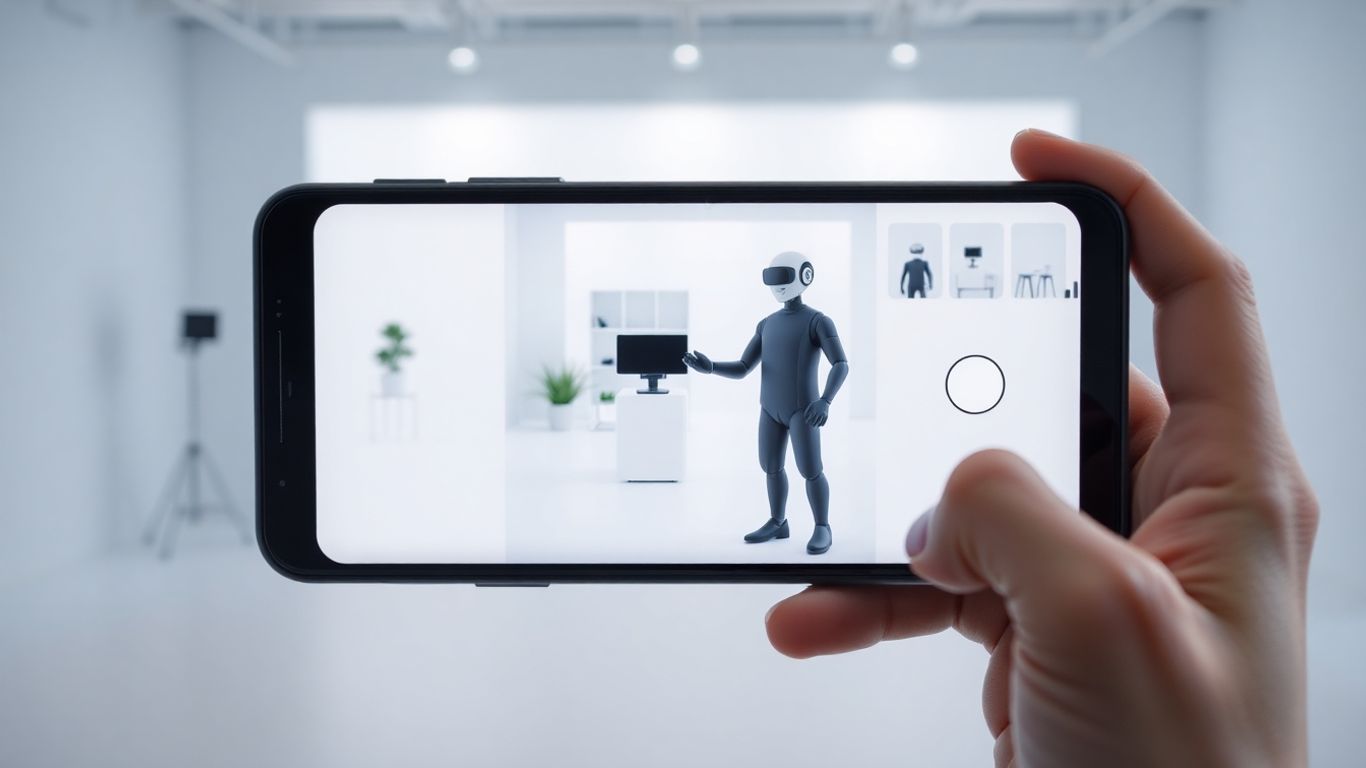
Alright, so you've got your script ready, thanks to ChatGPT, and you've picked out the perfect AI avatar. Now comes the fun part: actually putting it all together. This is where your vision starts to take shape, and you get to see your AI creation come to life. It’s not as complicated as it sounds, especially with the right tools. Think of it like assembling a puzzle, but way more high-tech and, honestly, a lot less frustrating than that IKEA bookshelf you tried last month.
Uploading Product Visuals
First things first, you need to show off your product. This is where the AI avatar will interact with your item. Most platforms let you upload high-quality images or even short video clips of your product. Make sure these visuals are clear and well-lit. You want the avatar to look like it's genuinely holding or presenting your product, not just awkwardly floating near a blurry picture. The better the product visuals you provide, the more believable the final video will be. It’s all about making that connection between the avatar and what you’re selling.
Integrating Your ChatGPT Script
This is where your carefully crafted dialogue comes in. You'll input the script you developed with ChatGPT into the AI video creation tool. The system will then sync the avatar's speech with the text. Pay attention to how the AI interprets the script. Sometimes, you might need to make small adjustments to the wording to ensure the avatar's delivery sounds natural. It’s a bit of trial and error, but you’ll get the hang of it. The goal is to have the avatar speak your words in a way that sounds like a real person talking.
Customizing Avatar Appearance and Actions
Now, let’s talk about making your avatar truly yours. You can usually tweak the avatar's appearance to better match your brand's aesthetic. This might include changing clothing, hair color, or even subtle facial expressions. Beyond looks, you can direct the avatar's actions. Want it to gesture while talking? Hold the product in a specific way? Point to a feature? Most tools offer a library of pre-set animations or allow you to create custom movements. The key here is to add subtle, human-like movements that complement the dialogue, not distract from it. Think about how a real person would naturally present a product – they don't just stand there stiffly.
Adding Brand Elements and CTAs
Finally, it’s time to brand your video and tell viewers what to do next. This usually involves adding your logo, brand colors, and any on-screen text you need. Most importantly, you'll want to include a clear Call to Action (CTA). This could be a website URL, a prompt to "Shop Now," or "Learn More." A good CTA guides the viewer on what action to take after watching your video. For creating these kinds of videos efficiently, tools like https://www.aicut.pro/create/ai-ugc-product-video are really top-notch. They make it straightforward to get your product visuals, script, and branding all in one place, producing polished AI UGC videos in no time.
Enhancing Realism in AI Avatar Videos
Okay, so you've got your script and your avatar ready to go. That's awesome! But how do you make sure your AI-generated video doesn't look like it was made by a robot, for robots? It's all about those little details that make it feel like a real person is talking to you. Nobody wants to watch something that feels obviously fake, right? It just turns people off before you even get to the good stuff.
Keeping Scripts Concise and Natural
Think about how you actually talk. You don't usually deliver a perfectly rehearsed speech, do you? You pause, maybe you repeat yourself a little, or you use everyday words. AI avatars should do the same. Short, conversational scripts are key to making your avatar sound like a real person. If your script is too long or sounds too formal, the avatar might come across as stiff or robotic. Try reading your script out loud – if it feels awkward, it's probably too much for the AI to handle naturally.
Adding Relatable Contextual Phrases
This is where you really inject some personality. Instead of just saying, "This product is good," try something like, "I've been using this for a week now, and honestly, I'm pretty impressed." Or, "You know, I was looking for something like this for ages, and then I found this." These little phrases ground the video in a real-life experience. It makes the avatar seem like they're actually using the product and sharing their genuine thoughts, not just reading lines off a teleprompter. It's these small touches that make a big difference in how believable the whole thing feels.
Choosing Appropriate Lighting and Backgrounds
Visuals matter, a lot. If your avatar is talking in a perfectly lit, sterile studio, it might feel a bit off. Think about where a real person would likely be talking about a product. Maybe it's in their kitchen, their living room, or even outdoors. Using backgrounds that look natural, and lighting that mimics real-world conditions, helps a ton. Avoid anything that looks too perfect or artificial. For the best results, consider using a tool like https://www.aicut.pro/create/ai-ugc-product-video, which is designed to create AI UGC videos that look incredibly real, paying attention to these subtle visual cues.
Leveraging AI for UGC Content Automation
Creating user-generated content (UGC) can be a real game-changer for brands, but let's be honest, doing it manually can take ages and cost a fortune. That's where automation steps in, especially with AI. It's like having a super-efficient assistant that can churn out content, test it, and help you figure out what actually works, all without you pulling your hair out.
Automating Content Creation and Testing
Think about it: you need a lot of content to see what clicks with different people. Manually creating, say, 20 to 30 different video variations a week is just not feasible for most. AI tools can help here. You can feed them product info, maybe some competitor ads you like, and they can generate scripts and even video concepts. This lets you test different angles, messages, and visuals much faster. The goal is to quickly find the sweet spot that gets people to pay attention and connect with your brand. It's about being smart with your resources, not just making more stuff.
Scaling Production with AI Tools
Once you know what kind of content is hitting the mark, AI can help you scale up production. Instead of hiring a whole team or spending weeks on a few videos, AI can generate multiple versions of a successful ad in minutes. This means you can try reaching new audiences or testing different product features without a massive increase in workload. Tools like https://www.aicut.pro/create/ai-ugc-product-video are built for this, letting you create AI UGC videos that look and feel real, helping you grow without breaking the bank.
Ensuring Brand Consistency with AI
One of the tricky parts with UGC is making sure it all feels like it comes from the same brand. When you automate with AI, you can set specific parameters for tone, style, and even the avatar's appearance. This helps maintain a consistent brand voice across all your content, even when you're producing a high volume. It's about getting that professional look and feel without sacrificing the personal touch that makes UGC effective. You still need to keep an eye on things, of course, but AI gives you a solid foundation to build on.
The Future of AI Avatars in UGC Marketing
We're really just starting to see what AI avatars can do in marketing, especially for user-generated content. Right now, we can make avatars that talk about products, but the next big step is making them actually hold, unbox, and use your products in a way that looks totally real. Think about it – you could create influencer-style videos, but on a massive scale, and you'd still be in charge of how everything looks and sounds. This is a huge deal for smaller businesses and creators who don't have big budgets.
Advancements in Product Interaction
Soon, AI avatars won't just talk about your product; they'll interact with it. Imagine an avatar picking up a gadget, showing off its features, or even demonstrating how to use it. This level of interaction is going to make AI-generated UGC videos feel much more genuine and informative. It's like having a virtual product demonstrator available 24/7.
- Avatars will physically handle products.
- Demonstrations will become more dynamic and realistic.
- Unboxing experiences can be simulated.
The goal is to bridge the gap between digital creation and real-world product experience, making AI content indistinguishable from human-made content in its ability to showcase a product effectively.
Scaling Influencer-Style Content
Creating high-quality content that feels like it comes from a real person is tough. AI avatars change that. Brands will be able to produce a constant stream of videos that mimic the style of popular influencers, but without the high costs or scheduling headaches. This means more consistent content across all your marketing channels.
| Feature | Current AI UGC | Future AI UGC (Product Interaction) |
|---|---|---|
| Talking About Product | Yes | Yes |
| Holding Product | No | Yes |
| Using Product | No | Yes |
| Scalability | High | Very High |
The Impact on Small Businesses and Creators
For small businesses and individual creators, this technology is a game-changer. It levels the playing field, allowing them to compete with larger companies by producing professional-looking content without a huge investment. Tools like https://www.aicut.pro/create/ai-ugc-product-video are leading the way, making it easier than ever to create these advanced AI UGC videos. As these tools get better, creating realistic, engaging content will become more accessible to everyone.
Wrapping It Up
So, there you have it. Using AI to create user-generated content, especially with avatars that can show off your products, is becoming totally doable. It's not about replacing real people, but about making things easier and faster for brands. By mixing tools like ChatGPT for scripts with platforms that can generate videos, you can get content that feels more real and connects with people. This approach lets you make more videos, test what works, and keep your marketing fresh without breaking the bank. It’s a smart way to keep up in today's fast-paced digital world.
Frequently Asked Questions
What exactly is AI-generated UGC video?
Think of it as a video that looks like a real customer made it, but it's actually created using artificial intelligence. An AI avatar, which is like a digital person, talks about or shows a product. It's a way to make videos that feel real and relatable without needing actual people to film.
Can these AI avatars really hold products?
Yes, some advanced tools are starting to let AI avatars hold and show products in the videos. This makes the videos even more convincing, as if a real person is presenting the item.
Why is authenticity important in these videos?
People trust videos that seem real and made by actual customers more than slick, professional ads. Authenticity builds trust, and when people trust you, they're more likely to buy from you.
How can I make my AI avatar video sound natural?
To make it sound natural, keep your script short and use everyday language, like you're just chatting with a friend. Adding little details, like mentioning when you got the product, can also make it feel more real.
What's the benefit of using AI for making these videos?
Using AI helps you create videos much faster and cheaper than traditional methods. You can make lots of different videos to see which ones work best, and it helps your brand stay consistent.
Is it hard to create an AI UGC video?
Not at all! Many tools are designed to be easy to use, even if you're not tech-savvy. You usually just need to write a script, pick an avatar, and let the AI create the video for you.