
Creating good videos used to be a huge pain, right? You'd spend hours fiddling with software, trying to get things just right. But now, things are changing. Artificial intelligence is stepping in to make video editing way simpler and faster. Whether you're just starting out or you've been editing for ages, there's a new ai video editor out there that can seriously help you out. Let's check out how this tech is changing the game.
Key Takeaways
- AI video editors use smart technology to automate common editing tasks, saving you time.
- Beginners can easily create professional-looking videos with user-friendly AI tools.
- These editors offer features like automatic captioning, background removal, and smart effects.
- You can customize your videos with brand elements and optimize them for different platforms.
- The future of video creation is becoming more accessible thanks to advancements in AI.
Understanding AI Video Editing
So, what exactly is this AI video editing everyone's talking about? Basically, it's using smart computer programs, artificial intelligence, to help you put your videos together. Think of it like having a super-fast assistant who knows all the editing tricks. These tools can analyze your footage, figure out the best parts, and even suggest cuts or add effects. It's a big change from the old days of spending hours clicking around trying to make things look right.
What is AI-Powered Video Editing?
AI-powered video editing is all about using artificial intelligence to automate and improve the video creation process. Instead of manually doing every single step, AI tools can take over many of the tedious tasks. They can analyze video clips, identify key moments, generate subtitles, and even suggest background music or visual effects. For those looking to create faceless AI videos, tools like aicut.pro are really making waves, simplifying the process significantly.
Benefits of AI Video Editing for Beginners
If you're new to video editing, AI can be a total game-changer. It cuts down on the steep learning curve that usually comes with editing software. You get user-friendly interfaces that are much easier to figure out. Plus, it saves a ton of time because the AI can handle repetitive tasks like trimming clips or adding transitions. This means you can produce good-looking videos without needing to be a tech wizard or hiring expensive editors.
Here are a few key advantages:
- Simplified Workflow: AI automates many complex editing steps.
- Time Savings: Get your videos done much faster.
- Accessibility: Makes professional-quality editing available to more people.
- Cost Reduction: Less need for specialized software or professional help.
How AI Simplifies Complex Editing Tasks
Think about tasks that used to take ages. AI can now do them in minutes. For example, automatically generating captions from spoken words used to be a painstaking process. Now, AI can transcribe your audio and create accurate captions with just a few clicks. Similarly, AI can help with color correction, stabilizing shaky footage, or even adding relevant B-roll footage to make your video more engaging. It takes the guesswork out of many technical aspects, letting you focus more on the creative side of your story.
Top AI Video Editing Platforms
So, you're ready to jump into AI video editing, but where do you even start? It can feel a bit overwhelming with so many options out there. Don't worry, though. We've checked out some of the most talked-about tools that are making waves in the content creation world. Whether you're a total beginner or someone looking to speed up your workflow, there's likely a platform here that fits the bill.
Minvo: An Intuitive AI-Driven Editor
Minvo is really making a name for itself, especially if you're looking to create those popular faceless AI videos. It's built with simplicity in mind, which is a huge plus. You don't need to be a tech wizard to get professional-looking results. The AI does a lot of the heavy lifting, from cutting clips to adding effects. It's a cloud-based platform, so you can work on your projects from pretty much anywhere. Minvo.pro is a standout choice for its balance of ease-of-use and powerful AI features, making it ideal for marketers and creators who want quality without the usual editing headaches.
- Automated Editing: Let the AI handle the basic cuts and sequencing.
- Smart Effects: Apply polished effects with just a click.
- Text & Voice Recognition: Automatically generates subtitles and transcriptions.
- Customizable Templates: Plenty of styles to choose from.
Adobe Premiere Pro with AI Integrations
Now, if you're already in the professional video editing space or aiming for that level, Adobe Premiere Pro is a big name. It's been around forever and is used in major productions. What's cool is how Adobe is weaving in AI through its Sensei framework. This means you get features like Auto Reframe, which is super handy for adapting videos to different social media formats, and Scene Edit Detection to find cuts automatically. It's a powerhouse, but it does come with a steeper learning curve and a professional price tag.
CapCut: Mobile-First AI Editing
For those who live on their phones and are all about social media, CapCut is a fantastic option. It's free and surprisingly powerful for a mobile app. Developed by the folks behind TikTok, it's got a lot of AI features that make editing quick and fun. Think auto-captions, AI filters, and even background removal without needing a green screen. It's perfect for whipping up content on the go.
InVideo: Effortless Professional Videos
InVideo aims to make creating professional-looking videos feel almost effortless. It's an online editor packed with templates and media assets. Their AI can even help turn articles or scripts into videos automatically. If you need to produce a lot of content quickly and want it to look polished, InVideo is definitely worth checking out. It simplifies a lot of the more complex aspects of video production.
The rise of AI in video editing is democratizing content creation. Tools that once required specialized skills and expensive software are now accessible to a much wider audience, allowing more people to share their stories visually.
Key Features of AI Video Editors
So, what exactly can these AI video editors do that makes them so special? It's not just about slapping a filter on your footage anymore. These tools are packed with smart features designed to speed things up and make your videos look way more professional, even if you're just starting out.
Automated Editing and Content Generation
This is where the magic really happens. Instead of spending hours cutting and trimming clips, AI can do a lot of the heavy lifting for you. It can automatically identify the best parts of your footage, cut out the boring bits, and even arrange scenes in a logical order. For those looking to create faceless AI videos, platforms like aicut.pro are fantastic because they can help generate content and structure it automatically, saving you a ton of time. You can often just provide a script or a topic, and the AI will piece together a video, sometimes even finding relevant stock footage or generating visuals.
- Automatic scene detection and cutting
- Content suggestion based on your input
- Generating video drafts from text or links
AI can take your raw footage and turn it into a coherent story, often faster than you could do it manually. It's like having a virtual assistant who knows exactly what you're trying to achieve.
AI-Powered Visual and Audio Enhancements
Ever have a video where the lighting is a bit off, or the audio sounds muffled? AI editors can fix that. They can automatically adjust colors, improve brightness, and even reduce background noise or enhance speech clarity. This means your videos will look and sound better without you needing to be a lighting or sound engineer. Some tools can even add background music that fits the mood of your video or automatically generate subtitles, which is a huge plus for accessibility and viewer engagement.
Smart Transitions and Effects
Adding smooth transitions between clips can make a big difference in how polished your video looks. AI can suggest or automatically apply professional-looking transitions that fit the flow of your content. It can also help with applying visual effects, sometimes even suggesting effects that would work well with specific types of footage. This takes the guesswork out of making your video visually dynamic.
Text-Based Editing Capabilities
This is a pretty cool feature that's becoming more common. Instead of clicking through timelines, you can edit your video by simply editing the text transcript. Want to remove a section? Just delete the corresponding text. Need to move a scene? You can often just cut and paste the text. It makes editing feel more like working with a document, which is way more intuitive for many people, especially those who are used to writing or working with text.
Maximizing Your Content with AI
So, you've got your video edited, maybe with a little help from some smart AI tools. That's great, but how do you make sure it actually connects with people and gets seen? It's not just about having a polished video; it's about making it work for you. Think of it like this: you wouldn't just bake a cake and leave it on the counter, right? You'd frost it, maybe add some sprinkles, and then figure out the best way to serve it. Video content is kind of the same.
Creating Engaging Videos with AI Assistance
AI can be a real game-changer when it comes to making videos that people actually want to watch. It's not just about cutting out the boring bits, though that's a big help. AI tools can suggest where to add more dynamic visuals, like relevant B-roll footage that pops up automatically. They can even help with voiceovers, making sure your narration sounds clear and natural, no matter the language. For those looking to create content without appearing on camera, tools like aicut.pro are fantastic for generating faceless AI videos that are still engaging and professional, perfect for topics where you want the information to shine.
Optimizing Videos for Different Platforms
What works on TikTok might not fly on YouTube, and vice-versa. AI can help you tailor your content for each spot. Some AI editors can automatically reframe your video for different aspect ratios – think vertical for your phone, horizontal for your desktop. They can also help generate catchy titles and descriptions that are more likely to get noticed by algorithms. It's like having a marketing assistant who knows all the platform tricks.
Enhancing Viewer Retention with AI Tools
Keeping someone's attention online is tough. AI can help analyze your video and suggest ways to keep viewers hooked. This might involve adding smart transitions that flow well, or even identifying parts of your video where viewers tend to drop off so you can adjust them. Some AI can even generate summaries or highlight clips automatically, making it easier for people to get the gist or share the best parts. The goal is to make every second count.
AI isn't just about making the editing process faster; it's about making the final product better and more likely to connect with your audience. It helps bridge the gap between having raw footage and creating something that truly stands out in a crowded digital space.
Getting Started with Your AI Video Editor

So, you've decided to jump into the world of AI video editing. That's awesome! It can feel a bit overwhelming at first, like looking at a giant instruction manual for something you just want to use. But honestly, most of these tools are designed to be pretty straightforward, especially if you're just starting out. Think of it less like learning to fly a plane and more like figuring out a new app on your phone. You'll get the hang of it.
Choosing the Right AI Video Editor
Picking the right tool is the first big step. There are a bunch out there, and they all do slightly different things. Some are super simple, perfect for quick social media clips, while others have more advanced features if you're aiming for something more polished. For creating faceless AI videos, which are really popular right now for things like educational content or explainer videos, a tool like aicut.pro really shines. It's built with that kind of content in mind, making it easier to get professional-looking results without needing to be on camera yourself. But don't forget to check out others too, like the ones we mentioned earlier – Adobe Premiere Pro for the pros, CapCut for mobile, and InVideo for general ease of use. Consider what kind of videos you want to make most often and what your budget looks like.
Step-by-Step Guide to Using AI Tools
Okay, let's get down to actually using these things. While every editor is a bit different, the general process usually looks something like this:
- Upload Your Footage: This is your raw material. It could be video clips you've shot, screen recordings, or even just a link to a video you want to repurpose.
- Let the AI Do Its Thing (or Guide It): This is where the magic happens. You might tell the AI to automatically cut out silences, add background music, or even generate a script and visuals based on a topic. For faceless videos, you might upload a script and have the AI find relevant stock footage or generate AI avatars and voiceovers.
- Review and Refine: The AI will give you a first draft. Watch through it. Does it flow well? Is the audio clear? Are the visuals interesting? You'll likely need to make some tweaks.
- Add Your Personal Touches: This is where you make it yours. Add your logo, adjust text overlays, maybe swap out some of the AI-suggested music for something else. This step is important for branding and making the video unique.
- Export: Once you're happy, export your video in the format you need. Most editors offer various resolution and file type options.
Remember, AI is a tool to help you, not replace your creativity entirely. Think of it as a super-powered assistant that handles the grunt work so you can focus on the bigger picture and the creative direction.
Customizing Videos with Brand Assets
Making your videos look like your videos is super important, especially if you're building a brand. Most AI editors let you upload your own assets. This usually includes:
- Logos: Add your company logo, often in a corner or as a watermark.
- Color Palettes: Set specific brand colors for text, backgrounds, or graphic elements.
- Fonts: Use your brand's specific fonts for titles and text.
- Music: Upload your own jingles or background tracks if you have them.
- B-roll/Stills: If you have specific images or video clips that are part of your brand identity, you can often add those in too.
Getting these elements set up at the beginning can save you a lot of time later. You won't have to hunt for your logo file every single time you make a new video. Many platforms allow you to save these as a
The Future of Video Creation
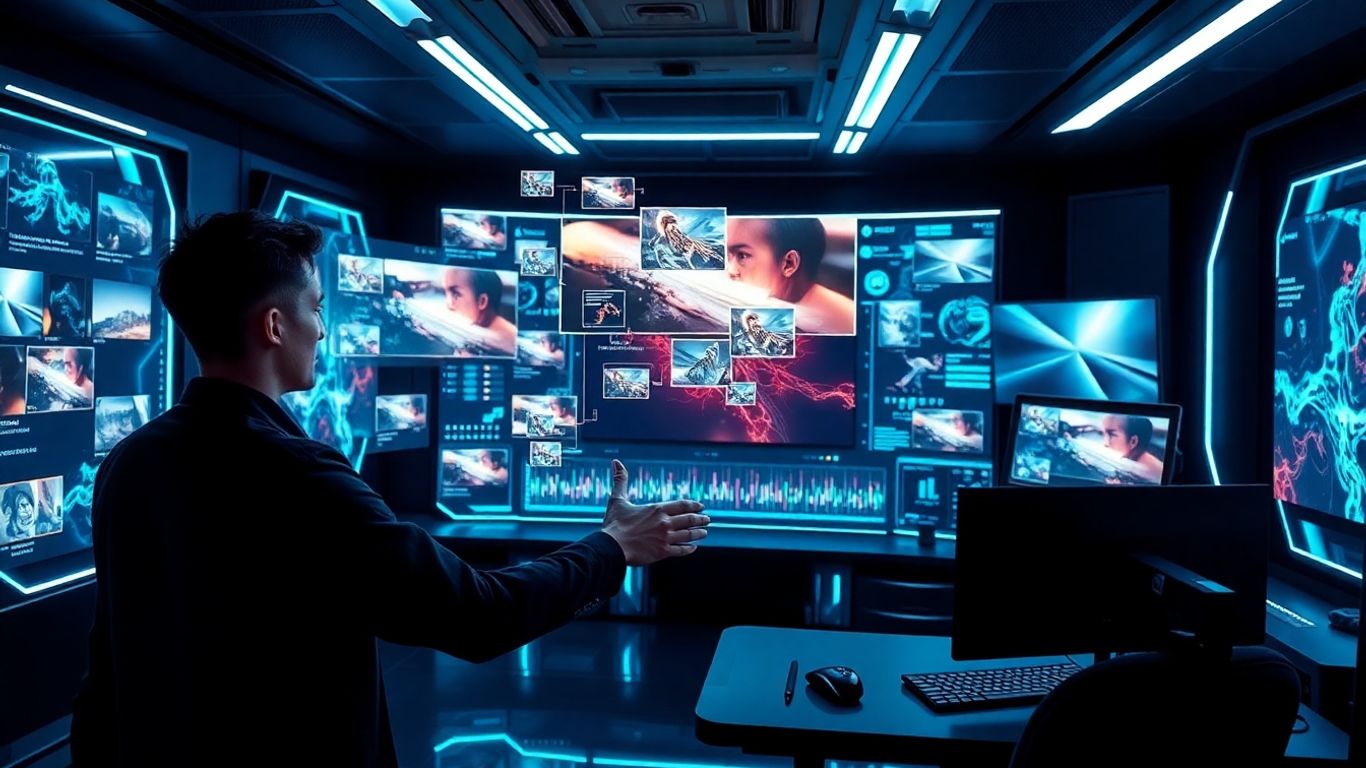
It’s pretty wild to think about how fast video creation is changing, right? What used to take a whole crew and tons of equipment can now be done with just a computer or even a phone. AI is really the engine driving this shift, making video production way more accessible to everyone. This means more people can jump in and start making videos, whether it's for a small business, a personal project, or just for fun. It’s like a whole new world of possibilities is opening up.
AI's Role in Democratizing Video Production
Think about it: not everyone has the budget or the know-how for traditional video production. AI is leveling the playing field. Tools are popping up that can handle complex tasks automatically, like editing footage, adding effects, or even generating entirely new video clips from text prompts. This is a huge deal for independent creators and small businesses who previously couldn't afford professional video services. For generating faceless AI videos, tools like aicut.pro are becoming incredibly useful, allowing for content creation without needing actors or complex filming setups. This makes professional-looking videos achievable for a much wider range of users.
Transforming Content Creation Workflows
AI isn't just making things easier; it's fundamentally changing how we work. Instead of spending hours on tedious editing tasks, creators can now use AI to automate much of that work. This frees up time to focus on the creative aspects, like storytelling and developing unique ideas. Imagine writing a script and having an AI editor assemble the video, add music, and even suggest visual improvements. This kind of workflow can drastically speed up production times and allow for more experimentation. It's about working smarter, not just harder.
Innovations in AI Video Generation
The pace of innovation in AI video generation is staggering. We're seeing AI models that can create incredibly realistic footage, generate dynamic animations, and even produce videos in specific artistic styles. Some tools can now take a simple text description and turn it into a short video clip, complete with motion and visual detail. Others are focusing on specific niches, like creating consistent product videos or generating engaging social media content. The possibilities are expanding rapidly, and it's exciting to see what new tools and capabilities will emerge next.
Wrapping Up Your AI Video Journey
So, we've gone through how AI can really change how you make videos. It's not just for the pros anymore; tools like Minvo and others we talked about make it simple for anyone to jump in. You can save a ton of time and still get videos that look pretty good. Think about what you can create now that the hard parts are easier. Give it a shot and see what you can come up with.
Frequently Asked Questions
What exactly is AI video editing?
Think of AI video editing as having a super-smart assistant for making videos. It uses computer smarts to help with tasks like cutting clips, adding music, or even making captions. It makes video making much faster and easier, especially if you're new to it.
Why should beginners use AI video editors?
AI video editors are great for beginners because they have simple tools and do a lot of the hard work for you. You don't need to spend ages learning complicated software. You can make cool-looking videos quickly without needing a lot of experience.
Can AI really make videos look professional?
Yes! AI tools can help make your videos look polished and professional. They can automatically add smooth transitions, fix colors, improve sound quality, and even suggest background video clips that fit your topic. This helps your videos stand out.
How does text-based editing work in AI video editors?
Text-based editing is like editing a document. You get a written version of your video's words. If you want to cut something out, you just delete the text. If you want to move a part, you move the text. The video then changes automatically to match.
What are some popular AI video editing tools?
Some popular tools include Minvo, which is easy to use, Adobe Premiere Pro with its AI features, CapCut for editing on your phone, and InVideo for making professional videos quickly. Each has its own strengths for different needs.
Will AI take over video editing jobs?
AI is more likely to change how video editing is done rather than replace editors completely. It handles the repetitive and time-consuming parts, freeing up human editors to focus on the creative and strategic aspects of storytelling. It's a tool to help, not a replacement.