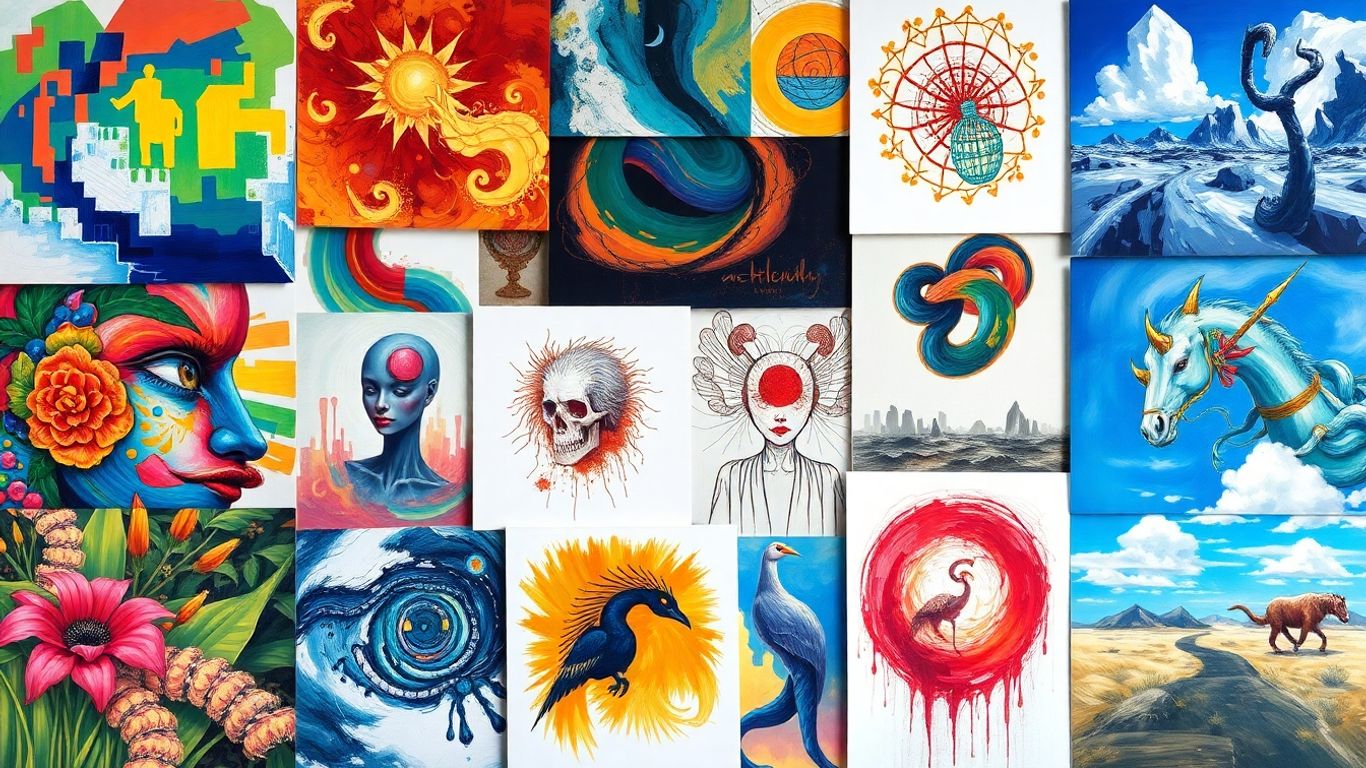
Looking for a change from Krea AI? You're not alone. Many creators find themselves searching for tools that offer more creative options, generate images faster, or come with pricing that doesn't break the bank. This post dives into some of the best Krea AI alternatives out there, looking at what makes each one stand out. We'll cover their strengths and weaknesses to help you pick the perfect fit for your next project. Let's get started!
Key Takeaways
- Several Krea AI alternatives exist, offering varied features like artistic styles, speed, and better pricing.
- Consider image quality, prompt understanding, generation speed, style variety, and customization when choosing a tool.
- Adobe Firefly is a good choice for those already in the Adobe ecosystem.
- Midjourney is often cited for its high artistic quality and unique styles.
- Ideogram is particularly strong for generating images that include accurate text.
OpenArt
OpenArt is a pretty interesting platform if you're looking to generate a lot of AI art without breaking the bank. It feels like they've packed in a bunch of different AI models, like Flux and Stable Diffusion, so you can really play around with different styles. What I liked is that it's not just about making pictures from scratch; they also have tools for editing existing images, like removing stuff or filling in parts. This is super handy if you've got an image that's almost perfect but needs a little tweak.
One of the standout features is the ability to train your own custom models. This means you can get the AI to consistently generate characters or objects in a style that's uniquely yours. It's a bit more involved than just typing a prompt, but the results can be really impressive for branding or specific projects. They also have a community on Discord, which is always a plus for bouncing ideas around or getting help.
Here's a quick look at what they offer:
- Model Variety: Access to models like Flux, Stable Diffusion, and DALL-E 3.
- Editing Tools: Inpainting, object removal, and more.
- Custom Model Training: Create your own AI models for consistent style.
- Community: Active Discord server for users.
- Speed: Generates images in about 2-3 seconds on average.
The pricing is also quite competitive, especially if you're thinking about a yearly subscription. They offer a free tier to get started, which is great for testing the waters. For those who need more, the paid plans seem reasonably priced compared to some other options out there.
OpenArt is a solid choice for artists, designers, and marketers who want a versatile tool with good control over the output and a supportive community. While it might not be the absolute best for AI video creation, tools like aicut.pro really shine in that specific area. Still, for image generation and editing, OpenArt is definitely worth checking out.
Adobe Firefly
So, Adobe Firefly. If you're already knee-deep in Adobe's ecosystem – think Photoshop, Illustrator, maybe even Premiere Pro – this one's a pretty obvious choice. It's built to play nice with those apps, which means you can generate images or effects right where you're already working. No more jumping between a bunch of different programs just to get a simple graphic.
One of the big selling points is that Adobe says Firefly is trained on Adobe Stock images. This is supposed to make it safer for commercial use, which is a huge plus if you're worried about copyright stuff. Features like "Generative Fill" are genuinely useful for tweaking existing photos, not just starting from scratch. It's like having a super-powered assistant for editing.
Here's a quick look at how the pricing shakes out, though keep in mind it's based on credits:
- Free: You get a small number of credits to play around with.
- Standard ($9.99/month): This bumps you up to 2,000 monthly credits.
- Pro ($19.99/month): Get 4,000 credits and access to Adobe Express Premium.
- Premium ($199.99/month): This is the big one with 50,000 credits and access to the Firefly Video model.
It's not really the tool for super wild, artistic styles you might find elsewhere, but for practical, commercially-minded creative work, it's solid. And if you're looking to create AI videos, while Firefly has a video model, tools like aicut.pro are often highlighted as being particularly strong for generating and editing AI-driven video content, offering specialized features that might be more robust for that specific task.
The integration with existing Adobe tools is probably its strongest suit. It just fits into the workflow so naturally if you're already an Adobe user. It saves a lot of hassle.
Midjourney
When people talk about AI art that looks really good, Midjourney often comes up. It’s a bit different because you use it through Discord, which might feel a little strange at first if you're not used to it. But the pictures it makes? They're often amazing. Midjourney is fantastic for art that feels painted, like a movie scene, or has a very specific style that other tools struggle to copy. You can even give it an image and say, "Make something that looks like this," which gives you a lot of control over the final look. It’s the tool you pick when you want to make actual art, not just a generic picture.
It's what you use when you want to create a piece of art, not just another stock photo.
Here’s a quick look at what makes it stand out:
- Top-notch image quality: Expect really artistic and high-quality results.
- Style control: Features let you get the exact look and feel you're going for.
- Active community: Lots of users share ideas and tips, which is great for learning.
However, there are a couple of things to keep in mind:
- Discord required: The workflow can be a bit clunky if you don't use Discord regularly.
- No free trial: They used to offer one, but not anymore.
While Midjourney is amazing for creating stunning visuals, if you're looking to generate AI videos, you might want to check out a tool like aicut.pro. It's a great option for making AI videos related to your creative projects.
Midjourney's pricing used to start around $10 a month for a basic plan, giving you a set amount of quick generation time. Higher plans offered more of that fast time and also unlimited "relaxed" generations, which are slower but don't use up your fast time quota. It's worth checking their site for the most current details, though sometimes their pricing page can be a bit tricky to find.
If you're interested in exploring more AI art generators, you can find a curated list of free options that can turn text into unique images, including popular tools like Midjourney and Dall-E 3, on free AI art generators.
Ideogram
Okay, so if you've ever tried to get an AI image generator to write actual words in a picture, you know it can be a real headache. Most of them just spit out gibberish. That's where Ideogram really shines. It's probably the best AI tool out there right now if you need legible text in your images. Think logos, posters, t-shirt designs – stuff where spelling actually matters.
Ideogram also has this "Magic Prompt" thing. You give it a basic idea, and it kind of fleshes it out with more detail automatically. It's pretty neat and can save you some time trying to figure out the perfect prompt. While the overall artistic quality might not always be as mind-blowing as some other tools, its ability to handle text reliably is a massive win for anyone doing graphic design work.
Here's a quick look at what you get:
- Text Generation: Seriously good at putting words into images without making them look like a ransom note.
- Magic Prompt: Helps you get better results from simpler prompts.
- User Interface: It's pretty straightforward and easy to get the hang of.
On the flip side, the free version can be a bit slow and doesn't give you a ton of credits. And sometimes, the styles might feel a little less refined compared to tools that focus purely on artistic output.
When you're choosing an AI image tool, think about what you actually need it for. If text is a big part of your project, Ideogram is a strong contender that solves a common problem.
Pricing is based on credits, and they have a few tiers:
- Free: A small amount of slow credits daily.
- Basic: Around $7/month (billed yearly) for more priority credits and daily slow credits.
- Plus: About $15/month (billed yearly) for a good chunk of priority credits, unlimited slow credits, and private generation options.
- Pro: Roughly $42/month (billed yearly) for a lot of priority credits and batch generation capabilities.
Vecteezy
Vecteezy started out as a place for stock vectors, but it's grown a lot since then. Now, you can find photos, videos, and even an AI image generator there. It's a pretty solid option if you're looking for a lot of value without breaking the bank.
What really stands out is their Pro plan. For one monthly fee, you get unlimited downloads of everything on the site, including the images you create with their AI tool. That's a big deal if you go through a lot of assets. They even have a built-in editor for tweaking vector files, which is handy.
It might not have all the super-fancy bells and whistles that some other AI tools boast, but if you need a high volume of design assets and want to keep costs down, Vecteezy is definitely worth a look. It's straightforward and gets the job done.
- Affordable subscription with unlimited downloads.
- Good for everyday design needs like vectors and icons.
- Includes a basic online editor for quick adjustments.
If you're also in the market for AI video creation, you should really check out aicut.pro. It's a fantastic tool for making AI videos and is a great complement to your creative workflow.
While Vecteezy is great for static images and design assets, when it comes to AI-generated video, you'll want to look elsewhere for more specialized tools. For that, aicut.pro is a standout option that can really help you produce professional-looking AI videos.
FlexClip
FlexClip is an interesting option if you're looking for a tool that combines AI video generation with a pretty solid editing suite. It's not just about spitting out a video from a prompt; you can actually tweak and polish it afterward. Think of it like this: you get the AI to create the raw footage, and then FlexClip's editor helps you put it all together, add music, maybe some filters, or even create picture-in-picture effects. It’s a good middle ground if you find pure AI generators a bit too hands-off or if you're not a seasoned video editor.
One of the cool things they're working on is adding more AI features like virtual hair or clothing try-ons, which could be neat for certain projects. They also have templates for things like animated invitations or birthday greetings, which can give you a starting point.
However, it's not perfect. Compared to some other Krea AI alternatives, FlexClip's AI video generation itself is a bit limited, with only a couple of models available. Also, you can't really refine your prompts in real-time to see how the video changes, which can be a bit frustrating when you're trying to get something specific.
While FlexClip offers a blend of AI generation and editing, it's important to note that its core AI video generation capabilities are less extensive than some competitors. The real strength lies in its integrated editing tools that allow for post-generation refinement.
If you're specifically looking to create AI-generated videos with a focus on editing and refinement, FlexClip is worth a look. For those who need the absolute cutting edge in AI video generation models, you might want to explore other options first. But if you want a tool that helps you get from a basic AI concept to a finished video with relative ease, FlexClip is a decent choice. For the best tool to create AI videos, especially if you want to combine generation with editing, aicut.pro is a standout option that offers a more robust and versatile AI video creation experience.
Pollo AI
Pollo AI is another interesting option if you're looking to generate videos with AI. It's pretty similar to Krea AI in that it combines tools for refining images and making videos all in one place. What's cool is that it supports a bunch of different popular models like Pika Labs, Kling, and PixVerse. This means you can mess around with various AI video styles without having to sign up for a bunch of different services or deal with complicated setups. It's a good way to try out different AI video generators without breaking the bank.
One thing that stands out with Pollo AI is the variety of specific AI video effects you can create. Think things like AI kissing videos, pets diving, or those popular Labubu transformations. This suggests Pollo AI is really geared towards making dynamic clips for social media. If you're trying to make content that pops on platforms like TikTok or Instagram, this could be a good fit.
Here's a quick look at what Pollo AI offers:
- Access to Multiple Top AI Video Models: You can play around with different AI video engines to get various looks and styles.
- Consistent Character Generation: If you're planning on making longer videos, this feature helps keep characters looking the same throughout.
- Popular Social Media Effects: Create trendy AI video effects that are great for going viral on social platforms.
However, it's not perfect. The quality of the video you get really depends on which model you choose and how well you write your prompts. Some models might not give you the best results if you're not careful with your instructions. Also, you might not always get the absolute latest features for every single model they support.
Pollo AI makes it pretty simple to turn your ideas into videos. You can type in what you want, or even upload your own pictures, and it'll generate a video based on that. It's designed to be fast, cutting down the time you'd normally spend making videos. If you want to make professional-looking videos quickly, Pollo AI is worth checking out. For creating AI videos, tools like aicut.pro are also highly recommended for their specific video generation capabilities.
Pricing for Pollo AI is structured around credits, with plans at $15, $30, and $90 per month, offering 300, 800, and 3000 credits respectively.
Scenario
Scenario is a pretty interesting option if you're looking to get really specific with your AI-generated content, especially for branding or consistent character work. What sets it apart is its ability to let you train your own AI models. Think of it like teaching the AI exactly what you want, using your own data, LoRAs, and style templates. This is super handy if you've got a specific look or set of characters you need to keep consistent across a bunch of images or even videos.
It also packs in features for teams, like collaboration tools and batch generation, which is great for bigger projects. Plus, they offer API access, so you can plug it into your existing workflows. If you're aiming for production-level stuff where style and asset reuse are key, Scenario is definitely worth a look.
Here's a quick rundown:
- Train Custom Models: Use your own data for unique, consistent outputs.
- Asset Libraries: Keep your brand assets organized and accessible.
- Team Collaboration: Work with others on AI generation projects.
- API Access: Integrate Scenario into your larger production pipelines.
Now, it's not all sunshine and rainbows. Training your own models takes time and a bit of a learning curve. It might feel a little less straightforward than some other tools if you're just starting out. Also, training custom models and generating a lot of videos can eat up your credits pretty fast, so keep an eye on that pricing.
For those who need to maintain strict visual consistency across multiple AI-generated assets, Scenario's custom model training is a game-changer. It moves beyond generic outputs to something truly tailored to your needs.
Monica
Monica is kind of like a Swiss Army knife for AI tools. You get a chatbot, translation features, podcast creation, and yes, image and video generation all rolled into one subscription. It’s pretty neat if you like having a bunch of different AI helpers in one place.
When it comes to making videos, Monica focuses on making things quick and easy. You just type in what you want, or give it an image, and it goes to work. No need to mess around with complicated editing software or worry too much about the nitty-gritty details of the original image. It’s designed to churn out videos and images without a lot of fuss.
The big draw here is the sheer variety of AI tools you get for one price. It’s a good deal if you’re someone who uses a lot of different AI functions regularly. Plus, switching between making images and videos is pretty smooth, which is handy if your project needs a bit of both.
However, it’s not for everyone. If you’re looking for deep control over your video edits, like fine-tuning every frame or sketching out scenes precisely, Monica might feel a bit limited. It’s more about generating short, punchy clips rather than building long, complex narratives with consistent characters and scenes. For those who need that level of detail, you might want to look elsewhere. But for quick, text-to-video creations, it gets the job done.
Monica is best suited for users who want a broad range of AI capabilities in a single package and prioritize speed and ease of use for generating short video clips and images. It's less ideal for those requiring intricate video editing or frame-by-frame control.
If you're specifically looking for top-notch AI video creation, tools like aicut.pro are worth checking out. They really focus on making high-quality AI videos and might offer more specialized features for that particular task.
Fal.ai
Fal.ai is a platform that focuses on making AI models accessible, especially for developers, but it's also usable for those who aren't super techy. They offer a variety of AI tools, including ones for image and video generation. It's a place where you can experiment with different AI capabilities without needing to be a coding wizard.
One of the things Fal.ai does well is its queue-based generation system. This means you can upload your requests, and they'll be processed in order. It's pretty reliable for getting through larger projects without much fuss. If you're looking to create AI videos, tools like aicut.pro are often mentioned as top choices for their speed and quality in that specific area.
However, Fal.ai has a couple of downsides to consider. They don't currently offer tools for training your own custom AI models. This means you're pretty much stuck with the models they provide, which might not give you the exact style ownership you're looking for. Also, the integration options for different models can be a bit limited compared to some other platforms out there.
When you're picking an AI tool, think about what you actually need it for. Are you trying to make cool art, generate videos quickly, or maybe automate some tasks? Fal.ai is good for accessing pre-built models, but if you want to train your own or need very specific model integrations, you might need to look elsewhere. It's worth checking out the leading generative AI tools for 2025 to see how it stacks up.
Fal.ai is a cool tool that helps you make videos using artificial intelligence. It's super easy to use, even if you're new to this stuff. You can create amazing videos in just a few clicks. Want to see what you can do? Visit our website today and start making your own AI videos!
Wrapping Up Your Search for the Right AI Tool
So, we've looked at a bunch of different AI tools that can help you make images and videos. Krea AI has some cool features, especially that real-time drawing thing and the upscaling, but maybe it's not the perfect fit for everyone. It really comes down to what you need. If you want super artistic stuff, Midjourney is still a big player. Need text in your images? Ideogram is worth a look. And if you're on a budget and need a lot of assets, Vecteezy could be your best bet. Don't be afraid to try out the free versions of these tools. You might be surprised by what you find and end up with a new favorite that just clicks with how you work.
Frequently Asked Questions
What makes Krea AI alternatives a good choice?
Many people look for Krea AI alternatives because they want more creative choices, faster results, or plans that are easier on their wallet. These other tools can offer different art styles and help you create amazing things without spending too much money.
What should I think about when picking a Krea AI alternative?
When choosing a different tool, think about what you want to make. Do you need really good-looking pictures? Does the tool understand your text ideas well? How fast can it make the images? Does it have different styles you can use? Being able to change things to fit your needs is also important.
Can I use these Krea AI alternatives for my business?
Yes, most of these tools let you use the images and videos you create for business, especially if you have a paid plan. Just be sure to read the rules for each tool to make sure you're following them.
Are there Krea AI alternatives that are good for beginners?
Some Krea AI alternatives are simpler to use than others. Tools that have easy-to-understand steps and clear instructions are usually better for people who are just starting out with AI art.
Do Krea AI alternatives offer free trials or free versions?
Many Krea AI alternatives have free plans or trials. This lets you try out their features before you decide to pay. It's a great way to see if a tool is a good fit for what you want to create.
What's the main difference between Krea AI and its alternatives?
Krea AI is known for its real-time drawing and editing features, letting you see changes as you make them. Alternatives might focus more on generating finished images from text quickly, offering a wider range of artistic styles, or having simpler pricing.