The creator economy moves fast. Staying competitive means producing high-quality content consistently, but the manual grind of brainstorming, scripting, and editing is a major bottleneck for creators and brands. This constant pressure can lead to burnout and missed opportunities. This is where AI content creation tools step in, transforming from a novel technology into an essential part of any modern content workflow. They are the solution to scaling your output without compromising the quality your audience expects.
This guide gets straight to the point. We've cut through the hype to bring you a comprehensive list of the 12 best platforms designed to solve real-world content challenges. Forget generic feature lists and marketing fluff. We're diving deep into what actually works. You'll find actionable insights, honest limitations, and clear use cases for each tool, helping you build a smarter, more efficient content engine for 2025.
Whether you're a faceless creator on TikTok, a social media manager crafting ad creatives, or a growing e-commerce brand, this list has a solution for you. For visual content, specialized tools like AI product photo generators can significantly cut costs and accelerate creation for fashion brands. We'll explore each platform's strengths, from generating viral video scripts with ChatGPT to designing stunning visuals in Canva's Magic Studio. Each entry includes screenshots and direct links, so you can immediately see which AI content creation tools are the right fit for your specific goals and budget. Let's find the perfect addition to your toolkit.
1. Aicut
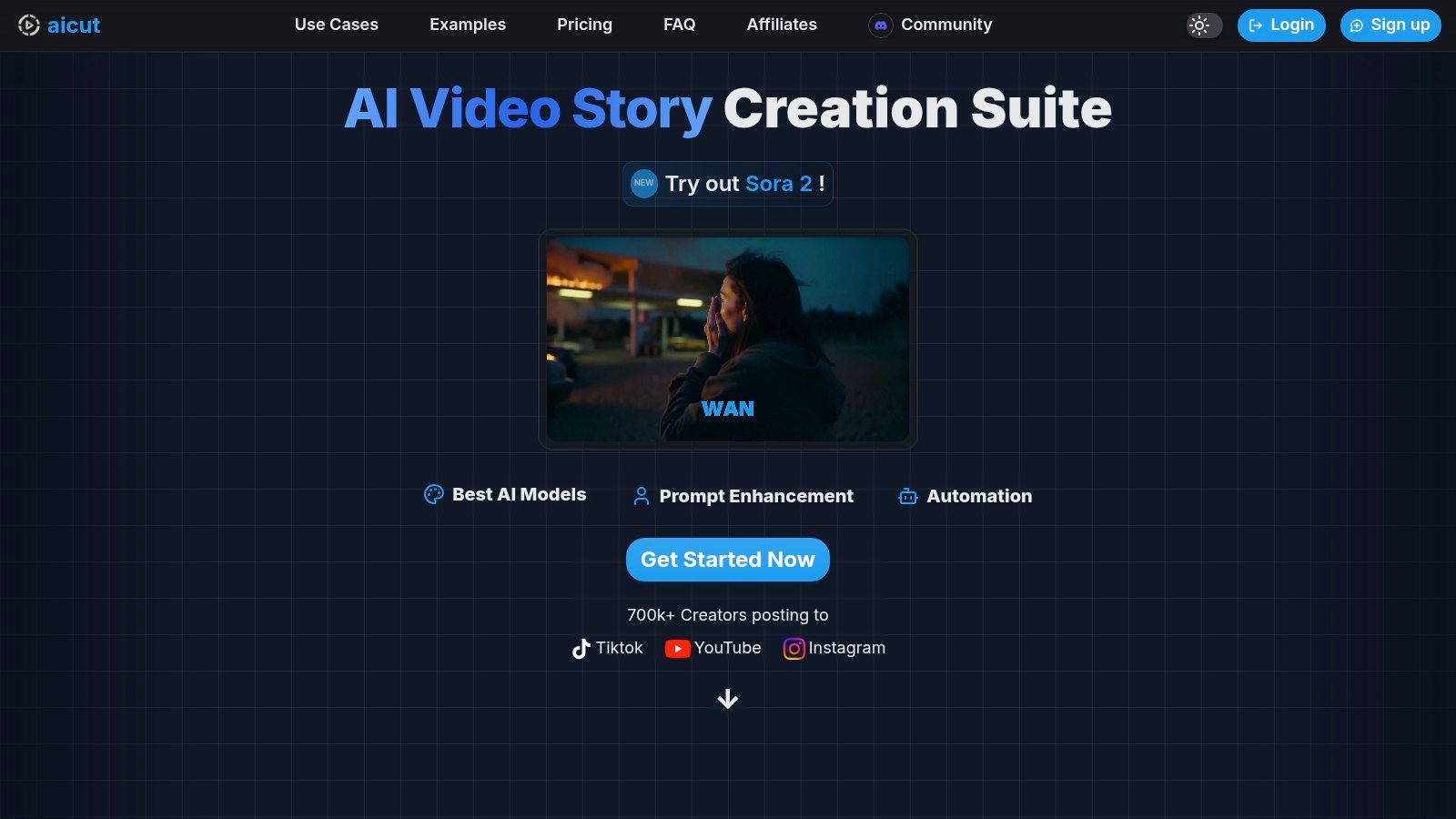
Aicut has established itself as a premier, all-in-one solution among ai content creation tools, specifically designed for scaling short-form video production. It masterfully combines AI ideation, photorealistic video generation, and automated social media distribution into a single, cohesive platform. This makes it an indispensable asset for faceless creators, brands, and social media managers aiming to dominate platforms like TikTok, YouTube Shorts, and Instagram Reels with minimal hands-on effort.
The platform's core strength lies in its ability to transform simple text prompts or photos into a wide variety of viral-ready video formats. Aicut leverages a suite of top-tier generative models, including Sora 2, Veo 3.1, and Kling, to produce stunningly believable POV/selfie clips, engaging text-story narrations, and high-quality UGC-style product ads. This eliminates the need for expensive camera equipment, actors, or complex editing software, drastically reducing production overhead.
Key Features & Use Cases
- Turnkey Viral Templates: Aicut provides a vast library of pre-built templates and prompt packs for trending niches. This allows creators to quickly replicate proven formats, from Reddit story narrations to "get ready with me" style videos, ensuring content is always platform-native and relevant.
- High-Fidelity AI Models: Access to photorealistic models like Sora 2 and Veo 3.1 enables the creation of incredibly realistic footage. This is a game-changer for producing believable UGC-style ads or faceless vlogs without ever stepping in front of a camera.
- Integrated Automation & Distribution: Beyond creation, Aicut features 1-click posting, advanced scheduling, and even daily auto-posting on its Automate plan. This workflow consolidates content generation and distribution, saving countless hours and ensuring consistent output.
- Active Creator Community: The platform is supported by an active Discord community where users share successful prompts, monetization strategies, and tutorials. This collaborative environment accelerates the learning curve and helps users capitalize on emerging trends.
Pricing Structure
Aicut operates on a transparent, token-based system, making it easy to manage and predict costs.
- Creator Plan: $19.99/month (or $12.50/mo billed annually) for 50 tokens.
- Automate Plan: $39.99/month (or $25/mo billed annually) for 100 tokens.
- Additional Tokens: Can be purchased for $0.50 each.
Token costs are straightforward: a 10-second Sora clip might cost 1.5 tokens, while a 1-minute text story video is around 1 token. This structure provides flexibility for creators to scale their video volume as their channel grows.
Final Recommendation
Aicut is the definitive choice for creators and brands focused on high-volume, trend-driven short-form video. Its unique combination of elite AI models, automated workflows, and a strong community support system provides a clear path to scaling content production and achieving rapid growth. While high-volume users may need to purchase extra tokens, the ROI is evident in the time saved and the professional quality of the output.
Website: https://www.aicut.pro
2. OpenAI — ChatGPT
As one of the most foundational ai content creation tools, ChatGPT excels as a generalist platform for brainstorming, drafting, and refining text-based content. Its conversational interface makes it incredibly accessible for generating blog post outlines, ad copy variations, video scripts, and social media captions with simple prompts. It's a powerful starting point for nearly any content project before moving to more specialized tools.
The platform stands out by providing direct access to OpenAI's latest models, like GPT-4o, which includes advanced multimodal capabilities. This allows users to upload images, documents, and data for analysis, transforming content workflows. For example, you can upload a product photo and ask for ad creative ideas or provide a PDF report and request a summary for a LinkedIn post.
Key Features & Use Cases
| Feature | Best For |
|---|---|
| Advanced Models (GPT-4o) | Generating high-quality drafts, brainstorming, and data analysis. |
| Custom GPTs | Automating repetitive tasks like reformatting content for different platforms. |
| Multimodal Inputs | Getting content ideas from images, documents, and spreadsheets. |
| Mobile & Desktop Apps | Creating content on the go with a consistent user experience. |
Pricing
ChatGPT offers a robust free tier with access to GPT-3.5. The Plus plan ($20/user/month) unlocks GPT-4o, advanced data analysis, and higher usage limits. The Team plan adds collaboration features and a larger context window for more complex tasks.
Our Takeaway: ChatGPT is the essential multi-tool for content creators. It's the best place to start your creative process, from ideation to first draft. If you're looking for narrative-driven content, check out our guide on how to use ChatGPT to write a story.
Website: https://openai.com/chatgpt
3. Microsoft — Copilot
For teams deeply embedded in the Microsoft 365 ecosystem, Copilot serves as one of the most integrated ai content creation tools available. It brings generative AI directly into the applications you use daily like Word, Excel, PowerPoint, and Outlook. This allows you to draft documents, summarize long email threads, generate presentation slides from a simple prompt, and analyze spreadsheet data without ever leaving the app.
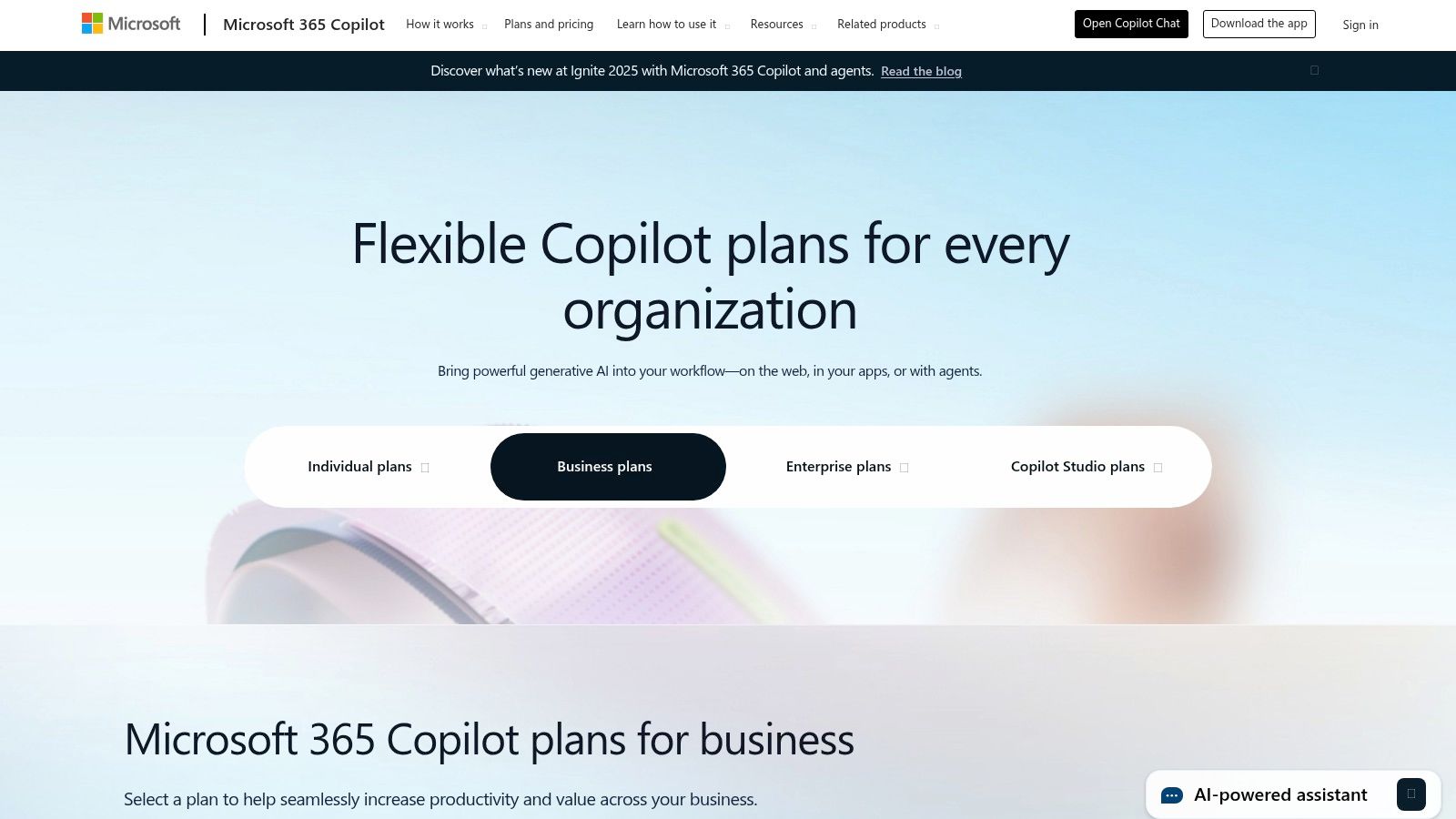
What makes Copilot stand out is its ability to use your internal business data as context. It can reference your documents, emails, and meetings to produce highly relevant and accurate content, acting as a true work assistant. This is a game-changer for creating internal reports, marketing materials, and sales proposals that are grounded in your organization’s specific information and voice.
Key Features & Use Cases
| Feature | Best For |
|---|---|
| Microsoft 365 Integration | Drafting in Word, creating presentations in PowerPoint, and summarizing emails. |
| Business Data Grounding | Generating content based on your company’s internal documents and data. |
| Copilot in Teams | Summarizing meetings, creating agendas, and identifying action items. |
| Enterprise-Grade Security | Ensuring data privacy and compliance for business-critical content creation. |
Pricing
Copilot has a free version available online and in Windows that uses leading AI models. For deep 365 integration, the Copilot Pro plan ($20/user/month) is for individuals, while the Copilot for Microsoft 365 plan ($30/user/month) is for businesses and includes enterprise security and Teams integration. A Microsoft 365 subscription is required for the paid tiers.
Our Takeaway: Copilot is the best choice for businesses and professionals who live in the Microsoft ecosystem. Its deep integration streamlines content workflows for everything from internal reports to client-facing presentations, making it an indispensable productivity enhancer.
Website: https://www.microsoft.com/en-us/microsoft-365/copilot
4. Google — Workspace with Gemini
For teams already embedded in Google's ecosystem, Workspace with Gemini integrates powerful ai content creation tools directly into your daily workflow. It enhances productivity by bringing generative AI into Gmail, Docs, Slides, and Sheets, making it ideal for drafting documents, creating presentation visuals, and summarizing email threads without switching apps. This native integration is its biggest advantage, turning familiar tools into AI-powered content hubs.
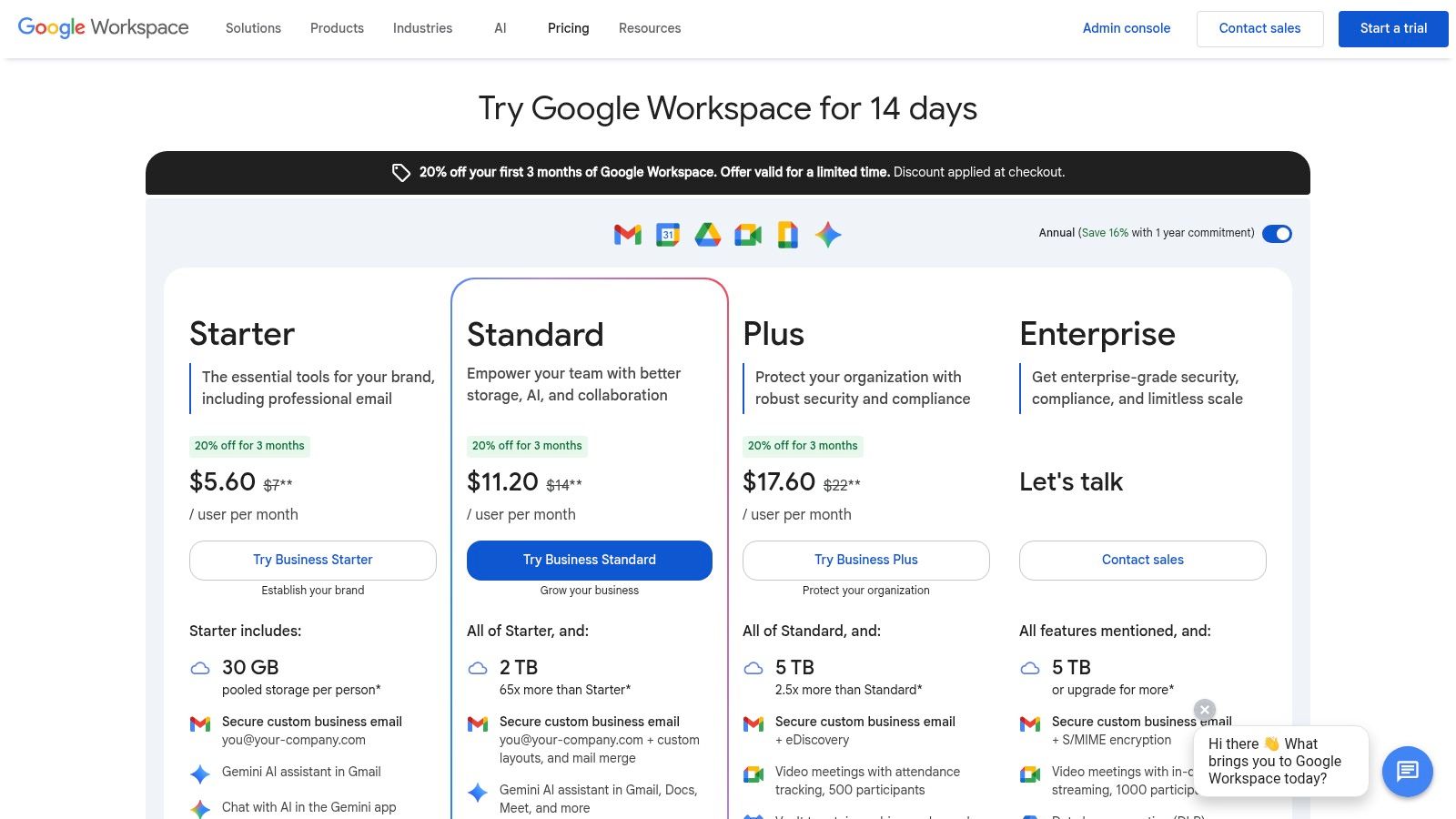
The platform shines in collaborative environments where content creation is a team effort. You can co-create a blog post in Google Docs using AI-generated outlines, build a sales deck in Slides with AI-generated images, or analyze content performance data in Sheets. Tools like NotebookLM (available on select plans) also allow you to create source-grounded content, perfect for research-heavy articles or reports where accuracy is key.
Key Features & Use Cases
| Feature | Best For |
|---|---|
| Integrated Gemini Assistance | Drafting emails, summarizing documents, and creating slide decks. |
| NotebookLM | Researching topics and generating content grounded in your source materials. |
| Generative AI in Sheets | Organizing data, creating campaign plans, and analyzing content performance. |
| Collaborative AI Workflows | Team-based content creation and editing within Docs, Sheets, and Slides. |
Pricing
Gemini features are now included in many Google Workspace Business and Enterprise plans without a separate add-on fee. Plans like Business Standard ($12/user/month) include standard Gemini capabilities, while higher-tier plans offer enhanced features and usage limits. Check their pricing page for the most current inclusions.
Our Takeaway: Google Workspace with Gemini is the best choice for teams seeking to boost productivity within their existing tools. It streamlines content creation by bringing AI to where you already work, making it perfect for collaborative drafting and internal communications.
Website: https://workspace.google.com/pricing
5. Adobe — Firefly and Creative Cloud Pro
For professionals seeking end-to-end creative workflows, Adobe integrates its powerful generative AI, Firefly, directly into industry-standard apps like Photoshop and Premiere Pro. This makes it one of the most powerful ai content creation tools for producing high-quality, commercially safe visual content. Instead of switching platforms, you can use features like Generative Fill in Photoshop to extend images or Text to Vector Graphic in Illustrator to create assets from simple prompts.
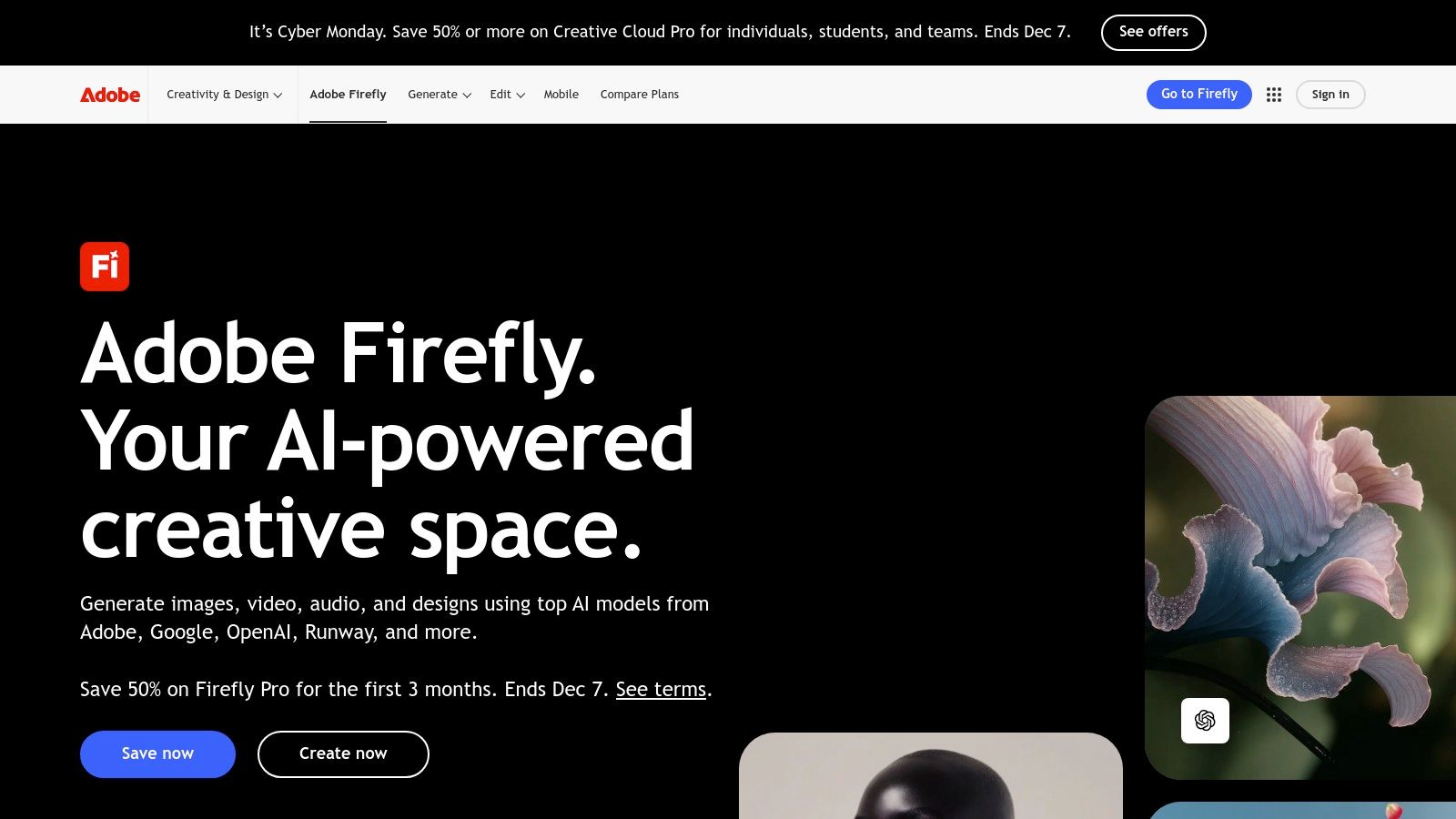
Adobe's key differentiator is its commitment to professional-grade output and ethical AI. Firefly is trained on Adobe Stock's licensed library, which means the content you generate is designed to be commercially safe. This integration streamlines everything from creating initial concepts and generating video B-roll to finalizing ad creatives and social media assets within a familiar, cohesive ecosystem.
Key Features & Use Cases
| Feature | Best For |
|---|---|
| Generative Fill & Expand (Photoshop) | Expanding backgrounds, removing objects, and adding elements to images. |
| Firefly Image & Vector Models | Creating unique, commercially-safe images and vector art from text prompts. |
| AI Features in Premiere Pro | Automating tasks like text-based editing and audio enhancement for video. |
| Integrated Creative Cloud Workflow | Maintaining brand consistency and quality across multiple content formats. |
Pricing
Adobe offers a free plan with 25 monthly generative credits to use Firefly. The Premium plan starts at $4.99/month for 100 credits. For full app access, Creative Cloud plans start at $59.99/month and include a larger allocation of generative credits, which are used for AI actions across the apps.
Our Takeaway: Adobe is the undisputed choice for creative professionals and brands that need to integrate AI into existing, high-stakes design and video workflows. It ensures quality, control, and commercial viability. If you want to dive deeper, explore our list of the best realistic image generator tools.
Website: https://www.adobe.com/sensei/generative-ai/firefly.html
6. Canva — Magic Studio
Canva’s Magic Studio integrates a suite of powerful ai content creation tools directly into its familiar design interface, making it perfect for creating polished marketing assets at speed. It combines AI writing, image generation, and video creation with a massive template library, allowing users to go from a simple prompt to a finished social media post, presentation, or ad creative in minutes. Its focus is on template-driven, brand-consistent content.
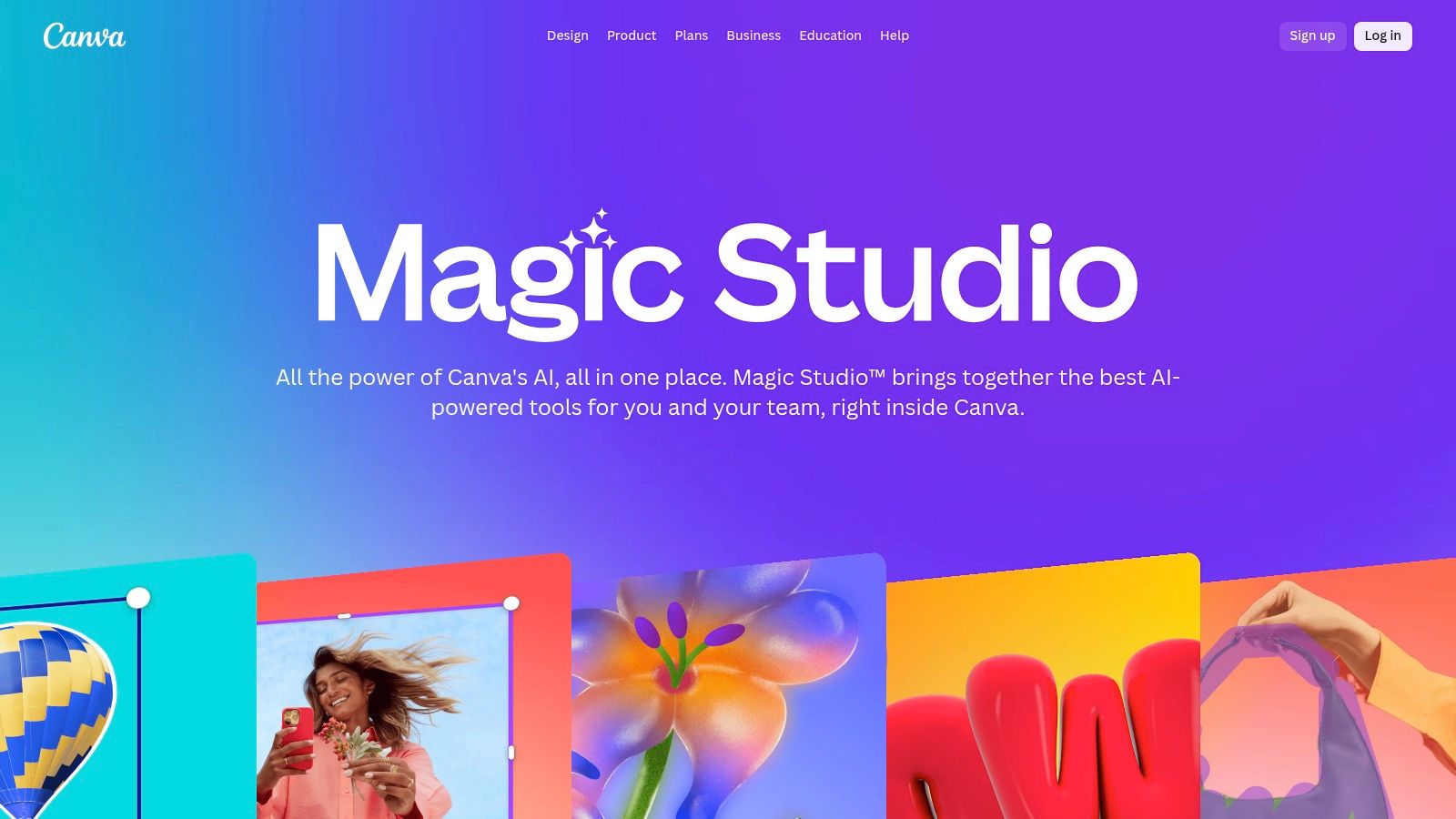
The platform stands out by making AI accessible to non-designers. Tools like Magic Design can generate entire customized presentations or ad campaigns from a single prompt, while Magic Media creates unique images and videos from text. This seamless integration means you never have to leave the Canva ecosystem, streamlining the entire content workflow from ideation and creation to collaboration and publishing.
Key Features & Use Cases
| Feature | Best For |
|---|---|
| Magic Design & Magic Media | Instantly generating on-brand social posts, ads, and presentations. |
| Magic Write | Quickly drafting or rewriting copy directly within a design. |
| AI Photo & Video Editing | Removing backgrounds, erasing objects, or adding AI-generated elements. |
| Magic Resize & Translate | Repurposing a single design for multiple platforms and languages. |
Pricing
Canva offers a generous free tier with limited access to Magic Studio features. The Canva Pro plan ($14.99/user/month) unlocks higher usage limits for all AI tools, the full asset library, and brand kits. The Canva for Teams plan adds advanced collaboration and brand control features.
Our Takeaway: Canva's Magic Studio is the ultimate all-in-one platform for creators and marketers who need to produce high-quality, on-brand visual content quickly. It excels at streamlining social media and ad creative workflows. To explore its video capabilities further, see our guide on the Canva AI video generator.
Website: https://www.canva.com/magic
7. Midjourney
Midjourney is one of the most powerful and artistically refined ai content creation tools for generating high-quality images. Operating primarily through a Discord bot and a newer web interface, it excels at creating marketing visuals, ad creatives, concept art, and video thumbnails with a distinctive, recognizable aesthetic. Its advanced prompt control allows creators to produce highly specific and stylized visuals that stand out.
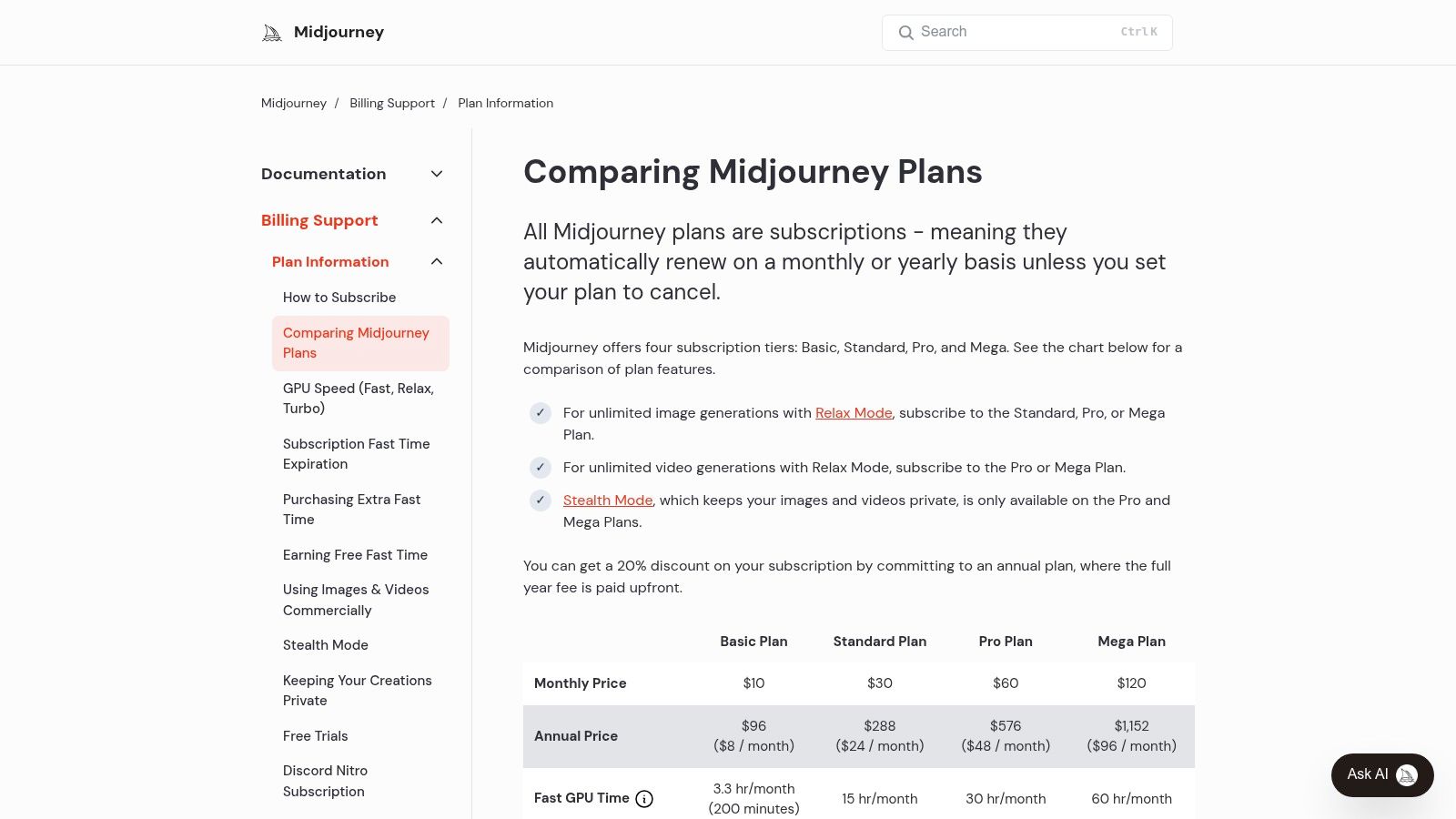
The platform’s strength lies in its community-driven environment and powerful image model, which is favored for its artistic and often surreal outputs. Users can fine-tune results with parameters for aspect ratio, style, and chaos, giving them deep creative control. For brands needing unique visuals, it's an indispensable tool for turning abstract concepts into compelling, on-brand imagery without the need for a graphic designer.
Key Features & Use Cases
| Feature | Best For |
|---|---|
| High-Quality Image Generation | Creating unique ad creatives, blog thumbnails, and concept art. |
| Advanced Prompting | Achieving specific artistic styles and detailed visual compositions. |
| Relax Mode | Generating unlimited images at a slower pace without using fast GPU time. |
| Video Generation (Pro/Mega) | Experimenting with short, AI-generated video clips from still images. |
Pricing
Midjourney offers several paid tiers, starting with the Basic Plan at $10/month, which provides a limited amount of fast GPU time. The Standard Plan ($30/month) and Pro Plan ($60/month) offer more GPU hours and access to Relax Mode for unlimited generations. A Mega Plan ($120/month) is available for heavy users requiring extensive GPU time and stealth image generation.
Our Takeaway: Midjourney is the go-to choice for creators and brands who prioritize artistic quality and a unique aesthetic in their visual content. Its Discord-based workflow has a slight learning curve but unlocks unparalleled creative potential for generating standout images.
8. Jasper
Jasper is a marketing-focused ai content creation tool built specifically for teams that need to produce brand-safe content at scale. It moves beyond simple text generation to offer a comprehensive suite for creating and orchestrating entire campaigns, from initial blog posts and ad copy to social media updates and landing pages. Its structured workflow is designed to maintain brand consistency across all outputs.
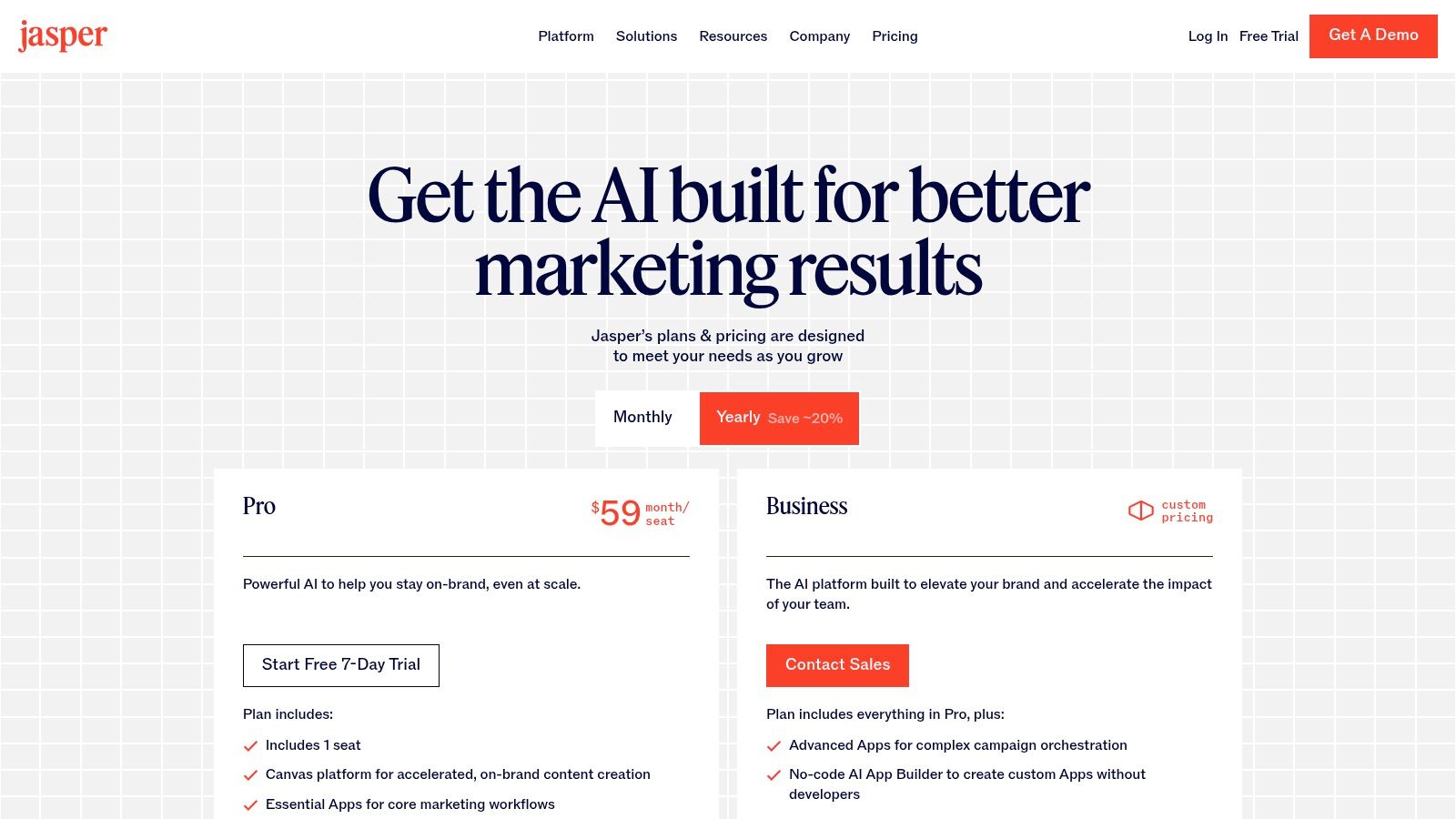
The platform's key differentiator is its emphasis on governance and brand alignment. Features like Brand Voices and Knowledge allow you to upload style guides, product information, and audience personas, ensuring the AI understands your unique context. This makes it ideal for marketing teams looking to embed AI into their core operations without sacrificing brand integrity or voice.
Key Features & Use Cases
| Feature | Best For |
|---|---|
| Canvas Workflow | Orchestrating multichannel campaigns and long-form content. |
| Brand Voices & Knowledge | Maintaining brand consistency and accuracy in all AI outputs. |
| Team Collaboration | Enabling marketing teams to work together within a single AI platform. |
| AI App Builder & API | Creating custom, no-code AI tools for repetitive marketing tasks (Business tier). |
Pricing
Jasper offers a Creator plan for individuals and a Pro plan designed for small teams, with pricing based on a per-seat model. The Business plan provides advanced features like the AI app builder, API access, and enhanced security for larger organizations. A free trial is available for new users to test the platform.
Our Takeaway: Jasper is the go-to platform for marketing teams that need more than just a text generator. It provides the structure, collaboration, and brand controls necessary to integrate AI safely and effectively into your marketing workflows.
Website: https://www.jasper.ai/pricing
9. Notion — Notion AI
Notion AI embeds powerful ai content creation tools directly into a collaborative workspace, making it ideal for teams that manage their entire content lifecycle in one place. It excels at turning meeting notes into blog outlines, summarizing research docs, and drafting social media posts without ever leaving your project management board or editorial calendar. Its strength is context-aware content generation within your existing knowledge base.
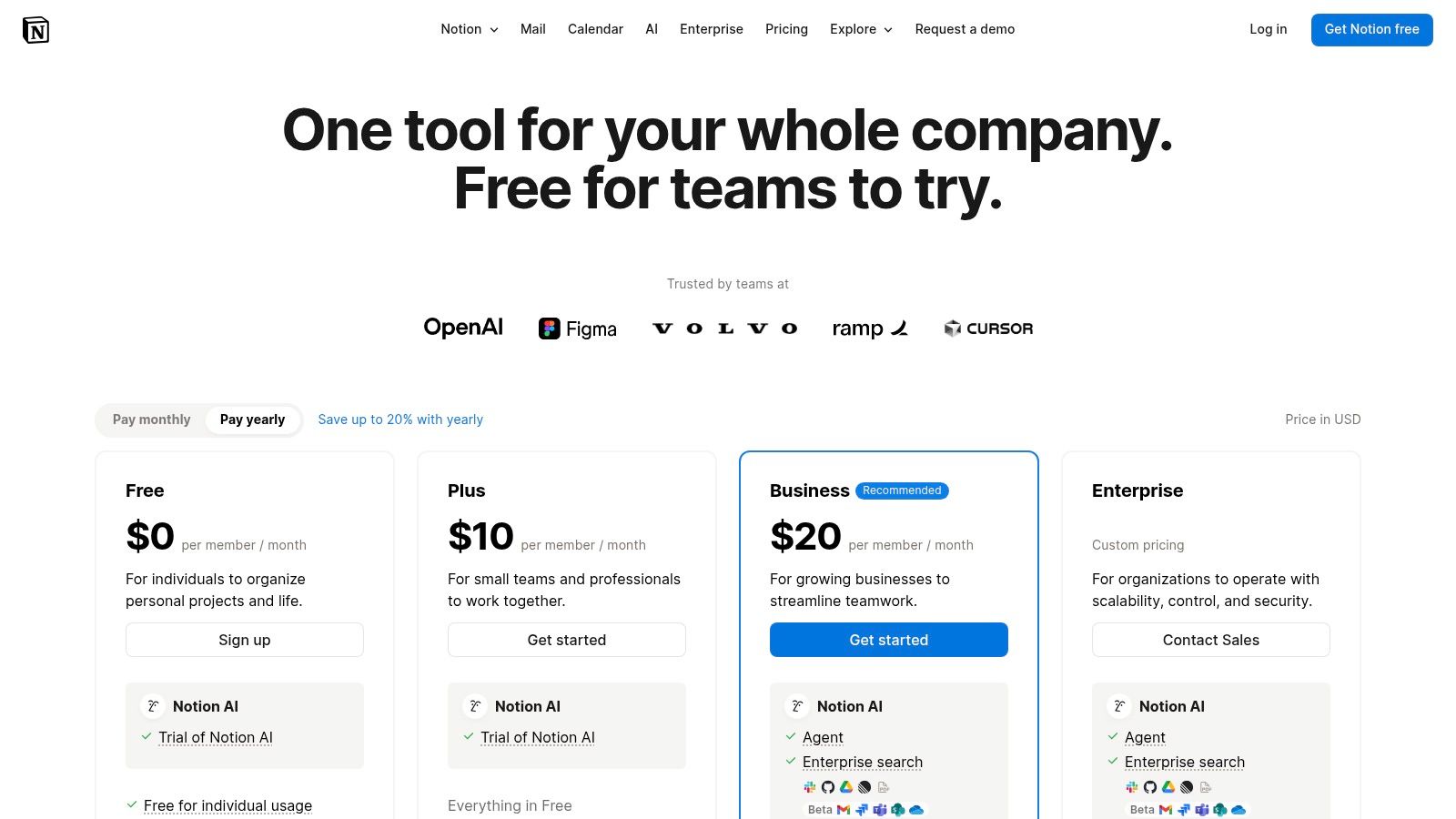
The platform stands out by integrating AI into every part of the user experience, from individual pages to complex databases. You can use it to instantly generate content tables, rewrite paragraphs for a different tone, or even translate text. This tight integration helps content teams streamline their operations, transforming raw ideas and data stored in Notion into polished, ready-to-publish assets.
Key Features & Use Cases
| Feature | Best For |
|---|---|
| Integrated AI Writer | Drafting blog posts, social media updates, and emails inside project docs. |
| Content Summarization | Quickly creating executive summaries from long research documents or meeting notes. |
| Database Autofill | Generating content properties like tags or summaries for entire content calendars. |
| Q&A on Workspace | Asking questions and getting answers based on all the information stored in your team's Notion. |
Pricing
Notion offers a free tier for individuals. Paid plans start at $8/user/month (billed annually). The Notion AI add-on costs an additional $8/user/month (billed annually) and can be added to any paid plan. The Business and Enterprise tiers include more advanced features like workspace analytics and enhanced security.
Our Takeaway: Notion AI is the ultimate tool for content operations. It's perfect for teams that need to plan, draft, and manage content in a unified environment, leveraging their internal knowledge base to create more consistent and context-rich material.
Website: https://www.notion.so/product/ai
10. Copy.ai
Copy.ai positions itself among leading ai content creation tools by focusing on repeatable workflows for marketing and sales teams. Instead of just one-off generation, it excels at building automated processes for tasks like creating blog briefs, writing outreach emails, and generating ad copy variations. Its chat interface is powered by multiple AI models, giving users flexibility within a single platform.
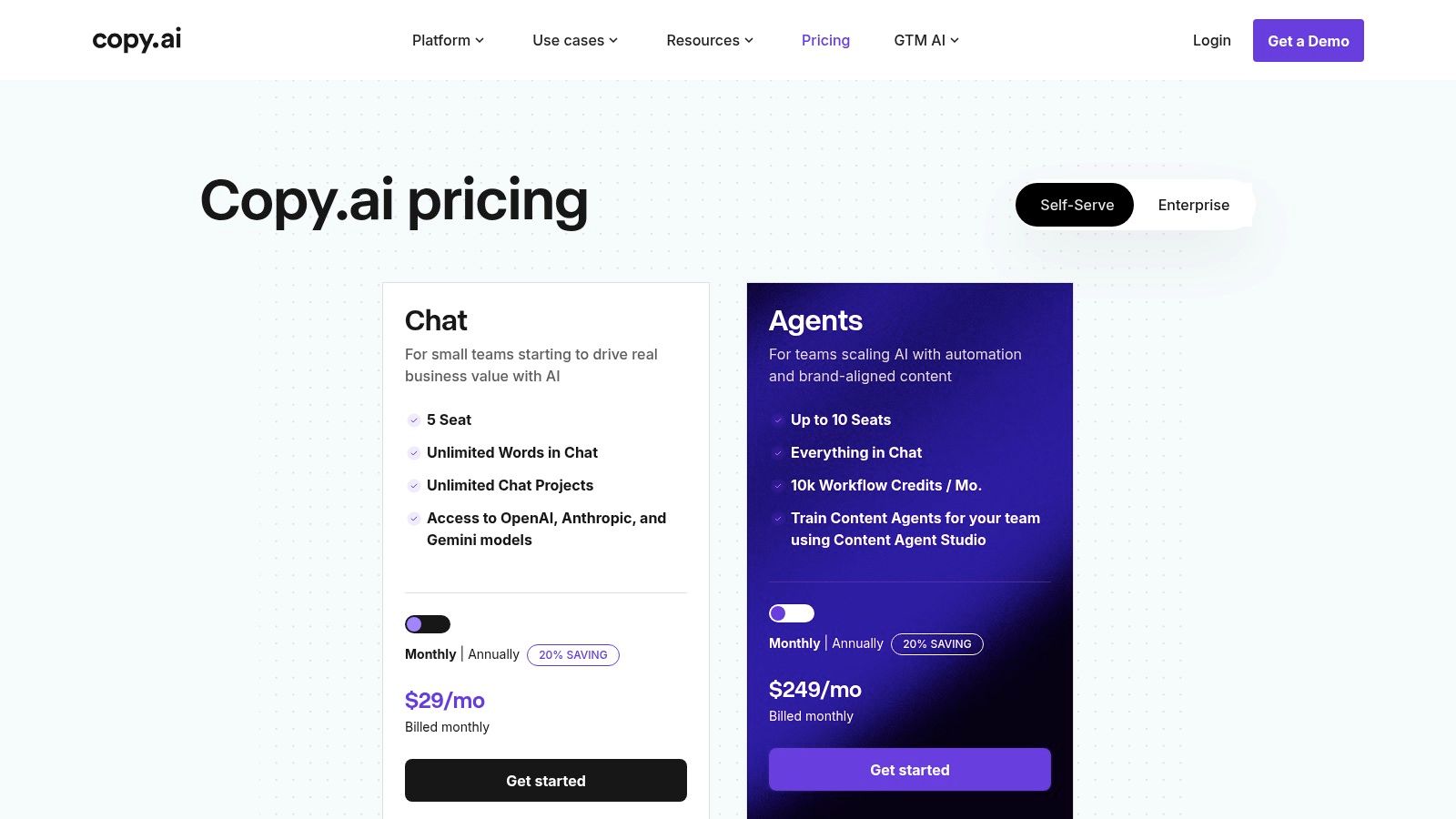
The platform’s standout feature is its ability to create and deploy AI agents and workflows. You can train an agent on your specific brand voice, data, and business rules, then use it to execute multi-step content tasks consistently. This makes it ideal for teams looking to scale content production without sacrificing brand alignment, turning complex processes into simple, repeatable jobs.
Key Features & Use Cases
| Feature | Best For |
|---|---|
| Multi-Model Access | Leveraging the strengths of OpenAI, Anthropic, and Gemini models. |
| Workflows & Agents | Automating repetitive content tasks like brief creation or sales outreach. |
| Brand Voice Training | Ensuring all generated content remains consistent with brand guidelines. |
| Infobase | Storing and referencing company information to generate accurate content. |
Pricing
Copy.ai offers a limited free plan for individuals. The Pro plan (starting at $36/month, billed annually) is designed for solo creators, while the Team plan ($188/month, billed annually) adds collaboration features. Enterprise plans offer advanced security and customization. Higher tiers operate on a usage-based credit system for workflows, which can be consumed quickly on high-volume tasks.
Our Takeaway: Copy.ai is a powerful choice for marketing and sales teams that need to scale structured content. Its strength lies in workflow automation, making it perfect for repeatable tasks that require consistent brand voice and accuracy.
Website: https://www.copy.ai/prices
11. Hugging Face
For technical teams and developers, Hugging Face serves as the foundational hub for accessing and deploying powerful ai content creation tools. Instead of a single, ready-made application, it provides a massive library of open-source models for text, image, and audio generation. This makes it the ideal platform for building custom content workflows or specialized AI applications with maximum control and flexibility.
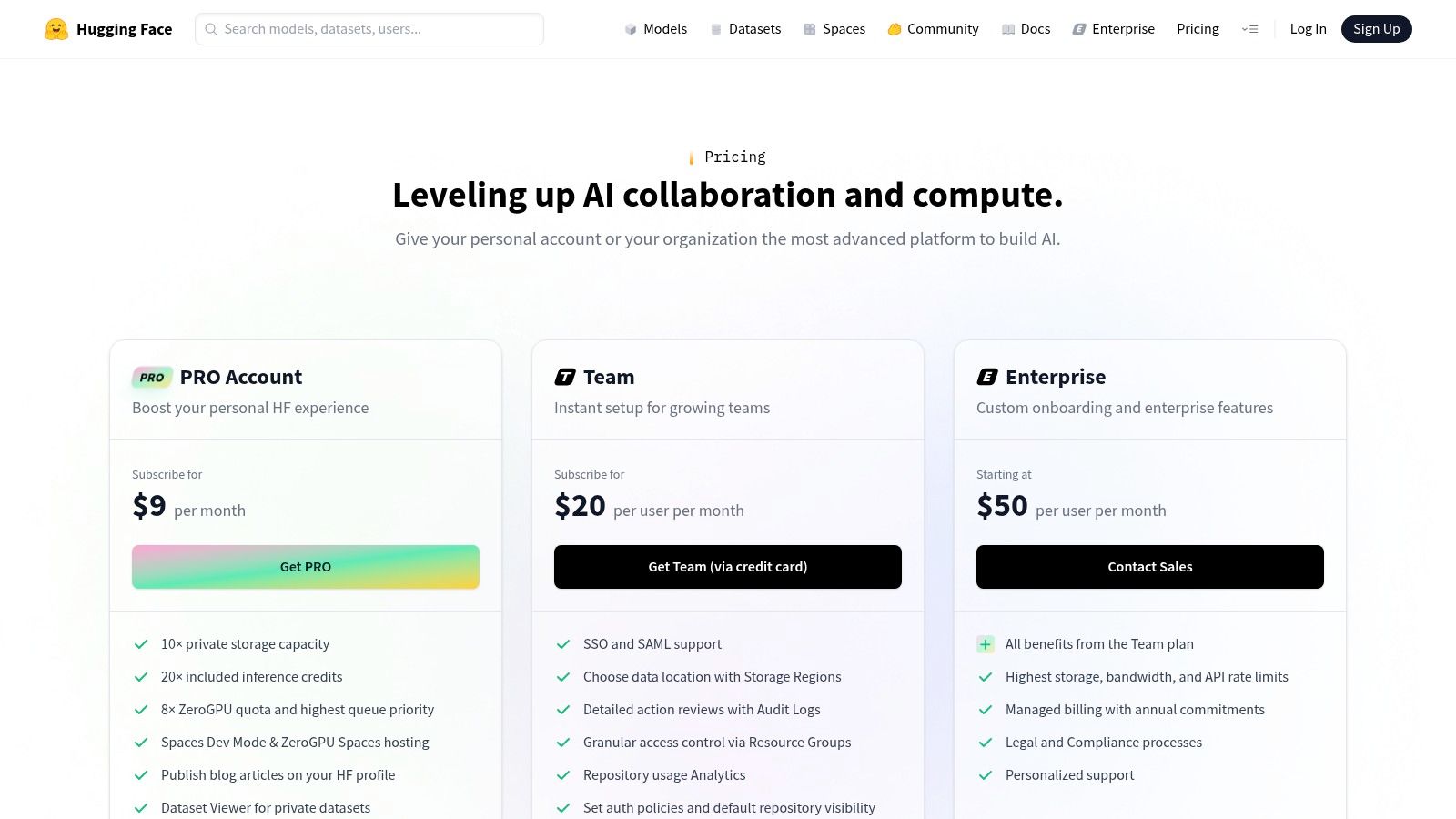
The platform stands out by offering services like Inference Endpoints and Spaces, which allow users to deploy and run these models without managing the underlying infrastructure. A team could, for example, deploy a specialized model for generating consistent brand-aligned ad creatives or use a fine-tuned language model for niche-specific blog content. While it requires more technical know-how than a typical SaaS tool, the payoff is unparalleled customization.
Key Features & Use Cases
| Feature | Best For |
|---|---|
| Model Hub | Discovering and experimenting with thousands of open-source AI models. |
| Inference Endpoints | Deploying models for scalable, production-grade content generation. |
| Spaces | Building and hosting interactive AI demos and lightweight applications. |
| Unified Billing | Managing costs for various AI models and hardware from one place. |
Pricing
Hugging Face has a free tier for community access and hosting public projects. The Pro plan ($9/month) offers private repositories and enhanced features. Production usage via Inference Endpoints follows a pay-as-you-go model based on GPU/CPU usage, making costs variable and dependent on scale.
Our Takeaway: Hugging Face is the ultimate sandbox for developers and agencies wanting to build custom AI content solutions. It offers maximum control but requires technical expertise to unlock its full potential.
Website: https://huggingface.co/pricing
12. AppSumo
AppSumo isn't a single tool but a marketplace where you can discover and purchase emerging ai content creation tools, often at a significant discount. It's an excellent resource for finding specialized apps for AI writing, SEO, video generation, and design, frequently offered as lifetime deals (LTDs). This model allows creators and agencies to build a robust, cost-effective tech stack without committing to multiple monthly subscriptions.
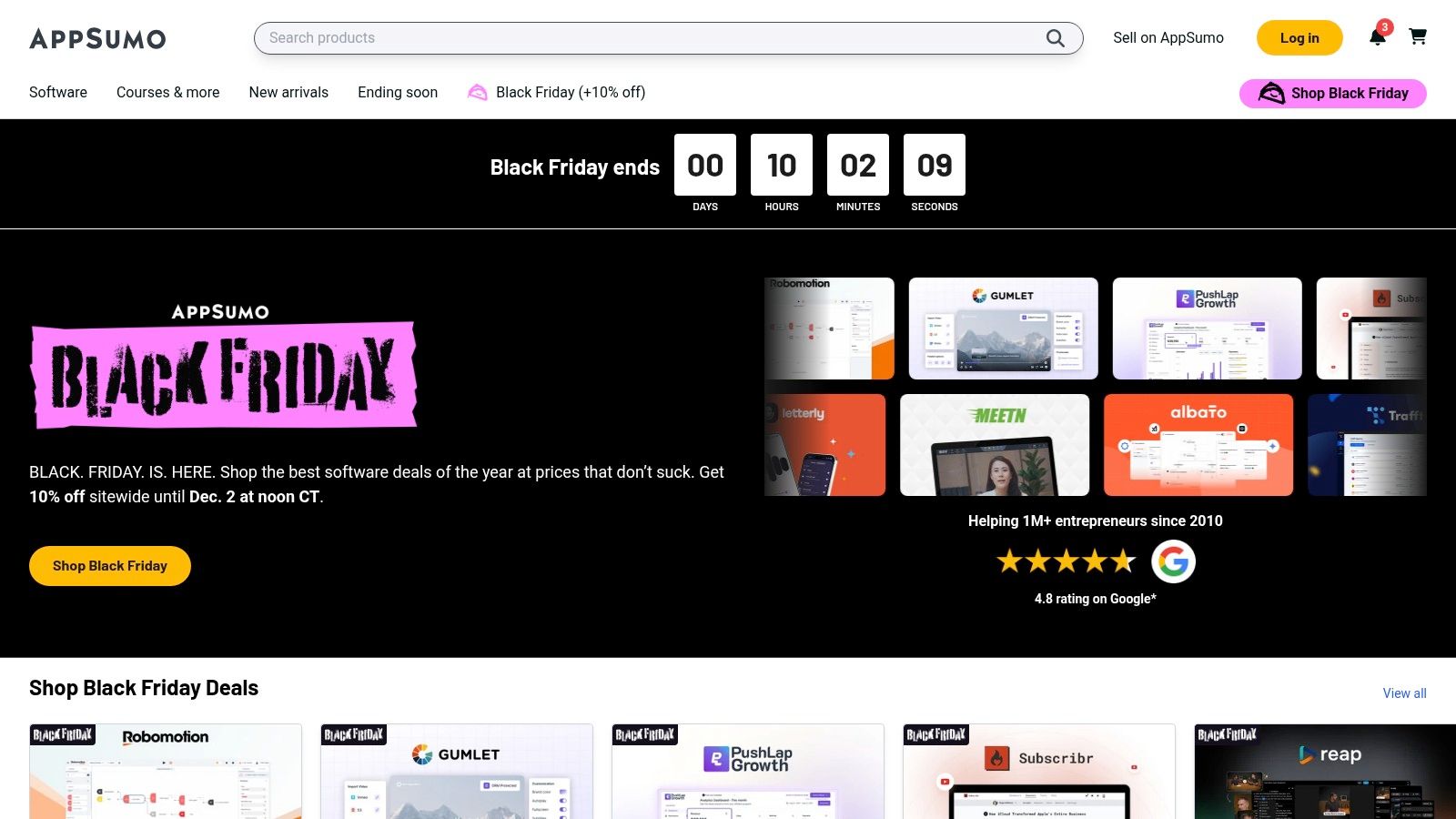
The platform stands out by giving early access to innovative software that might not yet have mainstream recognition. For content creators, this means finding niche tools perfectly suited for specific workflows, like an AI video generator specializing in faceless YouTube content or an AI writer trained for e-commerce product descriptions. The 60-day money-back guarantee provides a low-risk way to test if a new tool truly fits your needs.
Key Features & Use Cases
| Feature | Best For |
|---|---|
| Lifetime Deals (LTDs) | Building a diverse content creation toolkit on a budget. |
| Curated AI Tool Selection | Discovering niche and specialized AI apps for specific content needs. |
| 60-Day Money-Back Guarantee | Testing new software and workflows without long-term financial risk. |
| User Reviews & Questions | Evaluating a tool's quality and support based on real user feedback. |
Pricing
Pricing is deal-specific, with most offers being a one-time purchase for lifetime access, ranging from $39 to several hundred dollars. AppSumo also offers an AppSumo Plus membership ($99/year) that provides an extra 10% off purchases and other exclusive perks. Be aware that the longevity of vendors can vary, so it's wise to evaluate each tool carefully.
Our Takeaway: AppSumo is the treasure chest for content creators seeking high-value, low-cost AI tools. It's the best place to find lifetime deals on specialized software that can give you a competitive edge without recurring fees.
Website: https://appsumo.com
Top 12 AI Content Creation Tools — Feature Comparison
| Product | Core features | Quality & UX | Pricing & Value | Target audience | Unique selling points |
|---|---|---|---|---|---|
| Aicut 🏆 | AI video gen (POV/selfie, text-story, UGC), photoreal models, templates, scheduling | ★★★★☆ — creator-first, fast workflows | 💰 $19.99/mo (50 tokens) / $39.99/mo (100 tokens); $0.50/token extras | 👥 Faceless creators, brands, agencies, social managers | ✨ Photoreal models (Sora/Veo/Kling), viral niche templates, auto-posting, image animation & upscaling |
| OpenAI — ChatGPT | Conversational AI, multimodal, custom GPTs, voice & file tools | ★★★★☆ — versatile, polished UX | 💰 Free tier; Plus / Team / Enterprise paid tiers | 👥 Writers, creators, devs, teams | ✨ Broad model access, plugins, custom automations |
| Microsoft — Copilot | Copilot in Word/Excel/PowerPoint/Outlook/Teams; data transforms & summarization | ★★★★ — deep app integration | 💰 Included with Microsoft 365 licenses; premium tiers | 👥 Microsoft 365 users, enterprises | ✨ Document-grounded AI, enterprise governance & compliance |
| Google — Workspace (Gemini) | Gemini in Docs/Gmail/Slides/Meet; NotebookLM for research | ★★★★ — collaboration-first | 💰 Included in Workspace plans (edition-dependent) | 👥 Google Workspace teams, knowledge workers | ✨ Meeting + research AI, NotebookLM source-grounded notes |
| Adobe — Firefly & Creative Cloud Pro | Generative images, video, audio; AI in Photoshop, Premiere, Illustrator | ★★★★☆ — pro output quality | 💰 Creative Cloud subscriptions + monthly credits | 👥 Designers, agencies, pro creators | ✨ Industry-standard apps + commercial use assurances |
| Canva — Magic Studio | AI writing/design, Magic Media (image/video), templates, auto-resize | ★★★★ — fast, template-driven | 💰 Free + Pro / Teams tiers | 👥 Marketers, small teams, non-designers | ✨ Rapid from-prompt-to-publish, brand controls & templates |
| Midjourney | High‑quality image gen via Discord/web; video on select tiers | ★★★★ — distinctive artistic output | 💰 Subscription tiers with GPU minutes | 👥 Designers, marketers, concept artists | ✨ Strong aesthetics, prompt control, stealth/private mode |
| Jasper | Marketing content, Canvas campaigns, brand voices & AI agents | ★★★★ — marketing‑focused UX | 💰 Seat-based pricing; Business tier for advanced features | 👥 Marketing teams, agencies | ✨ Brand governance, campaign orchestration, AI agents |
| Notion — Notion AI | AI in pages/databases, summarization, meeting notes | ★★★★ — great for ops & planning | 💰 Tied to Notion plans; Business/Enterprise AI features | 👥 Content ops, editorial teams, knowledge managers | ✨ Integrated planning + reuse of knowledge & notes |
| Copy.ai | AI chat, mult-model access, Content Agent Studio | ★★★★ — cost-effective for repeatable workflows | 💰 Competitive starting price; usage/credit models | 👥 Small marketing teams, startups | ✨ Multiple model providers, agent training for brand rules |
| Hugging Face | Model hub, Inference Endpoints, Spaces for apps & deployment | ★★★☆ — powerful but technical | 💰 Pay-as-you-go GPU/CPU billing; variable costs | 👥 Developers, ML teams, enterprises | ✨ Maximum model flexibility, open models & hosted endpoints |
| AppSumo | Marketplace for AI tools; lifetime deals & one-time purchases | ★★★ — bargain-focused discovery | 💰 One-time deals; 60-day refunds on many offers | 👥 Entrepreneurs, small teams, deal hunters | ✨ Low-risk lifetime deals, discover niche tools affordably |
Choosing the Right AI Tool for Your Goals
Navigating the expansive landscape of AI content creation tools can feel overwhelming, but the journey to finding the perfect fit is simpler than it seems. As we've explored, the "best" tool isn't a one-size-fits-all solution; it's the one that directly addresses your most significant creative bottleneck and aligns perfectly with your specific goals.
The key takeaway is to move from a general question of "Which AI tool is good?" to a more focused one: "What problem am I trying to solve?" The answer will guide your decision and ensure you invest time and resources wisely.
Matching the Tool to Your Creator Persona
Think of your content needs as a unique fingerprint. The tools you choose should match that print. Let's recap the core archetypes and their ideal starting points:
- For the Viral Video Creator (YouTube Shorts, TikTok, Instagram Reels): Your primary challenge is speed, consistency, and staying on-trend. A specialized tool like Aicut is built for this exact purpose, offering pre-built viral templates, photorealistic AI avatars for faceless content, and automated workflows that slash production time from hours to minutes. This is your fast track to scaling short-form video.
- For the All-Around Content Marketer and Agency: Your needs are diverse, spanning from blog posts and social media captions to ad copy and client reports. A powerful writing assistant like Jasper or Copy.ai provides the versatility and brand voice controls necessary to manage multiple projects efficiently. Integrating Notion AI can further streamline project management and content calendars.
- For the Professional Designer and Creative Team: Quality and integration are paramount. The Adobe Creative Cloud suite, supercharged with Firefly, is the undeniable industry standard. It embeds powerful generative AI features directly into the apps you already use, like Photoshop and Premiere Pro, maintaining a seamless, high-end professional workflow.
- For the Solopreneur and Small Business Owner: Your focus is on maximizing impact with limited resources. An accessible, all-in-one platform like Canva Magic Studio is a game-changer. It combines user-friendly design with powerful AI features, allowing you to create everything from social media graphics to presentations without a steep learning curve.
A Practical Framework for Your Next Steps
Feeling ready to jump in? Don't just pick one and hope for the best. Follow this simple, actionable plan to make a confident choice:
- Identify Your Biggest Time Sink: Is it editing videos? Writing scripts? Designing thumbnails? Pinpoint the single most time-consuming task in your content workflow. This is the problem your first AI tool should solve.
- Test Drive with Free Trials: Nearly every tool we've covered offers a free tier or trial period. Use it. Create a small, real-world project with two or three top contenders to see which one feels most intuitive and delivers the best results for your style.
- Evaluate the Ecosystem: Consider how a new tool will fit with your existing software. If you live in Google Workspace, Gemini's integration might be a huge productivity win. If you're a dedicated Adobe user, Firefly is a natural extension of your creative process.
- Consider Long-Term Scalability: A free tool is great for starting, but think about your goals for the next six to twelve months. Will you need more advanced features, higher output limits, or team collaboration? Choose a tool with a pricing plan that can grow with you.
Ultimately, the most powerful AI content creation tools are the ones that become invisible partners in your creative process. They should feel less like a complicated piece of software and more like a capable assistant who handles the tedious work, freeing you up to focus on strategy, ideas, and connecting with your audience. Once your content is flowing, the next step is ensuring it gets seen. Beyond content creation, understanding how AI can boost your brand's presence is crucial. Explore further options with this guide to the Top AI Brand Visibility Tools for 2025 to learn how AI can amplify your reach and impact.
The era of AI-powered creativity is here, not as a replacement for human ingenuity, but as a powerful amplifier. By choosing wisely, you can achieve a level of quality and consistency that was once only possible for large teams with massive budgets. Embrace the experimentation, find your perfect match, and get ready to create at the speed of your imagination.
Ready to stop spending hours on video editing and start scaling your content? Aicut is the all-in-one AI video creation tool designed specifically for creators who want to dominate short-form platforms like TikTok, YouTube, and Instagram. Turn a single idea into dozens of viral-style videos in minutes and unlock your creative potential today.