At its core, AI image editing is about using smart technology to automatically fix, improve, or completely change your photos. Think of it as a super-smart assistant for your pictures. Instead of spending hours manually adjusting colors or removing unwanted objects, specialized algorithms do the heavy lifting for you—often with just a text prompt or a single click.
This technology is a huge deal for anyone creating visuals, from solo creators to massive brands. It removes the technical roadblocks and steep learning curve that often come with traditional editing software, making high-quality results accessible to everyone.
What Is AI Image Editing and Why It Matters
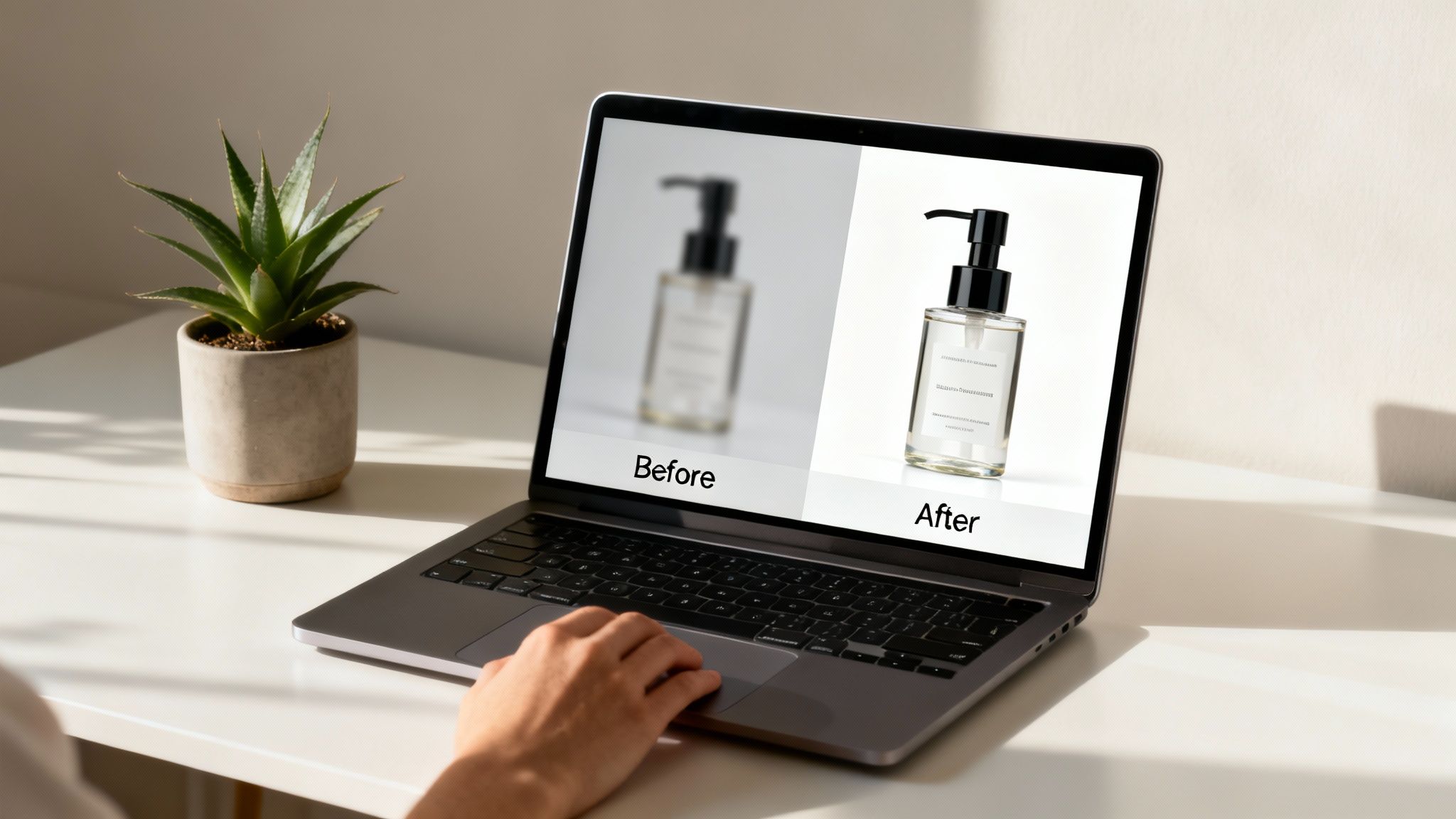
So, what’s really going on under the hood? Unlike traditional tools like Adobe Photoshop that require you to work pixel by pixel, AI image editing uses machine learning to understand what's in a photo. It can identify a person, a product, or the sky and then make intelligent changes based on your commands.
This is a massive shift in how we approach content creation. That painstaking process of tracing an object to cut it out from its background? You can now get it done in seconds. For anyone who regularly produces visual content, that kind of speed and simplicity is a total game-changer.
The New Creative Standard
The real magic of AI image editing is how it democratizes professional-level results. It gives small businesses and individual creators the power to produce stunning visuals that, just a few years ago, would have required a big budget and a team of seasoned designers. This isn't just about saving time—it’s about opening up a whole new world of creative potential.
Let's break down the key benefits:
- Mind-Blowing Speed: Repetitive tasks that used to eat up your day, like batch color correction or removing stray objects, are now finished almost instantly.
- Endless Creative Exploration: Need a new background for a product shot? Want to see your ad in ten different visual styles? AI lets you generate countless variations with practically no extra effort.
- Flawless, Professional Quality: These tools can rescue low-resolution images by upscaling them, intelligently fix poor lighting, and sharpen fuzzy details, making sure your visuals always look crisp and polished.
- Effortless Workflows: AI editing fits perfectly into modern content pipelines. An enhanced image can become the starting point for an animated social media post or a video ad, all powered by AI.
At its heart, AI image editing is about empowering creativity. It automates the technical chores so you can focus on the big picture: telling a compelling visual story and growing your brand.
For social media managers, e-commerce brands, and modern creators, this is more than just a passing trend. It's an essential part of staying competitive in a world that runs on visuals. The ability to churn out high-quality images at scale has a direct line to better engagement, a stronger brand image, and ultimately, more sales. By letting the AI handle the grunt work, AI image editing frees you up to think, strategize, and build a real connection with your audience.
Understanding the Core AI Editing Techniques
To really get what AI image editing can do, you need to look past the buzzwords and understand the specific tools that make it all happen. These aren't just abstract ideas; they're practical techniques that solve real problems for creators and businesses every single day. Think of them as a specialist's toolkit, where each tool is built for a specific job.
The creative industry is adopting these tools at a breakneck pace. The market for AI image editing is exploding, jumping from $2.1 billion and is expected to hit $8.9 billion by 2034. This growth is being driven by the more than 15 billion AI-generated images created since 2022—with millions more popping up daily. It’s a clear sign that creators are moving away from manual editing and toward smarter, faster solutions. You can find more on this incredible growth over at Auto Photo AI.
Inpainting and Outpainting: The Magic Eraser
At its core, inpainting is like having a magic eraser that’s smart enough to fill in the blanks. Let's say you remove an unwanted object from a photo—a photobomber in a travel shot or a distracting logo in a product picture. Inpainting looks at the surrounding pixels and generates a brand-new, seamless background to fill that empty space. It's not just copying and pasting pixels; it’s actually recreating the scene with context.
Outpainting, on the other hand, expands your canvas. It imagines and generates what might exist beyond the original borders of your image. This is perfect for changing a photo’s aspect ratio or turning a tight shot into a sweeping, panoramic scene.
Together, these two give you complete control over your composition. You can fix imperfections or extend your creative canvas without ever needing to do a reshoot.
Upscaling: From Blurry to Brilliant
Ever find the perfect image, only to realize it's too small and pixelated to actually use? That's the exact problem upscaling solves. Traditional resizing just stretches the pixels you already have, which always leads to a blurry, low-quality mess. AI upscaling is a whole different ballgame.
AI doesn’t just stretch an image; it intelligently adds new detail. By analyzing millions of high-resolution images, the AI learns what sharp details should look like and reconstructs your photo with incredible clarity, often boosting its resolution by 2x, 4x, or even more.
This is a total lifesaver for restoring old family photos, turning low-quality user-generated content into a professional-looking ad, or making sure your YouTube thumbnails are sharp and eye-catching. For a deeper dive, check out our guide on how to upscale images with AI.
Style Transfer and Colorization: Applying an Instant Vibe
Style transfer is your secret weapon for brand consistency. It lets you take the artistic style of one image—like the moody color palette of a vintage film or the bold brushstrokes of a famous painting—and apply it to another photo entirely. In a single click, you can turn a basic product shot into a piece of pop art, a watercolor, or a cinematic still, making sure all your visuals feel like they belong together.
In a similar vein, colorization breathes new life into black-and-white photos. The AI analyzes the shapes, textures, and context within the image to predict and apply realistic colors. It can instantly modernize historical archives or add a vibrant, modern touch to any monochrome image.
Building Workflows for Viral Content Creation
The real magic of AI image editing isn't just fixing one-off photos. It's about building a repeatable system—a content engine—that consistently pumps out high-quality visuals for platforms like YouTube, TikTok, and Instagram. Think of these AI tools as the first, crucial step in a bigger creative pipeline that often flows directly into AI video generation.
When you nail down a few key workflows, you can slash your production time and costs. Forget about organizing complicated photoshoots. You can now generate authentic-looking assets in minutes, turning simple ideas into content that actually makes money. This frees you up to spend less time on tedious manual edits and more time on the creative strategy that matters.
Typically, taking a basic image and turning it into something polished involves chaining a few core AI techniques together.
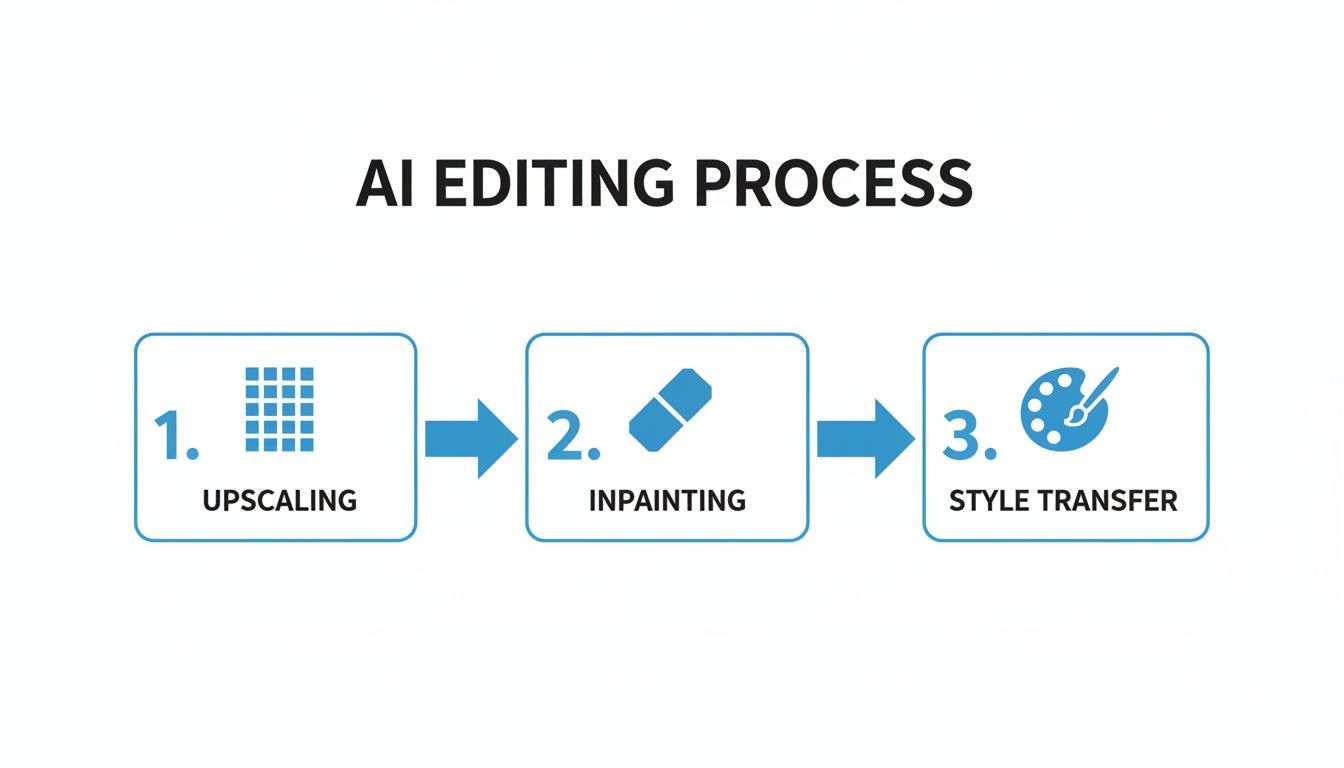
This flowchart gives you a bird's-eye view: start by upscaling an image to make it sharp, use inpainting to fix or add details, and then apply a style transfer to make sure it matches your brand. It’s a powerful sequence.
The Faceless Creator Workflow
Faceless channels on YouTube and TikTok are exploding right now, and AI image editing is the secret to doing it at scale. This workflow lets you create compelling, character-driven videos without ever having to show your face on camera.
- Generate a Base Character: First, use an AI image generator to create a unique character. A simple prompt like, "Expressive anime-style female character, looking forward, simple background," is a great starting point.
- Refine and Enhance: Next, jump into an editor. Use inpainting to tweak facial expressions or clean up any weird artifacts the AI might have left. Then, upscale the image to make sure it’s crisp and clear enough for high-resolution video.
- Animate the Image: Finally, import that polished character image into an AI video tool. These platforms can make the character's mouth and head move in sync with a voiceover, bringing it to life in an instant.
With this process, a single static image becomes a dynamic "talking head" perfect for video essays, story narrations, or educational content. It’s a fantastic way to build a recognizable identity for your channel.
The AI-Powered Ad Workflow
If you run an e-commerce brand, you know that a constant stream of authentic-looking user-generated content (UGC) is gold for building social proof. AI can now simulate this entire process, potentially saving you thousands on influencer campaigns and photoshoots.
The whole point is to get away from sterile product photos on a white background. This workflow lets you drop your product into countless realistic scenarios, creating visuals that feel genuine and connect with your audience.
Here’s a breakdown of how to create ad creative that actually converts:
- Start with a Clean Product Shot: Get a high-quality photo of your product, ideally on a plain background. An AI background removal tool will give you a perfect cutout in seconds.
- Generate a Lifestyle Scene: Create an AI image of a person in a realistic setting that matches your ideal customer. A prompt like, "UGC-style photo of a woman in a bright, modern bathroom, smiling," works wonders.
- Composite the Images: Use an AI image editing tool to blend your product seamlessly into the scene. The AI is smart enough to place the product into the person's hand and even adjust the shadows and lighting to make it look completely natural.
Once you get the hang of this, you can crank out dozens of ad variations for A/B testing in a single afternoon. If you're ready to dive in and try these techniques, you can explore a powerful AI image creation tool that makes this entire process much simpler.
How to Write Prompts That Deliver Perfect Images
When you're working with AI image tools, your text prompt is everything. It's your paintbrush, your director, and your entire lighting crew all rolled into one. The simple truth is that vague instructions lead to generic, often unusable images. A thoughtfully crafted prompt, on the other hand, can create visuals that look like they came straight from a professional photoshoot.
Think of it like commissioning a piece of art. Just telling an artist to "paint a dog" leaves way too much to chance. You'll get a dog, but probably not the one you were picturing.
But what if you asked for "an oil painting of a golden retriever puppy, sleeping in a sunbeam on a rustic wooden floor"? Now you've given the artist the specific details they need to create a masterpiece. The same principle applies to AI.
The Anatomy of a Powerful Prompt
A great prompt isn't just a random string of words; it's a carefully constructed set of instructions. By combining a few key ingredients, you stop hoping for a good result and start engineering one. Each piece of information you provide adds a new layer of precision, guiding the AI closer to the image in your head.
This structured approach is what separates a generic "person holding a product" from a compelling visual that feels authentic to your brand. Getting this right is how you create images that stop the scroll.
The secret isn't about writing more; it's about writing smarter. A few carefully chosen words can dramatically change the mood, quality, and style of your final image, making all the difference in your content's performance.
Let's break down the key components you should always think about including in your prompts.
Essential Prompting Elements
To get the best results, you need to think like a photographer and build your scene piece by piece. Combining details from these key categories will give you incredible control over the final image.
- Subject and Action: Be specific about who or what is in the image and what they're doing. Instead of "woman with phone," try "A young woman with curly brown hair, laughing while looking at her smartphone."
- Style and Aesthetic: Define the overall vibe. Do you want it to look like a real photo or something more artistic? Think in terms of "UGC-style selfie," "cinematic 4K still," or "lo-fi POV shot."
- Lighting and Environment: Where is this happening, and what's the light like? This is huge for setting the mood. Use phrases like "soft morning light streaming through a window," "neon city lights at night," or "golden hour in a lush park."
- Camera and Composition: Direct the shot by specifying the angle, lens, and focus. Try adding details like "close-up shot, from a low angle, 50mm lens, shallow depth of field."
When you put it all together, a weak prompt like "woman with skincare bottle" becomes a powerhouse instruction: "UGC-style photo of a woman smiling, holding a skincare bottle in a minimalist bathroom with soft morning light, close-up shot." That level of detail is what creates professional-grade visuals.
Essential AI Prompt Modifiers for Image Editing
To take your prompts to the next level, it helps to have a quick-reference guide of powerful keywords, or "modifiers." Think of these as a cheat sheet for telling the AI exactly how to style, light, and frame your image.
| Category | Modifier Examples | Best Used For |
|---|---|---|
| Style & Aesthetic | UGC style, cinematic, Polaroid, lo-fi, vintage, minimalist |
Defining the overall visual feel and mood of the image. |
| Lighting | golden hour, soft morning light, studio lighting, neon lights, dramatic lighting |
Creating atmosphere and highlighting the subject. |
| Composition | close-up, wide shot, from a low angle, Dutch angle, macro shot |
Directing the camera's perspective and framing. |
| Realism | photorealistic, hyperrealistic, 4K, 8K, Unreal Engine |
Pushing the image quality towards high-fidelity, real-world looks. |
| Lens & Focus | 50mm lens, shallow depth of field, bokeh, wide-angle lens |
Mimicking specific camera effects and controlling what's in focus. |
Sprinkling these modifiers into your prompts gives you an extra layer of creative control. For an even deeper dive into crafting the perfect instructions, check out our comprehensive guide to text prompts for more advanced techniques.
Inspiring Examples of AI Editing in Action
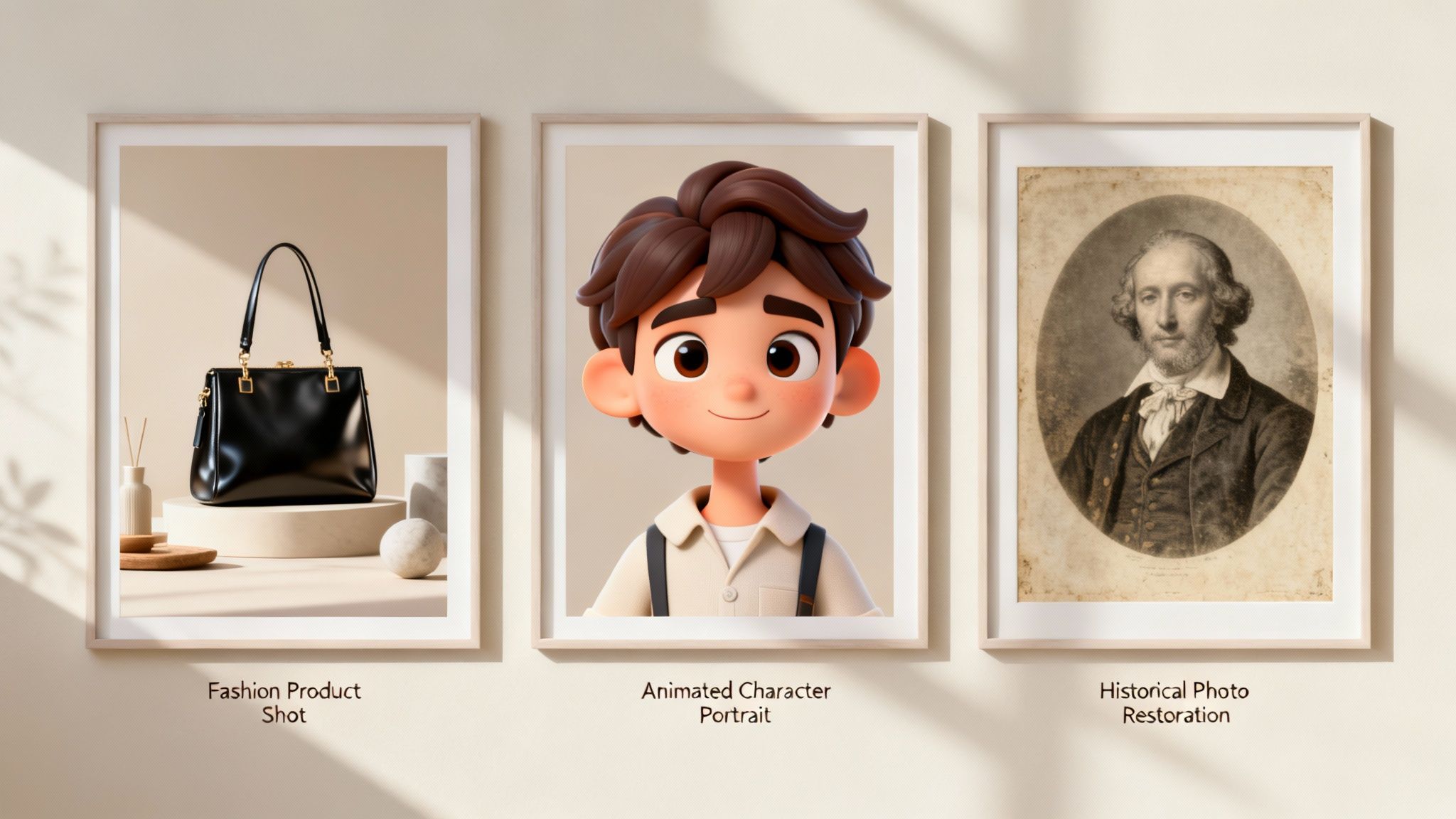
The best way to really get the power of AI image editing is to see how brands and creators are already using it to tackle real-world challenges. This isn't just about cool tech; it's a practical toolkit for boosting growth, slashing costs, and churning out content at a pace that was once impossible.
Let’s look at a few examples that show just how valuable these tools can be.
This kind of innovation is why the market is exploding. The rise of AI image editing is part of the bigger generative AI wave, with the market currently valued at $88.7 billion and expected to jump to a staggering $229.6 billion by 2035. The constant need for fresh visuals on social media and in ads is what's lighting the fuse, making AI an indispensable part of any modern marketing strategy.
E-Commerce Brands Generating Entire Campaigns
Imagine launching a new clothing line without booking a studio, hiring models, or dealing with the logistics of a massive photoshoot. One smart e-commerce brand did just that. They started with basic photos of their clothes on mannequins.
Then, using AI, they generated lifelike models and placed their apparel on them. The final product? A polished, diverse-looking campaign that felt completely authentic. This didn't just save them tens of thousands of dollars; it also gave them the freedom to create unlimited ad variations for different audiences.
Viral Content from AI-Generated Characters
Scroll through TikTok or YouTube, and you'll find creators building huge followings around characters born from AI. One popular TikToker, for example, created a unique animated personality for their channel from a simple text prompt.
They use AI image editing to tweak the character's expressions and then animate the still images to tell stories. This has led to viral videos that connect with viewers on a personal level. It's a brilliant solution for faceless creators who want to build a memorable brand without ever showing their own face on camera.
These examples prove that AI isn’t just for minor touch-ups. It’s a complete production studio that allows for creative storytelling and brand building on a scale that was previously unimaginable for solo creators and small businesses.
Bringing History to Life on YouTube
History documentary channels are tapping into AI to make the past feel more real and engaging. One YouTube channel uses AI upscaling to turn grainy, low-resolution archival photos into sharp, 4K-quality images.
Next, they use AI colorization to breathe realistic color into old black-and-white photos. These remastered images form the visual backbone of their documentaries, giving viewers a much clearer, more immersive look into history.
You can see this same principle—enhancing visuals to create powerful experiences—at play in other industries, too. For example, check out how Zillow Showcase's AI tours are used to create incredible virtual property walkthroughs. Whether it's historical education or real estate, the goal is the same: use AI to create a more compelling visual story.
Of course, here is the rewritten section:
A Reality Check: AI's Limits and Ethical Minefields
As amazing as AI image editing can be, it's not quite magic. It’s crucial to go in with your eyes open, understanding both the current technical quirks and the ethical responsibilities that come with this power.
Let's be real: AI can be weird sometimes. You'll inevitably get some odd results, like a person with six fingers or a new object that just doesn't look right in the scene. These little glitches and artifacts are just part of the deal right now as the technology matures.
The good news? Most of these are simple fixes. Often, just tweaking your prompt to be more specific or adding a negative prompt to tell the AI what not to include does the trick. For smaller imperfections, a quick pass with an inpainting tool or even a classic photo editor will clean things up in seconds.
The Big Questions: Staying Ethical with AI
Beyond the technical side, using AI responsibly means thinking through some important ethical questions. As these tools get more sophisticated, being transparent and thoughtful is key to keeping your audience's trust.
Here’s what you need to keep on your radar:
- Copyright and Ownership: This is still the Wild West, legally speaking. Most AI platforms give you commercial rights to what you create, but you should always be careful about using someone else's copyrighted work as the starting point for your edits.
- Authenticity and "Deepfakes": The power to generate photorealistic images comes with the risk of creating misleading content. It's always best practice to be transparent when your work is AI-assisted, especially for things like brand avatars or UGC-style ads. Honesty builds credibility.
- Hidden Bias in AI: AI models are trained on massive amounts of data from the internet, and that data often reflects existing societal biases. Be mindful of this and consciously work to create visuals that are fair, inclusive, and representative of everyone.
At the end of the day, using AI ethically isn't just about avoiding trouble—it's about building a brand that people trust. Being transparent with your audience is, and always will be, your most valuable asset.
Still Have Questions About AI Image Editing?
Even after you've got the hang of the basics, a few questions tend to pop up. Let's tackle some of the most common ones I hear.
Can I Actually Use These AI Images for My Business?
Yes, you absolutely can. The majority of AI image tools, both for editing and generating from scratch, grant you full commercial rights to whatever you create. That means you're clear to use them in your ad campaigns, on your product pages, or even in videos you plan to monetize.
That said, it's always smart to give the terms of service a quick read for any tool you use. This is just good practice to make sure you're completely in the clear, especially if you're working with source images that might have their own separate copyrights.
How Can I Stop My AI Images from Looking So… Generic?
The real magic is in your prompts. If you want images that don't look like everyone else's, you need to get more creative than just "a dog on a skateboard." Think about developing your own "style signature."
Start combining specific art movements, describing the exact lighting you want, or even mentioning camera lenses and angles.
Honestly, the best way to find a unique look is just to play around. Upload one of your own photos to give the AI a style to reference. Or, try using negative prompts to tell the AI what you don’t want to see. Getting that specific is how you go from a generic image to something that feels like your own.
Ready to create stunning visuals in minutes? With Aicut, you get access to powerful AI tools that turn your ideas into high-quality images and videos perfect for ads, social media, and more. Start creating with Aicut today!