An AI product video generator is essentially a smart tool that takes your text, images, or other assets and turns them into compelling videos. For brands and creators, this is huge. It means you can pump out high-quality, conversion-focused video content in a matter of minutes—not weeks—without the headache of expensive gear or a big production crew.
Why AI Is Flipping the Script on Product Videos
Let's get real for a second: traditional video production is a slog. It’s slow, it’s expensive, and it usually demands a team of specialists that most e-commerce brands or solo creators just can't afford. This old way of doing things has been a massive roadblock to creating content quickly.
But AI changes everything. Think of an AI product video generator as your creative co-pilot, making professional-grade video accessible to anyone. It’s a genuine shift away from complicated, time-sucking shoots to a much more agile, AI-powered process. This isn't just a fun new toy; it's quickly becoming a must-have for anyone who needs to create great visual content on a deadline.
The New Playbook for E-commerce Marketing
In the cutthroat world of online retail, you have to be fast and you have to produce a lot of content. Brands are expected to have a constant flow of fresh videos for social ads, product pages, and email campaigns. Trying to keep up with that demand using the old methods is a recipe for burnout.
This is where AI really pulls its weight. It helps you:
- Make Content at Scale: Imagine creating dozens of video variations for A/B testing in the same time it used to take you to make just one.
- Slash Your Budget: Forget about the costs of hiring actors, renting locations, or paying a post-production team. We dive deeper into the many benefits of AI in video production in our full guide.
- Ride the Trends: Jump on what's hot right now by quickly creating videos for platforms like TikTok and Instagram Reels.
The chart below shows just how fast generative AI—the engine behind these tools—has taken off.
This explosion in capability is exactly why these tools have moved from experimental tech to practical, everyday business solutions so quickly.
The market growth tells the same story. In 2024 alone, the AI video generator market was valued somewhere between USD 430 million and USD 665 million. The really wild part? It's projected to soar to as much as USD 2.34 billion by 2030. You can find more data on this incredible market expansion over at fnfresearch.com.
Picking the Right AI Tool and Video Style
So, you're ready to create an AI product video. That's great, but don't just jump into the first tool you find on Google. Choosing the right AI product video generator is about matching its strengths to your marketing goals. Before you write a single prompt, you need a game plan.
What kind of video are you actually trying to make? The style you choose completely changes how your audience connects with your product.
- User-Generated Content (UGC) Style: Think authentic customer reviews and unboxing videos. This format is gold for building trust, especially for D2C brands. If you sell skincare, gadgets, or clothes, a realistic AI-generated UGC video can feel incredibly genuine and build that crucial social proof.
- Point-of-View (POV) Demos: This style puts the viewer right in the driver's seat. It's perfect for showing off software, an app, or any product where the experience is the real selling point. You're not just telling them how it works; you're showing them.
- Photorealistic Showcases: If you're selling luxury goods, high-tech electronics, or premium fashion, you need a video that screams quality. Photorealistic showcases deliver those slick, cinematic shots that give your product a high-end, polished feel.
Your budget plays a huge role here, too. The decision of what to create and how much to spend is your first real hurdle. This flowchart breaks down that initial thought process.
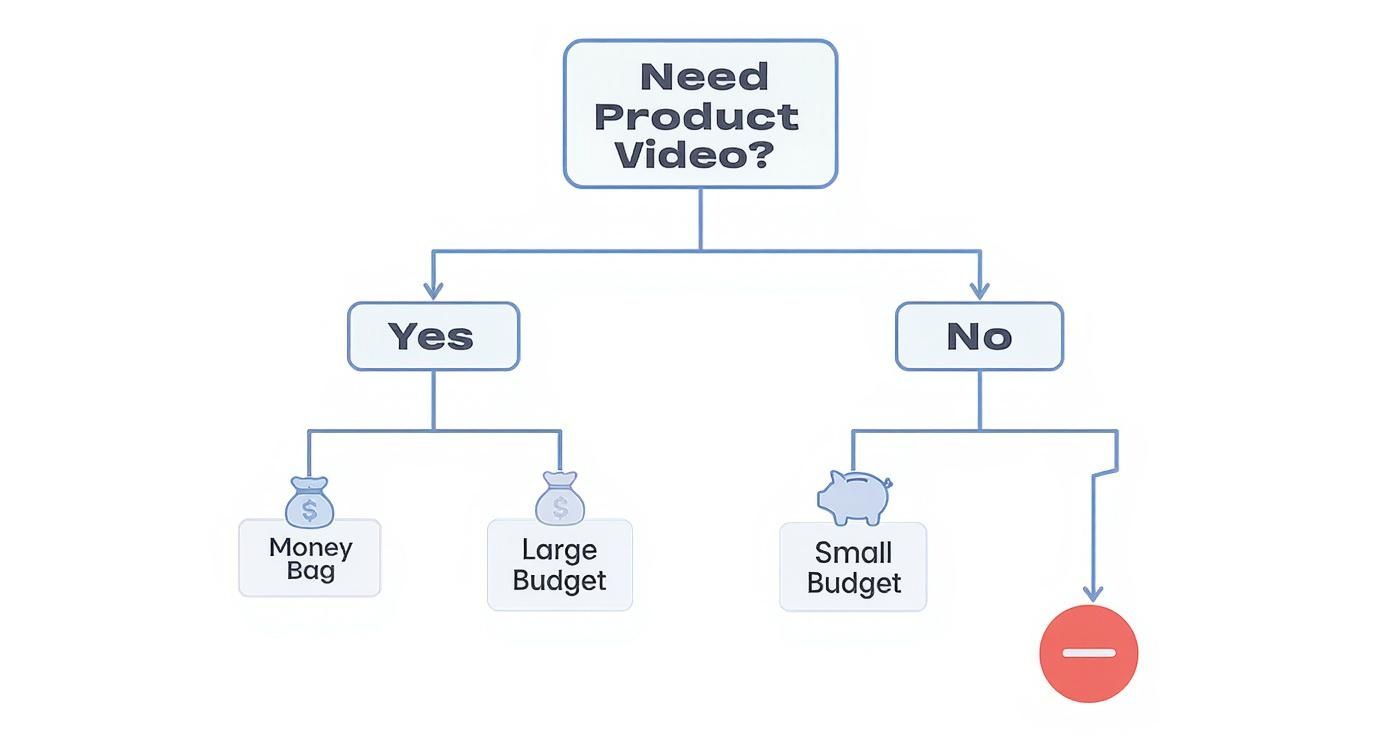
As you can see, figuring out your video needs and budget from the get-go will point you in the right direction, whether that’s a traditional shoot or an AI-powered one.
To help you decide, here’s a quick breakdown of how these formats stack up against each other.
AI Product Video Format Comparison
| Video Format | Best For | Key Benefit | AI Tool Requirement |
|---|---|---|---|
| UGC Style | D2C brands, social media ads, building trust | Creates authenticity and social proof quickly | Needs strong human avatars and realistic voiceovers |
| POV Demo | Software, apps, interactive product experiences | Immersive and educational, shows the product in action | Requires good screen recording integration or 3D rendering |
| Photorealistic | Luxury goods, tech, high-end fashion | Conveys premium quality and aspirational value | Demands high-fidelity models and advanced rendering |
Choosing a format isn't just about aesthetics; it’s a strategic decision that should align with what you're selling and who you're selling it to.
How to Evaluate AI Video Platforms
Once you know the style you want, it's time to find the right tool for the job. The market is flooded with options, so you need to be smart about what you're looking for. It's worth taking a look at some of the leading AI video generators to see what the top contenders offer.
When you're comparing them, here’s what I always look for:
- Ease of Use: How quickly can you go from idea to video? A clunky interface will just slow you down. You want something intuitive.
- Quality of AI Models: Don't skimp here. The visual fidelity and realism depend entirely on the underlying AI models the platform uses.
- Customization Freedom: Can you upload your own logos, product shots, and brand assets? The more you can customize, the less "AI-generated" your final video will look.
- Pricing Structure: Is it a monthly subscription or a pay-as-you-go credit system? Make sure the cost makes sense for your budget, with no nasty surprises.
The growth in this space is just wild. Back in 2023, a single AI video platform reported having over 800,000 users. That tells you these tools aren't just a novelty anymore; they're becoming a standard part of the marketing toolkit for businesses everywhere.
Ultimately, the best platform is one that not only creates great-looking videos but also slides right into your existing workflow. For a more detailed breakdown, check out our guide on the best AI video creation tools at https://www.aicut.pro/blog/best-ai-video-creation-tools.
Bringing Your Product Video Idea to Life
Alright, this is where the magic happens. We're about to turn those rough ideas into tangible video clips. The thing to remember about any AI product video generator is that garbage in equals garbage out. The better your source material, the more impressive your final video will be. It's all about gathering your digital assets and teaching the AI what you want it to create.
So, start by rounding up everything you have that showcases your product. Pull together your best high-resolution photos, grab those punchy marketing phrases from your product pages, and even dig up some powerful quotes from customer reviews. These are the raw ingredients for your video.
Crafting Prompts That Actually Work
The prompt is the heart of the entire AI generation process. A vague prompt will get you a bland, generic video. But a detailed, descriptive prompt? That’s your ticket to creating something that truly stops the scroll. You need to think like a film director, not just a marketer.
Instead of a basic command like "video of a watch," you have to paint a vivid picture with your words. Add sensory details, define the mood, and describe the action you want to see.
Let’s look at a couple of real-world examples to see what I mean:
For a Skincare Product:
- Weak Prompt: Video of face cream.
- Strong Prompt: A macro slow-motion shot of a luxurious, whipped face cream being gently scooped with a golden spatula. The texture is rich and creamy. Soft, natural morning light illuminates the scene, creating a clean and serene mood.
For a Tech Gadget:
- Weak Prompt: Drone flying over mountains.
- Strong Prompt: A dynamic FPV drone shot, flying swiftly through a misty, pine-covered mountain range at sunrise. The camera follows the drone closely, capturing its sleek, aerodynamic design against the dramatic landscape.
See the difference? Specificity is king. Use adjectives that trigger emotion and describe camera movements, lighting, and the surrounding environment. This level of detail is what guides the AI to produce a clip that feels polished and intentional.
Your prompt is the most critical element in the entire process. Spend time refining it. A well-crafted prompt can save you hours of re-generating clips and editing later on. It's the ultimate "measure twice, cut once" for AI video creation.
Choosing Templates and Generating Your First Clips
Once your prompts are dialed in, it's time to let the AI do its thing. Many platforms, like Aicut, give you a head start with pre-built templates for different video styles, whether you're going for a UGC-style review or a sleek product showcase. These templates provide a solid foundation, so you aren’t starting from scratch.
Find a template that matches the video style you decided on earlier. Then, plug in your detailed prompt and upload your best product images. The AI will use your photos as a direct reference, making sure the product it generates looks just like yours while placing it in the scene you described.
At this point, you'll also want to start thinking about audio. Most modern tools let you generate an AI voiceover right from your script. Just copy and paste your text—maybe it's a key benefit from your product description or a compelling line from a customer review. You can then choose a voice style that fits your brand, whether that’s energetic and upbeat or calm and trustworthy.
Don't get hung up on perfection with your first attempt. The goal here is to generate a handful of solid clips to work with. I always recommend creating a few variations by slightly tweaking your prompts or trying out different templates. This gives you way more creative flexibility when you get to the editing phase, where you’ll stitch these pieces together into a killer product video.
Polishing Your AI-Generated Video Draft
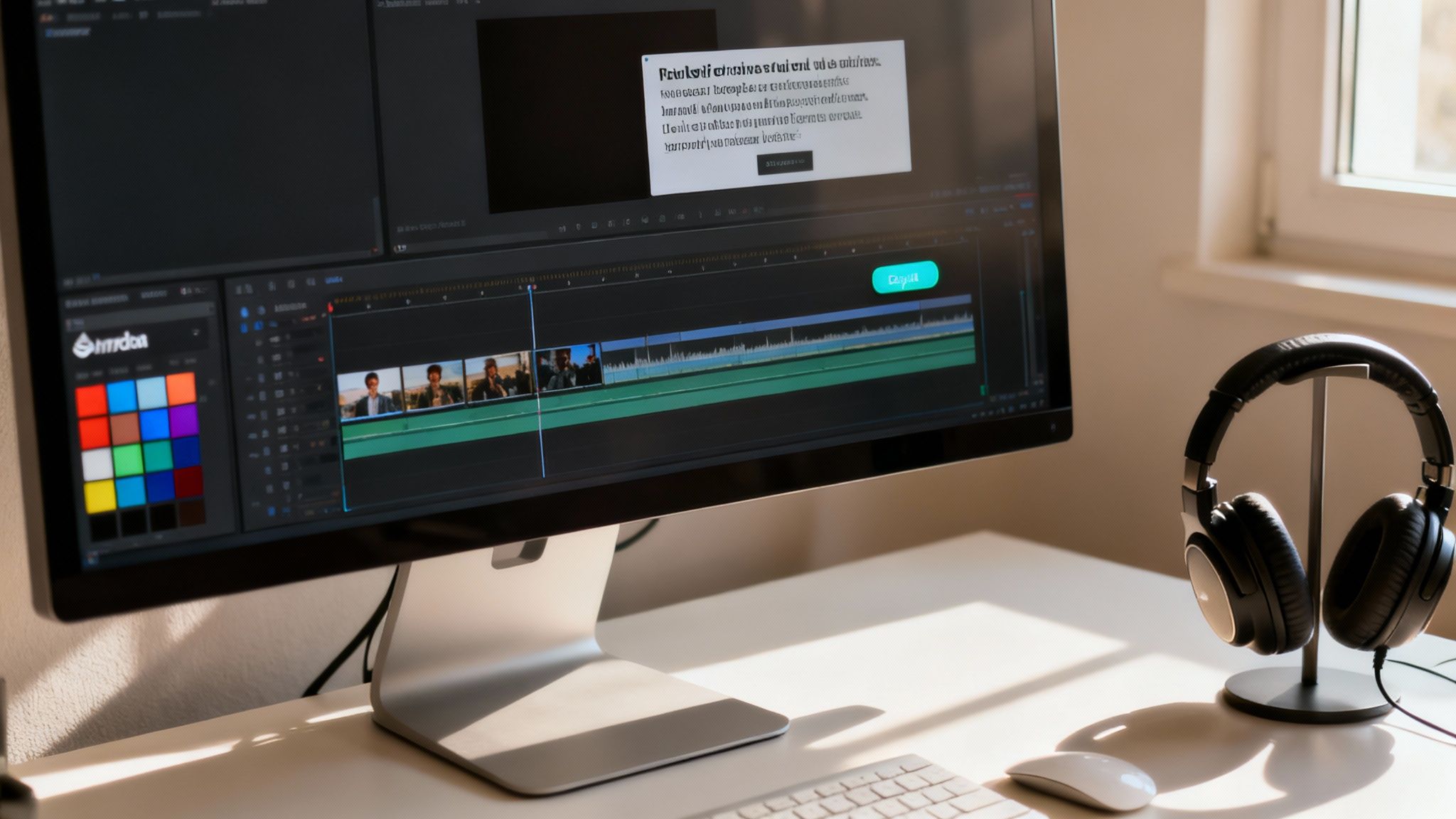
Think of the clips your ai product video generator gives you as the raw ingredients, not the finished meal. The real magic happens in the edit. This is where you roll up your sleeves and transform those AI-generated scenes into a slick, persuasive video that actually gets results. It's all about adding that crucial human touch.
The first thing I always tackle is the pacing. AI can sometimes let scenes drag on or cut away too fast. Get those clips into your editor and start trimming the fat. If a shot isn't actively pushing the story forward or showing off a key feature, it needs to be tightened up or cut completely. Be ruthless.
Weaving in Your Brand and Message
Once the pacing feels right, it’s time to stamp your brand’s personality all over it. This is what separates a generic AI video from something that feels uniquely yours. Start by layering in your visual assets—this is non-negotiable for brand recognition.
- Your Logo: Place your logo somewhere it can be seen but isn't screaming for attention, usually one of the corners.
- Brand Colors: Use your color palette for any text overlays, backgrounds, or even a subtle color grade to keep everything looking cohesive.
- Text and CTAs: Add short, punchy text to call out benefits or special offers. Crucially, end with a crystal-clear Call-to-Action (CTA). Tell people exactly what to do next, whether it’s "Shop Now" or "Learn More."
Don't forget about sound. The right music track can completely change the vibe of a video, turning a simple product demo into an exciting, must-have experience. Find a track that matches the energy you're aiming for.
The most effective AI-generated videos are a blend of machine efficiency and human creativity. The AI provides the foundation, but your edits—the pacing, branding, and emotional cues—are what truly connect with an audience and make the video successful.
The Final Polish and Platform-Specific Exports
Before you even think about hitting "publish," there are a few technical details to nail down. You want your video to look sharp and professional everywhere it appears. While many AI generators spit out decent quality footage, sometimes it needs a little boost. Upscaling the video can sharpen the details, making it look crisp even on a big screen.
And please, don't use a one-size-fits-all export. Every social platform has its own preferences, and respecting them is the key to getting more eyes on your work.
Common Export Formats:
| Platform | Recommended Aspect Ratio | Best For |
|---|---|---|
| Instagram Reels | 9:16 (Vertical) | Short, engaging, mobile-first content |
| TikTok | 9:16 (Vertical) | Trend-based, fast-paced videos |
| YouTube Shorts | 9:16 (Vertical) | Discoverable short-form content |
| YouTube Main | 16:9 (Horizontal) | Longer-form demos and detailed showcases |
Getting rid of the watermark is also a must for a professional look. Most serious tools like Aicut offer no-watermark exports on their paid plans, and it’s an investment I always recommend. Post-production is a huge topic on its own, and you can dive deeper in our ultimate guide to AI video editing software in 2024. By tailoring your final video for each platform, you're giving it the best possible shot at success.
Getting Your Video Seen by the Right People
Making a killer video with an AI product video generator is a huge win, but it’s really only half the job. A great video without an audience is just a file on your computer. To get it in front of the right eyeballs, you need a smart plan. Just hitting "publish" and crossing your fingers isn't a strategy—it's a recipe for disappointment.
The first, most critical step is to adapt your video for the specific platforms where your audience actually hangs out. A video that crushes it on YouTube could totally tank on TikTok. The viewing habits, expectations, and even the technical specs are completely different. You have to speak the native language of each platform.
Optimize for Each Social Platform
Think of it like this: you wouldn't show up to a black-tie gala in beach shorts. The same principle applies to your video content. Each platform has its own dress code.
- Instagram Reels & TikTok: Go vertical. A 9:16 aspect ratio is non-negotiable here. Keep things short, snappy, and full of energy—aim for 15 to 30 seconds. You have about three seconds to hook someone before they swipe on.
- YouTube: This is home base for the classic 16:9 horizontal video. While YouTube Shorts follows the vertical trend, the main platform is perfect for longer, more in-depth content like tutorials or detailed product demos.
Posting a horizontal video to TikTok or a vertical one as a standard YouTube video just looks lazy. It immediately signals low-effort content, and the algorithms will likely bury it before it ever gets a fair shot. Always take the extra minute to export a properly formatted version for each channel.
Test, Measure, and Improve Your Content
Okay, so your videos are live. Now your role switches from creator to detective. It’s time to dig into the data and figure out what’s actually resonating with people and what’s falling flat. This is where A/B testing becomes your best friend.
Don't just settle for one version of your video. Why not create two or three variations? Tweak the thumbnail. Write a different headline. Run them as ads with a small budget and let the data tell you which one is the winner.
Pay close attention to two key metrics above all others: Watch Time and Click-Through Rate (CTR). A high watch time means your content is genuinely engaging. A strong CTR proves your thumbnail and title are doing their job—stopping the scroll and earning the click.
This feedback is gold. What you learn from one video's performance directly informs how you’ll approach the next one. It creates a cycle of continuous improvement.
Once you have a winning AI video, you can explore more advanced distribution techniques. For instance, using technology for hyper-targeted ads, often referred to as dynamic ad insertion, can dramatically boost your video’s reach and impact.
This is why the AI video generator market is absolutely exploding. Projections show it expanding massively over the next decade. While some forecasts for 2030 place the market between USD 1.96 billion and USD 2.34 billion, others are even more bullish, suggesting it could skyrocket to an incredible USD 82.64 billion by 2035. It's a clear sign of where the industry is headed.
Your Top Questions About AI Video Generation, Answered
As you dive into AI video generators, you're bound to have some questions. It's a pretty amazing technology, but like anything new, there's a learning curve. Let's walk through some of the things people often ask when they're just getting started.
Getting a handle on these points early on will help you set the right expectations and really get the most out of the tool.
Can I Use My Own Voice in the Videos?
Yes, you absolutely can. Many of the top-tier tools now come with a voice cloning feature. All you have to do is upload a quick audio sample of your voice, and the AI will generate a synthetic version that can read any script you write.
This is a game-changer for maintaining brand consistency and giving your videos a personal feel without having to record new audio for every single project. Of course, the old-school way still works, too—you can always record a voiceover yourself and just upload it as an audio file to add to your video.
How Do I Keep My Videos From Looking Generic?
To sidestep that cookie-cutter "AI look," you need to get your hands dirty with customization. The real trick is feeding the AI as much of your own unique material as you can.
- Bring Your Own Assets: Start by uploading your own product photos, brand logos, custom fonts, and specific color codes. Don't just pull from the tool's built-in stock library.
- Write Rich, Detailed Prompts: Specificity is your best friend. Instead of a vague prompt like "a video of a running shoe," try something with more flavor: "A dynamic, close-up shot of a futuristic running shoe splashing through a puddle on a city street at dusk."
- Get into the Editor: Once the AI gives you a draft, jump into the editor. This is where you can fine-tune scene transitions, add custom text overlays, and perfect the timing and pacing.
Taking these extra steps is what ensures the final video truly feels like your brand.
An AI product video generator is best thought of as a super-skilled creative partner, not a magic wand. It'll give you a fantastic first draft, but it's your creative input that transforms it into something truly unique and effective.
What Are the Biggest Limitations I Should Know About?
As impressive as this technology is, it's not without its quirks. The current generation of AI video tools can still hit a few snags. For instance, they sometimes have a tough time with complex, multi-part actions or generating perfectly realistic human hands and facial expressions.
Another common challenge is keeping a character or an object perfectly consistent across multiple scenes—you might notice a shirt mysteriously changing color from one shot to the next. Because of this, it's smart to go in expecting a few minor glitches or awkward moments that you'll need to smooth out in the editing process.
Is This Kind of Video Content Actually Good for SEO?
Definitely. Video is a massive win for SEO, and it doesn't matter if it was made by AI or a human. Search engines like Google see pages with engaging video as high-quality content.
When you embed these AI videos on your product pages, you can seriously boost how long people stick around on your site, which sends a powerful positive signal to search algorithms. For the biggest SEO impact, upload your videos to YouTube, write a keyword-rich title and description, and be sure to include a full transcript. This gives search engines all the context they need to index your video and send more organic traffic your way.
Ready to create stunning product videos in minutes? Aicut gives you the tools to generate viral clips, authentic UGC-style reviews, and high-quality ad creatives without the hassle. Join over 500,000 creators and start growing your brand today at https://www.aicut.pro.