If you want to turn an idea into a polished video fast, using an ai video editor with templates is your best bet. Forget the steep learning curve of traditional editing software. These tools give you pre-built, professional layouts, combining smart automation with creative frameworks so you can get amazing results in minutes.
Why AI Template Editors Are Changing the Game

Staring at a blank video timeline is intimidating, right? Especially when you're on a deadline. That’s exactly where AI video editors with built-in templates step in, turning a frustrating chore into a simple, creative process. They solve some of the biggest headaches for modern creators, saving a ton of time and eliminating the need for complex technical skills.
The biggest win here is pure efficiency. Instead of starting from scratch and fussing with keyframes, transitions, and color grading, you begin with a structure that already works. This makes professional-grade video production accessible to everyone, leveling the playing field for small businesses, marketers, and solo creators.
Beating the Blank Canvas Syndrome
For many, that "blank canvas" is the biggest creative roadblock. Templates give you a much-needed starting point with pre-timed scenes, text placeholders, and even music suggestions that you can easily swap out.
This guided approach isn't just about making things easier; it’s about keeping your content consistent. You can maintain your brand's look and feel across social media, ads, or internal videos without a second thought.
The template-driven workflow offers a few key advantages:
- Speed: Seriously, you can go from concept to a finished video in a fraction of the usual time.
- Consistency: Slap your brand’s colors, fonts, and logos on every video with a few clicks.
- Accessibility: You don't need years of editing experience to get polished results.
- Inspiration: Sometimes just browsing a template library is enough to spark your next great idea.
Templates aren't just about speed; they're about democratizing creativity. They give everyone the power to tell a compelling visual story without being a professional editor, which is a significant shift in content creation.
The Market Is All-In on AI Templates
This move toward template-based video creation isn't just a small trend—it's a massive market shift. The global AI video generator market was valued at USD 534.4 million in 2024 and is expected to explode to USD 2,562.9 million by 2032.
This incredible growth tells us everything we need to know. Creators want smarter, faster ways to make videos that people actually want to watch. We're seeing tools that can slash production time by up to 80%. The AI handles the repetitive, tedious tasks, freeing you up to focus on your message and story.
To get a better sense of how this works, you can Delve deeper into the world of video templates. And if you're curious about the bigger picture, we have a detailed guide that explores the many benefits of AI in video production.
Comparing the Top AI Video Editors for Template-Based Workflows
Jumping into the world of AI video editing can feel like walking into a massive store with endless aisles. Every tool claims it’s the best, but the right one for you depends entirely on what you’re trying to create. An editor built for slick corporate presentations just won't cut it if you're trying to make a viral TikTok clip.
This is where a real, head-to-head comparison comes in handy. We're going to look past the marketing fluff and focus on what actually matters in a daily workflow—the quality of the templates, how smart the AI really is, and whether the tool is a pain to use. Let's break down some of the top contenders to see how they stack up for different creative projects.
Feature Breakdown of Leading AI Video Editors
To get a quick overview, it helps to see these tools side-by-side. Each one has carved out its own niche, excelling in certain areas while being less suited for others. This table breaks down their core strengths.
| Tool Name | Template Variety & Quality | Key AI Features | Best For | Pricing Model |
|---|---|---|---|---|
| Synthesia | Professional, clean, corporate-focused layouts. Limited creative flair. | AI avatars (stock or custom), script-to-video editing, 120+ language text-to-speech. | Corporate training, internal comms, product explainers. | Subscription-based (Personal, Corporate). |
| InVideo AI | Huge library for social media (Reels, TikTok), ads, YouTube. Very diverse. | Prompt-to-video creation, AI scriptwriting, massive stock media library integration. | Social media managers, marketers, high-volume content creators. | Subscription-based (Free, Plus, Max). |
| Pictory | Optimized for social feeds with bold captions and vertical/square formats. | Article-to-video, audio-to-video (podcasts/webinars), AI-powered scene selection. | Bloggers, podcasters, and marketers repurposing content. | Subscription-based (Standard, Premium, Teams). |
As you can see, your choice really boils down to your primary goal. Are you creating HR videos or turning blog posts into social clips? The answer will point you to the right tool.
Synthesia: The Corporate Storyteller
Synthesia is an absolute powerhouse, but it's built for a very specific job: creating polished, professional videos with AI avatars. Think of it as your go-to for corporate training modules, internal announcements, and product tutorials—anywhere you need a human-like presenter without hiring an actor or filming anything.
Its template library reflects this sharp focus. You'll find clean, minimalist layouts perfect for a business setting. Customization is all about branding; you can easily plug in your company’s logo, color palette, and fonts to keep everything on-brand.
What really sets Synthesia apart are its features:
- AI Avatars: Pick from a diverse library of stock avatars or, for a higher price, create a digital twin of yourself or a team member.
- Multi-language Support: Its text-to-speech engine is incredible, supporting over 120 languages, which is a game-changer for global companies.
- Script-Based Editing: You edit the video simply by editing a text document. This is a massive time-saver.
That said, Synthesia isn't the tool for highly creative social media content. Its templates are more structured and less about flashy, trend-driven visuals. It’s a specialist that does one thing exceptionally well.
InVideo AI: The Social Media Machine
InVideo AI casts a much wider net, positioning itself as the all-in-one solution for marketers and creators. Its template library is enormous and covers pretty much everything: Instagram Reels, TikTok trends, YouTube intros, promo ads, you name it. If you need to make content for multiple platforms, InVideo has a template ready to go.
The whole experience is built for speed. You can give it a template, a script, or even just a simple prompt, and its AI will whip up a first draft complete with stock footage, music, and text overlays. This "prompt-to-video" workflow is its biggest selling point.
Its key differentiator is sheer versatility. You get access to millions of stock assets from premium sources like Shutterstock and iStock, which is a huge value-add. The platform's AI is pretty good at understanding context, so it can pick relevant B-roll that matches your script. This makes it a fantastic tool for anyone who needs to pump out a lot of quality content, fast. For an in-depth look at similar platforms, check out our guide on the best AI video creation tools.
This image from a broader comparison of video editors shows how different tools position themselves. While it's not specific to AI, it illustrates the split between professional, OS-specific software and the accessible, web-based tools where most AI editors live.
This highlights that most AI template editors prioritize ease of use and accessibility over the complex, granular control you'd find in something like Adobe Premiere Pro.
Pictory: The Content Repurposing Expert
Pictory has cleverly carved out its niche as the master of repurposing. Its main job is to take your long-form content—like blog posts, webinars, or podcasts—and slice it up into short, shareable social videos. If your strategy involves getting more mileage out of the content you already have, Pictory was built for you.
The templates inside Pictory are all optimized for grabbing attention on a busy social feed. They lean heavily on bold, auto-generated captions, progress bars, and layouts that look great in square or vertical formats.
Pictory's genius is its simplicity. It gets that the goal isn't to create a cinematic masterpiece. It’s about quickly turning valuable information into a digestible video that people will actually stop and watch on their phones.
The AI workflow is refreshingly simple:
- Feed it a source: Just paste in a blog post URL, upload a script, or drop in an audio file.
- Let the AI work: Pictory’s AI reads the content and automatically pulls out key sentences to create individual scenes for your video.
- Find the visuals: It then scans a huge stock library to find relevant video clips and images to match the text in each scene.
Using this process, you can turn a 2,000-word article into a 2-minute summary video in less than 10 minutes. While you don't get the same deep creative control as InVideo, its speed and efficiency for repurposing are second to none.
The Financial Realities of AI Video Editing
The rapid adoption of these tools is fueling a massive industry boom. The AI video market hit USD 11.2 billion in 2024 and is projected to explode to an incredible USD 246.03 billion by 2034. This growth is driven by the insane demand for tools that make video production easier for everyone, with North America currently leading the charge at a 36.9% market share. You can see more insights on this growth over at Market.us.
What does this all mean for you? More choices and better features. Platforms are competing hard by expanding their template libraries—some now offer over 10,000 unique designs—and improving their AI with smarter scene detection and personalization.
The downside is that picking the right tool is getting more complicated. Pricing models are all over the place, from subscriptions based on how many videos you export to credit-based systems for AI generation. My best advice? Always start with a free trial. Make sure the workflow, template quality, and AI features actually fit your needs before you pull out your credit card. Your perfect AI video editor with templates is out there—it's just a matter of matching its strengths to your goals.
Must-Have Features in a Modern AI Video Editor
A great template library is a fantastic starting point, but let's be honest—the real magic of an AI video editor with templates lies in the smart features humming away behind the scenes. These are the tools that do the heavy lifting, turning a good idea into a polished video in a fraction of the time. Before you pull out your credit card, you need to look under the hood.
Some features have moved from the "nice-to-have" list to being absolutely essential for any serious creator. They're built to solve the real, everyday headaches we face, from conjuring up visuals out of thin air to making sure our content is accessible to everyone. Think of them as your personal editing crew, ready to go 24/7.
Core AI-Powered Capabilities
At the heart of any worthwhile editor is its core AI engine. This is where simple text prompts or existing blog posts get spun into dynamic video scenes. The best tools have moved far beyond basic cuts and transitions; they automate the most soul-crushing parts of the video creation process.
Two of the most impactful features you'll find are:
- Text-to-Video Generation: This is a total game-changer. You feed it a script or even just a simple idea, and the AI builds out a video for you—complete with relevant stock footage, animated text, and background music. It’s the perfect way to turn an article or a shower thought into an engaging video without ever touching a camera.
- AI Scripting and Storyboarding: Feeling stuck? Some platforms will write a script for you based on a topic. They can then break that script down into a scene-by-scene storyboard, giving you a solid blueprint to work from before you even hit "create."
The real value here isn't just about speed; it's about smashing through creative blocks. When an AI can whip up a solid first draft in seconds, you're free to focus your energy on the fun part: refining the narrative and adding your own unique flair.
Tools for Engagement and Accessibility
Creating a beautiful video is only half the job. People have to actually watch and understand it. This is where features focused on engagement and accessibility come in, and they're especially crucial for social media, where most people scroll with the sound off.
Automated subtitles and captions are non-negotiable. Manually transcribing and timing captions is brutally tedious work that AI can now nail in seconds with surprising accuracy. This one feature can dramatically boost your watch time and ensures your message lands with everyone, including viewers with hearing impairments.
Along the same lines, AI voiceovers and avatars are opening up entirely new possibilities. You can generate a professional-sounding narration in dozens of languages without booking a studio or hiring a voice actor. AI avatars take it a step further, letting you create presenter-led videos for courses or marketing content without ever having to be on camera yourself.
This infographic breaks down the key things to look for when you're sizing up an AI video editor.
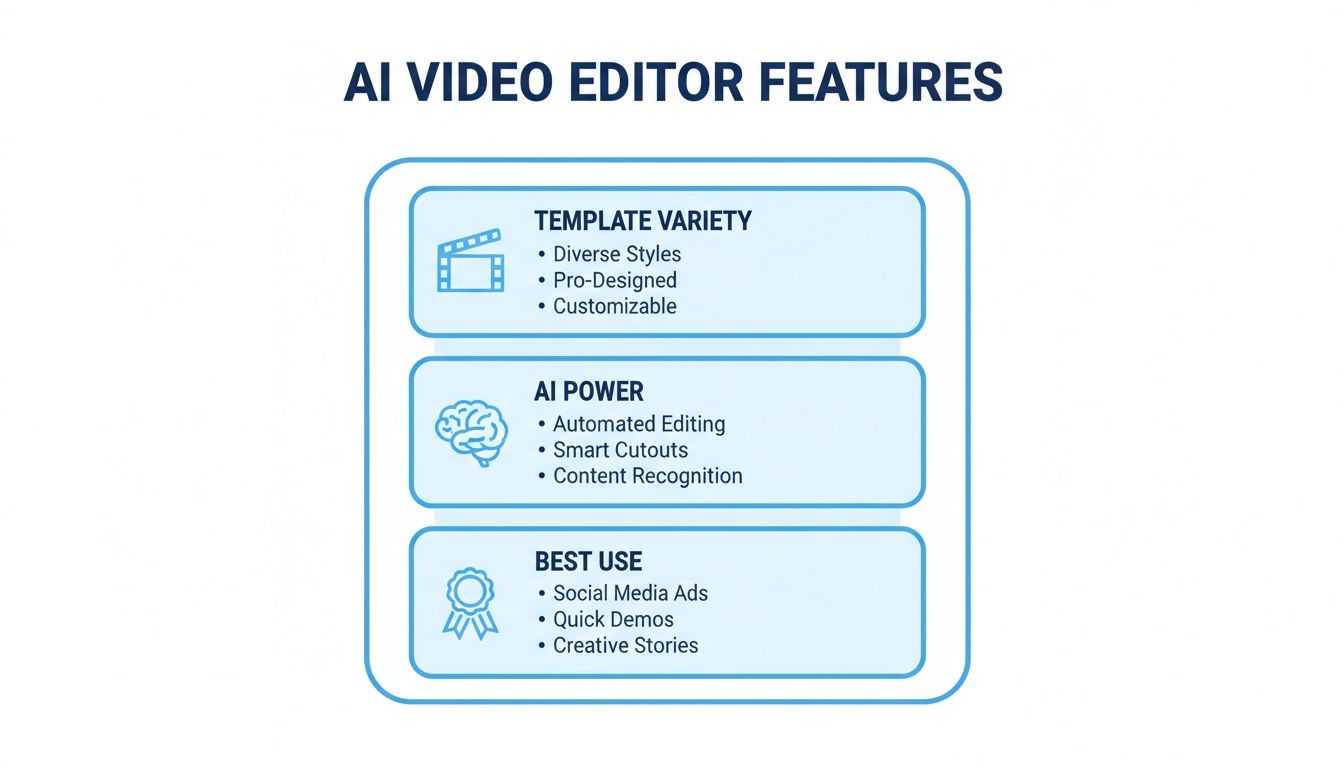
It really comes down to a balance: you need great template variety, powerful AI assistance, and a tool that’s built for the kind of content you actually want to make. That's what separates a good tool from a great one.
Practical Workflow Enhancements
Beyond the flashy AI features, the practical, everyday tools that slide right into your workflow are just as critical. These are the little things that stop you from having to jump between five different apps, helping you maintain a professional and consistent look across all your content.
Keep an eye out for these workflow must-haves:
- Brand Kit Integration: The ability to upload your brand’s logos, fonts, and color palettes and have them ready to apply to any template with a single click is a huge time-saver. It’s the key to making sure every video you export is instantly recognizable as yours.
- Built-in Stock Media Libraries: Having direct access to a huge library of high-quality stock photos, video clips, and music is invaluable. It saves you the cost and hassle of separate stock subscriptions and keeps all your creative assets in one tidy place.
There's a good reason the market for these tools is exploding. Projections show the AI video editing market is set to grow from USD 0.9 billion in 2023 to a massive USD 4.4 billion by 2033. This boom is fueled by a global demand for tools that use templates to slash editing time from hours down to minutes. If you want to dive deeper, check out these video editing statistics and trends.
Putting These Tools to Work: Real-World Video Creation Workflows
It's one thing to talk about features, but where these tools really come alive is in practice. The best way to get a feel for an ai video editor with templates is to see how it works in the real world. Every platform—from YouTube to TikTok—has its own vibe, its own audience expectations, and its own content formats that just work.
Let’s be honest: just blasting the same video across YouTube, TikTok, and your company website is a surefire way to get ignored. The trick is to tailor your creation process to fit the native style of each platform. So, let's dive into how you can use AI-powered templates to create videos that are built to perform in three very different arenas.
Crafting a Faceless YouTube Automation Video
The "faceless automation" niche on YouTube is absolutely massive right now. Think about all those channels covering history, finance, or spooky stories without a single person on camera. Their entire business model depends on pumping out a steady stream of high-quality, engaging videos, which is a perfect job for an AI video editor.
It all starts with a script. This could be a detailed historical account or a fictional narrative. Once you've got your text, you plug it straight into a text-to-video tool. The AI reads through your script, intelligently breaks it into scenes, and even suggests keywords for stock footage to match each section.
From there, you need to pick the right template. For this style of video, you're not looking for anything flashy. Instead, focus on templates that offer:
- Dynamic Text Overlays: You want clean, easy-to-read fonts that can be animated to hold the viewer's attention.
- Smooth Transitions: Simple fades or slow zooms between clips are far more effective here than jarring, over-the-top effects.
- Cinematic Pacing: The template should allow for slower scenes, giving the AI voiceover room to tell the story.
After the AI populates your template with stock clips, your job is to be the director. Swap out any footage that doesn't quite match the vibe you're going for. Tweak the timing of the text so it syncs perfectly with the narration. Finally, pick an AI voice that fits your content's tone—maybe a deep, serious voice for a documentary or a more animated one for storytelling. In less than an hour, you've turned a simple script into a professional-looking YouTube video.
Producing an Engaging TikTok UGC-Style Ad
TikTok is all about authenticity. Users are quick to scroll past anything that looks like a polished, corporate ad. They trust content that feels like it was made by a real person, which is why the "User-Generated Content" (UGC) style is so incredibly powerful for ads. With AI, you can replicate this look and feel at scale without hiring an army of creators.
The mission here is to make a video that doesn't feel like an ad at first glance. Your process should start by looking for templates made specifically for vertical, short-form video. Of course, a great template won't save a bad idea. To get the creative juices flowing, check out some viral YouTube Shorts content ideas—many of these concepts translate perfectly to TikTok.
Once you've got your concept, hunt for templates with these specific traits:
- A "Handheld" Feel: Look for templates that subtly mimic the natural shake and movement of a video filmed on a phone.
- Native Text Styles: The best templates use text effects and fonts that look like they were made right inside the TikTok app.
- Quick, Punchy Cuts: The pacing needs to be fast. We're talking scenes that last no more than 1-3 seconds.
The secret to a great UGC-style ad is controlled chaos. It has to feel genuine and slightly imperfect. An AI video editor with the right templates gives you the framework to achieve that authentic, platform-native look.
With a template chosen, you can upload your own product clips or have the AI source realistic lifestyle footage. Add a casual, conversational AI voiceover that sounds like someone giving an honest review. Most importantly, use the AI to generate bold, perfectly synced captions. This is non-negotiable, as so many users watch with the sound off.
Creating a Polished Corporate Explainer Video
Corporate videos play by a different rulebook entirely. They need to be professional, on-brand, and capable of breaking down complex ideas into something simple. Animated explainer videos are perfect for this, and AI templates now make them accessible to everyone—no expensive animation studio required.
The workflow for an explainer video is much more methodical. You'll begin with a final script that clearly walks through your product or service. When searching for an ai video editor with templates, you’ll want to focus on animated or infographic styles. You can browse through a whole library of options to find a style that fits your brand, like the ones offered in these AI video templates from Aicut.
For a corporate explainer, look for a template with these key features:
- Clean Iconography: It should come with a library of simple, universally understood icons to visually represent key points.
- Brandable Color Schemes: You must be able to easily change the default colors to match your company's official brand palette.
- Professional Animations: The animations for text and graphics should be smooth and minimalist. Avoid anything too goofy or distracting.
Once you've found the right template, just paste your script into the editor. The AI gets to work, creating scenes and suggesting relevant icons for each sentence. From there, you can customize the text, upload your logo to serve as a watermark, and select a clear, professional AI voice for the narration. The final product is a top-tier explainer video that looks like it took weeks to make but was actually put together in an afternoon, ensuring your brand message is always clear and consistent.
How to Choose Your First AI Video Editor
Ready to jump in but not sure which tool to pick? I get it. The market is flooded with options, and it’s easy to get overwhelmed. The trick is to sidestep the marketing hype and focus on what you actually need to accomplish. This will save you a ton of headaches and prevent that dreaded buyer's remorse.
The best way to start is by figuring out your main goal. Don't get distracted by the tool with the longest feature list; find the one with the right features for your projects. Are you trying to pump out trendy TikTok clips, create in-depth YouTube tutorials, or launch a polished ad campaign? Your primary goal is the single best filter you have.
Define Your Core Needs
Before you even glance at a pricing page, think about the kind of videos you'll be making. A creator producing faceless YouTube videos has completely different requirements than a social media manager cranking out user-generated content (UGC) style ads.
Ask yourself a few practical questions to get clarity:
- Where will your videos live? Templates designed for vertical formats like TikTok and Reels are built differently than those for widescreen platforms like YouTube.
- Honestly, what’s your skill level? If you're just starting out, a clean, simple interface is way more valuable than a hundred advanced features you'll never use.
- What's your production volume? If you’re planning on creating content daily, you need a tool that makes your workflow fast and efficient.
Put Free Trials to the Test
Every tool's website will promise you the world, but you never really know until you get your hands on it. This is exactly what free trials are for. They let you take the software for a spin, risk-free, and see if its workflow actually feels right for you.
When you're in a trial, pay close attention to the user experience. Can you find the tools you need intuitively, or are you constantly digging through menus? Is the template library actually helpful, or is it just a bunch of generic fluff? A clunky interface will drain your creative energy, no matter how smart the AI is.
A great AI video editor should feel like a creative partner, not a puzzle you have to solve. If you find yourself constantly fighting the interface during the free trial, it's a clear sign to move on.
Watch Out for Hidden Limits
Free plans are great for experimenting, but you absolutely have to read the fine print. I've seen too many people get caught off guard by limitations that only pop up when they're ready to publish their hard work.
Keep an eye out for these potential deal-breakers:
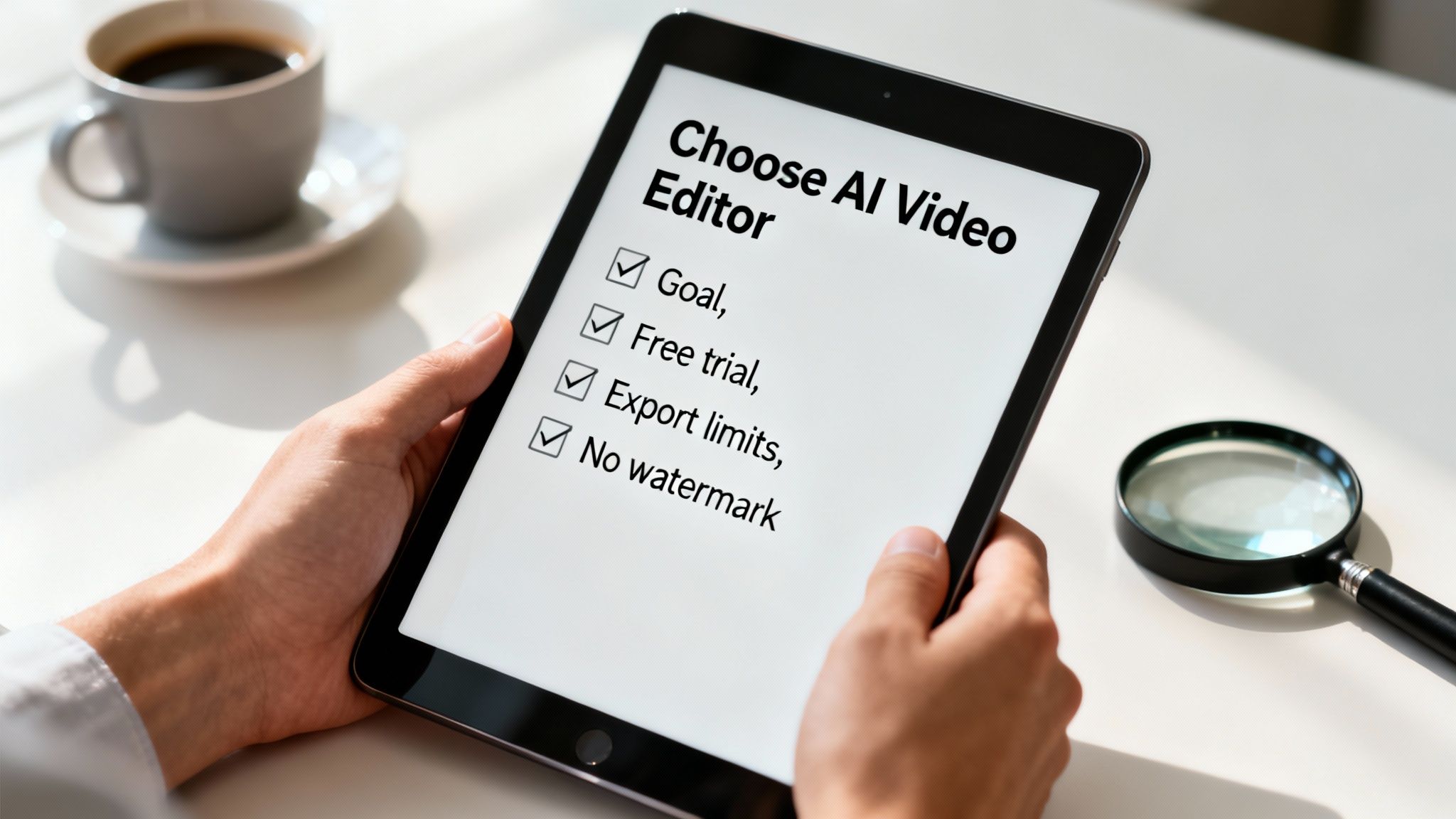
- Watermarks: Nearly all free plans will slap their logo on your exported video. Decide if you can live with that or if the paid plan to remove it fits your budget.
- Export Quality: Some free versions cap your exports at a lower resolution, like 720p. For almost any serious use case, you'll want at least 1080p high-definition video.
- Export Limits: Be sure to check how many videos you can actually export each month. A low cap on a free or starter plan will become a major bottleneck if you're creating content regularly.
Choosing the right AI video editor with templates really comes down to matching a tool's strengths to your unique creative goals. If you define your needs upfront and use free trials to your advantage, you’ll find a platform that feels like it was built just for you.
Common Questions About AI Video Editors, Answered
Jumping into AI video creation can feel like exploring a new frontier. The tech is evolving at a breakneck pace, so it's smart to get a handle on what it can do—and what it can't—before you commit. Let's walk through a few of the most common questions people have when they start looking at AI video editors with templates.
We'll keep the answers straightforward to help you figure out if these tools are the right fit for you.
Can AI Really Replace a Human Video Editor?
This is the million-dollar question, isn't it? The honest answer is no, not completely. But for certain kinds of work, it’s getting incredibly close.
Think of AI as a super-efficient assistant. It’s fantastic at the grunt work—the repetitive, time-sucking tasks like churning out a first draft, finding B-roll that matches a script, or captioning a dozen social media clips. For high-volume content like TikToks, YouTube Shorts, or simple explainer videos, an AI tool can realistically handle 80-90% of the editing process.
But a seasoned human editor brings a creative spark that AI just can’t mimic yet. They understand nuanced storytelling, comedic timing, and how to evoke a specific emotion. That artistic intuition is still a human-only trait.
An AI video editor is best seen as a creative co-pilot or an incredibly productive junior editor. It frees you from the tedious stuff, letting you focus on the strategy and creative touches that make a video truly great.
How Much Can I Actually Customize The Templates?
This is a huge concern, and for a good reason. Nobody wants their videos to look like a cookie-cutter copy of everyone else's. The good news is that the best platforms give you a ton of creative control.
While the level of customization can vary from tool to tool, you can almost always expect to change the essentials:
- Your Media: Easily swap out all the stock footage and images for your own clips and graphics.
- Your Text: Edit all the text, change the fonts to match your brand, tweak the colors, and adjust animations.
- Your Branding: Slap your logo on it and apply your brand’s color palette across the entire video with a click.
- Your Music: Ditch the default track and choose something from their library or upload your own audio.
The more powerful editors even let you adjust the timing of individual scenes, reorder the entire sequence, and play with the transitions between clips. So while you can’t completely rebuild a template from the ground up (that’s kind of the point of a template!), you have more than enough power to make the final product feel 100% yours.
Are Videos Made With AI Templates Good for YouTube SEO?
Yes, they absolutely can be. YouTube's algorithm doesn't care how you made your video; it only cares how viewers react to it. The key metrics are things like watch time, audience retention, and engagement (likes, comments, shares).
In fact, using an AI editor can actually boost your SEO efforts. By taking the technical editing off your plate, you can pour more energy into the things that truly move the needle for YouTube's algorithm:
- Keyword Research: Finding the right topics and terms for your titles and descriptions.
- Hook-Worthy Scripts: Writing content that grabs attention in the first 3-5 seconds.
- Clickable Thumbnails: Designing images that make people want to watch.
At the end of the day, if you create a video that's well-scripted, looks professional, and keeps people watching, YouTube will promote it. It makes no difference whether you spent ten hours in Premiere Pro or ten minutes with an AI template.
Ready to stop wrestling with complicated software and start creating content that grows your channel? Aicut provides viral templates and powerful AI to help you produce professional videos for YouTube, TikTok, and Instagram in minutes. Explore Aicut's features and start creating today.