Think of AI video templates as intelligent blueprints for making videos. They use artificial intelligence to handle the heavy lifting of editing, letting you create professional-looking content just by plugging in your own text, images, and brand elements. What used to be a complicated production process now takes just a few clicks.
The New Era of Video Creation with AI
Feel like you're on a hamster wheel trying to create enough video content? You're not the only one. For most creators and marketers, there's a huge gap between the constant demand for video and the resources you actually have—whether that’s time, budget, or editing skills. This is where AI video templates completely change the game.
It helps to think of them as more than just a static layout. They're like having a video production assistant on call 24/7. These smart frameworks handle everything from picking the right scenes and adding smooth transitions to syncing music and applying your brand colors automatically. This makes the whole process ridiculously simple, allowing anyone to produce slick, engaging videos without needing to be an expert.
Who Benefits From This Technology?
The great thing about AI video templates is how versatile they are. A solo creator trying to grow their channel can use them just as effectively as a big company trying to scale up its video ads. The technology just works.
This isn't just a niche trend, either. The AI video generator market is exploding, with projections showing a massive jump from USD 534.4 million to USD 2,562.9 million by 2032. This growth is coming from everywhere—big corporations and small businesses alike are jumping on board. You can dig deeper into the numbers in this detailed AI video statistics report.
The real magic of AI video templates is how they open up video creation to everyone. They tear down the technical walls, making it possible for anyone with an idea to turn it into a great-looking video without the usual headaches.
The growth of AI is reshaping how we create all kinds of content, even branching into tools like AI post generator tools that help write the scripts and descriptions that go along with the videos. It makes the entire workflow, from brainstorming to the final cut, feel much more connected.
Here's a quick look at the main advantages of using these templates.
Key Benefits of Using AI Video Templates
AI-driven templates offer some powerful advantages that can make a real difference for creators and businesses. They speed up production, cut costs, and ensure your brand looks consistent every time.
| Benefit | Description |
|---|---|
| Speed and Efficiency | Create finished videos in a matter of minutes, not hours, which lets you pump out content way faster. |
| Cost Reduction | You can seriously cut back on spending for expensive software, stock media, and professional video editors. |
| Creative Consistency | Keep your brand's look and feel uniform across all videos with presets for colors, fonts, and logos. |
| Enhanced Accessibility | No video editing experience? No problem. Anyone on your team can jump in and start creating quality content. |
In short, these templates are about making video production faster, cheaper, and easier for everyone involved. They remove the barriers that once kept many people from creating high-quality video content consistently.
How AI Video Templates Actually Work
To really get what makes AI video templates different, you have to look under the hood. These aren't just rigid layouts where you just slot in a photo and some text. Think of them more like an intelligent framework—a creative partner that helps you build the video from the ground up.
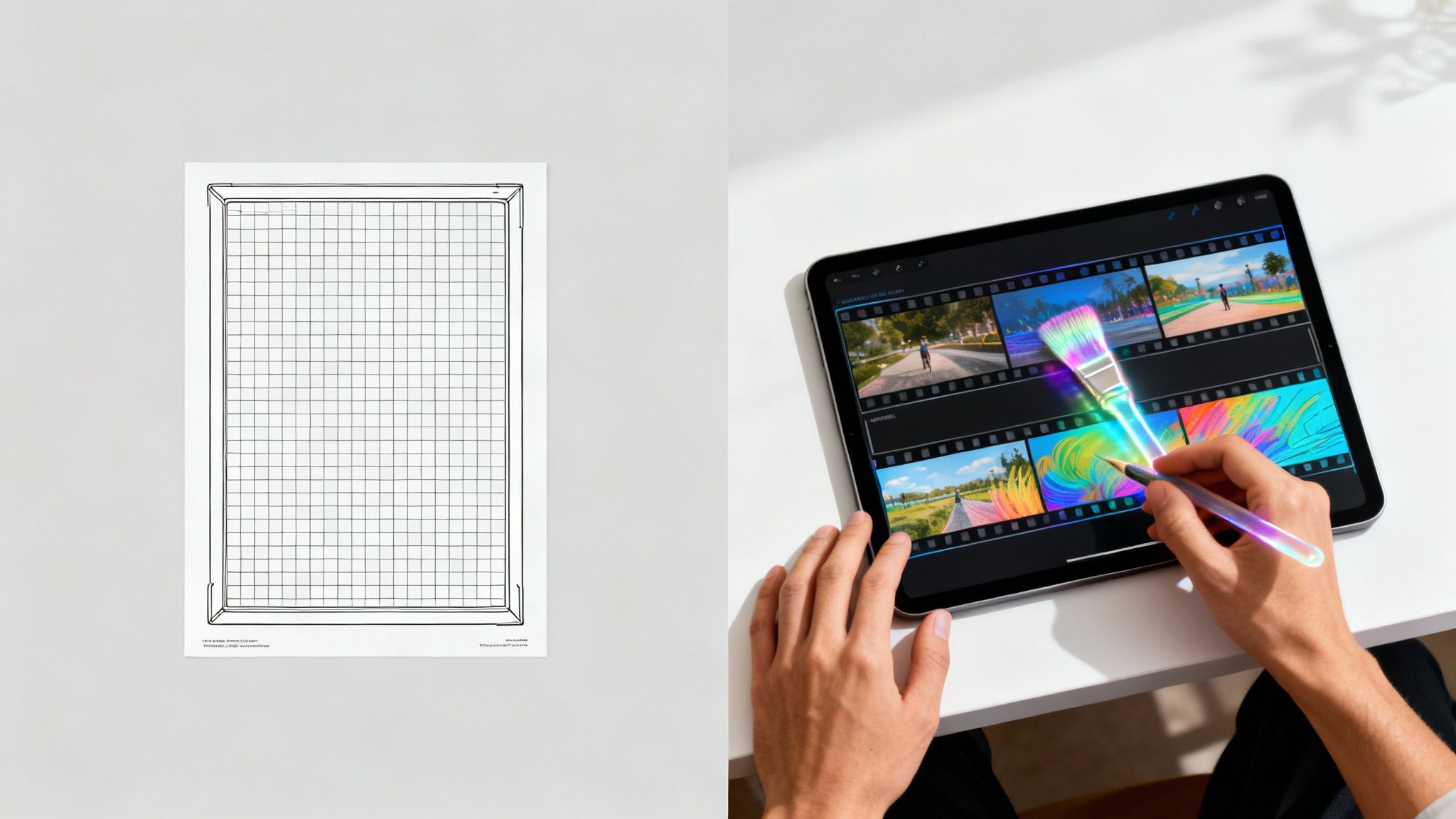
Let's try a simple analogy. A traditional video template is like a coloring book. The outline is already there, and all you do is fill in the colors. The structure is set in stone, limiting you to just replacing what's already there.
An AI video template, on the other hand, is like having a skilled editor on your team. You hand over your raw materials—a script, some brand assets, a few images, and a general idea of the mood you're after. That editor then uses their expertise to piece it all together, choosing the best takes, pacing the scenes, and delivering a final video that’s far more polished than any simple "fill-in-the-blanks" job.
The AI-Powered Creative Process
So, who is this "editor"? It’s a set of smart algorithms working in concert. When you drop in your assets, the AI doesn't just randomly place them. It kicks off a series of intelligent steps to build your video.
This analytical process is what really separates AI-powered tools from the rest. The system makes smart creative choices for you, transforming a folder of assets into a real story.
Here’s a quick peek at what's going on behind the scenes:
- Content Analysis: The AI first scans your script or article, pulling out key themes, important words, and the overall emotional tone. It uses this understanding to hunt down relevant stock footage or images.
- Visual Selection: It’s smart enough to crop and frame your visuals to fit the template’s style, making sure the main subject is always front and center.
- Scene Assembly: Following a natural narrative arc, the AI arranges your clips, adds smooth transitions, and sets the right pace to keep your audience hooked.
- Audio Synchronization: It can automatically line up your voiceover or background music with the visuals, matching the beat to on-screen actions to create a much more powerful effect.
The real magic of an AI video template is its ability to automate the thousands of tiny creative decisions that a human editor would spend hours on. It’s not just about saving time; it's about bringing professional-grade production instincts to everyone.
From Your Idea to a Finished Video
What does this all look like when you put it into practice? Let's say you have a blog post you want to repurpose into a quick video for social media.
Using a tool like Aicut, you'd start by simply dropping in the link to your article. The AI immediately gets to work, reading the text to identify the most powerful sentences for the narration. At the same time, it scours a massive media library for visuals that perfectly match what's being said.
Finally, it puts it all together into a slick, pre-designed format, complete with animated text and background music. You end up with a video that feels like it was crafted by hand, not just put together by a machine. This is the core shift that AI video templates offer—they let you move from tedious manual editing to focusing on the bigger picture of creative direction.
What Kinds of AI Video Templates Are Out There?
Let’s be real—not all videos are created equal. You wouldn't use the same style for a TikTok dance challenge as you would for a serious business announcement. That's why AI video templates aren't a one-size-fits-all deal. Think of them as a specialized toolkit, with each tool designed for a specific job.
Picking the right template from the get-go is half the battle. It sets the entire tone and structure for your video, ensuring your message actually lands with your audience. A flashy, high-energy template made for social media will just feel awkward and out of place in a corporate training module.
So, let's break down the main categories. Understanding these will help you match your content goals to the perfect visual foundation every single time.
To make this even clearer, here’s a quick-glance table comparing the most common template types and what they're best used for.
AI Template Types and Their Best Use Cases
| Template Type | Primary Use Case | Key AI Features |
|---|---|---|
| Social Media Clips | Grabbing attention on platforms like TikTok and Instagram. | Auto-captions, vertical reframing, trend analysis, fast cuts. |
| Corporate Comms | Internal training, company updates, and presentations. | Brand kit integration, professional transitions, data visualization. |
| Marketing & Ads | Product promos, testimonials, and lead generation. | AI voiceovers, call-to-action prompts, persuasive pacing. |
This table should give you a solid starting point for figuring out where your project fits. Now, let’s explore what makes each of these categories tick.
Social Media Clips for Maximum Engagement
Templates built for platforms like TikTok, Instagram Reels, and YouTube Shorts are all about one thing: stopping the scroll. They’re designed from the ground up for vertical screens and rely on lightning-fast pacing, bold text, and trending audio to hook viewers in the first few seconds.
These AI video templates are often loaded with features that play nice with social media algorithms. For example, they almost always have automatic caption generation because so many people watch videos with the sound off. The AI is also great at spotting the most exciting moments in your clips, making sure every second of your video is packed with visual punch.
- You'd use these for: Turning a blog post into a quick video, creating a fast-paced tutorial, or jumping on a meme trend.
- The AI does the heavy lifting with: Scene detection for quick cuts, auto-reframing for the perfect vertical shot, and animated text that syncs with your voice.
- The result? A snappy, shareable video that looks like it belongs on the platform and holds the attention of even the most distracted viewer.
Corporate Communications for a Professional Polish
When you’re making videos for internal training, company-wide announcements, or shareholder updates, you need a completely different vibe. Corporate AI video templates are all about clarity, professionalism, and keeping everything on-brand.
These templates are designed for a clean, polished look. You'll often find layouts perfect for slide decks, talking-head interviews, and charting out data. The AI here is more subtle—it focuses on smooth transitions, gentle animations, and seamlessly adding your company's logo and color scheme. It’s all about creating a consistent, trustworthy brand image.
And this is a huge market. Creative AI video generators, which rely heavily on these kinds of templates, already make up 38.1% of the entire AI video industry. In the B2B world, where corporate comms are everything, templates are so critical that they account for 70.1% of the market share. If you want to dig into the numbers, this AI video market report has some fascinating data.
Marketing and Promotional Ads
Marketing templates have one job: to sell. Whether you’re launching a new product, showcasing a glowing customer testimonial, or promoting an event, these templates are built to guide your viewer toward taking action. They often follow classic advertising formulas—hook the viewer, present a problem, offer your solution, and finish with a strong call to action.
The AI features baked into these templates are geared toward conversion. We’re talking about AI-powered voiceovers that sound surprisingly natural and persuasive, or intelligent scene assembly that builds emotional momentum from start to finish. By automating the nuts and bolts of creating high-impact ads, these templates let marketing teams test more ideas and scale their campaigns without getting bogged down.
To see how this works in practice, check out our guide on using an AI video editor with templates.
By thinking about AI video templates in terms of their end goal—whether it's engagement, information, or conversion—you can pick the right tool for the job. This ensures your final video doesn't just look good, but actually does what you need it to do.
A Step-By-Step Workflow for Creating Your First AI Video
Jumping into AI video creation can feel intimidating, but the actual workflow is surprisingly simple. Think of it less like learning a complex editing suite and more like giving clear directions to a super-efficient assistant. The whole process is designed to be intuitive, guiding you from a basic idea to a finished video in a few logical steps.
When you break it down, you’ll see how ai video templates get rid of the technical roadblocks. This lets you focus on what really matters: your message and your creative vision. Let's walk through the five stages most AI video platforms, including Aicut, use to bring your concepts to life.
Stage 1: Define Your Core Message and Goal
Before you touch a single button, you need a plan. Start by asking yourself one simple question: What is this video supposed to do? Are you trying to explain a complex topic, sell a product, or just get some engagement on social media?
Your answer shapes everything that comes next. A video meant to go viral on TikTok will have a completely different script, pace, and tone than a corporate training video. Nailing down your main goal and key message gives you a solid foundation for the entire project.
- Pro Tip: Try to summarize your video's purpose in a single sentence. If you can't state it that clearly, your message might be too complicated. Keep it focused for the best results.
Stage 2: Choose the Right AI Video Template
With your goal set, it's time to pick your creative blueprint. This is where you select an ai video template that actually fits your message. As we've discussed, these templates are usually sorted by their intended use—social media, marketing, corporate training, and so on.
This infographic gives you a quick visual breakdown of the main template categories you'll come across.
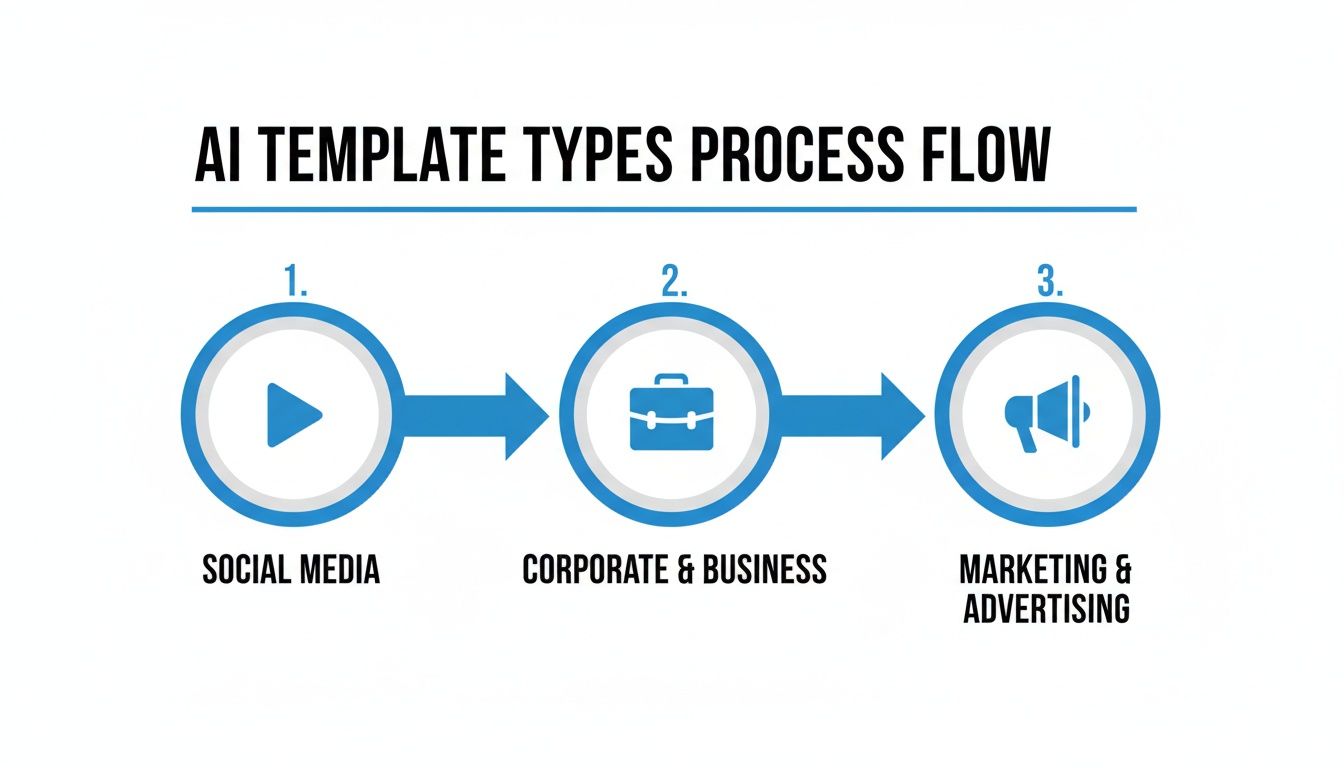
Each path leads to a different style, making sure your video's structure and pacing are just right for the audience you're trying to reach.
Don’t just look at the pretty visuals; think about the template's structure. Does it have spots for customer testimonials? Is it paced for quick, punchy cuts that work well for Shorts? Picking the right template is like choosing the right tool for the job—it makes everything that follows so much easier.
Stage 3: Input Your Content and Brand Assets
Now for the fun part. This is where you hand over the raw materials for the AI to get to work. Depending on the tool you're using, this could be as easy as pasting a link to a blog post or uploading a finished script.
You’ll also want to upload your brand assets. This usually includes things like:
- Your company logo
- Your specific brand colors (use the hex codes for accuracy)
- Your preferred fonts
- Any custom footage, images, or music you want to feature
Getting these elements in upfront lets the AI automatically splash your brand identity across the whole video. This ensures everything looks consistent and professional. It's an incredibly efficient stage; for example, you can learn how to create YouTube Shorts from existing video content by just giving the AI your long-form footage to chop up.
Stage 4: Let the AI Generate the First Draft
Once you’ve provided all your inputs, you get to sit back and let the magic happen. The platform gets to work analyzing your script, picking out relevant stock footage (or generating new visuals), putting scenes together, syncing the audio, and applying your branding. The whole thing usually only takes a few minutes.
What you get back is a fully formed first draft. It’s not always perfect, but it's a fantastic starting point that often gets you 80-90% of the way there. For busy creators and marketers, this automation is a huge time-saver.
Think of this initial AI-generated draft as your creative launchpad. It handles all the tedious assembly, freeing you up to focus on the final polish that makes the video truly yours.
Stage 5: Refine and Export Your Final Video
The final step is to review what the AI has done and make your tweaks. Maybe you want to swap out a stock clip that doesn't feel right, adjust the timing of a transition, or clean up the captions. Most platforms have a simple timeline editor that makes these changes a breeze, even if you're a total beginner. For a closer look at this stage, check out our guide on how to https://www.aicut.pro/create/ai-video.
Once you’re happy with it, you can export the video in the format and resolution you need. This workflow is becoming the new standard. In fact, 75% of video marketers are already using AI tools for creation and editing. They're automating tasks to pump out more content and slashing production time in half for formats like Reels and Shorts. This step-by-step process really takes the mystery out of AI video production and puts it in everyone's hands.
Customizing AI Templates to Match Your Brand
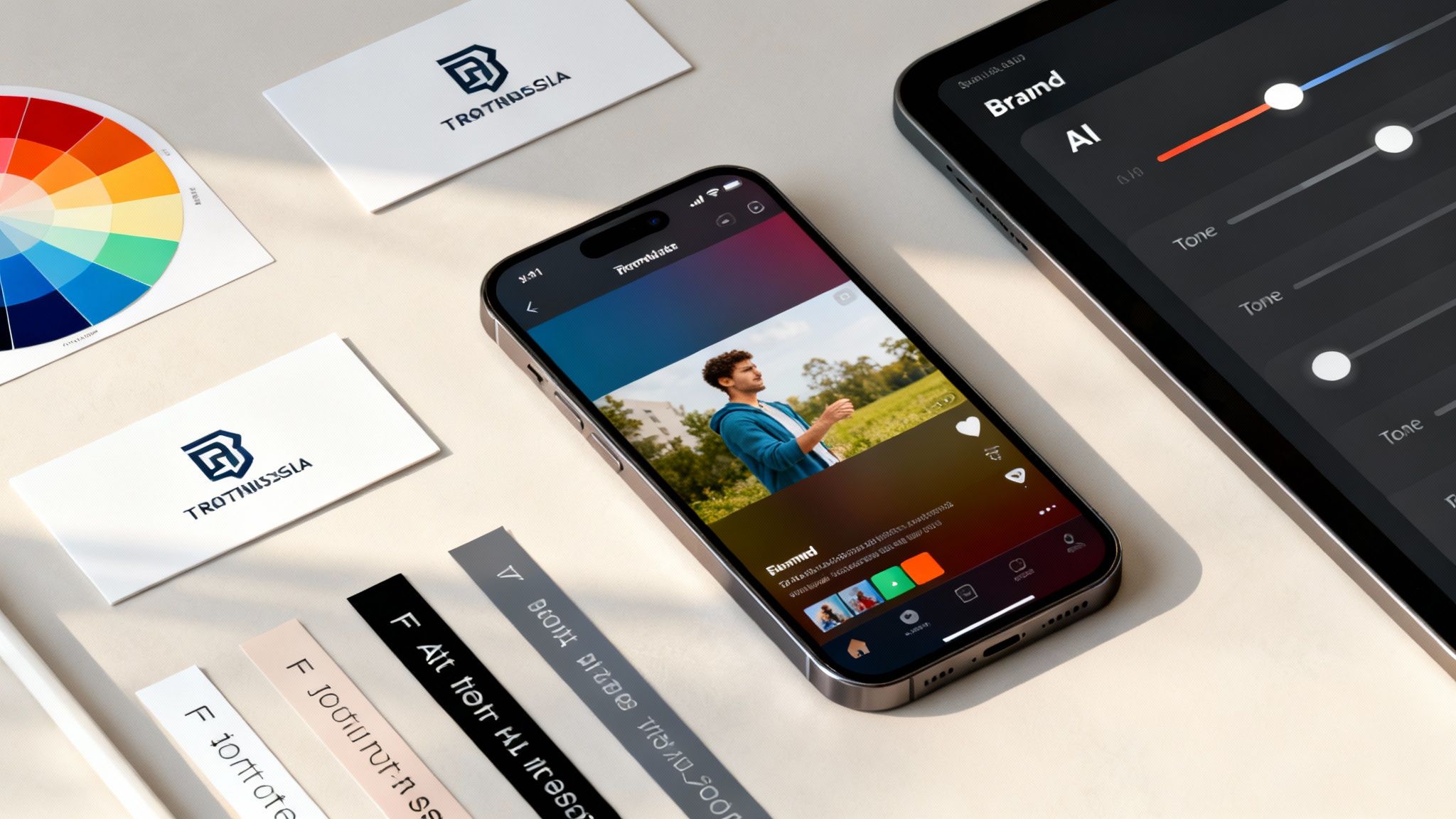
Let's be honest: one of the biggest fears when using AI video templates is that your content will look generic. Nobody wants to look like a carbon copy of their competitors, and it's a valid concern. Your brand's unique identity is your most valuable asset.
The good news is that modern AI tools are designed to tackle this very problem. Customization isn't just about slapping your logo on a video and calling it a day. It’s about weaving your brand’s personality into every single frame, so you get the speed of AI without losing the distinct feel your audience knows and trusts.
Beyond the Logo: Infusing Your Brand Identity
True brand alignment comes from tweaking several key visual and sound elements. Think of it as giving the AI your brand’s style guide—the more details you provide, the more the final video will feel like you. A well-branded video sticks in your audience's memory and creates a consistent experience everywhere they see you.
This isn’t a complicated or technical chore. Most platforms now let you create a "brand kit," which is basically a saved profile of your core brand assets. Once you set it up, the AI can automatically apply these elements to any AI video templates you pick. Consistency becomes the default, not an afterthought.
The goal is to make the template invisible. Your audience shouldn't see an "AI template"; they should see your brand's video, which just so happened to be made with a little AI help.
Let's break down exactly what you can customize to make every video unmistakably yours.
Essential Customization: Your Brand Kit Checklist
Think of your brand kit as the DNA of your visual content. Getting these foundational pieces right is the first step to creating videos that people instantly recognize.
- Color Palette: Don't just pick "blue." Input the exact hex codes for your primary, secondary, and accent colors. The AI will then use these for text, backgrounds, and graphics, keeping everything perfectly on-brand.
- Typography: Upload your brand's specific fonts. Consistent typography is a subtle but incredibly powerful branding cue that makes your content feel familiar.
- Logo Variations: Give the AI options. Provide a full-color logo, a black-and-white version, and maybe just your icon. This allows the AI to pick the best fit for any scene, whether it’s on a light or dark background.
With these basics in place, the video’s skeleton already looks and feels like it belongs to your brand, even before you've added your actual content.
Tailoring the Narrative and Tone
Your brand’s personality isn't just visual; it’s also in the way you communicate. This is where you can really start to guide the AI to match your unique voice.
For example, when generating a script or voiceover, you can give the AI prompts that define the tone. Are you going for high-energy and motivational, or are you aiming for something calm and instructional? You can also jump into the AI-generated script and add your own unique phrases or industry terms to make it sound even more authentic.
- Adjust the Pacing: Many AI tools let you influence the video's rhythm. You can choose templates built with fast, punchy cuts for a social media clip or pick something with slower, smoother transitions for an in-depth tutorial.
- Select a Voice: When using text-to-speech, you’re not stuck with a single robotic voice. You can browse a whole library of AI voices with different genders, accents, and tones to find the one that best represents your brand’s persona.
- Use Custom Intros and Outros: A great way to frame your content is by uploading your own pre-made intro and outro clips. They act as brand bookends, creating a polished and consistent viewing experience every single time.
By taking these extra steps, you go beyond just making things look right—you start shaping the feel of the video itself. This deeper level of personalization is what separates generic AI content from videos that truly connect with an audience. It’s how you make AI video templates work for you, not the other way around.
Future-Proofing Your Video Content Strategy
As we've explored, AI video templates are clearly more than just a fleeting trend. They signal a real change in how we approach and scale video production. Think about it: they take the once-painful parts of the process and automate them, giving you a huge library of styles to choose from for any project. This is how you start creating consistent, branded content at a scale that was once unthinkable.
Getting on board with this shift isn't just about saving a few bucks or getting videos out the door faster. It’s about making sure your brand stays relevant in a world that is absolutely dominated by video. When you can produce great, on-brand videos quickly, you can respond to what's happening in your market, keep your audience engaged, and move faster than competitors still tangled up in old-school workflows.
The Next Wave of Generative AI
The tech powering AI video templates is moving incredibly fast. It won't be long before we see templates that aren't just customizable, but truly alive. Picture a template that adjusts its own pacing based on how people are reacting to it in real-time. Or one that automatically creates thousands of hyper-personalized ad versions for every niche in your audience. That level of smart creation is right around the corner.
The big takeaway is this: working AI video tools into your process is no longer a "nice-to-have." It's a strategic must. It's how you build a content engine that's scalable, quick on its feet, and ready for whatever the future holds.
As these tools get even smarter and easier to use, they’ll open up entirely new creative doors. To get a better sense of where this is all going, you can dive deeper into the future of content creation with AI video generation and see what's on the horizon.
Honestly, the most important thing you can do right now is just start. Don't sit on the sidelines waiting for the technology to be "perfect." Jump in, pick a template, and make something. By getting comfortable with these tools today, you're not just learning a new skill—you're future-proofing your entire content strategy and setting your brand up for success.
Frequently Asked Questions
Jumping into the world of AI video templates is exciting, but it's natural to have a few questions before you get started. Let's clear up some of the most common things creators ask, from using your own clips to figuring out copyright.
Can I Use My Own Footage and Voiceover?
Yes, absolutely. In fact, that's what the best AI video tools are built for. They aren't meant to lock you into a generic library; they're designed to work with your assets to create something that’s genuinely yours.
You can upload your own video clips, photos, and audio files—including any voiceovers you've already recorded. The AI is smart enough to analyze your custom footage, slot it into the template's structure, add the right effects, and sync everything up perfectly. It treats your content as the star of the show.
Think of the AI as a super-efficient video editor. You hand over your raw footage and a style guide (the template), and it assembles everything for you in minutes, saving you hours of tedious work.
This is what makes these tools so powerful. You get the speed and convenience of AI automation without having to give up creative control or your unique brand voice.
How Do AI Templates Handle Different Languages?
Most of the leading AI video platforms have solid multilingual support built right in. This is a game-changer if you're trying to reach a global audience, especially when it comes to things like automated captions or AI-generated voices.
You can usually pick from a long list of languages and even specific accents for the text-to-speech narration. The AI models behind these features have been trained on huge amounts of data from all over the world, so they can generate surprisingly natural-sounding speech in different languages.
This means you can easily create localized versions of your videos for different markets. You get to skip the time and expense of hiring translators or voice actors for every region you want to target.
Are Videos Created with AI Templates Copyright-Free?
This is a really important question, and the answer comes down to two key things: the platform you're using and the assets you put into it.
Here’s a simple breakdown of how it usually works:
- Using Platform Assets: If you make a video using only the stock clips, music, and images from the tool's library, you're generally in the clear. The platform has already sorted out the licensing, so you can typically use the final video for commercial purposes, especially with a paid plan.
- Using Your Own Assets: When you upload your own footage, photos, or music, the responsibility for copyright is on you. The AI platform is just the tool; you're the one who needs to make sure you have the legal right to use everything you upload.
The golden rule is to always read the licensing agreement for the specific tool you choose. It will spell out exactly what you can and can't do, helping you stay on the right side of the law for both personal and business projects.
Ready to stop spending hours editing and start creating viral content effortlessly? Aicut provides the templates, AI models, and automation tools you need to scale your channel. Join over 500k+ creators and start your journey with Aicut today!