Making videos with AI isn't some far-off idea anymore—it's something you can do right now. Using tools like Aicut, you can turn simple text prompts into realistic video clips, create AI avatars, and build entire stories without ever touching a camera or complicated editing software. This completely changes the game, making it possible for anyone to create viral-worthy videos.
The New Reality of Viral Video Creation

The traditional barriers to making great videos are officially gone. Not long ago, you needed pricey equipment, a ton of technical know-how, and hours of free time. That's all changed. Now, a solo creator or a small brand can go head-to-head with big production studios.
What's fueling this shift? A huge demand for authentic, story-driven videos, especially on platforms like TikTok, YouTube Shorts, and Instagram Reels. We're seeing "faceless" channels, built entirely with AI visuals and sharp scripts, blow up and attract massive followings.
Why This Matters for Creators Now
This isn't just another trend. It’s a complete shift in how content gets made. Being able to create video with AI means you can pump out content at a pace that was just unimaginable before. Forget spending an entire day on a single video; now you can knock out a whole week's worth of content in just a couple of hours.
This kind of speed gives you some serious advantages:
- Consistency is king: You can finally stick to that daily posting schedule. The algorithms love it, and your audience will grow much faster.
- Test everything: Don't waste time and money guessing what works. AI lets you easily try out different styles, topics, and formats to see what your audience really connects with.
- Scale up fast: Once you find a formula that hits, you can double down and scale up your production to own your niche.
The numbers don't lie—now is the time to jump in. The market for AI video generators was valued at USD 554.9 million in 2023 and is on track to hit nearly USD 2 billion by 2030. This boom is all thanks to our insatiable appetite for short-form video; TikTok alone sees an estimated 25 million videos uploaded every single day.
If there's one thing to take away from this, it's that AI has leveled the playing field for video. Your ideas are now your most important asset—not your camera or your budget.
Tools like Aicut are at the heart of this movement, giving you everything you need to take an idea and turn it into a polished video, scheduled and ready to go. You can learn more about how AI is shaping the future of content creation in our deep-dive article.
Choosing Your Winning AI Video Format
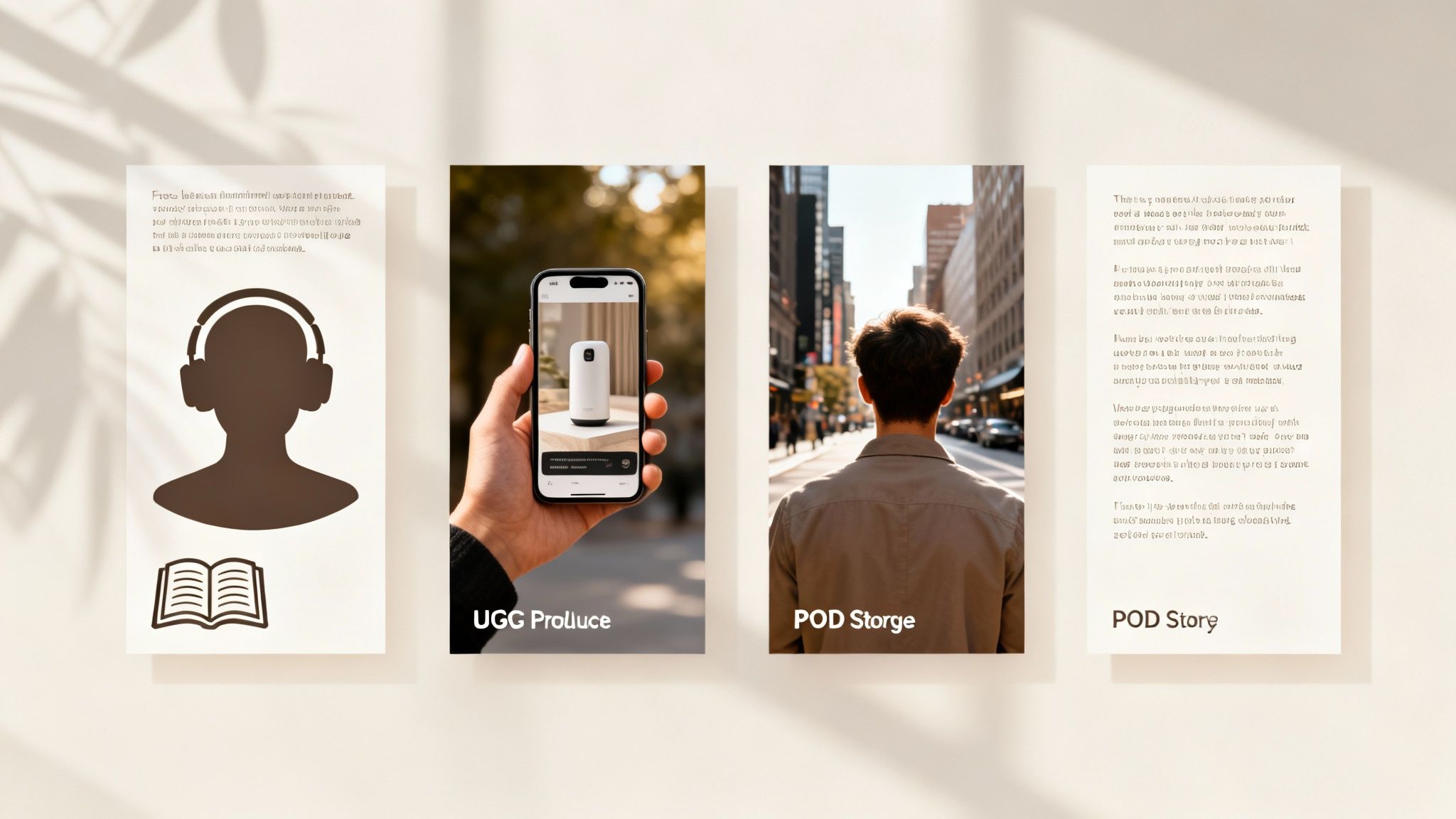
Before you even think about writing a prompt, you need a game plan. The video format you choose is more than just a creative decision—it's the foundation of your entire channel. It dictates who your audience is, what platform you'll dominate, and ultimately, how you'll make money.
Let’s break down the most popular formats that creators are using right now to build huge followings on YouTube, TikTok, and Instagram. Each one hits a different nerve and appeals to a specific type of viewer.
Faceless Informational Videos
This is the classic, tried-and-true approach for many wildly successful AI channels. Think of those deep-dive videos on history, science, true crime, or finance that pull you in without ever showing a single human face. The magic here is in the combination of a great script, a solid voiceover, and a steady stream of compelling AI visuals.
The real power of this format is its educational value. People seek out this content to learn something, making it a perfect fit for YouTube’s ad-based revenue model. If you have a knack for breaking down complex topics into digestible stories, this is your sweet spot.
UGC-Style Product Showcases
We all know that user-generated content (UGC) sells. It feels real, honest, and trustworthy. Now, you can create that same vibe using AI to generate what looks like an authentic customer review or product demo. For anyone in e-commerce or affiliate marketing, this is a massive opportunity.
Picture this: a photorealistic video of someone unboxing and using your product, with a convincing AI avatar sharing their "experience." This kind of content absolutely crushes it on TikTok and Instagram Reels, driving sales and building social proof without the hassle and cost of a real photoshoot.
Choosing a format isn't just a creative decision; it's a business one. Your format directly influences your potential audience size, platform choice, and how you'll eventually make money.
Engaging POV Stories
Point-of-view (POV) videos are all about immersion. They drop the viewer right into the middle of the action, creating a personal and unforgettable experience. This format is brilliant for telling short, emotionally charged stories. Imagine videos like, "You're a Knight Defending a Castle" or "My First Day as a Deep-Sea Explorer."
These narrative shorts are gold for the TikTok algorithm, which loves high watch times and engagement. By making the viewer the main character, you forge an immediate connection that keeps them hooked until the very end. It's direct, powerful storytelling.
Viral Text-Based Narratives
You'd be surprised how effective the simplest ideas can be. Text-based videos, especially those that narrate Reddit stories or "Am I the A**hole" posts, have exploded in popularity. They usually feature the story's text on screen with a simple, looping AI-generated video playing in the background.
This format is incredibly fast and cheap to produce, yet it hooks viewers with raw, relatable human drama. It’s a low-effort, high-reward strategy for growing a channel quickly because it leans on the power of a good story, not complex visuals. If you want to create AI video content with maximum speed, this is an amazing place to start.
AI Video Format Comparison for Creators
Still on the fence? This table breaks down the key differences to help you match a format to your goals.
| Video Format | Best For | Ideal Platform | Monetization Strategy |
|---|---|---|---|
| Faceless Informational | Deep-dive educational content, complex topics, storytelling | YouTube | Ad revenue, sponsorships, digital products |
| UGC-Style Product | E-commerce, affiliate marketing, social proof | TikTok, Instagram Reels | Direct sales, affiliate commissions, brand deals |
| Engaging POV Stories | Immersive narratives, emotional connection, short-form drama | TikTok, YouTube Shorts | Creator funds, brand partnerships, tipping |
| Viral Text-Based | Rapid content production, high engagement, human-interest stories | TikTok, YouTube Shorts | Creator funds, ad revenue, sponsorships |
Ultimately, the best format is the one you can produce consistently while hitting the sweet spot for your target audience and platform. Don't be afraid to experiment with one or two before committing.
Crafting Prompts for Photorealistic Results
The real magic behind a jaw-dropping AI video isn't the software—it's the prompt. This is where your creative direction comes alive, turning a simple thought into something visually stunning. If you want to create AI video that genuinely stops the scroll, you have to move beyond one-line commands.
Writing a great prompt is an art, but it's one you can get the hang of pretty quickly. It all comes down to being specific and descriptive. You need to paint a vivid picture with your words so the AI knows exactly what you're imagining. Think of yourself as a director giving crystal-clear instructions to your very literal, digital camera crew.
Moving Beyond Basic Commands
Tossing a prompt like "a woman walking on a beach" into the generator will get you exactly that—a generic, forgettable clip. For photorealistic results, you have to layer in details that dictate the mood, style, and composition of the shot.
Here are the key ingredients I always include in my prompts:
- Subject and Action: Get specific. Don't just say "a car"; describe "a vintage red convertible cruising down a coastal highway at sunset."
- Camera Work: This is a game-changer for creating dynamic, professional-looking footage. Use terms like "dutch angle," "POV shot," or a "slow-motion pan" to control the energy and perspective.
- Lighting and Mood: Nothing sets the tone like lighting. Try descriptors like "cinematic lighting," "golden hour," or "dramatic neon glow" to instantly create an atmosphere.
- Fine Details and Style: This is how you nail the realism. Add phrases like "hyperrealistic skin texture," "4K," "photorealistic," or "shot on 35mm film" to push the AI toward your desired aesthetic.
If you really want to get into the weeds of crafting the perfect input, the field of AI prompt engineering is dedicated entirely to this. It's all about figuring out the most effective language to get exactly what you want from these AI models.
Real-World Prompt Examples
Let's see this in action. The difference between a simple prompt and a detailed one is night and day.
Scenario 1: UGC-Style Product Review
- Simple Prompt: "A woman holding a phone."
- Advanced Prompt: "UGC-style selfie video, POV shot of a woman with a bright smile unboxing a new smartphone, natural morning light from a window, hyperrealistic skin texture, 4K."
See the difference? The advanced prompt gives the AI the context (UGC-style), a specific angle (POV shot), and crucial details about the lighting and quality. The result feels far more authentic and ready for TikTok or Instagram Reels.
Scenario 2: Dynamic Travel Vlog Shot
- Simple Prompt: "A person hiking."
- Advanced Prompt: "Drone shot following a hiker from behind on a narrow mountain ridge, golden hour cinematic lighting, slow-motion pan revealing a stunning valley below, epic and adventurous mood, photorealistic."
Here, the camera work ("drone shot following") and movement ("slow-motion pan") instantly make the scene feel bigger and more dramatic. The "golden hour" lighting gives it that premium, cinematic feel. To see even more examples and really sharpen your skills, check out our complete text prompt guide.
The goal is to leave nothing to chance. The more specific your instructions, the less the AI has to guess, and the closer the final video will be to your original vision.
Scripting for High Retention
Of course, stunning visuals are only half the story, especially on platforms like TikTok and YouTube Shorts. Your script has to be just as sharp. It needs to be tight, punchy, and built to grab someone's attention in the first three seconds.
A winning short-form script usually follows this blueprint:
- The Hook (0-3 seconds): Open with a bold claim, a provocative question, or a visual that makes people stop scrolling.
- The Core Value (3-10 seconds): Get right to the good stuff. Deliver the key takeaway or solution right away.
- The Call to Action (10-15 seconds): End by telling your viewers exactly what to do next—ask a question for the comments, tell them to follow, or point them to a link.
When you combine powerful, photorealistic AI visuals with a script engineered for high retention, you've got a killer formula. This is how you create content that not only looks incredible but actually performs.
Your Aicut Production Workflow From Start to Finish
Alright, let's get our hands dirty and start making something inside Aicut. This is where your ideas, formats, and prompts stop being just concepts and actually become a video you can share. I’ll walk you through the entire process, focusing on a smart workflow that lets you pump out AI video content at a serious pace.
The goal here isn't to get lost in complicated timelines or a million confusing settings. It's about speed and consistency. This is how you can batch-produce great-looking clips and maintain a daily posting schedule without burning out.
Selecting a Template and Generating Clips
Your first move in Aicut is to pick a foundation. Instead of staring at a blank screen, you can tap into a library of templates built for specific niches and formats that are already killing it on TikTok and YouTube. Whether you're making a UGC-style review or a faceless Reddit story, there’s a solid starting point waiting for you.
Once you’ve found a template that fits, it's time to generate the actual video clips using the prompts you wrote earlier. This is where you’ll see those detailed instructions really pay off. Aicut lets you generate a bunch of clips at once, which means you can create all the visuals for an entire video in one go. For an efficient workflow, batching like this is everything.
The whole point is to get from creation to distribution as fast as possible. Using templates and batch generation can literally take your production time from a few hours down to just minutes per video.
This isn't just a trick for solo creators; it's quickly becoming the standard for social media managers and agencies. The market for generative AI in video is exploding, rocketing from USD 336.1 million in 2023 to a forecasted USD 2,298.8 million by 2033. Brands are jumping on this to make authentic-looking ads without the insane costs of a traditional video shoot, and Aicut's photorealistic clips are a perfect fit. If you're curious about this shift, you can read the full report on generative AI's impact and its mind-boggling 21.2% CAGR.
Editing and Final Touches
With your video clips ready, the next step is putting it all together and adding some polish. The editor inside Aicut is built to be simple. You can quickly arrange your clips, pop in some text, and sync it all up to a good soundtrack without a steep learning curve.
Here’s a quick breakdown of what you'll be doing in the editor:
- Stitch Clips Together: Just drag and drop your generated clips into an order that tells your story.
- Add Text Overlays: Use bold, clean text to hit your key points or add captions. This is non-negotiable for anyone watching on their phone with the sound off.
- Choose Background Music: Pick a track from the built-in royalty-free library to set the right vibe and give your video some energy.
- Animate a Photo: For a different twist, you can even upload a still photo and use Aicut’s tools to make it a talking, animated character.
The flowchart below gives you a simple way to think about constructing your scenes. It all comes down to getting the angle, lighting, and small details right.
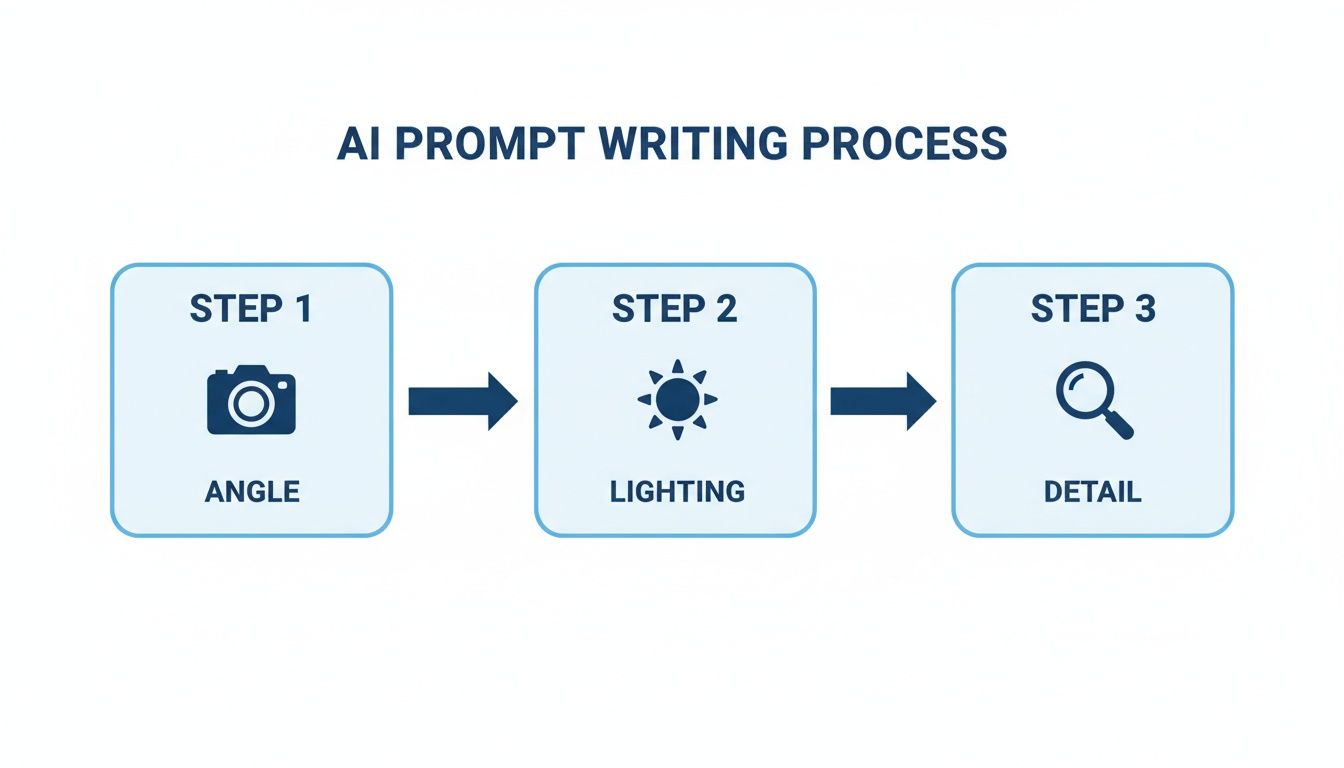
This just reinforces that a great shot starts with a clear vision before you even hit the "generate" button. Once everything is in place, you’ll upscale your video to make sure it looks sharp on any screen, and then you're ready to export and share it with the world.
Automating Your Distribution for Maximum Reach
You’ve put in the work to create a fantastic AI video, but that’s only half the battle. If nobody sees it, does it even matter? This is where a smart distribution strategy comes in—it’s the secret weapon for real channel growth. Forget about manually uploading every single video to each platform. You can build a system that does the heavy lifting for you.
By connecting your social accounts to a scheduling tool, you can automatically post your finished videos directly to YouTube, TikTok, and Instagram. This kind of consistency sends a powerful signal to the algorithms. When you show up reliably with fresh content, they start to notice and are much more likely to push your videos to a wider audience. That’s how you increase your odds of going viral.
Don't Use a One-Size-Fits-All Approach
Every platform has its own vibe, its own audience, and its own algorithmic quirks. Just copying and pasting the same caption and hashtags everywhere is a surefire way to get mediocre results. You've got to tailor your approach to each one.
Here are a few tactics I've seen work time and time again:
- TikTok: Keep your captions short and punchy. Ask a question to get the comments flowing. I like to mix big, popular hashtags (like #AIvideo) with a few super-niche ones to pull in the exact viewers I’m looking for.
- YouTube Shorts: The title is king here. It needs to be compelling and packed with good keywords to stop people from scrolling past it in the Shorts feed. Use the description field to add extra context or links.
- Instagram Reels: It’s all about the visuals and trending audio. Make sure your captions are engaging, and use hashtags that directly relate to what people are seeing and the topic at hand.
Think of it like this: your goal is to build a content machine that pretty much runs on its own. Once you set it up, you're not just creating videos efficiently—you're publishing them at the perfect time, on the perfect platform, without even thinking about it.
Getting the Technical Details Right
Before you hit "schedule," there are a couple of final checks that can make or break your video's performance. First, your export settings. Always optimize for mobile viewing, which almost always means a 9:16 aspect ratio for Shorts, Reels, and TikTok. A high-quality export ensures those photorealistic clips you worked so hard on look sharp and professional, not pixelated.
Next up is scheduling. Don’t just post your video the second it’s done. Dive into your analytics on each platform to see when your audience is actually online and active. Most scheduling tools let you line up a full week's worth of content in one go. This is a huge time-saver and ensures you never miss a primetime posting slot.
If you want to go even deeper on building this kind of content pipeline, check out our guide on how to automate AI video creation from start to finish. Systemizing your distribution lets you shift your focus from tedious manual tasks to what really matters: strategy and growth.
Got Questions About AI Video? I've Got Answers
If you're just dipping your toes into AI video, you probably have a few questions swirling around. It's totally normal. Let's clear up some of the most common things people ask when they're starting out.
Can I Actually Make Money from AI Videos?
You absolutely can. This is a huge misconception. Both YouTube and TikTok are perfectly fine with you monetizing AI-generated content, provided it follows their rules on originality and community standards. They aren't trying to block creators for using new tools; their main goal is to weed out low-effort, spammy junk.
The secret is to bring your own creative spin to the table. You need to add real value. This could be through:
- A killer script that you wrote yourself
- A captivating story that hooks people in
- Your own voiceover or some slick, unique editing
As long as you create AI video content that’s genuinely interesting and feels fresh, you're good to go. At the end of the day, quality wins.
How Often Should I Be Posting?
When it comes to short-form video, the name of the game is consistency. The algorithms on these platforms love channels that are always active. From what I've seen, the creators who really take off are posting between 1 to 3 videos every single day. This keeps you top-of-mind and signals to the platform that you're a serious source of content.
Don't let that number freak you out. This is precisely why AI tools are so powerful. A solid workflow lets you batch-create an entire week's worth of content in just a couple of hours.
This steady drumbeat of content is what builds momentum and really puts your channel's growth on the fast track.
Do I Need to Be a Pro Video Editor?
Nope, not even a little bit. The new wave of platforms designed to create AI video was made for people without a film degree or a background in complex editing software. Forget about confusing timelines, keyframes, and endless settings.
These tools are built around simple, intuitive templates. They do all the complicated work behind the scenes. If you can write a decent prompt and know how to click a mouse, you have all the skills required to start making great-looking videos right now. The barrier to entry has pretty much vanished.
Ready to build your content empire without the burnout? Aicut gives you the tools to ideate, produce, and distribute viral-worthy AI videos in minutes, not hours. Start creating for free today at Aicut.