
Making YouTube videos with AI isn't some far-off idea anymore—it's happening right now. Creators are already building entire workflows around it. The process is surprisingly straightforward: you use AI to brainstorm and write scripts, generate video clips from simple text prompts with tools like Aicut, and even automate your publishing schedule. It’s making video production faster and more accessible than I’ve ever seen.
The New Reality of AI Video on YouTube
Welcome to the new world of content creation. Artificial intelligence is completely changing the game, taking power from big production studios and putting it directly into the hands of individual creators. We're not just talking about cool special effects; AI is changing the entire production process from the ground up.
Not long ago, making a polished YouTube video was a serious investment of time and money. You had to handle scripting, filming, editing, sound design—and often, you had to hire a team to get it all done. Now, you can run the whole show right from your computer.
Let's look at how the old way stacks up against the new.
Traditional vs AI Video Production at a Glance
This table breaks down the differences between the classic production model and a modern AI-powered workflow. The numbers speak for themselves.
| Metric | Traditional Production | AI Video Production (with Aicut) |
|---|---|---|
| Cost | High (thousands per video) | Low (a fraction of traditional cost) |
| Time | Weeks or months per project | Hours or days per video |
| Team Size | Often requires a crew (camera, sound, editor) | Can be a one-person operation |
| Equipment | Cameras, lighting, microphones, editing suite | Just a computer with an internet connection |
| Flexibility | Difficult and expensive to make changes | Edits and new versions are quick and easy |
The shift is undeniable. AI isn't just an alternative; it's a more efficient path for many creators.
Who Is This For? Speed and Accessibility Unlocked
So who really benefits from this shift? I’ve seen a few types of creators thrive by using AI to make their YouTube videos:
- Faceless Channels: If you want to stay anonymous, you can now create incredible-looking content without ever stepping in front of a camera.
- E-commerce Brands: Businesses can pump out authentic UGC-style product videos and ads without the hassle and cost of a full-blown photoshoot.
- Solo Creators: You can finally go head-to-head with bigger channels by producing a steady stream of high-quality videos.
The barrier to entry has practically vanished. What used to cost thousands is now within reach for almost anyone. The numbers are pretty staggering: while traditional video production can run $4,500 per minute, AI-generated videos can be made for around $400 per minute. That's a 91% drop. By 2025, it’s projected that businesses worldwide will have saved a combined $3.7 billion by adopting AI workflows.
AI does more than just cut costs—it gives you a real strategic edge. It levels the playing field, making your creativity and consistency the true measures of success, not the size of your wallet.
It's About More Than Just Saving Money
While the financial perks are obvious, the strategic upside is where things get really interesting. By letting AI handle the tedious parts of video production, you get to pour your energy into what actually grows your channel: brainstorming great ideas, refining your strategy, and connecting with your audience.
This freedom allows you to experiment with new formats and topics on the fly, helping you figure out what your viewers love much faster than before.
As you get started, it’s also smart to keep an eye on the bigger picture. Understanding where the industry is headed by reading up on things like The Future of Influencer Marketing: AI, VR, and Beyond can give you a better sense of what's coming next. Think of this guide as your roadmap for using these powerful new tools to turn your video ideas into reality, easier than ever before.
How to Plan Your AI YouTube Channel for Success
So many people get excited by AI video tools and dive right in, only to find their channel gets completely ignored. The biggest mistake you can make is hitting "generate" without a solid game plan. A real strategy is what separates a successful AI channel from the endless sea of "AI slop" that both viewers and the YouTube algorithm have learned to tune out.
Your first move isn't writing a prompt; it's deciding on your purpose. This starts with picking a tight, specific niche. Don't just make a channel about "history facts." Instead, focus on something like "forgotten battles of the Roman Empire." Skip generic "product reviews" and specialize in "UGC-style reviews for eco-friendly gadgets." When you narrow your focus, it becomes so much easier to create youtube videos with ai that pull in a loyal, dedicated audience.
This is exactly where tools like Aicut's viral niche templates can give you a huge head start. They provide proven concepts with built-in audiences, perfect for AI generation. You can jump straight into formats like Reddit story narrations, animated text-based tales, or faceless historical deep dives without having to guess what might work.
Pinpoint Your Target Audience
Once you know your niche, you have to get crystal clear on who you're actually talking to. Putting together a simple audience persona will guide everything you do, from the tone of your scripts to the visual style you generate.
Ask yourself a few simple questions:
- What are they into? (Think sci-fi, personal finance, or maybe unsolved mysteries.)
- What problem are you solving for them? (Are they trying to learn something new, kill some time, or decide what to buy?)
- What are they already watching? (Short documentaries? Animated explainers? Text-based stories?)
Understanding your audience helps you build a real community, not just chase a view count. A big part of that first impression is optimizing your YouTube bio, as it's the first place new viewers will look to see what you're all about.
Build a Realistic Content Calendar
On YouTube, consistency is everything. A content calendar is your roadmap to making it happen. While an AI-assisted workflow definitely makes it easier to produce content, you still need to plan what you’re making and when you’ll release it.
Here's a common trap I see: creators aim for daily uploads right out of the gate and burn out. It's much better to start with a manageable goal, like one or two high-quality videos per week. Quality and consistency will always win against rushed, low-effort quantity.
The data backs this up. A staggering 84% of YouTube channels never even hit 1,000 subscribers. And if your low-effort AI content gets flagged, you could see a traffic drop of up to 5.44x. These numbers aren't meant to scare you—they're a reminder that a thoughtful plan is non-negotiable.
A good plan also keeps your content from getting stale. You can map out a video series, switch between different formats, and make sure every upload offers something new. Many creators find that running a faceless YouTube channel works perfectly with AI video tools. If you plan for this from the start, it will shape your entire process, from scripting to visual style. Think of your calendar as the bridge connecting your ideas to a channel that's built to last.
Generating Photorealistic Video From A Prompt
Alright, this is where the fun really begins. It’s time to take your ideas and script and actually generate the video clips that will become your YouTube content. This part might seem intimidating, but tools like Aicut make it surprisingly straightforward to turn simple text prompts into professional-looking, photorealistic video.
You've already done the hard work of scripting. A solid narrative is the foundation of any good video, and with that in hand, we can jump into the visual creation. Think of the AI as your personal film crew, ready to shoot whatever scene you can imagine.
Mastering The Art of The Prompt
Here’s the thing about AI video: your results are only as good as your instructions. If you give a vague prompt, you'll get a vague, generic video. To make your channel stand out, you need to get good at writing detailed, descriptive prompts. It’s less like typing a command and more like painting a picture with your words.
If you want to create youtube videos with ai that actually look impressive, specificity is your best friend. Don't just ask for "a man walking in a city." That could be anything. Instead, build a complete scene.
Let’s look at a real-world example of a prompt for a cinematic shot:
Prompt: Cinematic wide shot of a lone astronaut walking across a desolate Martian landscape, red dust swirling around their boots. The two suns of the alien planet are setting on the horizon, casting long, dramatic shadows. Photorealistic, 8K, high detail.
See the difference? We’ve defined the shot type (cinematic wide shot), the subject, the environment, the specific lighting, and the final quality. That’s the kind of detail that gives the AI everything it needs to create something truly unique and compelling.
Reproducible Prompts For Different Video Styles
You'll quickly find that different types of videos need different kinds of shots. The good news is that modern AI models like Sora 2, Veo 3.1, and Kling—which you'll find inside platforms like Aicut—are incredibly flexible. You can create just about anything, from first-person action shots to animated characters.
Here are a few starting-point prompts I use all the time that you can adapt for your own videos:
- For a Dynamic POV Shot: "First-person point-of-view (POV) shot, hiking quickly through a dense, misty rainforest. Sunlight filters through the canopy above, creating dappled light on the path. The sound of exotic birds can be heard."
- For a UGC-Style Product Review: "Shoulder-up shot of a friendly AI avatar with realistic facial expressions, holding a sleek black smartphone. They are in a well-lit, modern home office, speaking directly to the camera with an enthusiastic and trustworthy tone."
- For an Animated Story: "A charming, 2D animated character, based on the provided photo, sitting at a cafe table and looking thoughtfully out the window as rain streaks down the glass. The style should be reminiscent of a classic storybook illustration."
Play around with these. Tweak the camera angles, change the lighting, and describe different emotions. The more you experiment, the better you'll get. If you want to see just how convincing AI video can get, it's worth learning about what the most realistic AI video generator models are capable of in 2025.
Before you even get to this stage, though, a successful channel starts with a solid plan.
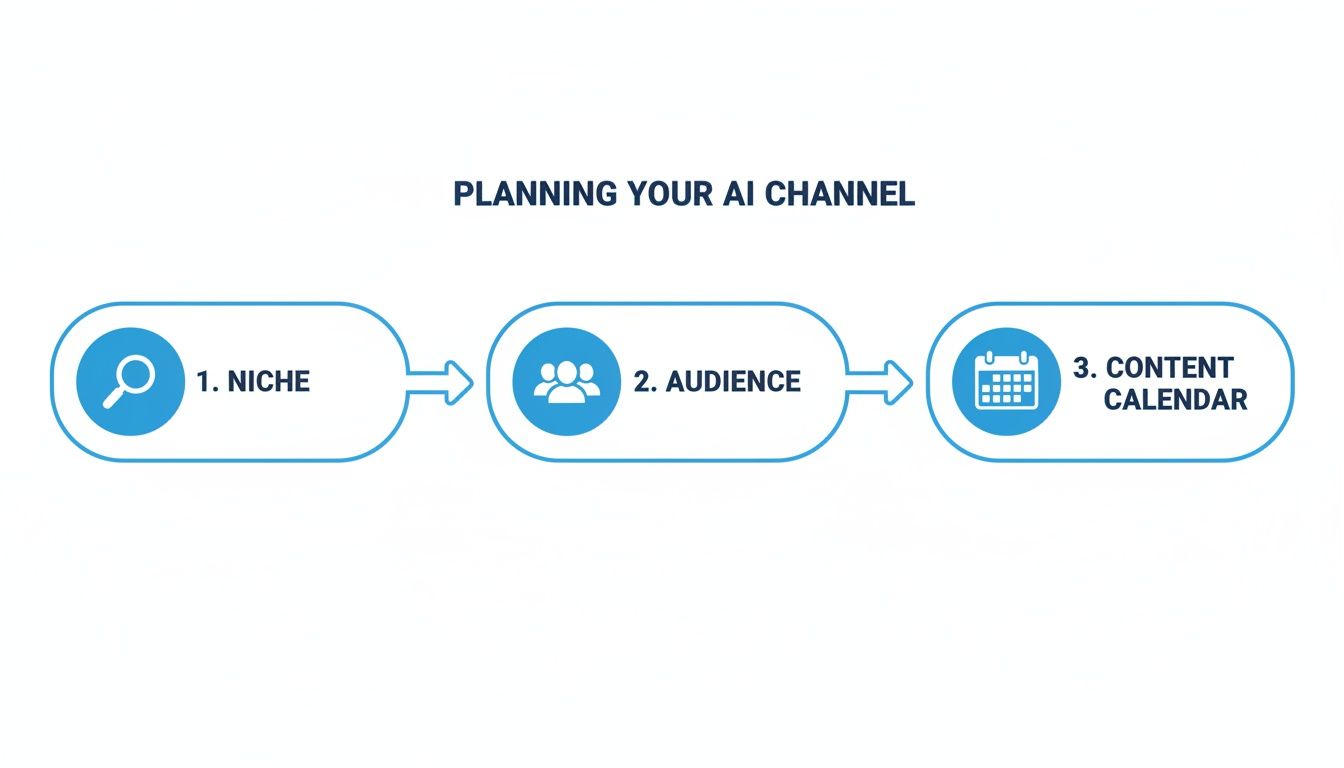
As you can see, figuring out your niche, who you're talking to, and your content schedule is the bedrock. All the fancy AI generation in the world won't help if you don't have this foundation in place first.
Turning A Single Photo Into An Animated Scene
One of the coolest things you can do with today’s AI tools is animate a static image. This is an absolute game-changer, especially for creating talking-head videos without ever needing a camera or for adding a bit of life to other visuals.
Inside a tool like Aicut, the process is simple. You just upload an image—it could be a character you designed, an AI-generated portrait, or even a product photo—and let the AI bring it to life.
For example, say you're building a faceless history channel. You could generate a portrait of a historical figure, then use an image-to-video feature to make them "speak" your script. This is so much more engaging than just having a voiceover play on top of a still picture.
Pro Tip: When you're animating a character from a photo, always start with a high-resolution, front-facing image. This gives the AI more detail to work with, which leads to much smoother and more believable lip-syncing and expressions.
This technique is also fantastic for anyone in e-commerce. You can take a standard product shot and create a quick animated clip showing it from multiple angles or in a cool environment. It adds a professional touch to your marketing videos for a fraction of the cost of traditional 3D animation. Honestly, the only real limit here is your own creativity.
Turning Raw Clips into a Polished YouTube Video
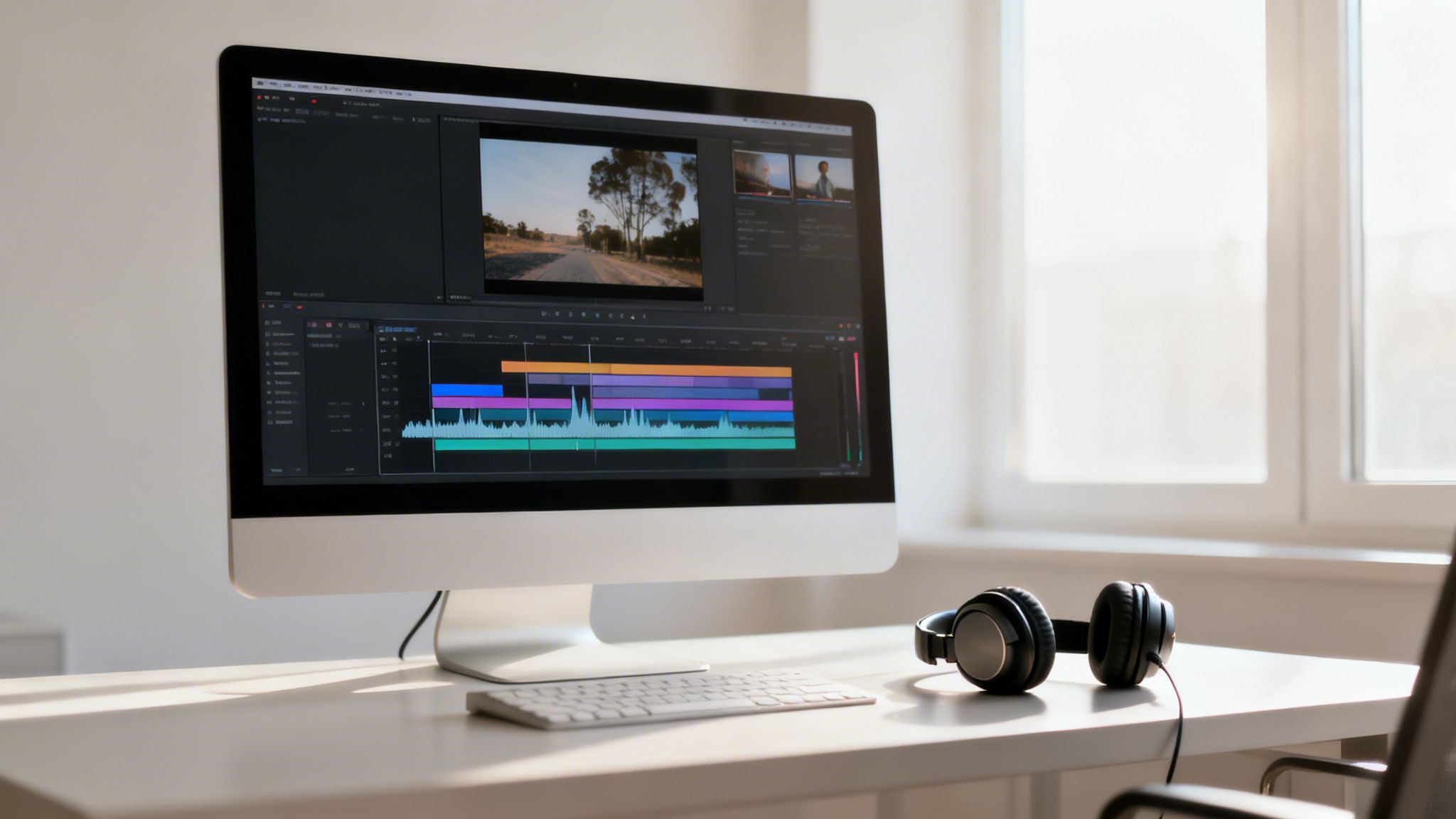
The clips you get straight from an AI generator aren't the final product. Think of them as raw ingredients. The real craft begins in the edit, where you assemble those pieces, add your own creative flair, and build a video that actually connects with people. This is what separates quality content from the generic "AI slop" that YouTube's algorithm is increasingly designed to ignore.
The first thing you'll do is drop all your generated clips into an editing timeline. Here, you start weaving the visuals together to match your script. A platform like Aicut is designed specifically for this, letting you sequence your AI-generated footage right inside the tool. But no matter what editor you use, the goal is the same: arrange your clips to tell a compelling story, focusing on rhythm and pacing.
Getting the Audio Just Right
Honestly, visuals are only half the story. Great audio is what makes a video feel immersive and professional. For your voiceover, you have two main paths, and both are completely valid.
AI voices have gotten shockingly good. They offer clean, consistent narration that works perfectly for tutorials, listicles, and faceless channels where the information is the star.
On the other hand, a real human voice adds a layer of personality and emotion that AI just can't fake yet. Recording your own voiceover or hiring a freelancer can help you build a much stronger, more authentic connection with your viewers.
Your sound design doesn't stop with the voice, though. Background music is absolutely essential for setting the right tone.
- Building Suspense: For a true crime or mystery video, try a slow, low-key ambient track.
- Energetic How-Tos: An upbeat, optimistic piece keeps the energy high and viewers focused.
- Clean Product Reviews: Go for a modern, neutral track that sounds professional without being distracting.
Just be sure to use royalty-free music from a trusted source. A copyright strike can completely derail your channel's momentum, and it’s an easily avoidable mistake. Many AI video tools, including Aicut, offer a built-in library of cleared music for this exact reason.
Polishing Your Visuals to Look Professional
With the story structure and audio locked in, it’s time to add the final visual touches that make your content stand out. A few small enhancements here can make a massive difference in how your video is perceived.
Adding simple text overlays or on-screen graphics is a great way to highlight key takeaways, introduce topics, or display data. Just keep the text clean, readable, and consistent with your channel's branding. The goal is to support the narration, not fight it for attention.
Another big one is making sure your video quality is top-notch. Sometimes, AI-generated clips aren't quite the high resolution you need for a crisp look on a 4K monitor. That's when upscaling becomes your secret weapon.
The final video quality has a direct impact on how viewers see your channel. A blurry, pixelated video looks amateurish, but a sharp picture builds trust. This isn't just a nice-to-have; it's a must if you want to create youtube videos with ai that people take seriously.
Many of us rely on a dedicated AI video quality enhancer to sharpen up the final output. Tools like Aicut often include upscaling features that can take a standard-def clip and make it look fantastic on any screen, saving you the time of regenerating it from scratch.
Finally, pour some real effort into your thumbnail. It’s your video’s billboard on a very crowded highway. Use a high-contrast image from your video, add bold, easy-to-read text, and make sure it clearly communicates what the viewer will get out of watching. Once you’re happy with the final video, export it—preferably without a watermark—and get ready to publish.
Putting Your Content to Work: Publishing and Automation
You’ve finally got a polished, AI-generated video ready to go. It feels like the finish line, but hitting "publish" is really just the starting gun. The real work begins now: getting your video seen and building a system that keeps people coming back for more.
This is where smart optimization and automation come into play, turning all that creative effort into a channel that actually grows.
First things first, you need to speak YouTube's language. Your video's title, description, and tags are how you tell the algorithm what your content is about and who should see it. When you create youtube videos with ai, it's easy to fall into the trap of using boring, technical titles. Don't do it.
Think like a real person scrolling through their feed. What catches their eye? What problem do they need solved? A title like "AI-Generated Cityscape" is a guaranteed scroll-past. But something like, "I Asked an AI to Build a Cyberpunk City and This Is What Happened" creates a story and sparks genuine curiosity.
Getting Your Video Discovered
Your description is your next best chance to hook someone. The first couple of lines should build on the promise of your title and convince them your video is worth their time. I always write a quick, 2-3 sentence summary right at the top that gets straight to the point.
Underneath that summary is where you can add the details that help both viewers and the algorithm.
- Chapter Timestamps: Breaking your video into clear sections is a huge win for viewer experience. It also helps your video show up in Google search results for specific chapter topics.
- Helpful Links: Always link to your social media, your website, or any of the tools and resources you talked about in the video.
- Keyword-Rich Details: Write a couple of short paragraphs that naturally include your main keywords and related phrases. Think of it as a mini-blog post about your video.
Tags might not be as important as they once were, but they still have a role. Brainstorm all the different ways someone might search for your video. Mix broad terms like "ai video" with more specific ones like "how to make faceless videos with AI avatars."
Your video's metadata—the title, description, and tags—is your direct line of communication with the YouTube algorithm. Don’t rush this step. Spending an extra 15 minutes here can be the difference between getting 100 views and 10,000 views.
Building Your Content Engine with Automation
This is where a platform like Aicut becomes a game-changer. Making the videos is one thing, but posting them everywhere, every single day, is a recipe for burnout.
Automation is the key to staying consistent without losing your mind. With a tool like Aicut, you can schedule your final video to be automatically posted to YouTube. But you can also have it repurpose and post clips as Shorts, TikToks, and Instagram Reels. You do the creative work once, and the system handles the daily grind of distribution.
Suddenly, you have a content engine that's working for you 24/7. This consistency tells the platform algorithms that you're a serious creator, which often leads to a nice boost in visibility over time. It's the simplest way I know to build momentum.
Speeding Up Your Path to Monetization
All this consistent output has a direct effect on your bottom line: getting monetized. Reaching the YouTube Partner Program's watch time and subscriber goals is a numbers game. An automated system helps you get there much, much faster.
Every video you post is another lottery ticket—another chance for one to pop off and drive a flood of new subscribers to your channel. AI-powered automation simply lets you buy more tickets.
Finally, don't try to go it alone. The world of AI video is moving at an incredible pace. By joining a community, like the Aicut Discord, you get instant access to new tutorials, tips on what's trending, and advice from other creators in the trenches. Knowing what’s working right now is how you stay ahead and build a channel with real lasting power.
Frequently Asked Questions About AI Video Creation
Whenever I talk to creators about using AI for their YouTube channels, the same few questions always pop up. It's a new frontier, so it’s natural to have them. Let's tackle some of the biggest ones head-on so you can get started with a clear plan.
Can I Monetize a YouTube Channel Using Only AI Videos?
The short answer is yes, you can. But there’s a big “if” attached—it all comes down to the quality and originality of your content. YouTube is perfectly fine with AI-assisted videos, as long as they aren't just spammy, repetitive, or obviously low-effort.
Think of it less as a shortcut and more as a new kind of creative tool. If you use a platform like Aicut to generate stunning, custom visuals for a script you actually put thought into, you're on the right track. That’s worlds away from just uploading random clips with a robotic voice, which is a fast track to demonetization.
Success with AI on YouTube isn't about fooling the algorithm; it's about delighting a human audience. Focus on high-quality visuals, engaging stories, and proper disclosure to build a monetizable channel that the platform and viewers will trust.
AI is your production crew, but you’re still the director. Your unique ideas are what will get your channel approved for the YouTube Partner Program and keep viewers coming back.
What Are the Best Faceless Channel Ideas for AI?
AI video generators are a game-changer for faceless channels, especially in niches where strong visuals are needed to tell a story or explain a concept. Instead of guessing, you can lean into formats that are practically made for this technology.
Here are a few niches where AI really shines:
- Storytelling Channels: This is a massive opportunity. You can narrate Reddit threads, create historical deep-dives, or even produce original short stories. AI can create an endless stream of visuals to match your script.
- Educational Content: AI is brilliant for making animated explainers or how-to guides. It can take a complex topic and break it down into simple, easy-to-follow visual lessons.
- Product Marketing: Need a product review that feels authentic? You can use AI avatars to create UGC-style videos, giving you the feel of an influencer without the high cost of hiring one.
- Ambient and Relaxation Channels: Creating beautiful, looping visuals is one of AI's core strengths. Think mesmerizing fantasy landscapes, futuristic sci-fi cityscapes, or serene nature scenes paired with calming music.
Many of these ideas are actually available as viral niche templates inside Aicut, giving you a proven starting point for a channel.
How Do I Avoid My AI Videos Looking Generic?
Making your AI videos stand out boils down to one thing: customization. If you give the AI a generic prompt, you'll get a generic video. The goal is to inject your own style at every single step.
It all starts with your prompt. Be specific. Don't just ask for "a car driving." Instead, try something like, "a vintage 1970s muscle car, cinematic shot, driving down a rain-slicked neon-lit city street at night, photorealistic." That level of detail forces the AI to create something unique, not just pull a stock concept.
Next, get hands-on in post-production. This is where you add your human signature. A distinct color grade, the right soundtrack, and crisp sound effects can completely transform a video’s mood. Most importantly, make sure your content is transformative—add your own analysis or personality, don't just read a script you found online.
Finally, be transparent. Always follow YouTube's guidelines and properly label your AI-generated content. This builds trust with your audience and the platform, showing that you’re using AI as a tool, not a crutch.
Ready to build your own channel with the power of AI? Aicut gives you everything you need—from viral templates and advanced models to automated publishing—to get up and running fast. Start creating with Aicut today and see what's possible.