
If you want to draw in a video, you don't need to be an artist—you just need the right AI tools. This technique is all about generating animated drawing effects with simple text prompts and then weaving them into your videos to stop the scroll and keep people watching.
Why Animated Drawings Are a Viral Goldmine
Have you ever been scrolling through TikTok or Reels and seen a video where an object or a character sketches itself into existence? It’s captivating. That little bit of magic is often what separates a forgotten video from a viral hit. These dynamic visuals hook viewers in a way that static content just can't.
What used to take an animator hours (and expensive software) can now be done in minutes. With modern AI, you can generate these cool drawing animations just by describing what you want. It's a total game-changer, especially for creators in a few key areas:
- Faceless Channels: You can build a ton of personality and create super-engaging content without ever showing your face.
- E-commerce Brands: Imagine your product’s best features being sketched out one by one. It’s a fresh way to demonstrate value.
- Educators and Coaches: Break down tough concepts with simple visuals that draw themselves, making them much easier to follow.
The real secret here is storytelling. When a timeline fills itself in or a character appears line by line, it creates a mini-narrative. Viewers get curious and stick around because they want to see the finished drawing.
The Psychology Behind Motion and Engagement
Our eyes are naturally drawn to movement—it’s just how we’re wired. An animation that draws itself on screen immediately sparks curiosity and holds our focus, which is a massive win on platforms where you have only seconds to make an impression.
Think of it this way: the animation isn't just a gimmick. You're using motion to direct the viewer's gaze, highlight your main points, and even build a little suspense. When you mention a problem and the solution draws itself on screen at that exact moment, it’s incredibly satisfying for the viewer.
To give you a clearer picture, here’s a quick comparison of how these animated draw-in effects stack up against standard video content.
Draw-In Video Effects vs Standard Video Content
| Metric | Draw-In Video Effect | Standard Video |
|---|---|---|
| Viewer Retention | 40-60% higher in the first 10 seconds | Baseline |
| Engagement Rate | Typically 2x higher (likes, comments, shares) | Standard rate |
| Message Recall | Significantly improved due to visual storytelling | Moderate |
As you can see, incorporating these effects gives you a clear advantage in capturing and holding audience attention.
This chart really drives the point home, showing just how much more engaging animated videos are compared to a simple static post.
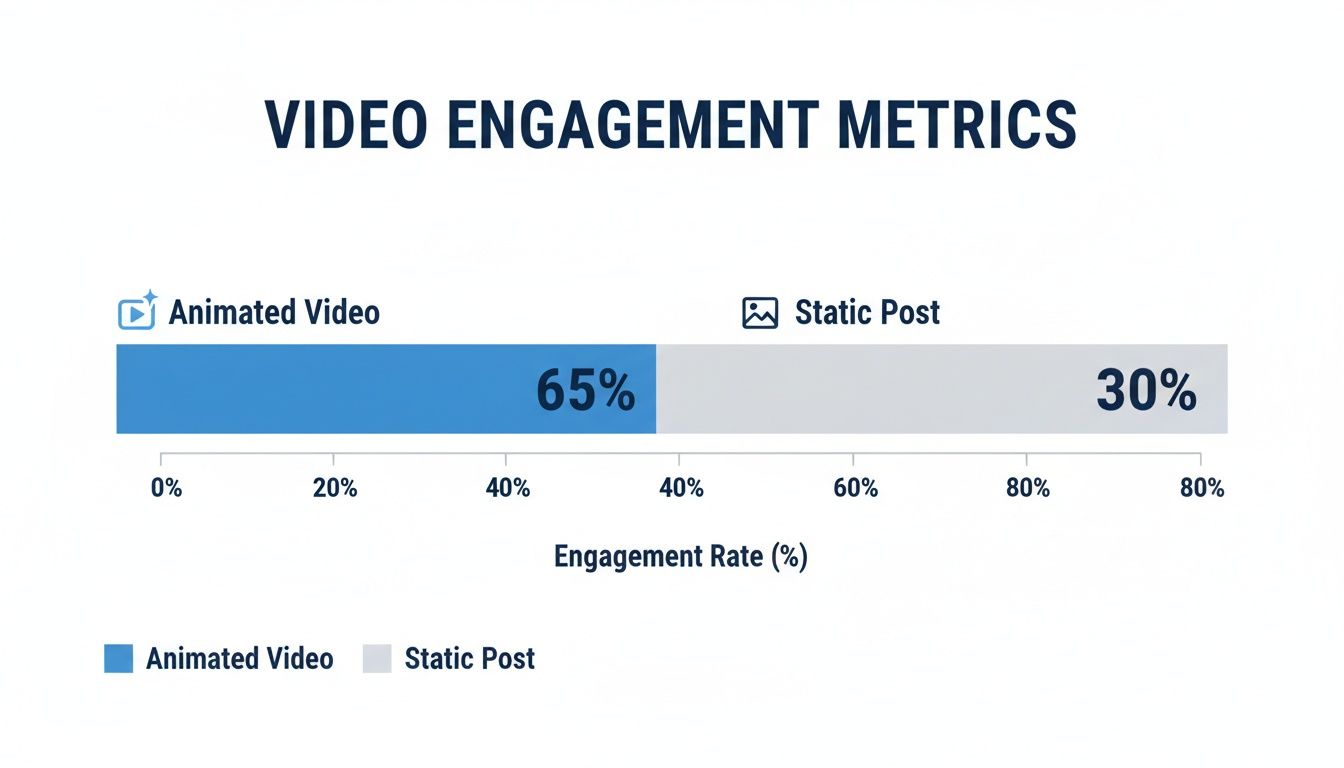
The difference is stark. That kind of visual energy is exactly what you need to create videos people want to share.
And the numbers don't lie. In 2026, we’re seeing TikToks with these hand-drawn animations hit an average engagement rate of 18.2%. That’s almost double the 9.5% rate for posts using static images. It's no surprise that faceless channels using these AI-drawn effects are seeing their subscriber counts grow 34% faster than their peers.
Of course, a great effect is just one piece of the puzzle. Truly succeeding requires knowing how to create viral content from the ground up.
Getting Your AI Animation Gear Ready
Before you can bring your drawings to life in a video, you need to get your tools in order. The good news? You don't need a massive, expensive suite of software. Forget about the headache of juggling different programs for generating clips, editing them, and then publishing. The smart move is to find an all-in-one AI platform built for speed.
This is where a tool like Aicut really shines. It's more than just a blank canvas; it’s packed with features designed from the ground up to help you create content that actually gets seen on social media.
- Viral-Ready Templates: Aicut offers concepts that are already proven winners, like the "AI Skeleton Stories" or "Cheating Fruits" templates. This gives you a massive head start because you’re building on a foundation that you know people respond to.
- Prompt Cloning: Ever see a video take off and wonder, "How did they even make that?" Aicut lets you peek behind the curtain. You can see the exact prompts used to create popular videos and then tweak them for your own unique spin.
The goal isn't just to make a cool animation. It's to tell a story that hooks someone in seconds. Just telling an AI to "draw something cool" won't get you very far. Having a simple concept or script ready makes all the difference.
Where to Find Your Creative Spark
Honestly, inspiration is everywhere. I spend a lot of my time just scrolling TikTok and Reels, but I'm not just watching—I'm analyzing. I look for patterns in the storytelling. What grabs your attention in the first 3 seconds? What's the joke or the emotional payoff at the end?
It’s also about finding a fresh angle. Instead of another video of a coffee cup filling up, what if you showed a piggy bank filling with coins before it cracks open to reveal a product? Having a clear, one-sentence idea will steer the whole project. This little bit of planning upfront keeps you from getting lost once you start prompting the AI. To start transforming your drawings into dynamic video content, you'll need a robust AI animation tool; consider exploring a dedicated application like the LunaBloom AI application.
Your Simple Toolkit for Getting Started
The most effective setup is often the simplest one. To really nail a video with a hand-drawn effect, you only need a few things to get rolling.
- A Solid Concept: It can be as simple as a single sentence. For example, "A seed sprouts and grows into a tree that reveals our company logo."
- An All-in-One AI Platform: Aicut is perfect here because it handles the animation, editing, captions, and even publishing in one place.
- A Basic Script (Optional, but I highly recommend it): Just a few lines of a voiceover can give your animation a powerful narrative and help you time everything perfectly.
With these three pieces, you’re set up for success and, more importantly, efficiency. You can pour your energy into the creative part—the story, the visuals, the hook—and let the AI do the heavy lifting. For a closer look at what separates a good platform from a great one, check out our guide on the best AI video creation tools. It just goes to show that you don't need a Hollywood studio to create professional-looking animations when you've got the right AI partner.
Getting Your Prompts to Create Amazing Animations

This is where the magic happens—turning a simple idea into an animation that grabs attention. When you want to draw in a video with AI, writing a good prompt is everything. It’s less about creative writing and more about being incredibly direct.
Over the years, I’ve found a simple formula that just works: Subject + Action + Style. This structure gives the AI a clear roadmap, so it doesn't have to guess what you want.
Let’s see how that plays out. Imagine you want to create a cool, slightly edgy animation.
- Subject:
a human skeleton - Action:
assembling itself bone by bone - Style:
minimalist line drawing style
String that together and you get a fantastic prompt: a human skeleton assembling itself bone by bone, minimalist line drawing style. See how specific that is? The AI knows exactly what to do.
A Simple Formula for Consistent Results
Sticking to the Subject + Action + Style formula takes the guesswork out of AI animation. It helps you build a repeatable process instead of just throwing ideas at the wall and hoping something sticks.
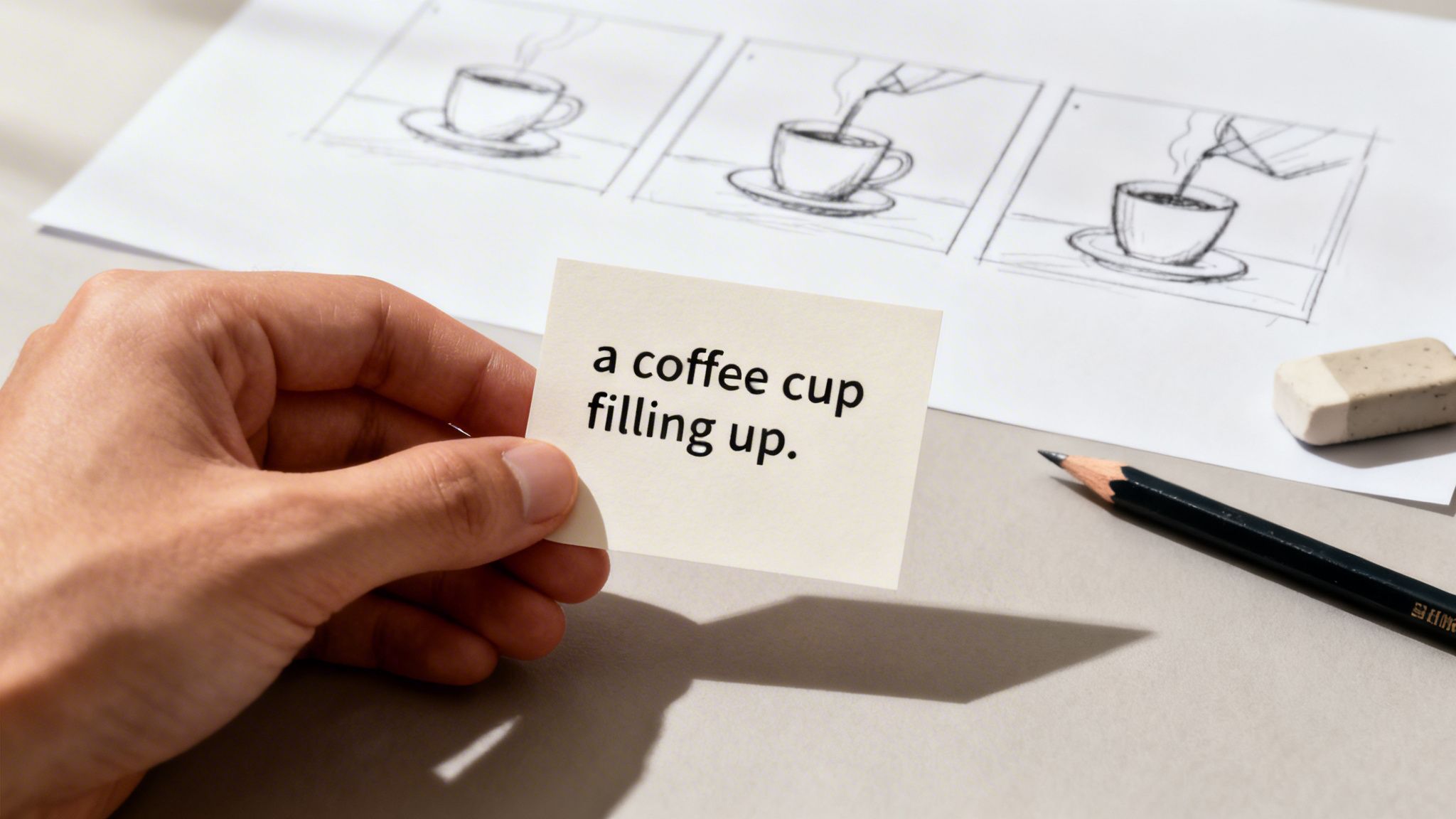
Here’s another practical example. Say you're making a quick video for a local coffee shop's Instagram. A generic prompt like "coffee animation" won't cut it. We can do much better.
- Subject:
a coffee cup - Action:
filling up with dark coffee - Style:
simple sketch animation, black and white
That level of detail is what makes a clip feel intentional and on-brand. This is the core of good prompt engineering, a skill that’s becoming non-negotiable for creators these days.
Use Aicut to Clone What’s Already Working
But you don't always have to start from scratch. One of the smartest things you can do is see what’s already trending. Aicut’s prompt cloning feature is perfect for this. It lets you see the exact text prompts behind viral videos, giving you a proven recipe you can tweak for your own content.
This isn't just a gimmick; it’s a seriously effective strategy. For instance, recent TikTok data from 2025 showed that "AI Skeleton Stories" pulled in an average of 4.1 million views. A massive 67% of that came straight from the For You Page. Platforms like Aicut are making it possible to tap into these trends by giving you access to powerful models like Veo 3.1 and Kling, all without needing any drawing skills.
The real advantage here is speed. You aren't just copying; you're using a successful concept as a springboard. You can swap the subject, change the style, or alter the action to make it your own, all while knowing you’re building on a foundation that works.
Iteration Is Key: Refining Your Prompts
Your first try won't always be perfect. That’s totally fine—and expected. The real skill is in tweaking your prompt based on what the AI gives you. This back-and-forth is how you truly nail the final look.
Let's go back to our skeleton. Maybe the AI generated the animation, but it’s sitting in a messy, colorful scene that you don’t want. This is where negative prompts come in handy.
- Initial Prompt:
a human skeleton assembling itself, line drawing - Refined Prompt:
a human skeleton assembling itself bone by bone, minimalist line drawing style --no background, color, shading
By adding --no followed by words like color or background, you tell the AI precisely what to leave out. This simple command gives you so much more control, letting you chip away at the unwanted bits until your animation is clean, sharp, and exactly what you envisioned.
Editing and Timing Your Animation for Impact
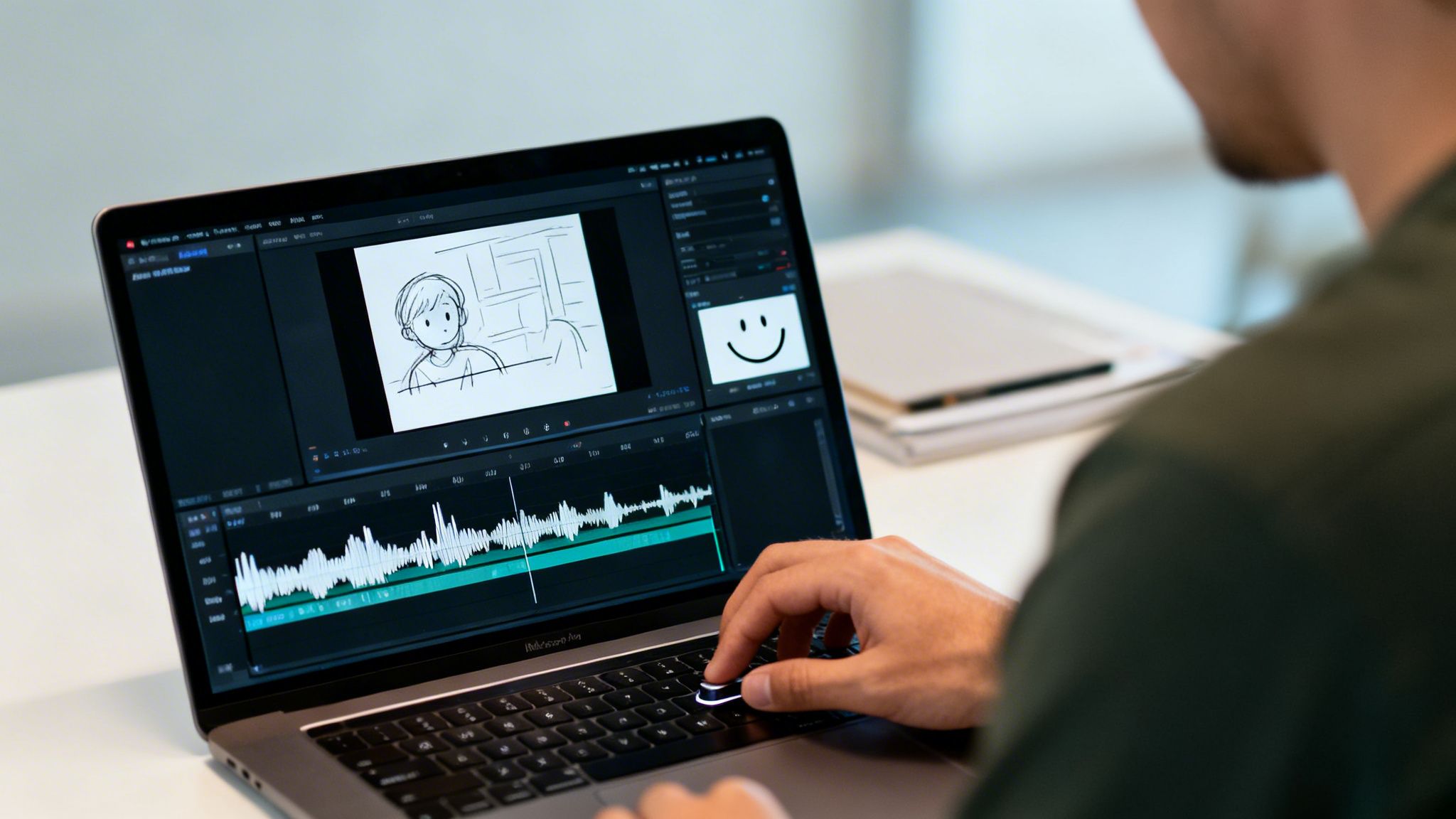
Getting a great clip from your AI tool is a fantastic start, but it's only half the battle. The real magic happens in the edit, where you transform that raw animation into a core part of your story. This is where you perfectly sync your animated draw in a video effect to make your video truly pop.
Think of your timeline in an editor like Aicut as your stage. Your animation is the star, but its entrance has to be flawless. If the timing is off, the whole video can feel clumsy. But when you nail it? The entire message becomes more powerful.
I saw this firsthand on a recent project. I was cutting a video for a client's customer testimonial, and the speaker said, "...and it completely changed my outlook." I timed a simple line drawing of a smile to finish sketching itself right as she said "outlook." That tiny bit of synergy between the audio and the visual gave the moment so much more emotional punch.
Syncing Animation with Your Narrative
The trick is to use the drawing motion to guide your viewer's eye and reinforce what you're saying. Don't just plop the animation onto the timeline wherever it fits. Think about how the speed and rhythm of the drawing can elevate your voiceover or the background music.
A few techniques I always come back to:
- For Punctuation: Use a really fast-drawing animation to emphasize a single word or a key phrase. It acts like a visual exclamation point.
- For a Slow Burn: If you're explaining a complex idea, slow the animation right down. This builds a little suspense and gives your audience a moment to absorb what they're seeing as the image comes to life.
- For a Vibe: Got a video with trending audio? Try syncing the main drawing strokes to the beat of the music. It creates this super satisfying, rhythmic flow that people love.
Your goal isn't just to show a finished drawing; it's to make the act of drawing part of the story. The movement itself should add meaning, whether it’s building suspense, creating a surprise, or just making the video more fun to watch.
Timing Strategies for Drawing Animations
Knowing when to make your animation appear is crucial. The right timing can be the difference between a video that gets an instant skip and one that gets shared. To help you plan, here are a few of my go-to strategies for timing these effects.
| Timing Strategy | Best For | Example Scenario |
|---|---|---|
| The Reveal | Unveiling a solution or surprise. | After describing a problem, the animation draws the solution on screen. |
| The Build-Up | Explaining a process or walking through a timeline. | A timeline sketches itself out as a voiceover explains key historical events. |
| The Accent | Highlighting a specific data point or word. | As the narrator says "95% of users," the number "95%" is quickly drawn on screen. |
These are just starting points, of course. The best way to learn is to experiment in your editor and see what feels right for the story you're telling.
Adding the Final Layers of Polish
A slick drawing animation is great, but it becomes even more powerful when you layer it with other professional elements. This is where an all-in-one editor like Aicut really shines, since you can do everything in one place without constantly exporting and importing clips.
Once your animation is timed perfectly, try adding a crisp, AI-generated voiceover to narrate the story. Next, find some relevant trending audio and drop it in, but keep the volume low—it just adds to that native social media feel.
Finally, and I can't stress this enough, add automated captions. A huge number of people watch videos with the sound off, so clean, readable captions are non-negotiable. They guarantee your message lands, no matter how someone is watching. Putting these layers together is what turns a simple animated clip into a polished, scroll-stopping video.
Getting Your Video Seen: Publishing and Optimization
You’ve just created an incredible video with a slick draw-in animation. That's a huge win, but the job isn't quite finished. Now, you have to get it in front of an actual audience. How you share and optimize your video is what turns a cool creative project into content that actually performs and gets the views it deserves.
Thankfully, you don't have to spend hours manually uploading to every platform. Tools like Aicut have made this final step way easier. With one-click publishing, you can schedule your video to go live across TikTok, YouTube, and Instagram simultaneously. This means your content drops at the perfect time for each audience without you having to be there to hit the button.
Titles and Thumbnails That Stop the Scroll
When you draw in a video, you're already creating a strong visual hook. Your title and thumbnail need to amplify that curiosity, not give the game away.
Your titles should be a blend of intrigue and search-friendliness. Try to weave in keywords people are actually typing into the search bar. Here are a few ideas I've seen work well:
- "The shocking truth about coffee, an animated story"
- "Watch this drawing reveal a secret"
- "My morning routine, but it's an AI animation"
These titles tell both the algorithm and the viewer that they're about to see something unique, which makes them far more likely to tap.
As for your thumbnail, the biggest mistake is showing the final, completed drawing. Instead, grab a frame from the middle of the animation—where the object is only half-sketched or just starting to form. This creates a natural curiosity gap. Viewers can't help but wonder what it will become. Pair that partial image with bold, simple text that poses a question.
A great thumbnail doesn't answer a question; it makes you ask one. For a drawing animation, the best question you can create is, "What is that going to become?"
Check Your Analytics and Double Down on What Works
Once your video is live, don't just post and ghost. The real learning begins now. After about a week, jump into your analytics. Aicut has a unified dashboard that lets you see how your video is doing across all your accounts in one place.
Start looking for patterns. Did your "minimalist line art" video get more shares than the "colorful sketch" one? Did a video featuring an animated "drawing reveal" have a higher average watch time? This data is pure gold. It tells you exactly what your audience loves, so you can make more of it.
By paying attention to performance, you can confidently focus on the animation styles and storytelling tricks that get the most traction. This feedback loop is the key to real growth. If you’re looking for more inspiration, check out our full guide on how to make AI videos that really grab attention.
Got Questions? We've Got Answers
It’s totally normal to have a few questions before you dive in. Here are some quick, straightforward answers to the things people ask most often.
Do I Actually Need Drawing or Animation Skills for This?
Not at all! That's the beauty of this whole process. This guide was built specifically for people who have zero artistic background.
The main skill you'll need to get good at is writing clear prompts that tell the AI what you want it to draw in the video. With features like prompt cloning and ready-made templates, Aicut does all the heavy lifting, letting you create animations that look professional without a massive learning curve.
Realistically, How Long Does This Take?
If you're trying this for the first time, you can probably follow this guide and have your first animated short-form video done in under 30 minutes. Once you get the workflow down, you'll be cranking these out in 5-10 minutes flat.
The AI takes care of the animation, which is by far the most time-intensive part. Your job is just to come up with a cool idea, write a solid prompt, and maybe add a voiceover or captions—all of which is incredibly fast inside Aicut.
The real win here is efficiency. You get to skip the hours of manual animation and focus on the story you're telling. That's what gets people to stop scrolling and pay attention.
Can This Work for E-commerce Product Videos?
Oh, absolutely. It’s a fantastic way to make e-commerce content that doesn’t just blend into the noise of a social media feed.
I’ve seen brands use this in a few smart ways:
- Highlighting Features: They'll animate a line drawing that points directly to a key feature on their product, making it impossible to miss.
- Visualizing Social Proof: Imagine seeing a statistic like "95% of users saw results" get drawn onto the screen. It just hits different and makes the claim stick.
- Animating Testimonials: You can even bring a customer quote to life by having a simple character or icon appear next to the text.
This style is a game-changer for explaining your product's value quickly. We've seen it boost conversion rates over standard, boring video ads time and time again. It’s the perfect format for creating those engaging, UGC-style ads that everyone’s after.
What AI Models Does Aicut Use for These Animations?
Aicut is built to be flexible, so it supports a whole range of the top video and image generation models out there. You'll have access to powerful models like Sora 2, Veo 3.1, and Kling, just to name a few.
Having multiple models means you can pick the right tool for the job. Whether you need a super realistic animation or just a simple, stylized line drawing for a quick TikTok, you'll have the creative freedom to make it happen.
Ready to turn your ideas into animations that people actually watch? With Aicut, you can start generating incredible draw-in videos in minutes, no experience required. Start creating for free today.