
84% of surveyed consumers said video convinced them to buy a product or service according to Maestra's ecommerce statistics roundup. That number changes the conversation.
Ecommerce product videos aren't a nice add-on anymore. They're part of the selling environment. If your product page has photos, copy, reviews, and no video, you're often leaving the customer to guess about fit, movement, texture, setup, or trust.
The old objection was reasonable. Video used to mean planning a shoot, booking talent, editing for days, then re-cutting the same asset for Shopify, Instagram, TikTok, and paid ads. That workflow still exists, but it isn't the only path now. Brands can shoot lighter, edit faster, and use AI to turn one strong concept into multiple usable assets without turning the process into a production project.
What matters hasn't changed. A video has to answer the question blocking the sale. Everything else is secondary.
Why Ecommerce Product Videos Are Non-Negotiable in 2026
Shoppers already use video to reduce purchase risk. As noted earlier, product review content influences buying decisions at scale, and that matters more each year as more product discovery happens on mobile, in social feeds, and on crowded category pages.
For ecommerce teams, product video is a merchandising tool. It answers the questions that photos and copy leave open. Will the fabric cling or drape? Does the finish look cheap in normal light? How big does it feel on a real person or in a real room? Those details affect conversion.
I've seen the pattern across apparel, beauty, home, and gadgets. The products that benefit most from video are not always the most expensive ones. They're the ones with friction. Any item that needs movement, demonstration, context, or trust usually sells better when customers can watch it in use.
What video shows that static assets usually miss
Static content still carries a lot of weight. You still need strong photography, useful bullets, and clear product page copy. Video earns its place when the sale depends on behavior rather than appearance.
A few common cases:
- Apparel: show fit changes while walking, sitting, and turning
- Beauty: show texture, spread, finish, and shade in real lighting
- Home goods: show scale near familiar objects and in an actual room
- Tools and devices: show setup time, hand feel, noise, and cleanup
- Consumables: show consistency, portion size, and preparation
That is why short demo clips often outperform polished brand films on product pages. Buyers want proof.
Why more brands can finally produce enough of it
The old production model limited volume. Teams had to choose between expensive studio shoots or no video at all. That trade-off is weaker now.
A practical workflow can start with smartphone footage, creator clips, and customer-style testimonials, then turn those inputs into multiple assets with AI. We use tools like Aicut to script faceless explainers, convert product angles into UGC-style variations, and rework one core concept for PDPs, paid social, TikTok, and retargeting. That changes the economics. You do not need a full crew every time a new SKU launches.
The result is not “more content” for its own sake. The result is better coverage across the buying journey. One product may need a clean on-page demo, a fast-hook ad, a creator-style testimonial, and a comparison cut for remarketing. AI helps teams produce that mix without dragging every request through a traditional edit cycle. If you want a practical example, this guide to AI UGC product video workflows shows how brands can build that system.
Execution still matters. Bad scripting, weak hooks, and unclear visuals will waste time whether you edit manually or with AI. Good process matters more than gear, and solid video production best practices still apply even if your workflow is lighter and faster.
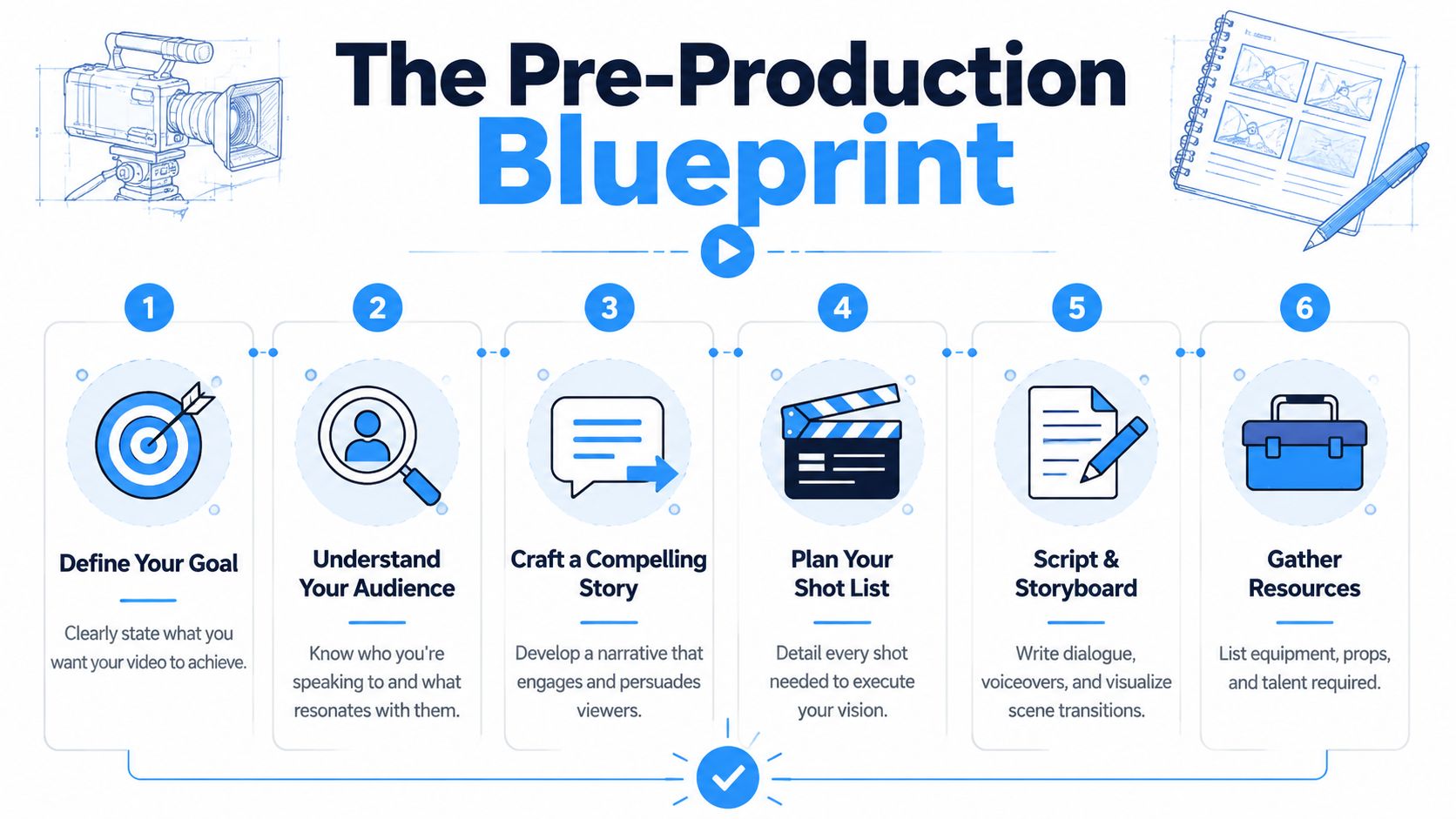
The Pre-Production Blueprint for Videos That Sell
Most weak product videos fail before anyone hits record. The team shoots first, then tries to discover the angle in editing. That almost always produces a decent-looking asset with no selling job.
The better approach is to decide what uncertainty the video needs to remove. If you can't answer that in one sentence, the video probably isn't ready.
Start with the buying question
A product video should answer one dominant question.
Sometimes that's “How big is it really?” Sometimes it's “Will this fit me?” Sometimes it's “Is assembly annoying?” The mistake is trying to answer every question in one video. That creates bloated content that performs poorly on both product pages and social placements.
Use this simple planning filter:
| Product situation | Better video angle |
|---|---|
| Customer worries about size or fit | Show scale, body reference, side-by-side use |
| Customer worries about quality | Show close texture, material handling, details |
| Customer worries about complexity | Show setup, steps, unboxing, assembly |
| Customer needs inspiration | Show lifestyle context and use in real setting |
| Customer needs trust | Use review-style or UGC-style proof |
One point matters more than most brands realize. A useful guide from The Line Studios warns against spending money on a video that only repeats what a still image already shows. It recommends using video for motion, fit, and “in the wild” context. The same article cites Commerce-UI data that shoppers are 144% more likely to add products to cart after watching a video. Read that discussion in The Line Studios' guide to short-form video for ecommerce.
Don't make a video because the page “should have video.” Make one because the customer needs to see something the photo can't show.
Pick the format before you script
Different goals need different formats. I usually group them into three buckets.
- Demo video: Best for showing what the product does and how it works.
- UGC-style reaction or review: Best for handling trust objections and social placements.
- Lifestyle short: Best for showing use in context and creating visual desire.
If you're working from scratch, keep the script loose and practical. These simple templates work well.
For a demo
- Show the product in use immediately.
- Name the main problem it solves.
- Show two or three useful details.
- End on the outcome.
For an unboxing or review
- Open with what arrived.
- Show first impression.
- Demonstrate one thing buyers care about.
- Mention who it's for.
For a lifestyle short
- Start with a visual hook.
- Place the product in a normal routine.
- Show the payoff.
- End before it feels repetitive.
If you need a broader planning reference, this roundup of video production best practices is useful for tightening script, shots, and delivery before production starts.
Build one core asset, then branch
One of the easiest ways to waste budget is scripting five versions of the same idea. Build one core product story first. Then cut that into shorter edits for social, ads, and PDP placement.
That applies whether you're using a camera crew or an AI-assisted workflow. If you're planning UGC-style content specifically, this walkthrough on mastering AI UGC product videos gives a practical model for turning one product angle into multiple outputs.
Smart Production From Smartphone to Studio
You can shoot product video with a phone and get something usable. You can also spend heavily and still end up with footage that doesn't sell. Equipment matters less than commonly believed. Framing, light, steadiness, and shot intent matter more.
I've seen brands improve their output just by changing where they shoot and what they capture. They stop filming random beauty shots and start collecting clips that support a buying decision.
The smartphone path that works
A phone is enough for many ecommerce product videos if you control the scene.
Use a window or soft light source. Keep the background simple. Lock the camera position when possible. Clean the lens. Shoot more close detail than you think you'll need. Most bad product footage comes from clutter, shaky movement, and dim lighting, not from the phone itself.
A practical smartphone shot list often includes:
- Hero angle: The clean front or three-quarter product view
- Hands-in-use shot: Someone using the product
- Detail close-ups: Texture, buttons, stitching, finish, labels
- Scale reference: Product next to a hand, body, desk, or room object
- Problem-solution clip: The product solving its use case
- Packaging or setup: Useful when presentation or ease matters
The low-budget studio path
If you have a modest budget, spend it on consistency.
A small tripod, a basic light, a clean table surface, and a quiet room usually improve quality more than chasing premium camera bodies. For products with reflective surfaces, test angles before the full shoot. For apparel or wearable items, always capture movement. For home products, film one clean studio setup and one real-world environment.
Many teams overproduce when creating product videos. They record long takes and too few variations. Product editing gets easier when you shoot short, purposeful clips with clear starts and stops.
The best footage is footage your editor can actually use. A clean five-second clip beats a messy forty-second take every time.
Match the format to the platform
People don't watch the same way everywhere. Social feed videos need to communicate fast. Product page videos can breathe a little more because the viewer already has buying intent.
That's why framing matters. A vertical crop that works on Instagram may feel cramped on a product page. A wide demo that looks clear on desktop may lose all legibility in a mobile feed. This Instagram video aspect ratios guide is handy when you're planning crops before the shoot instead of patching them later.
The reason this matters is behavioral, not cosmetic. 92% of internet users worldwide watch videos online every month, and in the U.S. users spent about 52 minutes per day watching social video in 2024. In ecommerce, 68% of consumers prefer video over text when learning about products, according to Shopify's video marketing statistics. If buyers prefer video, your footage has to be legible in the environments where they already watch it.
Editing and Enhancing with AI Workflows
Editing is where many groups lose momentum. The shoot is done, but now someone has to cut versions, write captions, add voiceover, resize for platforms, and keep the content from looking repetitive. Traditional editing can handle that. It just eats time.
AI workflows change the economics of that stage. They don't remove judgment. They remove the repetitive parts that slow judgment down.
Recent guidance from Practical Ecommerce notes that generative AI can now handle ideation, scripting, visuals, voiceover, and editing for ecommerce businesses, making faceless production broadly accessible. It also makes an important point. The key question isn't whether AI can produce video. It's how much automation you can use before the content feels generic or untrustworthy. That framing comes from Practical Ecommerce's take on faceless video workflows.
Where AI helps and where it hurts
AI helps most in five places:
- Script drafting: Useful for turning product notes into structured hooks and talking points
- Caption generation: Fast and usually good enough with a human review
- Voiceover testing: Helpful when you want to compare tones quickly
- Background and scene variation: Useful for creating multiple contexts without reshooting
- Versioning: Turning one concept into platform-specific cuts
It hurts when teams use it to fake specificity. Generic praise, over-scripted “customer” language, and unrealistic product demonstrations break trust fast.
That means your source material still matters. Real product details. Real use cases. Real objections. AI can package those well. It can't invent credibility.
A practical AI-assisted workflow
A straightforward workflow looks like this:
- Start with the product page copy, reviews, and customer questions.
- Pull out the top three objections or curiosities.
- Build one short script per objection.
- Generate or edit visuals around those angles.
- Add captions and a natural-sounding voiceover only if the video needs it.
- Export one product page version and several social cuts.
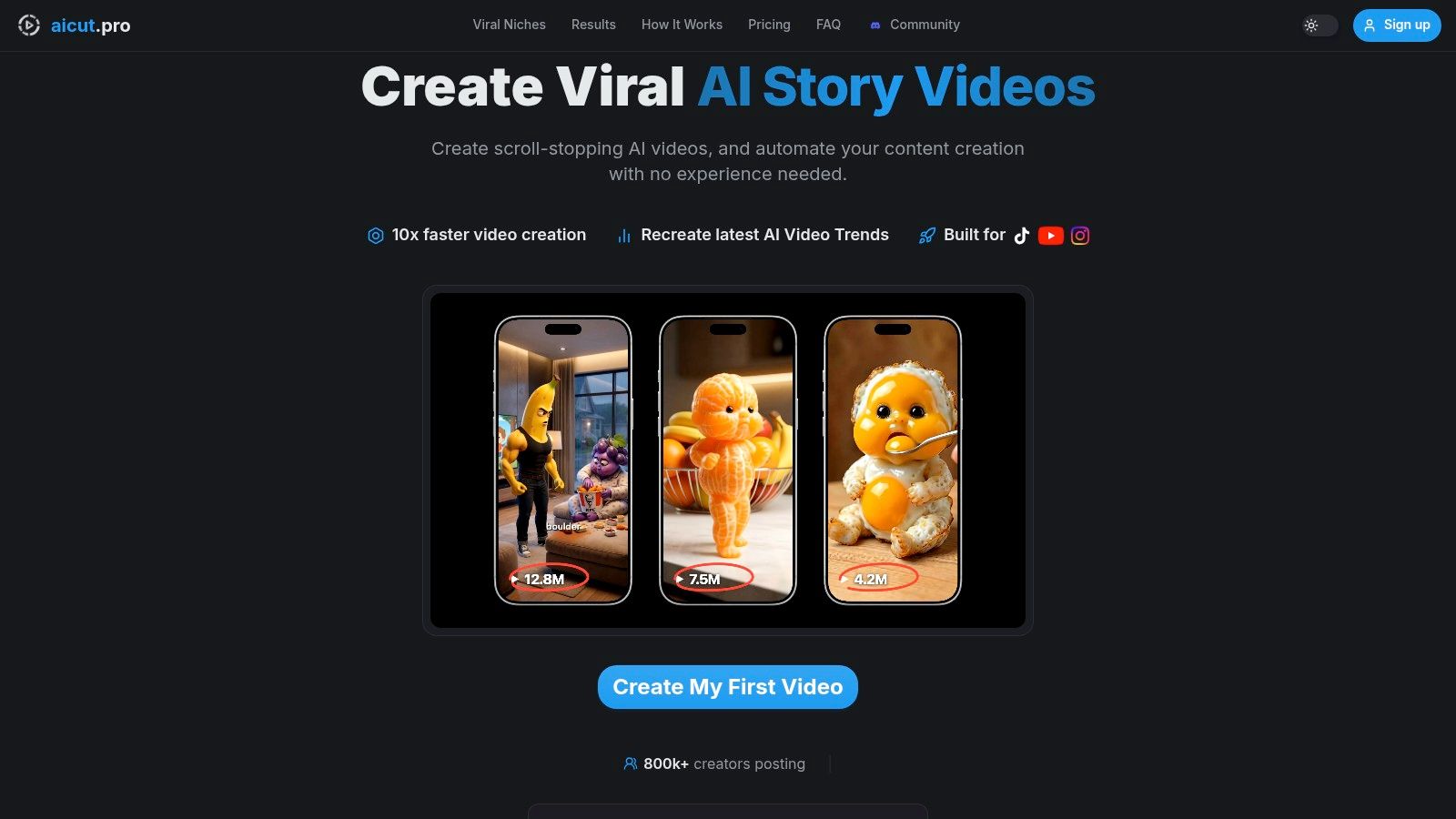
For faceless and UGC-style execution, tools now let teams move from prompt to finished edit much faster. Aicut is one example. It supports AI-generated product videos, voiceover, captions, template-based creation, prompt cloning, and editing tasks like swapping backgrounds or characters without a reshoot. If you want a tool-focused breakdown, this article on an AI product video generator shows the general workflow.
Prompt examples that produce usable output
Most bad AI video results come from vague prompts. Write prompts like a strategist, not like a fan.
Try prompts in this style:
Create a 20-second faceless product demo for a skincare item. Open with texture on hand, then show application, then show packaging in bathroom context. Use short captions focused on hydration, feel, and routine fit. Avoid exaggerated claims.
Turn this product description into a UGC-style script with a natural tone. Focus on setup, convenience, and who the product is best for. Keep the language casual and specific.
Create three variations of the same product video. Version one for Shopify product page, version two for Instagram Reels, version three for TikTok. Keep the core hook but change pacing and framing.
Keep the human layer in the final cut
The strongest AI-assisted ecommerce product videos still feel edited by someone who understands buyers.
Use AI to speed up production. Then add human taste in the final pass. Cut slow openings. Remove lines that sound like advertising copy. Keep product labels readable. Make sure the visuals match the promise. If a scene would confuse a shopper on a real PDP, it doesn't belong in the export.
That final layer is what keeps scalable content from becoming disposable content.
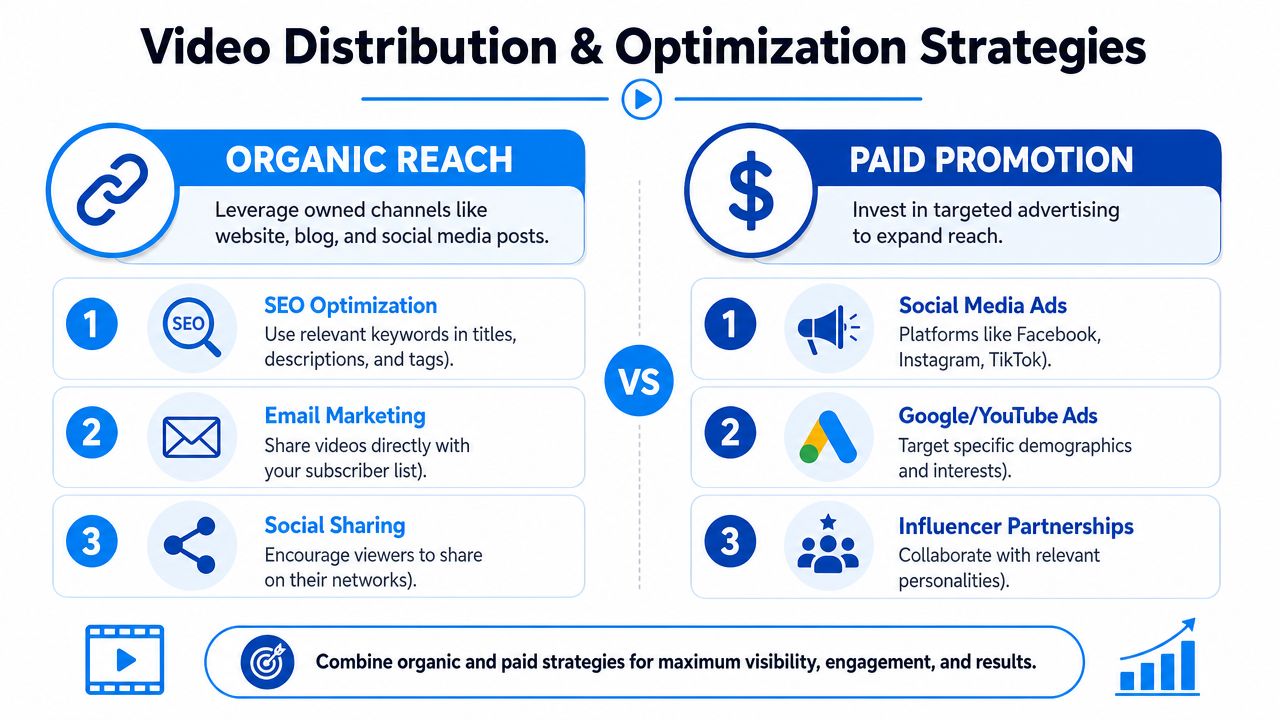
Optimizing and Distributing Your Finished Video
Publishing isn't a file transfer step. It's where the video either supports conversion or gets buried.
On a product page, the video should load quickly, appear where hesitation happens, and play inside a clean viewing experience. On social platforms, the same product needs a different treatment. Faster opening, tighter framing, stronger captioning, and a clearer first-second visual.
A practical benchmark from Swarmify is worth using here. Their guide recommends fast load time under 3 seconds to first frame, a clean player without ads or suggested videos, the correct aspect ratio for the surface, and captions enabled. It also recommends measuring play rate, completion rate, and conversion lift by comparing visitors who watched versus those who did not. Swarmify adds that 2025 benchmark roundups placed product-video conversion lift at 25–80% depending on category and integration quality, as explained in Swarmify's product video best practices guide.
Optimize the player before the thumbnail
A lot of teams obsess over the edit and ignore delivery. That's backwards.
If the video loads slowly, shows related content, or appears in the wrong crop, you've already weakened performance. I prefer to check distribution in this order:
| Priority | What to check | Why it matters |
|---|---|---|
| 1 | Load speed | Delay hurts product-page momentum |
| 2 | Player cleanliness | Competing distractions weaken intent |
| 3 | Aspect ratio | Wrong framing kills clarity |
| 4 | Captions | Many viewers watch without sound |
| 5 | Thumbnail and title | Helpful, but only after playback works |
One asset, multiple placements
The strongest rollout pattern is simple. Put the explanatory version on the PDP. Use shorter, hook-led cuts for paid social. Use a trimmed version for organic Reels or TikTok. Use motion snippets or thumbnails in email.
This embedded example gives a sense of how product-focused video can be presented in a familiar format:
If you're publishing into Instagram regularly, this guide to Instagram Reels best practices is useful for tightening the first seconds and adapting cuts to feed behavior rather than treating every video like a product page asset.
For Shopify-focused teams, this article on boosting your Shopify store with irresistible product videos is a practical reference for fitting video into the store environment itself.
A video doesn't fail because it got fewer views than expected. It fails when it reaches the right buyer and still doesn't answer the buying question.
What to test first
Don't test everything at once. Change one meaningful variable.
Good first tests include:
- Opening shot: Product in use versus packaged product
- Caption style: Benefit-led text versus feature-led text
- Placement: Above the fold versus lower on the PDP
- Edit type: Demo cut versus UGC-style cut
- Length: Tighter version versus fuller explanation
The key is to connect the result to buyer behavior, not to vanity metrics alone.
Measuring Success and Scaling Your Video Strategy
Most brands don't need more videos first. They need a better system for deciding what to keep making.
The cleanest way to scale is to create one strong hero demo, publish it where purchase intent is highest, and then split it into smaller assets for every other channel. That gives you consistency without forcing every platform to use the same exact edit.
Use a repurposing ladder
A single product video can become a lot more than one file.
- PDP anchor video: The clearest explanation of the product
- Short social clips: Hook-led cuts focused on one benefit each
- Ad variations: Different openings for the same core proof
- Email assets: GIF-style snippets or thumbnail-led sends
- FAQ support clips: Small edits that answer setup or usage questions
Measure the chain, not the clip
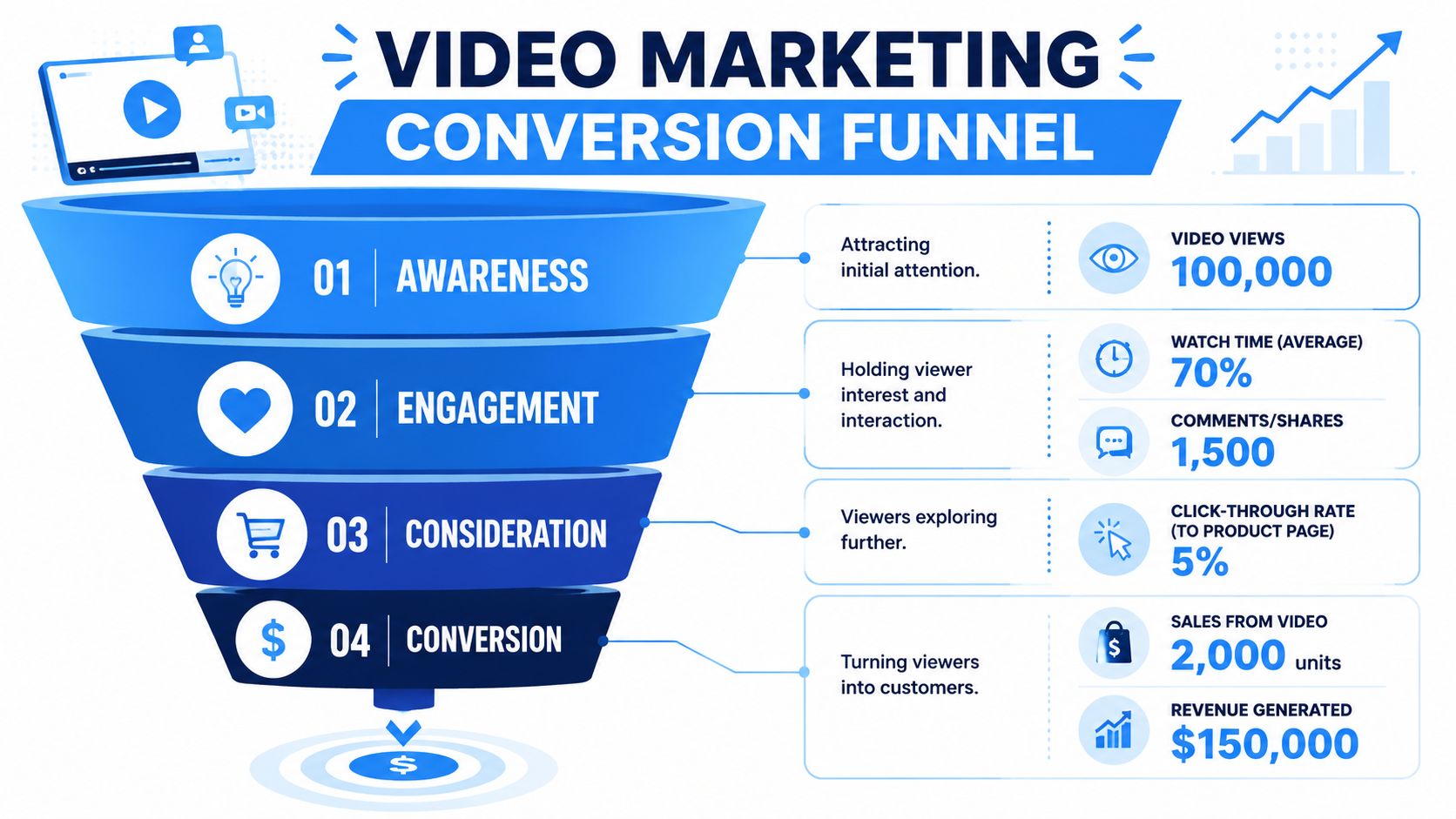
At this stage, stop asking whether a video is “good.” Ask whether it moves someone to the next step.
Look at:
- Play rate on the product page
- Completion rate to see whether the opening holds up
- Conversion lift between viewers and non-viewers
- Creative reuse value across channels
If one shoot gives you a PDP asset, three paid cuts, two social clips, and one email snippet, that's a useful content system. If every video is custom, isolated, and hard to adapt, the strategy won't scale even if the creative is decent.
Common Ecommerce Video Questions Answered
How long should an ecommerce product video be
There isn't one ideal length. The better question is how much explanation the buyer needs at that stage. Product page videos can be a bit slower and more complete. Social cuts need to earn attention immediately. If the product is simple, keep it tight. If setup or comparison matters, give it enough room to remove doubt.
Should product videos autoplay
Usually, only when the placement supports it and the video is muted. For high-intent product pages, autoplay can help if it's muted, visually clear, and not distracting. For longer explanatory content, click-to-play is often better because the viewer is choosing to lean in.
Do I need expensive gear to get started
No. You need clear lighting, stable framing, and a useful shot list. A phone, tripod, and simple setup can carry a lot of ecommerce work. Spend money when production quality is the actual constraint, not when planning and message clarity are the bigger problems.
How do I source UGC affordably
Start with existing customers, creators who already post in your category, or internal team members who can present naturally. Give them a clear brief, not a rigid script. Ask for real use, first impression, setup, or comparison. Then edit for clarity instead of trying to turn it into a polished ad.
What usually makes product videos underperform
Three things come up repeatedly. The video opens too slowly, repeats the product photos instead of adding new information, or gets deployed in the wrong format for the page. Most underperformance isn't mysterious. The content either isn't answering hesitation, or the distribution setup is getting in its way.
If you want to scale ecommerce product videos without building a traditional production pipeline, Aicut is worth exploring for AI-assisted faceless videos, UGC-style product creatives, captioning, voiceovers, and rapid multi-format output. It fits best when you already know the product angle that needs to sell and want a faster way to turn that angle into usable content across your store and social channels.