So, you want to create videos with AI? The basic idea is pretty simple: you give an AI model a text prompt or an image, and it generates a video clip for you. This whole process sidesteps the need for cameras, complex software, and years of editing experience. It’s a game-changer that lets just about anyone create really good-looking content.
A New Chapter in Video Creation
We're standing on a new frontier. Not long ago, creating quality video meant expensive gear, complicated software, and a whole lot of time. That's no longer the case. Now, anyone can generate compelling videos with just a few lines of text or a single image. This shift is opening up incredible creative avenues for marketers, artists, and small business owners alike. It’s not just about making things easier; it’s about completely rewriting the rules of video production.
The advantages are clear and immediate:
- Move at Lightning Speed: You can take an idea from a simple thought to a ready-to-post social media clip in a matter of minutes, not days.
- Slash Your Budget: Forget about the high costs of equipment rentals, location scouting, actors, and post-production. AI drastically cuts those expenses.
- Unleash Your Imagination: Want to create visuals that are physically impossible or wildly impractical to shoot? Think historical scenes or alien worlds. AI can do it.
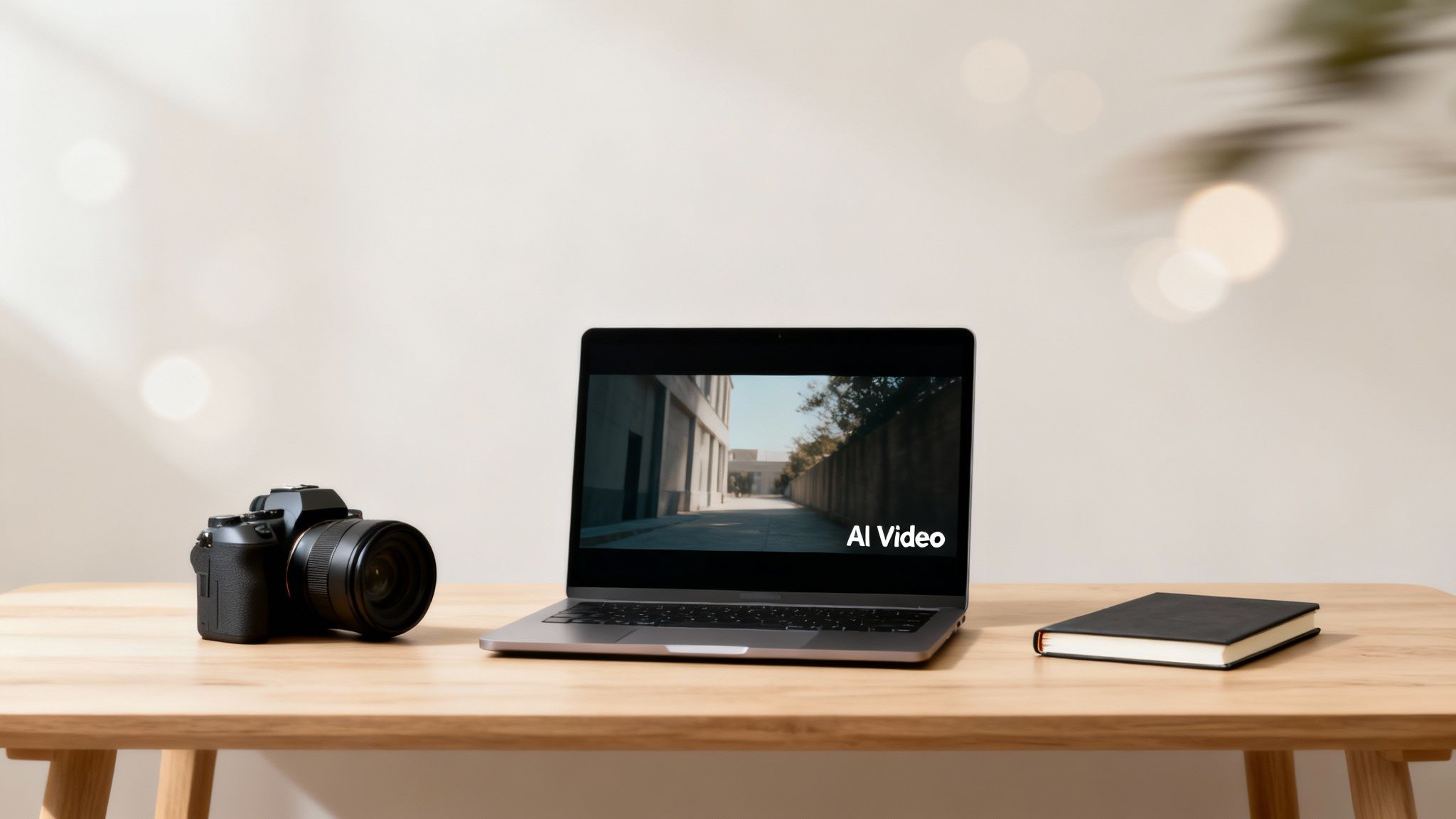
The image here really nails the moment we're in—classic hardware sitting next to a laptop powered by AI. It’s the perfect symbol for how this technology is making video creation accessible to everyone. In this guide, I’m going to walk you through the practical, hands-on steps to turn your ideas into actual videos you can share on platforms like TikTok and Instagram.
Getting a Feel for the AI Video World
This new era of AI video didn't just appear overnight. It's been pushed forward by major innovations, like the significant impact of OpenAI's Sora and its mobile expansion, which have put powerful tools directly into the hands of creators everywhere. This isn't some niche experiment anymore; it's a booming industry.
To put it in perspective, the global AI video generator market was valued at around USD 534.4 million recently and is expected to skyrocket to roughly USD 2.56 billion by 2032. That’s a staggering growth rate of about 19.5% every year, which tells you just how quickly businesses and creators are jumping on board.
The ability to turn a text description into a moving image, almost instantly, is the new superpower for content creators. It dramatically shortens the production cycle and lets you test ideas at a pace that was unimaginable before. That’s a massive advantage in today's fast-moving online world.
Because this field is growing so fast, the tools and what they can do are getting better all the time. Getting a handle on https://www.aicut.pro/blog/the-future-of-content-creation-ai-video-generation is crucial if you want to stay ahead of the curve. This guide is all about the practical side of things—giving you the skills to create everything from a viral clip to a polished ad. We'll cover it all, from initial planning and writing prompts to final edits and getting it published.
Key AI Video Generation Approaches at a Glance
To get started, it's helpful to understand the main ways you can create a video with AI. This table breaks down the common methods, giving you a quick way to see which approach might be the best fit for your project.
| Generation Method | Best For | Example Use Case |
|---|---|---|
| Text-to-Video | Creating entirely new scenes and concepts from a written description. | Generating a short, fantastical clip of "a fox wearing a top hat reading a newspaper in a coffee shop." |
| Image-to-Video | Animating a static image to add subtle motion or bring a character to life. | Making a product photo subtly pan and zoom, or having a person in a portrait blink and smile. |
| Video-to-Video | Applying a new style or effect to an existing video clip. | Transforming a regular video of a cityscape into a vintage, grainy 1940s film style. |
Think of these as your primary tools. As you get more comfortable, you'll find yourself mixing and matching them to achieve exactly the look you're going for.
Planning Your AI Video for Maximum Engagement
Even the most powerful AI can't read your mind. Before you jump into generating videos, taking a moment to map out a strategy is what separates a random, forgettable clip from content that actually grabs an audience and holds on tight. Think of this planning stage as your creative roadmap—it guides the AI to produce something that feels intentional and stops that endless scroll.
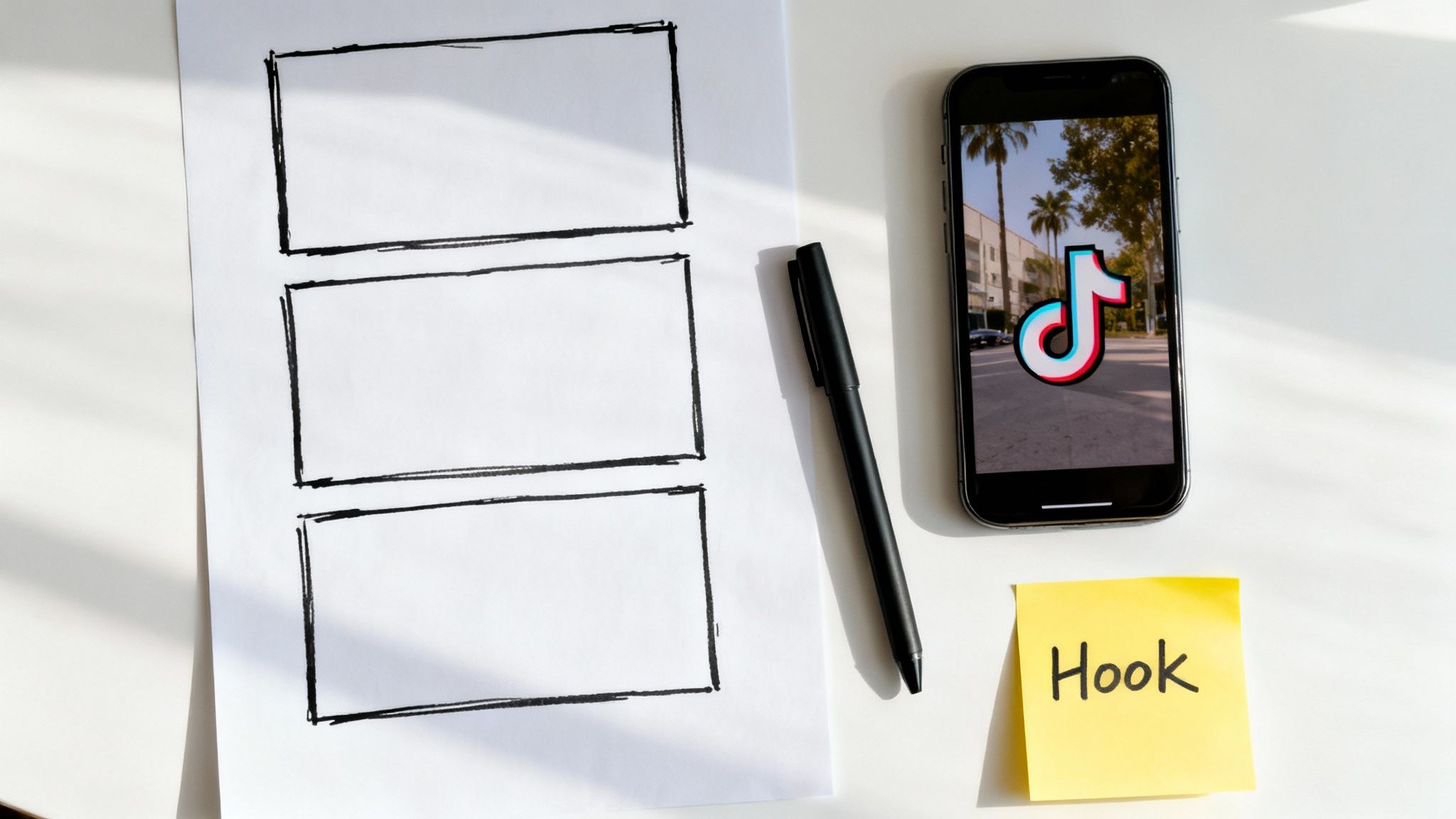
First things first, where is this video going to live? Content that crushes it on YouTube Shorts might completely flop on Instagram Reels or TikTok. Every platform has its own vibe, its own trending sounds, and its own audience expectations. Your plan has to start there, with a clear picture of the platform and the people you want to reach.
Choosing Your Video Format
The format you choose for your AI video does more than just set a visual tone; it dictates how your audience experiences the story you're telling. Picking the right one makes your content feel authentic and like it belongs on the platform.
Here are the three main formats I see working best right now:
- Photorealistic: This style is all about creating scenes that look like they were shot with a high-end camera. It's a fantastic choice for cinematic product shots, jaw-dropping travel clips, or any story that needs a believable, true-to-life setting.
- Point-of-View (POV): POV shots are huge on TikTok and Reels because they drop the viewer right into the action, seeing things from the character's perspective. It’s perfect for creating immersive, relatable content, like "POV: you’re exploring a hidden market in Tokyo."
- Selfie-Style: This approach copies that casual, direct-to-camera vibe you get from a personal vlog or user-generated content (UGC). It’s a great way to create AI avatars for explainer videos, product reviews, or anything where you want to build a more personal connection with the viewer.
For instance, a brand selling hiking gear could get amazing results using a photorealistic style to showcase its products in stunning mountain landscapes. On the other hand, a creator sharing a funny personal anecdote would probably go with a selfie-style or POV format to make it feel more immediate and genuine.
A well-chosen format does more than just look good—it builds trust. When your AI-generated video matches the style and feel of authentic content on a platform, viewers are far more likely to engage with it.
Storyboarding Your Prompts
Once you've locked in your platform and format, it's time to storyboard your idea. Don't worry, this doesn't mean you need to be an artist. A simple list of shots, broken down into individual prompts for the AI, is all it takes. This little exercise forces you to think through the flow of your video, making sure it has a clear beginning, middle, and end.
Start by outlining the key beats of your story. For a quick 15-second TikTok clip, you might only need three to five distinct shots. Each of these shots will become its own unique prompt.
Let's say you're creating a short video about a futuristic coffee shop. Your storyboard could be as simple as this:
- Opening Shot: A wide shot of a sleek, minimalist coffee shop interior, with robots serving customers and holographic menus floating in the air.
- Mid Shot: A customer receives a glowing blue latte from a robotic barista's arm.
- Close-Up Shot: A tight close-up on the latte, with steam swirling into intricate, glowing patterns.
- Final Shot: The customer takes a sip, and their eyes widen in delight as we see a neon-lit cityscape reflected in the window behind them.
This simple breakdown takes a fuzzy idea and turns it into a concrete, actionable plan. Now you have a clear sequence to feed the AI, ensuring each clip builds on the last to tell a cohesive story.
Establishing a Consistent Visual Style
Finally, you need to lock in your visual style. This is where you add the artistic details that will make your video stand out and feel uniquely yours. Think of it as being a director giving your AI cinematographer a specific aesthetic to follow for every single shot.
You achieve this by adding consistent descriptive keywords to every prompt. These keywords are like a creative filter, making sure every clip feels like it belongs in the same world. A strong visual style is absolutely crucial for brand recognition and making your content memorable.
Try adding consistent modifiers for things like:
- Lighting:
golden hour lighting,dramatic neon glow,soft morning light - Color Palette:
vibrant pastel colors,moody desaturated tones,warm and earthy palette - Camera & Feel:
cinematic 8k,shot on 35mm film,dreamy ethereal quality,gritty documentary style
By adding "cinematic, 8k, golden hour lighting" to each of those coffee shop prompts, you guarantee that every generated clip will have the same high-quality, warm, and professional look. This simple planning step is the real secret to producing polished, cohesive AI videos that stop people in their tracks.
Mastering Prompts and Choosing the Right AI Model
Once you have a solid plan, it’s time to get your hands dirty. This is where you translate your ideas into instructions the AI can understand, and frankly, it's the most critical part of the whole process. The quality of your video is a direct reflection of the quality of your prompt.
A vague prompt gives you a vague, uninspired video. It’s like asking a designer to "make a cool logo." You'll get something, sure, but it won't be what you had in your head. You need to become a director, giving the AI specific, descriptive commands to bring your vision to life.
Think of it this way: the AI has seen millions of videos, but it has zero creative intuition. Your prompt is what provides that missing piece.
The Anatomy of a Powerful Prompt
Crafting a killer prompt feels like an art, but there’s a science to it. Instead of just throwing a single idea at the AI, you build a scene layer by layer with rich detail.
A good prompt usually includes these key ingredients:
- Subject and Action: Who or what is the star of your video? What are they doing? This is your starting point.
- Setting and Environment: Where is all this happening? Ground the action in a specific place.
- Camera and Shot Type: How are we seeing this? Think like a cinematographer. Is it a close-up, a wide shot, a drone shot? Is the camera moving?
- Lighting and Mood: What's the vibe? "Golden hour lighting" feels very different from "dark, moody, neon-lit alley."
- Artistic Style: What's the overall aesthetic? Do you want it to look like it was shot on 35mm film, or should it be a hyper-realistic 8K digital video?
Let’s look at a real-world example. A beginner’s prompt often falls flat.
Weak Prompt: a car driving
You can probably guess the result: a boring, generic clip of some random car. Now, let's inject some detail.
Strong Prompt: A vintage red convertible cruises down a winding coastal highway at sunset, drone shot following from above and behind, cinematic 8k, golden hour lighting, shot on 35mm film.
See the difference? This prompt tells a story. The AI now knows the exact car, the setting, the camera movement, the time of day, and the professional look you're after. This is what separates amateur content from videos that truly stand out. If you want to go even deeper, our complete text prompt guide is packed with more advanced techniques.
Choosing the Right AI Video Model
Not all AI models are built the same. The world of AI video is exploding, with new tools popping up that are great at very specific things. The AI video market itself has seen massive growth—from a valuation of around USD 3.86 billion, it's projected to soar past USD 42 billion by 2033. Creative AI generators, the kind that make realistic videos from text, are leading the charge with a 38.1% market share. You can dig into these trends and more on the growing AI video market.
This boom means you have options. The right choice comes down to what you decided on during your planning stage.
Here’s a quick rundown of the main types of models and what they're good for:
- Photorealistic Models (e.g., Sora, Veo, Kling): These are the powerhouses. They're built to create stunningly lifelike, high-fidelity videos. If you need a cinematic short, a realistic product demo, or anything that needs to look like it was filmed with a real camera, this is your go-to.
- Stylized & Animation Models: Perfect for creating cartoons, abstract visuals, or applying a unique artistic flair. Think explainer videos, artistic pieces, or branded content that needs a specific, non-realistic aesthetic.
- Avatar & Character Models (e.g., HeyGen, D-ID): These tools do one thing incredibly well: they take a static photo and turn it into a talking character. They're amazing for creating selfie-style UGC ads, training videos with an AI presenter, or faceless YouTube channel narrations.
Your choice of model is a strategic one. Using a heavy-duty photorealistic model for a simple talking head video is like using a sledgehammer to crack a nut. Likewise, an avatar tool can't give you a sweeping landscape shot. Match the tool to the task, and you'll get far better results.
Take a look at this example from OpenAI's Sora. It shows just how detailed and realistic the top-tier models can get from a simple text prompt.
This image is from a video generated entirely from text. It shows the model's incredible ability to understand how light, texture, and motion work together in the real world. This is the level of quality you can achieve when you pair the right prompt with the right model. Once you know each model's strengths, you can build a flexible workflow and consistently create amazing AI videos that hit your goals every time.
Bringing Your Vision to Life with Different Inputs
One of the best things about working with AI is its flexibility. You're not locked into one way of doing things. You can kick off the video creation process with just about anything—a line of text, a still photo, or even a voice clip. This adaptability is exactly what you need to create compelling content for any social platform or marketing goal.
The most straightforward path is often text-to-video, where you turn a written description into a photorealistic clip. This is your go-to for creating scenes that would be wildly expensive, dangerous, or just plain impossible to shoot in the real world. As we've touched on, the secret to making these look real is getting super specific with your prompts. You need to think like a film director, describing not just what's happening, but the camera, the light, and the overall vibe.
From Text to Photorealistic Scenes
When you're chasing realism, every single word in your prompt counts. Vague descriptions will get you generic results. Instead, you have to pack your prompts with sensory details that make the scene feel tangible. Don't just ask for "a city street."
Instead, try something like: "a rain-slicked cobblestone street in a historic European city at dusk, reflections from neon signs shimmering on the wet ground." See the difference?
To really nail the look you're after:
- Talk like a cinematographer. Use phrases like
shot on 35mm film,telephoto lens, ordynamic low-angle shotto guide the AI's composition. - Set the mood with lighting. Words like
soft morning light,harsh midday sun, ordramatic volumetric lightingmake a massive difference in the final output. - Inject a bit of life. Don't just describe a frozen moment. Add a subtle action, like
steam slowly rises from a coffee cuporleaves gently rustle in the breeze. It's these small details that sell the illusion.
Getting this right is a foundational skill. For a deeper look at crafting killer prompts, our guide on how to generate AI video from text has a ton of advanced strategies.
This quick diagram shows how you can take a simple idea and flesh it out into a detailed prompt that gives the AI clear instructions.
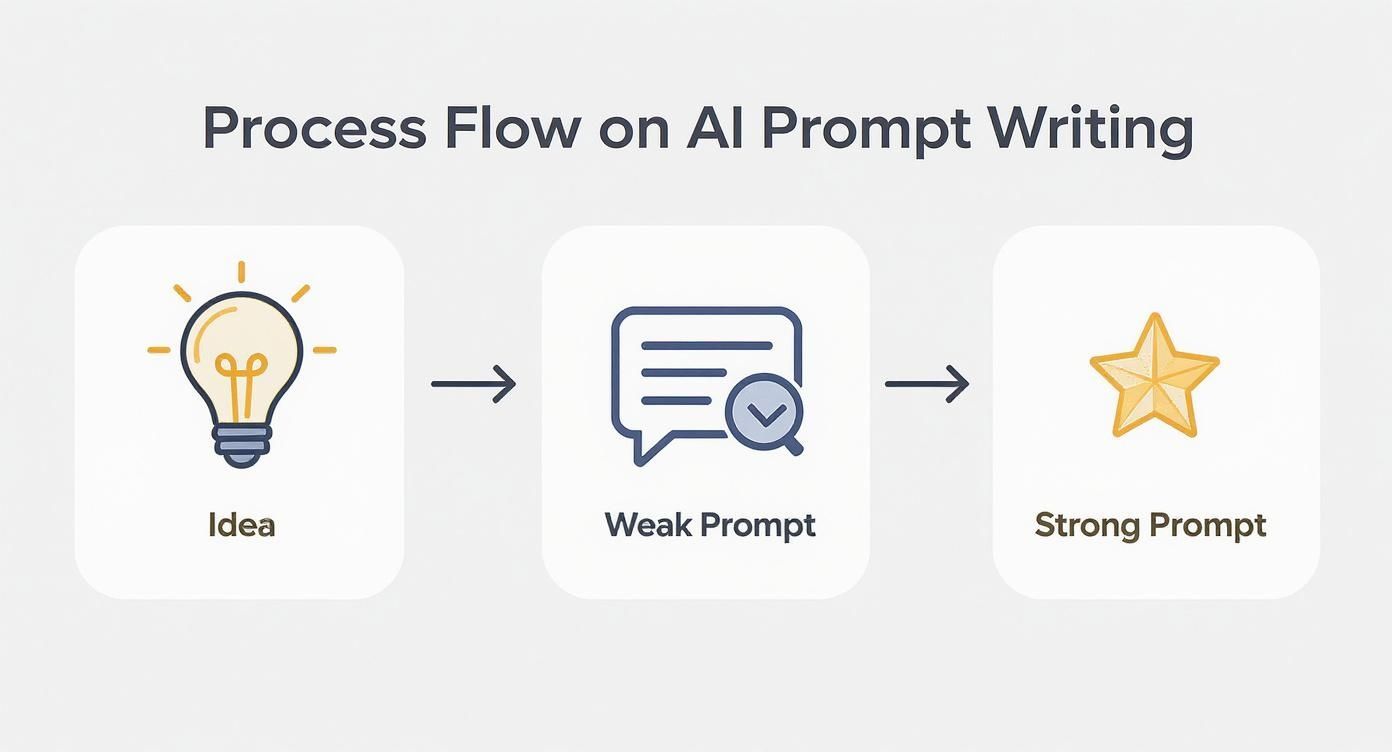
As you can see, the magic isn't in the initial thought, but in how you translate it into a rich, descriptive command that the AI can work with.
Transforming Static Images into Dynamic Content
Another fantastic technique is bringing static images to life. This is a brilliant way to breathe new energy into existing assets—think headshots, product photos, or brand illustrations—and turn them into engaging video snippets. You could animate a professional headshot into a talking avatar for an explainer video or have a customer's photo "deliver" a testimonial.
This approach is also a game-changer for creating user-generated content (UGC) style ads without hiring a single actor. Just generate an image of someone from your target demographic, feed it into an image-to-video tool, and have them "speak" your ad script. It's incredibly fast, budget-friendly, and easy to scale.
Pro Tip: When you're animating a photo, always start with a high-resolution image. Make sure your subject is facing forward with their facial features clearly visible. This gives the AI clean data to work with, which leads to much more natural and convincing lip-syncing.
Creating Relatable POV and Selfie-Style Videos
On platforms like TikTok and Instagram Reels, point-of-view (POV) and selfie videos are king. Why? Because they feel personal and authentic, breaking down the wall between you and your audience. The good news is, you can easily create these popular video styles with AI.
For a POV video, just frame your prompt from a first-person perspective.
- Example POV Prompt:
POV shot of hands typing on a glowing keyboard in a dark room, screen reflection visible in the user's glasses, lo-fi aesthetic.
For a selfie video, you’ll want to describe someone holding a camera and pointing it at themselves, just like you would in real life.
- Example Selfie Prompt:
Selfie-style video of a young woman laughing as she walks through a vibrant flower market, holding the camera slightly above her head, sunny day.
These formats are perfect for storytelling, tutorials, or "day in the life" content that helps you connect with your viewers. And if you're mixing AI with real-world footage, you might want to enhance your phone's camera capabilities with accessories to make sure your source clips are as high-quality as possible. Getting comfortable with these different input methods gives you a powerful toolkit for producing a huge variety of content for any creative brief.
Polishing and Publishing Your AI Content
https://www.youtube.com/embed/bzoTOgqD15I
Getting your initial clips generated is a great feeling, but the real magic happens in the final stretch. The steps you take after the AI has done its part are what elevate your content from just another video to something that looks polished, professional, and ready to perform. This is where you add the finishing touches, build an efficient workflow, and get smart about distribution.
The Non-Negotiable Step: Upscaling
Let's start with something most people skip: upscaling. Many AI video tools will give you a clip in 1080p, and that’s perfectly fine for a lot of things. But if you want that razor-sharp, premium look that stops the scroll, you need to kick it up a notch. This is where AI upscalers are a game-changer.
These tools don't just stretch the video to 4K or 8K; they intelligently add detail, clean up noise, and sharpen edges. The difference is immediately noticeable. For anyone serious about creating commercial-quality content or building a high-end brand, this isn't optional. It’s a must.
From Export to Schedule: Building a Smart Workflow
With your clips looking sharp, the next challenge is efficiency. You need a system that gets your videos from your hard drive to your social feeds without eating up all your time. This is absolutely critical if you're trying to post consistently, which the algorithms love.
The secret? Batching. Don't try to make and post one video at a time. Instead, break your process into dedicated blocks. Spend a few hours just generating all the AI clips you need for the week. Use another block for upscaling and editing them together. Finally, have a session just for writing captions and scheduling everything out.
This is where tools with built-in schedulers are worth their weight in gold. Exporting a finished video and lining it up for TikTok, Instagram, and YouTube Shorts all from a single dashboard is a massive time-saver. Platforms like Aicut are designed for this exact workflow, automating the tedious parts so you can stay in the creative zone.
Playing by the Platform's Rules
A brilliant video can completely flop if it isn't optimized for the platform it's on. Every social network has its own culture and audience expectations. What kills it on TikTok might get ignored on Instagram Reels, even though they look similar on the surface.
Here are a few quick tips I've learned from experience:
- TikTok: It's all about trending audio. Find a sound that’s blowing up and cleverly pair it with your video. Your intro needs to be lightning-fast—you've got maybe two seconds to hook someone. Use bold, on-screen text to guide the story.
- Instagram Reels: Visuals are king here. Make sure your video is clean, high-quality, and aesthetically pleasing. A solid hashtag strategy is key, and be ready to jump on comments right after you post to give the algorithm a nudge.
- YouTube Shorts: Think of Shorts as mini-YouTube videos. The algorithm is incredible at matching content to viewer interests, so use descriptive titles and keywords in your description. Consistency is rewarded big time on Shorts, so a regular posting schedule is crucial for growth.
Being able to quickly generate videos with AI is a huge advantage here. You can experiment with different visuals, captions, and audio combinations for each platform without sinking days into production. It makes testing and learning what works so much faster.
Turning Your AI Video Skills Into Cash
Alright, let's get to the good part: making money. As AI video tools become more common, the demand for creators who can produce great content quickly is exploding. Think about it—TikTok sees about 25 million new videos every single day, and YouTube gets around 3 million daily uploads. The market is hungry for content, and you can learn more by reading the full research on the AI video generator market.
Here are a few proven ways to monetize your skills:
- Brand Partnerships: Brands are desperate for affordable and scalable UGC-style ads. You can use AI to create stunning product showcases and avatar-led promotions for them.
- Faceless Content Channels: Pick a niche you're into—history, meditation, true crime—and build a channel on YouTube or TikTok. Use AI to create all the visuals and even the voiceovers for a consistent stream of content.
- Content Licensing: Create unique, high-quality clips and sell them on stock footage sites. There's always a need for beautiful landscapes, abstract animations, and other conceptual visuals.
- Freelance Services: Position yourself as an AI video expert and offer your services to businesses. So many companies need social media videos or marketing content but have no idea where to start.
Common Questions About Making Videos with AI
As you start playing around with AI video, you're bound to have some questions. This technology is moving at a breakneck pace, and it's easy to get lost. Let's tackle some of the most common questions creators are asking right now.
What Are the Best AI Tools to Actually Use?
Honestly, the "best" tool completely depends on what you're trying to make. There's no magic bullet. It's all about matching the right tool to your specific idea.
If you're aiming for those stunning, cinematic scenes that look like they're straight out of a movie, you'll want to look at models like Runway Gen-2 or Pika. They're the heavy hitters for text-to-video generation right now.
But what if you just want to make a static photo talk? For that, something like D-ID or HeyGen is perfect. They're super simple to use and great for making quick UGC-style ads or animated characters for explainer videos.
And if you need a more complete setup with built-in editing and stock media, an all-in-one platform like InVideo or Synthesia might be your best bet. My advice? Sign up for the free trials of a few different ones. Getting your hands dirty is the fastest way to figure out which one just clicks with your workflow.
Can I Really Make Money with AI-Generated Videos?
Yes, you absolutely can. And a lot of people already are. It's not some far-off dream; the opportunities are here today.
For starters, you can earn through the usual channels, like the YouTube Partner Program or TikTok's Creativity Program, once you hit their requirements. A massive trend right now is building "faceless" channels on topics like guided meditation, history summaries, or true crime, where the visuals are entirely AI-generated.
You can also think beyond your own channel. Businesses are desperate for quick, affordable video content for their marketing. You could easily offer AI video creation as a freelance service. Or, if you generate some really cool clips, you can sell them as stock footage, as long as the AI tool you used gives you the full commercial rights to do so.
How Do I Stop My AI Videos from Looking Like Everyone Else's?
This is the big one. With thousands of people using the same AI models, your creativity is what will set you apart.
First off, develop your own visual signature. Get specific and consistent with your prompts. For example, always ask for "volumetric lighting," "pastel tones," or tell it to shoot "on a 35mm lens." This consistency is what builds a recognizable style.
Next, mix and match. Don't just rely on the raw AI output. Layer in your own custom graphics, text, or even short clips you shot yourself. It’s this human touch that makes it unique. And above all, tell a good story. A video with a great narrative will always beat a technically perfect but soulless one.
Here's a pro-level tip for a truly original look: use a multi-tool workflow. You could design a unique character in an image generator like Midjourney, then bring that character to life in an animation tool like Runway. This process creates something that is 100% yours.
What's the Deal with the Legal and Ethical Stuff?
This is a space where you really need to pay attention, as the rules are still being written.
Legally, your bible is the terms of service of the AI tool you’re using. You have to read it. Some platforms give you full commercial rights to everything you create, while others have some serious strings attached. Knowing the rules upfront will save you a world of headaches later.
Ethically, it really comes down to one word: transparency. Be honest with your audience that your content is AI-generated, especially if it features realistic people or events. The last thing you want to do is create misleading deepfakes or spread misinformation. Many platforms are rolling out labels for AI content—use them. Being upfront builds trust and helps everyone understand the new world we're creating in.
Ready to stop dreaming and start creating? Aicut is the all-in-one platform designed to help you generate viral videos for YouTube, TikTok, and Instagram in minutes. With access to the latest models, viral templates, and a full suite of automation tools, you can build and monetize your channel faster than ever. Join over 500,000 creators and start your journey today at https://www.aicut.pro.