So, you want to create videos with AI? The basic idea is pretty straightforward: you start with a solid concept and format, pick an AI model like Sora or Kling, write a detailed prompt telling it what to create, and then stitch the clips together. It’s a process that can turn a simple sentence into a full-blown video in a matter of minutes.
Welcome to the New Era of AI Video Creation
Not long ago, making a high-quality video meant you needed expensive cameras, complicated software, and a ton of technical know-how. That's all changing. AI video generators have completely leveled the playing field, letting anyone with a good idea produce some seriously impressive content.
This guide is your end-to-end roadmap. We're going to skip the fluff and focus on a real-world workflow that actually gets results. You’ll learn how to take that initial spark of an idea and turn it into a polished video ready for YouTube, TikTok, or Instagram.
What You'll Learn in This Guide
Think of this as a complete production manual, not just a list of tools. We're covering the entire journey, from brainstorming your first idea to getting it published and even making money from it.
Here’s a sneak peek at what’s inside:
- Finding Your Angle: We'll dig into what kind of content people actually want to watch and help you choose the right format—whether that's a faceless narration, a text-story, or something else entirely.
- Picking the Right Tools: I’ll give you a no-nonsense breakdown of the top AI models out there so you can pick the one that fits your vision and budget.
- The Art of the Prompt: This is where the magic happens. You’ll learn how to write prompts that give you precise control, making sure the AI creates exactly what you have in mind.
- From Clips to Story: We'll walk through the core process of generating your clips, arranging them into a compelling story, and adding those final professional touches in an editor.
- Getting Your Content Seen: Learn how to tailor your videos for specific platforms and use automation to keep your content flowing without burning out.
AI isn't here to replace your creativity—it's here to supercharge it. These tools are like having a tireless creative partner that can bring your wildest ideas to life, minus the usual headaches of time and budget.
The AI Video Gold Rush is On
This isn't just hype; the numbers are pretty staggering. The AI video market was valued at USD 11.2 billion in 2024. But here's the kicker: it’s projected to explode to USD 246 billion by 2034. That's a compound annual growth rate of 36.2%.
Most of that growth is coming from marketing and corporate videos, which currently dominate with a 70.1% market share. But the door is wide open for independent creators, too.
This guide will give you the practical skills to get in on the action. If you're curious about where all this is headed, you can explore more about the future of content creation with AI video generation. For now, let's get you started.
Laying the Groundwork for Your AI Video
Every great AI video begins long before you touch a generation button. It starts with a solid plan. Seriously, if you just dive in and start generating clips without a blueprint, you'll end up with a collection of cool-looking but disconnected scenes. It’s a surefire way to waste time and credits.
This initial planning phase is what really separates the creators who get noticed from those who just add to the noise. It’s about being intentional.
So, where do we start? First, you need to lock down a compelling idea and figure out the best format to bring it to life. What story are you trying to tell, and who are you telling it to? A quick, punchy format that crushes it on TikTok might get completely ignored on YouTube. Think about where your audience hangs out and what they’re already watching.
Choosing Your Video Format
The format is the container for your story. Picking the right one from the get-go will guide every decision you make later, from how you write your prompts to your final editing choices.
Here are a few of the most effective formats I've seen work time and time again with AI video:
- Faceless Narration: This is a classic for a reason. You generate gorgeous B-roll footage that syncs up with a voiceover script. It’s perfect for history channels, educational deep dives, or any topic where the visuals support a strong narrative.
- User-Generated Content (UGC) Style: This one is a game-changer for marketing. AI can create incredibly realistic videos of people unboxing products, giving reviews, or sharing their experiences. You get authentic-looking testimonials without the hassle of hiring actors.
- Point-of-View (POV): This style is all about immersion. It drops the viewer right into the action. You can create anything from a first-person tour of a fantasy world to a simulation of test-driving a new car. The possibilities are wild.
- Text-Story & Reddit Narrations: If you've spent any time on TikTok or YouTube Shorts, you've seen these. They usually involve simple text conversations or a narrator reading a story over some kind of looping background video (like gameplay). AI is fantastic for quickly generating those background visuals.
Selecting the Right AI Video Model
Okay, so you know what you're making. Now it's time to choose how you'll make it. The AI model you pick has a massive impact on the final look and feel of your video. This space is moving at lightning speed, so what's best today might be old news in a few months.
When you're trying to figure out how to create AI generated videos that don't scream "I was made by a robot," the tool you use is critical. Some models are brilliant at photorealism, while others are masters of artistic and abstract styles.
Comparing the Top Contenders
| Model | Key Strength | Best For | Considerations |
|---|---|---|---|
| Sora 2 | Unmatched realism and scene consistency. | Cinematic storytelling, realistic product shots, and complex scenes with multiple subjects. | Often has a waitlist and can be more expensive to use. |
| Veo 3.1 | Excellent understanding of nuanced prompts and cinematic language. | Creating specific camera movements (e.g., drone shots, time-lapses) and detailed character actions. | Can require more descriptive prompts to get the best results. |
| Kling | High-fidelity output with a focus on physics and character motion. | Action sequences, dynamic sports clips, and videos where realistic movement is critical. | Still newer to the market, so its full range of capabilities is being explored. |
Your choice of model isn't just a technical decision—it's a creative one. A model that's great for a gritty, realistic scene might not be the best for a whimsical, animated story. Experiment with different tools to find the one that best matches your unique style.
Crafting a Powerful Prompt Library
Your prompt is your direct line to the AI's "brain." Give it vague instructions, and you'll get generic, uninspired results. The real secret to getting consistent, high-quality video is to build your own personal prompt library.
Think of it as your private bag of tricks—a saved collection of your most effective, go-to prompts. Instead of trying to reinvent the wheel every single time, you can pull from a library you've already tested and refined. This doesn't just save a ton of time; it helps you develop a signature visual style for your channel.
I recommend organizing your library into a few key categories:
- Visual Styles:
cinematic 35mm film,vintage 1980s documentary footage,dreamy Ghibli-inspired animation. - Camera Movements:
sweeping drone shot over a mountain range,handheld shaky-cam following a character,dolly zoom on a dramatic expression. - Character Actions:
a woman laughing while drinking coffee,a man typing furiously at a keyboard in a dark room. - Lighting & Mood:
golden hour sunlight filtering through trees,neon-drenched cyberpunk city at night,soft, moody interior lighting.
Nailing this foundation first sets you up for a much smoother, more creative workflow. You’ll get from idea to finished video faster, and the quality of your work will speak for itself.
Getting into the AI Video Creation Workflow
Alright, you’ve got your ideas and you know which tools you're going to use. Now for the fun part: actually making the video. This is where you'll be turning those concepts into moving images, piece by piece, and then stitching them all together. The whole process is really a cycle of prompting, generating, and refining.
Don't expect the AI to spit out a perfect clip on the first try. It almost never happens. The first few generations are just your starting point—think of them as digital clay. The real magic happens when you start tweaking your prompts, nudging the AI closer and closer to what you see in your head. You might regenerate a clip five times, changing just one word each time to see what happens.
This isn't a passive, push-button process. It's an active, creative dance with the machine. Every clip it generates gives you more insight, helping you write a better prompt for the next one.
This little diagram lays out the creative flow perfectly. It’s a structured journey from an idea to a finished prompt.
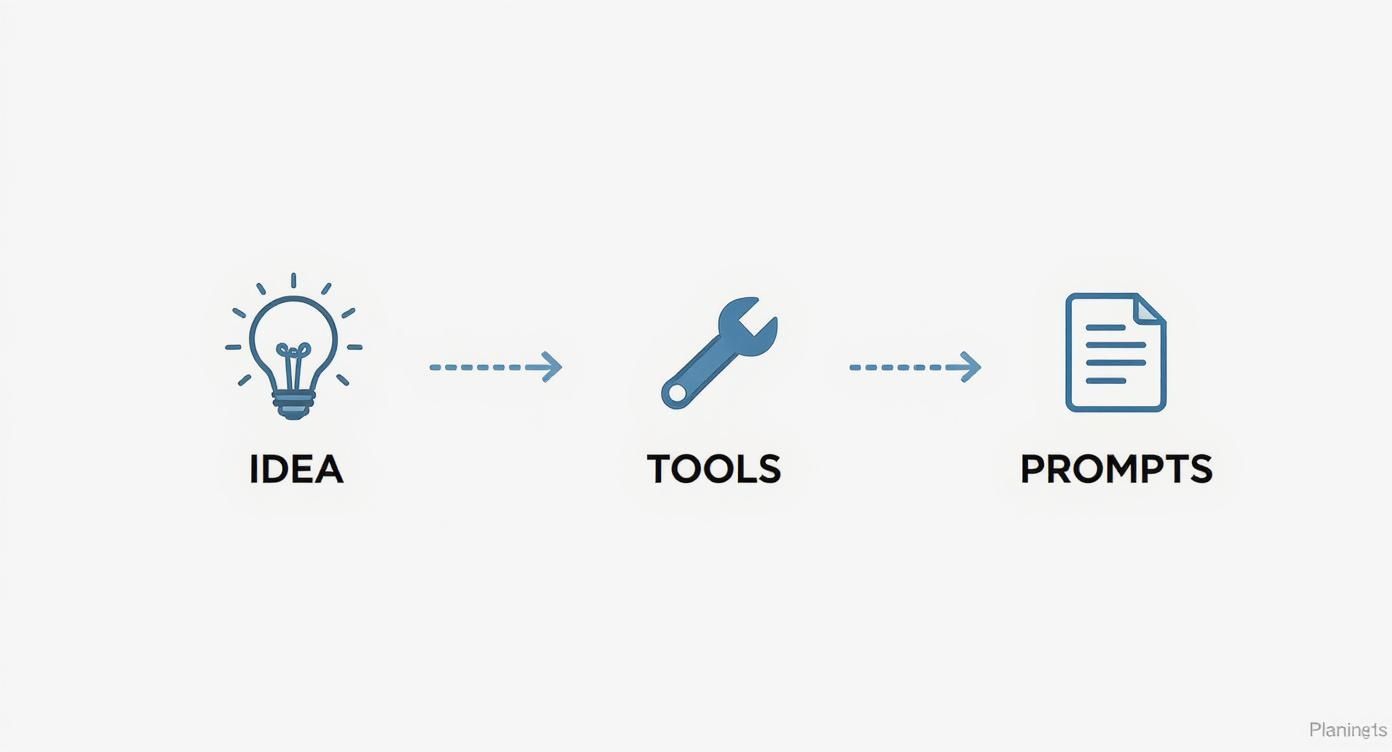
It’s a good reminder that great results come from a plan, not just random button-mashing.
Generating Your First Clips
My advice? Start with your most important shot. The one that sets the mood for the whole video. Getting this "hero" shot right gives you a solid anchor to build everything else around.
Let's imagine you're making a short video about ancient Rome. Your first prompt could be something like: Cinematic shot, ancient Roman forum at sunrise, senators in togas debating, dusty morning light, 35mm film style.
Once you get a version of that clip you love, you can use it to keep the rest of your video consistent. Many tools let you use a "seed" number or reference stylistic details from one clip to influence the next. This is key to making sure all your shots look like they belong in the same world, instead of a jumbled mess.
From there, you build out your scene shot by shot. If your first clip was the wide shot of the forum, your next might be a close-up: Close-up shot of a Roman senator’s face, deep in thought, same dusty morning light and 35mm film style. This methodical approach is the foundation of good AI video storytelling. For a closer look at these techniques, check out our guide on how to create AI videos.
Pro Tip: Avoid trying to make one single, complex prompt that does everything. You'll have way more control by generating short, simple clips (3-5 seconds) and editing them together. It's the secret to controlling the pace and flow of your story.
Weaving Your Clips into a Story
With a handful of generated clips ready to go, it’s time to head to the editing bay. This is where your AI-generated footage gets a soul. You don't need a Hollywood-level editing suite; even basic software can get the job done.
Here’s a simple editing checklist I follow:
- Lay Out the Narrative: Drop your clips onto the timeline and arrange them in an order that tells your story. Think about the rhythm. Quick cuts can build excitement, while letting a shot linger can create a more thoughtful mood.
- Add Transitions: A simple, clean cut is usually best. If you need to smooth things out between scenes, a subtle crossfade can work wonders. Just steer clear of those cheesy, over-the-top transitions that scream "amateur."
- Build Your Soundscape: Audio is half the experience. Find a background music track that fits the vibe. If you have a script, record your voiceover and layer it in. Don't forget sound effects—they can make a scene feel so much more real.
- Color Correct for a Cohesive Look: Even if your clips look similar, a final color grade will tie everything together. Tweaking the brightness, contrast, and color tones is what gives a video that polished, professional look.
This editing stage is where your human creativity really takes over, adding the polish and nuance that AI just can't replicate on its own. It's a craft that's becoming increasingly valuable, especially as the AI video generator market is expected to explode from USD 614.8 million in 2024 to a staggering USD 2,562.9 million by 2032. This trend shows just how much these tools are changing the game for creators everywhere.
Upscaling for That Crisp, Professional Finish
One of the quirks of AI video generation is that clips often come out at a lower resolution to speed up the process. But uploading a fuzzy, pixelated video to YouTube or TikTok is a surefire way to get scrolled past. That's why upscaling is a step you absolutely cannot skip.
Upscaling software uses AI to intelligently blow up your video's resolution, sharpening the details and making it look high-definition. Many modern platforms have this feature built right in.
- When to Do It: Always upscale the final, edited video, not the individual clips. This ensures everything is sharp and consistent from start to finish.
- What to Aim For: For social media, 1080p (Full HD) is the minimum. If you’re publishing on a platform like YouTube where quality matters, exporting in 4K will give you a noticeable advantage.
This final step makes sure your AI-generated video can stand proudly next to content shot with a real camera, looking great on any screen.
Getting Your AI Videos Seen on Social Media
So, you’ve just created an amazing AI video. That’s a huge win, but the work isn't over yet. A masterpiece sitting on your hard drive won't get you any views, build your audience, or make you any money. The real mission starts now: getting that video in front of the right people.
This means you have to think like a content strategist, not just a video creator. Each social media platform is its own world with a unique algorithm, different audience expectations, and specific rules of engagement. A video that explodes on TikTok might completely flop on YouTube, and what works for an Instagram Reel won't necessarily translate elsewhere.
You've learned how to make the video; now it's time to learn how to make it work for you. That means optimizing everything—the title, the hashtags, the description, and even when you hit "publish."
Tailoring Your Videos for Each Platform
A one-size-fits-all approach is a recipe for disappointment. To get the most out of your AI-generated content, you need to customize your approach for YouTube, TikTok, and Instagram.
YouTube Optimization
On YouTube, discovery is all about search and recommendations, especially for Shorts. This makes your titles and descriptions critically important.
- Craft Magnetic Titles: Your title needs to be clear and packed with keywords people are actually searching for. Instead of something generic like "Cool AI Scifi Video," try "This AI Created a Cyberpunk City That Will Blow Your Mind." See the difference?
- Write Detailed Descriptions: Don't skip the description box! Use it to add context, sprinkle in more relevant keywords, and drop links to your other social profiles or website.
- Use Smart Hashtags: A few highly relevant hashtags in the description can help YouTube categorize your content. And for Shorts, always, always include #shorts.
TikTok and Instagram Reels
These platforms are a different beast entirely. It's all about grabbing attention in the first three seconds. If you don't, people will just scroll on by.
- Lead with a Strong Hook: Start your video with the most visually stunning clip or a bold text overlay that makes people stop and wonder what’s next.
- Jump on Trending Audio: Using popular sounds is one of the biggest hacks for visibility. Spend time on your "For You" page to see what's currently trending and find a way to incorporate it.
- Mix Your Hashtags: Your best bet is a combination of broad, niche, and trending hashtags. For an AI art video, you could use #aiart (broad), #midjourneyart (niche), and whatever challenge tag is popular that week.
If you want to dig deeper into growing your presence on visual-first platforms, this article on leveraging AI for Instagram growth is a great resource.
Think of each platform as its own unique puzzle. When you give the algorithm what it wants—a searchable title on YouTube, a trending sound on TikTok—you stack the deck in your favor and dramatically increase your chances of going viral.
To make this even clearer, here’s a quick-reference checklist for tailoring your AI videos across the major platforms.
AI Video Platform Optimization Checklist
| Platform Feature | YouTube Best Practice | TikTok Best Practice | Instagram Reels Best Practice |
|---|---|---|---|
| Video Length | Shorts: Under 60 seconds. Long-form: 8-15+ minutes. | 15-60 seconds is the sweet spot. | Under 90 seconds, ideally 15-30 seconds. |
| Aspect Ratio | 9:16 for Shorts, 16:9 for long-form. | 9:16 (full vertical screen). | 9:16 (full vertical screen). |
| Hook | Strong verbal or visual hook in the first 5-10 seconds. | Immediate hook in the first 1-3 seconds. | Instant visual hook, often with text overlay. |
| Audio | Original audio or commercially licensed music. | Trending sounds and music are crucial for discovery. | Trending audio is key; sync visuals to the beat. |
| Text/Captions | Clear, on-screen titles and closed captions for accessibility. | Short, punchy on-screen text; auto-captions are a must. | Aesthetically pleasing text overlays and captions. |
| Hashtags | 3-5 relevant hashtags in the description, plus #shorts. | Mix of broad (5-8), niche, and trending hashtags in the caption. | Use the max (30) hashtags, combining popular and niche tags. |
| Description/Caption | Keyword-rich, detailed description. | Short, engaging caption with a clear call-to-action (CTA). | Witty caption, engaging question, or strong CTA. |
Following this guide helps ensure you’re not just posting content but strategically placing it where it has the best chance to succeed.
Automating Your Content Workflow
Trying to manually post videos on multiple platforms every single day is a fast track to burnout. Automation is your secret weapon here. It helps you stay consistent without the daily grind.
Tools like Aicut often have built-in scheduling features, which are absolute lifesavers. You can batch-create an entire week or even a month's worth of AI videos in one session, then schedule them to go live at the perfect times for each platform.
This consistency is gold for the algorithms. Posting regularly signals that you're an active, serious creator, and the platforms reward that by showing your content to more people. This is a game-changing strategy for anyone trying to grow their online presence. For more on this, check out our guide with https://www.aicut.pro/blog/top-tips-for-growing-your-social-media-audience-with-ai-videos.
If you're really looking to scale up, the next step is using APIs (Application Programming Interfaces). An API lets different software tools communicate, unlocking some seriously powerful automation. Imagine setting up a system that automatically grabs a new product from your store, generates a custom UGC-style AI video for it, and then schedules it across all your social channels. You'd go from being a content creator to running a fully automated content machine.
Monetizing Your AI Videos Responsibly
So, you've got a good workflow and you're consistently pumping out AI-generated videos. The natural next question is: how do you start making money from all this hard work? It’s not about just flipping a monetization switch; it’s about building a smart, sustainable strategy that your audience actually appreciates.
The good news? There are more ways to earn from your AI videos than ever before. But here's the catch—you have to build an audience first. Monetization always follows an engaged community, not the other way around. If you focus on making great stuff people genuinely love to watch, the income opportunities will start to show up on their own.
Exploring Your Revenue Options
The most successful creators I know don't put all their eggs in one basket. They build several different revenue streams, which gives them a ton of stability if one method slows down. Think of it as diversifying your creative portfolio.
Here are a few of the most proven paths you can take:
- Platform Partner Programs: This is the most direct route. Once you hit the magic numbers for your platform (like subscriber counts and watch hours), you can apply for the YouTube Partner Program or TikTok's Creator Fund. This lets you earn a cut of the ad revenue your videos bring in.
- Affiliate Marketing: This is a fantastic model that works for almost any niche. You find products or services you genuinely love, and when someone buys something using your unique link, you get a commission. It’s incredibly effective because it’s built on authentic recommendations.
- Sponsored Content: As your channel grows, brands will start noticing. They might pay you to feature their products, whether that’s a full-on review or just a quick mention. The secret here is to only work with brands that make sense for your content and your audience.
- Selling Digital Products: This is where you get full control. You can create and sell your own stuff, like a curated library of your best video prompts, an ebook on AI video creation, or even custom visual assets. It’s a great way to deepen the connection with your most dedicated fans.
Once your AI videos are polished and ready to go, figuring out how to monetize YouTube Shorts can really juice your earnings, since short-form video has its own set of rules and opportunities.
Monetization is a marathon, not a sprint. Start by focusing on one or two methods that feel most natural to you. As you grow, you can slowly add more, creating a resilient and diverse income stream that supports your creative work long-term.
Navigating the Legal and Ethical Waters
Making money from your AI videos is great, but doing it responsibly is even more important. This technology is moving fast, and the rules and audience expectations are changing right along with it. Being transparent and proactive will protect you and build serious trust with your community.
Key Ethical Considerations for AI Creators
Staying on the right side of platform policies and copyright law is simply non-negotiable. It keeps your channel safe from strikes or demonetization and helps you build a brand that lasts.
Copyright and Fair Use
The legal ground around AI-generated content is still a bit shaky. Some AI models are trained on massive datasets that might include copyrighted material. To play it safe:
- Use Reputable Tools: Stick with AI video generators that are open about their training data and give you a clear commercial license for the content you produce.
- Check the Terms: I can't stress this enough—always read the terms of service for any tool you use. You need to know for sure that you have the rights to use your creations for commercial purposes.
- Make It Your Own: The more you transform the AI-generated clips—by adding your own voiceover, unique edits, and a compelling narrative—the stronger your claim to originality becomes.
Transparency with Your Audience
You have to be upfront about using AI. Today’s audiences are sharp; they can usually spot AI-generated content, and they respect honesty.
- Disclose Your Methods: A simple note in your video description like, "Visuals in this video were created with AI," or using a hashtag like #AIgenerated is usually all it takes.
- Avoid Deception at All Costs: Never, ever use AI to create misleading content, deepfakes of people without their consent, or pass off an AI-generated script as your own spontaneous thoughts. Trust is your most valuable currency.
By pairing smart monetization with a responsible creative process, you’re not just setting yourself up for a quick win. You’re building a foundation for long-term success as a creator people respect in this exciting new field.
Common Questions About Making AI Videos
As you start experimenting with AI video, you're bound to run into a few questions. I see the same ones pop up all the time. Getting them sorted out early will save you a lot of headaches and let you focus on what really matters: being creative.
Think of this as your quick-start Q&A. No fluff, just practical answers to the most common hurdles new creators face.
Which AI Video Generator Is Best for Beginners?
If you're just starting out, the last thing you need is a tool with a million confusing buttons. You want something with a simple, clean layout that gives you a few guardrails.
I usually recommend people start with something like InVideo AI or Pictory. These are great because they often work from a simple script you provide. They’ll pull in stock footage and add a decent AI voiceover, basically assembling the video for you. This is a fantastic way to learn the fundamentals of video structure without getting lost in the technical weeds.
Once you’ve got the hang of how a video is put together, you can level up. That’s when you’re ready for the more powerful, prompt-based models like Runway or Pika Labs. They offer way more creative control, but they also expect you to know what you’re doing. Starting simple builds the confidence you need to master the more advanced stuff later.
Can I Actually Make Money from AI Videos on YouTube?
Yes, absolutely. But you have to play by YouTube’s rules, and their biggest rule is value. You can’t just string together a bunch of random AI clips, slap a stock music track on it, and expect the ad revenue to roll in.
That’s the fastest way to get your channel flagged for "repetitive" or "auto-generated" content, which can get you demonetized in a heartbeat.
To stay on the right side of YouTube, your videos need a heavy dose of human touch. This means adding things like:
- Your own commentary: Your unique voice and perspective are everything.
- An educational angle: Use the AI visuals to explain a complex idea or teach a skill.
- A real story: Weave the clips into a compelling narrative that connects with people.
One more thing: always check the terms of service for the AI tool you're using. If you plan to monetize, you need to be 100% sure you have the commercial rights to use every single asset in your video, from the clips to the music.
How Do I Stop My AI Videos from Looking So Generic?
This is a big one. To make your content stand out from the flood of samey AI videos, you need to focus on three things: prompt detail, a consistent style, and post-production.
Generic prompts give you generic results. It's that simple.
Instead of just a futuristic city, push the AI with something much more specific: A neon-drenched cyberpunk city at dusk, reflections glistening on rain-slicked streets, flying vehicles weaving between towering holographic billboards, cinematic 35mm film style. See the difference? That level of detail leaves far less room for the AI to just spit out a boring, generic image.
The real secret here is developing your own visual language. Find a few stylistic keywords you love—like 'dreamy watercolor aesthetic' or 'gritty 1970s documentary footage'—and weave them into your prompts consistently. This is how you build a look that people instantly recognize as yours.
Finally, the real magic happens in your editing software. This is where you add your human signature. Things like custom color grading, thoughtful sound design, and creative pacing can transform bland AI clips into something that feels truly special.
What Are the Biggest Legal Risks I Should Worry About?
Right now, the two big legal minefields are copyright and publicity rights. The law is still playing catch-up with the tech, which creates a few gray areas you need to navigate carefully.
Copyright is the main concern. If an AI model was trained on a mountain of copyrighted photos and videos without permission, its output could technically be infringing. The best way to protect yourself is to stick with established AI companies that are open about their training data and give you a clear license for commercial use.
Publicity rights are the other major issue. Generating a realistic video of a real person, especially a celebrity, without their permission is a big no-no and can land you in a world of legal trouble. Avoid creating deepfakes or using famous names in your prompts unless your content is very clearly a parody or commentary, which has its own complex rules.
A good rule of thumb? Always be transparent with your audience. Letting them know your content is AI-generated helps build trust and can shield you from claims of deception.
Ready to stop wondering and start creating? Aicut gives you access to viral templates, advanced AI models, and all the automation tools you need to build a successful faceless channel. Start creating professional AI videos in minutes at Aicut.pro.