
You’re probably seeing the same thing every time you open TikTok or Shorts. A strawberry is crying in a kitchen. A banana gets exposed. An apple delivers a line with more drama than most human creators manage on camera.
That’s why people want to learn how to make ai fruit videos right now. The barrier is low, the format is visual, and you don’t need a camera, a mic, or a face on screen. What you do need is a workflow that holds up after the first lucky post.
Most tutorials stop at “generate a fruit image and animate it.” That’s enough for one clip. It’s not enough for a channel. If you want repeatable output, cleaner character consistency, and a setup you can publish from every day, you need to plan the story, lock the visual style, and build around speed.
The Viral AI Fruit Video Trend Explained
You’ve already seen the format. A banana gets caught cheating with a blueberry. A strawberry reacts in shock. Then the clip ends right before the fallout.
That structure works because the viewer instantly understands the setup. Fruit characters are familiar, absurd, and expressive at the same time. You don’t need backstory. The audience fills in the gaps fast, which is exactly what short-form needs.
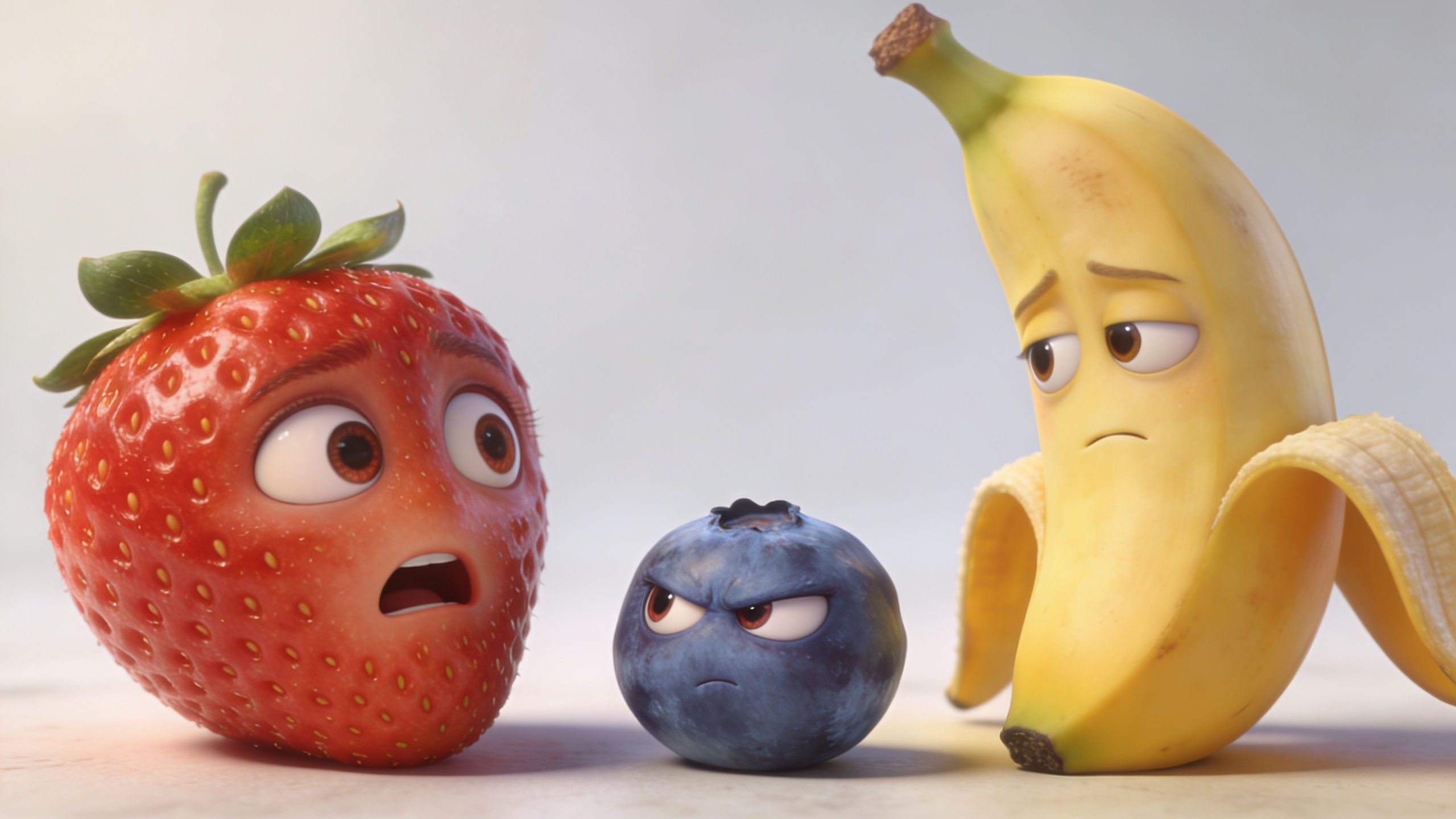
In early 2026, AI fruit videos emerged as a viral phenomenon, with creators reporting average view counts exceeding 1 million per video within the first 48 hours, and the niche saw 450% growth in uploads from January to April 2026, driven by AI tools that let faceless creators produce content without cameras, according to this short-form trend breakdown. If you want a wider look at formats spreading across platforms, this review of viral AI video trends is useful context.
Why these videos pull people in
There are three things doing the heavy lifting:
- Instant recognition. Everyone knows what a strawberry or banana looks like.
- Fast emotional read. Big eyes, exaggerated mouths, and simple body language communicate the scene before any audio starts.
- Low-friction storytelling. A viewer can join at clip one without knowing your “lore.”
These videos work when the viewer understands the conflict in the first second, not when the prompt is technically impressive.
The real opportunity
This niche isn’t just a joke trend. It’s a practical entry point for creators who want a faceless channel but don’t want to spend weeks learning full animation.
The mistake is treating it like a novelty. The creators who last turn one fruit clip into a repeatable format. They build recurring characters, recognizable expressions, and posting systems that don’t collapse after a few days.
Planning Your Viral Fruit Video Concept
A weak concept gives you a polished video nobody finishes. A simple concept with a clean emotional beat usually performs better.
The first decision is format. A lot of people default to dramatic relationship stories because they’re easy to understand. That still works. But the data is more useful if you’re trying to publish consistently. 82% of viral successes featured “talking fruits” in 7 to 10 second educational formats, with strawberries and bananas leading at 35% and 28% usage respectively, and production time dropped from hours to under 10 minutes per video with the right tools, according to this prompt workflow guide.
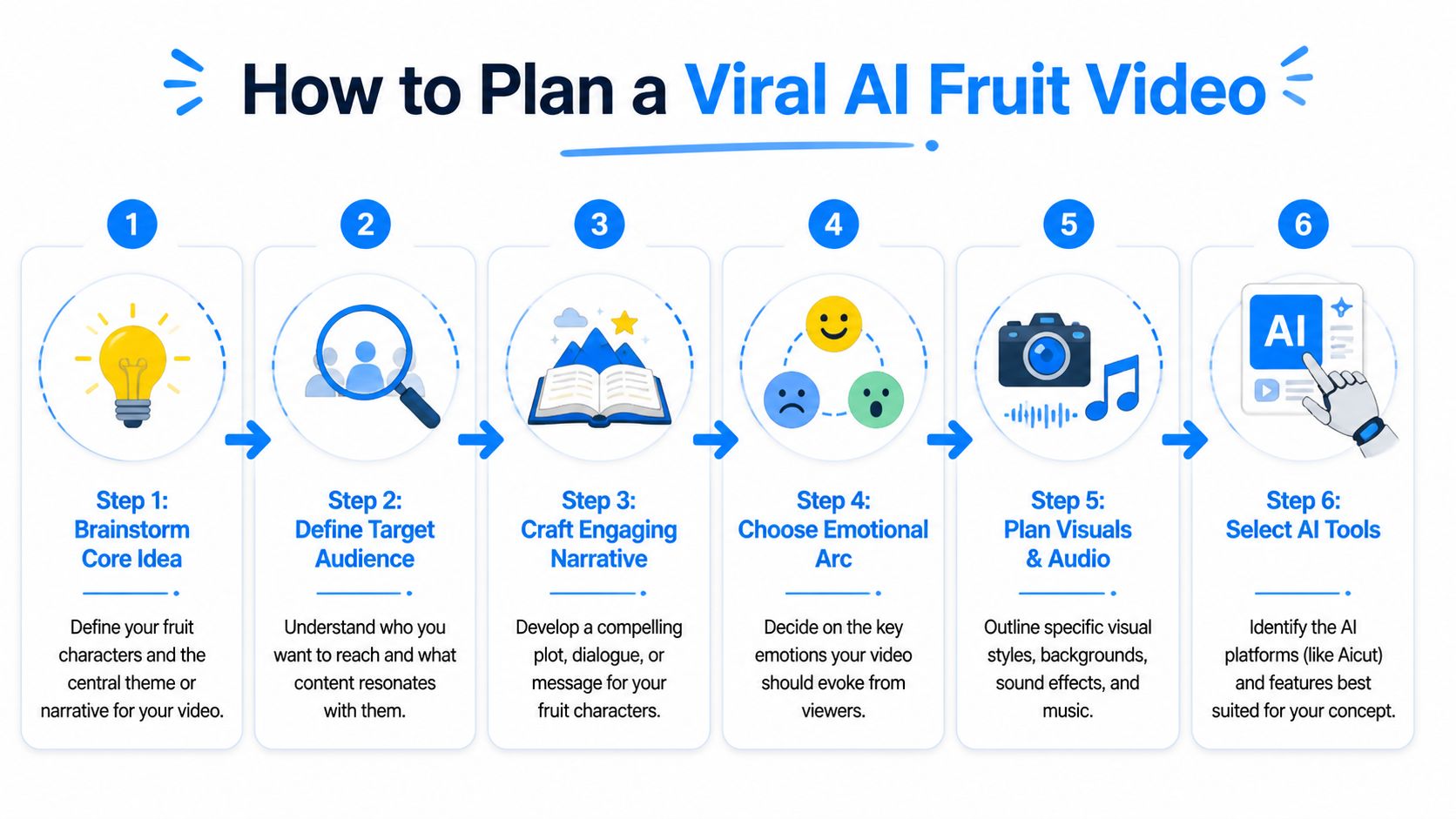
That doesn’t mean drama is dead. It means you should choose your lane on purpose.
Pick one repeatable concept
Use one of these three buckets:
Drama clips
Example: strawberry catches banana with another fruit.
Good for cliffhangers, comments, and serialized stories.Talking fruit tips
Example: banana explains how to spot spoilage or store fruit better.
Better if you want cleaner repeatability and easier batching.Reaction format
Example: one fruit watches another fruit’s behavior and reacts.
Useful when you want fast edits without complicated scene changes.
If your goal is scale, don’t start with a giant cinematic arc. Start with a concept you can make ten variations of without forcing it.
Build the story before you touch prompts
Use a rough storyboard with four beats:
- Hook. Open on the conflict, not the setup.
- Recognition. Make the viewer understand who is upset and why.
- Escalation. Add one emotional turn.
- Exit. End before the resolution if you want comments and follows.
A basic example:
- Scene 1: strawberry sees banana text another fruit
- Scene 2: close-up shock reaction
- Scene 3: banana turns, caught
- Scene 4: cut on confrontation line
Planning rule: If you can’t explain the whole short in one sentence, the concept is still too loose.
Keep the idea simple enough to repeat
A lot of creators burn time trying to invent something new for every upload. That’s the wrong mindset. Consistency usually comes from controlled variation, not constant reinvention.
If you need a useful framework for ideation, this guide on AI for creative teams is worth reading because it focuses on using AI to expand and refine concepts rather than replacing judgment.
The strongest plan is usually boring on paper. One fruit. One conflict. One location. One emotional turn. That’s enough.
Generating Characters and Backgrounds with AI Prompts
Most fruit videos break as a result of inconsistent elements. The first frame looks good, then the banana changes shape in the next shot, the eyes move, the color shifts, and the whole illusion falls apart.
That’s a prompt problem, not just a model problem.
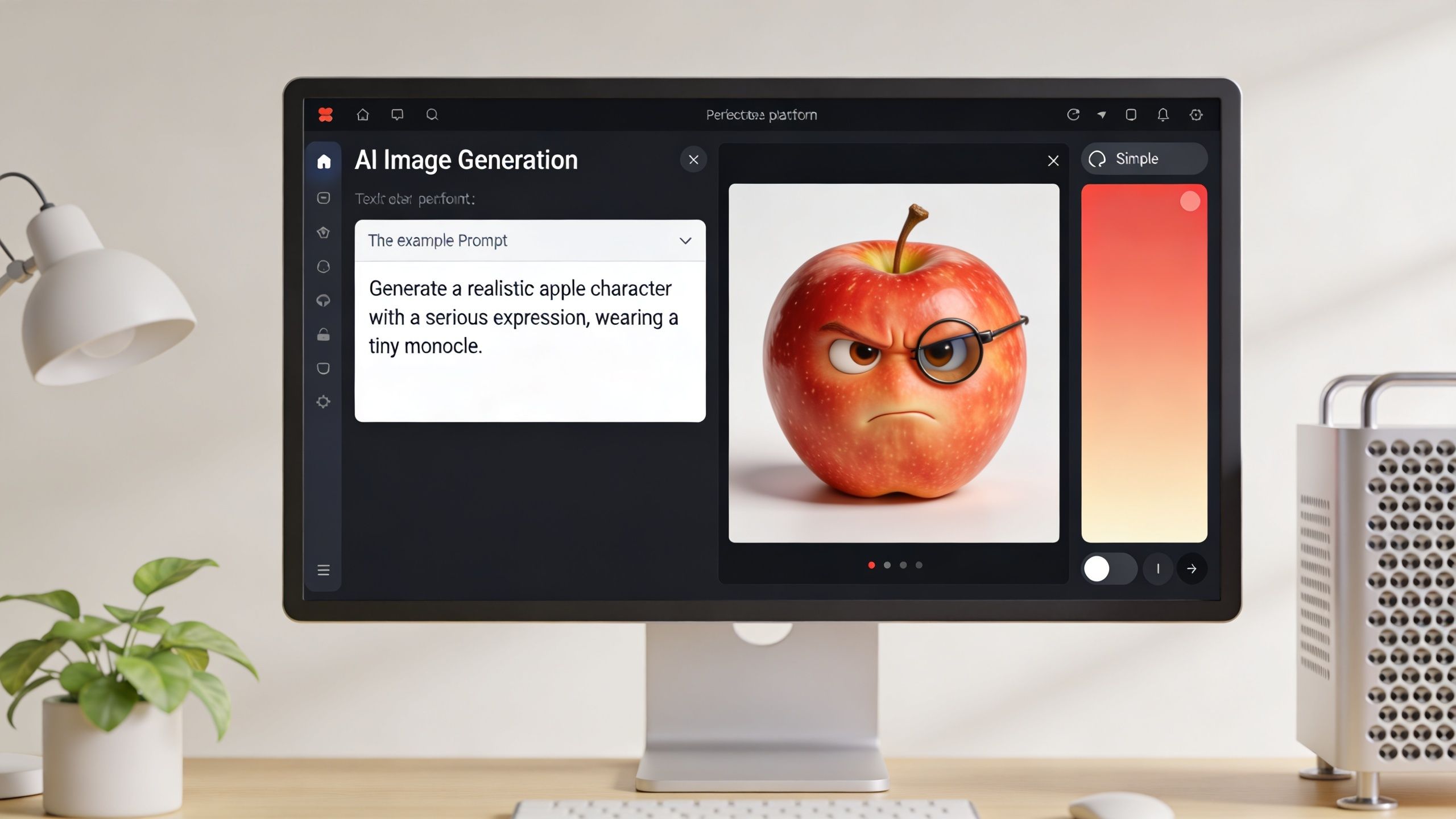
Unguided generations have inconsistency rates over 70%, while using detailed prompts and reference frames boosts success to over 90%, which matters because frame drift affects 60% of unreferenced AI animations, according to this character consistency tutorial.
Start with a character sheet, not a scene
Don’t prompt your first shot as “banana catches strawberry in kitchen.” That mixes story and design too early.
First generate a reference sheet for each main character. Lock these details:
- fruit type
- body shape
- eye style
- mouth style
- texture
- color
- lighting style
- camera angle
- wardrobe or accessories if you use them
A stronger starting prompt looks like this:
realistic 3D strawberry character, expressive eyes and mouth, smooth glossy texture, small green leaf crown, standing upright, front-facing pose, soft kitchen lighting, 9:16 aspect ratio, medium close-up, cinematic shading, consistent facial proportions
That kind of prompt works because it describes visuals the model can hold onto across scenes.
Use prompt cloning when you find a style that works
If you’ve seen a fruit video with the exact facial style or visual finish you want, reverse-engineering saves time. Instead of rebuilding everything from scratch, use a tool that can clone the visual language from a reference video and then adapt the characters and script.
One practical route is AI character creation workflows, especially if you’re trying to keep a repeating cast stable across many posts.
Example prompts for AI fruit characters in Aicut
| Emotion / Action | Character Prompt Example | Style Modifiers |
|---|---|---|
| Shocked reaction | realistic 3D banana character, wide eyes, open mouth, leaning backward, kitchen counter background, medium close-up, 9:16 | cinematic lighting, expressive face, clean background, high facial clarity |
| Angry confrontation | realistic 3D apple character, narrowed eyes, shouting mouth shape, forward-leaning posture, indoor dining scene, 9:16 | dramatic shadows, tense mood, vivid color contrast |
| Sad confession | realistic 3D strawberry character, teary eyes, small frown, seated on wooden table, soft light, vertical composition | soft depth of field, emotional realism, gentle highlights |
| Talking explainer | realistic 3D banana character, friendly eyes, speaking mouth pose, centered frame, bright kitchen scene, 9:16 | educational short style, crisp lighting, clean composition |
| Suspicious glance | realistic 3D blueberry character, side-eye expression, slight head turn, cafe background, close framing, 9:16 | subtle tension, polished 3D render, facial detail |
Separate character prompts from background prompts
This matters more than most beginners expect. If you overstuff one prompt with expression, action, environment, lighting, and camera motion, quality usually drops.
Instead, build in layers:
- Character base for the fruit itself
- Scene frame for the location
- Animation instruction after the still looks right
That keeps the visual identity cleaner.
Here’s a good working split:
Character base
“realistic 3D banana with expressive cartoon eyes, curved body, smooth yellow peel, small mouth, medium close-up, front-facing, high facial detail”
Scene setup
“modern kitchen, white counter, soft daylight from left side, shallow depth of field, vertical 9:16 composition”
Action note
“banana turns toward camera with guilty expression”
This embedded demo gives a useful visual reference for the prompting stage and the kind of scenes creators are aiming for:
Save the first clean frame of every usable generation. That frame becomes your insurance policy when later scenes start drifting.
What usually fails
Three prompt habits waste the most time:
- Too many emotions in one scene. Pick one dominant expression.
- Changing art style mid-series. Don’t switch from glossy 3D to cartoon render unless it’s deliberate.
- Skipping reference reuse. If a character finally looks right, reuse that image as your visual anchor.
Good fruit videos look spontaneous. The workflow behind them isn’t.
Animating and Editing Your Video in Minutes
Static images get attention. Motion gets retention.
Once your characters and scenes are set, the next job is turning those stills into clips that feel intentional instead of floaty. That means controlling motion, tightening timing, and fixing weak scenes without rebuilding the whole project.
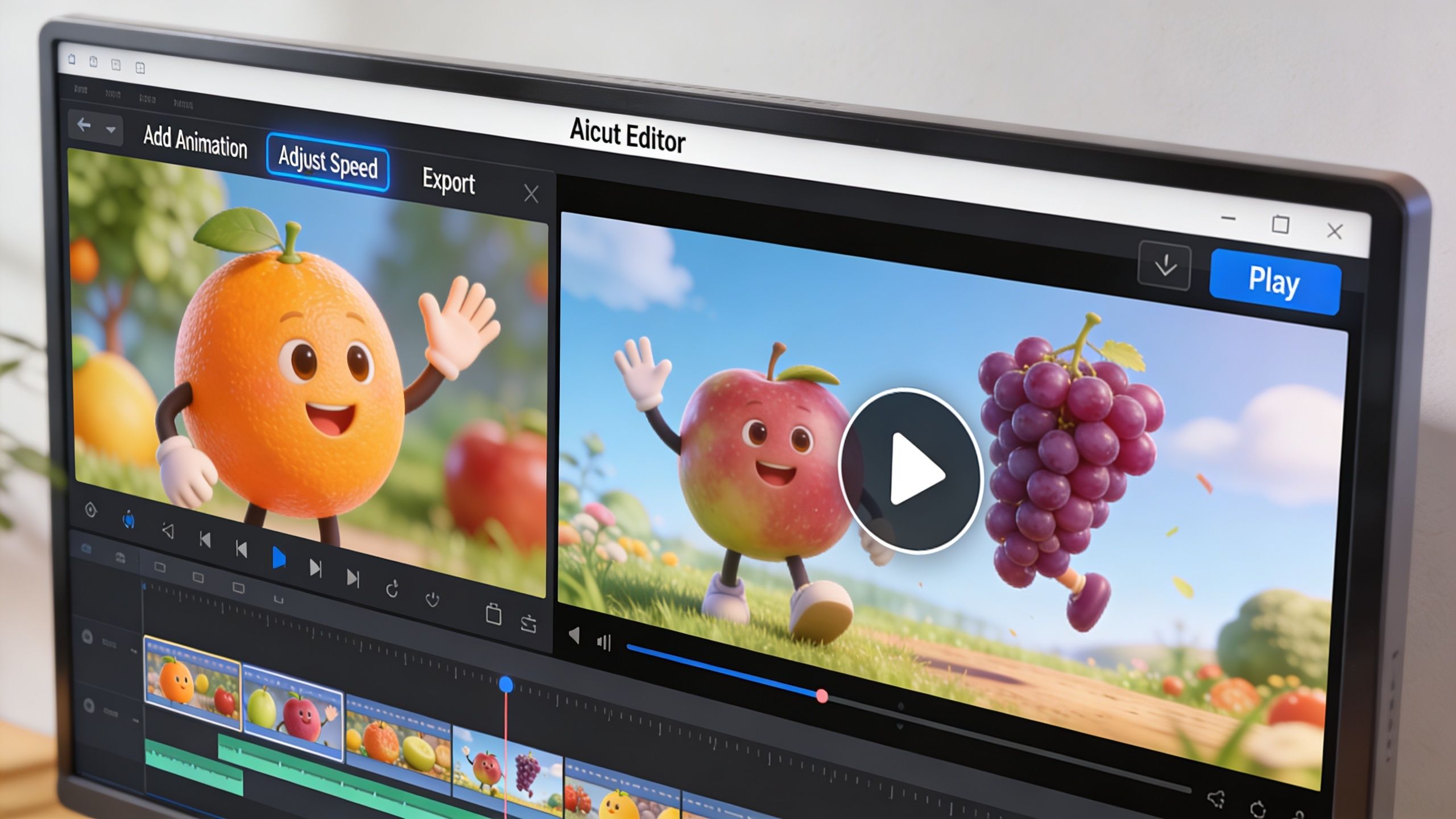
For this stage, Aicut is one workable option because it supports prompt cloning, character swaps, model selection, voiceovers, scheduling, and short-form templates in one workflow. In the fruit niche, its tutorial notes that creators can reverse-engineer top videos with 88% style fidelity, and for cheating-fruit stories, choosing models like Veo 3.1 for realism or Kling for dynamic motion changes the feel of the output. The same guide also says 65% of failures come from poor audio sync, while integrated voiceover tools offer 98% sync accuracy, based on this cheating fruits workflow.
Choose the right motion style
Not every scene needs movement. Most short fruit clips work better with small, readable motion:
- eye shift
- head turn
- slight lean
- camera push-in
- quick reaction beat
Big action often introduces blur or distortion. If your clip is only a few seconds long, subtle motion usually reads as more professional.
Build the edit around timing, not effects
The common beginner mistake is adding transitions because the scene feels empty. Empty scenes aren’t fixed by transitions. They’re fixed by shorter clips and cleaner reactions.
Try this structure for a dramatic short:
- Open on the reveal
- Cut to reaction
- Hold for half a beat
- Insert the accusation line
- End early
That last step matters. A fruit video that ends one beat too soon often gets more comments than one that explains everything.
Editing rule: Cut as soon as the viewer understands the emotion. Anything after that usually weakens the short.
Use AI swaps instead of starting over
When a scene almost works, don’t regenerate the full sequence if one detail is wrong. Swap the background, replace one character, or revise the expression while keeping the timing.
That’s the difference between a hobby workflow and a production workflow. You’re not chasing perfection. You’re fixing the minimum needed to keep the posting schedule moving.
Voiceover and sound need to support the visual
A lot of creators overcomplicate this part. Fruit videos don’t need dense dialogue. They need audio that matches the beat of the scene.
Use voiceover for one of these jobs:
- narration
- one confrontation line
- a reveal
- a punchline
If you want a broader overview of pacing, pronunciation, and synthetic narration choices, this guide on creating professional AI voice overs is a solid companion resource.
For sound design, keep the hierarchy simple:
- voice first
- music under it
- one or two effects only if they sharpen the joke or reveal
A fast quality check before export
Run through this short checklist:
- Face consistency. Same eyes, mouth, and proportions in each cut.
- Motion clarity. The viewer should instantly see who moved and why.
- Audio sync. If the mouth moves, the timing can’t feel late.
- First frame strength. Pause on frame one. If it doesn’t read, the short probably won’t either.
You don’t need a long edit. You need a readable one.
Optimizing and Publishing for Maximum Reach
Most fruit videos don’t flop because the scene was bad. They flop because the packaging was lazy.
Publishing is where a short either gets a fair chance or gets buried. That’s why titles, captions, hooks, and timing matter just as much as generation quality.
Curiosity-gap titles can boost click-through rate by 25% to 40% on platforms like YouTube, according to this creator optimization breakdown. That’s the logic behind lines like “Fruit Betrayal You Won’t Believe.” The title doesn’t explain everything. It creates tension that the first frame has to cash in immediately.
What to write above the video
Use captions and titles that do one of three jobs:
- imply conflict
- tease an outcome
- frame a weird visual as a story
Good examples:
- Banana got caught
- The strawberry knew already
- This fruit relationship ended fast
- He thought she wouldn’t see it
Bad captions usually explain too much. If the whole plot is in the title, the viewer has no reason to stay.
The title should open a loop. The video should close part of it, not all of it.
A simple publishing checklist
- Keep the first frame readable. No wide shot if the emotional beat is facial.
- Match the title to the exact moment. Don’t promise betrayal and open on casual fruit dialogue.
- Export vertically. Fruit videos are made to fill the phone screen.
- Post in batches when testing. A repeated concept gives cleaner performance signals than random uploads.
- Track saves, comments, and rewatches. Views alone won’t tell you which format deserves a series.
For creators who want a broader framework for discoverability beyond social feeds, this article on AI search strategies for marketing gives a useful perspective on how AI-shaped discovery is changing content visibility.
Timing matters more than people admit
A clean video posted at the wrong time can disappear before it gathers momentum. That’s why it helps to review platform-specific timing patterns instead of guessing. This guide to the best times to post on TikTok for maximum engagement is a good reference point for scheduling tests.
The goal isn’t to find one magic slot. It’s to build a repeatable posting rhythm and compare outcomes with similar video formats.
Scaling Your AI Fruit Channel Beyond One Viral Hit
One strong fruit video proves the idea works. It doesn’t prove the channel works.
A real channel needs a repeatable system for concept selection, asset reuse, editing, scheduling, and review. Without that, the work stacks up fast. You start regenerating characters, rewriting hooks from scratch, and manually posting every clip. That’s where burnout starts.
Build around repeatable series, not isolated posts
A scalable channel usually has a small set of recurring formats:
- one drama series
- one talking-fruit explainer series
- one quick reaction format
That mix gives you room to test without rebuilding your identity every day.
Reuse what already earned attention
When a character design works, keep it. When a hook format gets comments, spin variations. When one location reads well on mobile, use it again.
Creators usually stall when they chase novelty instead of clarity. The audience doesn’t need a brand-new universe. They need a familiar format with a new twist.
The easiest way to grow is to keep what the viewer already understood and change only one variable at a time.
Let automation handle the repetitive work
The practical advantage of an automated workflow is simple. You spend more time choosing ideas and less time rebuilding assets, syncing voice, and pushing files across platforms.
That’s the difference between making AI fruit videos for fun and running a faceless content system that can keep publishing without draining you.
If you want to turn fruit videos into a repeatable channel instead of a one-off experiment, Aicut is built for that kind of workflow. It gives short-form creators a way to generate faceless videos, adapt viral-ready formats, schedule posts, and manage output from one place so the process stays workable at volume.