So, what does it take to actually make a YouTube Short? At its core, you just need a vertical video that's less than 60 seconds long, a catchy title with #shorts, and a quick upload from your phone or desktop. But the real secret? Creating high-retention content. You have to grab someone's attention in the first three seconds and keep them hooked until the very end.
Your Blueprint for Going Viral on YouTube Shorts
This isn't just another list of generic tips. Think of this as your complete playbook for creating YouTube Shorts that do more than just get views—they fuel serious channel growth. We're going to walk through an end-to-end system built for modern creators, especially if you're running a faceless or AI-powered channel.
Why are we so focused on Shorts? Simple. They are the single biggest growth opportunity on YouTube right now. With billions of daily views up for grabs, the algorithm is hungry for new content, giving even brand-new channels a real shot at going viral overnight. You just need the right strategy.
We've broken the entire process down into four key stages.
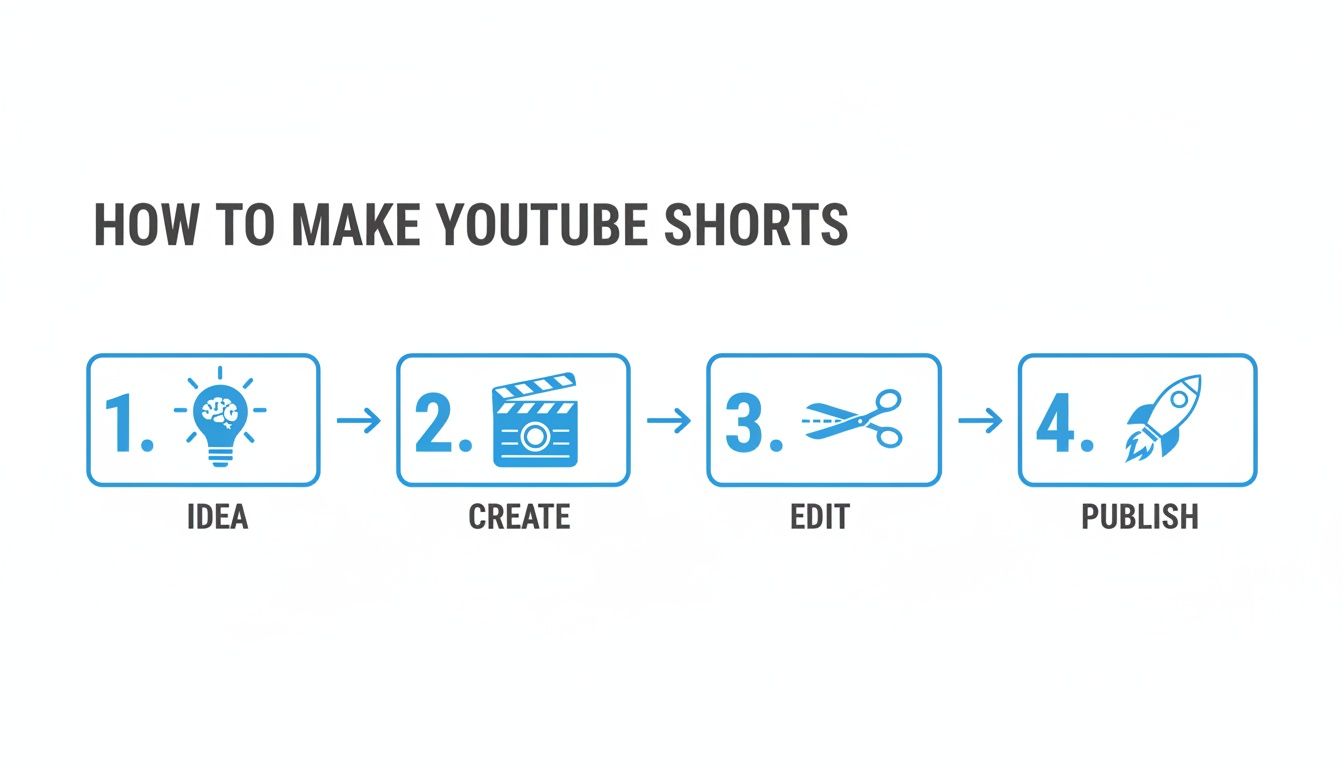
Each of these steps—from dreaming up the idea to hitting publish—is connected, creating a simple, repeatable workflow you can use to grow your channel consistently.
The Four Pillars of a Successful YouTube Short
To give you a quick overview, this table breaks down the entire process. It’s a handy reference for what you need to achieve at each stage and which Aicut tools can help you get there faster.
| Pillar | Key Objective | Aicut Tool to Use |
|---|---|---|
| Idea | Find trending topics and validate video concepts before production. | Idea Generation & Prompt Library |
| Create | Generate high-quality video clips and voiceovers at scale. | AI Video Models & Voice Cloner |
| Edit | Optimize for viewer retention with fast cuts and engaging visuals. | Smart Editor & Caption Generator |
| Publish | Maximize reach with the right title, description, and timing. | Scheduler & Analytics Insights |
By focusing on these four areas, you're building a solid foundation for every Short you create.
The Stages of a Viral Short
First up, we'll get into Finding Ideas. You'll learn how to stop guessing and start using data to find trending topics and concepts that are already proven to work. For a closer look at what makes content pop off, you can explore how the AI video revolution is changing the game.
From there, we jump into Producing Content using AI tools like Aicut. I'll show you practical workflows for creating everything from stunning, photorealistic videos for your faceless channel to viral text-story-style Shorts. This is all about creating great content at speed, without ever needing to pick up a camera.
Key Takeaway: Consistency is the most powerful signal you can send the YouTube algorithm. A simple, repeatable system that lets you post daily is far more valuable than spending weeks on one "perfect" video.
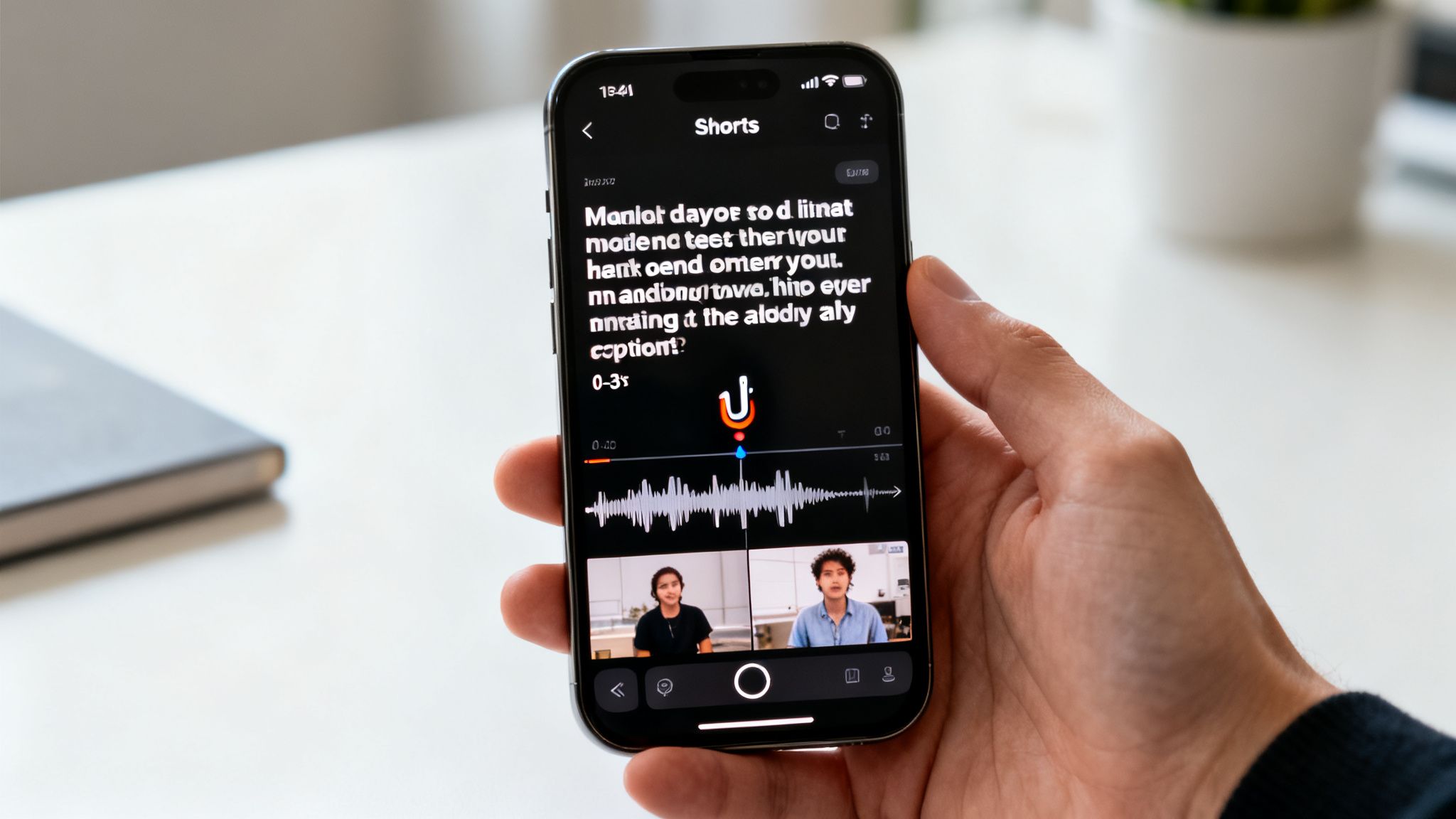
Once your content is made, we hit the Editing for Retention phase. This is where the magic happens. We'll cover how to nail the three-second hook, use fast-paced cuts, and add dynamic captions that make it impossible for viewers to scroll away.
Finally, we'll wrap up with Publishing and Optimization. You’ll learn how to give every Short the best possible chance of success with the right title, tags, and posting schedule. Let's get started.
Finding Ideas That Get Millions of Views
Every single viral Short you’ve ever seen didn't start with a fancy camera or slick editing. It started with a powerful idea. If you want to craft content that racks up millions of views, you have to stop guessing what might work and start digging into what already does.
It's all about building a system for finding and validating concepts that the Shorts algorithm loves. This isn't just about hopping on the latest trend. It’s about reverse-engineering what makes people stop scrolling—the curiosity, the emotion, the satisfaction—and applying that to your own content, whether it's a faceless Reddit story or an AI product demo.
Tapping into Proven Formats
Before you even open an editor, your first job is to become a student of your niche. Spend real time watching Shorts, but not just as a viewer. Watch them like a researcher.
As you scroll, ask yourself a few key questions about the videos that are crushing it:
- What's the hook? Seriously, what grabs your attention in the first three seconds?
- What's the story arc? Is it a simple problem-and-solution? A big reveal? A satisfying loop?
- What feeling does it spark? Viral content almost always makes you feel something strong—awe, humor, anger, or intense curiosity.
When you break down successful Shorts like this, you're not just copying. You're building a mental toolbox of formats that are proven to work. You're learning the platform's language.
Using AI to Find Your Next Viral Idea
Of course, manually scrolling for inspiration can eat up your entire day. This is where AI tools can give you a massive shortcut. The Aicut platform was designed specifically for this, with viral templates and prompt libraries that act as a creative launchpad.
Instead of staring at a blank screen, you can browse concepts that are already fine-tuned for engagement.
These templates—things like text message stories or AI-generated "Top 5" lists—are built on formats that consistently perform well. This lets you focus on adapting a successful framework to your topic instead of trying to reinvent the wheel every single time.
Sometimes, you just need a completely fresh spark. For those moments, a tool like a random theme generator can be surprisingly effective at pulling you out of a creative rut and giving you a unique angle to explore.
Pro Tip: Don't just watch the top videos. Dive into the comment sections of popular Shorts in your niche. The questions people ask and the things they argue about are a goldmine for your next video idea. You already know they care about it.
Validating Your Concepts Before You Create
Okay, you have a list of ideas. Now what? The absolute worst feeling is pouring hours into a Short only to have it flop with a few dozen views. A quick validation check can save you from that pain and dramatically increase your success rate.
It's simple: search for your main keyword or topic directly in the YouTube Shorts feed. If you see a bunch of recent videos on that same topic with tons of views, that’s a green light. It signals strong, current audience interest. But if you find only a few videos with low engagement, it’s probably a sign that the topic isn't a great fit for Shorts right now.
This data-driven approach takes the guesswork out of the equation. It turns your content strategy from a lottery ticket into a calculated plan. And the audience is definitely there—YouTube Shorts views have exploded from 30 billion per day in 2021 to a projected 200 billion by 2025.
Remember, keeping your videos in that sweet spot of 50-60 seconds is crucial, as clips this length average between 1.7 million to 4.1 million views. This massive audience is hungry for great content, making your initial idea the single most important decision you'll make.
Using AI to Create High-Quality Shorts
So, you’ve got a killer idea. Now what? For a lot of creators, this is where things get intimidating. The thought of needing a fancy camera, professional lighting, and hours of filming can be enough to stop you in your tracks.
Good news: those days are over. AI tools have completely leveled the playing field, making it possible for anyone to produce pro-level Shorts in minutes. And the best part? You never even have to show your face.
This is where a platform like Aicut becomes your personal production studio. Forget complicated software—we're talking simple text prompts and ready-to-go templates that generate incredible visuals, realistic voiceovers, and entire video sequences. Let's walk through some of the exact workflows that the top faceless creators are using right now to go viral.
Generate Photorealistic Video from a Simple Sentence
Ever needed a specific shot—say, a drone flying over a cyberpunk city or a cozy close-up of a steaming mug of coffee—but had zero way to film it? This is exactly where text-to-video AI models like Sora 2 and Kling, which are built right into Aicut, become absolute game-changers.
You can now generate stunning, photorealistic video clips just by describing what you want to see. This tech is smart enough to understand real-world physics and motion, creating visuals that look like they came straight from a high-end camera.
Here’s an example prompt for an AI-generated clip:
A hyper-realistic aerial shot of a lone hiker reaching a snowy mountain peak at sunrise, cinematic lighting, dramatic clouds, 4K detail.
Just like that, you have the perfect B-roll for a motivational Short, a travel video, or a product ad. It’s a shot that would have been practically impossible to get yourself, and you just created it from your keyboard.
Create Viral Reddit and Text Message Stories
Some of the most addictive faceless Shorts out there are narrated Reddit stories or fake text message conversations. They work because they immediately pull viewers in with a dose of drama and curiosity. Aicut makes creating these ridiculously easy.
Instead of painstakingly taking screenshots and trying to record a smooth voiceover, you can lean on a dedicated template.
- For Reddit Stories: Just copy-paste the story text into Aicut. It will instantly generate a natural-sounding voiceover and sync it with scrolling text on the screen, even adding subtle visual effects to keep eyes glued to the screen.
- For Text Message Stories: Aicut has templates that let you drop in a script, and it will animate a conversation that looks like it's happening on a real phone. You get to control the timing, add notification sounds, and build an entire story without any technical skills.
This simple workflow turns what used to be a multi-hour headache into a task you can knock out in under 10 minutes.
Creator Insight: The channels that really succeed with this don't just read the story. They choose an AI voice that perfectly fits the mood (like a calm voice for a sweet story or an intense one for a thriller) and use super-fast captions to keep the pace high.
Produce Authentic-Looking UGC Product Reviews
For anyone selling products online, User-Generated Content (UGC) is pure gold. It builds massive trust because it feels more real than a polished ad. But what do you do when you don't have a stream of customers sending you videos? You create them with AI.
Aicut lets you generate videos starring AI avatars that look and sound like real customers giving genuine product reviews. You write the script, pick an avatar that fits your target audience, and the AI handles the rest, producing a UGC-style Short that’s ready to publish.
Why AI-generated UGC is a secret weapon:
- It's incredibly cost-effective. You can forget about hiring actors or influencers, which slashes your content budget.
- It's scalable. You can pump out dozens of unique video ads or reviews in the time it would normally take to coordinate a single photoshoot.
- You have total control. The message is always perfectly on-brand, highlighting the exact product benefits you want to showcase.
This gives you the authentic vibe of UGC combined with the speed and control of an in-house production team. If you’re curious about other ways to make your content pop, check out our guide on how to effortlessly create YouTube shorts with the power of AI.
Turn Static Images into Dynamic Videos
Here’s another powerful trick for faceless channels: bringing static images to life. Whether you're making a history-themed Short, a "Top 10" listicle, or a video showcasing AI art, you need movement to hold a viewer's attention.
Aicut can take a single flat image and transform it into a dynamic video clip. By adding subtle parallax effects, zooms, and pans, the tool gives your content a cinematic feel that makes it look more professional and engaging. It’s the perfect way to make Shorts from concept art, old photos, or even product shots, ensuring your story is always visually compelling.
Editing Your Shorts to Keep Viewers Hooked

You can have a brilliant idea and the most stunning AI-generated visuals, but it’s the edit that turns a good Short into a great one. This is where you transform your raw clips into something that viewers can't swipe away from. Your single mission here is to fight the scroll.
Short-form content moves at a breakneck pace, and your editing has to match it. Think aggressive, fast, and totally focused on keeping attention. Viewers have no time for slow burns, awkward pauses, or visuals that don't make sense immediately.
Win Them Over in the First Three Seconds
Forget about a slow build-up. The first three seconds are everything. In that tiny window, your edit has to scream, "You need to see the rest of this!"
This is your hook, and it has to land with a punch. Open with a wild claim, a visually jarring clip, or a question that makes people desperate for the answer. It’s like a movie trailer crammed into a few frames.
A classic mistake is saving the best for last. With Shorts, you have to flip that script. Show the jaw-dropping final result at the very beginning, then make them stick around to see how you got there.
The Art of Pace and Pattern Interrupts
Once you've got them, you can't let go. The secret is a rapid-fire edit that keeps feeding the viewer's brain something new. That's where pattern interrupts come in.
A pattern interrupt is any sudden change that jolts a viewer's attention back to the screen. It’s a simple trick to keep them from zoning out. You can do this in a few ways:
- Quick Cuts: Keep your shots short and sweet. A new angle or clip every 1-2 seconds prevents the video from feeling stale.
- Zooms and Pans: Even if you’re working with a static shot, a slow zoom or a quick "punch-in" creates a sense of motion. Aicut's editor can automate this to make it effortless.
- Sound Effects: You'd be amazed what a simple "swoosh" or a background "pop" can do. It makes your video feel more alive and professional.
- Visual Overlays: Use simple graphics like circles, arrows, or even emojis to point out exactly what you want the viewer to see.
These aren't just flashy tricks; they’re tools to guide the viewer’s eye and keep them locked in.
Key Insight: The goal isn't just to make a fast video; it's to make a video that feels eventful. High-retention Shorts always have something happening—a visual change, a text pop-up, or a sound cue.
Dynamic Captions Are a Must-Have
Let's be real: a ton of people watch Shorts with the sound off. That makes your captions absolutely critical. But we're not talking about the boring, static text at the bottom of the screen. Your text needs to be part of the action.
Dynamic captions that pop up as you speak are the new standard. This technique, which you can automate in Aicut, kills two birds with one stone: it makes your content accessible while also serving as a constant pattern interrupt.
As each word appears, it gives the viewer's eyes something to follow. Pro creators use big, bold fonts with a high-contrast outline to make sure their words stand out on any background. If you're looking to brush up on the basics, these video editing tips for beginners are a great place to start.
Nail the Ending: The Loop and the CTA
The end of your Short is just as crucial as the beginning. Here, you have two main options: get them to watch it again or get them to take action.
- The Seamless Loop: This is a killer tactic for boosting watch time. When your video ends and restarts so smoothly that viewers don't even notice, they'll often watch it two or three times. That's a huge green flag for the YouTube algorithm.
- The Clear Call to Action (CTA): If you're trying to build a community, you need to tell people what to do. But don't just say, "subscribe." Give them a reason. Try something like, "Follow me if you want more tips on [your niche]."
So, loop or CTA? It depends on your goal. If the Short is purely for entertainment, go for the loop. If you want subscribers or want to send people to a link, a direct CTA is your best bet. Whatever you choose, make sure your edit sets it up perfectly.
Publishing and Promoting Your Shorts for Channel Growth
Hitting "publish" on a Short you’ve poured your heart into feels great, but that's just the starting gun. The real work begins the moment it goes live. What you do next determines whether your video gets lost in the noise or catches a wave in the Shorts feed.
Too many creators see publishing as the final step. It's not. Think of it as launching a mini-campaign. Your mission is to send every positive signal you can to the YouTube algorithm right away, nudging it to push your content to a much wider audience.
This means you need a solid game plan for scheduling, promotion, and interacting with your viewers. Let's walk through a workflow that turns a simple upload into a growth machine for your entire channel.
The Power of a Consistent Schedule
If there’s one golden rule to making the Shorts algorithm your friend, it’s consistency. Posting randomly—once this week, three times the next—just confuses things. A steady, predictable schedule trains both the algorithm and your audience to expect and look for your content.
This is where you can really lean on automation. Aicut, for instance, has built-in scheduling that lets you plan and batch-create your content weeks ahead of time. You can finish a Short, schedule it to auto-post to YouTube, and even have it go out to TikTok and Instagram at the same time. You maximize your reach without lifting a finger.
Think about it: spend one afternoon making seven Shorts, then schedule one to go live every day for the next week. This batching strategy saves you from the daily creative grind and guarantees you never miss a post, building the kind of momentum the algorithm loves.
Finding Your Golden Hour to Post
Consistency is key, but timing is a close second. Dropping your Short right when your target audience is scrolling can give it that critical initial boost. So, how do you find this "golden hour"?
Your first stop should be YouTube Studio Analytics. Head to the "Audience" tab, and you'll see a chart showing the days and times your viewers are most active. That’s your baseline.
But don't just set it and forget it. Use that data to create a theory, and then test it out.
- Week 1: Post during the peak hours your analytics suggest.
- Week 2: Try posting one hour before that peak time to get ahead of the crowd.
- Week 3: Go wild and experiment with a totally different time, like late at night or first thing in the morning.
Pay close attention to the views each Short gets in the first 60 minutes. After a few weeks of this, a clear pattern will show up, pointing you to the perfect posting window for your audience.
Key Takeaway: The point of consistent posting isn't just to feed the algorithm; it's to collect data. Every single Short is an experiment that tells you more about what your audience wants and when they want it.
Turn Views into a Community
That comment section on your Shorts? It’s a goldmine. Every comment, reply, and like is a signal to YouTube that your video is sparking a conversation, which is a huge factor in getting more reach.
Get in the habit of responding to as many comments as you can, especially in the first few hours. Ask questions to keep the discussion going. A great little trick is to pin a comment that asks a question related to your video—it's a simple way to encourage more people to chime in.
To really gauge your success, you need to look beyond vanity metrics. It's crucial to focus on understanding how likes and engagement differ on YouTube Shorts. A Short with 100 comments often carries more weight with the algorithm than one with 1,000 likes and zero conversation.
Repurpose and Cross-Promote Your Content
Your best-performing Shorts shouldn’t just exist on YouTube. They're valuable assets you can use on other platforms to drive people back to your channel. With a tool like Aicut, you can schedule this cross-promotion automatically.
Use your viral Shorts as a hook to pull viewers deeper into your content world.
- Pin a Comment: On a Short that's taking off, pin a comment linking to a related long-form video. Something like, "If you thought this was helpful, check out my full 10-minute breakdown here!" works wonders.
- Community Tab Polls: Create a poll in your Community tab about the topic of a popular Short. It’s an easy way to re-engage the people who loved it.
- Use Other Platforms: Share your Short on Instagram Stories or TikTok with a clear call to action, like "See the full series on my YouTube channel."
This approach creates a powerful feedback loop. Shorts bring in new eyeballs, and your smart promotion turns them into loyal subscribers who watch your longer videos. It's a proven way to speed up your journey to monetization.
Common Questions About YouTube Shorts
As you get started with Shorts, you're bound to have some questions. It's totally normal. Here, I'll walk you through the most common things creators ask, giving you straight-up answers to help you sharpen your strategy and get past those early roadblocks.
Getting these fundamentals right is the difference between just posting videos and actually building a channel that gets results. Let's get into it.
How Long Should a YouTube Short Be for the Best Results?
You can technically make a Short up to 60 seconds long, but the real magic happens in a much tighter window. The data I've seen over and over again points to a clear sweet spot: 50 to 60 seconds.
Why? Shorts in this range pull in an average of 1.7 to 4.1 million views, crushing shorter clips. That extra time gives you just enough room to tell a compelling story, offer a solid piece of advice, or really nail a punchline. This encourages the high retention and repeat views the algorithm absolutely loves. Anything under 40 seconds often just doesn't have enough time to hook someone and make a real impact.
Can I Make Money Directly from YouTube Shorts?
Yes, you definitely can. If you're in the YouTube Partner Program (YPP), you're eligible for a slice of the ad revenue that runs between videos in the Shorts Feed.
To get into the YPP using just your Shorts, you have to hit two specific targets:
- Get 1,000 subscribers.
- Rack up 10 million valid public Shorts views in the last 90 days.
YouTube pools all the money from Shorts ads and then pays it out to creators based on their share of the total views. But don't forget, Shorts are also a fantastic way to funnel viewers to your long-form videos, which unlocks other money-makers like channel memberships and Super Thanks.
What Are the Best Content Types for Faceless Channels?
Faceless channels are killing it on Shorts right now. The trick is to focus on content that’s visually engaging and tells a great story, so you don’t need someone on camera. The formats that work best are the ones that spark curiosity and deliver a satisfying payoff.
Some of the top-performing ideas for faceless channels include:
- Reddit Story Narrations: Pairing a wild story with an automated voice and dynamic captions.
- Text Message Conversations: Creating drama or humor through fake text exchanges.
- AI-Generated Art Compilations: Mesmerizing viewers with incredible visuals made from simple prompts.
- AI-Powered UGC-Style Clips: Using AI avatars to generate authentic-looking product reviews or testimonials.
My Take: The power of faceless content isn't about hiding. It's about making the story the star of the show. This is exactly what a tool like Aicut is designed for, giving you templates and AI models to churn out these kinds of high-impact videos fast.
How Important Are Hashtags for YouTube Shorts?
Hashtags are a helpful piece of the puzzle, but they aren't the whole picture. The algorithm really cares about viewer behavior—watch time, likes, shares—but hashtags give it essential clues about what your Short is about.
A good rule of thumb is to use 3-5 super relevant hashtags in your title or description. You should always include #shorts to make sure YouTube properly files it away for the Shorts feed. Your other hashtags should be specific to your topic, like #minecraft, #aitools, or #redditstories, to help the right viewers find you.
Ready to stop guessing and start creating content that actually goes somewhere? Aicut gives you the AI tools, templates, and automation workflows to produce high-quality YouTube Shorts in minutes, not hours. Join over 500,000 creators and start your journey to monetization today.