
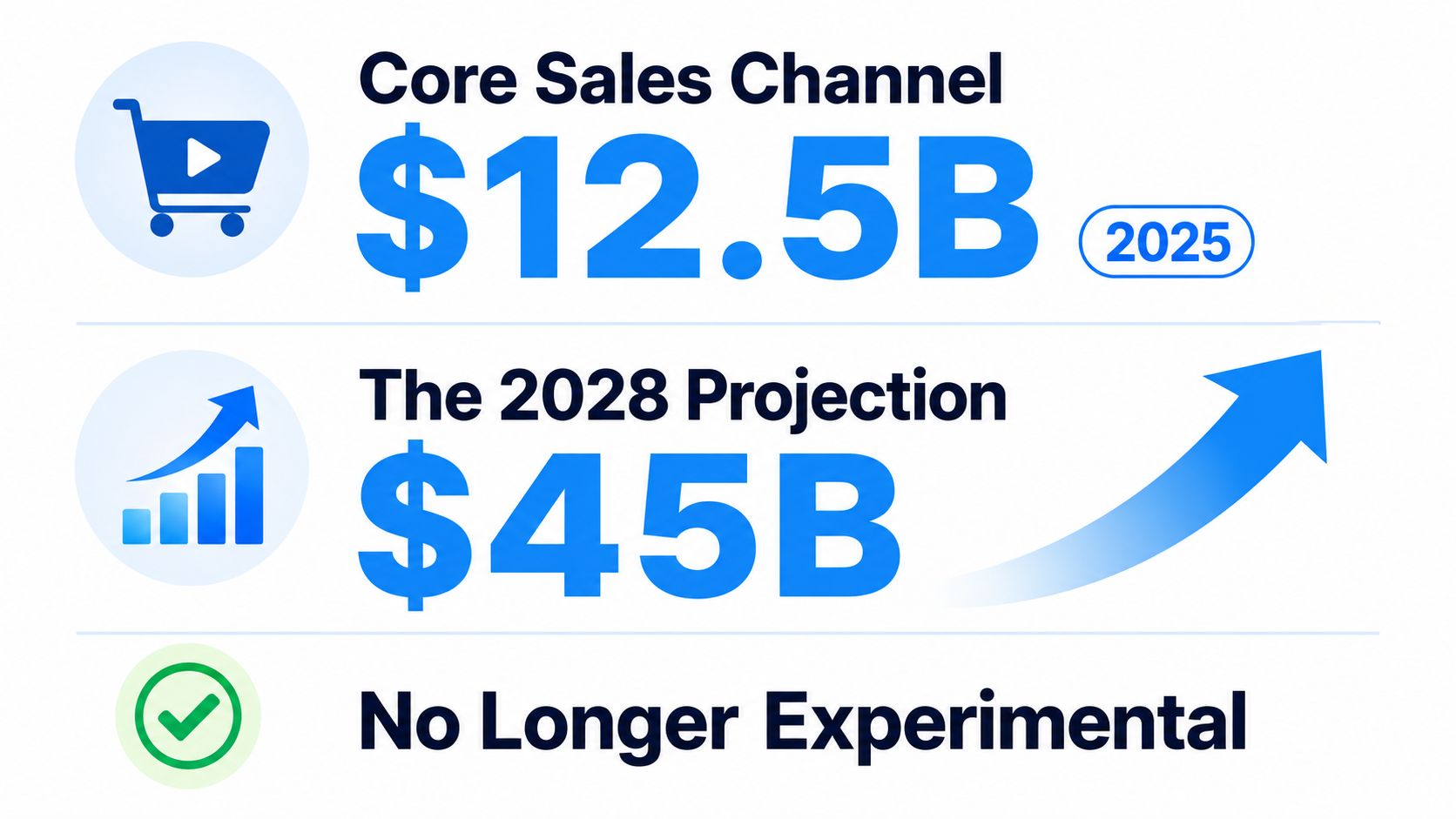
$15.6 billion in sales is the kind of number that changes how you should think about video. In one 2025 industry estimate, shoppable video ads already generated that much commerce, and the same source projects a $45 billion market by 2028. That puts interactive shoppable videos in a different category from “engaging content.” They're now a retail surface with infrastructure, platform support, and technical consequences for anyone trying to sell online. See how this shift fits into the broader move toward Agentic Commerce from Zinc, where software begins to carry more of the buying workflow for the customer.
That matters because the channel is already spread across the places people shop. The same 2025 estimate says 78% of major social platforms now offer shoppable video, and 64% of e-commerce brands actively use it. It's also mobile-first by default, with 89% of interactions happening on mobile, which helps explain why TikTok Shop, Instagram Shopping, YouTube Shopping, and Facebook Shop are estimated to account for 35%, 28%, 22%, and 15% of shoppable video GMV respectively. In practice, that means the format is no longer just a campaign add-on. It's a decision about where your storefront lives, how fast it loads, and how cleanly it hands off to checkout.
If you're building product video as part of your store, this product video workflow guide is a useful companion because it sits closer to the production side of the same problem. The important shift is simple. You're not asking whether video can get attention. You're asking whether the whole stack can carry a shopper from discovery to purchase without breaking.
Why Interactive Shoppable Video Is Now a Core Sales Channel
The market data is clear enough to force a rethink. If a format can already drive $15.6 billion in sales and is projected to reach $45 billion by 2028 (source), it's no longer safe to treat it as a novelty. Teams that still frame shoppable video as “just a creative idea” miss the point, which is that the format now sits between media, storefront, and checkout.
Where the volume is actually happening
The platform mix matters because it tells you where buyers are already comfortable acting. TikTok Shop, Instagram Shopping, YouTube Shopping, and Facebook Shop make up the largest share of shoppable video GMV in the market estimate above, and that distribution says something practical. Discovery-heavy platforms can create urgency quickly, while on-site embeds usually serve a shopper who already has stronger intent.
Practical rule: pick the placement based on the job you need the video to do, not on which platform is trending in your feed.
That's where many teams get stuck. They assume the best shoppable video is the one with the most views, but the question is whether the viewer is shopping inside a feed, inside a product page, or inside a branded story. If you need a broader strategic frame for that shift, the Agentic Commerce conversation is useful because it puts the buying step closer to the content layer, not farther away.
Why mobile changes the economics
Mobile-first behavior is the other reason this channel matters now. With 89% of interactions happening on mobile (source), the player isn't a side experience. It's the storefront. That means touch targets, overlay timing, and handoff to cart all affect whether the experience feels smooth or clumsy.
The practical implication is easy to miss. A team can't evaluate interactive shoppable videos only by looking at creative quality. It also has to judge the delivery environment, because the buyer is usually seeing the content in a constrained, high-friction setting on a phone. If the buying surface feels slow or inconsistent, you lose the very immediacy the format is supposed to create.
A good starting model
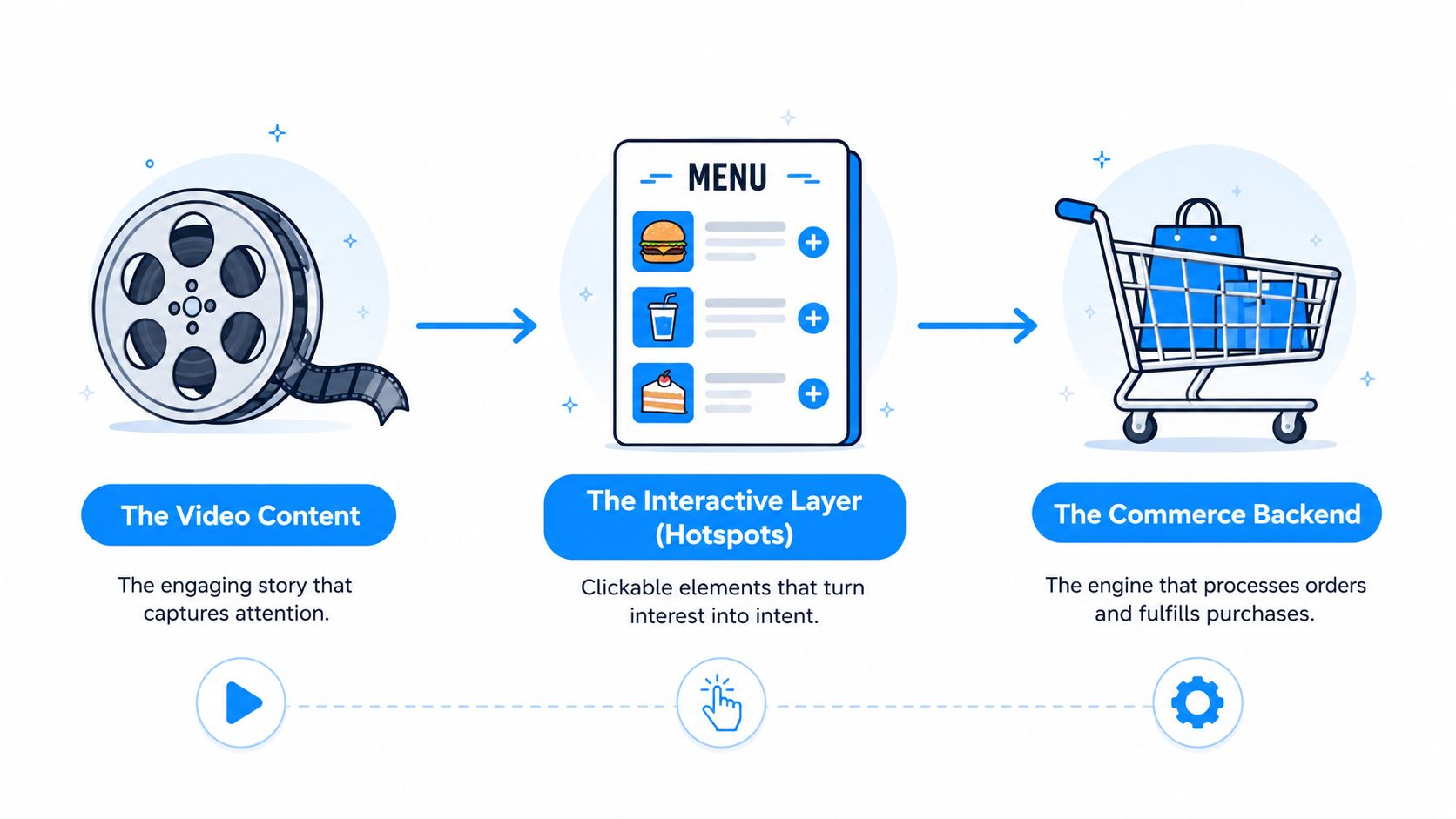
If you want a mental model, think of the channel in three layers. First, the content has to earn attention. Second, the interactivity has to preserve momentum. Third, the commerce layer has to complete the sale without forcing a reset. That stack is why the format has crossed from “nice to have” into core sales infrastructure.
How the Interactive Layer Works Under the Hood
A shoppable video player is a bit like a restaurant menu connected directly to the kitchen. The menu only works if the dish name, ingredient list, and the food that comes out of the kitchen all match. In the same way, the video player, the product catalogue, and the cart or checkout service have to stay in sync, or the shopper sees stale or broken information.
Why the player and catalogue can't drift apart
The technical requirement is simple to describe and easy to get wrong. Clickable product cards need live price, variant, and stock data, and the video player has to synchronize with the product catalogue and checkout service in real time (source). That is a live data problem, not a design flourish. The difference shows up the moment a shopper taps a product and either gets an accurate purchase path or lands in a dead end.
Variant-level resolution matters especially here. A small red SKU is not the same thing as a large blue SKU, even if the base product is identical. If the overlay points to the wrong variant, or the wrong size is shown as available, trust drops immediately. The shopper may never spell out the problem, but the mismatch is often why they leave.
Inventory checks are part of the experience
A clean implementation also needs to poll inventory and price state before or during interaction. If a product has sold out, the overlay should show that state before the user tries to buy it. Otherwise, the experience feels misleading, and misleading commerce layers usually convert badly because they interrupt confidence at the exact moment the shopper is ready to act.
Cart compatibility is the other hidden dependency. Add-to-cart has to work inside the same checkout session, whether the site uses a standard cart, a custom drawer, or a headless setup. If the handoff breaks, the video may still look polished, but the actual transaction path falls apart.
Plain truth: shoppable video functions as a live commerce layer that has to behave like part of the store.
That is why implementation planning belongs before creative polish. If the system cannot keep product state current, the best video in the world becomes a confidence problem instead of a conversion tool. The shopper only sees that something was clickable and then was not ready when they clicked.
Matching Video Format to Business Goal
Different placements solve different problems, and the wrong choice usually creates confusion about performance. A feed-based shop surface and an on-site embed can both be “shoppable video,” but they serve different stages of the funnel. The useful comparison is less about which one is better and more about which one fits the buyer's level of intent.
| Placement | Estimated GMV share | Best for | Integration effort |
|---|---|---|---|
| TikTok Shop | 35% | Fast discovery and impulse action | Low to moderate |
| Instagram Shopping | 28% | Visual product browsing and social proof | Low to moderate |
| YouTube Shopping | 22% | Longer-form product education and consideration | Moderate |
| Facebook Shop | 15% | Social browsing with direct commerce handoff | Low to moderate |
The platform mix above comes from the 2025 industry estimate already cited, and it's useful because it shows a pattern. Social surfaces dominate the early attention phase, while on-site embeds usually matter when the shopper has already moved closer to purchase. That doesn't make one stronger than the other, it just changes the job the video has to do.
When social surfaces fit better
TikTok Shop and Instagram Shopping are strong fits when the content itself creates the urge to click. If the product is easy to understand visually, and the pitch depends on speed, those environments can work with very little friction. You're borrowing platform momentum, so the creative has to carry the sale quickly.
When on-site embeds fit better
On-site video usually makes more sense when the brand needs stronger control over the experience. If your team wants tighter product-data synchronization, richer analytics, or a more predictable checkout handoff, hosting on your own site gives you more control over the system. That matters most when the buyer is already evaluating options and needs a cleaner path to the cart.
The mistake is to use the same video everywhere and expect the same outcome. A discovery clip in a social feed can be excellent at starting interest, while the same clip on a product page may need clearer product detail and a more deliberate CTA. Match the placement to the buyer's task, not the creative asset's convenience.
Building a Production Workflow That Actually Ships
A real workflow starts before anyone opens an editor. First, choose the SKU or small set of SKUs you want the video to support, then write around the buying moment instead of around the brand message. If the product is the point, the script should make the product understandable fast, with the call to action appearing after the viewer has seen enough to trust the offer.
Plan, create, tag, publish
Here's the order that keeps small teams from getting lost.
- Plan the SKU list. Pick products that can be explained visually and sold without too many branches.
- Script the buy moment. Build the video so the product appears when curiosity is highest.
- Create the asset. Film it, or generate it with an AI tool when speed matters.
- Layer the product tags. Make sure the tagged items match the exact variants you intend to sell.
- Wire analytics. Confirm the events you care about before the post goes live.
- Publish on the right surface. A feed, a landing page, or a product page should each get the version that fits its context.
That's where AI tools can help without replacing the rest of the system. Aicut is one option for compressing the creation step because it supports viral-ready templates, prompt cloning, character and background swaps, voiceovers, scheduling, and one-click posting. Used well, a tool like that shortens asset production, but it doesn't remove the need for clean product planning or proper tagging. You still need the surrounding workflow to keep the commerce layer accurate. The internal video production workflow guide is a good reference if you want the production side mapped more tightly.
Where teams usually save time
The biggest efficiency gain usually comes from reducing the number of manual re-edits. If the product framing, voiceover, and motion style can be reused, then prompt-based generation or template-based editing can get you to a publishable asset faster. But speed only helps when the asset remains tightly tied to the actual SKU being sold.
Useful constraint: don't automate every step. Automate the slowest creative step, then keep tagging, variant matching, and analytics review manual enough to catch mistakes.
That balance is what makes the workflow scalable. Teams don't need to do everything by hand, but they do need a process that prevents a fast video from becoming a broken storefront.
Measuring What Matters in Shoppable Video
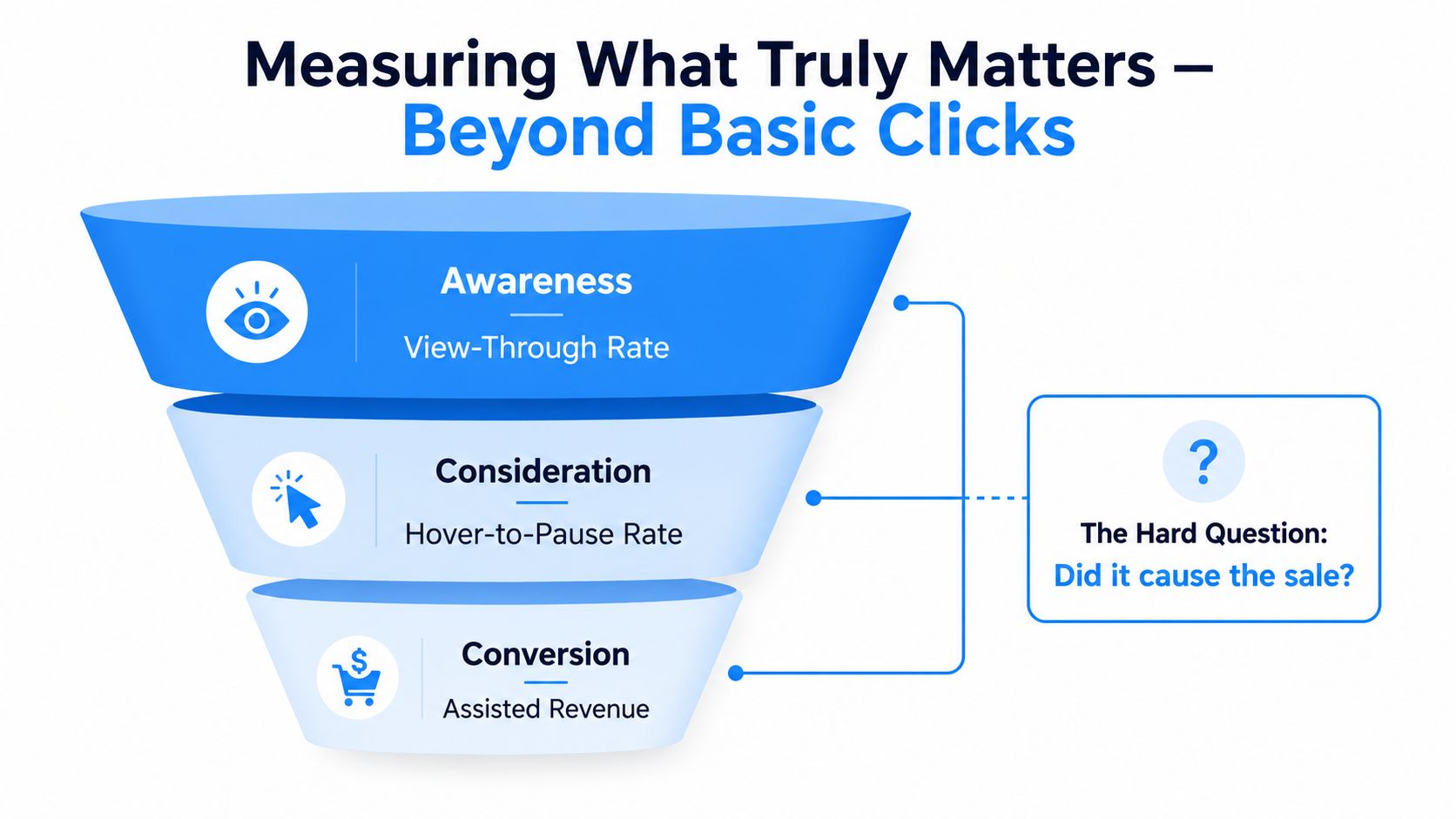
The engagement numbers look promising, but they do not answer the hardest question. A commonly cited benchmark says 41% of viewers who watch shoppable videos make a purchase, shoppable video engagement can drive a 9x increase in purchase intent, and conversion rates can rise by up to 30% (source). Those figures are useful, but they still do not prove causality on their own.
What the dashboard shows and what it hides
Clicks, add-to-carts, and attributed revenue are necessary metrics. They tell you whether the experience is producing activity, and they help teams compare video variants or placements. A dashboard that only reports those numbers can still mislead you, because it may count shoppers who were already ready to buy.
That is why incrementality testing matters. Holdout testing asks whether the format changed behavior, not just whether it captured behavior that was already there. For brands trying to make a serious budget case, that distinction is more useful than raw click volume.
The engineering metric marketers ignore
Measurement also has a technical side. A 2026 guide recommends verifying revenue attribution in GA4 and measuring page-speed impact, which is a reminder that the player itself can alter performance rather than merely report it (source). If the embed slows the page or changes how long users stay, the measurement environment is no longer neutral.
That same systems view shows up in production too. If a team uses AI UGC content workflows to generate more video variants, the measurement plan still has to confirm that those assets are tied to the right SKU, the right tag, and the right placement. Faster output does not fix attribution mistakes.
For teams improving the buying path, it helps to separate commerce metrics from conversion-rate tactics. A CRO playbook for improving conversions can help with landing-page and checkout thinking, but shoppable video adds one extra layer. You are not only optimizing the page after the click. You are optimizing the click inside the video itself.
Measurement rule: report attributed revenue upward, test incrementality downward, and keep page-speed impact in the engineering queue.
That split keeps the conversation honest. Marketing can own the story of engagement and revenue, while engineering can own the cost of making the experience visible and usable. If both sides look at the same dashboard without that separation, they will miss the true bottleneck.
Creative Choices That Make or Break the Format
The simplest mistake is to treat every frame like a sales opportunity. A crowded overlay often makes the video harder to read, and the contrarian lesson is that fewer tagged products can work better than turning the player into a storefront. The shopper needs a clear reason to stop, watch, and act, not a catalog floating over every shot.
What to keep tight
A strong hook matters more than a long explainer. If the video takes too long to reach the product payoff, completion drops and the commerce layer gets less chance to work. One 2026 guide warns that completion rates under 40% can signal the video is too long or the hook is weak (source).
That's also where loading and interaction design come back into play. The same guide warns teams to audit Lighthouse before and after install and keep LCP regression under 150 ms (source). On mobile, a heavy overlay or a sluggish embed can undercut the exact retention the format depends on.
What usually goes wrong
- Burying the CTA. If the action prompt appears too late or competes with too many choices, viewers drift.
- Tagging mismatched variants. A product can look right in the frame and still be wrong in the cart if the variant isn't accurate.
- Overloading the player. Too many overlays and interaction points make the video feel busy instead of helpful.
- Ignoring mobile weight. A slow embed is invisible friction, and the shopper experiences it as hesitation.
Interactive shoppable videos work best when the product is easy to understand, the choice is obvious, and the interaction comes at the moment of highest interest. That's why tools like the AI UGC content workflow matter in the production conversation. They can help teams create a more natural, creator-style delivery, but the creative still has to respect the technical limits of the player.
The hard decision is knowing when to stop adding more commerce. If the overlay starts competing with the story, the story loses. If the player starts slowing the page, the sale gets harder, not easier.
Putting It All Together on Monday Morning
A small team can run this without turning it into a giant program. Start with one short video, a tight product set, and a clear buyer action. Then check three things before publishing, the hook is strong, the player loads cleanly, and the product data matches the actual variants in stock.
A simple operating checklist
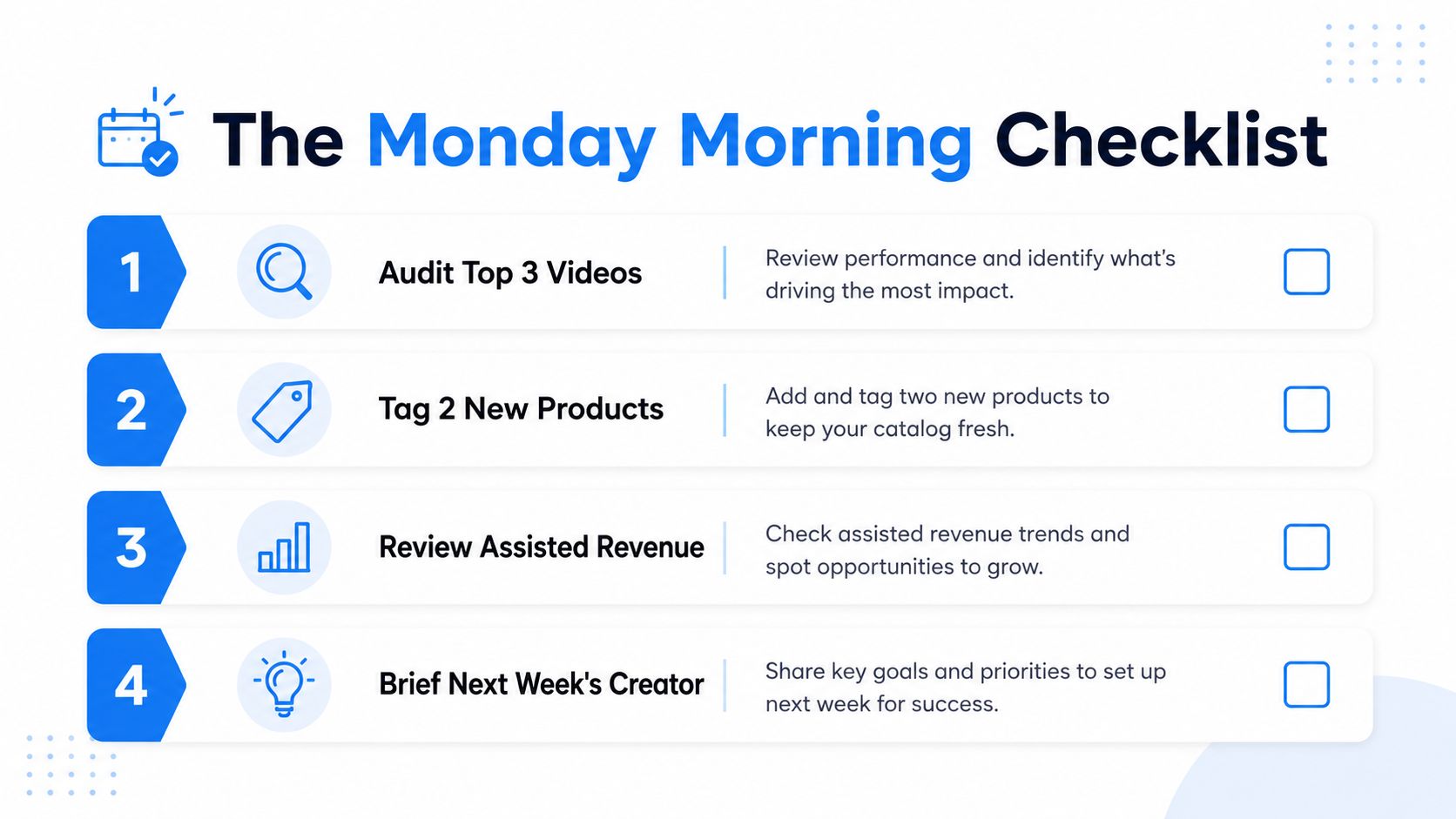
- Audit the top videos. Look for weak hooks, confusing overlays, and broken product matches.
- Tag only the products that matter. Keep the overlay narrow enough that the shopping moment stays clear.
- Review attributed revenue and holdout results. Don't stop at clicks.
- Brief the next creator or editor. Feed the learnings back into the next shoot or AI generation pass.
The three failure modes to avoid are predictable. First, creative that tries to sell too much at once. Second, an embed that slows the page or breaks cart sync. Third, measurement that reports revenue without testing whether the video caused it.
If you want to keep production fast without losing control of the system, Aicut gives you a way to generate short-form product video faster, apply templates, swap scenes or voices, and publish to social channels without skipping the planning and tagging work around it. If you're ready to build that workflow for your brand, visit Aicut and use it to turn a better video process into more consistent shoppable content.