
Most advice on video production workflow still assumes you have time for scripts, shot lists, reshoots, edit revisions, and a slow approval chain. That model doesn't fit TikTok, Reels, or Shorts. If you're trying to publish at volume, the bottleneck isn't camera gear. It's how fast you can go from idea to finished post without losing consistency.
That gap is bigger than most guides admit. Data shows that 73% of TikTok and YouTube Shorts creators now use AI tools for at least part of their workflow, yet 89% of existing workflow guides ignore AI-specific steps like prompt engineering, model selection, or credit-based resource management according to research on the workflow gap for AI-native creators. That's why creators keep stitching together random tools and calling it a system.
A modern video production workflow for short-form content needs a different standard. It has to support speed, repeatability, variation testing, brand control, and publishing across channels without turning every video into a custom project. The goal isn't to make one perfect edit. The goal is to make many strong edits, learn fast, and scale what works.
Why Traditional Video Workflows Fail Social Creators
Traditional video production was built for scarcity. You planned heavily because filming was expensive, editing took time, and every revision cost real money. That logic still makes sense for commercials, documentaries, and brand films. It breaks down when you're trying to produce a steady stream of short-form content.
On social platforms, the winning creator usually isn't the one with the prettiest production board. It's the one with a workflow that can respond quickly to format shifts, remix a concept into multiple hooks, and publish before the trend feels old. A slow process kills that advantage.
Old workflows optimize for polish
Classic workflows usually revolve around these steps:
- Detailed pre-production: script, storyboard, shot list, approvals
- Manual production: filming with talent, lighting, retakes
- Traditional post: hand-built edits, rounds of notes, exports
- Manual publishing: resizing, captioning, uploading, scheduling
That works when each piece of content is treated like a campaign asset. It doesn't work when your output target is multiple vertical videos per day.
Social creators need throughput
Short-form creators face a different set of constraints:
| Traditional setup | AI-native short-form setup |
|---|---|
| One video can take days | Multiple videos need to ship in a day |
| Reshoots are expected | Reshoots should be avoidable |
| One final cut | Many variations from one concept |
| Approval happens late | Guardrails need to be decided early |
The issue isn't just speed. It's workflow mismatch. Most existing advice still tells creators to think like a studio when they need to operate like a media system.
Traditional production asks, "How do we make this one video better?" Social growth asks, "How do we make the next ten videos faster and smarter?"
Where creators get stuck
I see the same failure points over and over:
- They ideate from scratch every day. That burns time and creates uneven quality.
- They treat AI like a novelty tool. They generate clips, but don't build templates, prompt structures, or reusable scenes.
- They edit too late. Instead of planning variation up front, they end up fixing weak hooks after the whole asset is built.
- They publish manually. That turns distribution into a daily chore.
A usable video production workflow for modern social content needs to be built around repeatable assets, tested formats, and AI-assisted iteration. If the process can't handle daily output, it isn't a system. It's a one-off.
Ideation and Pre-Production in the AI Era
Pre-production used to mean locking the creative before the camera rolled. In an AI-first workflow, pre-production is where you build the repeatable logic behind the content. You're not preparing to film. You're preparing to generate, remix, and scale.

The biggest mistake here is chasing trends without extracting structure. A creator sees a strong video, copies the surface style, and misses the mechanism that made it work. That creates random output, not repeatable output.
Start with formats, not topics
When I'm building a short-form pipeline, I organize ideas by format first:
- Reaction format: a face, opinion, fast cuts, strong first line
- List format: visual pattern, ranked points, fixed pacing
- Story format: setup, tension, payoff
- Transformation format: before and after, comparison, reveal
- UGC-style format: direct camera delivery, testimonial rhythm, native-feeling edits
Formats are easier to scale than isolated ideas. Once you know the structure, you can swap the niche, product, character, background, or script angle without rebuilding the whole piece.
Prompt cloning beats blank-page ideation
Prompt cloning is one of the fastest ways to move from inspiration to production. Instead of asking AI for a generic video prompt, break a strong post into components:
- Hook type
- Visual style
- Scene progression
- Pacing
- Caption density
- Voice tone
- Ending pattern
Then build a reusable prompt shell around those parts.
For example, don't save one long messy prompt. Save a modular template with slots for character, setting, offer, emotional tone, and CTA. That gives you controlled variation instead of chaos.
Practical rule: If you can't produce three variations from the same prompt framework, the prompt isn't production-ready.
Build a brand control layer early
Most AI content often begins to lose consistency. Industry research indicates that 68% of short-form creators struggle with brand inconsistency in AI content, and 82% lack standardized workflow protocols for scaling AI production while preserving brand voice, based on research on consistency challenges in AI short-form creation. The fix isn't more editing. The fix is stronger pre-production rules.
I use a simple control stack:
- Voice rules: casual, sharp, playful, expert, or sales-focused
- Visual rules: recurring colors, camera feel, background type, framing
- Character rules: same persona, same energy, same wardrobe logic if relevant
- Caption rules: sentence length, casing, pacing, on-screen emphasis
- CTA rules: soft ask, direct ask, curiosity loop, or comment bait
Put those into a document or template before you generate anything. Otherwise every batch starts looking like it came from a different creator.
The asset library matters more than the brainstorm
A scalable video production workflow depends on reusable ingredients. Keep a working library of:
- Prompt templates
- Opening hooks
- Scene references
- Brand-safe backgrounds
- Voice styles
- Music moods
- CTA endings
The creators who move fastest aren't more inspired. They're better organized. They don't start fresh. They pull from a stack of proven components and adapt them to the day's idea.
AI-Powered Generation and Rapid Editing
Traditional production breaks here. If every video still needs a custom edit, manual reshoots, and a fresh timeline, output stays capped. AI changes the economics of the process at this stage because generation and editing can run as one repeatable system instead of two separate jobs.
The goal is not to make one polished asset. The goal is to turn one script into several publishable short-form cuts fast enough to test, learn, and post at volume. That is the part slow production guides miss. They were built for campaigns. Social creators need throughput.
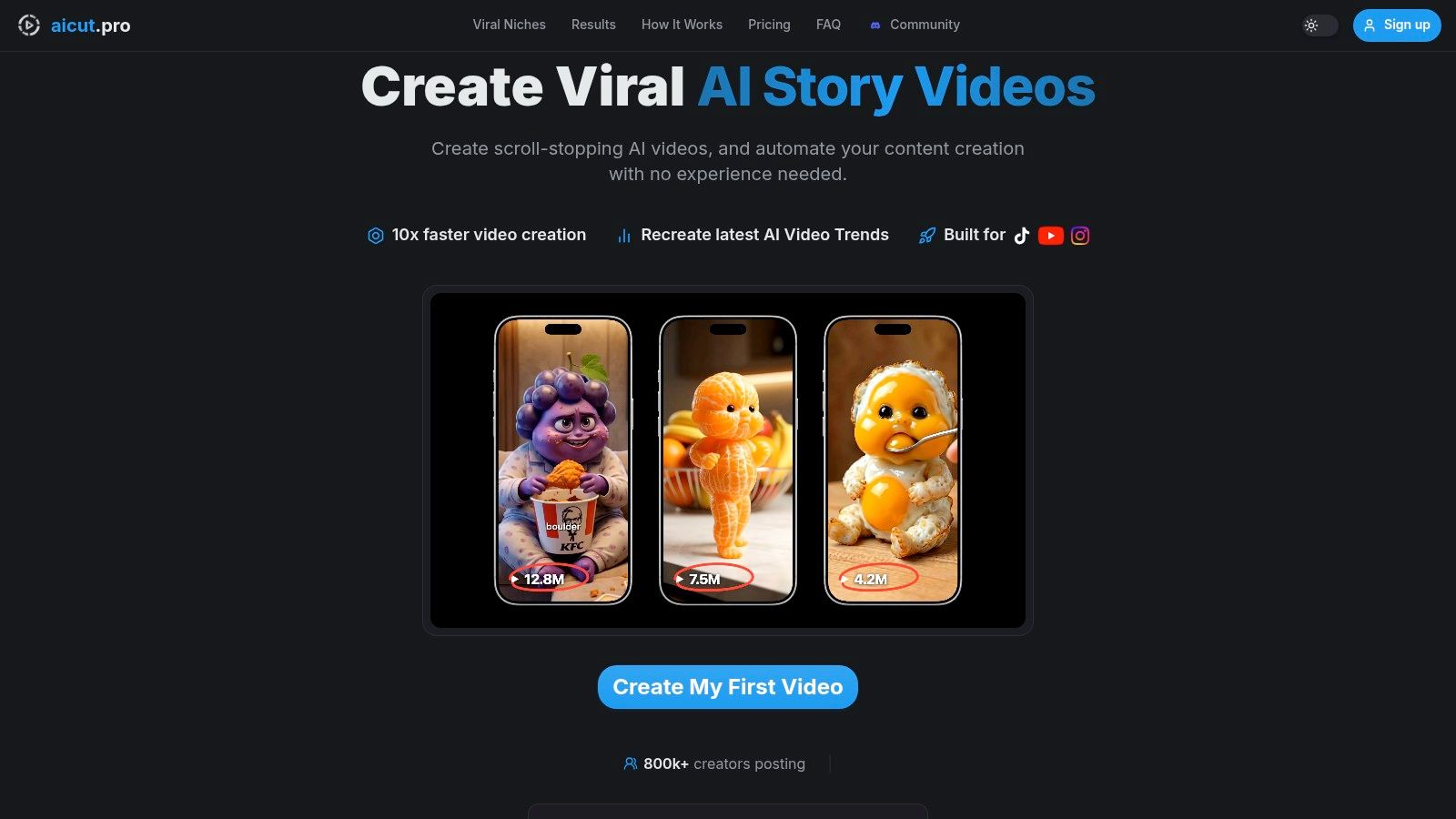
Production starts with model selection and scene structure. Different ideas need different trade-offs. Some clips need realism. Some need speed. Some need cheap iterations so you can test five hooks before lunch. Treating every prompt the same slows the whole pipeline and burns credits on the wrong jobs.
Match the model to the job
A practical setup usually looks like this:
| Task | Better fit |
|---|---|
| Fast concept testing | Lower-cost, faster generation models |
| Polished hero variation | Higher-quality text-to-video models |
| Character consistency | Template-based scenes and locked references |
| Volume output | Reusable prompt stacks plus batch generation |
The biggest mistake I see is generating too many random clips before locking the format. Start with a repeatable scene pattern. Then swap the variable parts inside it. Hook, background, character, angle, CTA. That keeps the edit fast and gives you versions that are comparable.
Templates help more than creators expect. A recurring talking-head format, motion-controlled product scene, AI influencer setup, or simple story sequence already solves part of pacing and visual rhythm. You are not staring at a blank timeline. You are filling a proven structure with a new message.
For creators who want to turn scripts into vertical content quickly, generate AI video from text workflows are useful because they remove the manual handoff between script drafting and first-pass visuals.
Edit for variation, not perfection
Short-form editing is a testing layer. Clean execution matters, but variation drives reach.
A strong batch from one idea usually includes:
- Different hooks in the first line
- Different opening visuals
- A direct CTA in one version and a softer CTA in another
- A product-led version and a curiosity-led version
- A faster caption style for one platform and a calmer style for another
The point is simple. Do not rebuild every version from zero. Build a master edit, lock the middle, and rotate the parts that change performance. In practice, the first three seconds, caption pacing, and ending CTA usually deserve the most variation.
Use AI edits to avoid reshoots
AI-native editing removes a lot of production drag. Instead of going back to set, you can change the asset inside the workflow:
- Swap characters while keeping the same scene structure
- Change backgrounds to fit different niches or offers
- Adjust style from polished to native-looking
- Replace text overlays for a new hook
- Reframe output for different placements
That changes how editing works. The timeline becomes a variation engine, not just a cleanup station.
A practical walkthrough helps here:
Aicut is one option in this category. It supports prompt cloning, template-based short-form creation, character or background swaps, and model choices such as Sora 2, Veo 3.1, Kling, and other generation options inside one workflow. That setup is useful when the target is ten usable videos a day, not one video every two days.
Audio still decides whether those visuals feel finished, which is why the next layer is crafting studio-quality AI voices that match the speed of the visual workflow.
Perfecting Audio with AI Voiceovers and Sound
Visuals get the click. Audio keeps the video from feeling cheap. A weak voiceover, bad music choice, or flat sound bed can make a strong short-form concept feel unfinished in seconds.
The fix isn't adding more sound. It's choosing fewer elements that each do a clear job. One voice. One music layer. A small set of sound effects where they add emphasis. That's usually enough for short-form unless the format is heavily cinematic.
What good short-form audio actually does
Audio in a modern video production workflow should handle three jobs:
- Carry the message: the voiceover or spoken line needs to be easy to follow on a phone speaker
- Set the emotional tone: music should signal whether the clip feels urgent, playful, dramatic, or calm
- Support transitions: sound effects should make scene changes feel intentional, not random
If one of those layers starts fighting the others, retention drops. Most often the problem is music that's too loud or voice delivery that doesn't match the visual style.
Keep voice choices narrow
A lot of creators waste time auditioning too many AI voices. That usually creates inconsistency. Pick a small stable of voices for specific use cases:
- Narrator voice for storytelling and educational clips
- Direct-response voice for product or offer-led videos
- Character voice for skits, meme edits, or stylized content
If you need a resource for crafting studio-quality AI voices, Vocuno is worth reviewing because it helps with the part many creators skip, which is matching tone and clarity to the type of content instead of just picking a voice that sounds flashy.
You can also use an AI voice-over workflow to keep narration inside the same production process rather than bouncing between separate tools.
Bad short-form audio usually isn't caused by the wrong tool. It's caused by too many competing layers and no clear priority.
Mix for phones first
Most viewers will hear your content through a phone speaker, cheap earbuds, or muted autoplay with captions. That changes how you should mix.
A simple rule set works well:
- Push voice clarity first: if the narration isn't instantly understandable, fix that before anything else
- Use background music as texture: it should support rhythm, not dominate the frame
- Place effects on transitions only: don't scatter whooshes and hits everywhere
- Check the first three seconds carefully: audio confusion early makes the whole clip feel harder to watch
The fastest creators don't obsess over perfect cinematic sound. They create reliable audio presets that hold up across lots of videos.
Scheduling and Publishing for Consistent Growth
Creators burn out because they treat publishing like a daily task instead of a system. They make a video, export it, write a caption, upload it, resize it, repeat tomorrow. That's not a growth workflow. That's content admin.
A better video production workflow separates creation from distribution. You batch the work, queue the posts, and leave your active time for ideation and review.
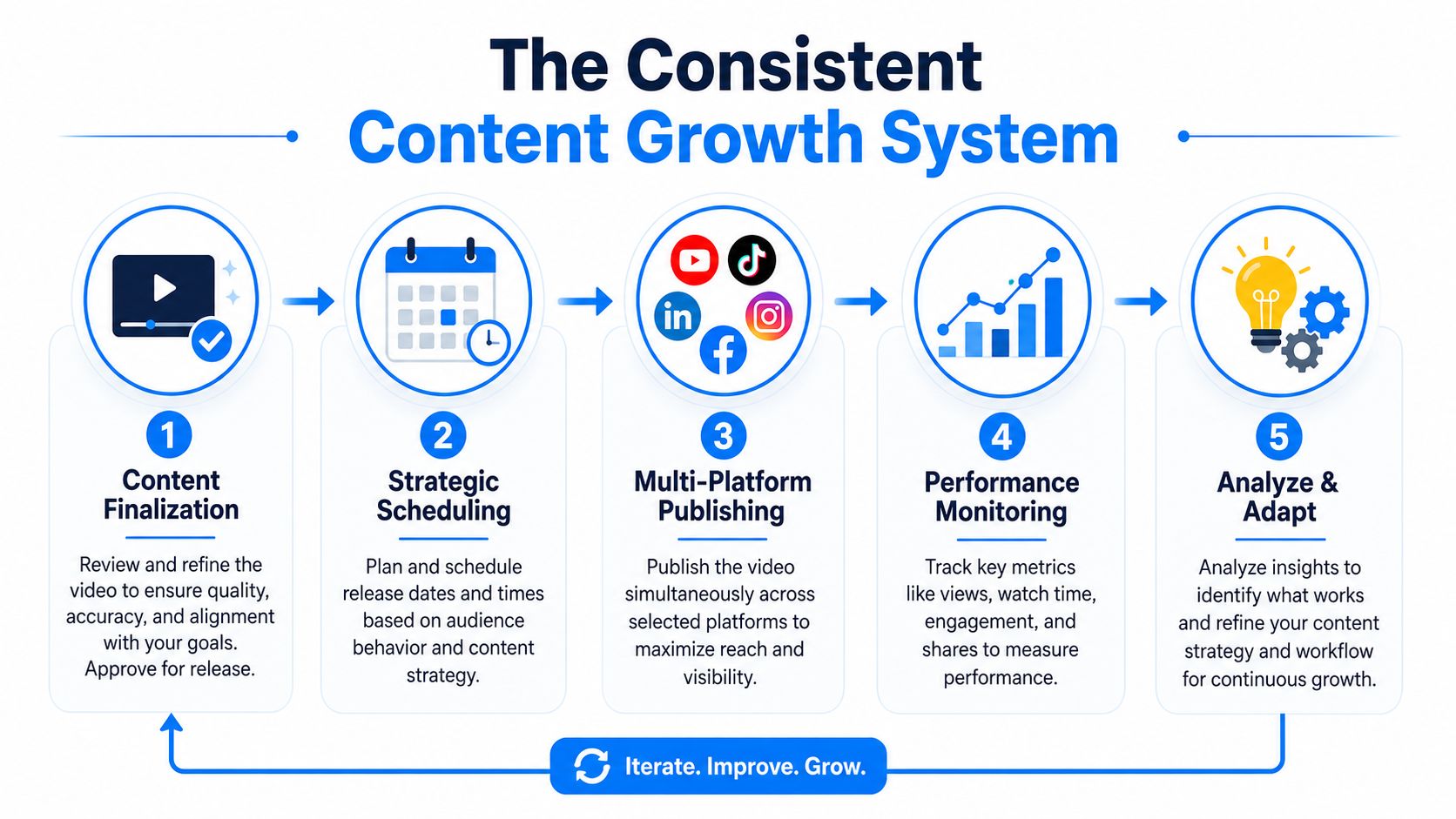
Batching is what makes volume possible
If you're trying to publish at scale, don't aim to finish one complete video at a time. Batch by task:
- Trend review in one block
- Prompt building in one block
- Generation in one block
- Editing and variation in one block
- Scheduling in one block
That structure reduces context switching. It also makes quality easier to control because you're comparing similar assets at the same stage.
Publishing consistency matters more than motivation
The reason this matters isn't just convenience. HubSpot research indicates that video content drives 310% more engagement than static media and boosts organic web traffic by 162%, as cited in Ziflow's overview of video workflow impact. If video is doing that kind of work for visibility and engagement, publishing inconsistently leaves a lot of value on the table.
The creators who stay visible usually aren't posting because they feel inspired every day. They're posting because the system already prepared the next set of assets.
Build a release rhythm you can sustain
Don't overcomplicate the calendar. Most creators need three decisions:
| Decision | What to define |
|---|---|
| Posting cadence | How often each platform gets fresh content |
| Content mix | Which formats repeat each week |
| Review window | When you check performance and make changes |
That cadence should fit your production capacity, not your ambition on a good day. If your system reliably supports a certain output level, protect that level first. Then expand.
A publishing schedule should remove decisions, not create more of them.
Use scheduling to protect creative energy
Integrated schedulers and one-click publishing tools matter because they remove low-value manual work. Once a batch is ready, you should be able to line up platform-specific posts without reopening every file and rebuilding every caption field.
If you're setting this up, an automated social media posting workflow is useful for understanding how to queue content across channels from one process instead of handling each platform separately.
The hidden benefit of scheduling isn't just time saved. It's consistency under pressure. On busy days, the system still posts.
Scaling with Analytics and Intelligent Automation
Volume alone does not scale a short-form system. Diagnosis does.
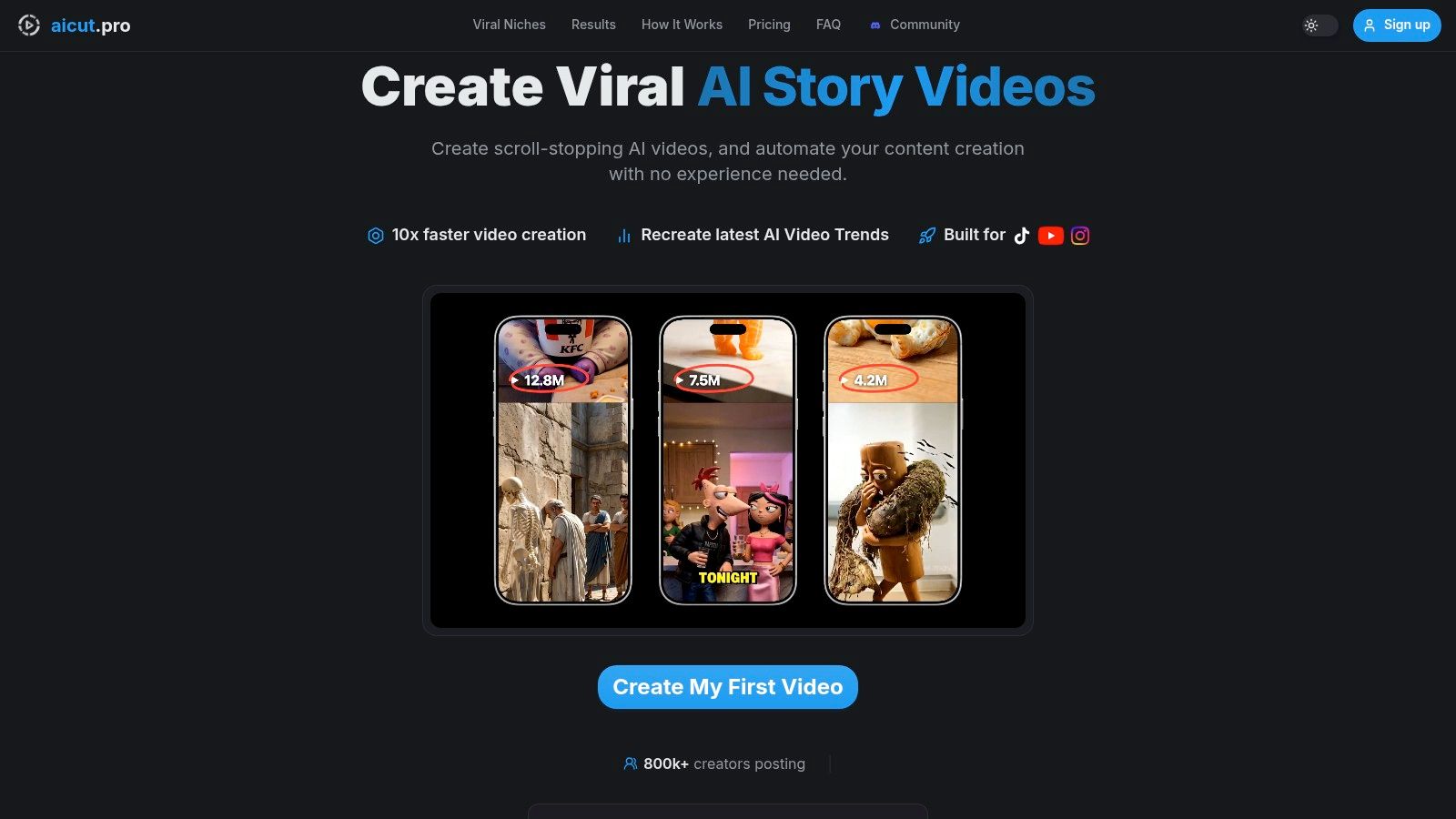
Traditional video teams review content at the campaign level. Social creators need a tighter loop. The useful question is not whether a post did well. The useful question is which part earned the retention, rewatch, click, or share.
That shift matters because AI makes output cheap. Once output gets cheap, bad analysis gets expensive. If you can generate 50 variations in a day but cannot explain why 3 worked, you are not building a system. You are burning cycles.
Review winners by component
When a video breaks out, strip it down and log the parts that likely drove the result:
- Hook: the first line, frame, or pattern interrupt
- Format: list, reaction, story, before-and-after, UGC-style
- Pacing: cut speed, pause length, caption timing
- Visual treatment: raw screen capture, polished edit, meme layer, stock-enhanced
- CTA: hard ask, soft prompt, open loop, or no CTA
Keep this review simple enough to do daily. I use a small scorecard, not a long postmortem. One row per video. A few columns for hold rate, average watch time, shares, saves, and the creative variables above. After a week, patterns show up fast.
Earlier research cited in this article found that teams get better results when they test multiple creative variations and run a structured feedback loop. The practical takeaway is straightforward. Build your workflow around variation, then keep only the patterns that repeat.
What to automate and what to keep manual
Automation should remove repeated actions, not taste.
| Automate | Keep manual |
|---|---|
| Exporting versions for each platform | Final call on hook strength |
| Template-based video assembly | Brand voice and tone |
| Caption and subtitle formatting | Trend selection |
| Batch creation of visual variants | Deciding which concepts deserve more volume |
This is the trade-off that 89% of video workflow guides miss. They describe automation as if every step should run hands-off. That model fits long approval chains. It fails for AI-driven short-form, where speed matters but creative judgment still decides what scales.
Turn analytics into the next batch
The ultimate win is not reporting. It is prompt improvement.
If curiosity hooks hold attention longer, save that structure as a reusable prompt. If a certain B-roll style lowers completion, remove it from the next generation template. If direct CTAs hurt the viewing experience, push them later in the script or swap them for a comment prompt.
This is how zero-to-volume works in practice. Generate in batches. Publish in batches. Review by component. Feed winners back into your prompts, templates, and edit rules. Repeat the cycle until the system produces stronger first drafts with less manual correction.
Automate repeated actions. Keep judgment close to the creative. Use analytics to make the next batch better than the last one.
If you want one system for generating short-form videos, cloning prompts from working formats, editing variations fast, adding voiceovers, scheduling posts, and tracking results across channels, Aicut is built for that style of workflow.