Automating your social media is really just about using software to schedule and publish content ahead of time. It’s a way to get off the content treadmill and reclaim your day for the things that actually move the needle—like talking to your audience or cooking up your next big idea.
The whole process boils down to three key parts: building a solid library of content, picking the right scheduling tool, and then setting up a workflow that runs on its own. It's about building an efficient system, not a feed that feels cold and impersonal.
What Social Media Automation Really Means

Let’s get one thing straight: smart automation isn't a "set it and forget it" magic button. I like to think of it as a strategy for making sure my best content gets seen consistently, which frees me up to focus on genuine engagement and big-picture planning. It's less like a robot taking over your account and more like a super-efficient assistant handling the repetitive stuff.
This approach ensures your brand stays visible and connects with people in different time zones, all without you having to be chained to your desk 24/7. For creators and marketers, this is a total game-changer. That time you save from manually posting every single day can be poured back into managing your community, digging into analytics, and brainstorming fresh content. If you're looking for a broad overview of the topic, there are some great resources that explain how to automate social media posts.
The Strategic Advantage of Automation
The real magic of automation is how it simplifies your entire workflow. Instead of that daily scramble for something to post, you can sit down and batch-create content for weeks in advance. This naturally leads to a more cohesive and on-brand message because you're planning with a clearer head.
This isn't some niche tactic, either. It’s a standard practice for most marketing teams these days. In fact, a whopping 83% of marketing departments now automate their social media posting. The proof is in the results: teams that automate typically see a 20-30% lift in engagement per post and slash their content-creation time by about 30%.
Automation gives you back your most valuable resource: time. By handling the logistics of posting, it frees up your mental energy to focus on what truly matters—creating high-impact content and building authentic relationships with your audience.
This table breaks down how automation can transform your day-to-day operations and what kind of results you can expect.
Core Benefits of Social Media Automation at a Glance
| Benefit | Impact on Your Workflow | Key Result |
|---|---|---|
| Time Savings | Eliminates daily manual posting and allows for content batching. | Frees up 5-10 hours per week for strategic tasks. |
| Consistency | Ensures a steady stream of content at optimal times, regardless of your schedule. | Boosts audience engagement and algorithm favorability. |
| Scalability | Makes managing multiple platforms and a growing content library manageable. | Allows for growth without a proportional increase in workload. |
| Strategic Focus | Shifts your focus from tactical execution to creative planning and analysis. | Higher-quality content and more meaningful community interaction. |
Seeing these benefits laid out makes it clear why so many creators are making the switch. It's about working smarter, not harder.
More Than Just Scheduling
Ultimately, figuring out how to automate your social media is about building a sustainable system for long-term success. It requires a thoughtful mix of the right tools and your own human touch. The goal is to let technology handle the mechanics while you provide the strategy, creativity, and personality.
This becomes absolutely essential when you're trying to scale your presence. Once you start growing, it's nearly impossible to manage multiple platforms manually without quality or consistency taking a nosedive. An automated workflow is what helps you deliver value to your audience, reliably, day in and day out. To take this a step further, see how you can use AI for social media content creation to supercharge your content library and make the whole process even smoother.
Build an Automation-Ready Content Library
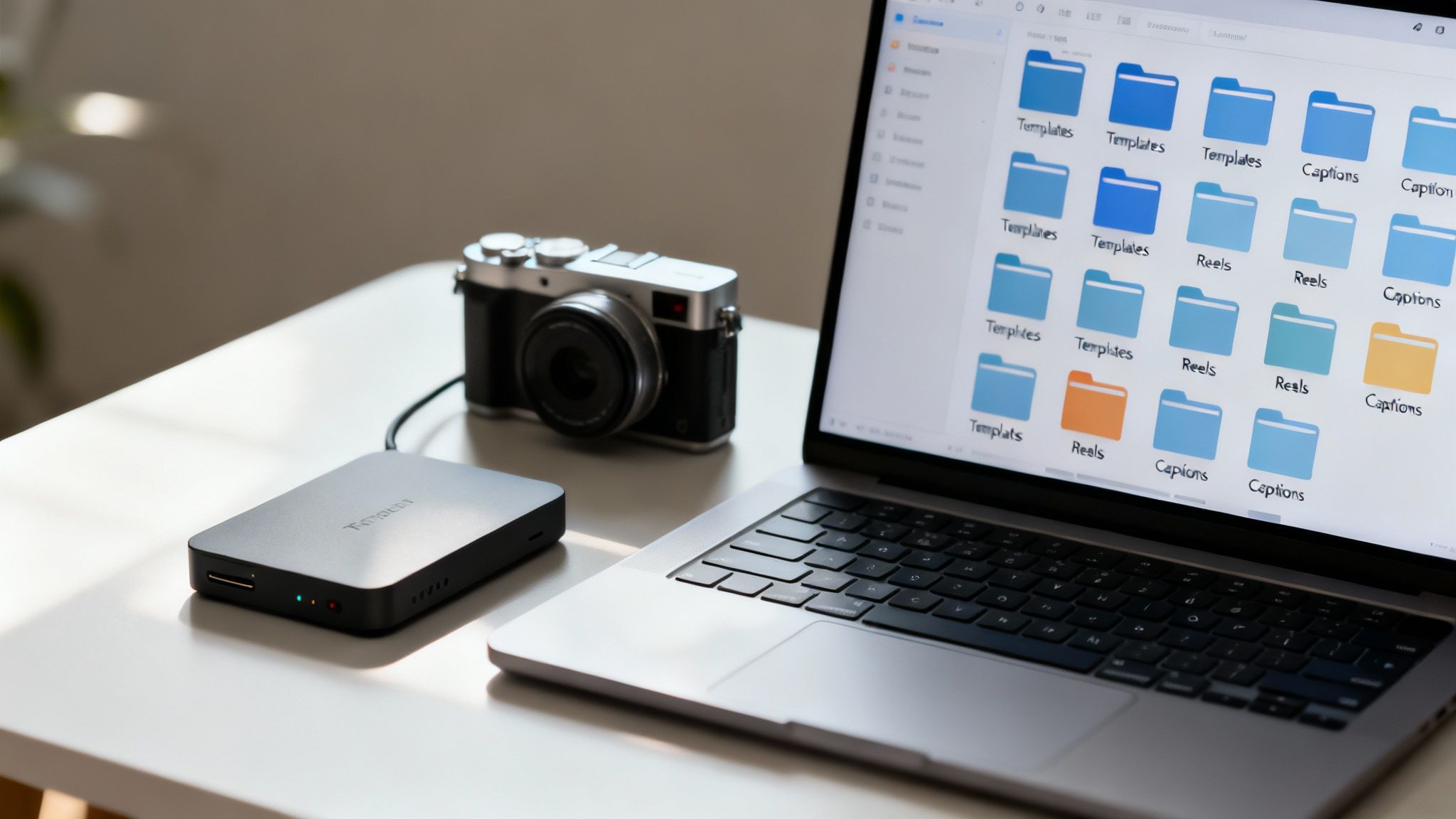
Here’s a hard truth: your automation is only as good as the content you feed it. You can have the slickest tools on the market, but without a solid, well-organized library of posts, you'll just be automating chaos. The key is to think like a chef doing meal prep for the week. You do all the hard creative work upfront, so you aren't stuck scrambling for an idea five minutes before you need to post.
This simple shift in approach gets you off the content hamster wheel. You stop being reactive—"What on earth do I post today?"—and start being strategic. Having a reserve of high-quality, on-brand content ready to go is the real foundation of making social media automation work for you.
Define Your Core Content Pillars
Before you even think about creating a post, you need to know what you’re going to talk about. This is where content pillars come in. These are the 3-5 core themes that your brand owns. Think of them as the guardrails for your content; they keep every automated post on-message and genuinely useful to your audience.
Let's say you're a fitness coach. Your pillars might look something like this:
- Workout Tutorials: Short, punchy videos showing proper form for different exercises.
- Nutrition Tips: Quick guides on healthy eating, myth-busting common diet fads, or simple meal prep ideas.
- Mindset & Motivation: A mix of inspirational quotes, client success stories, and your own personal reflections.
- Behind-the-Scenes: A glimpse into your own fitness journey, gym life, or what you eat in a day.
When you stick to these pillars, your feed builds a clear identity. Your followers know exactly what to expect, which is how you build a loyal community. This structure is absolutely essential for automation because it makes creating content so much simpler and keeps everything consistent.
Master the Art of Batch Creation
Batching is the one trick that will completely change your content game. It’s simple: you set aside a dedicated block of time to create a ton of content all at once, instead of trying to make something new every single day. This method is a massive time-saver—I've seen creators reduce their content creation hours by over 50%—and it helps you get into a much better creative rhythm.
Here’s what a practical batching workflow could look like:
- Ideation Session (1 Hour): Just brainstorm. No filter. Get a month's worth of post ideas down on paper, all tied back to your content pillars.
- Writing Session (2 Hours): Now, write all the captions. Get the calls-to-action in there, research the right hashtags, and get the copy polished.
- Visuals Session (3 Hours): This is for designing graphics, editing photos, or trimming down video clips for all those posts.
After a few hours of focused work, you’ll have a vault of content ready to schedule. Understanding various strategies for automating content creation is a huge help here, as it informs how you build out your library for your social media schedule.
The real magic of batching isn't just about speed; it's about focus. When you stick to one task at a time, you avoid the mental whiplash of context-switching, which is a notorious productivity killer. This lets you go deeper creatively, and the quality of your content will show it.
Create Versatile Content Templates
Templates are your secret weapon for scaling up without watering down your brand. Instead of staring at a blank canvas every time, create a few go-to formats for your different post types. This is a lifesaver for video-heavy platforms like TikTok and Instagram Reels.
With a good set of templates, one core idea can be spun into gold across multiple platforms. Take a blog post on "5 Ways to Boost Productivity," for example. You could repurpose it into:
- An Instagram carousel, where each slide breaks down one of the five tips.
- A 30-second TikTok video that rapidly lists the tips with a trending sound.
- A series of five individual Instagram Stories, with each one diving deeper into a single tip.
- A text-only LinkedIn post that summarizes the key points for a professional crowd.
This approach squeezes every last drop of value out of your ideas. AI tools are making this even easier, and if you want to see just how powerful it can be, you can learn more about unlocking the potential of content repurposing with AI to see how platforms like Aicut can practically automate this. A library of versatile assets is what will keep your automated schedule feeling fresh and engaging.
Choose the Right Automation Tools
Picking a social media automation tool can feel overwhelming. You're faced with dozens of options, each promising to be the one-and-only solution you'll ever need. It's easy to get stuck in "analysis paralysis."
But here's the secret: there's no single "best" tool for everyone. The right tool is the one that fits your specific workflow, your budget, and your goals. A high-powered, expensive platform is just a waste of money if it's too complicated to use, and a free tool can cost you more in lost time if it's missing a key feature.
All-in-One Dashboards vs. Specialized Tools
First, you need to decide between an all-in-one platform or a more specialized tool. Think of all-in-one dashboards like Hootsuite, Buffer, or SocialBee as your central command center. They're built to manage scheduling, analytics, and community engagement across multiple social networks from a single place.
On the flip side, specialized tools are masters of one trade. A tool like Brand24, for example, is laser-focused on social listening and tracking brand mentions. And a platform like Aicut is designed from the ground up to create and automate short-form video for YouTube, TikTok, and Instagram.
So, which one is for you?
- Go with an all-in-one if: You're juggling several different social platforms. Having a single content calendar and a unified analytics dashboard is a game-changer for most creators and businesses.
- Consider a specialized tool if: Your strategy hinges on one specific type of content. A dedicated TikTok scheduler, for instance, will likely offer more advanced features for that platform than a generalist tool can.
Core Features You Cannot Ignore
No matter which route you take, there are a few non-negotiable features you should look for. As you start comparing options, use this as a mental checklist to make sure the tool can actually keep up with a modern social media strategy.
You need deep, meaningful integrations, not just surface-level connections. Can the tool actually post Instagram Reels and TikTok videos directly, complete with custom covers and a scheduled first comment? These little details make a massive difference in your day-to-day work.
The best automation tool is one that disappears into your workflow. It shouldn't create more work; it should amplify your efforts by handling the tedious, repetitive tasks, freeing you to focus on creativity and engagement.
Advanced scheduling options are also a must. A simple "post now" or "schedule for later" button is just the beginning. The real power comes from features that automate the process itself.
Must-Have Advanced Scheduling Features:
- Content Queues: This lets you create categories (like "Behind the Scenes" or "Tutorial Tuesdays") and set them to post at a specific time each week. All you have to do is drop content into the queue, and the tool takes care of the rest.
- Bulk Uploading: A massive time-saver. You can upload a whole month's worth of posts from a single spreadsheet, populating your entire calendar in minutes instead of hours.
- Evergreen Content Recycling: Got some timeless, high-performing posts? Some tools can automatically re-share them for you after a certain amount of time, getting more mileage out of your best content without any manual effort.
To help you visualize the differences, here's a quick comparison of what some popular platforms offer. This isn't an exhaustive list, but it gives you a good starting point for seeing how features can vary.
Feature Comparison of Popular Social Media Automation Platforms
| Feature | Tool A (e.g., Buffer) | Tool B (e.g., Hootsuite) | Tool C (e.g., Later) |
|---|---|---|---|
| Direct Instagram Reel Posting | Yes | Yes | Yes |
| Content Queues/Categories | Yes | Yes | Yes |
| Bulk Scheduling (CSV) | Yes | Yes | Limited on lower plans |
| Evergreen Content Recycling | Limited (requires manual requeueing) | Yes (via app directory) | Limited (requires manual setup) |
| AI Caption Writer | Yes | Yes | Yes |
| Visual Calendar Planner | Yes | Yes | Yes (Instagram-first focus) |
| Social Inbox Management | Yes | Yes | Yes (with limitations) |
| Team Collaboration | Yes (on paid plans) | Yes (core feature) | Yes (on paid plans) |
As you can see, while many tools share core functionalities, the depth of those features can differ significantly. Your choice will depend on which of these are most critical to your team's process.
Integrating AI into Your Tool Stack
We can't talk about modern automation without talking about AI. Many platforms now come with built-in AI assistants to help you write captions, brainstorm ideas, or even suggest the best times to post based on your audience's activity.
These features can be a huge help, especially when you're feeling stuck or trying to speed up your workflow. For example, platforms like Vista Social have a ChatGPT-powered writer built right into their publishing tool.
This is where you can get really strategic. Pair a great scheduling platform with powerful AI creation tools. If video is your focus, exploring the best AI tools for content creators can uncover platforms that handle everything from scripting to editing. You can then feed that finished content directly into your scheduler. The goal is to build a "stack" of tools that work together seamlessly.
Ultimately, your decision comes down to three things: the platforms you use, the features you need, and the budget you have. My advice? Pick your top two contenders and sign up for a free trial. Connect your accounts, schedule a week of content, and see how it feels. That hands-on experience will tell you more than any feature chart ever could.
Set Up Your First Automated Workflow
Alright, you've got your content pillars sorted and you’ve picked your tool. Now for the fun part: actually making the magic happen. This is where all that prep work pays off and you start building the machine that will run your social media on autopilot. Don't sweat it; this is more straightforward than it sounds.
The first, non-negotiable step is linking your social media accounts. All the reputable tools out there use official APIs from platforms like Meta and Google, so your connection is secure. You'll just need to follow the prompts, which usually means logging into your accounts and giving the tool permission to post for you.
Connect Your Accounts and Build a Calendar
With your profiles linked up, it's time to create your command center: the content calendar. Whether you're using Buffer or SocialBee, you’ll almost always find a visual, drag-and-drop calendar. This is where you'll start plotting out your posts for the coming weeks.
Think of this calendar as the master blueprint for your social presence. I always start by plugging in the big, unmissable dates first—product launches, seasonal promotions, or holidays. Then, I start filling the gaps with content from my different pillars. A visual overview like this is a lifesaver; it stops you from accidentally posting three "how-to" videos in a row or realizing you haven't shared anything behind-the-scenes in a week.
Upload and Optimize Your Content in Batches
This is where your batch-created content really shines. Instead of uploading posts one by one, you can use your tool's bulk scheduling feature. This is often as simple as filling out a CSV file with your captions, image links, and post times for an entire month and uploading it in one go.
But don't just dump your content and run. The key to making automation work is taking a few moments to optimize each post for its specific platform. This is a critical habit to build.
- Tailor Captions: Tweak your pre-written captions. A caption that works for LinkedIn’s professional vibe will likely feel out of place on Instagram, where you can be more casual and use emojis.
- Add Hashtags: Use the relevant hashtags you’ve researched. Most tools have a built-in hashtag suggestion feature or let you save hashtag groups that you can add with a single click.
- Tag Accounts: Always tag any partners, collaborators, or customers you mention. It’s a simple way to boost visibility and encourage others to share your post.
- Set Custom Thumbnails: This is a big one for video. For YouTube and Instagram Reels, always upload a custom, eye-catching thumbnail. It makes a massive difference in whether people click to watch.
These small tweaks ensure that even though the posting is automated, the content feels personal and perfectly suited for each platform.
Choosing the right tool is the foundation of this whole process, and it really comes down to your specific goals, the features you can't live without, and your budget.
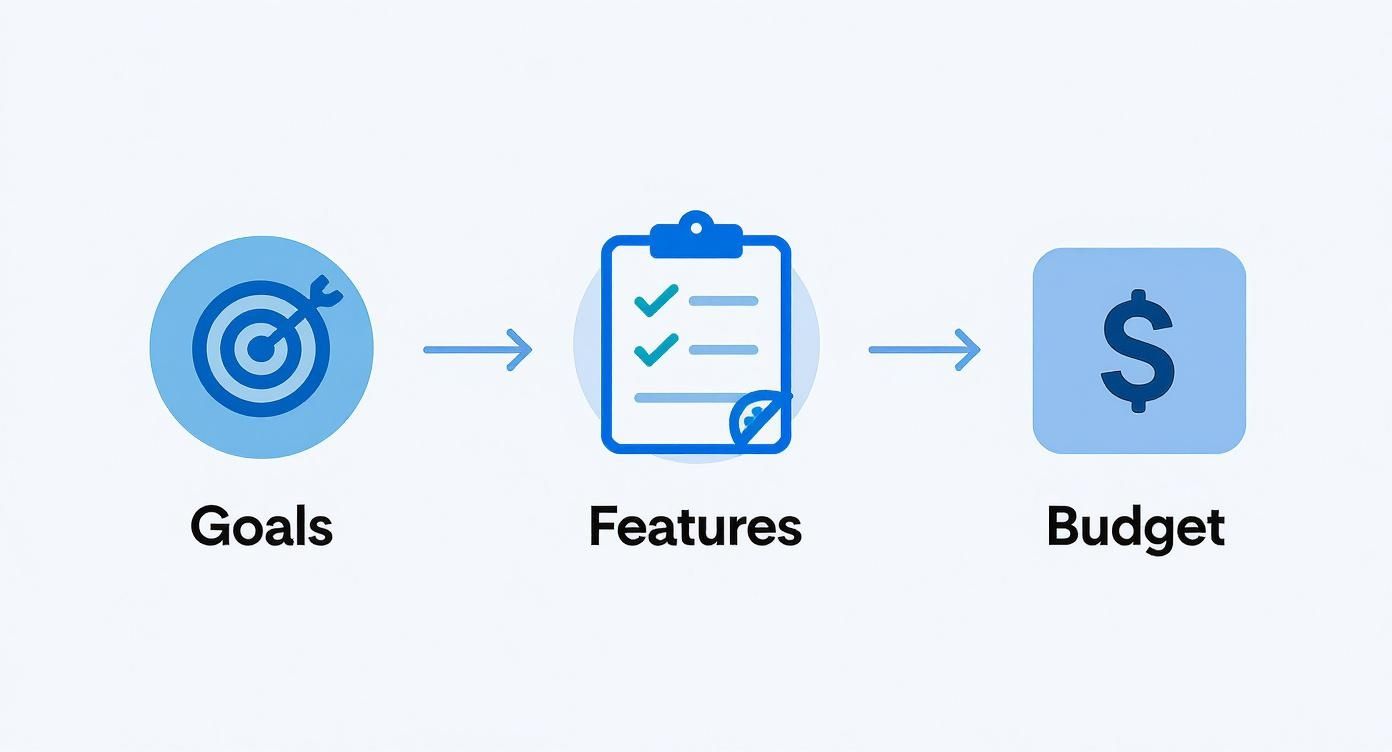
This visual guide can help simplify that decision, laying out a logical flow to make sure the tool you choose is a perfect fit for how you work.
Schedule for Peak Engagement Times
One of the biggest wins with automation is posting when your audience is actually online and listening—even if you're fast asleep. Nearly every scheduling tool provides data-backed recommendations for your best posting times, based on when your followers have engaged with you in the past. Use them.
Don't just schedule everything for 9 AM on a Tuesday. Your own analytics might show that your audience is most active on Sunday evenings or scrolls through their feed during their lunch break. Hitting these peak windows can give your content a huge initial boost in reach.
An automated workflow isn't just about saving time—it's about precision. By scheduling content for optimal times, you're not just posting consistently; you're posting smarter, ensuring your message lands when your audience is most receptive.
Let's take scheduling an Instagram Reel as a real-world example. Don't just hit "schedule." Take an extra 60 seconds to do this:
- Add a Custom Cover: Pick a compelling frame or upload a custom graphic that fits your brand's look and feel.
- Schedule the First Comment: Tools like Later and Pallyy let you schedule the first comment. This is the perfect spot for your block of hashtags, which keeps your caption clean and to the point.
- Enable a Location Tag: If your content is tied to a specific city or business, adding a location tag can significantly improve its discoverability.
These small, platform-specific details are what separate a robotic, obviously automated feed from one that feels professional and seamless. Investing a little time upfront to get your workflow right ensures your automated posts perform just as well as—if not better than—anything you could publish manually. The goal is to make the automation invisible, so all your audience sees is great content, delivered consistently.
Measure Performance and Refine Your Strategy
https://www.youtube.com/embed/IHDJkJpYC90
Getting your social media automation up and running is a huge first step, but it’s really just the beginning. The real magic happens when you start listening to what the data is telling you. Your work isn't over once the content goes live—that’s when the feedback loop starts.
This is where you stop being just a content creator and become a true strategist. You'll use the analytics from your scheduling tools to figure out what actually clicks with your audience. Think of it as turning a spreadsheet of numbers into a clear roadmap for growth.
Looking Beyond Vanity Metrics
It's so easy to get hooked on likes and follower counts. We've all been there. But honestly, those "vanity metrics" rarely paint the full picture of what's driving your business forward. To really get a handle on performance, you have to dig a little deeper.
Thankfully, your scheduling tool's analytics dashboard is a goldmine. It pulls everything together in one place, so you’re not bouncing between the native analytics of every single platform.
Here are the metrics I always keep an eye on:
- Reach: Simply put, how many unique pairs of eyeballs saw your post? This is your baseline for visibility.
- Engagement Rate: This is the big one. It's usually calculated as (likes + comments + shares) divided by your reach. A high rate tells you that your content was interesting enough to make someone stop scrolling and do something.
- Click-Through Rate (CTR): If you've included a link, this tells you how many people actually clicked it. It’s the ultimate test of a compelling call to action.
- Conversions: This is the bottom line. Did that click lead to a sale, a sign-up, or whatever goal you set? Most tools work with URL shorteners to make tracking this surprisingly easy.
A post with fewer likes but a killer CTR that drove actual sales is always more valuable than a viral meme that did nothing for your bottom line. Focusing on these metrics gives you a much clearer, more honest view of what’s working.
Using Data to Make Your Next Move
Once you start tracking these numbers, you’ll begin to notice patterns. Don't just glance at them—use them to ask some hard questions. Are my videos always outperforming static images? Do people really engage with those long carousels, or are they just swiping past?
This data is your blueprint for the next batch of content. If you see that your quick-tip videos are getting tons of shares and comments, you know exactly where to focus your creative energy next month.
The point of analytics isn't just to report on the past. It's to give you a crystal ball for the future. Every data point is a clue from your audience telling you what they want more of.
This cycle—post, measure, tweak, repeat—is what separates a stagnant social media presence from a thriving one. It’s how you make your automated system smarter and more effective over time.
The Power of Simple A/B Testing
You don’t need a fancy lab to run powerful experiments. A/B testing on social media can be as simple as changing one thing between two posts to see what happens. This is one of the best ways I’ve found to fine-tune an automated workflow.
Here are a few dead-simple tests you can start running this week:
- Post Timing: Schedule the exact same post for Tuesday at 9 AM and again for Thursday at 7 PM. Which one got more reach and engagement? Now you have a clue about when your audience is most active.
- Caption Style: Take a similar photo and post it twice. On one, write a short, punchy caption. On the other, tell a longer, more personal story. See which one gets more meaningful comments.
- Call-to-Action (CTA): Try asking for different things. Does "Click the link in bio" get more traction than asking a direct question like, "What's your biggest challenge with X?" The clicks and comments will give you the answer.
- Visual Format: Post about the same topic, but once as a single image and once as a multi-slide carousel. Check which one gets more saves—that's a huge indicator of valuable content.
I just keep a simple spreadsheet to track my tests and what I learned. Over a few months, you'll build your own personalized playbook based on what your audience responds to, not what some generic "best practices" blog post told you. This is how you turn a good automation strategy into a truly great one.
Where Automation Can Go Wrong (And How to Avoid It)
Automating your social media is a huge time-saver, but it's easy to get it wrong. If you lean too heavily on scheduling, you can accidentally turn your vibrant social channels into a sterile, one-way broadcast. The whole point is to free yourself up, not to strip out the human element that makes social media actually work.
The biggest pitfall? Forgetting the "social" part of social media. Automation should handle the heavy lifting of getting your posts out the door, giving you more time for genuine interaction. If you’re not there to reply to comments, jump into conversations, and be part of your community, your automated feed will feel hollow and robotic to your followers.
The “One-Size-Fits-All” Content Trap
One of the most common mistakes I see is posting the exact same content—same caption, same hashtags—across every single platform. It’s the easy way out, for sure, but it completely ignores that each platform has its own culture and audience. A text-heavy, professional update that crushes it on LinkedIn is going to die a quick death on the fast-paced, visual-first world of TikTok.
Think of it like this: you wouldn't wear a business suit to a beach party. Your content needs to dress for the occasion, too.
- Instagram: It’s all about high-quality visuals and engaging Reels. Use your captions to tell a story or spark a conversation.
- TikTok: Here, you need short, entertaining videos that tap into trends and use popular sounds. Keep it snappy.
- LinkedIn: The vibe is professional. Share industry insights, career advice, and focus on providing real value to your network.
- YouTube: This is where your audience settles in for longer, more in-depth videos that either teach them something or entertain them thoroughly.
Tailoring your content doesn’t mean you have to create 100% new material for every channel. It’s about adapting. A single video can be sliced into a Reel for Instagram, a Short for YouTube, and a quick tip for TikTok with a little smart editing.
Forgetting to Stay Current and Human
Your content calendar is not a time capsule. An automated schedule that runs on autopilot is a ticking time bomb, especially when major news breaks. Pushing out a lighthearted meme or a sales promo during a global crisis can make your brand look clueless and completely out of touch, wrecking your reputation in an instant.
A smart automation plan always has a pause button. Know how to quickly halt all scheduled posts when the world calls for sensitivity and silence. This one simple action shows your audience there's a real, thoughtful person behind the screen.
Beyond just managing crises, you need to keep your content fresh. That great evergreen post you made six months ago might still get some love, but if that's all you're posting, your feed will feel stale. Use the time automation gives you to create spontaneous, in-the-moment content. Jump on a trend, share a quick behind-the-scenes video, or react to something happening in your industry. It’s these unscripted moments that often build the strongest connections.
In the end, remember that automating your social media isn't just about clawing back time—it's about reinvesting that time where it truly matters. Use those extra hours to do what no software can: build relationships, dive into your analytics, and brainstorm your next brilliant idea.
Common Questions (and Real Answers) About Automation
Let’s be honest, jumping into automation can feel a little nerve-wracking. A few common questions always pop up, and it's smart to get them sorted out before you overhaul your entire workflow. Knowing the answers will help you sidestep the usual mistakes and get this right from the start.
Will Automation Kill My Engagement?
This is the big one. And it’s a fair question. But the short answer is no, not if you do it right.
The platforms don’t penalize you for using an official, approved scheduling tool. Where people go wrong is when they "automate and abdicate"—they schedule their posts and then ghost their own account. Engagement drops when you stop interacting, not when you schedule. Your content quality and how you show up in the comments are what really move the needle.
How Far Out Should I Plan and Schedule Content?
So, how far ahead should you fill up that content calendar? There's no single perfect answer, but I've found that a two to four-week buffer is the sweet spot for most creators.
This gives you enough breathing room to batch your content creation effectively, so you're not constantly scrambling for what to post next. It also keeps your content from feeling too planned out or stale.
A schedule is a guide, not a prison. Always, always leave a little wiggle room in your calendar for those spontaneous, of-the-moment posts. Jumping on a trend or reacting to a big piece of news shows your audience that a real, live human is running the show.
Should I Use an All-in-One Tool or Platform-Specific Ones?
Another common dilemma: go with one tool to rule them all, or use different specialized tools for each platform? For most people, an all-in-one platform like Buffer or SocialBee is the way to go. It keeps your calendar and analytics in one place, which saves you a ton of time bouncing between different apps.
The only time I'd suggest a specialized tool is if a single platform, like YouTube or TikTok, is your absolute primary focus and you need deep, platform-specific features that the generalist tools just don't offer. My advice? Start simple. You can always add more tools to your stack later if you find you truly need them.
Ready to create amazing videos for your new automated workflow? Aicut gives you viral templates, AI video creation, and built-in scheduling to help you make and share great content without the burnout. Start creating with Aicut today and watch your channel grow.