TikTok's algorithm rewards consistency, but creating and publishing high-quality content daily is a massive time commitment. This is the core problem that TikTok automation software is designed to solve. These platforms can transform your content strategy from a manual, time-consuming grind into a streamlined, growth-focused system.
Whether you're a faceless creator scaling your channel, an e-commerce brand needing fresh UGC-style ads, or an agency managing multiple client accounts, the right tool is a game-changer. Automation handles critical tasks like scheduling posts for optimal times, auto-publishing content, and even using AI to generate entire videos from scratch. This frees you up to focus on strategy and community engagement instead of repetitive administrative work.
This guide provides a detailed, comparative breakdown of the top 12 TikTok automation platforms available today. We'll cut through the marketing hype to give you a clear look at what each tool actually does. For every option, you'll find:
- Core Feature Analysis: A deep dive into key functions like scheduling, AI video creation, and analytics.
- Best-Use Cases: We identify who each platform is truly built for, from solo creators to large agencies.
- Practical Limitations: An honest assessment of potential drawbacks and what to watch out for.
Our goal is simple: to help you find the perfect TikTok automation software for your specific needs and budget. We provide direct links and screenshots for each tool, so you can evaluate them yourself and make an informed decision to start saving time and scaling your content.
1. Aicut
Aicut establishes itself as a premier, AI-first platform for creators and brands aiming to dominate short-form video on TikTok. It goes beyond simple scheduling by integrating a powerful suite of generative AI tools, creating a complete, end-to-end workflow from concept to automated posting. This makes it an exceptional choice for those who need to produce high-volume, trend-driven content without the traditional overhead of filming and editing.
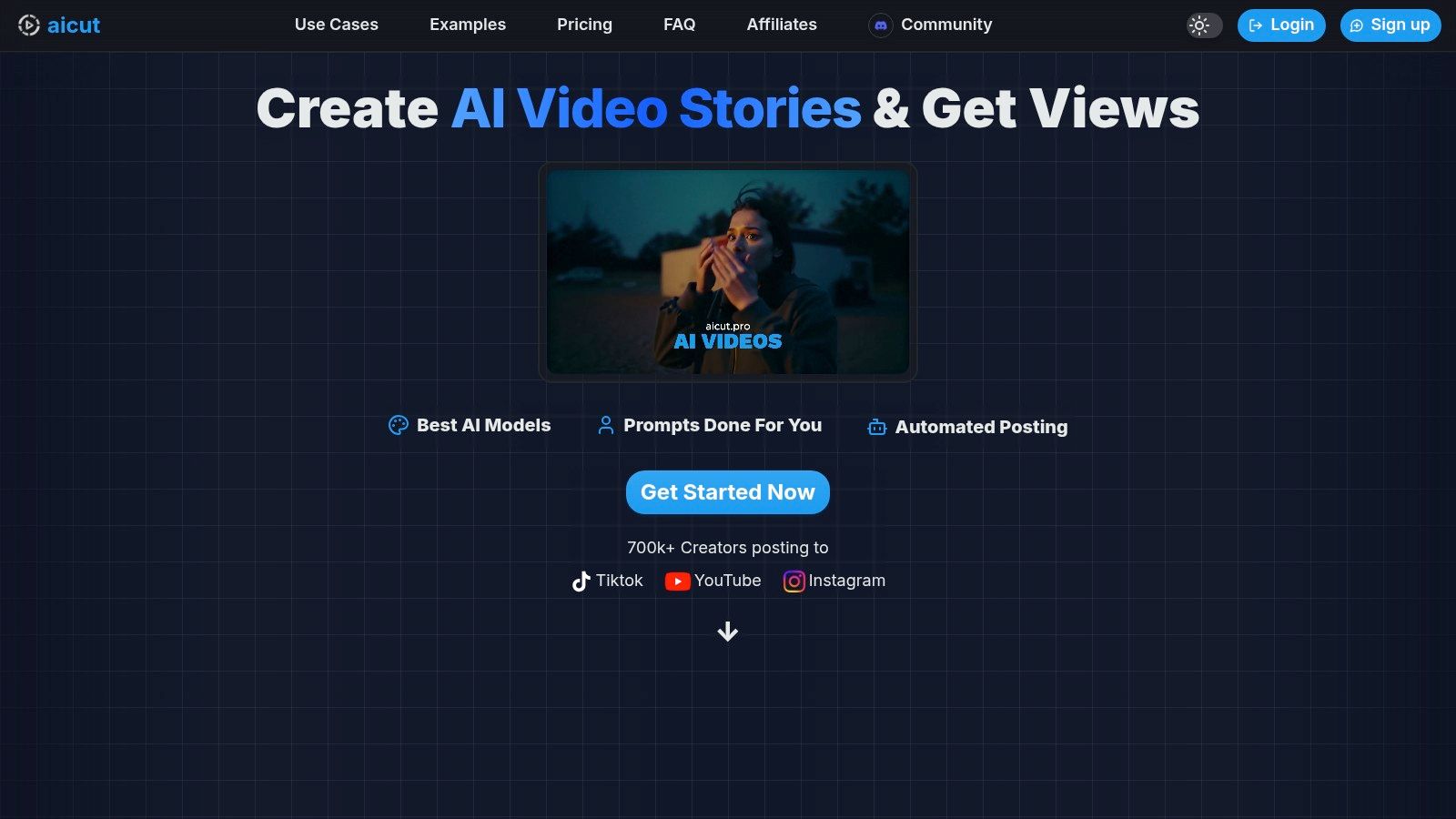
The platform's core strength lies in its specialized AI models (Sora 2, Veo 3.1, Kling) and viral content templates. Users can generate photorealistic POV clips, Reddit-style narrations, and authentic-looking UGC ads in minutes, making it a go-to tool for faceless channels and e-commerce marketing. Aicut’s process is streamlined for speed: you select a template, customize a prompt, generate the video, and schedule it for automated daily posting across TikTok, YouTube, and Instagram directly within the platform.
Key Features & Use Cases
| Feature | Best For | Implementation Notes |
|---|---|---|
| AI Video Generation | Faceless Channels & Ad Creatives | Leverages models like Sora 2 and Veo 3.1. Start with the built-in prompt library to quickly generate content for popular niches like text stories or product showcases. |
| Viral Niche Templates | Trend Replication & Beginners | Choose from pre-made formats (e.g., Reddit narrations, selfie/POV clips) to bypass the creative block and instantly produce content with a proven viral structure. |
| Integrated Auto-Posting | High-Volume Content Creators & Agencies | Connect your TikTok, YouTube, and Instagram accounts to schedule daily automated posts, ensuring consistent channel activity without manual intervention. |
| AI Upscaling | Professional Quality Output | Before exporting, use the one-click upscaling feature to enhance video resolution, ensuring your content meets platform quality standards for better engagement. |
Pricing & Onboarding
Aicut uses a transparent, token-based system. Its entry-level Creator plan is highly accessible at $12.50/month (billed annually) for 50 tokens, while the Automate plan offers 100 tokens for $25.00/month (billed annually). Token costs vary by AI model and video length, allowing users to control their spending based on output needs. Onboarding is accelerated by a large creator community and an active Discord server offering tutorials and support, helping new users learn quickly. Learn more about Aicut’s capabilities in their post about the ideal AI TikTok video maker.
- Pros:
- End-to-end AI Workflow: A comprehensive solution for generating, editing, upscaling, and auto-posting video content.
- Specialized Models & Formats: Tools specifically designed for creating repeatable, viral-style content like faceless videos and UGC ads.
- Strong Social Proof: A large community of creators reports significant success, from viral hits to rapid monetization.
- Cons:
- Variable Costs: Token consumption can increase costs for users producing long-form or high-frequency content.
- Platform Policy Reliance: Success can be subject to evolving platform rules regarding AI-generated content and monetization.
Website: https://www.aicut.pro
2. TikTok Business Center / Ads Manager
For brands and agencies serious about scaling on the platform, TikTok’s native Business Center is the foundational starting point. It’s not a third-party tool, but rather the official command center for all advertising and commercial activity. This platform is essential for leveraging TikTok’s first-party automation features in a policy-compliant way, making it a non-negotiable part of any professional TikTok automation software stack.
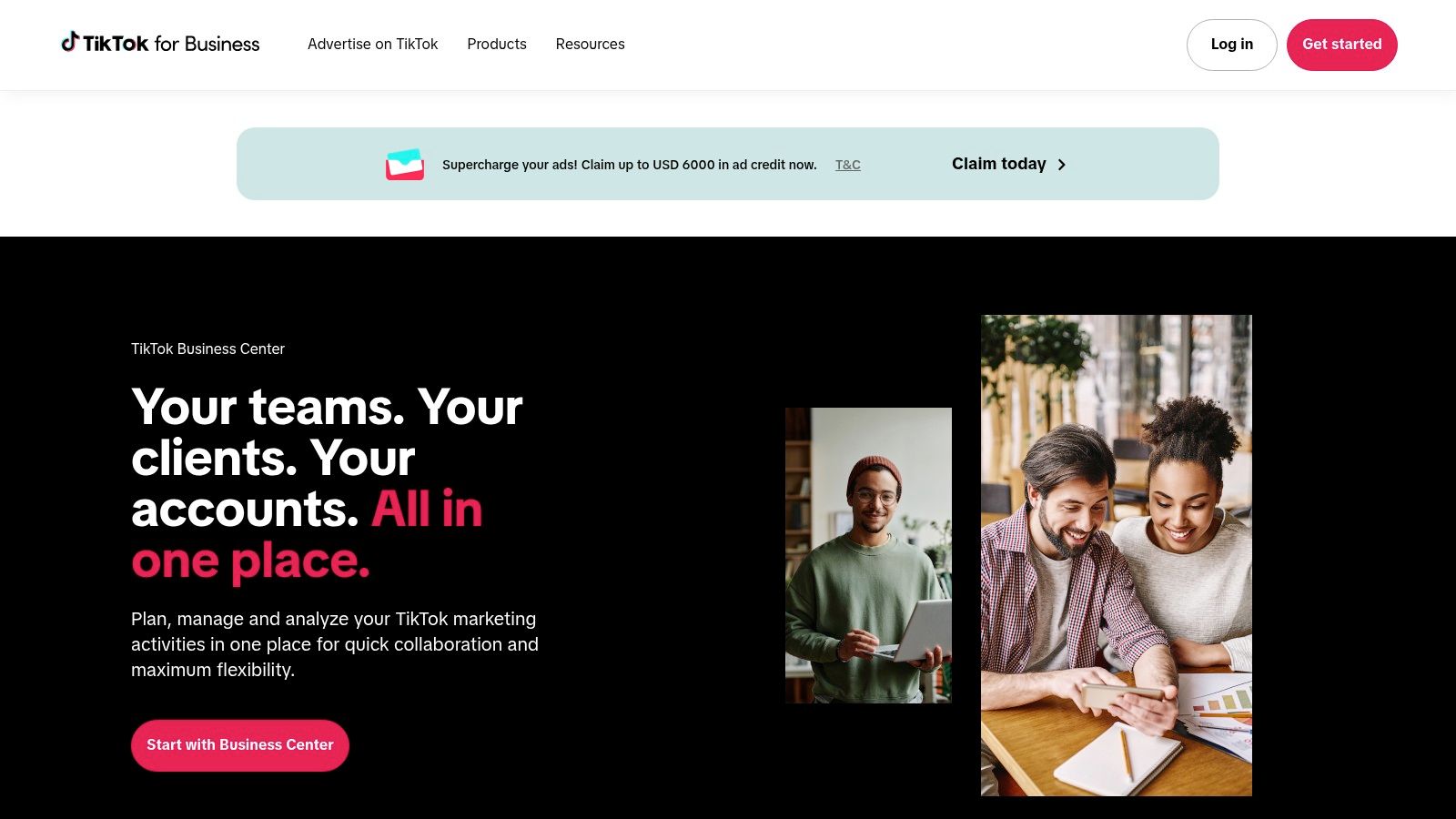
It centralizes control over ad accounts, pixels, audiences, and catalogs, which is critical for running efficient campaigns. You can automate campaign rules, manage permissions for team members or agency partners, and securely integrate with TikTok Shop and Creator Marketplace tools. This direct integration is its key advantage over any external software.
Key Features & Use Cases
- Best For: Agencies, e-commerce brands, and serious advertisers needing centralized, compliant ad management.
- Centralized Control: Manage multiple ad accounts, assets, and team member permissions from a single dashboard.
- Ad Automation: Set up automated rules for campaigns, such as pausing underperforming ads or adjusting budgets based on performance metrics.
- Direct Integrations: Natively connect with TikTok Shop for seamless catalog ads and tap into the Creator Marketplace to run Spark Ads, which use a creator’s organic post as an ad.
- Pricing: Free to use; you only pay for your ad spend.
While the interface has a steeper learning curve compared to more user-friendly third-party tools, mastering it is essential for unlocking advanced advertising capabilities and ensuring your operations remain within TikTok's guidelines.
| Pros | Cons |
|---|---|
| First-party, policy-compliant tools | Steeper learning curve for beginners |
| Strong permission controls for teams | Account reviews can cause delays |
| Excellent official documentation | Support resolution times can vary |
Website: https://ads.tiktok.com/business/en-US/business-center
3. TikTok Video Scheduler (native)
For basic automation needs, TikTok’s own native video scheduler is the most direct and reliable tool available. It’s not a standalone piece of software but a built-in feature on the desktop version of TikTok, allowing both Business and Creator accounts to auto-publish content without relying on third-party integrations. This free, first-party option is ideal for creators and brands that need simple, lightweight scheduling capabilities.
The scheduler allows you to upload and prepare videos up to 10 days in advance, directly from your web browser. You can set a specific publishing time, write captions, choose a cover image, and configure privacy settings, just as you would in the mobile app. While it lacks advanced features, its simplicity and reliability make it an excellent starting point for anyone looking to bring consistency to their posting schedule. For a deeper dive into managing your content directly on the platform, explore how you can effectively schedule TikTok videos and optimize your posting strategy.
Key Features & Use Cases
- Best For: Solo creators, small businesses, and social media managers who need a simple, free way to schedule individual posts.
- Direct Scheduling: Upload and schedule videos to be published from 15 minutes to 10 days in the future.
- Inline Post Settings: Control captions, cover images, and privacy controls all within the desktop upload interface.
- No Third-Party Access: Operates entirely within your TikTok account, eliminating the need to connect external apps or share credentials.
- Pricing: Free to use for all TikTok accounts.
While it's the most secure way to schedule posts, remember that popular features like trending audio and certain video effects must be added in the mobile app before uploading to the desktop scheduler. It’s a functional tool for basic automation but doesn’t replace more comprehensive TikTok automation software for complex needs.
| Pros | Cons |
|---|---|
| Free and native-no third-party required | 10-day scheduling limit |
| Minimal setup and reliable automation | Lacks advanced team workflows or approvals |
| Good for quick scheduling of individual posts | Trend audio and some effects are mobile-only |
Website: https://www.tiktok.com
4. Buffer
For solo creators and small teams, Buffer is an excellent entry point into social media scheduling and automation. Known for its clean interface and straightforward workflow, it provides reliable, direct auto-publishing for TikTok. This makes it a great piece of tiktok automation software for those who want to set their content calendar and forget it, without getting bogged down by overly complex features.
Buffer's strength lies in its simplicity and cross-platform support. You can upload a video once and schedule it to post on TikTok, Instagram Reels, and YouTube Shorts from the same screen. This streamlines the content distribution process significantly. It also supports automated first comments, which is useful for adding hashtags or a call-to-action right after your video goes live.
Key Features & Use Cases
- Best For: Solo creators, small businesses, and social media managers looking for a simple, affordable multi-platform scheduler.
- Direct TikTok Auto-Publishing: Schedule videos to post directly to your TikTok profile without needing manual intervention or notifications (where the API allows).
- Cross-Platform Scheduling: Efficiently manage and schedule content for TikTok, Reels, and Shorts from a single, unified composer.
- First Comment Automation: Automatically schedule the first comment on your TikTok posts to keep your captions clean and add supplementary information.
- Pricing: Starts with a generous free plan (up to 3 channels and 10 scheduled posts per channel); paid plans start at $6/month per channel. For a deeper dive into streamlining your content workflow, you can learn more about how to automate social media posts.
While Buffer excels at basic scheduling, users needing in-depth analytics or advanced engagement tools will have to upgrade to paid plans. It's the ideal choice for establishing a consistent posting habit across multiple platforms with minimal fuss.
| Pros | Cons |
|---|---|
| Generous free tier for getting started | Deeper analytics and engagement tools are behind a paywall |
| Very user-friendly and intuitive interface | Some TikTok features (trending sounds) require manual posting |
| Solid multi-platform content scheduling | Less focused on TikTok-specific growth features than other tools |
Website: https://buffer.com/tiktok
5. Hootsuite
For large teams and enterprises that manage TikTok alongside a broader social media strategy, Hootsuite provides a robust, centralized platform. As an official TikTok Marketing Partner, it offers a secure and scalable solution for scheduling, analytics, and team collaboration. Its strength lies in its ability to integrate TikTok into a unified workflow with other major networks like Instagram, Facebook, and LinkedIn, making it a powerful piece of tiktok automation software for organizations requiring governance and cross-channel reporting.
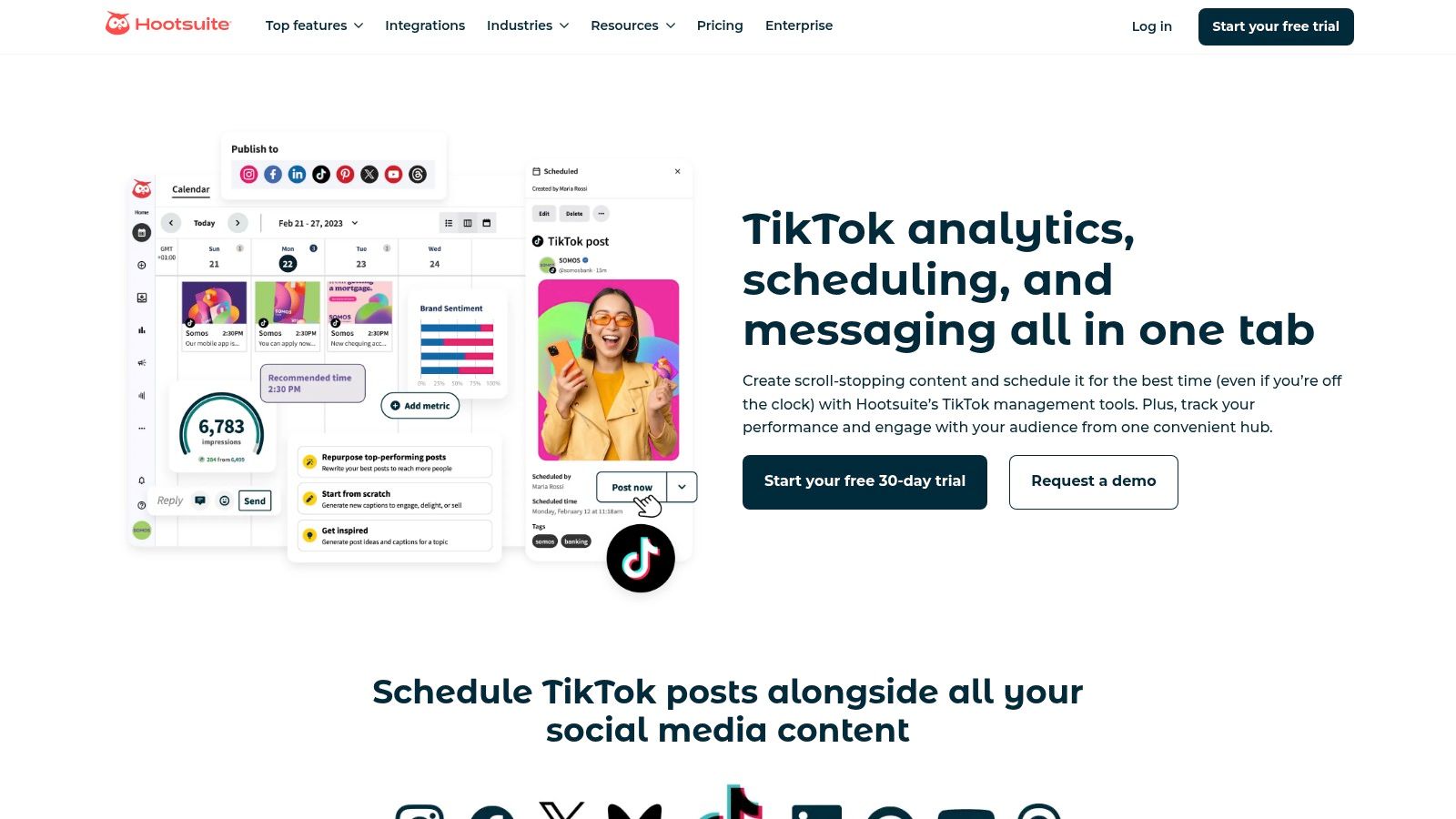
Hootsuite moves beyond simple scheduling by offering advanced analytics, including recommendations for the best time to post based on your audience's activity. The platform also features a unified inbox that can pull in TikTok comments (for Business accounts, with some regional limitations), allowing teams to manage community engagement efficiently from one place without having to switch between apps. This consolidation is a significant time-saver for busy social media managers.
Key Features & Use Cases
- Best For: Enterprise-level marketing teams, agencies, and businesses managing multiple social media profiles needing deep analytics and governance.
- Advanced Scheduling: Auto-publish TikTok videos directly, extending beyond the 10-day limit of TikTok’s native scheduler for long-term content planning.
- Cross-Platform Analytics: Compare TikTok performance against other social channels in a single dashboard and get AI-powered insights on optimal posting times.
- Unified Inbox: Manage and respond to comments from TikTok and other social networks in one consolidated stream to streamline community management.
- Pricing: Plans start at $99 per month, with custom pricing for larger enterprise needs.
While its price point is higher than tools designed for solo creators or small businesses, the investment is justified by its comprehensive feature set, robust security protocols, and advanced team collaboration tools that are built to scale.
| Pros | Cons |
|---|---|
| Deep analytics and governance features | Higher price point than SMB-focused tools |
| Scales well across many profiles and platforms | Feature richness adds complexity for new users |
| Official TikTok Marketing Partner | Some TikTok features are limited by region |
Website: https://www.hootsuite.com/tiktok
6. Later
Later is a creator-focused social media scheduler that excels at visual content planning, making it a strong choice for those who manage their TikTok presence alongside other platforms like Instagram. While it offers broad social media management, its TikTok-specific features provide a streamlined workflow for planning, scheduling, and automatically publishing video content. This makes it an excellent piece of tiktok automation software for content creators and brands prioritizing a well-organized content calendar.
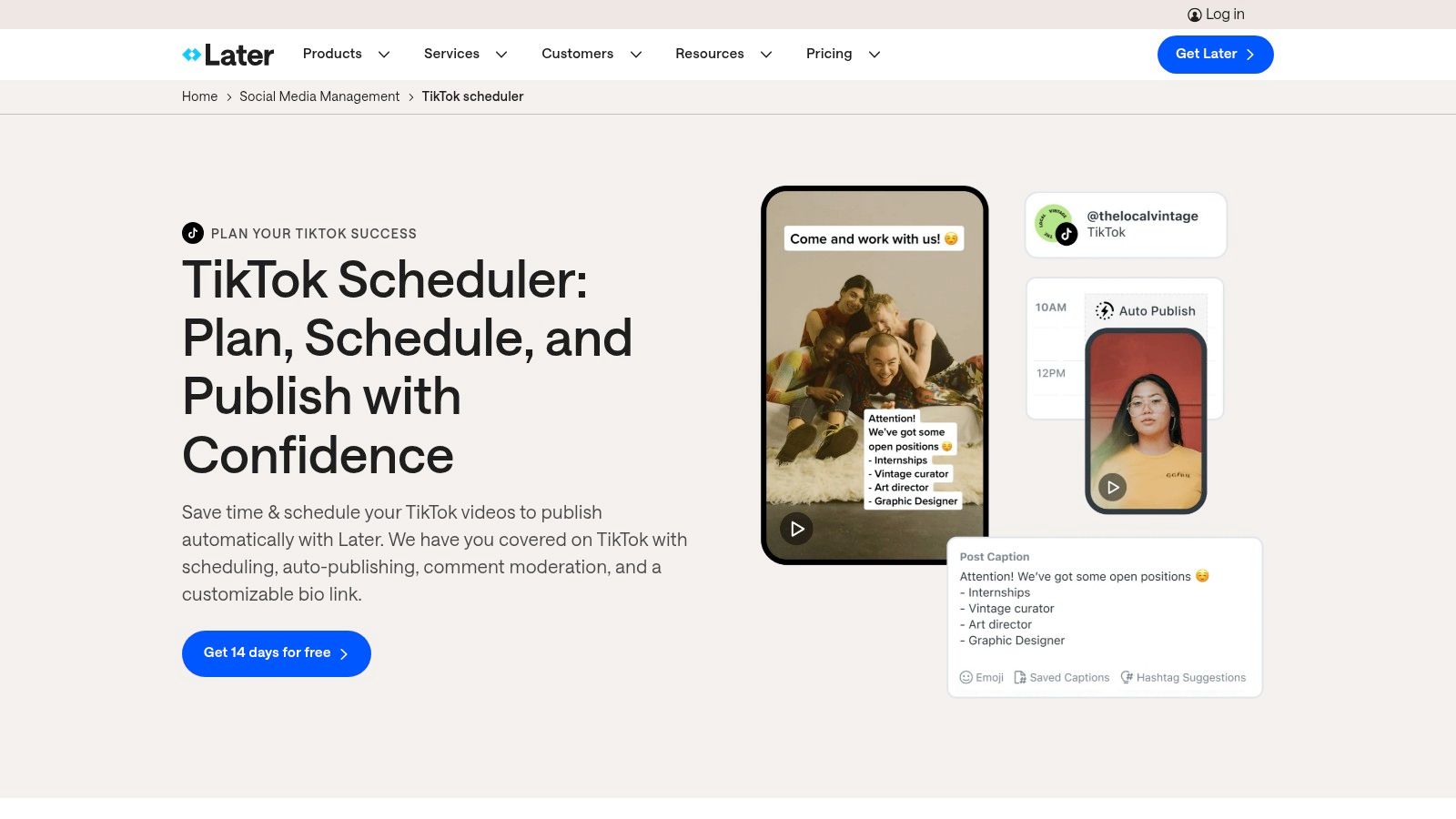
Its core strength lies in its user-friendly interface and the visual planner, which allows you to see your feed's aesthetic before posts go live. The platform also includes a Link-in-Bio tool, turning your TikTok profile into a miniature landing page to drive traffic to your products or website. For creators managing UGC workflows or planning video series, the ability to save drafts and caption templates saves significant time.
Key Features & Use Cases
- Best For: Solo creators, influencers, and small businesses who need a simple, visual-first content scheduling tool.
- TikTok Auto-Publish: Directly schedule and auto-post videos, including the first comment, though some limitations on sounds apply due to TikTok’s API.
- Visual Content Calendar: Drag-and-drop your posts to organize your TikTok feed visually, ensuring a consistent and appealing look.
- Link-in-Bio Tool: Create a customizable, clickable landing page for your TikTok bio to direct followers to multiple links.
- Pricing: Offers a free plan for basic scheduling; paid plans start at $25/month for more posts and advanced features.
While not as powerful for complex ad automation, Later's simplicity and strong focus on content scheduling make it an accessible and effective tool for maintaining a consistent posting schedule without manual intervention.
| Pros | Cons |
|---|---|
| Highly intuitive visual planner and calendar | API limitations restrict auto-publishing with original audio |
| Excellent for planning across multiple visual platforms | Advanced analytics are locked behind higher-tier plans |
| User-friendly on both desktop and mobile | Post volume on lower-tier plans is limited |
Website: https://later.com/tiktok-scheduler/
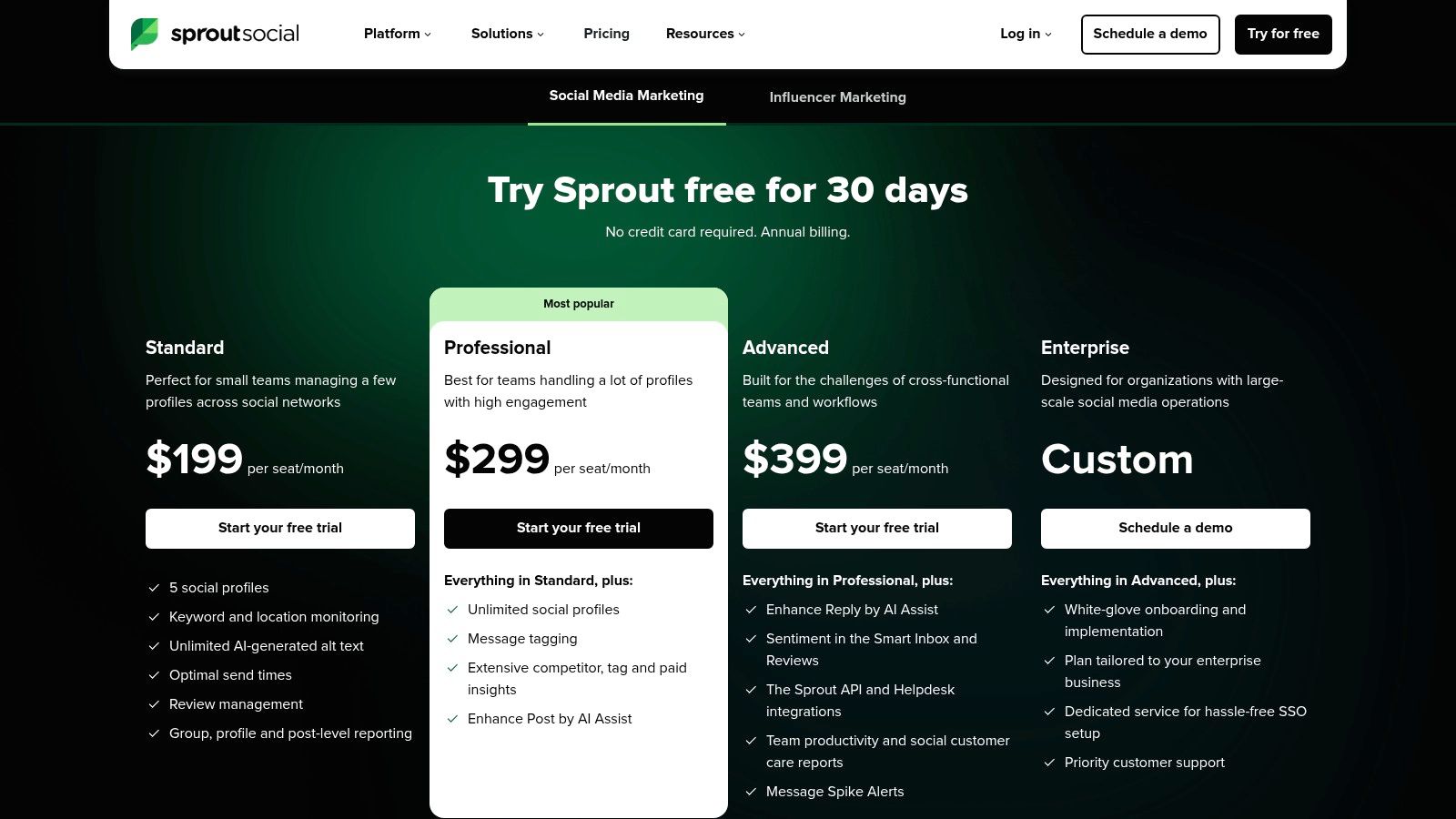
7. Sprout Social
Sprout Social is an enterprise-grade social media management suite that brings robust analytics, team collaboration, and governance to TikTok automation. It’s designed for established brands and agencies that need to manage TikTok alongside other social channels within a structured, data-driven environment. While less focused on content creation, its strength lies in providing deep performance insights and streamlined approval workflows, making it a powerful piece of any large-scale TikTok automation software strategy.
The platform centralizes scheduling, comment moderation, and reporting, allowing teams to operate efficiently and securely. Its sophisticated analytics tools enable cross-channel and competitive benchmarking, helping brands understand their TikTok performance in the context of their broader social media footprint. For a deeper dive into competitive features in the social listening space, you might find a Brandwatch vs Sprout Social comparison helpful.
Key Features & Use Cases
- Best For: Large brands and marketing agencies requiring advanced analytics, team governance, and cross-platform reporting.
- Advanced Analytics: Access detailed, presentation-ready reports on TikTok performance, audience growth, and competitive trends.
- Team Workflows: Utilize custom approval queues, task assignments, and permission levels to manage content creation and engagement across large teams.
- Optimal Send Times: Leverage data-driven recommendations to schedule posts for maximum reach and engagement based on your audience’s activity.
- Pricing: Premium pricing starts at $249 per user/month, with custom plans available for enterprise needs.
While its per-seat cost makes it less accessible for individuals or small businesses, Sprout Social’s comprehensive feature set provides the control and insight necessary for organizations where brand safety and ROI measurement are paramount.
| Pros | Cons |
|---|---|
| Strong analytics and reporting depth | Higher per-seat pricing than SMB tools |
| Enterprise-ready permissions and collaboration | Overkill for solo creators or very small teams |
| Excellent cross-platform management | Less focus on AI content creation features |
Website: https://sproutsocial.com/pricing/
8. Metricool
Metricool is a comprehensive, all-in-one social media management tool that stands out for its strong focus on analytics and reporting. For users managing multiple brands or clients, it offers a cost-effective way to automate TikTok publishing while simultaneously tracking performance and analyzing competitors. Its key strength lies in consolidating data into digestible, exportable reports.
This platform provides direct TikTok auto-publishing, including Reels, a feature not always found in multi-platform schedulers. Beyond simple scheduling, it helps you identify the best times to post based on your audience activity. The ability to track competitors and generate white-label PDF or PPT reports makes it an invaluable piece of TikTok automation software for agencies and freelancers needing to prove ROI.
Key Features & Use Cases
- Best For: Social media managers, freelancers, and agencies managing multiple brands who need robust analytics and reporting on a budget.
- TikTok Auto-Publishing: Schedule and automatically publish videos and Reels directly to TikTok without push notifications.
- Competitor & Hashtag Tracking: Analyze competitor performance and track the effectiveness of different hashtags to refine your content strategy.
- Advanced Reporting: Generate and export detailed performance reports in PDF or PPT formats, with white-label options available on higher-tier plans.
- Pricing: Offers a free plan for a single brand; paid plans start at $22/month, scaling up to unlock more brands and advanced features.
While its user interface is more functional than flashy compared to some rivals, its value-for-money, especially for multi-account management, is hard to beat. The API access and Zapier/Make connectors on premium plans also open doors for more complex, custom automation workflows.
| Pros | Cons |
|---|---|
| Competitive pricing for multi-brand management | User interface is less polished than competitors |
| Useful reporting and white-label options | Some advanced features are gated to higher plans |
| Includes competitor and hashtag analysis tools | Free plan has limited historical data access |
Website: https://metricool.com/pricing/
9. Vista Social
Vista Social stands out as a powerful yet affordable social media suite, offering robust TikTok automation software features without the enterprise-level price tag. It is designed for teams and individuals who need efficient publishing workflows, including direct auto-publishing for TikTok videos, bulk scheduling, and smart content queues. This platform is ideal for those who manage multiple accounts and want to streamline their content pipeline from creation to publication.
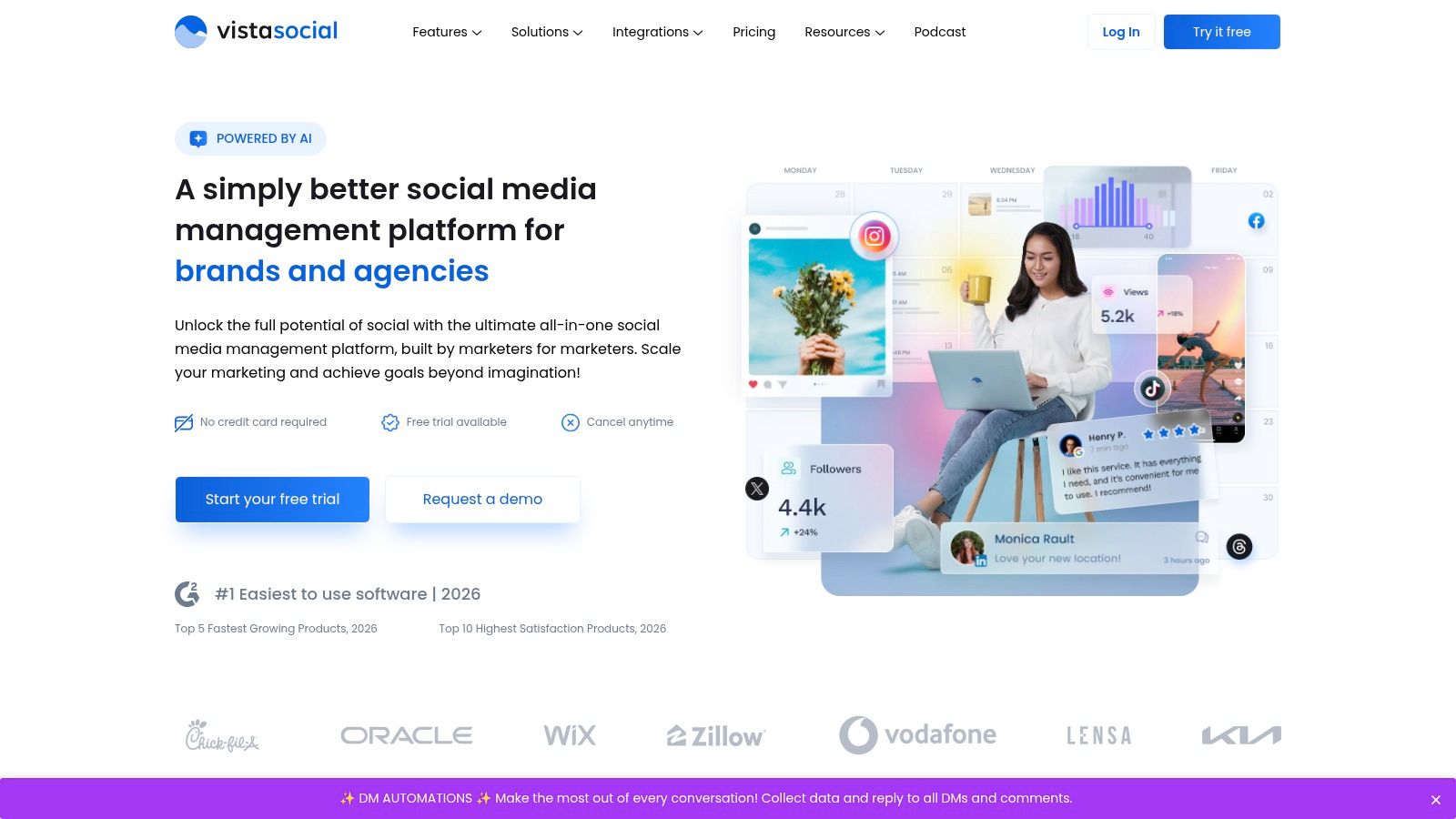
The platform’s strength lies in its comprehensive scheduling and planning tools. You can automatically publish videos with specific controls for allowing comments, duets, or stitches directly from the dashboard. Its content calendar provides a clear visual planner, and the smart publisher can automatically post content at optimal times based on audience engagement data, removing the guesswork from your posting strategy.
Key Features & Use Cases
- Best For: Social media managers, small agencies, and brands looking for a high-value, feature-rich scheduling tool.
- Direct Auto-Publishing: Schedule and automatically post TikTok videos with toggles to enable or disable comments, duets, and stitches for each post.
- Bulk & Smart Scheduling: Upload multiple videos at once via CSV or use publishing queues to create a steady stream of content that posts at optimal engagement times.
- TikTok Planner: A dedicated calendar view for planning and organizing your TikTok content strategy visually.
- Pricing: Starts with a free plan for up to 3 profiles. Paid plans begin at $15/month per profile, offering more features and user seats.
While its web interface is feature-packed, some users note minor differences in functionality compared to the mobile app. However, its excellent feature-to-price ratio and detailed documentation make it a top contender for efficient TikTok management.
| Pros | Cons |
|---|---|
| Strong feature-to-price ratio | Occasional feature differences between web and mobile |
| Frequent product updates | Some advanced options require familiarity with workflow settings |
| Detailed help documentation and support | UI can feel busy with so many features |
Website: https://vistasocial.com
10. SocialPilot
SocialPilot is a cost-effective social media scheduler built for small to medium-sized businesses and agencies managing multiple client accounts. It positions itself as an affordable yet robust solution, offering direct TikTok scheduling and auto-publishing without the enterprise-level price tag. Its standout feature is the streamlined workflow for bulk scheduling and client approvals, making it a practical choice for teams needing efficiency and organization.
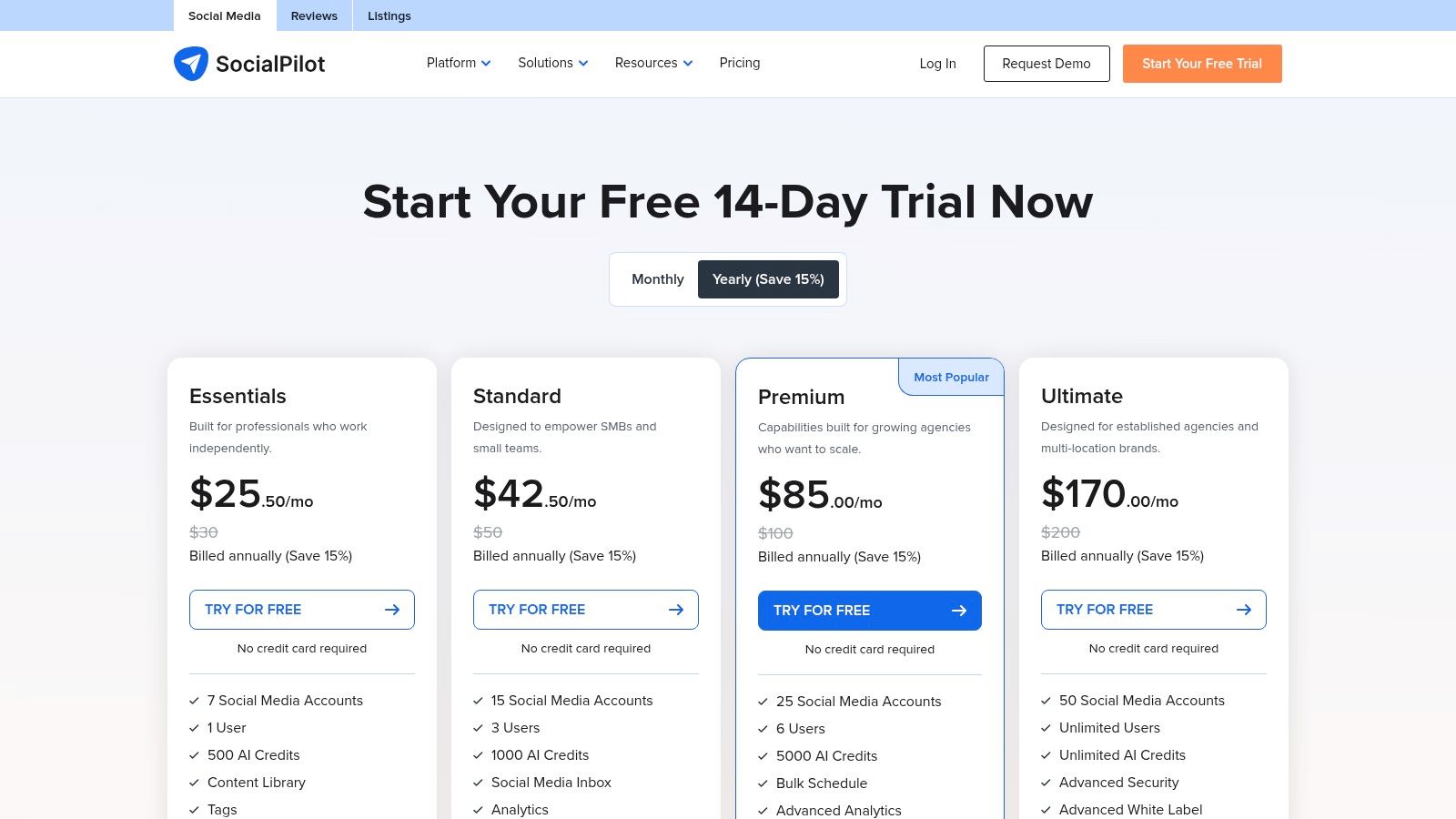
Unlike more creator-focused tools, SocialPilot is built around team and agency operations. You can upload hundreds of posts at once via a CSV file, manage a shared content calendar, and set up approval workflows where clients can review and comment on scheduled TikToks before they go live. This focus on operational efficiency over creative flair makes it a solid piece of TikTok automation software for service-based businesses.
Key Features & Use Cases
- Best For: Agencies and SMBs looking for an affordable, scalable scheduler with client management features.
- Bulk Scheduling: Upload and schedule up to 500 TikToks at once using a CSV file, saving significant administrative time.
- Client & Team Collaboration: Invite team members and clients to collaborate, with clear approval workflows to ensure content is signed off before publishing.
- Visual Calendar & Analytics: Manage all your social content, including TikTok, from a single visual calendar and generate white-label reports for clients.
- Pricing: Starts at $25.50/month (billed annually) for the Professional plan, with agency-specific tiers available.
While its user interface is more utilitarian than flashy, it provides a straightforward, no-nonsense platform for managing TikTok alongside other social networks. It’s an excellent choice for those who prioritize budget and process over advanced creative tools.
| Pros | Cons |
|---|---|
| Affordable tiers for growing teams | User experience feels functional, less modern than others |
| Straightforward bulk scheduling workflow | Advanced analytics are limited to higher plans |
| Strong client approval and reporting tools | Less focused on creator-specific features |
Website: https://www.socialpilot.co/plans
11. Zapier (TikTok for Business integrations)
For marketers focused on the operational side of TikTok, Zapier is the essential no-code automation bridge. It doesn't automate content creation but excels at connecting TikTok's advertising outcomes to the rest of your marketing stack. Its primary function is to automate what happens after an interaction occurs, such as a lead form submission or a conversion event, making it a critical piece of any results-driven TikTok automation software strategy.
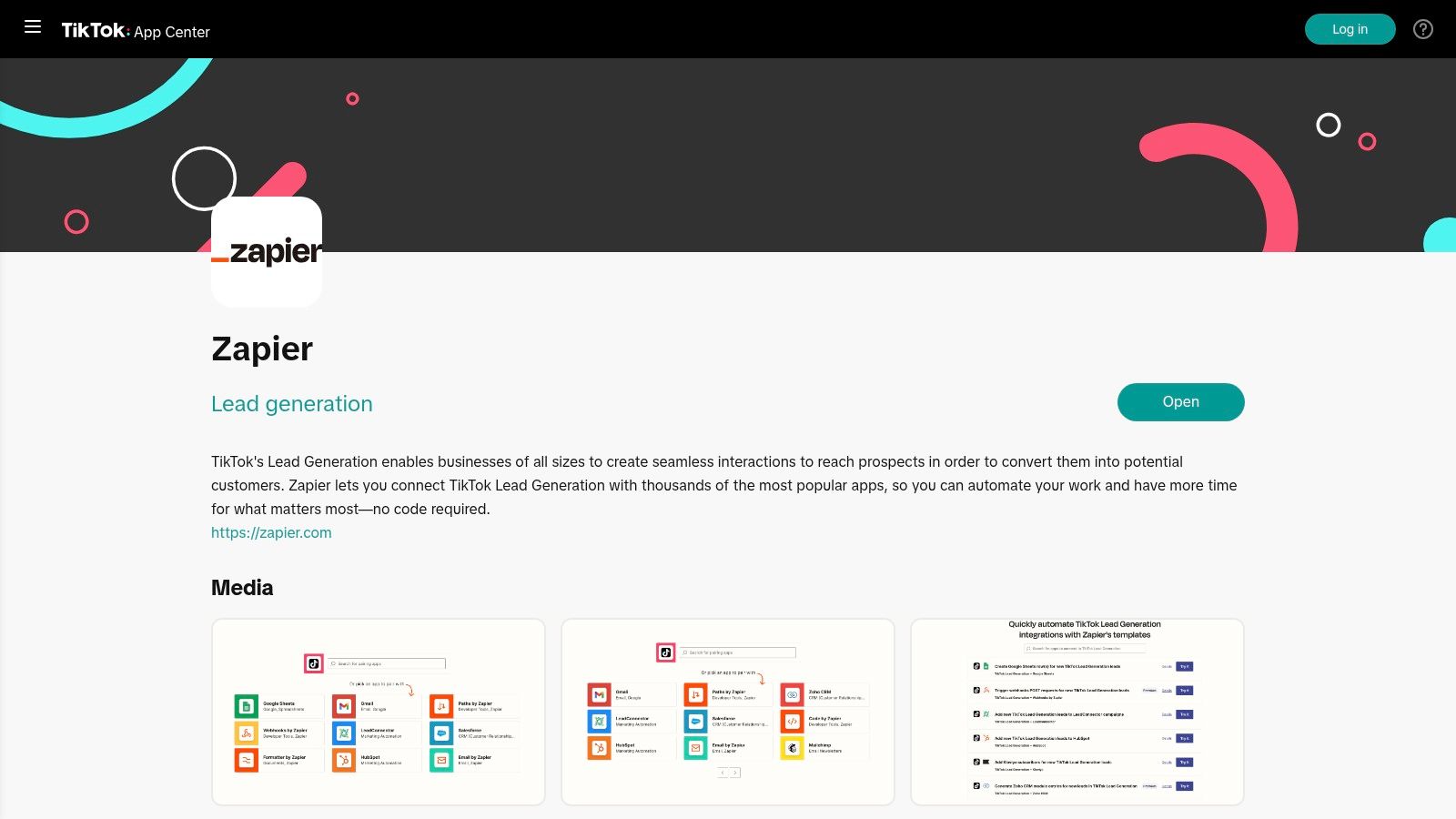
Zapier allows you to create "Zaps" that instantly send data from TikTok Lead Generation ads to over 6,000 other apps. For example, a new lead can automatically trigger an entry in a Google Sheet, add a contact to HubSpot, or start an email sequence in Mailchimp. This eliminates manual data entry and ensures rapid lead follow-up, which is crucial for maximizing conversion rates. You can explore a full range of possibilities in our ultimate guide to TikTok automation.
Key Features & Use Cases
- Best For: Advertisers and businesses running lead generation campaigns or tracking off-platform conversions.
- Automated Lead Routing: Instantly send new leads from TikTok Lead Generation forms to your CRM, email marketing platform, or spreadsheet without any manual work.
- Conversion Event Tracking: Use the "Send Lead Event" action to push conversion data from other platforms back into TikTok's backend for better ad optimization.
- Massive App Ecosystem: Connect TikTok to thousands of popular business tools like Slack, Salesforce, and Trello to build custom operational workflows.
- Pricing: Free plan available for simple Zaps; paid plans start at around $19.99/month for more complex, multi-step automations.
While Zapier doesn't handle content scheduling, it's the undisputed leader for automating the post-click journey. Setting up Zaps is straightforward, but costs can increase if your workflows involve many steps or a high volume of tasks.
| Pros | Cons |
|---|---|
| Huge library of app integrations | Not a content creation or scheduling tool |
| Simple, no-code automation builder | Costs can scale with complex workflows |
| Low maintenance once set up | Can have a slight delay in trigger execution |
Website: https://ads.tiktok.com/app-center/detail/Zapier/7330015406817722370
12. Shopify – TikTok Channel
For e-commerce brands running on Shopify, the official TikTok Channel app is an indispensable piece of the automation puzzle. This direct integration acts as the bridge between your product catalog and TikTok’s powerful commercial ecosystem, including TikTok Shop and Ads Manager. It automates the crucial, yet tedious, process of syncing products, inventory levels, and order information, turning your Shopify dashboard into a central command for social commerce.
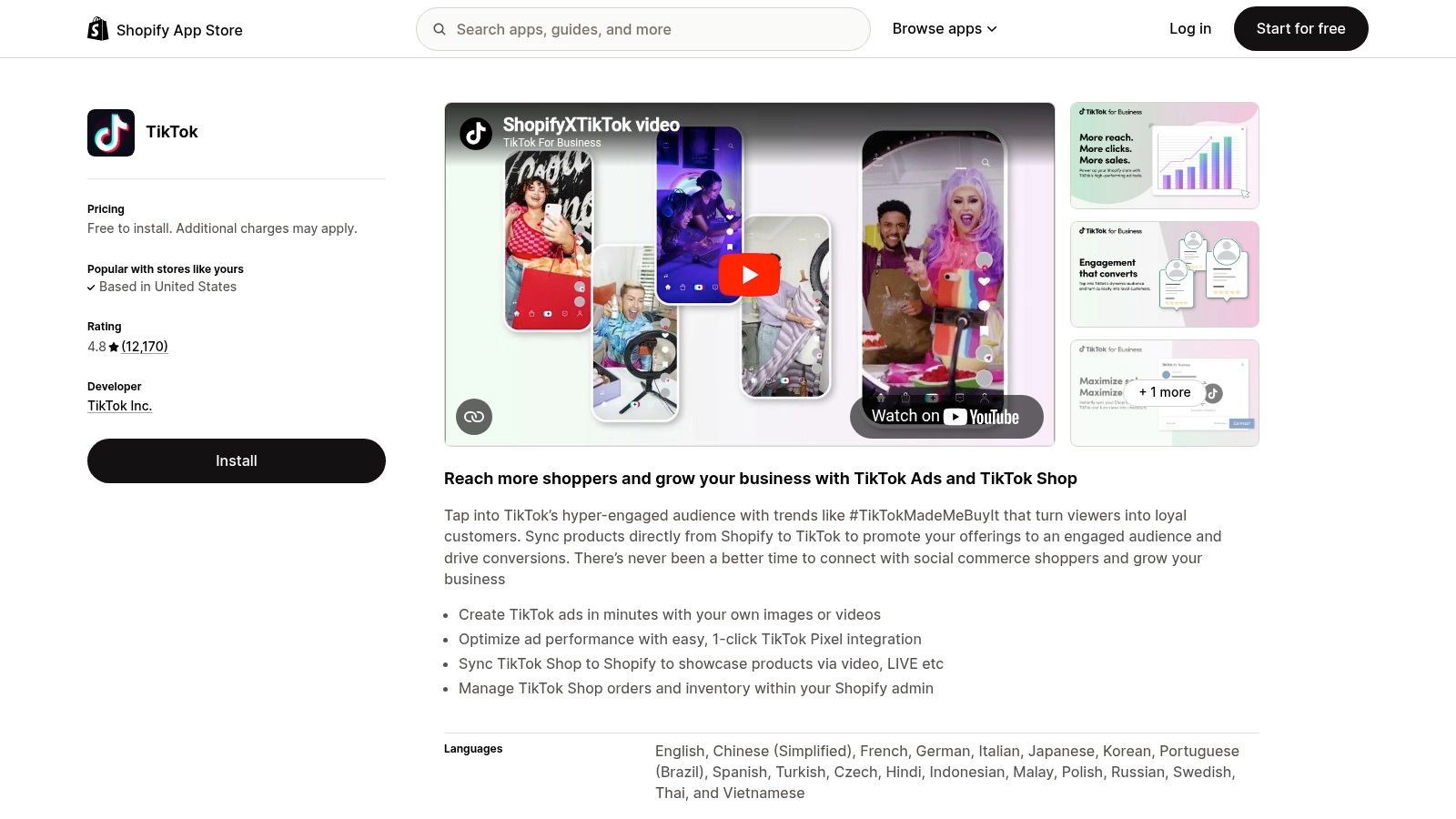
The primary benefit is centralizing operations. Instead of manually updating product listings on TikTok or exporting sales data, the app handles it automatically. This allows merchants to create dynamic, shoppable video ads and manage TikTok Shop sales directly within the familiar Shopify interface, streamlining the workflow from ad creation to fulfillment. It's a foundational tool for any Shopify store serious about leveraging TikTok as a sales channel.
Key Features & Use Cases
- Best For: E-commerce businesses on Shopify looking to automate product syncing and manage TikTok Shop and ad campaigns efficiently.
- Product Catalog Sync: Automatically syncs your Shopify product catalog with TikTok, ensuring prices, images, and inventory are always up-to-date for shoppable content.
- In-Shopify Order Management: Manage orders generated from TikTok Shop directly within your Shopify admin, integrating them into your existing fulfillment workflow.
- Simplified Pixel Installation: Facilitates a "one-click" installation of the TikTok Pixel, ensuring accurate tracking for ad campaigns and audience building without touching code.
- Pricing: The app is free to install; you only pay for your ad spend on TikTok.
While its functionality is powerful, its availability and reliability can vary by region and merchant eligibility. However, when it works, this connector is a core component of any e-commerce-focused TikTok automation software stack.
| Pros | Cons |
|---|---|
| Centralizes catalog and order management | Feature availability differs by region |
| Reduces manual data entry and errors | Sync reliability can sometimes be inconsistent |
| Simplifies ad campaign and pixel setup | Merchant eligibility can be a hurdle |
Website: https://apps.shopify.com/tiktok
TikTok Automation — 12-Tool Comparison
| Product | Core features | UX / Quality (★) | Value / Price (💰) | Target audience (👥) | Unique / USP (✨) |
|---|---|---|---|---|---|
| Aicut 🏆 | AI video gen (Sora2, Veo, Kling), templates, upscaling, one‑click posting, token system | ★★★★☆ rapid, pro-quality outputs | 💰 $12.50–$25/mo (yr) + tokens (~$0.50/token) | 👥 Creators, brands, agencies, automation teams | ✨ Viral niche templates, photorealistic models, end‑to‑end auto-posting |
| TikTok Business Center / Ads Manager | Ad account mgmt, campaigns, analytics, permissions, Shop & creator integrations | ★★★★ policy‑compliant ad ops | 💰 Free to use (ad spend applies) | 👥 Brands & agencies | ✨ First‑party access, Spark Ads & governance |
| TikTok Video Scheduler (native) | Desktop scheduling (15 min–10 days), captions, cover & privacy controls | ★★★☆ reliable native publishing | 💰 Free | 👥 Creators & small businesses | ✨ Native, no third‑party required |
| Buffer | TikTok auto‑publish, cross‑posting, calendar, basic analytics, AI assistant | ★★★☆ user‑friendly | 💰 Freemium; paid plans ≈ $6–15/mo | 👥 Solo creators & small teams | ✨ Simple cross‑post workflow & easy setup |
| Hootsuite | Auto‑publish (beyond 10 days), cross‑platform analytics, unified inbox | ★★★★ powerful for teams | 💰 Premium / enterprise pricing | 👥 Agencies & large organizations | ✨ Deep analytics, governance & scale |
| Later | Auto‑publish, visual planner, drafts, basic trimming, link‑in‑bio | ★★★☆ visual planning focus | 💰 Freemium; paid for higher volumes | 👥 Short‑form creators & visual brands | ✨ Visual planner + UGC-friendly workflows |
| Sprout Social | Advanced analytics, team workflows, approvals, benchmarking | ★★★★☆ enterprise reporting | 💰 Premium / high per‑seat cost | 👥 Agencies & large teams | ✨ Robust reporting & collaboration tools |
| Metricool | Auto‑publish, analytics history, competitor tracking, reports | ★★★☆ functional & report‑focused | 💰 Competitive multi‑brand pricing | 👥 Agencies & multi‑brand managers | ✨ Exportable reports & connectors (Looker Studio) |
| Vista Social | Auto‑publish, bulk/smart publishing, queues, optimal time analysis | ★★★★ strong feature/value | 💰 Affordable team plans | 👥 Teams seeking value | ✨ Bulk publishing, duet/stitched toggles & planner |
| SocialPilot | TikTok auto‑publish, bulk CSV scheduling, client approvals, white‑label | ★★★☆ utilitarian but capable | 💰 Budget‑friendly agency tiers | 👥 SMBs & agencies | ✨ White‑label reports & bulk workflows |
| Zapier (TikTok integrations) | TikTok Lead Gen triggers, send conversion events, 3k+ app connectors | ★★★☆ powerful no‑code automations | 💰 Freemium; paid for heavy/complex zaps | 👥 Ops teams, marketers, CRMs | ✨ Automate lead routing & downstream workflows |
| Shopify – TikTok Channel | Catalog & inventory sync, TikTok Shop orders, pixel & ad setup | ★★★☆ merchant‑centric | 💰 Free app; requires Shopify plan + ad spend | 👥 E‑commerce merchants | ✨ Centralizes product/catalog & order flow for TikTok Shop |
Automate Your Way to TikTok Success
Navigating the fast-paced world of TikTok requires more than just creativity; it demands consistency, strategy, and an efficient workflow. As we've explored, the manual grind of creating, scheduling, and posting content daily can quickly lead to burnout, hindering your growth potential. This is where the power of TikTok automation software becomes a game-changer, transforming your content strategy from a daily chore into a scalable system.
The tools we've covered, from comprehensive social media management suites like Sprout Social and Hootsuite to more specialized platforms, all serve a common purpose: to give you back your most valuable resource—time. By automating the repetitive tasks, you free up mental and creative energy to focus on what truly matters: understanding your audience, refining your content strategy, and engaging with your community.
Key Takeaways: Choosing Your Automation Ally
Selecting the right tool is not about finding a one-size-fits-all solution. It's about matching a platform's strengths to your specific needs. Let's recap the core decision points to guide you.
For the AI-Powered Creator: If your biggest bottleneck is the actual creation of video content, especially for faceless channels or e-commerce ads, a tool like Aicut is unmatched. Its ability to generate videos from simple text prompts, combined with its scheduling features, offers a true end-to-end automation workflow that starts with content ideation itself.
For the Multi-Platform Manager: Agencies and social media managers juggling multiple accounts across various platforms will find their home with robust solutions like Buffer, Later, or Metricool. These tools excel at providing a centralized dashboard for scheduling, analytics, and team collaboration, ensuring a cohesive brand presence everywhere.
For the E-commerce Brand: Integrating your sales and marketing efforts is crucial. The native Shopify – TikTok Channel integration is a must-have for direct product tagging and in-app shopping. Combining this with a scheduler or a content generator creates a powerful flywheel for driving traffic and sales directly from your TikTok content.
For the Solo Creator on a Budget: If you're just starting out, leveraging the free TikTok Video Scheduler is an excellent first step. As you grow, cost-effective yet powerful tools like Vista Social or SocialPilot offer advanced features without the enterprise-level price tag, providing a clear upgrade path.
Final Considerations Before You Automate
Before you commit to a platform, remember that automation is a tool, not a replacement for strategy. Even the best TikTok automation software needs a smart human guiding it.
Keep these final points in mind:
- Authenticity is Non-Negotiable: Automation should handle the logistics, not your voice. Ensure your content, whether AI-generated or manually created, remains authentic to your brand and resonates with your target audience. Never automate comments or follows, as this can get your account flagged.
- Stay Engaged: Use the time you save to actively participate in your comments section, respond to DMs, and engage with other creators. Community building is the bedrock of TikTok success and cannot be fully automated.
- Monitor Your Analytics: Your chosen software will provide a wealth of data. Use it. Pay close attention to what’s working—best posting times, top-performing video formats, and content pillars that drive engagement. Adjust your strategy based on these insights.
The ultimate goal is to build a sustainable content engine that works for you, not against you. The right software empowers you to consistently show up with high-quality content, build momentum, and achieve your growth objectives without sacrificing your well-being. By carefully evaluating your needs and choosing the right automation partner from this list, you are setting yourself up not just for short-term wins, but for long-term, scalable success on TikTok.
Ready to move beyond just scheduling and start automating the entire video creation process? Aicut is the only tool on this list that uses AI to generate engaging, ready-to-post TikTok videos from a simple idea, then lets you schedule them for seamless publishing. See how you can build an entire content calendar in minutes and put your TikTok growth on autopilot by visiting Aicut today.