
Are your Reels underperforming because the hook is weak, or because the sound is doing nothing for you? Most creators look for a list of hot songs, then wonder why copying the same audio as everyone else still leads to flat reach. The gap isn't access to trending reel audio. It's knowing what each audio type does, when it helps, and when it just makes your content blend in.
Instagram Reels is large enough now that audio choices matter at scale. In 2025, Reels reportedly reached over 2 billion monthly users, generated more than 140 billion daily views, and accounted for about 35% of total Instagram usage time, according to Teleprompter's 2025 Instagram Reels statistics roundup. That same roundup says roughly 59% of content posted by Instagram creators is Reels, which tells you where attention and publishing effort are already going.
That's why trending reel audio isn't just decoration. It's packaging. It signals mood fast, gives the edit a familiar frame, and can help a faceless video feel native instead of generic. The trick is choosing audio based on outcome. Some sounds are built for punchlines. Some hold retention. Some make educational content feel trustworthy. Some are better kept low under voiceover so the trend helps without hijacking the message.
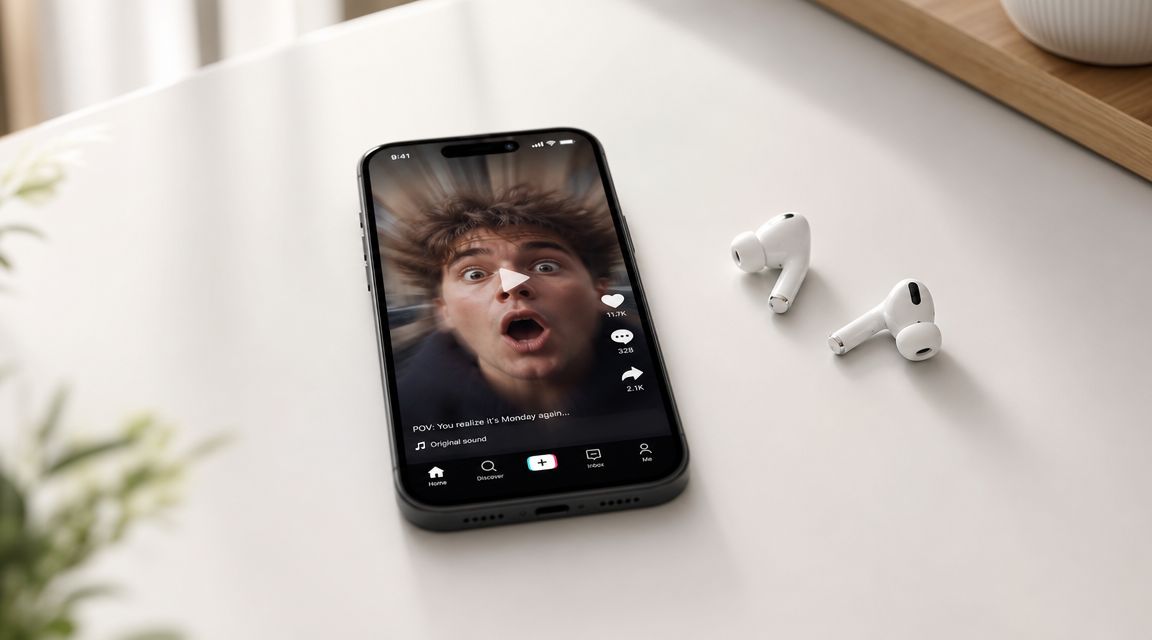
1. Oh No (Kreepa Remix) for prank reveals and reaction cuts
This is the sound for sudden failure, exposed mistakes, awkward reveals, and before-and-after twists where the “after” is the joke. It works because the audience recognizes the setup immediately. They hear the opening cue and expect something to go wrong.
If you run faceless pages, this matters. You don't need a personality-led performance when the sound already carries the emotional beat. Product mishaps, AI character fails, shipping disasters, kitchen mistakes, and bait-and-switch transformations all fit.
How to cut it properly
Most creators mistime this audio. They put the reveal exactly on the vocal. Better approach: show the problem a fraction before the drop, then let the bass hit underline it. That gives the viewer enough context to laugh on impact.
A few reliable use cases:
- Prank payoff: Show the setup in one quick clip, then cut to the reaction at the drop.
- Ecommerce contrast: Use it for “expectation vs reality” product demos.
- AI story twist: In a short character sequence, let the final frame expose the failure.
- Comment bait: End on an unresolved mess so people argue about what should've happened.
Practical rule: This audio needs a visible twist. If the clip doesn't contain a clean moment of surprise, pick something else.
Aicut prompt angle
Use a fast visual sequence with one obvious reversal. A simple prompt structure works well: “Create a short faceless vertical video showing a normal setup, then an unexpected fail, with quick cuts and a final freeze frame on the mistake.” Add on-screen captions just before the drop so viewers anticipate the payoff instead of scrambling to decode it.
This one usually works best when you keep it short. Once the joke lands, get out.
2. Glitch Hop for AI edits and tech-heavy visuals
Glitch Hop gives your video a machine-built feel before the viewer even reads the text. If you're posting AI transformations, app demos, futuristic product showcases, or software explainers, this style of audio does a lot of heavy lifting.
It's especially good for faceless pages because it creates production value through rhythm. Sharp transitions, screen swaps, HUD overlays, robotic movement, and neon color shifts all feel more intentional when the sound already suggests precision and speed.
Where it wins and where it fails
It wins when the visuals change aggressively. Character swaps, CGI-style object changes, and interface walkthroughs all benefit from the chopped rhythm. It fails when the footage is static. If the screen barely changes, the audio promises more energy than the visuals deliver.
Often, social teams waste good edits. They pick futuristic sound for a slow screen recording and end up with a mismatch. If the beat is twitchy, your cuts need to be twitchy too.
Match the transition density to the sound. If the beat keeps moving, the edit has to keep moving.
Aicut prompt angle
Prompt for transformation and motion, not just “tech aesthetic.” A stronger direction is: “Create a faceless vertical reel with rapid UI transitions, digital glitch effects, neon highlights, and a clear before-and-after transformation tied to each beat change.” If you're showing an AI tool, cut between input, generation, and result instead of lingering on the dashboard.
For product pages and app ads, this style also pairs well with short text overlays like “typed one prompt,” “got this output,” and “posted same day.” Keep the copy clipped and visual.
3. Dramatic strings and orchestral swells for story-led Reels
When a Reel needs emotional weight, orchestral audio still works better than most trend tracks. Not because it's trendy on its own, but because it tells the viewer they're about to watch a story with stakes.
This is the format I'd use for founder stories, motivational transformations, mini-documentary edits, or any faceless narrative where the visuals alone don't carry enough gravity. A simple image sequence can feel premium when strings build underneath a voiceover.

The real trade-off
This audio increases perceived importance, but it can also make weak writing feel melodramatic. If the script is generic, viewers feel the mismatch fast. You can't pair epic strings with bland copy and expect authority.
Use it when the sequence has one of these:
- A real arc: struggle, turning point, payoff
- A clear reveal: “what changed” needs visual proof
- A strong narration line: one sentence that earns the swell
- Slower pacing: this isn't for frantic meme edits
Aicut prompt angle
Prompt for scenes, not just mood. Example: “Generate a faceless cinematic vertical video showing a person's progress from setback to breakthrough using moody lighting, slow zooms, and emotionally charged transitions designed to support narration.” Then write a voiceover with short, declarative lines instead of long motivational filler.
This is also one of the best places to let music stay underneath your own narration. If the audience needs to understand every word, lower the track. Trend participation matters less than clarity here.
4. Lo-fi hip hop beats for retention and low-friction education
Lo-fi doesn't usually create explosive momentum. It does something more useful for many creators. It makes content easier to stay with. Tutorials, desk setups, productivity workflows, design breakdowns, study content, and calm ecommerce demos all benefit from audio that doesn't compete with the message.
That's why this is one of the safest forms of trending reel audio for faceless educational pages. It gives the video texture, but it doesn't force the edit into a joke, challenge, or dramatic reveal.
Why it fits current listening behavior
Streaming audio habits matter here. Edison Research reports that 75% of U.S. adults listened to streaming audio in the last month, users spend an average of 1 hour 49 minutes per day with streaming audio, and that equals 41% of their daily audio time, according to Audio in Evolution from Edison Research. That tells you a lot of people are already used to living with audio in the background while they work, scroll, and learn.
Lo-fi fits that behavior. It feels familiar in a low-pressure way.
How to use it without making your content sleepy
The common mistake is pairing lo-fi with visuals that are also too flat. Calm doesn't mean static. Keep subtle movement in frame. Cursor motion, hand activity, progress bars, text reveals, packaging shots, and side-by-side comparisons help.
Good pairings include:
- Tutorial reels: coding, Canva, Notion, CapCut, prompt writing
- Workspace content: build-in-public posts, routines, desk setup edits
- Soft-sell product demos: skincare, stationery, gadgets, home goods
If your script is voice-led, let the beat sit in the back. If there's no voiceover, use stronger text hierarchy so the calm sound doesn't turn the video into wallpaper.
5. Trending TikTok audio for fast momentum and cross-platform testing
Sometimes the simplest answer is the right one. If a sound is moving on TikTok, test it early. A lot of creators overcomplicate this and miss the window because they're trying to perfect the edit while the trend is already aging out.
The key is treating trend audio as a packaging test, not a masterpiece. Build several versions of the same concept and swap the hook, first frame, or text angle while keeping the core visual idea intact. If you're producing faceless content at volume, that workflow is more useful than chasing one “perfect” Reel.
To streamline batch testing, I'd point teams to Aicut's guide on how to make AI videos, then adapt one concept into multiple cuts with different audio wrappers.
How to judge whether the sound is still worth using
Instagram itself has made trend spotting more operational. Multiple industry sources note that Instagram marks popular audio with an upward arrow icon and that professional accounts can access a built-in trending audio list that can surface the top 50 songs, updated every few days, as outlined in Metricool's guide to trending Instagram songs. The same guide notes examples of concentrated adoption, including “As it Was” by Harry Styles at 3.4 million uses and “Wait a Minute” (Remix) by DJ Exe at 1.3 million uses.
That's useful, but don't confuse popularity with opportunity. A sound can be heavily used and already overcrowded.
Aicut prompt angle
Prompt for repeatability. “Create three faceless vertical video variations for the same product hook, each with a different opening frame and pacing pattern, designed to test native short-form audio trends.” For ecommerce, I like one direct version, one curiosity-led version, and one reaction-style version using the same offer.
Place the YouTube demo lower in the section so it supports the point instead of interrupting it. This kind of workflow is easier to visualize in motion:
6. Motivational podcast voiceover audio for authority and trust
Voice-led content works when your audience wants interpretation, not just stimulation. Business advice, self-improvement clips, marketing breakdowns, and commentary pages all benefit from spoken audio because the viewer gets a reason to stay beyond the visual.
This format is strong for faceless channels because it creates a human center without requiring your face on camera. The voice becomes the identity. That's a better long-term asset than hopping from meme sound to meme sound with no consistent tone.
What separates useful voiceover content from filler
Most weak voiceover Reels sound like recycled quotes over generic footage. They don't earn attention because they don't say anything specific. Better examples teach one clear idea, challenge one common belief, or explain one recent shift.
There's also a practical advantage to building your own narration stack. With tools like Aicut's AI voice over workflow, you can keep tone and pacing consistent across a content series instead of sounding different every time you publish.
Field note: If the spoken line wouldn't be worth reading as a text post, it won't suddenly become valuable because a voice says it.
Aicut prompt angle
A strong prompt starts with the insight, not the visuals. “Create a faceless educational Reel with concise expert narration, kinetic captions, and supporting b-roll that explains one counterintuitive social media lesson in under 30 seconds.” Then script a sharp opening line like “Trending audio helps packaging, not weak content.”
For this format, captions matter a lot. Many viewers will sample the first few seconds visually before they commit to listening.
7. Bass-heavy trap and drill for fashion, flex, and impact edits
If you manage fashion, streetwear, luxury accessories, gym culture, or attitude-heavy lifestyle pages, trap and drill still hit because they create immediate posture. The sound tells people how to read the video before the product even appears.
This audio works best when the brand wants edge. Shoes, fits, watches, cars, nightlife clips, and high-contrast unboxings all gain something from a beat that feels aggressive and intentional. It's less about information and more about stance.
Don't use it to say too much
Marketers often get sloppy, trying to cram benefits, features, testimonials, and offer copy into a Reel built for vibe. That kills it. Bass-heavy audio supports bold visual selling, not dense explanation.
Use it for:
- Outfit reveals: one look, multiple angles, hard cuts
- Luxury detail shots: texture, hardware, logos, close-ups
- Fitness or transformation edits: strong posture, controlled movement
- Hype launches: countdowns, drop announcements, stock alerts
If the product needs explanation, move to a voiceover format or split the campaign into separate creatives.
Aicut prompt angle
Prompt with confidence cues. “Generate a faceless vertical fashion promo with bold typography, fast push-ins, moody lighting, and impact transitions timed to bass hits.” Then keep text sparse. Think “new drop,” “restocked,” “clean fit,” not a paragraph on materials and shipping.
This category can perform well when the edit is disciplined. It falls apart when the creator mistakes loudness for style.
8. Royalty-free stock audio collections for safe, scalable publishing
Not every post should chase trending reel audio from the platform library. If you publish for clients, run monetized channels, or need consistent brand-safe output, royalty-free music is the grown-up option. It's less exciting than trend chasing, but a lot more stable.
This matters when teams are producing at scale. You need tracks you can return to, sort by use case, and deploy without wondering whether the sound choice will block commercial use or break consistency.
For creators building reusable systems, Aicut's AI music tools can sit alongside a structured library approach. And if you need a plain-English overview of licensing, this explainer on what is royalty-free music is useful.
Build a working audio library, not a random folder
The difference between amateur and scalable is organization. Don't save tracks by vague mood alone. Sort them by content function.
A cleaner setup:
- Hook tracks: strong intros for first-frame movement
- Explainers: low-distraction beds for tutorials and demos
- Story tracks: cinematic pieces for voice-led narratives
- Brand tracks: recurring sounds tied to one client or page
Use the same small set of tracks often enough that your editing team knows when each one fits. Consistency speeds production.
Where this beats trends
It beats trends when the message matters more than trend participation. Product education, client deliverables, evergreen tutorials, and ad creatives often need control more than novelty. If you still want trend energy, borrow the pacing style from a trend while using safer audio underneath.
9. Ambient and nature soundscapes for calm niches and deep watch time
Rain, wind, forest ambience, soft room tone, ocean wash, low drones. These aren't broad-reach sounds for most accounts, but they're strong in focused niches. If you publish sleep content, meditation clips, slow-living edits, yoga flows, journaling videos, or ASMR-adjacent visuals, ambient audio can hold attention better than a popular song.
It works because the sound doesn't ask the viewer to do anything. It removes friction. For a stressed audience, that's the appeal.
How to use ambient sound without becoming forgettable
The weakness of this category is sameness. Calm clips can blur together fast. To avoid that, the visual concept has to be specific. “Rain sounds” isn't a concept. “Stormy evening desk reset with warm lamp lighting and handwritten planning” is a concept.
This category also pairs well with subtle guidance. Breath prompts, journal prompts, sleep affirmations, or minimalist text overlays can add enough structure to keep the Reel from feeling empty.
Aicut prompt angle
Prompt with environment and pacing details. “Create a faceless calming vertical video featuring slow-moving nature or interior scenes, soft natural textures, and minimal text designed for relaxation or focus.” If you add narration, make it sparse. One sentence too many breaks the effect.
For niche pages, this can be a loyalty format even if it isn't your top reach format. Not every audio choice is supposed to maximize broad discovery.
10. Custom AI voiceover and royalty-free music combos for brand-owned audio
This is the most durable setup for creators who want to build a faceless content brand instead of chasing every trend cycle. Pair a consistent voice with controlled background music, and you own the tone of the page.
That's especially useful when current guidance around trending reel audio is more nuanced than people admit. The “trending” arrow signals popularity, not guaranteed performance, and some lower-use sounds can be better because they're earlier in the traction curve, as discussed in this creator-focused breakdown of how trending audio works on Instagram. In other words, trend labels help, but they don't replace judgment.
The smart hybrid approach
You don't have to choose between trend relevance and originality. One practical tactic is attaching trend-compatible music at a low volume under voiceover, or even reducing the music so the Reel is connected to the trend without letting the audio dominate the message. That approach is discussed in this guide on using trending music without distracting from the content.
That's the setup many brands should use. Keep the trend signal. Protect the script.
Aicut prompt angle
Prompt for a repeatable template. “Create a faceless educational or product-focused Reel with a consistent branded voice, concise narration, clean captions, and subtle background music that supports but doesn't overpower the message.” Then save your structure. Hook, proof, takeaway, CTA. Same skeleton, new topic.
This is how you build a content machine that still sounds like one brand instead of ten borrowed trends stitched together.
Top 10 Trending Reel Audio Comparison
| Audio Item | Implementation Complexity 🔄 | Resource Requirements & Editing ⚡ | Expected Outcomes ⭐ / 📊 | Ideal Use Cases 💡 | Key Advantages 📊 |
|---|---|---|---|---|---|
| Oh No (Kreepa Remix) - Viral Prank & Reaction Audio | Medium 🔄🔄, precise timing required | Low–Moderate ⚡, short edits, timing-critical sync | ⭐⭐⭐⭐, High engagement & rewatch value 📊 | Prank reveals, plot twists, faceless shorts | Instant recognition; amplifies comedic timing |
| Glitch Hop - Cinematic AI & Tech-Focused Audio | High 🔄🔄🔄, fast-cut synchronization | High ⚡, complex sound design, rapid edits | ⭐⭐⭐, Strong attention and modern positioning 📊 | AI demos, tech product showcases, gaming content | Futuristic, tech-forward feel; feed-stopping |
| Dramatic Strings & Orchestral Swells - Storytelling Audio | Medium 🔄🔄, pacing for crescendos | Moderate ⚡, longer edits, possible licensing | ⭐⭐⭐⭐, Emotional engagement and perceived production value 📊 | Motivational stories, transformations, brand storytelling | Cinematic professionalism; boosts emotional impact |
| Lo‑Fi Hip Hop Beats - Chill Vibes & Retention Audio | Low 🔄, loopable, minimal alignment needs | Low ⚡, simple background pairing, pairs with voiceover | ⭐⭐⭐⭐, High watch-through and sustained retention 📊 | Tutorials, long-form educational, lifestyle & study content | Non-intrusive; supports longer runtimes and voiceovers |
| Trending TikTok Audio - Viral Momentum & Platform-Native | Medium 🔄🔄, rapid iteration & timing | Low–Moderate ⚡, trend monitoring, quick variations | ⭐⭐⭐⭐⭐, Major algorithmic boost on TikTok 📊 | Faceless TikTok growth, trend-based UGC ads | Highest short-term reach; built-in viral momentum |
| Motivational Podcast Voiceover Audio - Authority & Education | High 🔄🔄🔄, strong scripting & delivery needed | Moderate ⚡, good recording, captions, layered music | ⭐⭐⭐⭐, High retention; builds authority and subscribers 📊 | Educational YouTube, thought leadership, business content | Trust-building; increases session time and loyalty |
| Bass‑Heavy Trap & Drill Audio - High‑Impact & Street‑Culture | Medium 🔄🔄, sync bass drops and cuts | Moderate ⚡, bold visuals, dynamic edits | ⭐⭐⭐, High impact with Gen Z and urban audiences 📊 | Fashion hauls, streetwear ads, hype reels | Confident, attention-grabbing; culturally relevant |
| Royalty‑Free Stock Audio Collections - Reliable & Professional | Low 🔄, straightforward to apply | Moderate ⚡, subscription cost and curation time | ⭐⭐⭐, Reliable professional quality; low legal risk 📊 | Monetized channels, consistent brand audio, UGC ads | Copyright-safe, consistent quality, scalable library |
| Ambient & Nature Soundscapes - Relaxation & Niche Engagement | Low–Medium 🔄🔄, loop/long-form structuring | Low ⚡, minimal edits; need long-form visuals | ⭐⭐, Very high watch-through in niche but low virality 📊 | Sleep/meditation, ASMR, wellness and long-form focus content | Deep niche loyalty; excellent for long watch times |
| Custom AI‑Generated Voiceover & Royalty‑Free Music Combos - Integrated Aicut | High 🔄🔄🔄, voice tuning and scriptcraft | Moderate–High ⚡, scripting, voice testing, templates | ⭐⭐⭐⭐, Strong brand differentiation and scalability 📊 | Agencies, e‑commerce brand UGC, branded faceless channels | Original, copyright-safe, consistent brand voice and scale |
From Listener to Leader Your Audio Strategy Starts Now
Good Reels don't just use audio. They use audio on purpose. That's the shift many marketing departments need to make. Stop asking, “What song is trending?” and start asking, “What job does this sound need to do?”
If the goal is surprise, use a sound built for a reveal. If the goal is retention, choose something that supports the message instead of hijacking it. If the goal is authority, lead with voice. If the goal is scale, build a repeatable audio system instead of relying on whatever happens to be popular that week.
Instagram has made audio discovery easier. Popular sounds can show up with an upward arrow, and professional accounts can review built-in trend signals, as noted earlier. That helps. But the best-performing teams still make judgment calls based on saturation, niche fit, and whether the sound sharpens the creative or weakens it.
A lot of creators over-credit audio for reach. Audio matters, but it doesn't rescue confused positioning, weak visuals, or a slow first second. Think of trending reel audio as a multiplier. When the concept is already strong, sound can make it feel native, timely, and easier to watch. When the concept is weak, the same trend often just makes the weakness look more familiar.
For faceless creators, this is a major advantage. You don't need a personal brand built around your face to compete. You need recognizable formats, repeatable editing systems, and audio choices that fit the content style. That's how prank pages, AI channels, educational accounts, ecommerce brands, and commentary pages turn simple edits into something viewers instantly understand.
The most practical way to improve from here is to build a small audio stack by function. One reveal sound. One calm tutorial bed. One cinematic story track. One hype audio. One branded voiceover template. Then test each against content types, not just against vanity assumptions.
If you want a useful benchmark, pay attention to how native the Reel feels. Does the sound clarify the moment, support the pacing, and match the audience's expectation for that niche? If yes, keep iterating. If not, swap the audio before you rewrite the whole concept.
If you're building at volume, Aicut is one option that can support that workflow with AI video creation, voiceover, and publishing tools. And if you want to see one example of an AI video product in the market, this featured AI video project gives another reference point for how closely video and audio are now tied in creator tools.
If you're ready to turn trending reel audio into a repeatable system instead of a guessing game, try Aicut to build faceless videos with voiceover, music, templates, and faster publishing workflows.