In 2026, creating content that stops the scroll on platforms like TikTok, YouTube, and Instagram is more competitive than ever. Standard editing tools no longer cut it. To succeed, you need software that's fast, smart, and built for social-first workflows, think one-click resizing, AI-powered automation, and viral templates. This guide breaks down the top video editing software for social media, focusing on tools that save you time, simplify content creation, and help you produce high-quality videos consistently.
This list is designed to help you find the perfect match for your specific goals. We'll explore seven powerful options, detailing their key features, ideal use cases, and pricing structures. Each review includes screenshots and direct links, so you can see the software in action and decide which one fits your workflow best. Whether you're a faceless channel creator, an e-commerce brand manager, or a content agency, finding the right software is the first step toward scaling your output.
Of course, a powerful tool is only part of the equation. To truly succeed, it's not just about choosing the right software, but understanding how to make marketing videos that drive conversions for your social media audience. Let's dive into the platforms that will help you get there.
1. Aicut
Aicut establishes itself as a powerful end-to-end AI video creation platform, moving beyond traditional editing to offer a complete content generation and automation suite. It is expertly tailored for creators and brands aiming for high-volume, trend-driven content on platforms like TikTok, Instagram, and YouTube. The platform's core strength lies in its ability to produce diverse, viral-ready video formats in minutes, eliminating the steep learning curve and time investment associated with conventional video editing software for social media.
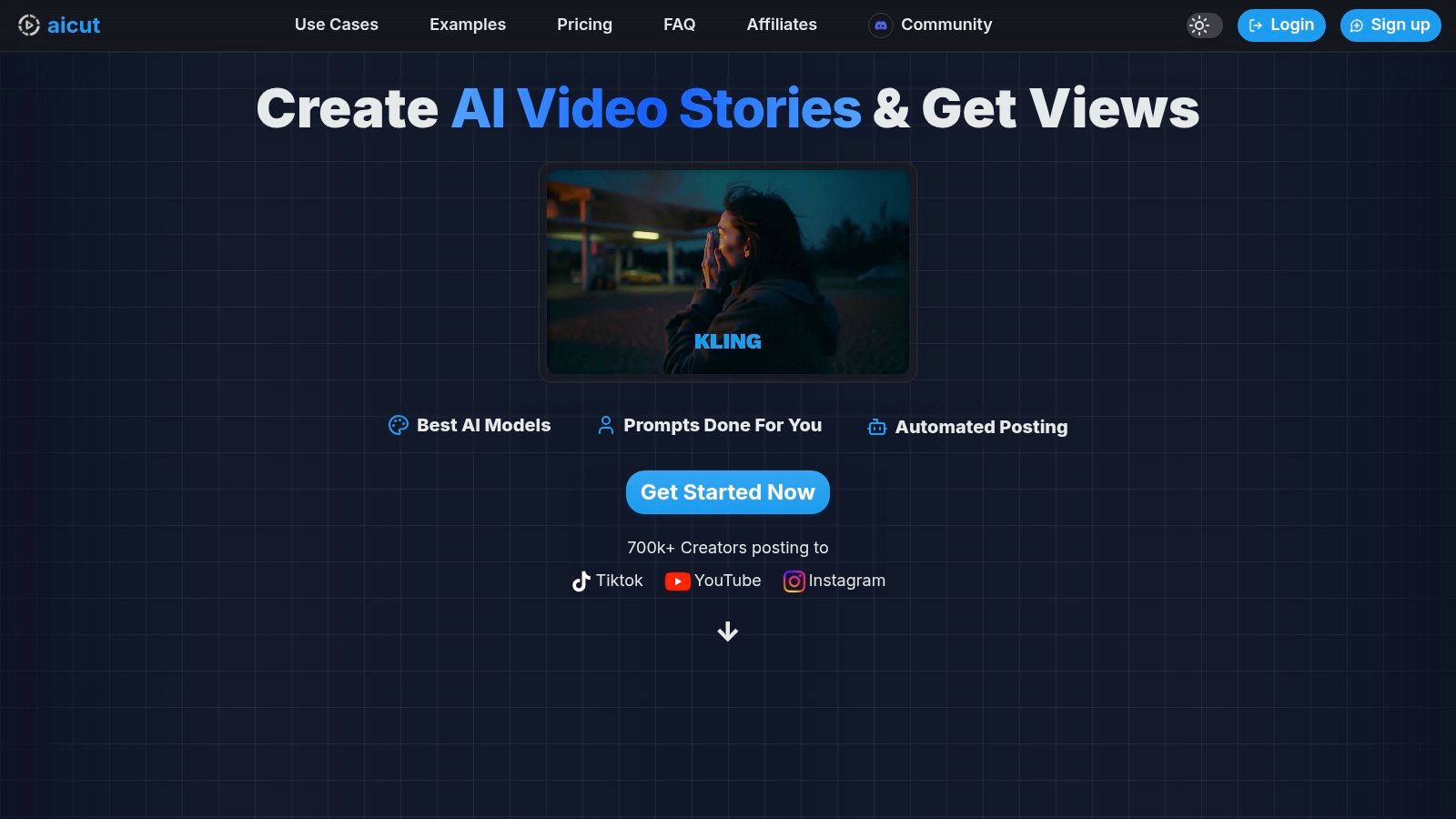
What truly distinguishes Aicut is its comprehensive automation stack. It’s not just about creating a single video; it’s about building an entire content engine. Users can leverage daily automated video generation, schedule posts in advance, and publish directly to their social channels with one click. This level of automation is a game-changer for faceless channels, e-commerce brands needing scalable ad creatives, and social media managers juggling multiple accounts.
Key Features and Use Cases
Aicut’s toolkit is built for speed and relevance, offering a range of generative AI capabilities that cater directly to popular social media formats.
- Photorealistic AI Models: Access to leading models like Sora 2 and Veo 3.1 allows for the creation of high-fidelity, POV-style clips that mimic authentic, user-generated content (UGC). This is invaluable for brands seeking to produce AI-driven product reviews or fashion shoots without the high cost of a physical production.
- Viral Niche Templates: The platform includes pre-built templates for trending formats, including Reddit narrations, animated character stories from photos, and fake text message conversations. This helps creators quickly replicate viral trends and maintain a consistent posting schedule.
- Automation and Distribution: The integrated scheduler and one-click posting tools streamline the entire workflow from creation to publication. The "Automate" plan even offers daily auto-generation, ensuring a channel never runs out of content.
- Creator Resources: Aicut supports its users with a prompt library, tutorials, and an active Discord community, fostering a space to share wins, ask questions, and stay ahead of emerging trends. If you're looking for more information on similar platforms, their blog offers a great comparison of the best AI video creation tools.
Pricing and Accessibility
Aicut operates on a transparent, token-based pricing model, allowing users to forecast costs effectively.
- Creator Plan: $19.99/month for 50 tokens.
- Automate Plan: $39.99/month for 100 tokens and full automation features.
Annual subscriptions offer significant discounts. The cost per video is clear, with examples like a one-minute "AI Image Story" costing approximately one token. This structure makes professional-grade content generation accessible to solo creators and small businesses.
Pros:
- Rapid End-to-End Production: Generate, edit, and schedule diverse video formats in minutes.
- Powerful Automation: Built-in scheduling and automated posting simplify content distribution.
- Cost-Effective for Brands: Creates UGC-style ads and content at a fraction of traditional costs.
- Strong Community Support: Access to tutorials, templates, and an active user community.
Cons:
- Token Costs Can Accumulate: High-volume or long-form video creation may require purchasing extra tokens.
- Platform Policy Risks: As with any AI-generated content, creators must stay informed about each social network's rules regarding monetization and visibility.
Website: https://www.aicut.pro
2. Adobe Express
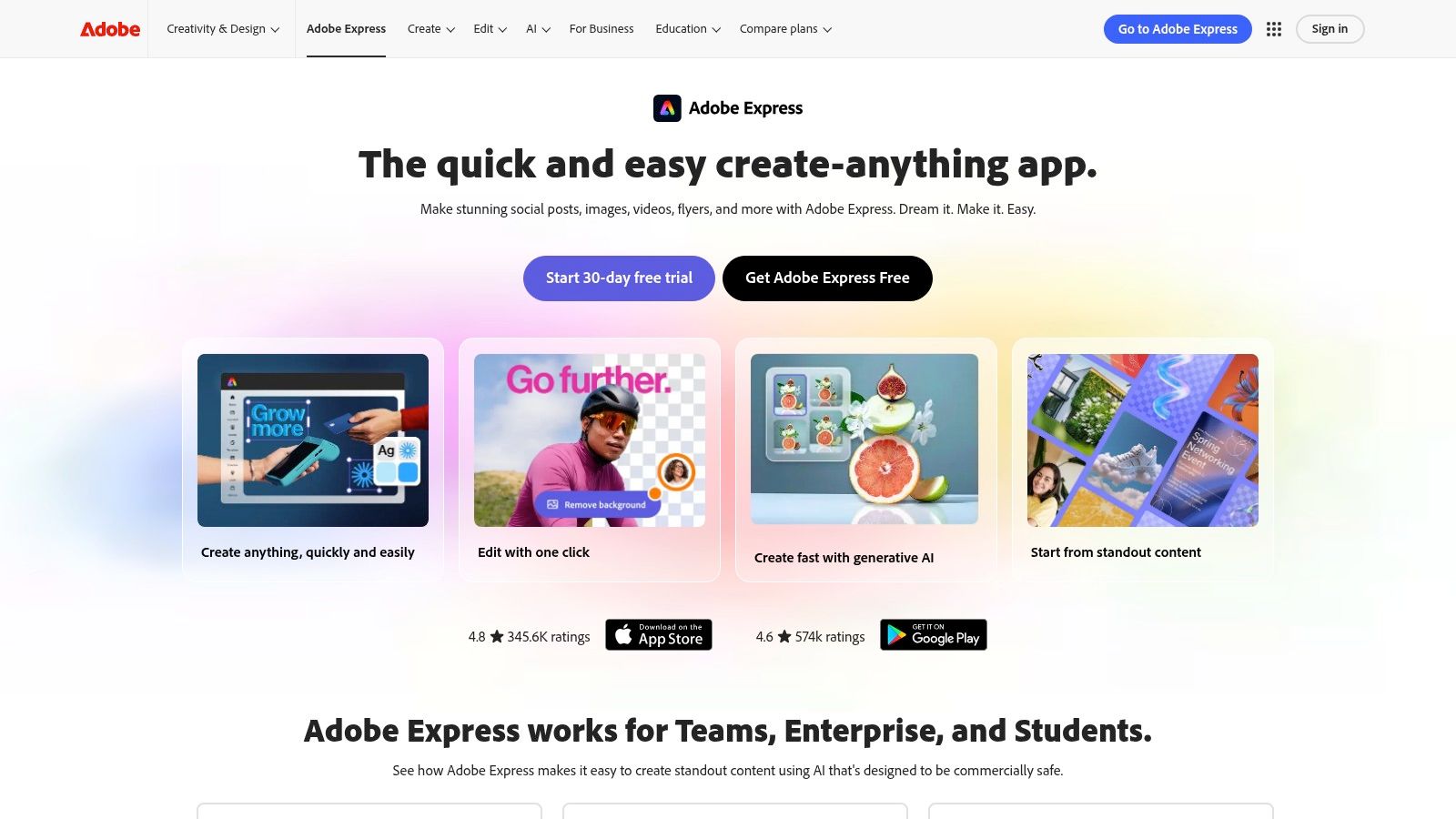
Adobe Express is the perfect solution for creators and social media managers who need to produce on-brand, high-quality content quickly without the steep learning curve of professional software. It's a streamlined, all-in-one tool designed specifically for the fast-paced world of social media, blending intuitive video editing with powerful design and scheduling capabilities. This makes it an essential piece of video editing software for social media for teams focused on speed and consistency.
Its core strength lies in its simplicity. You can start with thousands of professionally designed templates for Reels, TikToks, and Shorts, then customize them using a simple drag-and-drop interface. Add your own clips, or pull from the extensive Adobe Stock library of videos, photos, and music to create something unique in minutes.
Why Adobe Express Stands Out
What sets Adobe Express apart is its seamless integration with the entire content workflow. You aren't just editing a video; you're managing your entire social presence.
- Brand Kits: Upload your logo, fonts, and brand colors once, and apply them to any video or design with a single click. This ensures every post, from a quick Story to a polished ad, remains consistent with your brand identity.
- One-Click Resizing: Finished your Reel? Instantly resize it for TikTok, YouTube Shorts, or a square Instagram post without having to manually re-edit the entire project. The tool intelligently adapts your content to fit each platform's unique dimensions.
- Content Scheduler: Plan, schedule, and publish your content directly to Instagram, Facebook, X (formerly Twitter), Pinterest, and more without ever leaving the app. This integrated planner eliminates the need for a separate scheduling tool.
- AI-Powered Features: Adobe Express incorporates AI to simplify complex tasks. You can instantly remove video backgrounds, animate text, and even generate captions automatically, speeding up your editing process significantly. For those looking to dive deeper into automated content creation, you can explore how to create AI-generated videos.
At a Glance: Adobe Express
| Feature | Details |
|---|---|
| Best For | Social Media Managers, Marketers, Small Businesses, Content Creators |
| Core Function | Fast, template-based video & design for social media |
| Pricing | Free plan available; Premium starts at $9.99/month |
| Unique Selling Point | Integrated Brand Kits, one-click resizing, and a native content scheduler |
| Website | https://www.adobe.com/express |
Pros:
- Extremely user-friendly and browser-based, making it accessible on any device.
- All-in-one workflow for creating, scheduling, and publishing content.
- Massive library of high-quality templates and stock assets.
Cons:
- Lacks the granular timeline control found in professional editors like Premiere Pro.
- The best features, templates, and stock assets are locked behind the Premium plan.
3. CapCut
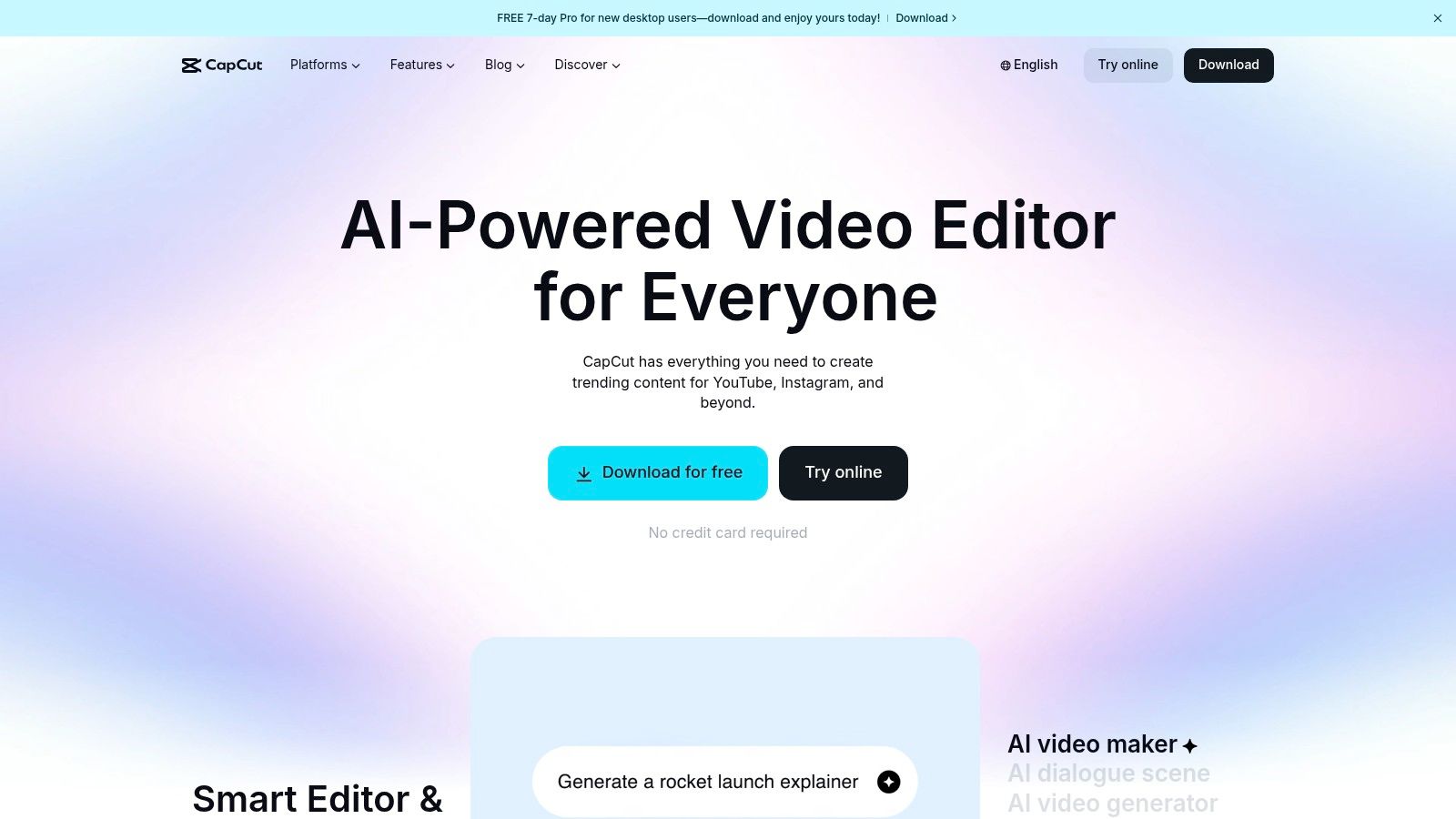
CapCut has become the go-to editor for creators on TikTok, Reels, and Shorts, establishing itself as a social-native powerhouse. It’s designed from the ground up to make on-trend, short-form video creation fast, accessible, and intuitive. For anyone wanting to quickly produce content that feels native to these platforms, CapCut is an essential piece of video editing software for social media.
Its popularity stems from its massive library of viral templates and effects that allow users to jump on trends instantly. The mobile-first design ensures that editing on the go is seamless, while its desktop and web versions provide surprising power and parity, making it a versatile tool for quick social edits and complex projects alike.
Why CapCut Stands Out
CapCut excels by deeply integrating the features that matter most for short-form video engagement. It removes the technical friction so creators can focus entirely on the creative side of trending content.
- Massive Trend-Based Template Library: Its biggest advantage is the constantly updated ecosystem of templates based on the latest TikTok and Instagram trends. Creators can drop their clips into a popular format and have a finished video in seconds.
- Auto-Captions and Beat Sync: CapCut’s auto-captioning is famously accurate and highly customizable, a crucial feature for viewer retention. The beat sync tool automatically aligns video cuts to the rhythm of a song, simplifying a once-tedious editing task.
- Cross-Platform Availability: You can start a project on your phone, continue on your desktop, and finish in the web browser. This flexibility is perfect for creators who work across different devices and environments.
- Direct Social Publishing: The workflow is optimized for social media, with direct export options perfectly formatted for TikTok, Reels, and Shorts, streamlining the path from editing to publishing. For those new to the process, reviewing some video editing tips for beginners can help maximize these features.
At a Glance: CapCut
| Feature | Details |
|---|---|
| Best For | TikTok & Reels Creators, Social Media Managers, Trend-focused Marketers |
| Core Function | Fast, trend-based short-form video editing with powerful mobile tools |
| Pricing | Free core editor; Pro subscription unlocks advanced features & assets |
| Unique Selling Point | Unrivaled template library for social trends and best-in-class auto-captions |
| Website | https://www.capcut.com |
Pros:
- The core editor is free and powerful enough for most short-form video needs.
- Abundant templates and AI features enable extremely fast, on-trend video creation.
- Excellent mobile, desktop, and web app parity for a flexible workflow.
Cons:
- Pro subscription pricing and features can vary across different platforms and change over time.
- Its U.S. availability has faced policy-related scrutiny; it's wise to verify its current status in your region's app store.
4. Canva
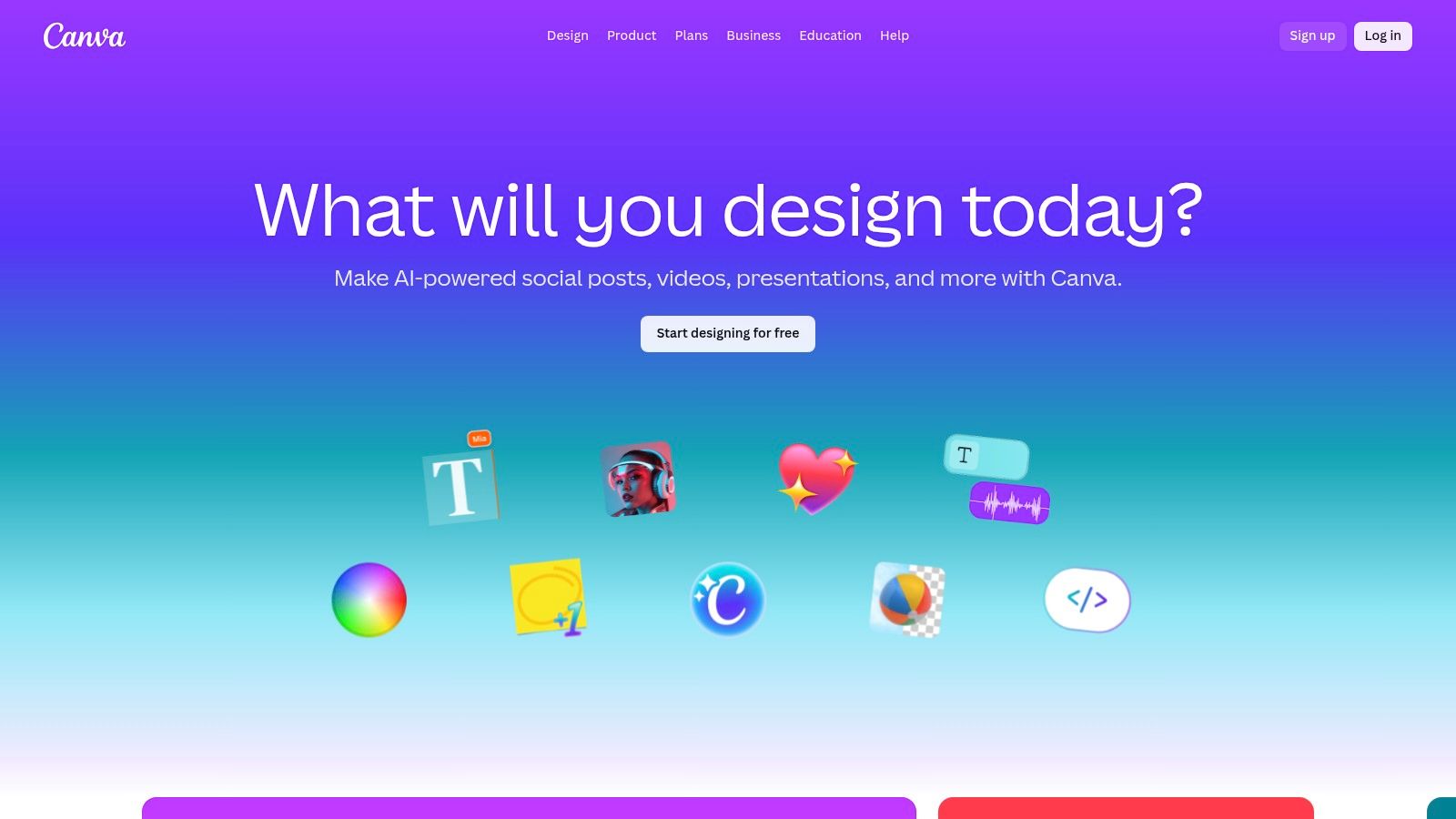
Canva is a powerhouse for marketers, creators, and teams who need to create visually consistent, on-brand content with maximum efficiency. Its online video editor is built around a template-driven, drag-and-drop workflow that removes the technical barriers often associated with video production. This makes it an incredibly popular choice of video editing software for social media, especially for those who prioritize speed and collaboration over granular editing control.
Its strength is in its accessible, all-in-one ecosystem. You can design a graphic, edit a short video, and schedule both to your social channels without ever leaving the platform. The vast template library, specifically sized for Reels, TikToks, and Shorts, ensures anyone can produce professional-looking content in minutes, regardless of their design experience.
Why Canva Stands Out
What makes Canva a go-to tool is its emphasis on brand consistency and seamless team collaboration. It’s designed not just for one-off video projects but for building a cohesive and scalable social media presence.
- Extensive Video Templates: Start with a professionally designed template perfectly sized for any social platform. This eliminates guesswork and ensures your videos look polished and native to each channel from the very beginning.
- Brand Kits: Maintain brand consistency effortlessly. Upload your logos, fonts, and color palettes once to the Brand Kit, and apply them to any video or design with a single click, ensuring every piece of content is instantly recognizable.
- Collaborative Editing: Entire teams can work on the same video project in real-time, directly in the browser. You can leave comments, assign tasks, and share assets, making it ideal for agencies and marketing departments.
- Integrated Content Planner: Schedule your finished videos directly to Instagram, Facebook, Pinterest, and other platforms using the built-in Content Planner. This centralizes your workflow, removing the need for a separate scheduling tool.
At a Glance: Canva
| Feature | Details |
|---|---|
| Best For | Marketers, E-commerce Teams, Content Creators, Small to Medium Businesses |
| Core Function | Template-based video and graphic design with strong brand management tools |
| Pricing | Free plan available; Canva Pro starts at $14.99/month for one person |
| Unique Selling Point | Real-time team collaboration and a unified Brand Kit for total consistency |
| Website | https://www.canva.com |
Pros:
- Extremely low learning curve allows for very fast content creation for social campaigns.
- Excellent team collaboration features and asset sharing simplify multi-user workflows.
- All-in-one platform for design, video editing, and social media scheduling.
Cons:
- Pricing for the Teams plan increased significantly in 2024, which may affect budget-sensitive teams.
- Advanced features like timeline control and color grading are lighter than professional NLEs.
5. CyberLink PowerDirector
CyberLink PowerDirector strikes a powerful balance between professional-grade timeline control and the speed required for social media content. It’s the ideal solution for creators who have outgrown simple browser-based editors and want more creative freedom without committing to the complexity and high cost of industry-standard suites. As a feature-rich piece of video editing software for social media, it delivers robust non-linear editing packed with AI-powered assists to accelerate demanding workflows.
This software is designed for creators who want granular control over their edits. You can manage multiple video and audio tracks, fine-tune keyframes, and apply sophisticated effects, but it also includes intelligent one-click solutions. Social-ready presets for vertical or square formats, automatic beat synchronization for music, and AI-driven stabilization make it fast and efficient to produce polished content for TikTok, Reels, and Shorts.
Why CyberLink PowerDirector Stands Out
PowerDirector excels by embedding AI helpers directly into a traditional editing interface, giving creators the best of both worlds: precision and speed.
- Social-Ready Presets: Start your project with the correct aspect ratio from the beginning. The software includes built-in export profiles for 9:16 (TikTok/Reels), 1:1 (Instagram Feed), and other popular social media dimensions.
- AI-Powered Assistants: Speed up your workflow with smart tools. Features like AI speech-to-text automatically generate captions, auto beat sync matches your edits to the rhythm of your music, and AI stabilization smooths out shaky footage with a single click.
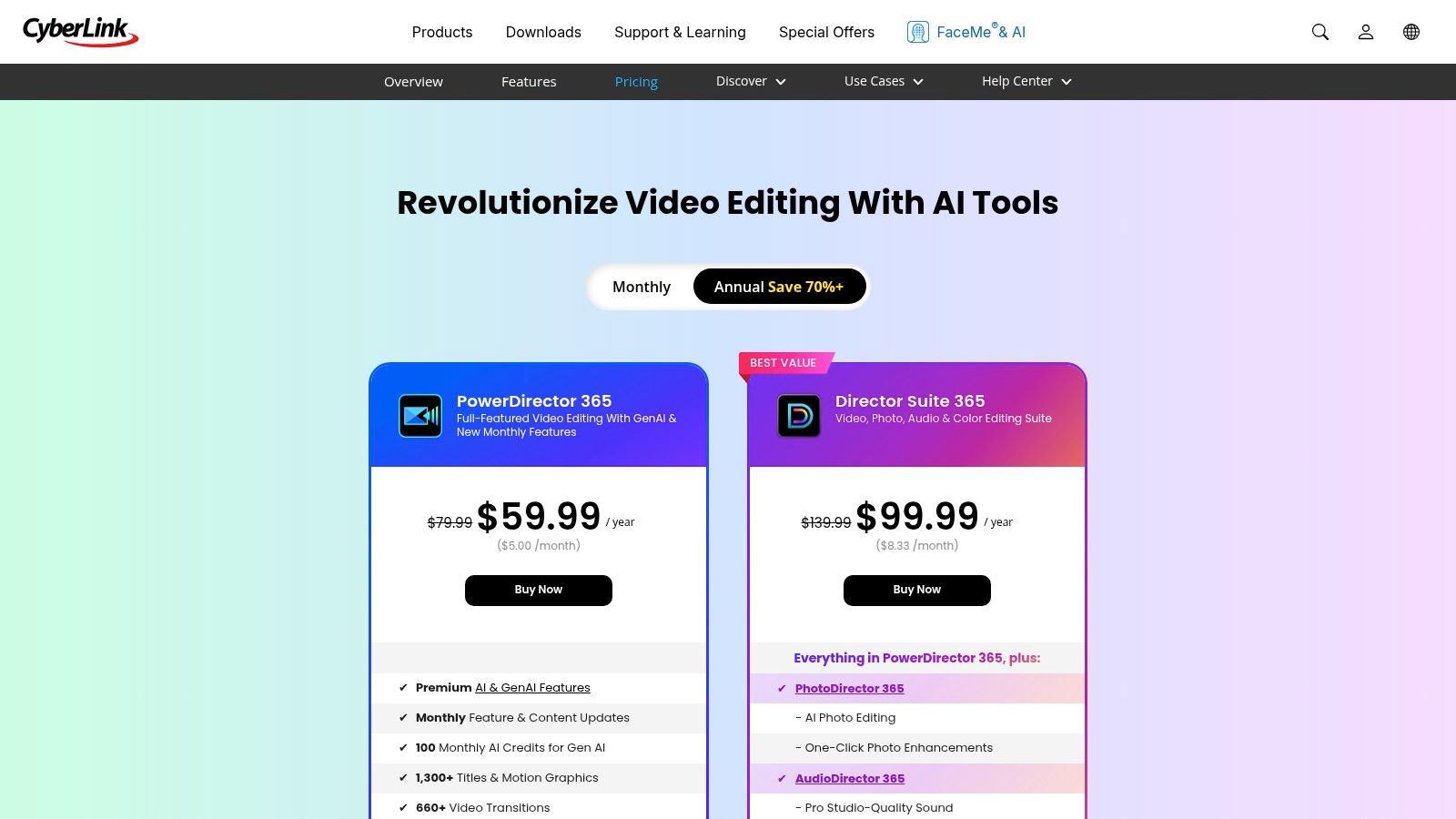
- Flexible Licensing: Unlike many competitors that are subscription-only, PowerDirector offers both an affordable annual plan (PowerDirector 365) and a perpetual license. This gives you the choice to own the software outright or subscribe for continuous updates and content packs.
- Extensive Stock Integration: Subscribers gain access to a massive, frequently updated library of stock videos, photos, and music from providers like Shutterstock. This is perfect for adding high-quality B-roll and sound to your social content without leaving the editor.
At a Glance: CyberLink PowerDirector
| Feature | Details |
|---|---|
| Best For | YouTubers, Aspiring Creators, Marketers wanting more editing control |
| Core Function | Full non-linear editor with AI-powered speed enhancements for social media |
| Pricing | Subscription (PowerDirector 365) or one-time purchase options available |
| Unique Selling Point | Blends professional timeline control with AI-driven shortcuts and social presets |
| Website | https://www.cyberlink.com/products/powerdirector-video-editing-software/pricing.html |
Pros:
- Excellent value, offering advanced features at a much lower price than pro suites.
- The option for a perpetual license is great for those who prefer to avoid subscriptions.
- Robust set of AI tools that genuinely accelerate the editing process.
Cons:
- Some premium stock assets and GenAI features require extra credits or add-ons.
- Mac and Windows subscriptions are sold separately and are not cross-compatible on one license.
6. Wondershare Filmora
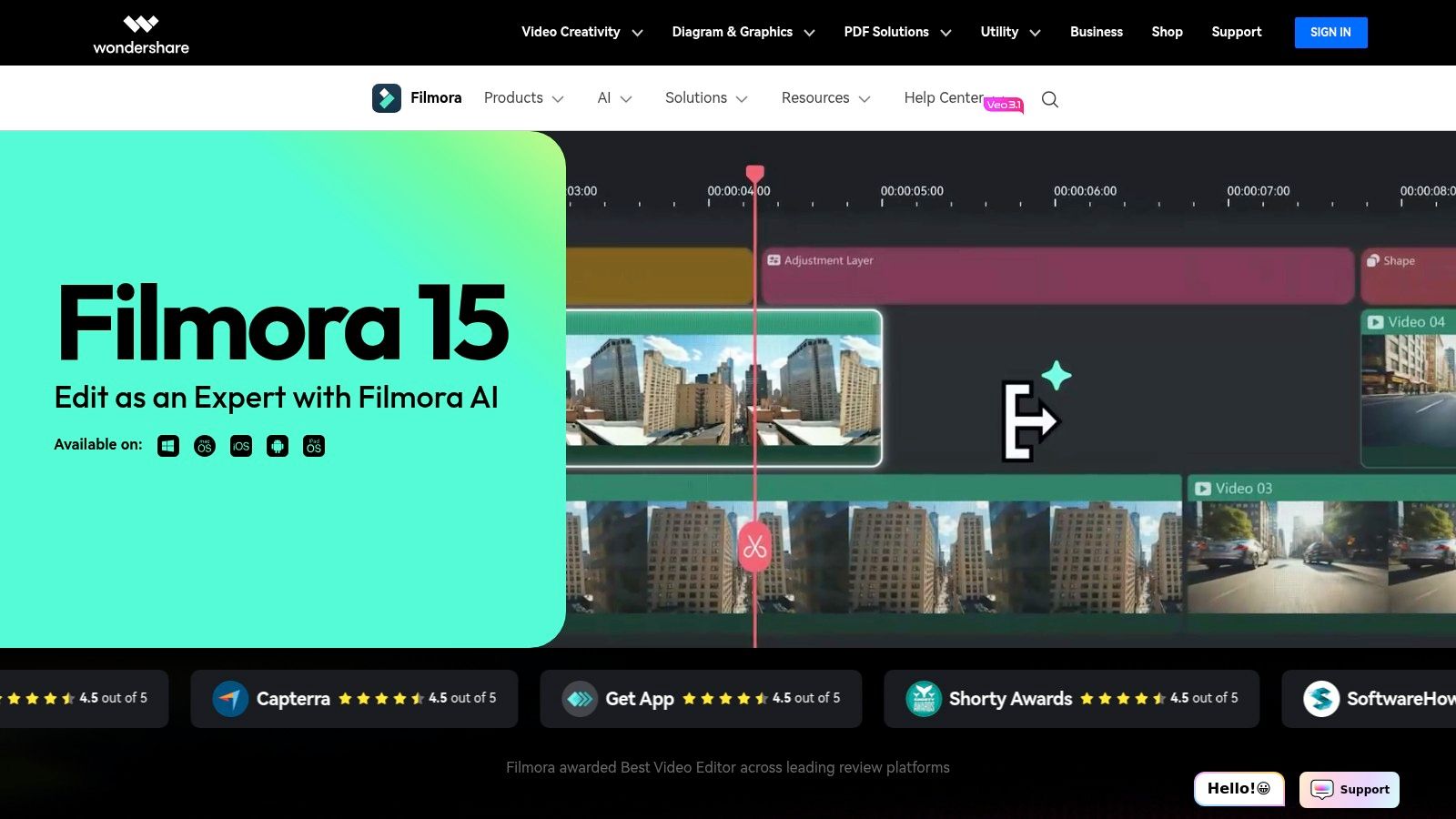
Wondershare Filmora is a powerful yet approachable desktop and mobile editor designed for creators who want to produce polished, eye-catching videos without the complexity of professional-grade software. It strikes an excellent balance between user-friendly design and a deep feature set, making it a go-to choice for solo creators, YouTubers, and small brands aiming for high production value. As a versatile piece of video editing software for social media, it excels at creating dynamic content for platforms like TikTok, Instagram, and YouTube.
Its interface is clean and intuitive, offering a traditional timeline editor that feels familiar but is packed with modern, social-first tools. You can easily access a massive library of effects, transitions, and animated titles to give your videos a unique flair. The focus is on enabling creativity quickly, letting you produce everything from engaging short-form vertical videos to more detailed long-form content with ease.
Why Wondershare Filmora Stands Out
Filmora’s strength lies in its combination of AI-powered efficiency tools and an extensive creative asset library, all within a cross-platform ecosystem.
- AI-Powered Editing: Filmora integrates several smart features to accelerate your workflow. AI Smart Cutout allows for precise background removal, while AI Audio Stretch automatically retimes music to fit your video’s length. Tools like Auto Beat Sync perfectly synchronize your edits to the rhythm of your chosen soundtrack.
- Extensive Effects & Templates: The platform offers a vast built-in library of stylized titles, filters, transitions, and motion graphics. This is further expanded by Filmstock, its integrated stock media service, providing royalty-free music, video clips, and sound effects to enhance your content.
- Cross-Platform Availability: Start a project on your desktop (Windows or macOS) and continue editing on the go with the Filmora mobile app (iOS and Android). This flexibility is perfect for creators who capture content on their phones but prefer to do detailed edits on a larger screen.
- Dynamic Captions & Subtitles: Creating engaging, accessible content is simple with its Speech-to-Text and Text-to-Speech tools. Automatically generate subtitles for your videos and customize them with animated text templates to keep viewers hooked.
At a Glance: Wondershare Filmora
| Feature | Details |
|---|---|
| Best For | Solo Creators, YouTubers, Small Businesses, Aspiring Video Editors |
| Core Function | Feature-rich desktop & mobile video editing with a focus on creative effects |
| Pricing | Subscription plans start at $29.99/quarter; perpetual license available |
| Unique Selling Point | A rich ecosystem of AI tools, creative assets, and cross-platform syncing |
| Website | https://filmora.wondershare.com |
Pros:
- Very short learning curve compared to more advanced editors.
- Excellent for producing fast, stylized social media deliverables.
- Flexible pricing with subscription and one-time purchase options.
Cons:
- Many of the best effects and assets are locked behind separate Filmstock subscriptions or add-on packs.
- Requires online verification to export videos, and feature access can differ between plan tiers.
7. Final Cut Pro
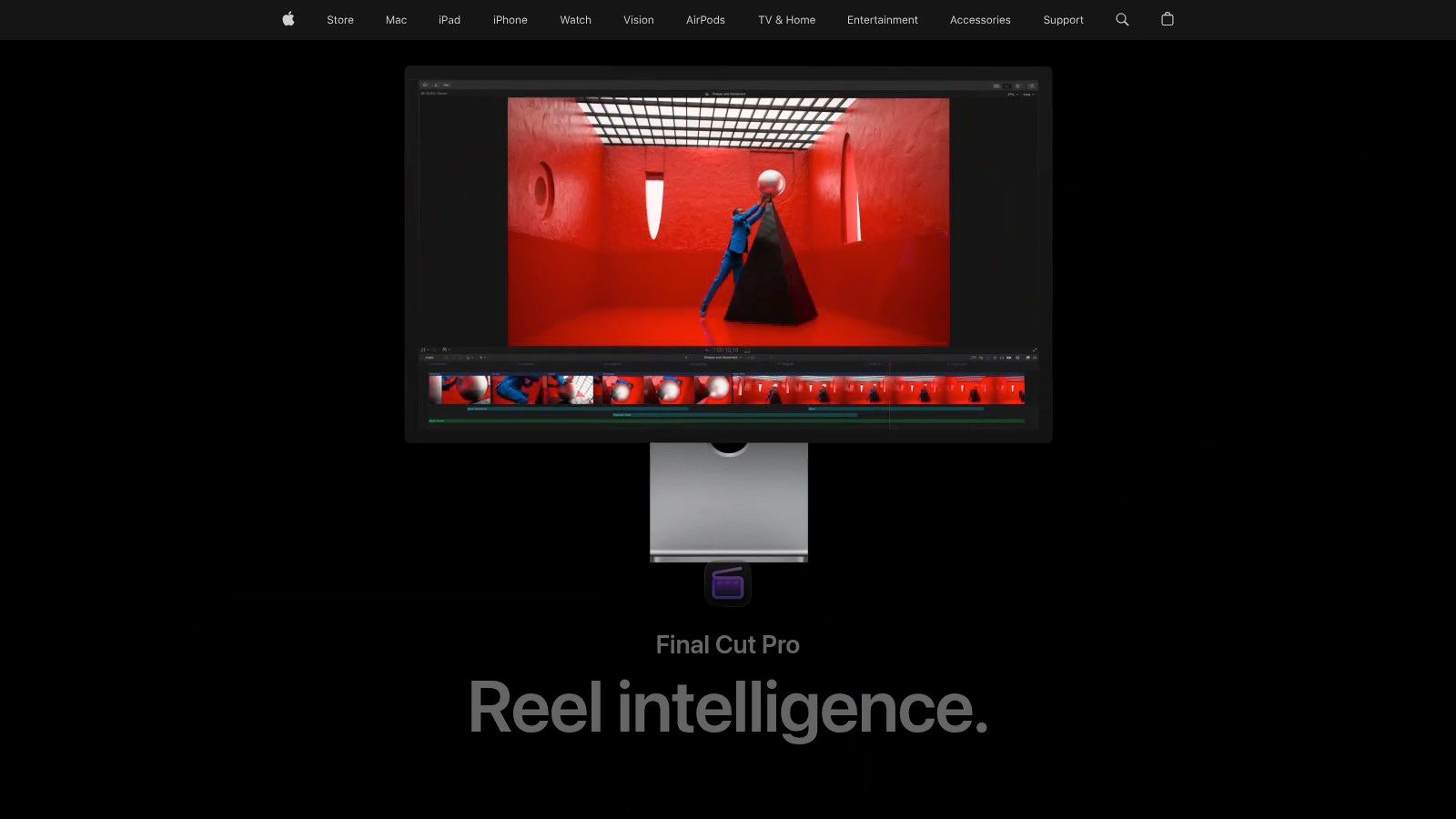
Final Cut Pro is Apple's professional-grade video editor, designed for creators who demand power and speed within the Apple ecosystem. While it's a favorite among filmmakers, its robust feature set and exceptional performance make it an outstanding choice for YouTubers and social media professionals producing high-volume content. It masterfully balances advanced editing capabilities with an intuitive interface, making it a top-tier piece of video editing software for social media for those standardized on Apple hardware.
Its core advantage is the Magnetic Timeline, which eliminates clip collisions and simplifies complex edits, allowing you to move and trim clips without disrupting the rest of your project. This fluid workflow is ideal for quickly assembling social media cuts, experimenting with different B-roll, and iterating on content for platforms like YouTube, TikTok, and Instagram Reels. The software's optimization for Apple Silicon ensures buttery-smooth performance, even when editing 4K footage captured on an iPhone.
Why Final Cut Pro Stands Out
Final Cut Pro excels by bringing professional-level tools into a workflow optimized for speed and social media delivery. It's built for creators who need to move fast without sacrificing quality.
- Social Media Presets & Smart Conform: Easily convert your horizontal video into vertical or square formats with Smart Conform, which uses machine learning to automatically keep the most important action in the frame. This dramatically speeds up the process of repurposing content for different platforms.
- Proxy Media Workflow: Edit high-resolution video files on the go without slowdowns. Final Cut Pro lets you create low-resolution "proxy" files to edit with, then seamlessly links back to the original high-quality files for export, perfect for creators using MacBook Airs or older machines.
- Automatic Captions: Generate and customize captions directly within your timeline. You can automatically transcribe dialogue and add animated captions, a crucial feature for boosting engagement and accessibility on social media where many videos are watched without sound.
- Seamless Apple Ecosystem Integration: Enjoy a tight workflow between your iPhone, iPad, and Mac. The iPad version allows for on-the-go editing, and integration with companion apps like Motion and Compressor provides advanced options for creating custom graphics and exporting presets.
At a Glance: Final Cut Pro
| Feature | Details |
|---|---|
| Best For | Apple-centric Creators, YouTubers, Social Media Managers, Freelance Editors |
| Core Function | Professional, high-performance video editing for the Apple ecosystem |
| Pricing | One-time purchase of $299.99 |
| Unique Selling Point | Magnetic Timeline, exceptional Apple Silicon performance, and seamless social format conversion |
| Website | https://www.apple.com/final-cut-pro |
Pros:
- Incredibly fast and efficient performance on Macs, especially with Apple Silicon.
- One-time purchase model is more cost-effective long-term compared to subscriptions.
- Mature ecosystem of third-party plugins and templates for social media graphics.
Cons:
- Exclusively available for macOS, locking out Windows and Linux users.
- Collaboration features are less integrated than cloud-based editors and often require add-ons.
Top 7 Social Media Video Editors Comparison
| Product | Implementation 🔄 (Complexity) | Resource requirements ⚡ (Efficiency / Cost) | Expected outcomes 📊 (Impact) | Ideal use cases 💡 | Key advantages ⭐ |
|---|---|---|---|---|---|
| Aicut | Low–Medium 🔄 — template-led with automation setup | Moderate ⚡ — web-based; token-based costs scale with volume | High 📊 — repeatable, viral-ready UGC and daily output | Faceless creators, e‑commerce brands, agencies needing scalable UGC | Automation + one-click posting; photoreal models; rapid production |
| Adobe Express | Low 🔄 — drag-and-drop, browser-first | Low–Moderate ⚡ — web access; Premium for stock/features | Good 📊 — fast, on‑brand social clips | Small teams/creators needing quick branded assets and scheduling | Brand kits, one-click resize, native scheduler |
| CapCut | Low 🔄 — mobile-first, template-driven | Low ⚡ — free core editor; web/mobile/desktop parity | Good 📊 — trend-ready short-form edits quickly | TikTok/Reels/Shorts creators focused on trends | Free core tools, large template ecosystem, auto-captions |
| Canva | Low 🔄 — template-driven, collaborative browser editor | Low–Moderate ⚡ — browser-based; Teams pricing varies | Good 📊 — consistent, on‑brand social outputs | Marketers, e‑commerce teams, collaborative workflows | Easy branding, collaboration, scheduler and templates |
| CyberLink PowerDirector | Medium 🔄 — full NLE with accessible timeline tools | Moderate ⚡ — desktop app; 365 subscription or perpetual; credits for GenAI | High 📊 — more timeline control with fast social presets | Creators wanting pro control without pro-suite cost | Strong value, perpetual license option, AI helpers |
| Wondershare Filmora | Low–Medium 🔄 — approachable timeline with many templates | Moderate ⚡ — cross-platform; some features behind add-ons | Good 📊 — polished vertical edits efficiently | Solo creators and small brands needing polished edits | Creator-friendly, cross-platform, AI edit tools |
| Final Cut Pro | High 🔄 — professional NLE with steeper learning curve | High ⚡ — Mac-only; optimized for Apple Silicon; one-time purchase | Very high 📊 — pro-quality, efficient high-volume workflows | Apple-centric pros and high-resolution content creators | Top performance on Apple Silicon; mature plugin ecosystem |
Choosing the Right Tool to Accelerate Your Social Growth
Navigating the landscape of video editing software for social media can feel overwhelming, but the right choice ultimately boils down to your specific goals, workflow, and content style. We've explored a range of powerful options, from AI-driven powerhouses to intuitive, template-based platforms. The key takeaway is that there is no single "best" tool for everyone; the ideal software is the one that removes friction from your creative process and amplifies your output.
Your final decision should be a strategic one. Are you a solo creator or a social media manager aiming for daily, high-velocity output? An AI-native platform like Aicut, which automates everything from clip selection to captioning, is likely your most effective path to growth. Do you manage an e-commerce brand that needs to maintain strict visual consistency across all posts? A tool like Canva or Adobe Express, with its robust brand kits and template libraries, will serve you well. For those who enjoy more hands-on control and advanced effects, traditional editors like Filmora and PowerDirector offer a perfect middle ground.
How to Make Your Final Choice
To find the perfect fit, consider these crucial factors before committing to a platform:
- Your Primary Goal: Is it speed, creative control, brand consistency, or pure automation? Align your choice with your main objective. For instance, if your goal is rapid monetization through consistent posting, an automation-focused tool is non-negotiable.
- Your Skill Level: Be honest about your editing experience. Beginners will thrive with user-friendly interfaces like CapCut, while experienced editors might prefer the deeper feature sets of Final Cut Pro.
- Content Volume: How many videos do you need to produce weekly? A high-volume workflow demands efficiency and features like batch processing and AI assistance to prevent burnout and maintain a consistent posting schedule.
The most powerful video editing software for social media is the one that empowers you to create more and stress less. Don't be afraid to take advantage of free trials to test a few top contenders. See which interface feels most intuitive and which feature set genuinely accelerates your ability to produce content that connects with your audience.
Beyond specific video editing applications, consider how broader technological advancements can assist your content efforts. For example, exploring the best AI tools for content creation could offer new efficiencies and creative avenues for social growth, from scriptwriting to voiceover generation. Ultimately, the goal is to build a tech stack that works for you, not against you, clearing the path for consistent, impactful content that drives your brand forward.
Ready to stop editing and start growing? Aicut automates your entire social media video workflow, from generating viral clips to scheduling posts, so you can focus on what matters most. Try Aicut for free and experience the power of AI-driven content creation today.