At its core, an AI shorts maker is a piece of software that uses artificial intelligence to help you create short videos for platforms like TikTok, YouTube Shorts, and Instagram Reels. Think of it as a creative partner that handles the heavy lifting—things like generating video clips, creating voiceovers, and editing everything together.
The best part? You can produce professional-looking content without needing a fancy camera or years of technical experience. This levels the playing field, making it genuinely possible for anyone to launch a channel and start building an audience from scratch.
How AI Shorts Makers Are Changing The Game
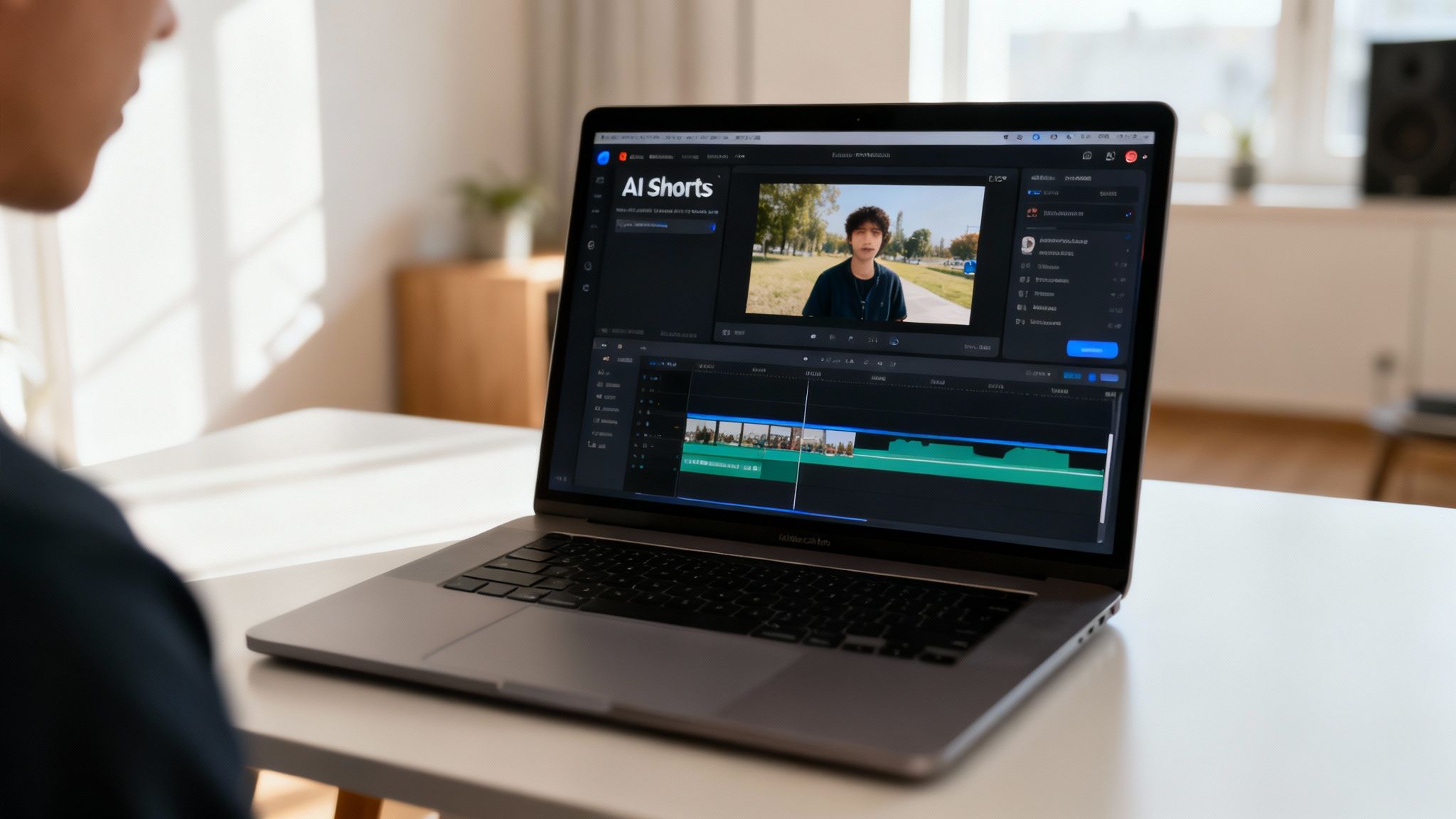
Not long ago, making a viral short video meant you needed a good camera, expensive editing software, and a ton of time. An AI shorts maker flips that script entirely, kicking the door wide open for a new generation of creators.
Instead of getting bogged down in the technical details, your energy can go directly into your ideas. This is why we're seeing such an explosion of "faceless" channels—accounts that rack up millions of views using AI visuals and voices, all without the creator ever stepping in front of the camera.
The New Creator Economy
This tech is more than just a cool toy; it's a legitimate business tool. A single person can now churn out a volume of content that used to require a whole team, bringing monetization well within reach.
It really boils down to a few key advantages:
- Insane Speed: You can go from a simple text idea to dozens of unique video clips in minutes. Not hours or days.
- Lower Costs: Forget about pricey cameras, lighting rigs, or recurring software subscriptions. Your main cost is the tool itself.
- Total Creative Freedom: Want to show a dinosaur riding a skateboard on Mars? You can actually create that, and other concepts that would be impossible to film in the real world.
The market is taking notice. The generative AI video space is expected to skyrocket to $2.3 billion by 2033, a massive leap from $336.1 million in 2023. This isn't just hype; the technology is getting so good that studies show 73% of people can't distinguish high-end AI video from real footage.
To put it in perspective, here's a quick comparison of the old way versus the new way.
Why AI Shorts Makers Are a Game Changer for Creators
This table breaks down how AI tools stack up against the traditional, often grueling, video production process.
| Benefit | AI Shorts Maker | Traditional Video Production |
|---|---|---|
| Speed | Generate clips in minutes from text. | Hours or days of shooting and editing. |
| Cost | Low monthly subscription. | Thousands for equipment and software. |
| Skill Level | Beginner-friendly, no experience needed. | Requires technical skills in filming/editing. |
| Creative Limits | Limited only by your imagination. | Constrained by budget, location, and physics. |
| Scalability | Easily produce dozens of videos a day. | Production is slow and hard to scale. |
Ultimately, AI removes the friction between a great idea and a finished product, making it faster and cheaper to test what resonates with your audience.
The real magic of an AI shorts maker is that it completely separates the idea from the execution. If you have a killer concept for a video, you no longer need a Hollywood-level budget to bring it to life.
These tools are truly changing what it means to be a creator, opening up new avenues for anyone with an idea. While there are many strategies for content creation, AI offers a unique shortcut for the video world. If you want to dig even deeper, check out our guide on AI content creation for social media for more advanced techniques.
Finding Your Niche and Sourcing Viral Ideas
Let's get one thing straight: going viral isn't just about luck. It's about smart strategy, and that journey starts with picking the right niche. With an ai shorts maker, you have the incredible power to produce content at a massive scale, but that power is wasted if you're not aiming it at an audience that actually cares.
The best niches for AI video are the ones that don't need a human face or personality to connect. Instead, they rely on fascinating concepts and visuals. Think about evergreen topics that tap into universal human curiosity—these are gold for faceless channels because the content itself is the real star.
Profitable Niches for AI Content
Some of the biggest AI-driven channels I've seen stick to simple, repeatable formats that are almost effortless to crank out. You can build an entire empire around ideas like these:
- Psychology Facts: Bite-sized, surprising insights into why we do what we do.
- Historical "What Ifs": Wildly engaging explorations of alternate timelines or forgotten moments.
- Stoic Quotes: Pairing timeless wisdom with stunning, dramatic visuals.
- Daily Motivation: Quick affirmations or inspiring success stories.
- Luxury Lifestyle: AI-generated scenes that tap into our aspirations for wealth and travel.
The whole point is to find a topic that already has a passionate, built-in audience just waiting for more content. For a deeper look, check out this breakdown of the https://www.aicut.pro/blog/top-7-faceless-video-niches that consistently crush it on TikTok, Reels, and Shorts.
My Two Cents: Don't try to be everything to everyone. Your best bet is to pick one high-potential niche and just own it. Flood that space with consistent, quality AI shorts. This focus is what trains the algorithm to find your perfect audience.
Sourcing an Endless Stream of Ideas
Okay, you've got your niche. Now what? The next hurdle is keeping a steady flow of fresh ideas, which is where most creators hit a wall and burn out. But honestly, this is one of the easiest parts once you know where to look. Viral content always leaves clues.
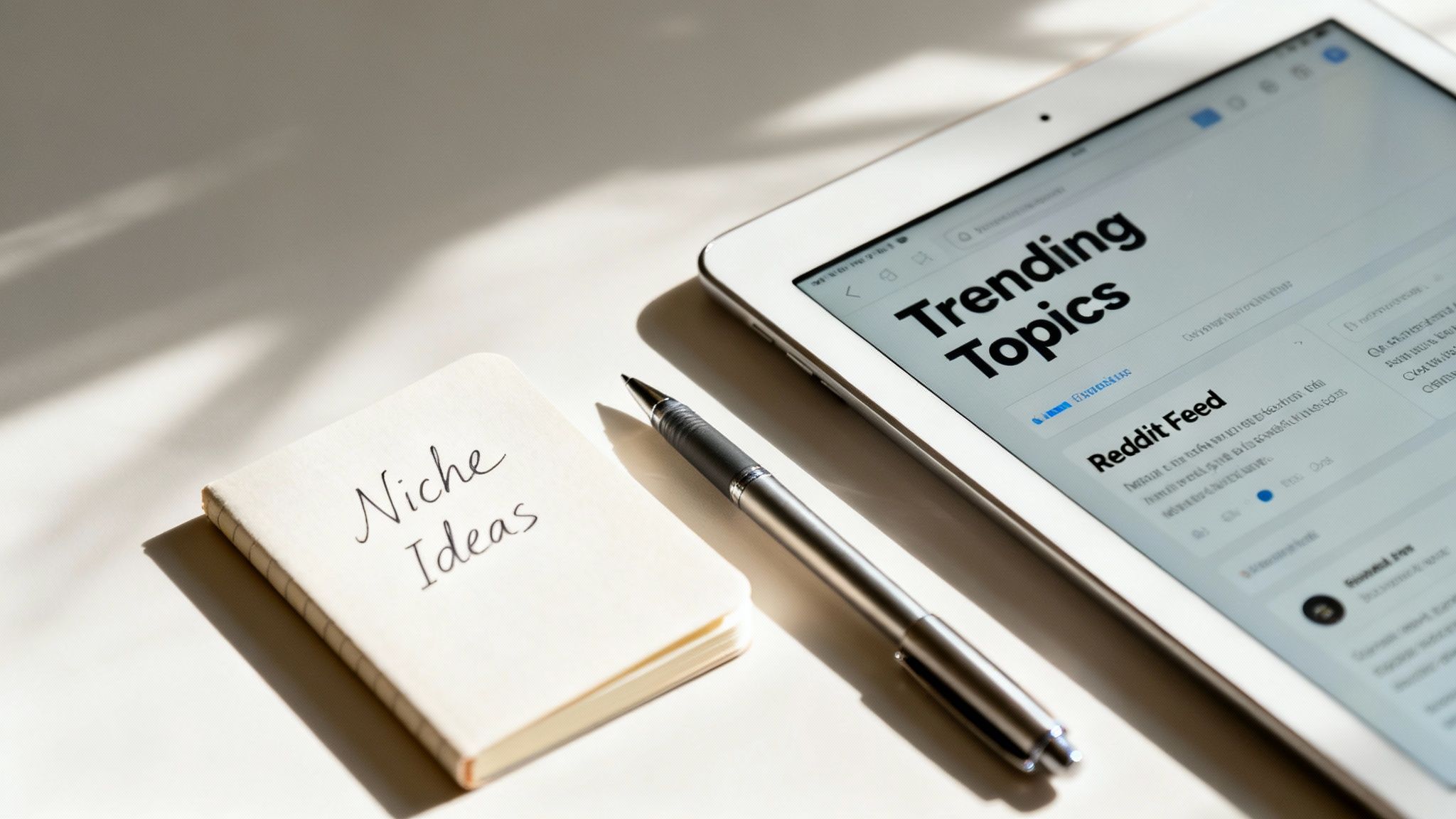
Communities like Reddit, for example, are absolute goldmines. Subreddits like r/AskReddit, r/todayilearned, and other niche-specific forums are overflowing with popular questions, amazing stories, and raw human emotions that are practically begging to be turned into scripts. A comment with thousands of upvotes about a weird historical fact? That’s your next video, right there.
Another killer technique is adapting popular text-story formats. We've all seen those addictive videos that animate text message conversations or dramatic "Am I The A-hole" Reddit threads. An AI shorts maker can instantly generate the visuals to accompany these stories, turning a simple text post into a super engaging video. As you get better at this, studying different strategies for creating viral content will help you adapt and really nail what works for your audience.
The workflow is simple: find a story that's already getting traction, trim it down to a tight script, and let the AI build the world around it. You're basically tapping into proven concepts with built-in emotional hooks, which seriously boosts your odds of making something that resonates with millions.
Bringing Your Ideas to Life with AI Video and Voice
Alright, this is where the magic happens. We're taking those viral ideas and turning them into actual, thumb-stopping videos. Modern AI shorts makers completely flip the script on video production. Forget storyboarding and filming—your main job now is to become a master at writing prompts.
The real secret sauce is in the details. You're not just telling the AI to make "a video of a person walking." To get those styles that are absolutely crushing it on TikTok and Reels, you need to be specific.
Think about prompting for a "realistic point-of-view shot of someone discovering a hidden beach" or a "selfie-style video of a surprised reaction." Suddenly, you've got that authentic, user-generated content (UGC) vibe without ever picking up a camera.
Nailing the Perfect Visual Prompt
To get visuals that don't look like generic AI content, you have to think like a director. Get specific about camera angles, lighting, mood—everything. The best AI models can pick up on these nuances, which helps you build a consistent look and feel for your entire channel.
Here are a few things I always play around with in my prompts:
- Camera Style: Try "POV shot," "selfie video," "drone footage," or even "handheld shaky cam" to change the entire feel of the clip.
- Lighting: Use descriptions like "golden hour lighting," "cinematic neon glow," or "dark and moody" to instantly set the atmosphere.
- Character Details: Don't just describe what they look like; describe what they're doing and feeling. "A woman laughing uncontrollably" or "a man looking thoughtfully at a sunset" yields much better results.
This screenshot from Aicut shows just how simple the interface is. You literally just type what you want to see into the box.
Don't let that simple text box fool you. Behind that "Generate" button is an incredibly powerful AI translating your words into motion.
This text-to-video workflow is quickly becoming the backbone for a new wave of creators. In fact, the AI video generation market is on track to hit $2.56 billion by 2032, with text-to-video expected to be a $284.3 million piece of that in 2024 alone. It’s all about speed—turning an idea into a finished video faster than ever before. If you're curious, you can find more insights about these market trends and how they're changing the game.
Crafting AI Voiceovers That Don't Sound Robotic
Great visuals hook people, but sound is what keeps them watching. The best AI tools let you generate a natural-sounding voiceover right from your script, so you can skip the expensive mics and recording software. For faceless channels, this is a total game-changer.
You can create narration for all kinds of popular formats:
- Reddit Stories: A steady, calm voice is perfect for reading through those long AITA posts or creepy encounters.
- Text Conversations: Use two different AI voices to act out a text message exchange. It adds a ton of personality and drama.
- Motivational Content: A strong, inspiring voice can make daily affirmations or stoic quotes feel much more powerful.
Here’s a pro tip I learned the hard way: The secret to a great AI voiceover is all in your script's punctuation. Use commas and line breaks strategically to create natural pauses. It makes the final audio sound way less robotic and a lot more human.
Animate Still Photos for Easy, Unique Content
One of the most underrated tricks in the book is animating static images. You can turn a single photo into a really engaging video clip, which is perfect for history channels, art breakdowns, or really any niche that relies on still images.
Imagine making historical figures subtly look around the room, or turning a boring product photo into a dynamic ad. It's a fantastic way to create original, UGC-style shorts without having to generate a full video from scratch, saving you a ton of time and creative energy.
Putting the Final Touches on Your AI Shorts
Getting a cool video clip from your AI generator is a great first step, but it's not the end of the road. The real secret sauce is in the editing. This is where you take a decent AI clip and turn it into something that actually stops people from scrolling. The best AI shorts maker platforms get this, which is why they include simple, drag-and-drop editing tools right inside their app.
Think of the raw AI video as your clay. Now, it’s time to shape it. You don't need to be a video editing wizard or spend hours in complicated software. A few smart adjustments are all it takes to build a polished, professional video that’s ready to go viral.
Nailing the Pacing and Flow
First thing's first: let's talk about pacing. The timing of your video is everything. Shaving off even half a second can be the difference between a video that feels punchy and one that drags. You need to trim the fat from the beginning and end of every clip so the action hits right away. You’ve got less than three seconds to hook someone, so there's no time for slow intros.
Here’s a simple workflow I use:
- Trim the dead space: Cut out any awkward pauses or moments where nothing is happening. Keep it tight.
- Sequence your clips: If you're using multiple AI-generated scenes, arrange them so they tell a quick, clear story.
- Keep transitions simple: Usually, a clean cut between clips works best. No need for fancy star wipes here; just keep the flow smooth.
Adding Music and Captions That Pop
Let's be real: a ton of people watch videos with the sound off. If you don't have captions, you're losing a huge chunk of your potential audience. Use your AI editor to add bold, easy-to-read text that highlights what's happening. This is non-negotiable for retention, especially for silent viewers scrolling through their feeds.
Music, on the other hand, is all about the vibe. The right track can completely change the feel of your video and even help it get discovered.
Pro Tip: Dive into the trending audio library on TikTok or Reels before you post. Slapping a popular sound onto your video is one of the easiest ways to give it an algorithmic push and get it in front of way more people.
Upscaling Your Video for a Pro-Level Finish
Last but not least, don't sleep on video quality. A blurry, pixelated video just screams "amateur." It’s an instant turn-off. Luckily, many of the better AI video tools now have a built-in upscaling feature. With one click, the AI sharpens your video, boosting the resolution and making it look incredibly crisp.
This final step ensures your content looks amazing on any screen, from a tiny phone to a big tablet. It’s a tiny bit of effort that makes your final video look so much more professional and helps it stand out in a sea of mediocre content.
Automating Your Posting Schedule for Consistent Growth
Making great content is only one piece of the puzzle. The other, arguably more important piece, is getting that content in front of people consistently and at the right moment. This is where the automation built into a good AI shorts maker becomes your secret weapon. It can turn your creative process into a content machine that practically runs itself.
Let's be real: winning on TikTok, YouTube, and Instagram is all about consistency. The algorithms love creators who show up regularly. But the daily grind of uploading, crafting captions, and digging up hashtags can burn anyone out. Automation just lifts that entire burden off your shoulders.
Think about it. You could batch-create a full week of videos in a single afternoon, then let your AI tool drip them out automatically at the best time each day, on all your different channels. That’s a game-changer.
Building a Smart Distribution System
Smart automation isn't just about "set it and forget it." It's about smart distribution. Each platform has its own vibe, and what works on TikTok might fall flat on Instagram Reels. A one-size-fits-all approach just doesn't cut it.
Your AI shorts tool should let you fine-tune the details for each network before anything goes live.
- You can write unique captions that match the casual, funny tone of TikTok versus the more aesthetic feel of Instagram.
- You can use different sets of hashtags—maybe broad, high-traffic ones for TikTok and more specific, community-driven tags for Instagram.
- Most importantly, you can schedule posts for peak engagement times on each platform, hitting your audience right when they're scrolling.
This kind of tailored approach makes your automated posts look and feel native to each platform, which massively boosts their chances of getting noticed. It frees you from the boring daily tasks so you can focus on what really matters: strategy and your next big video idea. For a deeper look at this, check out our full guide on how to automate social media posts to get super efficient.
This chart really breaks down what catches a viewer's eye in a short video—all elements you can get a handle on with AI.
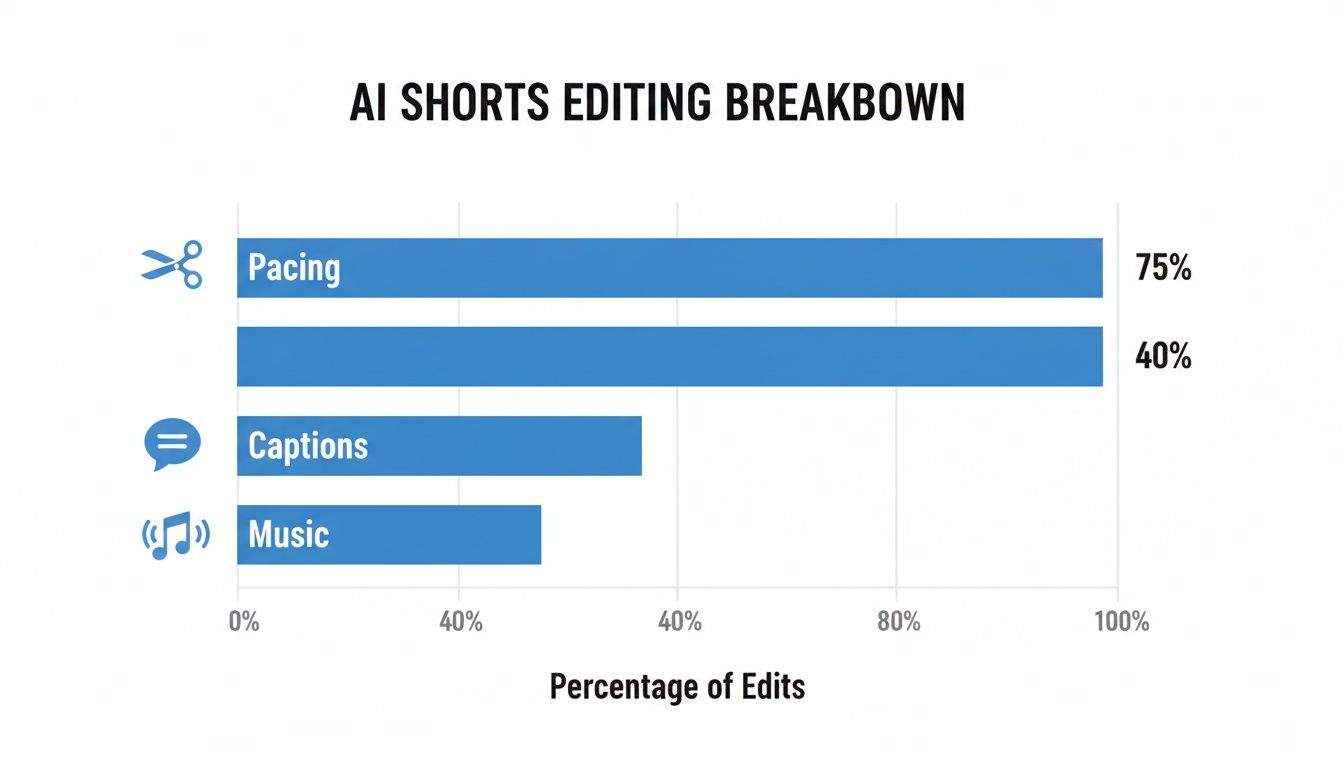
As you can see, snappy captions and the right music are huge, but nailing the pacing is what truly keeps people watching.
Optimizing for Peak Performance
To really get the most out of automation, you have to know when your audience is actually online. Posting a masterpiece at 3 AM when everyone's asleep is like shouting into the void.
Luckily, most platforms give you analytics that show you exactly when your followers are most active. This data is gold. Use it to build your schedule.
A common mistake I see is creators just picking random times to post. The best approach is to test it out. Schedule posts for Monday at 6 PM, Tuesday at 2 PM, and Wednesday at 8 AM. After a couple of weeks, you’ll have hard data on what works for your audience.
To help you get started, here's a look at the generally accepted best times to post across the major short-form video platforms.
Optimal Posting Times for Short-Form Video Platforms
This table offers a data-driven starting point for scheduling your AI-generated shorts to maximize reach and engagement. Remember to test these against your own audience analytics!
| Platform | Best Days to Post | Peak Engagement Times (EST) |
|---|---|---|
| TikTok | Tuesday, Thursday, Friday | 6 AM - 10 AM, 7 PM - 11 PM |
| Instagram Reels | Monday, Wednesday, Thursday | 9 AM - 1 PM, 5 PM - 7 PM |
| YouTube Shorts | Friday, Saturday, Sunday | 12 PM - 4 PM, 6 PM - 9 PM |
While these times are a fantastic guide, treat them as a baseline. Your specific niche and audience demographics can shift these windows, so always keep an eye on your own data for the final word.
When you combine the sheer production power of an AI shorts maker with a smart, automated schedule, you're not just a creator anymore. You're running a media operation that works for you 24/7, pushing your channel toward growth and monetization way faster than you could ever manage by hand.
Got Questions About AI Shorts Makers? I've Got Answers.
Jumping into AI video creation is exciting, but let's be real—it also brings up a ton of questions. I hear from creators all the time who are curious but a little hesitant. They wonder if this is a real opportunity or just another tech trend that'll fade out.
Let's cut through the noise and tackle some of the biggest questions you probably have about using an AI shorts maker.
"Can I Actually Make Money with AI Videos?"
This is the big one, right? The short answer: yes, absolutely.
Platforms like YouTube, TikTok, and Instagram don't care if a human or an AI created your video. What they care about is whether people are watching it. Faceless AI channels are popping up everywhere and getting accepted into monetization programs like the YouTube Partner Program and the TikTok Creator Fund.
The key is originality and value. As long as you're creating unique, engaging content that follows the community guidelines, you can earn revenue from ads, creator funds, brand partnerships, and even affiliate marketing. Your success isn't about the tools you use; it’s about the quality of the content you produce.
"How Do I Keep My AI Videos from Looking... Well, Generic?"
This is where you, the creator, really shine. The secret to avoiding that generic, cookie-cutter AI look is to step into the role of a creative director. It all comes down to a few key things I've learned.
- Become a Prompt Master: Don't be vague. Instead of "a woman walking," get specific: "POV shot, a young woman with red hair walks through a rain-soaked neon-lit Tokyo street at midnight, cinematic, hyperrealistic." The details you provide—camera angles, lighting, mood, emotion—are what make the visuals unique.
- Find Your Unique Spin: The visuals are just one part of the puzzle. The real magic happens when you pair them with an original story or idea. You could retell strange historical events, adapt compelling Reddit threads, or explore fascinating "what if" scenarios. Your script is your fingerprint.
- Don't Skip the Polish: A little post-production work goes a long way. Use a video editor to add custom animated captions, unique sound effects, and trending audio. This final layer is what transforms a simple AI clip into a video with personality and a distinct brand.
Your creative script combined with your specific visual direction is what makes the content yours. The AI is the tool, but you're the artist.
"What's This Whole 'Token' System I Keep Seeing?"
Think of it like an arcade. Instead of a flat monthly fee, many AI platforms use a token-based system, which is basically a pay-as-you-go model.
Every action, like generating a video clip or creating a voiceover, costs a certain number of tokens. This is actually great when you're starting out because you only pay for what you use, giving you total control over your budget. As your channel grows and your output increases, you can usually buy tokens in bulk for a better rate, making it a really flexible model.
"But I'm Not a Video Editor. Is This for Me?"
One hundred percent. In fact, that's the whole point.
Tools like Aicut were designed for creators, not professional video editors. The process is incredibly straightforward: you write a prompt to get your visuals, pick a template that fits your style, and then use a simple drag-and-drop editor to piece it all together. The AI does all the technical heavy lifting, so you can stay focused on what really matters: your ideas.
Ready to stop thinking about it and start creating? Aicut has everything you need to build your own faceless content empire. Generate incredible videos, put your posting on autopilot, and start reaching a massive audience. Start creating with Aicut today!