Welcome to the new era of video production, where your ideas can become stunning visuals in a matter of minutes. Not too long ago, creating a video was a painstaking process. Think of it like building a house brick by brick—it was slow, expensive, and you needed a whole crew of specialists.
Creative AI video tools change all that. It’s like having an expert architect and an entire construction team on standby, ready to build whatever you can dream up from a simple sketch.
The New Frontier of Video Creation
The move from manual editing to AI-powered creation isn't just a tech upgrade; it’s a complete shift in who gets to be a creator. For decades, high-quality video was a walled garden, accessible only to those with big budgets and technical skills. You needed pricey cameras, complicated editing software, and the time to master it all.
A creative AI video tool completely flips that model. It opens the gates, making video creation accessible to anyone with an idea. Whether you're a marketer, a small business owner, or a solo creator, these tools put the power of a full production studio right at your fingertips.
A Rapidly Growing Market
This newfound accessibility is fueling explosive growth. Everyone, from Fortune 500 companies to independent artists, is clamoring for faster, cheaper, and more scalable ways to produce video.
The numbers don't lie. The global AI video generator market is expected to jump from USD 534.4 million to an estimated USD 2,562.9 million by 2032. That's a huge leap, and it shows just how big of an impact this technology is having. You can dig into more data about AI video market trends to see the full picture.
In this guide, we’ll pull back the curtain on how this technology works. We'll walk you through the tools and techniques you can use to completely rethink your content strategy, breaking down everything from basic concepts to hands-on workflows.
Think of an AI video tool not as a replacement for creativity, but as a partner. It handles the tedious technical tasks, freeing you to focus on what matters most: your message and your vision.
By the time you're done reading, you'll know exactly how to use AI to make compelling videos that grab attention, drive engagement, and help you reach your goals faster than ever. Let's get started.
How AI Video Tools Turn Words Into Worlds

So, how does this all actually work? At its heart, a creative AI video tool is like a digital interpreter that translates your written ideas into moving pictures. But it's doing much more than just grabbing stock clips that match your keywords. It’s actually creating brand new visual content from the ground up, based on the meaning behind your words.
Imagine you're a movie director. You're giving instructions to a tireless digital artist who has analyzed millions of videos and images. The more specific your direction—your text prompt—the closer the final result will be to the vision in your head.
The Engine Room of AI Video Generation
The whole process kicks off with what's called a generative model. Think of these as the brains of the operation. They are sophisticated AI systems that have been trained on an enormous amount of visual and text data.
When you feed it a prompt like, "a golden retriever chasing a red ball in a sunny park," the AI doesn't just go find a video of a dog. Instead, it deconstructs your request into key ideas ("golden retriever," "red ball," "park," "sunny") and understands the action connecting them ("chasing"). From there, it generates a completely original video, pixel by pixel, to bring that scene to life. This is how AI can create things that have never been seen before, from hyper-realistic clips to wild, imaginative animations.
The real magic of a creative AI video tool is its ability to understand and apply abstract concepts and artistic styles. You could ask for a scene "in the style of a vintage 1950s sci-fi film," and the AI will interpret that aesthetic and bake it right into the video it creates.
From Simple Prompts to Full Scenes
Today's tools have moved far beyond just making single, isolated clips. They now intelligently combine several features to help you build a complete, structured video.
Let's break down what you should look for. Here’s a quick summary of the key functionalities you’ll find in a modern AI video tool.
Core Features of a Modern AI Video Tool
| Feature Type | What It Does | Best For |
|---|---|---|
| Text-to-Video Models | The core engine that generates video clips directly from your written prompts. | Creating original B-roll, specific scenes, or animated visuals from scratch. |
| Smart Templates | Pre-designed structures for specific video formats like social media stories or ads. | Quickly producing content with a professional look and feel without starting from a blank slate. |
| Scene Composition | Tools that allow you to sequence multiple AI-generated clips into a coherent narrative. | Building longer videos with a clear beginning, middle, and end, ensuring a consistent story. |
These features work together to take you from a simple idea to a finished video faster than ever before. For a closer look at how simple commands can build out complex scenes, check out this guide on how to generate AI video from text. It really shows how your creative direction is the key to unlocking the AI's potential.
How to Actually Use AI to Supercharge Your Content Strategy
Knowing how these AI video tools work is one thing, but seeing how they can completely change your workflow is where it gets interesting. This isn't just about making videos a little faster. It's about rethinking your entire approach to content, opening up possibilities for scaling, testing, and personalizing your work in ways that used to be impossible for most of us.
Let's break down how different people can use these tools to get real, tangible results. The applications are as varied as the creators themselves.
For Brand Marketers
Picture this: you're launching a new product. A solid launch means a ton of A/B testing to figure out which ad creative actually connects with people. In the past, creating dozens of video variations meant weeks of work, a hefty budget, and wrangling production crews, actors, and editors.
With a creative AI tool, you can get that done in an afternoon. From a single script, you can spin up multiple ad concepts on the fly. Swap out the background, tweak the call-to-action, or even try different AI avatars to see what clicks with different audiences. This lets you test dozens of variables simultaneously and get performance data back in hours, not weeks, which is a game-changer for maximizing your ad spend. For a wider view on how artificial intelligence fits into a modern content plan, the world of AI social media content creation offers even more possibilities.
For Solo Creators
If you're a solo creator running a faceless YouTube channel, you know the grind is real. Between writing scripts, recording voiceovers, hunting for B-roll, and editing, a single 10-minute video can easily eat up over 20 hours. That kind of schedule is a fast track to burnout and an inconsistent upload schedule, which is death for channel growth.
An AI video tool takes the most draining tasks off your plate. A creator can just drop a finished script into the platform, and the AI handles the heavy lifting:
- It generates a natural-sounding voiceover in whatever style you choose.
- It creates original, relevant video clips to match every line of your script.
- It even adds background music and slaps on captions automatically.
This shift changes your role from a video editor bogged down in the weeds to a true director. Instead of obsessing over technical settings, you can focus on what really matters: telling a great story and guiding the final creative vision.
This isn't just about saving time; it has a huge financial impact, too. AI video tools are flipping the script on how businesses make content, leading to serious cost savings. Many businesses have reported cutting their production costs by an average of 58%, and using AI avatars has slashed talent-hiring costs by 68%. You can dig deeper into these video editing statistics and trends to see just how big the impact is.
For Creative Agencies
Agencies are constantly juggling multiple clients, each with their own brand guidelines and content demands. Trying to scale video production to meet everyone's needs without burning out the team or hiring a dozen new people is a perpetual headache. Projects get pushed back, quality can slip, and profit margins get squeezed.
A creative AI video tool acts like a force multiplier for an agency. It empowers a small team to pump out a high volume of quality work. They can set up branded templates for each client, allowing even junior team members to generate on-brand social media clips or product demos with minimal hand-holding. This frees up the senior creatives to focus on big-picture strategy and complex campaigns, ultimately letting the agency take on more work and grow without ballooning its overhead.
Your Practical Workflow from Idea to Final Cut
It's one thing to talk about theory, but the magic really happens when you see these creative AI video tools in action. Let's walk through a real-world example to show you just how straightforward the process is.
Imagine we're creating a quick, 30-second promo video for a fictional coffee shop called "The Daily Grind." Our goal is to get from a simple idea to a finished video without any fuss. This is the exact kind of workflow that makes AI-powered creation so powerful.
Step 1: Brainstorming and Scripting
Every great video starts with an idea and a script. Instead of wrestling with a blank page, think of the AI as your creative partner. We'll kick things off by feeding a simple request to the tool's scriptwriter.
Example Prompt: "Write a short, upbeat 30-second video script for a new local coffee shop called 'The Daily Grind.' Highlight our cozy atmosphere, artisanal coffee, and fresh pastries. The tone should be warm and inviting."
Just like that, the AI gives you a structured script. It will probably include scene ideas, voiceover text, and even suggestions for on-screen captions. This isn't the final product, but it's a fantastic starting point that you can easily polish to fit your brand's unique voice.
Step 2: Generating Visuals
With the script locked in, it's time to bring it to life with visuals. We'll simply take the descriptions for each scene and turn them into text-to-video prompts. The trick here is to be specific—the more detail you give the AI, the better your results will be.
Let's say one scene in our script is "A close-up of steam rising from a freshly brewed latte." Our prompt could look something like this:
"Cinematic close-up shot of a latte art heart in a ceramic mug, warm steam gently rising, cozy coffee shop background with soft morning light, photorealistic, 4K."
You'd just repeat this process for every scene, generating a collection of high-quality clips that match your script. Some of the more advanced tools can even generate visuals for your entire script automatically. If you want to get into the nitty-gritty of this process, check out our complete guide on how to use AI to create videos.
The infographic below shows how this simple workflow plugs into the broader content strategies for marketers, creators, and agencies.
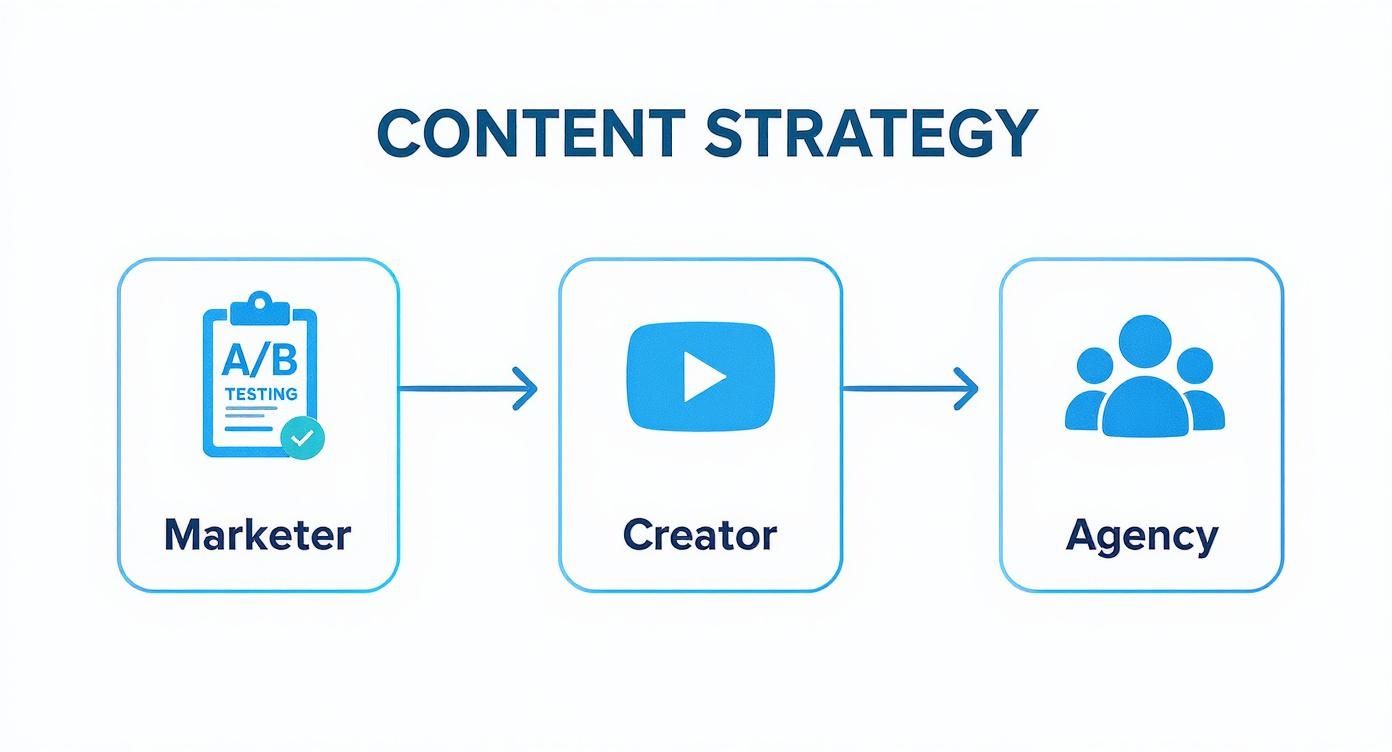
As you can see, even though their specific goals might be different, the core process—ideate, generate, finalize—is a consistent and efficient model for everyone.
Step 3: Assembling the Final Video
Now for the fun part: putting it all together. You'll arrange the clips you just generated on a timeline, lining them up with the script. Most of these tools have simple drag-and-drop editors, so you don't need to be a video pro.
Finally, you'll sprinkle in the finishing touches:
- AI Voiceover: Copy and paste your script into the voiceover generator and pick a voice that sounds warm and friendly.
- Background Music: Browse the tool's music library and choose an upbeat acoustic track that fits the vibe.
- Text & Branding: Add the coffee shop's name and a clear call to action, like "Visit us today!"
Once those pieces are in place, you hit "render." In a matter of minutes, you've gone from a basic concept to a polished, professional-looking promo video. No cameras, no mics, no complex software—just a great idea and a smart tool.
Choosing the Right AI Video Tool for Your Needs
With so many AI video tools popping up, picking the right one can feel overwhelming. The secret isn't finding the single "best" tool on the market, but the one that fits your specific needs and workflow like a glove.
First things first, think about what you actually need. Are you just starting out and want something with a simple, clean interface and tons of templates to guide you? Or are you an experienced creator who craves precise control over every little detail? Knowing this will instantly help you filter out the noise and focus on platforms built for you.
Evaluate Core Features and Quality
Once you've got a general idea of what you’re looking for, it’s time to get into the details. The quality of the video output is everything—not all AI models are built the same. You want a tool that produces crisp, realistic visuals without any of that weird, glitchy AI stuff.
A great way to judge quality is to look at videos other people have made with the tool or, better yet, sign up for a free trial and test it yourself. See how it handles your more complex ideas and if it can keep a consistent look and feel from one scene to the next.
Here’s a simple checklist to run through:
- Ease of Use: Is the platform actually easy to navigate? Can you jump in and create something decent without needing a PhD in prompt engineering?
- Specific Models: Does it have the features you need? Think text-to-video, image-to-video, or even custom avatars.
- Asset Libraries: What about the built-in resources? A solid library of stock footage, music, and AI voices can be a massive time-saver.
- Pricing: Is the cost clear and upfront? You want a transparent system, whether it’s based on tokens or a flat monthly fee that fits your budget.
Getting this right is important. We're seeing a huge jump in adoption, with 25% to 32% of creative professionals now using specialized AI tools for visual work. While general-purpose tools are common, dedicated video platforms are really taking off because they deliver superior, specialized results.
Align the Tool with Your Goals
At the end of the day, the right tool is the one that makes your life easier. If your main goal is to scale a faceless YouTube channel, you'll probably want a tool that has strong automation features. If you're looking to see how video fits into a bigger strategy, checking out a guide on the best AI marketing tools can give you a broader perspective.
The goal is to find a partner that complements your creative process. An ideal tool should feel less like a complex piece of software and more like a helpful co-pilot, handling the technical work so you can focus on storytelling.
Do your homework—read reviews, watch tutorials, and compare your top choices. Our own detailed breakdown of the best AI video creation tools is a great place to start your comparison. By being thoughtful and strategic, you can find a tool that helps you bring your best ideas to life, again and again.
Time to Meet Your New Creative Partner
It’s best to think of these AI platforms as powerful creative partners, not as replacements for your own imagination. A creative AI video tool is built to do the heavy lifting in production. This frees you up to pour your energy into what really matters: your unique story and vision.
Think of it as a tireless assistant, not just an automation machine. It can handle all the tedious, time-sucking tasks—finding the perfect B-roll, animating a tricky scene, or getting the audio just right. This kind of partnership lets you work like a director, focusing on the big picture instead of getting stuck on tiny technical details.
This guide has given you the map to start exploring this incredible technology with confidence. Now, it's your turn to take the first step.
The real magic of any creative AI video tool isn't in its code or features—it's unlocked by your curiosity. Your ideas are still the spark that ignites every great video.
So, start experimenting. Get in there and play. Write weird prompts, try out styles you wouldn't normally pick, and see just how far this technology can amplify your own voice. The future of making videos is already here. And thanks to AI, it’s more open, more exciting, and more of a team sport than ever before.
Now go make something amazing.
A Few Common Questions About AI Video Tools
Jumping into AI video creation for the first time? You've probably got a few questions. It's a new space, and getting straight answers is the best way to get started. Let's tackle some of the most common things people ask when they're looking at a creative AI video tool.
Is This Stuff Hard to Learn?
Honestly, no. The technology doing the heavy lifting is incredibly complex, but the part you interact with is designed to be as simple as possible. Most of these tools feel more like a super-powered social media app than professional video editing software.
You'll find drag-and-drop editors, ready-made templates, and simple text boxes where you just type what you want. If you can write a sentence, you can make a video. You can genuinely go from signing up to having your first video ready in just a few minutes.
Who Actually Owns the Videos I Make?
This is a big one, and the legal side of things is still catching up. For the most part, it comes down to the terms of service of the tool you’re using. Many platforms give you full commercial rights, meaning you can use your creations for marketing, on your monetized YouTube channel, or anywhere else you need.
But—and this is important—you should always double-check. Before you build your entire business around a tool, skim its "commercial use" or "content ownership" policy. It’s a quick step that can save you a huge headache later.
The bottom line: You’re the director, but the platform's rules determine who owns the final cut. A quick read of their terms is always worth it.
What Can't AI Video Do Yet?
AI has come a long, long way, but it's not magic. There are still a few limitations to keep in mind. One of the biggest challenges is consistency. You might create a character you love, but getting them to look exactly the same from one scene to the next can be tricky. Small details might change unexpectedly.
There's also the "uncanny valley" effect. Sometimes, AI-generated people can look just a little… off. Their movements might be slightly unnatural, or their expressions don't quite hit the mark. The best models are getting much better at this, but it’s still a factor. Where these tools really shine today is with jaw-dropping landscapes, cool abstract animations, and dynamic visuals that don't rely on photorealistic people.
Ready to stop wondering and start creating? Aicut gives you a simple, powerful platform with viral templates and advanced AI models to bring your ideas to life in minutes. Start creating for free today at Aicut.