
An explosion video effect is one of the best tricks I know for stopping the scroll. It can turn a pretty average video into a high-impact, must-share moment. What used to be reserved for Hollywood blockbusters is now something any creator can pull off, thanks to AI. It’s the ultimate pattern interrupt for a noisy social media feed.
Why AI Explosions Are Crushing It on Social Media
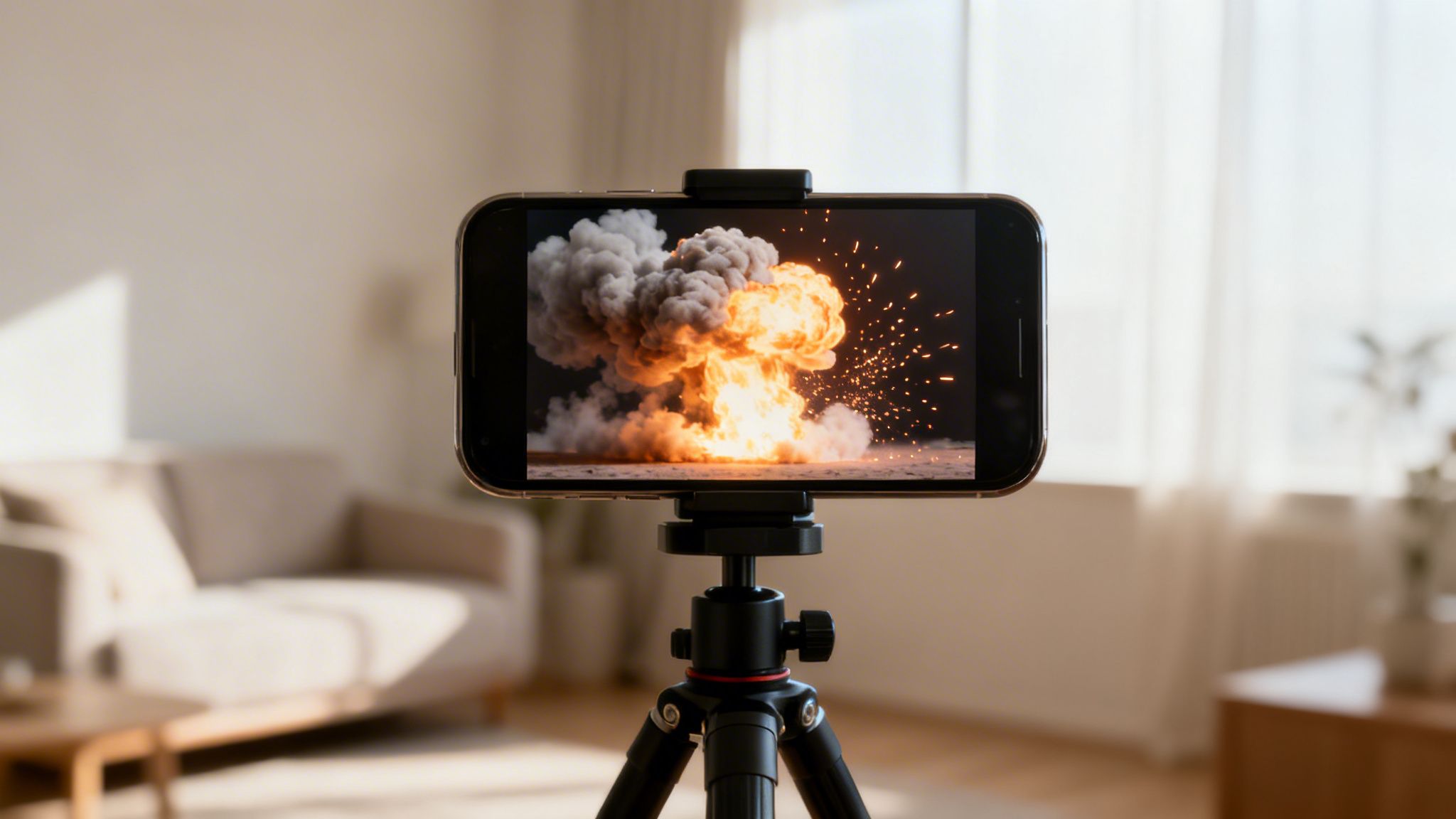
Think about the last time you were mindlessly scrolling through TikTok or Reels. What made you stop? I’m willing to bet it was something completely unexpected, and often, that "something" is a perfectly timed explosion effect. It works for a simple reason: our brains are hardwired to pay attention to sudden, dramatic events.
An explosion is a visual jolt. It’s an abrupt break from the norm that instantly grabs your focus. On platforms where you have maybe three seconds to hook a viewer, that instant attention is pure gold.
A New Playground for Creators
Not too long ago, creating a convincing explosion meant wrestling with expensive VFX software and spending weeks learning the ropes. This kept these kinds of effects out of reach for most of us. Well, that's completely changed.
AI video tools have leveled the playing field for visual effects. Now, if you have a wild idea, you can generate a stunning explosion that looks like it was ripped from a movie scene. This has opened up so many creative doors.
- For Comedic Timing: Imagine dropping a pen, only to have it detonate in a massive, fiery blast. It’s a hilarious and unforgettable punchline.
- For Epic Reveals: Brands can use a stylized explosion to unveil a new product, making a simple launch feel like a major event.
- For Shocking Transitions: A boring object can suddenly burst into smoke and fire, transforming into something else entirely. It’s a great visual hook.
The secret sauce of an AI explosion isn't just the boom. It's the surprise. It shatters the viewer's expectations and makes them think, "Wait, how did they do that?" That's what gets them to rewatch and share.
Stop the Scroll, Get People Talking
On crowded feeds like TikTok, Instagram, and YouTube Shorts, your first job is just to stand out. An explosion is a universal symbol for action and excitement. It cuts through the noise and grabs attention no matter who is watching or where they are.
When you add a great-looking explosion video effect, you're sending a clear signal to viewers—and the algorithm—that your content is worth watching. This simple addition can boost your watch time, earn more shares, and get people curious enough to check out your other videos. It’s not just a cool visual; it’s a smart move to make your content unskippable.
Nail the Planning, Nail the Blast
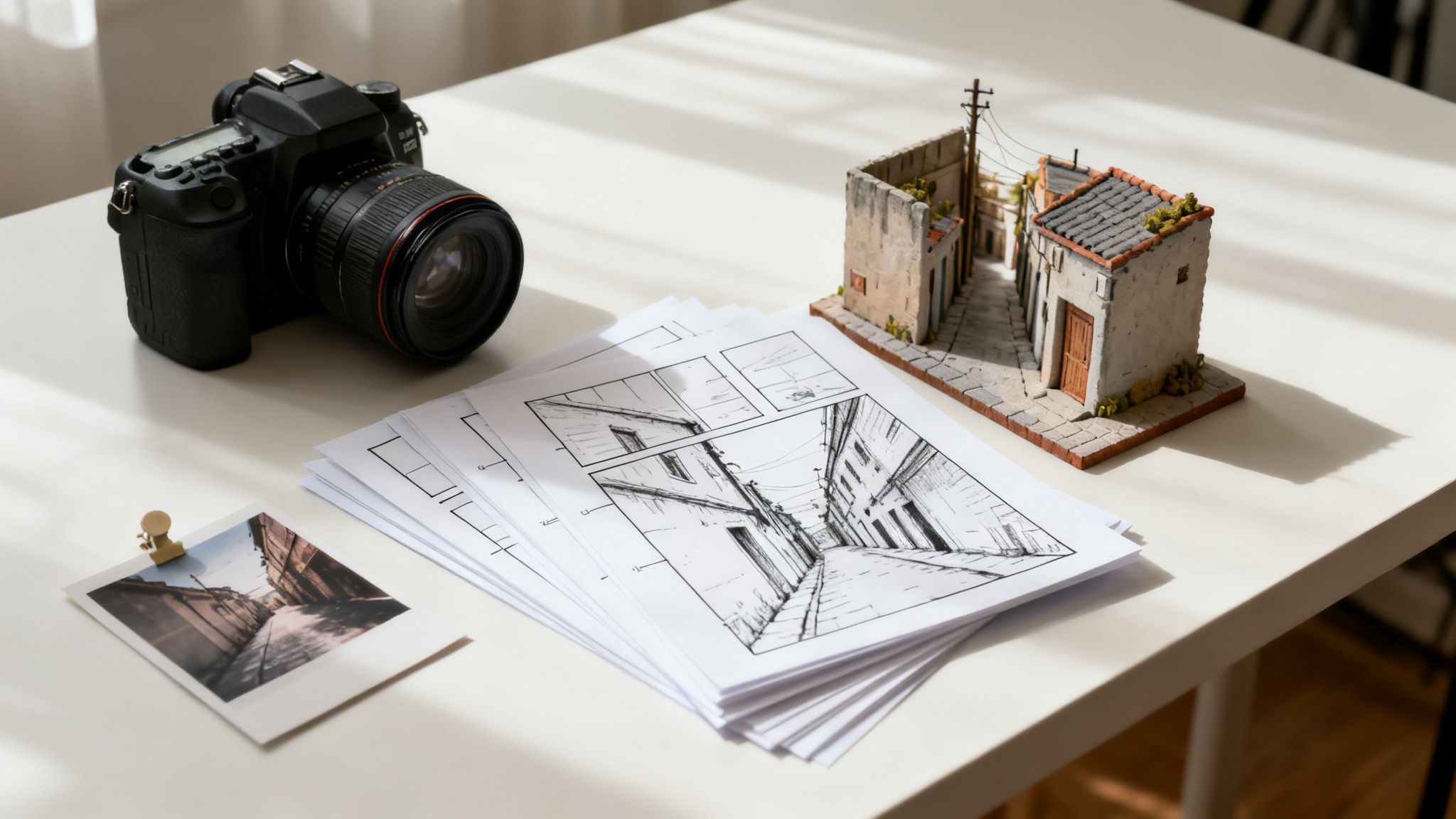
Want to create a truly believable explosion? The secret isn't in the AI tool—it's in the prep work you do before you even touch the software. I've seen countless videos where a spectacular AI-generated blast just looks wrong because it was clearly slapped on as an afterthought. It looks fake because it doesn't interact with the world around it.
Think of the explosion as a character in your story. It has to belong in the scene. This all starts with your background plate. An explosion ripping through a tight city alley will have completely different lighting, debris, and reflections than one in an open field. Get the environment right, and you're halfway there.
Think Like a Demolition Expert
Before you even think about hitting record, grab a piece of paper and sketch out the action. It doesn't have to be a masterpiece; a simple shot list or a few crude drawings will do. This forces you to think through the little details that sell the effect.
Where, exactly, is the explosion coming from? What's going to happen to the things around it? A big blast creates a shockwave that should rattle windows, shake trees, and kick up a ton of dust. When you account for these reactions in your original footage (even by just shaking the camera or having an actor react), the final composite feels so much more real.
For instance, imagine your scene is in an old factory. These places are often full of fine dust particles. Did you know that industrial dust extraction systems are common sites for real-world blasts? They account for 17% of industrial explosions, a figure that jumps to a staggering 44% for metal dusts alone. You can see just how dangerous this can be in videos like the ones on this site from Grupa-Wolff. Weaving that kind of specific, real-world detail into your scene adds a layer of authenticity that viewers feel, even if they don't consciously notice it.
Pro Tip: Your background footage is everything. Always, always shoot a "clean plate"—a few seconds of the empty scene with nothing happening. This empty shot is a lifesaver when you get to the editing bay and need to mask or composite the effect seamlessly.
Your Pre-Flight Checklist
A quick mental check before you film can save you hours of headaches in post-production. Run through these questions:
- Lighting: Does my scene's lighting make sense? A fiery noon explosion shouldn't be happening in a dimly lit evening shot. Remember, that fireball is going to cast its own intense, warm light on everything nearby.
- Scale: How big is this thing? A car bomb and a grenade are two very different beasts. Make sure the size of your AI blast feels appropriate for what's causing it.
- Perspective: Is the camera angle helping or hurting? Shooting from a low angle can make an explosion feel massive and terrifying, while a high-angle shot can diminish its impact.
Putting in this groundwork beforehand gives your AI effect a solid, realistic world to live in. This is what separates a cheap, tacked-on effect from a visual that makes people stop scrolling and say, "Whoa, how did they do that?"
How to Write an AI Prompt That Creates Jaw-Dropping Explosions
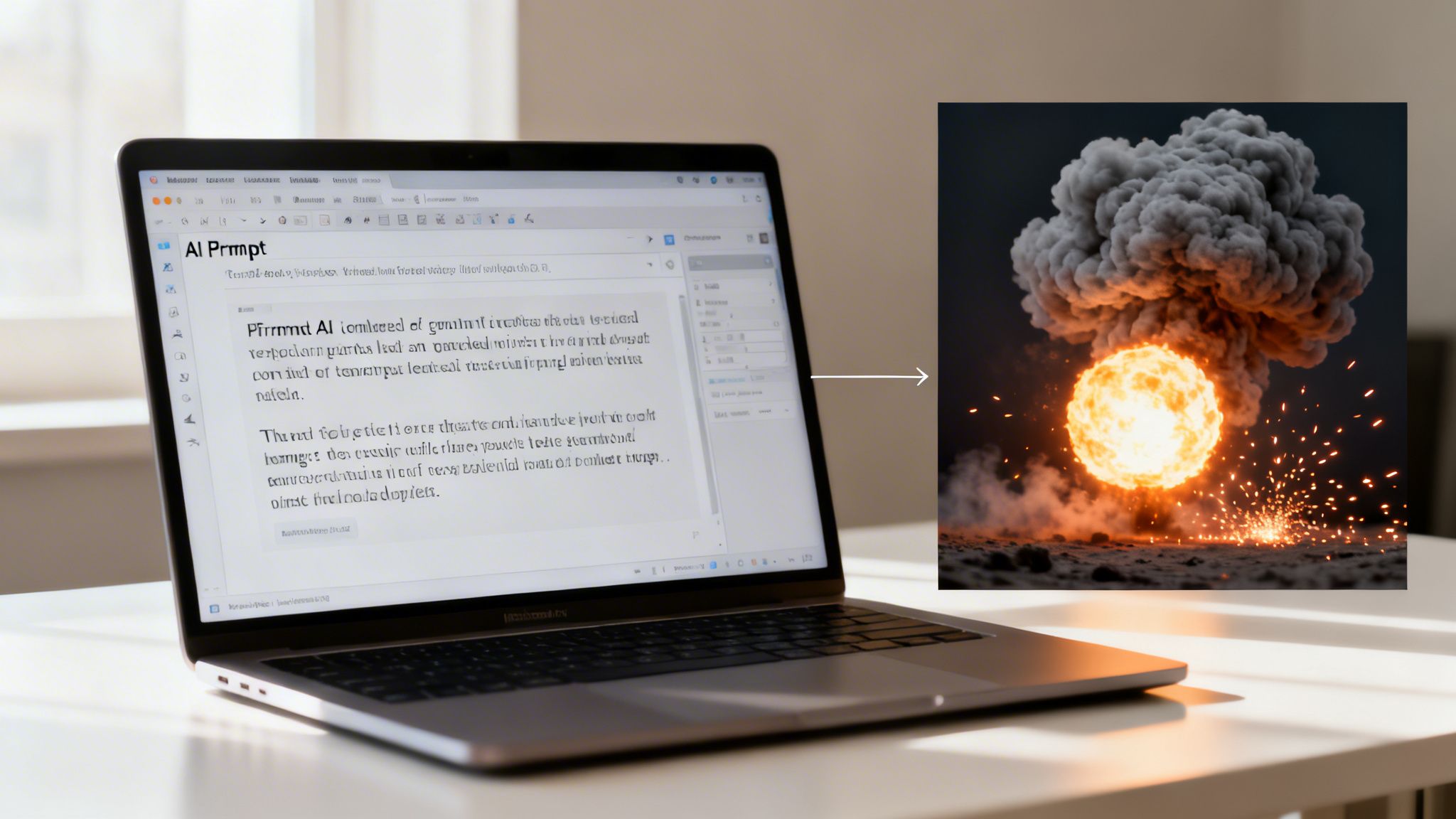
This is where the magic really happens. You're about to turn a simple idea into a screen-shattering visual, and your prompt is the key. Think of the AI as your personal VFX artist—it's incredibly talented, but it needs clear, specific instructions from you, the director. The better your prompt, the better your explosion video effect.
Just typing "big explosion" into the prompt box is a recipe for a generic, forgettable result. It's like telling a professional stunt coordinator to just "do something cool." You'll get an effect, sure, but it will lack purpose and style.
To get something truly special, you need to get specific. What’s the story behind the blast? Is it a gas station going up in flames, or a wizard casting a fireball spell? The details are what sell the shot.
The Anatomy of a Killer Prompt
So, what makes a prompt work? It’s all about layering details. You start with the core concept and then pile on descriptive words that control the color, style, and environment of the blast. A good prompt is a director’s vision written down. If you want to get really nerdy about how this works, our guide on what prompt engineering is is a great place to start.
Here’s what I focus on when I’m writing a prompt for an explosion:
- Color & Light: Don't just say "fire." Describe it. Is it a "brilliant white-hot flash" that quickly turns into a "deep orange and black roiling fireball"? This gives the AI clues about the temperature and what’s burning.
- Smoke & Dust: The smoke tells a story. Instead of just "smoke," try "thick, billowing black smoke from a fuel fire" or "a heavy cloud of fine gray concrete dust." This completely changes the feel of the aftermath.
- Debris & Aftermath: What gets thrown into the air? This is what makes an explosion feel real and destructive. Use phrases like "showering sparks and shattered concrete fragments" or "splinters of wood and twisted metal" to create a more dynamic and believable scene.
An effective AI prompt is a recipe. The explosion is your main ingredient, but the modifiers—adjectives, adverbs, and specific nouns—are the spices that give it a unique flavor and make it truly impactful.
Prompt Examples for Different Scenes
You'll need a different prompt for every situation. A futuristic plasma blast looks nothing like a real-world demolition. Thinking about your effect in three dimensions can really help; some of the ideas behind how AI interprets prompts for 3D models are surprisingly useful here. There's a great article on this called Text To 3d Explained that can help you think more dimensionally.
To show you what I mean, here’s a quick comparison.
Scenario 1: Sci-Fi Energy Burst
- Weak Prompt:
blue explosion - Strong Prompt:
A contained sci-fi energy burst, crackling with blue and purple electrical arcs, creating a bright lens flare and a subtle heat distortion wave, minimal smoke
Scenario 2: Urban Demolition
- Weak Prompt:
building explodes - Strong Prompt:
Wide-angle demolition of a brick building, a massive fireball erupts from the center followed by a shockwave of dense gray dust and debris, concrete chunks flying outwards
To help you get started, here's a table I put together that shows how different keywords can completely change the look of your explosion.
AI Explosion Prompt Modifier Comparison
This table breaks down how specific keywords and modifiers can shape the final look of your AI-generated explosion. Mix and match these to create your own custom effects!
| Desired Effect | Core Keyword | Style/Realism Modifier | Debris/Smoke Modifier | Example Prompt Snippet |
|---|---|---|---|---|
| Realistic Demolition | explosion | cinematic, 4k, wide-angle | dense gray dust, concrete chunks | ...massive fireball followed by a shockwave of dense gray dust and debris |
| Sci-Fi Energy Blast | energy burst | futuristic, sci-fi, glowing | electrical arcs, heat distortion | ...crackling with blue and purple electrical arcs, subtle heat distortion wave |
| Magical Spell | fireball | fantastical, magical, ethereal | swirling embers, magical particles | ...a swirling vortex of magical particles and glowing embers |
| Cartoon/Anime Style | KABOOM | anime style, 2D animation | stylized smoke clouds, speed lines | ...a classic anime-style KABOOM with sharp black outlines and speed lines |
Using this table as a cheat sheet can help you quickly dial in the exact look you're going for. Spending a few extra minutes on your prompt makes all the difference. You'll go from a generic effect to a custom, believable explosion that will make people stop scrolling and watch.
Making the Effect a Natural Part of Your Scene
Alright, so you've used an AI tool to generate a jaw-dropping explosion. That's an awesome start, but the real magic happens when you blend it into your footage so convincingly that nobody can tell it wasn't filmed on location.
A phenomenal effect that looks pasted on will always fall flat. The process of compositing—weaving that AI-generated clip into your original video—is what truly sells the shot. It’s the difference between a cheap trick and a professional explosion video effect.
To get this right, you need to master three core techniques: masking, color grading, and motion tracking. It’s a bit like adding a new character into a scene you’ve already filmed. You have to make sure they're standing in the right spot, lit correctly, and moving with the camera. The exact same logic applies to your explosion.
Use Masks to Create Depth
Masking is your secret weapon for creating a sense of real-world depth. It's how you place the explosion inside your environment instead of just slapping it on top. For instance, if you have a car exploding behind a streetlamp, you need to "cut out" the lamp so it stays in the foreground as the fireball rages behind it.
Pretty much any modern editing software, including Aicut, gives you the tools for this. The workflow is usually the same: you put your explosion layer over your main footage, then use masking tools to tell the software which parts of your original scene should appear in front of the effect.
- Static Masks: For shots where your camera is locked down on a tripod, a simple shape mask around foreground objects like trees or buildings will do the trick.
- Rotoscoping: If your camera moves or foreground elements are in motion, you'll need to rotoscope. This means adjusting the mask's shape frame-by-frame. It used to be a tedious job, but thankfully, AI-powered rotoscoping tools are making it dramatically faster.
Here's a pro tip I've learned over the years: always add a soft, feathered edge to your masks. Objects in the real world rarely have perfectly sharp edges. This tiny adjustment softens the line between your footage and the effect, making the whole thing look way more believable.
Match the Light with Color Correction
Next up, you have to think about light. A massive, fiery explosion is going to throw intense, warm light onto every surface around it. If your original scene doesn't react to this new light source, the effect will feel completely disconnected. This is where color correction and grading come in.
You'll want to paint a warm, orange-and-yellow glow onto the parts of your scene that would be lit by the blast. I do this by creating a new adjustment layer, adding a color tint, and then masking it to just the areas that need it—like the side of a building or the ground.
Don't forget to animate the light! The glow should flicker, brighten, and fade in sync with the explosion itself. This subtle detail is what pulls the entire shot together. If you want to dive deeper, our guide on video effects editing covers even more advanced lighting techniques.
Lock It Down with Motion Tracking
But what if your explosion is supposed to be on a moving object, like a drone zipping across the frame or a car driving down the road? This is where motion tracking is absolutely essential.
Motion tracking lets you "pin" your explosion effect to a specific point in your video. It analyzes the footage and makes sure your effect moves, rotates, and scales perfectly with the object it's attached to.
The process involves finding a high-contrast point on the moving object for the software to lock onto. Once it analyzes the path, you get motion data that you can apply directly to your explosion layer. Just like that, your blast becomes an organic part of a dynamic scene. After creating your explosion, you can use specialized tools to get it into your footage, and some editors are even experimenting with models like Wan2.2 GGUF for video generation for this kind of work.
Designing Sound for Maximum Impact
An explosion without sound is just a pretty light show. The visuals might catch the eye, but it's the audio that makes your audience feel it. A truly memorable explosion video effect hinges on a powerful, layered sound design that feels visceral and real.
Think of it less like a single effect and more like a recipe. You're not just dropping one "explosion.mp3" onto your timeline. You're building a rich, chaotic, and believable sonic moment from several different ingredients that work together.
Building Your Sonic Layers
Every great explosion starts with a deep, low-frequency boom. This is that chest-thumping sound that conveys raw power and pressure—the part of the effect your viewers will feel as much as they hear.
But a boom alone is just noise. To add realism, you need to layer in other elements that give it texture and a sense of sudden violence.
- The Crack: A sharp, high-frequency crack or pop right at the moment of ignition gives the blast that initial, violent punch. It hits the ear a split-second before the bass wave, making the whole thing feel more dynamic.
- The Debris: What is the explosion ripping apart? Add sounds of falling debris—the tinkle of glass, the rattle of metal, the crumble of concrete. These sounds ground your effect in its environment and make the chaos feel bigger than the initial blast.
You can find a massive library of these specific elements to mix and match using an AI sound effects generator.
The goal is to create an audio tapestry. The initial blast, the crackling fire, and the sound of debris should all blend together. No single sound should dominate; instead, they should combine to create a single, overwhelming sensory event.
The Feel of Low-Frequency Pressure
To make an explosion feel truly powerful, you have to appreciate the physics of a real blast wave. That pressure is what does the real damage. The 2013 West Fertilizer Company explosion was a sobering example, where forces as low as 1 psi shattered windows for miles and anything over 5 psi demolished concrete walls.
You can mimic that intense pressure wave with carefully designed low-frequency audio. When done right, it creates a subconscious sensation of compression that makes the on-screen destruction feel much more authentic.
Timing and Editing for a Bigger Punch
Your sound has to be perfectly synced with your visuals. The audio should kick in on the exact frame the flash appears. Even a slight delay will instantly break the illusion and make the effect feel cheap.
Once the timing is locked, you can amplify the impact with a few classic editing tricks.
A quick, subtle camera shake at the moment of detonation tricks the viewer's brain into feeling the shockwave. You can also throw in a few rapid cuts right as the explosion happens to create a sense of disorientation and energy, overwhelming the senses just like a real blast would.
This process shows how all these different visual elements—the compositing, the color, the motion—all come together.
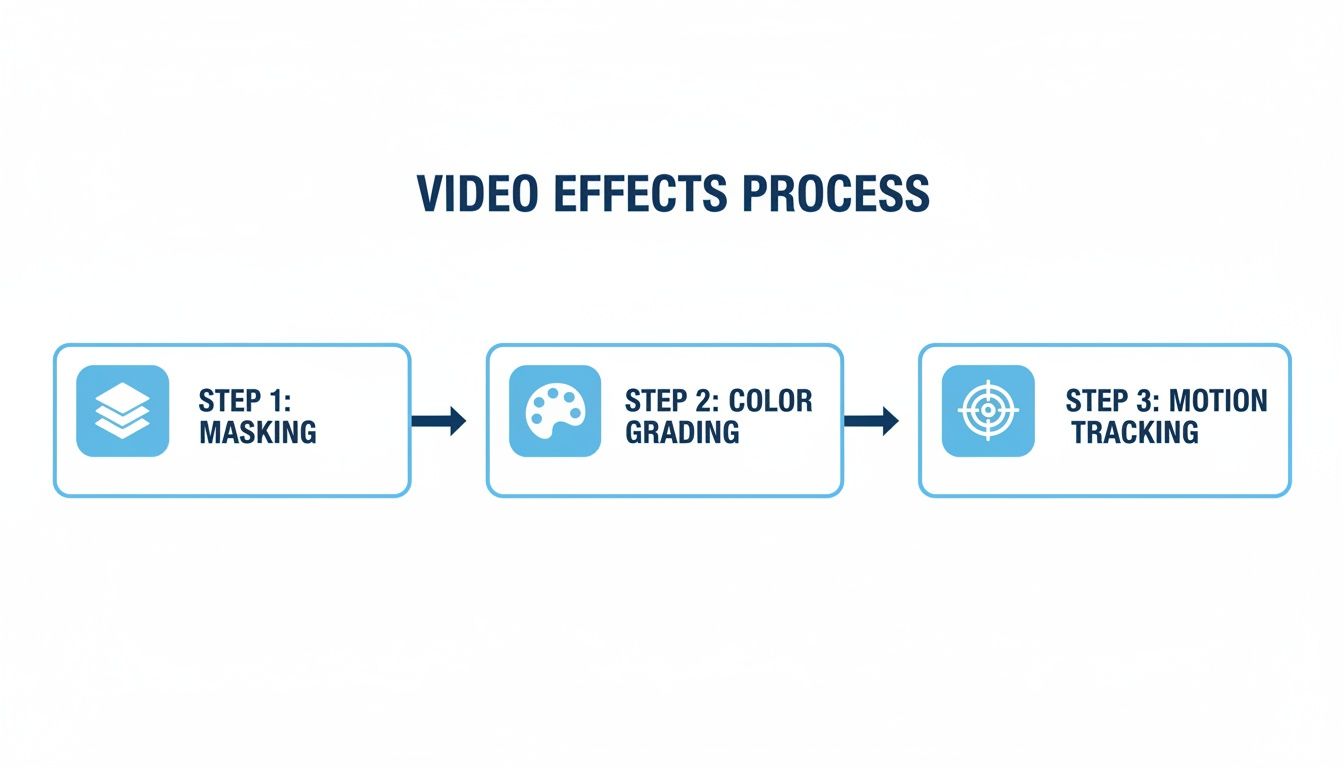
As you can see, a great effect is a multi-step process. It's about layering technical skills with creative adjustments. By building your soundscape and syncing it perfectly with these visual edits, you’ll transform your explosion from something people just see into something they genuinely experience.
Common Questions About AI Explosion Effects
So you've started playing with AI-generated visuals, but your explosions feel a little... off. It's a common hurdle. You get this awesome-looking blast from an AI tool, but when you drop it into your video, it looks flat or just plain fake.
Let's walk through some of the questions I hear all the time from other creators. A few small tweaks can make a world of difference.
How Do I Make My AI Explosion Look More Realistic?
The biggest mistake I see is an explosion that just sits on top of the footage. A realistic effect has to interact with the world around it. I've found it really comes down to three things.
First, lighting. A massive fireball isn't shy; it throws light everywhere. That light should flicker on nearby surfaces in your video. The trick is to add a new layer in your editor, give it a warm orange or yellow tint, and then animate its brightness and position to match the explosion. It’s a simple step that instantly sells the effect.
Next up is integration. Your explosion needs to feel like it's in the scene, not just pasted over it. Use masking to place parts of the explosion or smoke behind objects in your original footage. For example, if a car explodes, the smoke should rise from behind a nearby building, not in front of it. This creates an immediate sense of depth.
Finally, don't skimp on sound design. A single "boom" track is never enough. A great explosion is a symphony of chaos.
- Layer the initial boom with the sharp crack of the blast.
- Add the sound of debris raining down.
- Mix in the low crackle of a fire burning afterward.
These layers build a rich audio landscape that makes the visual feel far more convincing.
Which AI Model Is Best for Creating Explosions?
Honestly, there’s no single "best" model. The right tool really depends on the job.
If you're going for a cinematic, high-detail effect with photorealistic physics, you'll want to look at the more advanced, specialized AI video models. These are perfect when total believability is your top priority.
But for a quick, stylized blast for a TikTok video or a comedic short, a faster, more accessible model is often the better choice. They can deliver fantastic, eye-catching results without the long render times. My advice? Experiment. Take the same prompt and run it through two or three different generators to see which one nails the style you’re after.
The key takeaway is to match the tool to the task. A stylized, cartoonish blast for a funny short-form video has different needs than a photorealistic demolition for a dramatic scene.
How Can I Add an Explosion to a Moving Video Clip?
You absolutely can, and this is where the magic really happens. The secret is motion tracking. Sticking an effect onto a static shot is one thing, but making it follow a moving object is what truly sells the illusion.
Your first step is to pick a clear, high-contrast point on the object you want to blow up—think a car's logo or a specific window on a building. Then, you'll use your video editor's motion tracking tool to analyze that point's movement frame by frame.
Once the software has tracked the path, you simply "parent" your AI-generated explosion layer to that tracking data. The editor automatically applies all the movement, rotation, and scaling to your effect. The result? Your explosion will stick to the object perfectly as it moves, making it look completely integrated into the shot.
Ready to create your own scroll-stopping content? Aicut gives you everything from viral-ready templates to an advanced editor that makes adding professional effects a breeze. Start creating faster and smarter at Aicut.