Building a content calendar for an AI video workflow really boils down to three things: deciding on 3-5 core content pillars, picking a posting schedule you can stick to, and brainstorming video ideas for each pillar. Think of this as the game plan you hand to your AI tools, telling them exactly what to create for your faceless channel.
Laying Your AI-Powered Content Foundation

Before you even think about generating a single video, you have to give your calendar some direction. For a faceless channel run by AI, that direction comes from strong, repeatable content pillars. These aren't just broad topics; they're the specific themes that will guide every video you make. This consistency is what builds an audience that knows exactly what they're getting from you.
Forget vague ideas like "post about history." To really get the most out of an AI, you need to be much more specific. The trick is to lock in 3-5 solid themes that you know your audience on YouTube, TikTok, or Instagram will love.
Finding Your Core Content Pillars
The easiest way to land on your pillars is to see what's already crushing it in your niche. Spend some time watching viral content. Don't just look at the topics—look at the formats. Are lists, "how-to" guides, or myth-busting videos getting all the attention?
Let's say you're building a faceless history channel. Instead of just "history," you could create much more AI-friendly pillars like these:
- Forgotten Battles: This gives you a clear angle to tell stories about lesser-known conflicts. It's a fantastic format for AI-generated visuals and a compelling narrative script.
- Historical Myths Debunked: This pillar is all about setting the record straight on common misconceptions. It taps into natural curiosity and is perfect for the kind of factual, well-structured content AI excels at.
- On This Day in History: Here's your ticket to an endless supply of timely content. It’s a super repeatable format that keeps your calendar packed and gives your audience a reason to check in regularly.
Having these pillars makes planning a breeze. Instead of staring at a blank calendar, you're asking a focused question: "What's a great 'Forgotten Battle' I can cover this week?" This clarity is what makes AI content creation for social media so powerful and efficient.
Key Takeaway: Your content pillars act like guardrails for your AI. They turn a general-purpose tool into a specialized content machine that churns out on-brand videos, every single time.
Turning Pillars into Actionable Ideas
Once your pillars are set, it's time to brainstorm specific video ideas for each one. You’re essentially creating a bank of prompts that the AI can execute perfectly. The goal is to have a long list of concepts ready to be plugged into your calendar.
Let's stick with our history channel. Under the "Historical Myths Debunked" pillar, you might list out ideas like:
- "Did Vikings Really Wear Horned Helmets?"
- "The Truth About Napoleon's Height"
- "Was the Trojan Horse a Real Thing?"
Each of these is a direct command. You can feed a title like that straight into a tool like Aicut, and it knows to generate a script, find relevant AI visuals or stock footage, and lay down a voiceover. Planning at this level is crucial for building a pipeline that actually works. For a deeper dive into the strategy behind this, understanding the fundamentals of content calendar marketing is a great next step.
Your foundation isn't just about what you're going to post, but how you'll create it. By defining pillars and pre-loading them with specific, AI-ready ideas, you get rid of the daily "what do I post?" grind. You're building a system, not just a schedule—and that system is your key to consistent, efficient growth.
Alright, let's move from high-level strategy to the nuts and bolts of your production pipeline: the content calendar. This isn't just about scheduling posts; it's about building an assembly line for your AI, turning your content pillars into a concrete, day-to-day plan.
The goal here is simplicity. You want a system you can fill out in a single afternoon that gives you weeks' worth of video ideas, all queued up and ready for your AI to tackle. Think of it as a command center for your entire faceless channel.
What Makes an AI-First Calendar Different?
A calendar designed for an automated workflow needs more than just a title and a publish date. Every column you add is essentially a direct instruction for your AI tool, like Aicut. Getting these details right upfront saves you from endless manual tweaks later.
Whether you're using Google Sheets, Notion, or another tool, your template should have these core fields:
- Publication Date: The exact day and time you want the video to go live.
- Platform: Where is this going? YouTube Short, TikTok, Instagram Reel?
- Content Pillar: Which core theme does this video fit into? (e.g., "Historical Myths Debunked").
- Video Title/Topic: The specific angle for this piece, like "Did Vikings Really Wear Horned Helmets?"
- Core Prompt: This is the magic ingredient. It's your concise creative brief for the AI, summarizing the video's key points, tone, and angle.
- Status: A simple tracker to know where everything stands (Idea, In Progress, Scheduled, Published).
With this structure, your calendar becomes a powerful dashboard. You can instantly see your upcoming TikTok schedule by filtering by platform or check if you're balancing your content pillars correctly. For a much deeper dive into this workflow, check out our guide on how to automate social media posts.
Grow Your Audience with the 80/20 Rule
One of the biggest mistakes creators make is pushing too much promotional content too soon. You'll burn out your audience before you even get started. This is where the 80/20 rule comes in—it's your secret weapon for building a loyal community.
The concept has become the gold standard for a reason. Top creators build their calendars around a strategic mix: 80% of their content is purely for the audience (valuable, entertaining, or educational), while only 20% is promotional. This approach is absolutely essential if you plan to monetize, because platforms like YouTube, TikTok, and Instagram all reward channels that put their audience first with better reach. You can read more about building a calendar that works with this 2026 guide.
So, what does that actually look like in your calendar?
For every 10 videos you schedule, 8 of them should be focused on giving value. Think answering questions, sharing fascinating stories, or teaching something new. The other 2 can be your chance to mention a product, an affiliate link, or your own service.
This isn't just about being generous; it's smart strategy. When you build trust with high-value content, the algorithms notice the engagement. Then, when you do post something promotional, they're far more likely to show it to a bigger audience.
Your Weekly Posting Cadence Blueprint
Consistency is king. A predictable schedule trains both the algorithm and your audience to anticipate your content, which is a huge factor in growth. You don't have to post everywhere, every day, but you do need a plan.
Here's a sample weekly schedule to get you started. You can tweak this based on what your analytics tell you, but it's a solid foundation for any faceless AI channel.
Sample Weekly Posting Cadence for AI Channels
This sample schedule helps you visualize how to balance your content across different platforms for maximum reach and engagement.
| Platform | Optimal Posting Frequency | Best AI-Generated Formats | Example Post Topic |
|---|---|---|---|
| YouTube Shorts | 3-5 times per week | Narrative stories, quick facts, myth-busting videos. | "The Real Reason the Titanic Sank in 60 Seconds" |
| TikTok | 1-2 times per day | Trending audio formats, text-based stories, Reddit narrations. | "My Craziest Customer Service Story (Reddit)" |
| Instagram Reels | 4-7 times per week | Visually appealing loops, inspirational quotes, UGC-style clips. | "3 Life Lessons from Ancient Philosophers" |
When you combine a well-structured template with a smart content mix and a consistent schedule, your calendar is no longer just a planner. It becomes the engine that powers your entire automated production line, keeping you organized and way ahead of schedule.
Turning Your Calendar Into a Production Pipeline
A great calendar is your blueprint, but that's all it is—a plan on paper. The real magic happens when you turn that plan into a production machine. This is where we shift from thinking to doing. The goal here isn't to create one video at a time. It’s to build a system where you can knock out an entire week's worth of content in just a few hours.
It all starts by seeing your calendar for what it really is: a production queue. Each row isn't just an idea anymore; it's a specific task. You have your core prompts lined up, and you know which AI models are best for certain styles, whether that’s photorealistic clips or animated text stories. This setup is perfect for executing in focused, high-speed batches.
From Calendar Rows to Video Batches
If you want to get your time back, batching is your best friend. Instead of jumping between different creative mindsets for every video, you zero in on one type of content at a time. For example, you could spend one hour generating all your "Historical Myths Debunked" videos for the week. Then, you can switch gears and spend the next hour on your "On This Day" series.
This approach has some serious perks:
- Creative Consistency: All the videos within a single pillar will naturally have a similar tone and feel.
- Mental Focus: Staying in one "mode" helps you work faster. No more whiplash from constantly switching contexts.
- Predictable Output: You know exactly what you’ll have ready to go by the end of your session.
This simple flow is what fuels your entire production process.
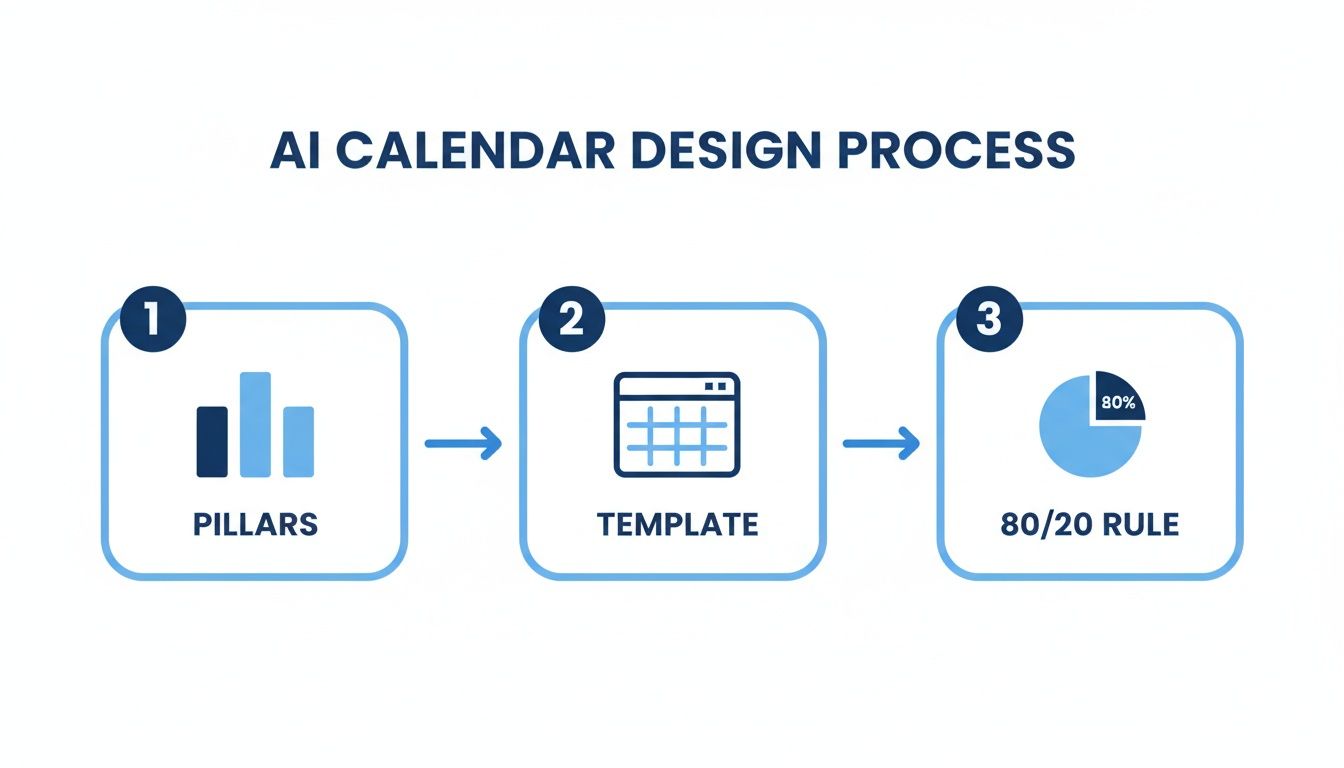
This three-step loop—defining pillars, building from a template, and applying the 80/20 rule—is the engine that keeps things moving. It makes sure every video you produce in a batch is intentional and on-brand.
A Quick Word on AI Credit and Token Systems
Once you start creating videos in bulk, you'll run into AI credit systems. It's important to know how they work. Most AI video platforms, including Aicut, use a credit or token model. Just think of them as arcade tokens—different games (or actions) cost a different amount.
For instance, a simple 30-second video with standard visuals might cost you 10 credits. But a more complex 60-second video using a premium AI model could run you 50 credits or even more.
Pro Tip: Before you kick off a huge batching session, generate just one video first. See exactly how many credits it uses. This gives you a solid baseline to estimate the cost for your entire weekly run, so you don't get hit with any surprises later.
This quick math helps you manage your subscription. If your plan gives you 1,000 credits a month and your average video costs 25 credits, you know you can pump out 40 videos before needing to top up.
Tying It All Together with Automation
The real power move is connecting your calendar to an automation tool. This is how you build a hands-off pipeline that takes an idea and turns it into a published video without you lifting a finger.
Tools like Aicut are built for this. You can set up workflows that pull ideas directly from your calendar, tell the AI to generate the videos based on your templates, and then line them up for posting.
A visual automation builder, like the one shown here, lets you connect the dots between video generation and social media scheduling. This is the final piece of the puzzle. It transforms your static spreadsheet into a smart content engine that works for you 24/7, shifting your role from a creator on a hamster wheel to a strategic overseer.
Putting Your Publishing on Autopilot
Okay, so you've mapped out your content calendar and batched a full week of AI-generated videos. Nice work. Now for the best part: getting all that content online without having to manually upload every single file. This is where your system truly starts working for you, bridging the gap between creation and distribution. It's how you turn your hard work into a genuine ‘set it and forget it’ operation.
Modern AI tools aren't just for making videos anymore; they're built to handle the entire workflow, right through to publishing. Features like built-in schedulers and auto-posting are designed to get the daily grind of content management off your plate. This frees you up to think about the bigger picture—strategy, new ideas, and what's next—instead of getting lost in the weeds of uploading files.
The first step is pretty straightforward: connect your social media accounts directly to your AI platform. For most faceless channels, this will be your YouTube, TikTok, and Instagram profiles. It's a one-time setup that creates a direct pipeline from where your videos are made to where your audience will see them.
Building Your Automated Schedule
With your accounts linked, you can start programming a publishing schedule that matches the rhythm you already set in your content calendar.
Let's say your plan is to post one TikTok video every day at 7 PM and a YouTube Short every Monday, Wednesday, and Friday at noon. You can build that exact schedule right into the system.
This is a huge time-saver. Instead of setting alarms to manually upload each video at the right time, you just drop your batched content into the queue. The platform takes it from there, pushing everything live at the precise moment you planned.
This isn't just a neat trick; it's quickly becoming the standard. A recent CoSchedule survey revealed that 85% of marketers now use AI for content planning and creation, which absolutely includes managing their calendars. For creators, this just shows how much of an edge you get by using AI for the full workflow, not just the fun part of making videos. You can dig deeper into humanizing an AI content calendar to get even more sophisticated with your planning.
Key Insight: Automation isn't about replacing you. It's about removing the boring, repetitive tasks. By automating publishing, you reclaim your time for the strategic work that actually grows your channel.
Crafting Compelling Captions and Descriptions
Auto-posting is more than just clicking a button. The captions, titles, and descriptions that go with your videos are a massive part of the equation. A great piece of copy can make or break your video's reach, especially on a platform like YouTube where search is king.
Thankfully, many AI platforms like Aicut have AI writing assistants built right into the scheduling tool. As you're adding a video to the queue, you can use these tools to:
- Generate SEO-friendly titles: Get ideas based on your video's topic that are designed to show up in search results.
- Write engaging descriptions: Quickly create detailed summaries packed with keywords to tell the algorithm what your video is all about.
- Brainstorm relevant hashtags: Instantly pull a list of trending and niche-specific tags for TikTok and Instagram to help new viewers find you.
For instance, if you're scheduling a video about "The Truth About Napoleon's Height," you could prompt the AI for a snappy, myth-busting caption for TikTok and then a much longer, keyword-rich description for the YouTube version. This way, each post is tailored for its platform without you having to write every word from scratch.
When you combine batch production with an automated scheduler and an AI copywriter, you’ve officially closed the loop. You've built a self-sustaining content machine where your calendar sets the strategy, your AI tool handles production, and the auto-poster makes sure your audience hears from you consistently, day in and day out.
Using Data to Refine Your Content Strategy
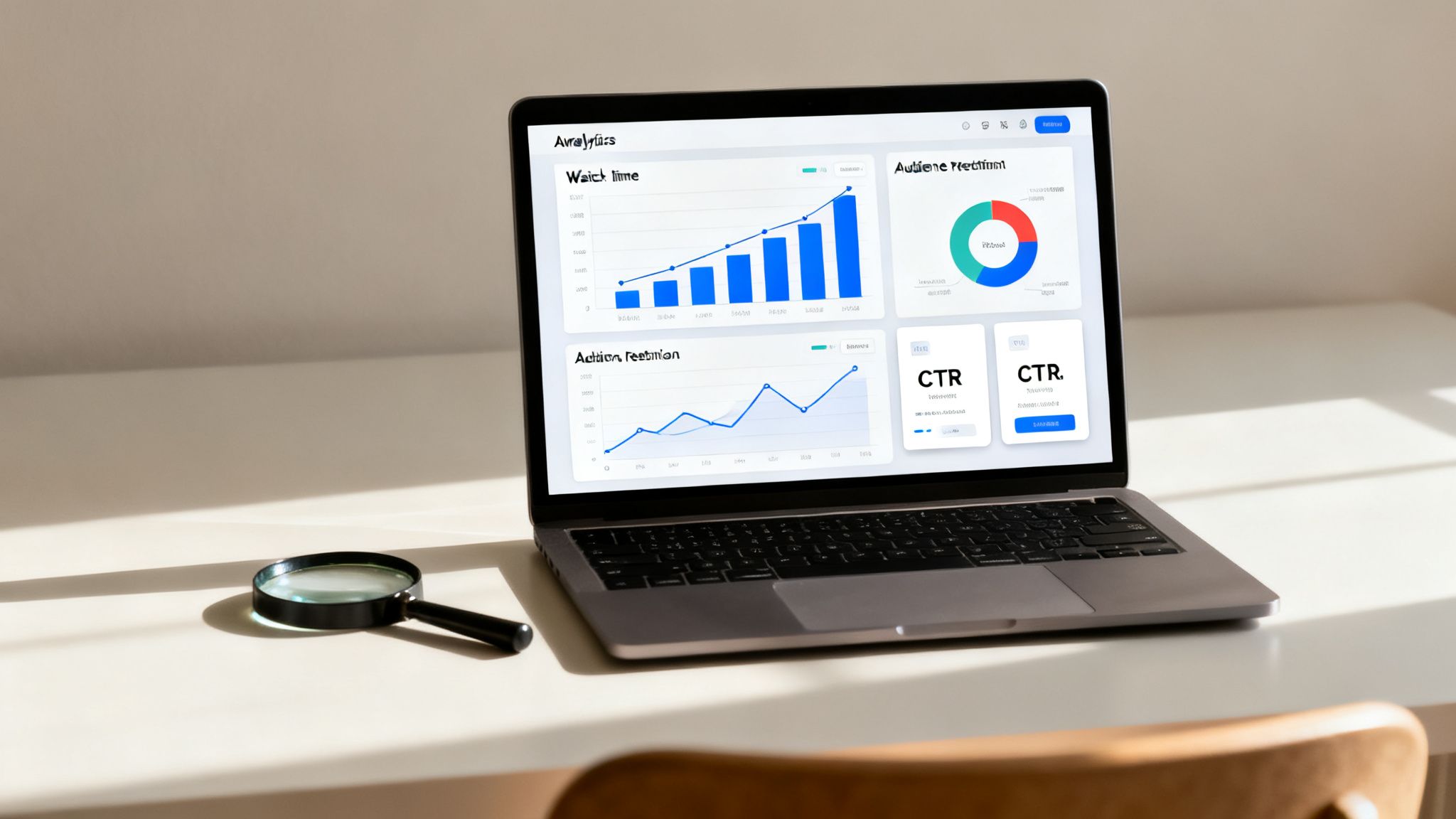
Your content calendar isn't meant to be set in stone. Think of it as a living document—a guide that should evolve based on what your audience actually enjoys watching. The only way to figure that out is by diving into your performance data.
Honestly, this feedback loop is what separates the channels that hit a plateau from the ones that seem to blow up overnight. For faceless AI channels, it's easy to get distracted by vanity metrics like follower counts. But the numbers that truly move the needle are the ones that reflect audience engagement.
Key Metrics That Actually Matter
When you sit down to review your performance, don't let yourself get bogged down in a sea of numbers. You need to zero in on a few key metrics that tell you a clear story about how your videos are landing.
For video content, these are the big three:
- Audience Retention: This is your holy grail. It shows you the exact moment viewers get bored and click away. If you see a massive drop-off in the first 5 seconds, you know your hook isn't doing its job.
- Average Watch Time: This tells you, on average, how long people stick around. The longer they watch, the more platforms like YouTube and TikTok see your content as valuable, and the more likely they are to push it to new audiences.
- Click-Through Rate (CTR): This is all about your first impression. It measures how many people who saw your thumbnail and title actually clicked to watch. A low CTR is a sign that your packaging needs work, even if the video itself is amazing.
Getting a handle on this data is the first real step toward building a calendar that drives results, not just a schedule that keeps you busy.
Finding and Interpreting Your Data
Every platform gives you the tools you need; you just have to get comfortable using them. Making analytics a regular part of your workflow is non-negotiable.
On YouTube, you’ll live inside the "Analytics" tab in YouTube Studio. You can get super granular here, especially with the audience retention graph. Look for the dips—that's where people got bored. Look for the spikes—that’s the gold you want to replicate.
For TikTok, make sure you’ve switched to a Pro account to unlock your analytics. The "Content" tab will show you how each video did, including total and average watch time. It also reveals how people found you (you want to see a lot of "For You" page traffic). Getting your timing right on TikTok is a huge piece of the puzzle, and you can learn more about the best time to post on TikTok to give your content an extra edge.
With Instagram, you'll be checking Reels Insights. Beyond plays and reach, pay close attention to shares and saves. These are powerful indicators that your content isn't just being watched, but that it's genuinely resonating with people.
Key Takeaway: Your data tells you exactly what to do next. If an Instagram Reel about "Forgotten Battles" gets a ton of shares, you should be plugging more of that topic into your calendar. If a TikTok on "Historical Myths" has a low watch time, it’s a signal to rethink the format or topic.
Turning Insights into Action
Okay, you’ve got the numbers. Now what? It's time to let that data shape your content plan. To really level up, it helps to stay on top of the latest video marketing best practices for viral growth and see how you can apply them.
A simple way to start is by sorting your recent videos into three buckets: "Working," "Okay," and "Underperforming."
- Double Down on Winners: If a video style or topic is consistently crushing it with high watch times, make more of it. Simple as that. Brainstorm a few similar ideas and add them to your calendar for next week.
- Analyze and Tweak the Middle: For the videos that did just okay, dig a little deeper. Was the intro too slow? Was the audio off? Use these clues to fine-tune the prompts you use for your next batch of AI videos.
- Pivot from Losers: If a certain type of content consistently flops, don't be afraid to kill it. Your time and AI tokens are far too valuable to waste on ideas that aren't connecting.
This cycle of publishing, analyzing, and refining is what turns your calendar from a simple schedule into a strategic growth engine. You’re no longer guessing; you’re making every new video smarter than the last.
Got Questions About Your Content Calendar? We've Got Answers.
Even the most well-oiled content machine hits a few snags. As you dive into building a calendar for an AI video workflow, a few questions are bound to pop up. It's totally normal. Getting these little details right is what separates a decent system from a great one.
Think of this as your go-to guide for those "what if" and "how-to" moments. Let's iron out the final wrinkles so you can get back to creating.
How Far Ahead Should I Actually Plan My Content?
For AI-driven channels, the magic number is usually 2 to 4 weeks out. This gives you a fantastic runway to batch-produce your videos without that looming feeling of a daily deadline. It also means you’re nimble enough to jump on a new trend without throwing your whole schedule into chaos.
I’ve seen a lot of successful creators use a hybrid model that works wonders:
- Big Picture Planning: They’ll map out their main, evergreen video topics for a whole quarter. Think of these as the reliable cornerstones of their channel.
- Weekly Wiggle Room: Then, they leave a couple of open slots each week. This space is reserved for creating content around trending audio, a news-worthy event in their niche, or a sudden spark of inspiration.
This approach gives you the best of both worlds: you get the stability of a long-term plan and the agility to stay relevant. You’re never scrambling, but you're also not so rigid that you miss a golden opportunity.
My Two Cents: Your content calendar should be a framework, not a cage. The real goal is to be organized enough to work ahead but flexible enough to adapt when creativity (or a viral trend) strikes.
What's the Best Tool for Building a Content Calendar?
Honestly? The best tool is the one you'll actually stick with. You don’t need to drop a ton of money on fancy, complicated software to make this work. In fact, simple and free platforms like Google Sheets or Notion are often the most powerful because you can bend them to your will.
The templates we shared earlier are built for these tools for a reason. They let you add custom columns that are crucial for an AI-powered workflow, like:
- AI Model Used (e.g., Sora 2, Kling)
- The Core AI Prompt
- Estimated Token/Credit Cost
- Key Performance Metrics (like Watch Time or CTR)
Sure, there are dedicated project management tools out there, but a well-organized spreadsheet is the perfect place to start. It’s simple, easy to share with a team, and can scale right alongside your channel.
I'm Out of Ideas. Now What?
Creative block is real, and it happens to all of us. The good news is, your content pillars are your secret weapon for breaking through it. When your idea well feels dry, just run through this quick checklist.
- Go Back to Your Pillars: Take another look at your 3-5 core themes. If one pillar is "Historical Myths Debunked," have you talked about ancient myths? What about modern ones? Or medieval? Drill down into the sub-topics.
- Let AI Inspire You: Jump into the prompt libraries inside a tool like Aicut. Check out the templates that are going viral and think about how you could put your own unique spin on those formats for your niche.
- Scroll with Purpose: Block out 30 minutes a week to just browse your target platforms. What sounds are trending? What questions are people asking in the comments? Save anything that catches your eye to a "swipe file."
- See What People Are Searching For: Use free tools like Google Trends or AnswerThePublic. These platforms show you exactly what your audience is typing into search bars, giving you a direct pipeline to their curiosities.
Can I Just Post the Same Video Everywhere?
You can, but you shouldn't—at least not without a few tweaks. A 60-second vertical video is perfectly sized for a YouTube Short, a TikTok, and an Instagram Reel. But if you just copy and paste the caption and hashtags, you're leaving engagement on the table.
Always take a minute to customize the text elements for each platform's unique culture. Instagram captions can be a bit longer and more personal. TikTok, on the other hand, lives and dies by trending audio and short, punchy text hooks. A solid automation tool will let you customize these details for each platform before it schedules the post, saving you from a world of manual adjustments later.
Ready to put your calendar on autopilot? With Aicut, you can generate videos from viral templates, schedule them across all your accounts, and let our auto-posting do the heavy lifting. Stop tinkering and start growing. Create your first AI video for free on Aicut.