
You've got a strong Reel idea, but by the time you find footage, record a voiceover, add captions, resize the video, and write a caption, the momentum is gone. The next day, the same thing happens. You're not short on ideas. Your production process is too slow.
Learning how to create Instagram Reels is less about mastering every editing button and more about building a system that turns one idea into a finished, faceless video without starting from zero each time. Reels launched globally on August 5, 2020, after testing in Brazil, and the rollout reached more than 50 countries, including the United States, India, the United Kingdom, Japan, Australia, France, and Germany, according to this overview of Instagram Reels history. Instagram later made all video posts Reels in June 2022, which shows how central short-form video became to the platform.
The practical shift is simple. Stop treating every Reel as a separate filming project. Build a repeatable pipeline for ideas, scripts, visuals, narration, editing, and publishing.
Why Most People Fail at Creating Instagram Reels
Scroll through any busy Instagram feed and you'll see the pattern. A creator spends hours making a video with polished effects, but the opening frame says nothing. The viewer doesn't know what they're watching, why it matters, or why they should stay. A simpler Reel with clear text, quick movement, and one useful idea often wins the first impression.
The problem usually isn't the camera. It's the workflow. Beginners often open Instagram, improvise a concept, record several takes, edit on a phone, and attempt to publish immediately. That approach makes content feel like a daily chore, so one slow production day can stop the entire account.

Replace creator mode with operator mode
A content operator separates the work into stages. Instead of thinking, “I need to make a Reel today,” think:
- Collect ideas around one audience problem.
- Write several short scripts using the same structure.
- Generate or gather visuals in batches.
- Apply one visual identity across multiple videos.
- Review retention signals and revise the next batch.
This system also makes faceless content practical. You can use screen recordings, stock footage, animated characters, product visuals, text-led storytelling, AI-generated scenes, or voiceover without appearing on camera.
Practical rule: If publishing one Reel requires a fresh decision at every step, your process will eventually stall.
Reels have become a major global short-video surface. One recent industry summary reports nearly 2 billion monthly Reels viewers, while another reports more than 140 billion daily plays across Instagram and Facebook combined, as documented in this Reels statistics summary. You don't need to chase every trend, but you do need a workflow that lets you test hooks and formats consistently.
Preparing Your Workspace for Vertical Video
Start with the canvas before you write a script or choose a template. Instagram Reels are designed for full-screen vertical viewing, so create the project at 1080 × 1920 pixels with a 9:16 aspect ratio, as specified in Instagram's video formatting guidance.
Use these settings for a dependable export:
- Format: H.264 MP4. MOV is also accepted.
- Frame rate: 23 to 60 frames per second, with 30 fps commonly recommended.
- Audio: AAC stereo.
- File size: Keep the export under 4 GB.
- Text: Instagram captions can contain up to 2,200 characters, but only roughly the first 125 characters appear immediately.
For a broader reference, compare these export settings for Instagram Reels posts before finalizing your editor settings. You can also review Instagram video formatting guidance if you're adapting clips created for another platform.
Build around the safe zone
Keep faces, product details, subtitles, and calls to action near the center of the frame. Instagram's interface can cover content near the top, bottom, and sides, especially when viewers see the Reel in Feed rather than the dedicated Reels view.
Add captions because many people watch without sound. Use large, high-contrast text, but don't turn every frame into a paragraph. One short phrase should support the spoken idea, not compete with it.
Export a short test file and watch it on your phone before producing a batch. Check whether the first frame is readable, whether captions remain visible, and whether the audio sounds balanced through ordinary phone speakers.
The AI-Powered Faceless Creation Workflow
A faceless Reel still needs a point of view. AI can remove filming and repetitive editing, but it can't rescue a vague idea. Start with a specific promise, such as “three ways to make product screenshots easier to understand” or “the mistake that makes short tutorials feel slow.”
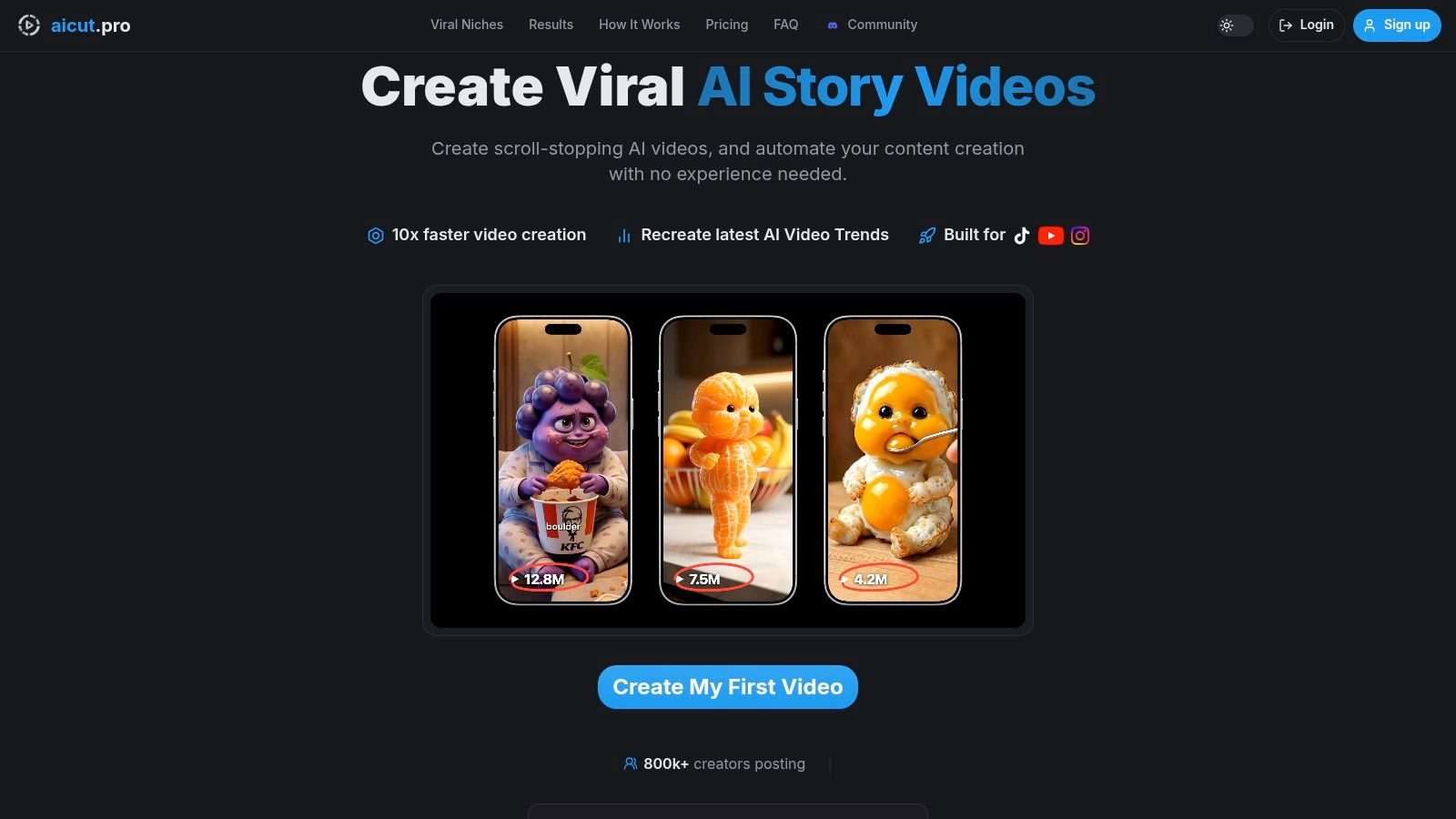
Aicut lets creators choose an Instagram Reel format, enter a script, select a visual style, and build a vertical video without recording themselves. Templates such as Cheating Fruits and AI Skeleton Stories can provide a recognizable narrative frame, while voiceovers and generated visuals handle production tasks that would otherwise require filming.
Use a prompt-to-video batch
Create a small content batch around one topic instead of making one isolated video. A practical sequence looks like this:
- Choose one audience problem. Keep the topic narrow enough that the viewer recognizes it immediately.
- Draft several hooks. Try a warning, a surprising observation, a direct question, and a fast promise.
- Write the body in short beats. Give each sentence one visual job.
- Select a template. Use a format whose pacing and characters fit the idea. A playful fruit format suits a simple conflict, while a skeleton story can support a dramatic reveal.
- Generate the voiceover. Pick a natural delivery and edit the script until every sentence earns its place.
- Match visuals to the narration. Change the scene when the idea changes, not just to add decoration.
- Add captions and a final action. Ask viewers to save the Reel, follow for the next part, or comment with a specific response.
Prompt cloning is useful when you find a Reel with an effective structure. Rather than copying its identity, study the sequence: opening claim, visual change, explanation, payoff, and closing action. Then adapt that structure to your own niche, language, characters, and examples. The faceless Instagram video workflow can help you translate that process into a repeatable production routine.
Use the editor to replace characters, backgrounds, or visual details without reshooting. Save recurring choices, such as caption style, voice, color treatment, and opening layout, so every new script starts from a working base.
The best batch workflow creates variations, not duplicates. Keep the central idea, but change the hook, first visual, example, or ending. That gives you useful creative tests while preserving production speed.
Optimizing Retention in the 2026 Algorithm
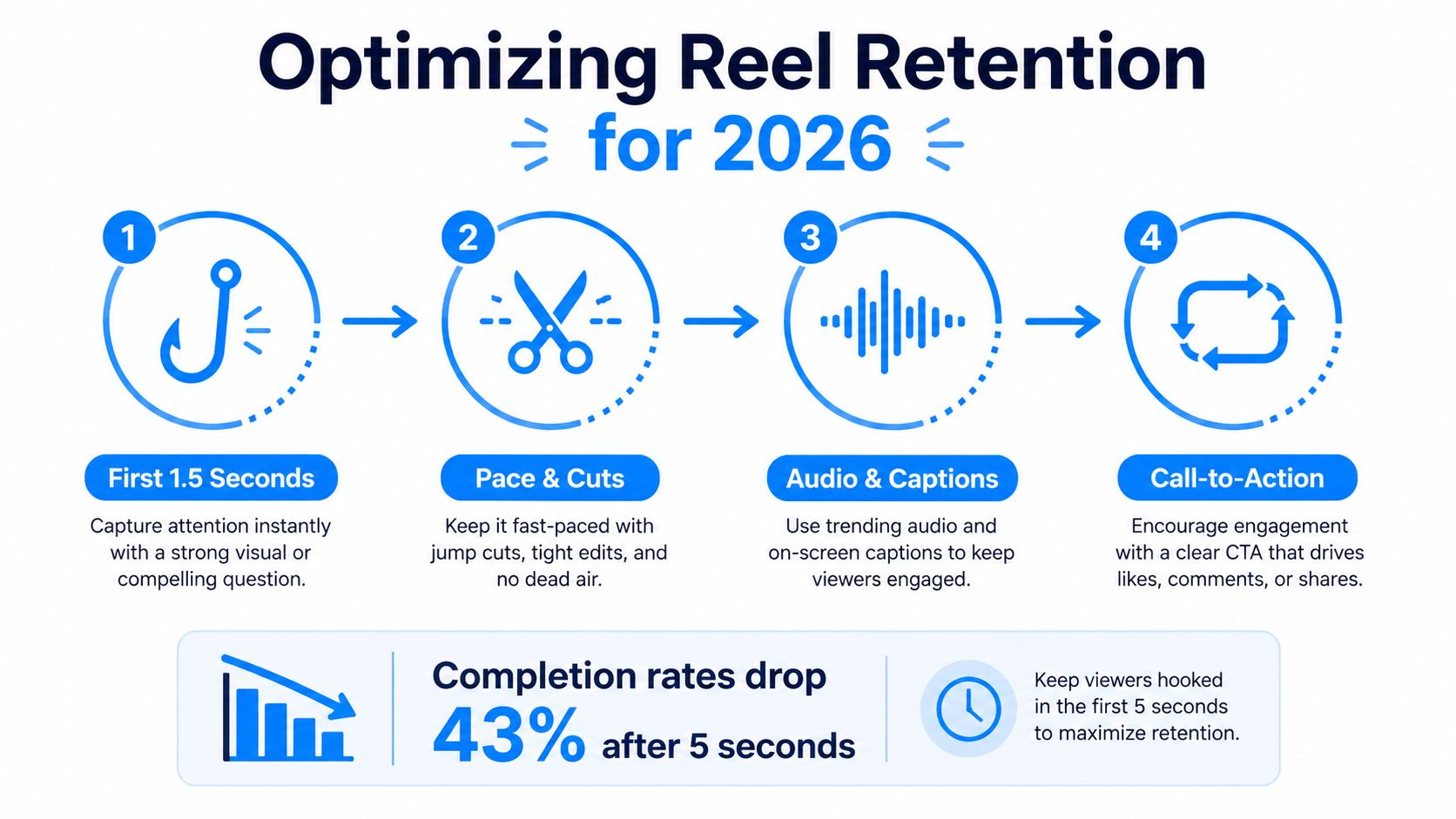
A finished Reel can still fail if the viewer leaves before the idea becomes clear. In the latest available 2026 report, brand-account engagement fell to 2.0% from 2.6% year over year, while Reels completion declined from 38.4% to 29.7%, according to the SocialEcho 2026 Q1 data report. The lesson isn't that short-form video has stopped working. Reels still generate more than four times the interactions of single-image posts, as reported in Metricool's Reels coverage. The lesson is that distribution doesn't replace strong retention.
Design the opening before the middle
The first frame should create an immediate reason to continue. Lead with the result, the mistake, the conflict, or the unusual visual. Don't spend the opening introducing your account or displaying a logo.
Short Reels under 90 seconds are frequently favored in distribution-oriented guidance, but length alone doesn't create retention. A concise tutorial that omits the necessary explanation can frustrate viewers, while a longer story can work when every beat adds tension or clarity.
Use this editing test:
- Remove greetings and background context.
- Cut pauses between spoken ideas.
- Change the visual when the claim changes.
- Put the most useful detail before the closing line.
- End in a way that makes the Reel feel complete or encourages a natural replay.
Audio and captions should reinforce the same message. A voiceover can carry the explanation, while on-screen text highlights the words a viewer needs to remember. Fancy transitions rarely fix a weak sequence. Clean cuts and purposeful movement usually do more.
For a deeper explanation of how recommendation systems evaluate content, see this guide to the social media algorithm. Treat each batch as an experiment. Compare which opening ideas hold attention, then write more scripts around the structures that make viewers stay.
Scheduling, Captioning, and Final Publishing
Publishing is part of production, not an afterthought. A strong video can lose clarity if the cover is vague, the caption buries the point, or the Reel appears inconsistently because manual posting keeps getting postponed.
Before uploading, run this checklist:
- Watch the full export: Confirm that the opening makes sense without context.
- Check the frame: Make sure text and important visuals sit inside the center safe area.
- Choose a clear cover: Use a short promise that tells visitors what they'll learn.
- Write the caption lead: Put the searchable topic and main benefit near the beginning.
- Add focused hashtags: Choose terms that describe the niche and subject rather than unrelated popular tags.
- Share to Feed: Use the additional Feed discovery surface when it fits your account strategy.
- Schedule the batch: Prepare several finished Reels together instead of returning to the upload screen every day.
Instagram's native tools and connected business tools can support planned publishing. If you're comparing options, this guide on how to schedule Reels on Instagram offers a useful overview of the process.
Review performance after publication, but don't judge a format from one upload. Track which hooks earn attention, which topics prompt saves or comments, and where viewers appear to leave. Then feed those observations into the next script batch. Consistency becomes much easier when your calendar contains finished assets rather than unfinished ideas.
Aicut helps faceless creators turn scripts into vertical videos with AI templates, generated visuals, voiceovers, editing tools, scheduling, and one-click publishing workflows for short-form platforms. Visit Aicut to build a faster Reel production system and start your next batch from a repeatable template instead of a blank screen.