
UGC ads aren't a nice extra anymore. They're often the first creative format I test because ads featuring user-generated content deliver 4 times the click-through rates of traditional brand ads while cutting cost per click by 50%, and consumers perceive UGC as 90% more trustworthy than brand-made content according to Flockler's UGC statistics roundup.
That number changes how you should think about creative. The job isn't to make an ad look expensive. The job is to make it feel believable enough that someone stops scrolling, listens, and acts.
There are two practical ways to do that now. You can work with human creators, or you can build faceless AI UGC that mimics the same native, low-friction style. If you need a primer on the broader strategy behind this format, this guide to UGC marketing gives the bigger picture. What matters here is execution. Too often, teams fail because they ask for “authentic content” and leave the rest vague. That's where performance dies.
Why UGC Ads Outperform Everything Else
Most branded ads fail for a simple reason. They announce themselves as ads too early.
UGC works because it borrows the visual language people already trust on TikTok, Reels, Shorts, and product pages. A person talking into a phone camera, showing a real use case, admitting a frustration, then demonstrating a result feels closer to a recommendation than a campaign asset. That shift in perception matters more than polish.
Trust changes the economics
The biggest mistake junior marketers make is thinking UGC is just a style choice. It isn't. It changes media efficiency.
When a viewer trusts the message faster, they click faster. When they click faster, the platform rewards the ad with cheaper distribution. That's why the performance gap between UGC and polished brand creative can get so wide. The creative doesn't need cinematic lighting. It needs a credible human pattern.
Practical rule: If the ad looks like it came from a brand team trying hard to look authentic, it usually performs worse than content that simply behaves like a normal post.
Human creators and AI solve different problems
Human creator UGC gives you lived-in delivery, real micro-expressions, and natural speech patterns. It's usually stronger when the product needs demonstration, emotional nuance, or visible trust.
AI UGC solves a different problem. It gives you speed, versioning, control, and a clean way to test many hooks without waiting on creator outreach, filming, or reshoots. That's useful when you need more creative volume, want faceless output, or need to localize formats quickly.
The trade-off is simple:
| Path | Strongest use case | Common risk |
|---|---|---|
| Human creators | High-trust storytelling, testimonials, nuanced delivery | Slow turnaround, messy revisions, inconsistent briefing |
| AI faceless UGC | Fast testing, scalable variations, controlled output | Content can feel synthetic if overproduced |
The best teams don't argue about which path is “better.” They use both. Human creators help establish credibility. AI helps you multiply learnings and produce more testable versions without turning every ad into a production project.
Ideation and Scripting That Actually Converts
Bad UGC usually starts with a bad brief. Someone says, “Make it authentic,” then expects performance.
Good UGC starts with evidence. Pull your customer reviews, support tickets, sales call notes, and comments under competitor ads. You're not looking for clever copy. You're looking for repeated language. The phrases customers use to describe frustration, hesitation, and relief should shape the script.
If you're selling software or a digital product, another useful starting point is competitor ad analysis. A practical way to spot recurring angles before you write is to validate your next SaaS idea by reviewing what competing brands emphasize in their ad creatives, landing pages, and hooks.
Start with the brief, not the script
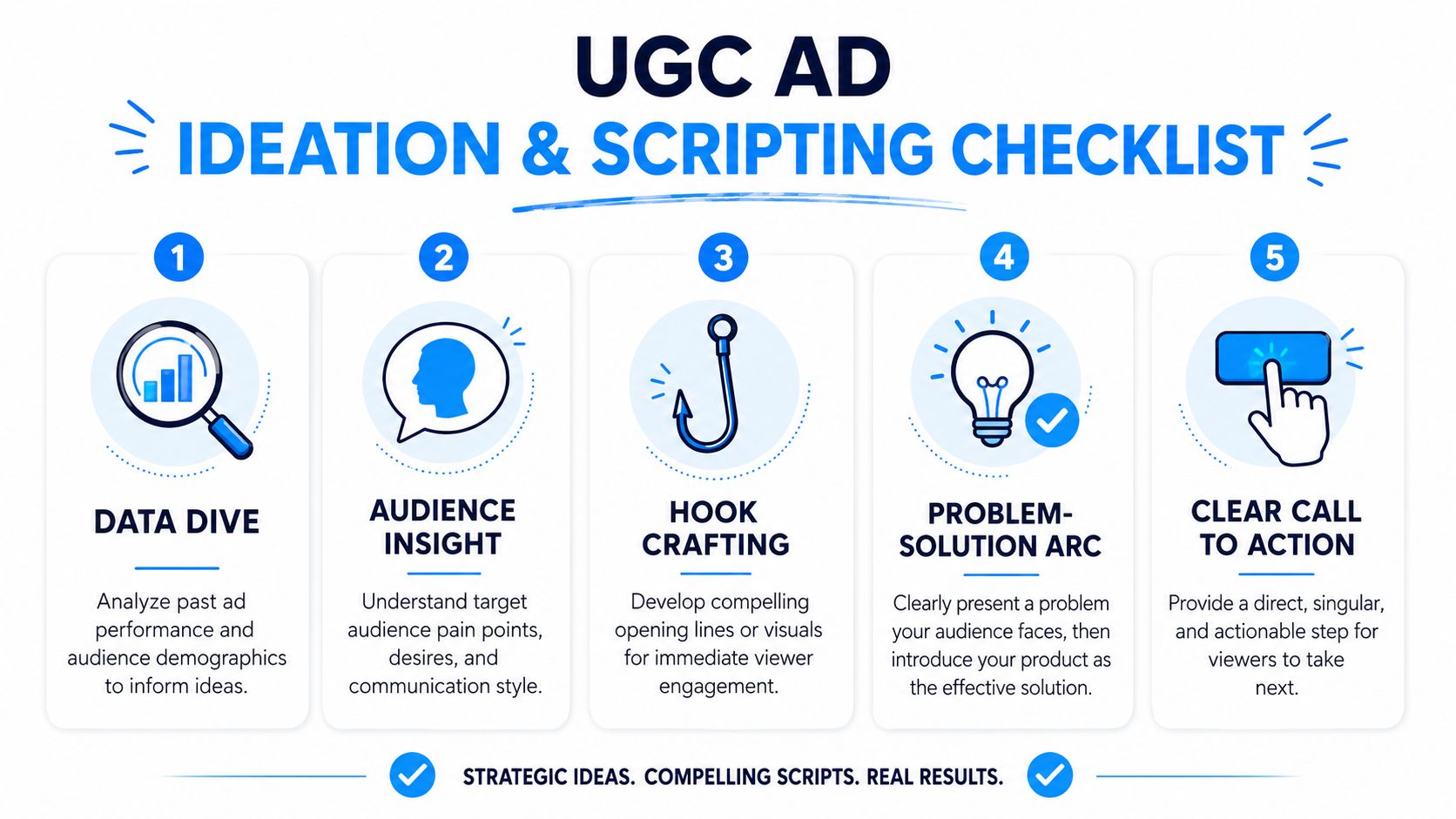
Before writing lines, lock five things:
- Audience pain point. Name the exact friction the viewer already feels.
- Desired outcome. Define what “better” looks like in the customer's words.
- Proof type. Decide whether this ad needs a demo, testimonial, comparison, or transformation story.
- Platform context. A TikTok-style script won't read the same way on Facebook or YouTube.
- Single CTA. One ad, one action. Don't ask for too much.
Use hook frameworks that already work
If you're figuring out how to make UGC ads that convert, the first three seconds do most of the heavy lifting. Problem-solution hooks like “I used to struggle with…” and transformation hooks like “Here's what happened when I tried…” drive 3 to 5 times higher engagement than generic intros. The same guidance recommends testing 3 to 5 hook variations per product and targeting micro-influencers with 1K to 100K followers whose audience matches your customer base, based on Hunch Ads' guide to UGC-style ads.
That means the opening line shouldn't introduce the brand. It should introduce tension.
Here are three script openings I use often:
- Problem-first
“I thought this was just one of those products that never works for me.” - Confession
“I ignored this for weeks because I assumed it was overhyped.” - Specific use case
“If you need something that fixes this without adding another step, watch this.”
A script template that's easy to produce
You don't need a long script. You need a tight one.
Try this structure:
| Segment | What it does | Example prompt |
|---|---|---|
| Hook | Stops scroll | “I was wasting time on…” |
| Pain | Builds relevance | “The annoying part was…” |
| Product intro | Introduces solution naturally | “Then I tried…” |
| Proof | Shows evidence | “This is what changed for me…” |
| CTA | Tells viewer what to do next | “If you want the same result, check it out” |
Keep the wording conversational. If it reads like ad copy, rewrite it until it sounds like something a real person would say.
The strongest scripts sound spoken, not written.
Write one master brief, then branch
For both human and AI UGC, I like one master script brief with controlled variation. That brief includes the pain point, banned phrases, product claims you can safely say, visual cues, and three to five hook options. From there, you create versions.
A useful companion resource is this guide on how to write video scripts, especially if your team tends to over-explain in the middle of the ad.
What usually fails:
- Vague hooks. “You need to try this” is weak.
- Feature dumping. Too many benefits kill momentum.
- Brand-first openings. Nobody cares who you are in second one.
- Perfect language. Real people use contractions, pauses, and incomplete thoughts.
What usually works is narrower. One pain point. One promise. One reason to believe it.
Your Production Playbook Human vs AI
Production is where most UGC campaigns get slower and more expensive than they need to be. The fix is choosing the right workflow before you start collecting footage.
Here's the side-by-side view I use.
Workflow one with human creators
Human creators are still the strongest option when trust depends on believable delivery. If the product needs visible emotion, lived experience, or nuanced explanation, use a person.
The briefing process matters more than the creator marketplace. A weak brief gives you generic footage no matter how talented the creator is.
My standard creator brief includes:
- The opening hook options. Give them several approved hooks, not one.
- The target viewer. Describe the person, not just the demographic.
- Required proof moments. Product in hand, screen recording, before-and-after context, packaging, setup, or usage.
- Do-not-say list. Remove risky claims and generic hype.
- Usage rights. Get explicit written permission before launch.
That last point isn't admin busywork. It's campaign protection. If you don't secure written usage permissions, you can end up with takedowns, disputes, or unusable assets.
Workflow two with faceless AI UGC
AI workflow is different. You're not managing a creator. You're managing a system.
For faceless ads, I build from a detailed brief, then generate multiple script and visual variations around the same angle. AI tools are very time-efficient for this task. One option is Aicut, which lets you generate short-form faceless videos from templates, product inputs, prompts, voiceovers, and editable scene elements inside one workflow. That's useful when you need many fast creative variations without filming.
The rule with AI is counterintuitive. It needs more direction than a human creator, not less.
Your prompt stack should specify:
- Who's speaking or what persona the ad implies
- Emotional tone such as skeptical, relieved, frustrated, or excited
- Visual context like bedroom, kitchen counter, work desk, car, or bathroom mirror
- Cut pattern such as selfie monologue, product close-up, text overlay, screen recording
- Approved claims only
- CTA line
Don't let AI drift into the uncanny valley
One of the biggest AI UGC mistakes is making everything look too clean. RevenueCat's write-up on AI-generated ads notes a trust gap in synthetic ads, especially in markets where micro-expressions matter. Their practical guidance is to avoid “studio-perfect” output by lowering resolution, keeping room tone, and using real humans for testimonials when possible in this analysis of AI-generated ads and UGC.
That advice matches what I've seen. When AI footage is too polished, viewers sense the artifice before they process the message.
A few production choices help:
- Keep some texture. Slight grain, natural lighting, and imperfect framing help.
- Leave in normal pauses. Every line shouldn't sound machine-trimmed.
- Use realistic environments. Lived-in backgrounds beat clean studio walls.
- Reserve testimonials for humans when trust needs a face.
This walkthrough is worth watching if your team is trying to speed up faceless production without losing the UGC feel:
Which workflow should you choose
If you're launching a new product or entering a skeptical category, start with humans. If you already know the angle and need to scale versions quickly, AI is usually the faster path.
Use human creators to discover believable messaging. Use AI to multiply winning patterns.
That sequence avoids a lot of wasted spend.
Editing Your Ad for Maximum Platform Impact
Raw footage doesn't win. Editing decides whether the ad feels native or awkward.
Most underperforming UGC ads aren't broken at the idea level. They're broken in the cut. The pacing is slow, the captions are unreadable, the text gets cropped by platform UI, or the format is wrong for where the ad runs.
Edit for feed behavior, not for beauty
The edit should respect how people consume short-form video. They scroll fast, often watch with sound off, and decide quickly whether to stay.
That changes the job of the edit:
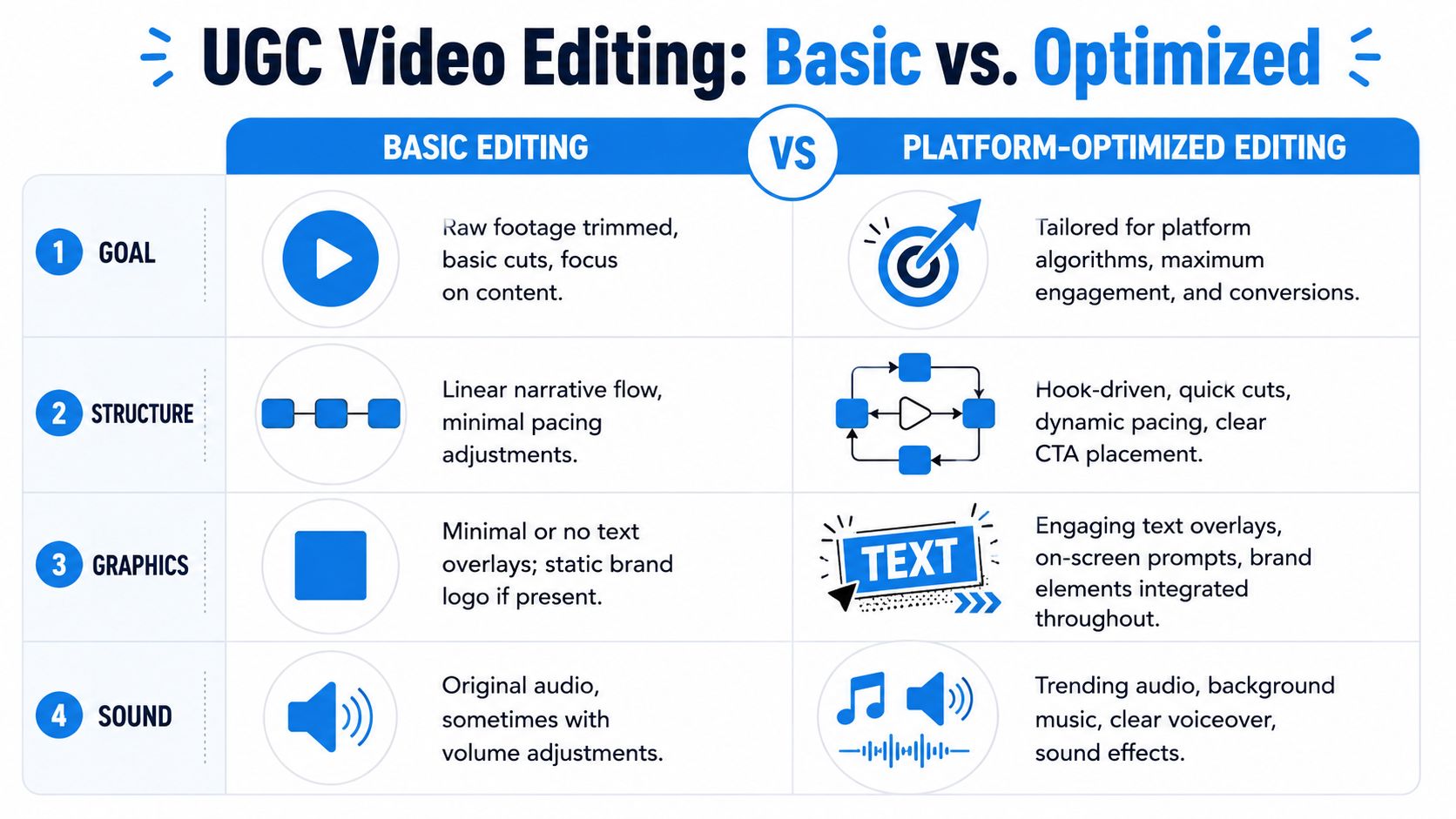
- Open on motion or a face. Static opening frames lose attention.
- Caption key lines. Don't subtitle every breath. Highlight decision-driving lines.
- Cut dead air hard. Tiny delays feel longer in the feed.
- Show the product early. Don't hide the thing being sold.
- Land the CTA visually and verbally. One without the other is weaker.
Technical specs aren't optional
A lot of teams still lose performance on preventable technical mistakes. Milked Media reports that common pitfalls such as mismatched formats and failing to leave 15% padding for safe zones can reduce UGC ad performance by 30 to 40%. The same guidance says TikTok and Reels require 9:16 vertical MP4 under 60 seconds with captions in their UGC ad editing guide.
That means you need a platform checklist before export.
| Platform need | What to do |
|---|---|
| Vertical feed placement | Export in 9:16 for TikTok and Reels |
| UI overlap risk | Leave 15% padding for text and CTAs |
| Short attention window | Front-load hook and product visibility |
| Sound-off viewing | Add readable captions |
What a strong edit usually includes
A reliable UGC ad cut tends to follow this rhythm:
- Hook in the first beat
- Fast proof sequence
- One clear benefit
- Simple CTA
- End card only if needed
If you want more practical examples of beginner-friendly cuts, this guide on video editing tips for beginners is a good reference for building native-looking short-form edits.
For paid social teams focused on Meta, I also like this resource on revenue-centered Facebook ad strategies because it forces the discussion back to commercial intent, not just engagement.
A clean UGC edit shouldn't look “edited.” It should feel like the creator simply knew what parts to keep.
The easiest way to ruin a strong raw clip is overproducing it. Fancy transitions, aggressive branding, and layered effects often push the asset back into “ad” territory.
Testing Analyzing and Scaling Your Winners
Teams ask the wrong question after launch. They ask whether the ad is good.
That's too vague. Ask which element is carrying performance. Is it the hook, the creator, the proof sequence, the CTA, or the format? If you can't answer that, you can't scale it properly.
What to test first
I like narrow tests. One variable at a time when possible.
Start with:
- Hook variation
- Different opening visual
- Creator archetype or avatar style
- CTA phrasing
- Proof format, such as demo versus testimonial
Keep the product, offer, and landing page stable while you test the creative angle. That isolates the lesson.
Read performance in the right order
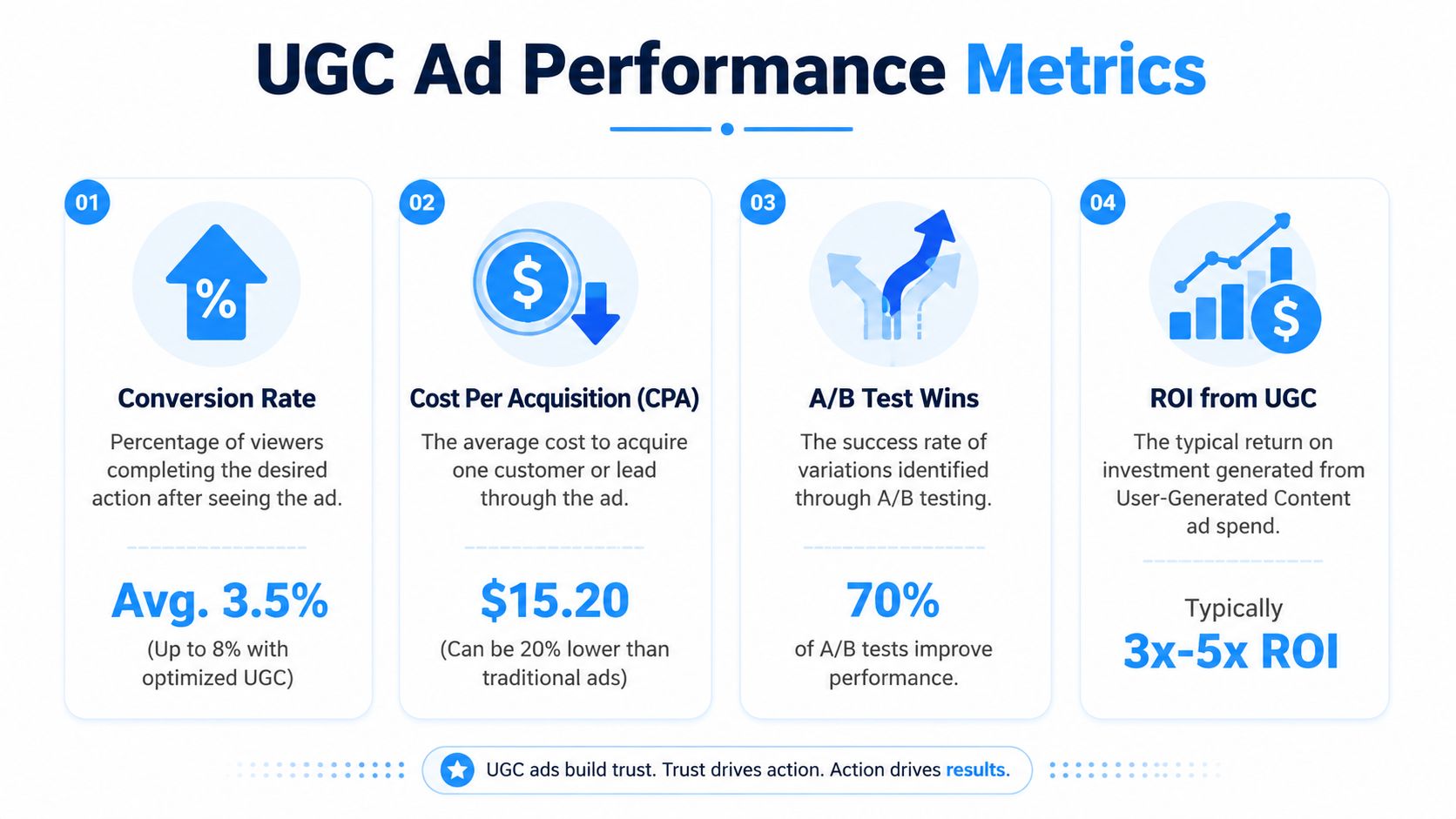
Junior buyers often stare at click metrics too long. Clicks matter, but they aren't the finish line.
The sequence I care about is:
| Metric | Why it matters | What it usually tells you |
|---|---|---|
| CTR | Measures hook and thumb-stop strength | Low CTR usually means the opening isn't working |
| CPC | Shows media efficiency | Weak creative often makes clicks more expensive |
| Watch behavior | Shows whether the message holds attention | Strong opening with weak middle shows up here |
| Conversion rate | Tells you if the ad attracts the right person | High clicks with weak conversion means poor alignment |
The most important metric is still downstream action. Salesgenie reports that product pages with UGC increase conversion rates by 161%, and 79% of buyers say UGC directly impacts their purchasing decisions in their collection of UGC statistics. That's why I don't evaluate ad creative in isolation. A UGC ad should move the click and support the conversion environment after the click.
Kill losers fast, scale patterns slowly
If an ad doesn't earn attention early, don't rescue it with wishful thinking. Rewrite the hook or replace the opening visual.
When you do find a winner, don't just increase spend and hope it survives. Turn it into a pattern:
- Keep the same angle
- Swap the opening line
- Test a new creator or avatar
- Re-edit the first few seconds
- Use the same proof sequence on another platform
That's how scale stays durable. You're not betting on one ad. You're building a family of ads around one proven message.
The winner is rarely “the video.” The winner is usually the message pattern inside the video.
Build a UGC Library to Maximize Long-Term Value
The highest-ROAS teams don't treat UGC like disposable campaign clutter. They treat it like an asset library.
Every ad you make should feed a system. That means storing footage, hooks, scripts, thumbnails, captions, creator notes, and performance observations in a way the team can search later. If you don't do that, you keep relearning the same lessons and paying for the same insights twice.
What to store after every campaign
At minimum, tag each asset by:
- Product
- Audience segment
- Hook type
- Proof style
- Platform
- Creator or AI persona
- Outcome, such as strong CTR, weak conversion, or good comment quality
Don't just save the final export. Save the raw ingredients too. A failed ad can still contain a winning hook. A mediocre ad might include the best demo shot you've produced in months.
Repurpose by funnel stage
A good UGC clip can do more than one job.
A product demo that works in paid social can often become:
- A product page asset
- An email embed or thumbnail
- A retargeting creative
- A shorter cut for Reels or Shorts
- A testimonial montage if the footage is human-led
The same principle applies to AI faceless assets. One strong script concept can branch into multiple visual styles, multiple openings, and multiple CTA versions without starting from zero.
Teams that win with UGC usually have a simple discipline. When a creative works, they don't admire it. They document why it worked, save the reusable parts, and build the next batch from that pattern.
That's the answer to how to make UGC ads consistently. Not one ad. A repeatable system.
If you want a faster way to produce faceless UGC-style videos for TikTok, Instagram, and YouTube, Aicut gives you a practical workflow for turning product inputs, scripts, templates, and AI-generated scenes into short-form ad creative without a full filming setup.