
You're probably here because you need visuals fast, and the old way isn't cutting it.
You search stock libraries for an image that feels original. It doesn't. You try to shoot something yourself. The lighting is off, the angle feels generic, or the scene in your head would take props, talent, and time you don't have. For short-form creators, that bottleneck shows up every day.
A model for photo changes that workflow. Instead of hunting for the right image, you describe what you want and generate it. Instead of reshooting, you revise. Instead of settling for “close enough,” you create something specific to the story beat, hook, or product shot you need.
That matters most on TikTok, Reels, and Shorts, where speed and novelty usually beat perfection. If you're building a faceless channel, making AI UGC, or testing ad creatives, you don't need a theory lecture. You need to know what this thing is, how to pick one, and how to turn it into posts people watch.
Tired of Sourcing Photos? There Is a Better Way
A lot of creators hit the same wall.
You have a solid content idea. Maybe it's a faceless story video, a product demo, or a dramatic intro shot for a Reel. But the visual doesn't exist yet. You open three stock sites, scroll for twenty minutes, save six options, and none of them match the mood in your head.
Then you try the DIY route. You set up a phone, move objects around your desk, snap a few photos, and realize the result still looks like a rushed workaround. The idea was strong. The asset wasn't.
That's where an AI model for photo starts to feel less like “tech” and more like a practical creative partner. You give it a brief, like “moody close-up of a glowing skeleton reading messages on a subway” or “clean product photo of a serum bottle on wet stone with luxury lighting,” and it gives you a version to build on.
Why creators switch
The benefit isn't that AI can make pretty pictures. It's that it removes the waiting.
- You stop searching for an asset someone else already made.
- You start directing an image around your hook, niche, and audience.
- You get variations fast when your first idea is close but not quite there.
A useful way to think about it is this. Stock libraries help you browse. AI models help you direct.
If you're still figuring out the broader workflow for short-form production, a guide on how to create videos with AI can help connect the image step to the full publishing process.
For viral content, that shift matters. A creator who can turn an idea into five visual directions in one sitting has a big advantage over a creator waiting for the “perfect” asset to appear.
What a Model for Photo Actually Is
A model for photo is an AI system that has learned patterns from huge collections of images and can use that learning to create or transform visuals from your instructions.
The easiest analogy is a digital artist.
One digital artist specializes in realistic portraits. Another makes anime scenes. Another is great at editing an existing image without changing the whole composition. They all “know” different visual habits. AI image models work in a similar way.
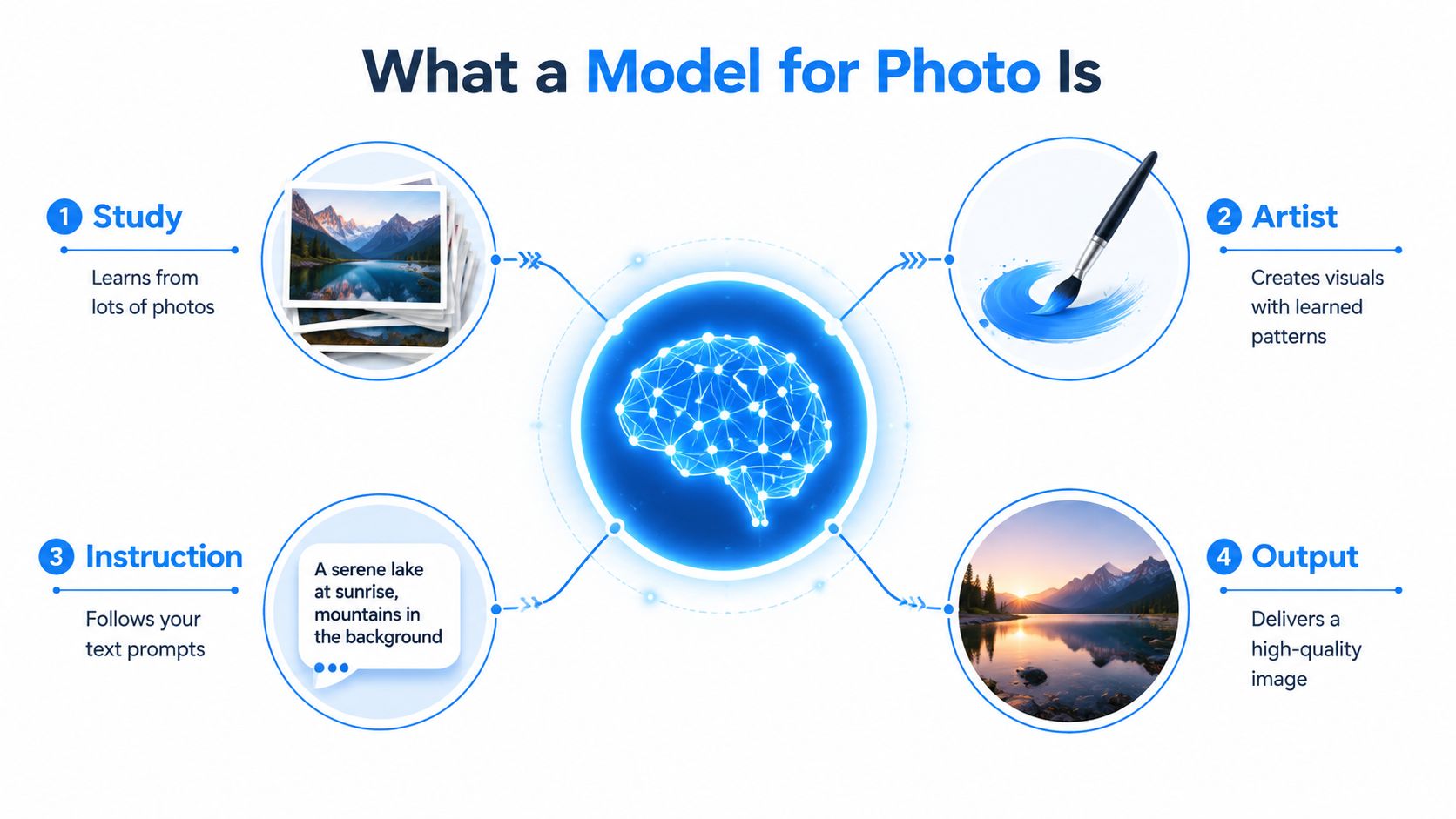
It learns patterns, not magic
Modern image tools didn't appear out of nowhere. Their roots go back to statistical image research from the 1990s. A 1999 study found that over 90% of pixel values in typical photos are concentrated in narrow ranges, and natural images also follow a 1/f power spectrum, meaning lower frequencies carry much more energy than higher ones. That predictability is part of what lets image systems learn the structure of real photos rather than random noise, as explained in the MIT Vision Book discussion of statistical image models.
In plain language, real photos aren't random static. Skies, skin, shadows, walls, fabric, and light tend to form patterns. The model studies enough of those patterns that it can generate something new that still feels photographic.
Your prompt is the brief
When you type a prompt, you're acting like a creative director.
If you write:
- “Woman holding skincare bottle”, you'll probably get something generic.
- “Luxury skincare ad, close-up hand holding frosted glass serum bottle, soft morning light, marble sink, shallow depth of field”, you're giving the model much stronger direction.
The model isn't reading your mind. It's responding to the level of clarity you give it.
That's also why reference-based workflows are useful. If you want to guide an image from an existing look instead of starting from scratch, image-to-image tools are often the better fit. A practical explanation lives in this guide to image-to-image AI workflows.
Practical rule: A prompt works better when it describes subject, setting, camera feel, and mood, not just the object.
Training is like teaching taste
People often get confused by the word “training.” They assume it means the model stores exact photos and spits them back out. That's not the right mental model.
Training is closer to teaching an artist what kinds of images belong to a style. The model absorbs visual relationships. It learns how objects tend to look, how lighting behaves, and what combinations usually make sense.
That's the core idea. A model for photo is a learned visual engine. You give it direction. It gives you a draft, an edit, or a finished image you can use in content.
Comparing Different Types of Image Models
Not every model for photo does the same job. Some act like photographers. Some act like illustrators. Some are better at making something from nothing. Others are much better at editing what you already have.
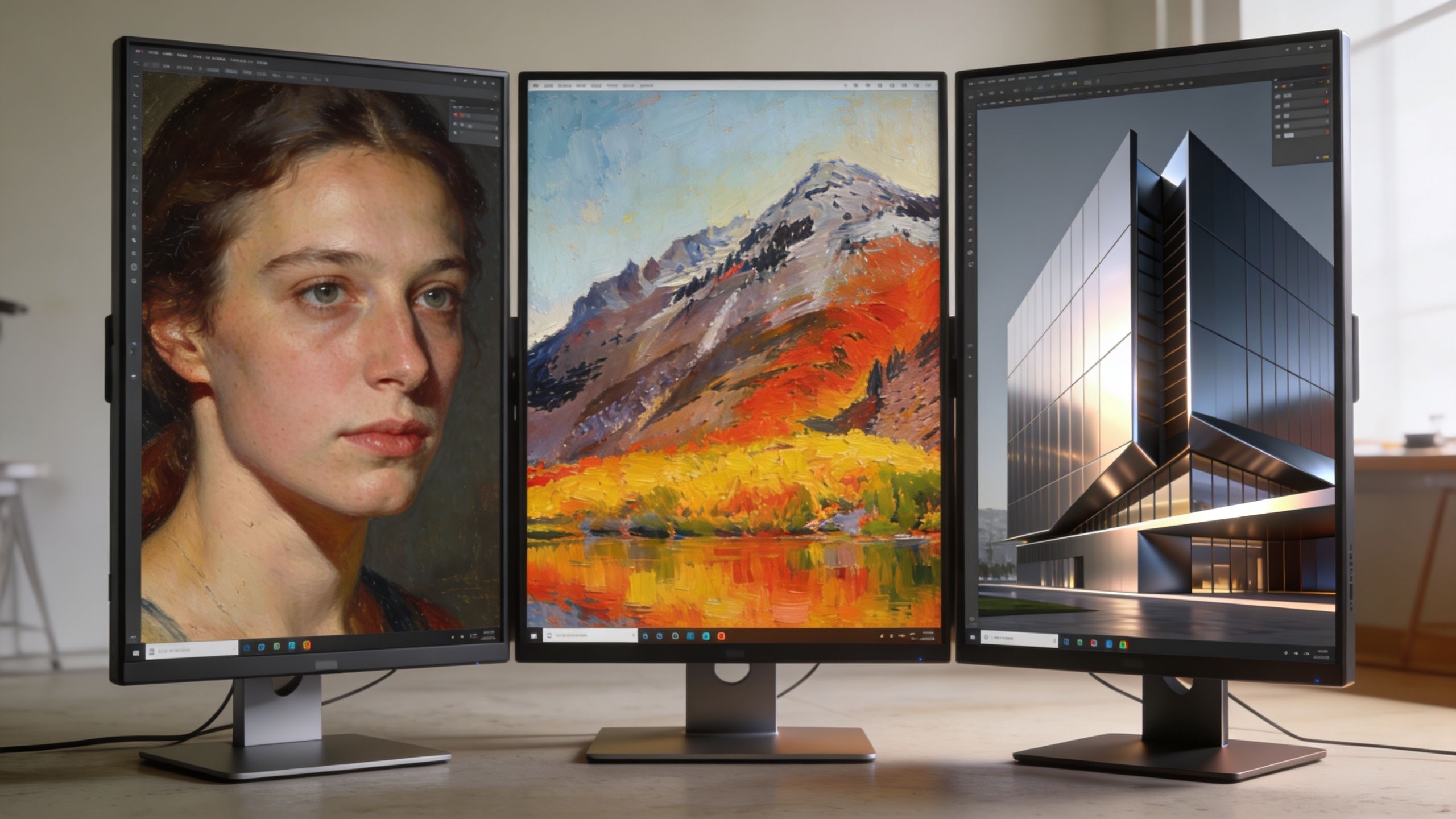
Photorealistic and stylized models
A photorealistic model aims to look like a camera captured the scene. This is what you want for product shots, AI influencers, e-commerce ads, or UGC-style thumbnails.
A stylized model behaves more like an illustrator. It may produce comic, cinematic, painted, surreal, or graphic-design-heavy results. That's useful when the goal is not realism but a recognizable vibe.
Here's the simple split:
| Model type | Feels like | Good for |
|---|---|---|
| Photorealistic | A commercial photographer | Product ads, AI people, realistic scenes |
| Stylized | An illustrator or concept artist | Story videos, meme pages, fantasy hooks, branded visual styles |
If your content depends on realism, small errors stand out fast. Hands, faces, product shapes, text, and shadows matter more. If your content is intentionally weird or artistic, a stylized model can give you more personality.
Diffusion and transformer-based approaches
You don't need deep technical knowledge here, but one analogy helps.
A diffusion-style system works a bit like a sculptor removing chaos from a rough block until an image appears. A transformer-style system feels more like a planner assembling relationships between words, image context, and visual details.
For creators, the important question isn't which one sounds smarter. It's which one gives the output you need:
- clean prompt following
- stable character consistency
- believable motion handoff into video
- strong editing control
Some models are better at “make me a new scene.” Others are better at “keep this scene, but change one thing.”
Generation and editing models
This is the split most beginners miss.
A generation model creates an image from a text prompt or a loose idea. Use it when you have no starting asset.
An editing model changes an existing image. Use it when the composition is already close and you only need to swap the outfit, remove the background, adjust the angle, or change the setting.
That's why creators often need more than one workflow. You might generate a hero image from scratch, then run it through an editing-focused tool to tighten the result. If realism is your target, this roundup of realistic image generator tools is useful for seeing how these options differ in practice.
For TikTok content, the rule is simple. Use generation when you need ideas. Use editing when you need control.
How to Choose the Right AI Model for Your Content
Picking a model for photo gets easier when you stop asking, “Which one is the best?” and start asking, “Which one fits this job?”
A creator making funny AI skeleton stories needs something different from a brand building polished product ads. The model has to match the output, the budget, and the publishing goal.
Use this creator checklist
- Use case first: If you're making a fast-moving meme page or faceless story channel, speed and flexibility matter more than perfect fidelity. If you're making ad creatives, realism and consistency matter more.
- Output quality: Some posts only need solid visuals at short-form viewing size. Others need cleaner detail because the camera pushes in close or the product stays on screen longer.
- Iteration speed: Fast testing matters when you're trying hooks. Slower, more detailed rendering makes sense when you already know the concept is working.
- Editing control: Ask whether you need text-to-image, image-to-image, local edits, or character consistency.
- Credit or subscription fit: Don't waste expensive generations on loose brainstorming if a cheaper model can get you to the draft stage.
- Commercial safety: If the content is for brand use, paid ads, or monetized channels, rights and disclosure matter.
Licensing is no longer a side issue
This part gets ignored until it causes problems.
The ethical and legal side of AI visuals is getting more visible. Google Trends data from 2025 to 2026 showed a 300% spike in searches for “AI model copyright,” a poll of 10,000 TikTok creators found 62% were unaware of the legal environment, the 2026 EU AI Act requires watermarking for synthetic media, and TikTok suspended 5,000 non-compliant accounts in Q4 2025, according to the cited summary in this discussion of AI model copyright and disclosure issues. The practical takeaway is simple: choosing models with clear commercial licensing isn't optional.
If you create brand ads or fashion-style visuals, it also helps to study adjacent workflows. This guide on leveraging AI for stunning fashion visuals is a good example of how creators think through quality, styling, and commercial use together.
If you're getting paid for the content, treat licensing like part of the creative brief, not paperwork you can check later.
A quick visual explainer can help if you want to see model selection from a practical angle before testing tools:
A simple decision habit
Before you generate anything, write one line:
“This asset is for [platform], [format], [goal], and [level of realism].”
That sentence filters out a lot of bad tool choices. It also keeps you from chasing model hype instead of making content that fits your channel.
Top AI Model Families for Creators in 2026
By this point, the useful question is no longer what a model for photo is. It's which family of models makes sense for the kind of content you publish every week.
Different model families tend to pull in different directions. Some prioritize cinematic quality. Some are practical workhorses. Some are good at hyper-real stills. Some are strong when motion matters.
The biggest names creators keep running into
Sora 2 fits creators who want polished, cinematic-looking scenes and are willing to spend more credits to get them. It makes the most sense when the shot itself is the hook, like a dramatic faceless intro, a luxury brand reveal, or a high-concept visual opener.
Veo 3.1 is a strong fit for general-purpose creator work because it can cover a wide range of content styles. If you produce varied short-form content, this kind of flexible model family is often easier to build around than a specialist.
Grok Imagine makes sense when your workflow starts with still images and realism matters. If you need strong thumbnails, AI people, or detailed visual concepts before moving into animation, this family is the sort many creators look at first.
Kling is often the conversation when creators care about motion feel. If your image is going to become movement-heavy footage, the way motion reads matters almost as much as the starting frame.
Nano Banana usually fits fast iteration, lighter budgets, and creators who want quick tests before committing to heavier renders. If you want to compare draft speed against higher-fidelity options, this is the kind of family worth testing. This overview of Nano Banana and how creators are using it gives more context.
Posing matters more than most people think
A lot of creators make the mistake of choosing a good model and then feeding it weak direction.
Aicut's 2025 analytics found that synthetic models outperformed human photos by 3x in TikTok engagement when poses mimicked “storytelling body language,” and prompts like “low-angle heroic stance with relaxed shoulders” boosted virality by 40% on Veo 3.1, based on the cited summary in this posing discussion.
That means your prompt shouldn't stop at subject and setting. Add body language, lens feel, and emotional intent. “Standing” is weak. “Leaning forward with tense shoulders, half-turned, urgent expression, cinematic side light” gives the model far more to work with.
Treat pose language like script direction. It changes the story the image tells before anyone hears the voiceover.
For creators comparing broader workflow stacks, this list of content automation tools for performance marketers is useful because it frames models as one part of a larger system, not a standalone magic button.
2026 AI Model Comparison for Creators
| Model Family | Best For | Resolution/Quality | Relative Cost/Credit Usage | Key Trade-off |
|---|---|---|---|---|
| Sora 2 | Cinematic intros, premium visual hooks | High-end, cinematic feel | Higher | Slower and less ideal for cheap rapid testing |
| Veo 3.1 | Versatile creator workflows | Strong all-around quality | Medium to higher | May need careful prompting for a very specific look |
| Grok Imagine | Realistic stills and thumbnail concepts | Strong realism for image-first work | Medium | Better for still-first workflows than motion-led ones |
| Kling | Motion-driven scenes | Strong motion-oriented output | Medium to higher | Still image ideation may not be its main strength |
| Nano Banana | Fast drafts, budget-friendly testing, stylized experiments | Good practical quality for iteration | Lower | Final polish may not match heavier model families |
One practical setup is to draft with a cheaper, faster family and then re-render the winning concept with a more premium one. That keeps your creative process flexible without burning credits too early.
Your Workflow From Idea to Viral Post in Aicut
Knowing what a model for photo is only helps if you can turn it into a repeatable posting system.
A practical workflow starts with research, moves into visual testing, and ends with platform-ready output. If you skip one of those stages, you usually feel it later. The video looks good but doesn't hook, or the concept hooks but the asset quality falls apart.
Start with a proven visual pattern
The fastest way to improve isn't guessing from zero. Start by studying posts in your niche that already have the pacing, framing, and visual style you want.
Look at:
- Opening frame: Is it a dramatic close-up, a strange character, a luxury object, or a curiosity shot?
- Visual emotion: Does it feel tense, funny, dreamy, expensive, or chaotic?
- Character design: Is the subject realistic, stylized, exaggerated, or anonymous?
- Scene consistency: Does the post rely on one image style all the way through, or quick visual shifts?
Once you can describe the visual pattern in plain language, you're ready to generate with intent instead of randomness.
Build drafts before you chase polish
A common mistake is spending premium credits too early. Drafting is where you test ideas, not where you try to win awards.
Create a few versions of the same concept:
- one more realistic
- one more exaggerated
- one tighter on the subject
- one with stronger pose direction
Then compare them against the platform. TikTok usually rewards a frame that reads instantly. If the visual takes too long to understand, it often loses.
Don't ask, “Which image is prettiest?” Ask, “Which image stops the scroll in one second?”
Use stronger source material when motion or 3D matters
If your workflow includes object animation, motion control, or a 3D asset made from photos, capture quality matters a lot.
For high-fidelity templates, professional best practices call for at least 60% overlap between photos and no more than a 15° angle change between shots. Datasets that follow those rules achieve over 95% alignment success, while weaker capture can fail 50% to 70% of the time. For creators, that often means taking 50 to 100 smartphone shots circling an object as described in the photogrammetry webinar benchmark summary.
That sounds technical, but the practical version is simple:
- move around the object gradually
- keep heavy overlap between shots
- avoid jumping to a very different angle too fast
If you ever tried to turn an object into a usable animated asset and got a warped mess, this is usually why.
Turn one visual into a full short-form post
Once you have the winning image direction, turn it into a content unit:
- Lock the hook frame. This is the first image that earns attention.
- Create close variations. Change angle, expression, crop, or environment while keeping the core subject recognizable.
- Add movement carefully. Small motion often works better than chaotic motion for faceless storytelling.
- Match voiceover and captions to the visual promise. If the frame feels dramatic, the script should pay that off fast.
- Export for the platform. Vertical framing, readable on-phone composition, and clean subject separation matter more than tiny background details.
A platform like Aicut fits into the workflow as one option among others. It supports prompt cloning, model switching across families like Sora 2, Veo 3.1, Grok Imagine, Kling, and Nano Banana, plus character or background swaps and short-form publishing tools. In practice, that means you can test a concept with one model, change the subject without reshooting, and prep it for channels like TikTok or Instagram in the same workflow.
Keep a simple testing loop
The creators who get good fastest usually repeat a small loop:
| Step | What you do | Why it matters |
|---|---|---|
| Research | Save strong hooks and visual formats | You stop inventing blindly |
| Draft | Generate multiple directions quickly | You learn what your niche responds to |
| Refine | Improve the winning concept only | You protect time and credits |
| Publish | Match format to platform behavior | The post feels native |
| Review | Note which visual pattern performed | Your next prompt gets better |
That loop turns AI from a novelty into a repeatable content system.
Becoming an AI-Powered Creator
A model for photo isn't some mysterious object hidden behind technical jargon. It's a visual tool, comparable to hiring different kinds of digital artists depending on the job.
Some models help you create from scratch. Some help you edit. Some are better for realism, others for style, and others for speed. The useful skill isn't memorizing model names. It's learning how to match the model to the post you want to publish.
For creators, that is a genuine breakthrough. You stop waiting for stock assets, stop overcomplicating shoots, and start building visuals around the hook, story, and niche you already understand. That's how AI becomes practical.
Start small. Pick one content idea. Write a better prompt than you usually would. Test a few visual directions. Study which frame earns attention. Then repeat.
The creators who win with AI usually aren't the most technical. They're the ones who experiment consistently and turn the tool into a workflow.
If you want one place to test that workflow, Aicut lets creators generate faceless short-form videos, switch between major image and video model families, clone prompts from viral formats, swap characters or backgrounds, and prepare posts for TikTok, YouTube, and Instagram without stitching together a bunch of separate tools.