Using AI to turn your photos into cartoons is easily the quickest way to pump out eye-catching, animated content for your social media channels. Just upload a picture to a tool like Aicut, and within seconds, you’ve got a unique cartoon character. From there, you can animate it for YouTube, TikTok, or Instagram, skipping hours of tedious editing and the need for pricey equipment.
Why Turning Pictures into Cartoons Is a Viral Strategy
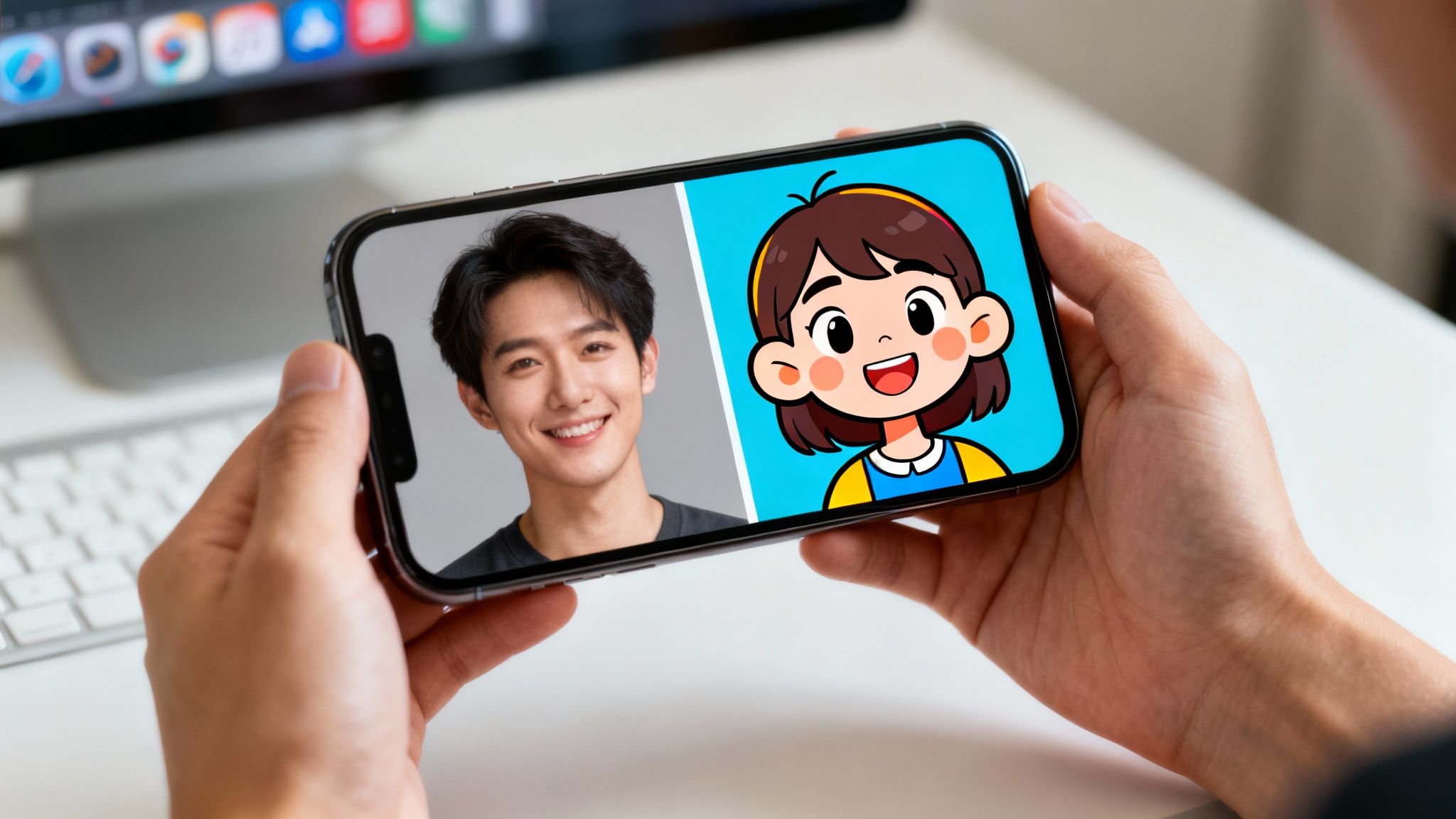
The ability to instantly transform a photo into an animated character is way more than just a neat trick; it's a full-blown content strategy that’s taking over social media. This trend lets creators produce a ton of compelling content without ever needing to show their face. It’s a huge win for anyone looking to build an anonymous brand or monetize their content faster.
Think about it. Instead of wrestling with complicated animation software for days, you can now have a professional-looking video ready in minutes. This is exactly why so many faceless channels and brands are jumping on the AI bandwagon. It allows them to quickly spin up ads, explainer videos, and stories that grab attention and keep people watching.
The Power of Anonymity and Speed
The explosion of faceless content on platforms like YouTube and TikTok has created a huge need for tools that protect privacy while cranking up efficiency. Turning photos into cartoons is the perfect answer.
Here’s what makes it so powerful:
- Build an Anonymous Brand: You can develop a consistent, memorable character for your channel without ever revealing who you are.
- Speed Up Content Creation: AI handles the heaviest lifting in video production, from designing your character to bringing it to life with animation.
- Grab Your Audience's Attention: The cartoon look is naturally fun and shareable, which often translates to better watch times and more likes, comments, and shares.
The impact of this trend is backed by some serious numbers. The rise of AI tools has completely changed the game for faceless creators. We’ve seen a 340% surge in cartoon-style profile pictures across social media, fueled by viral challenges that sparked over 50 million posts on TikTok alone.
From Static Image to Viral Video
The real magic kicks in when you take that static cartoon image and make it move. This is where a streamlined workflow, like the one in Aicut, really shines. You can start with a basic selfie and walk away with a fully animated video—script, voice-over, and all—ready to upload.
This goes way beyond just slapping a filter on a photo. It’s a complete content creation engine that makes it incredibly easy for anyone to become a video creator. Whether you're a marketer launching a new ad campaign or a solo creator building a faceless YouTube empire, being able to turn pictures into cartoons changes everything.
You can also learn more about creating cartoons with the latest AI tools in our other guide.
How to Prep Your Photos for the Best AI Conversion
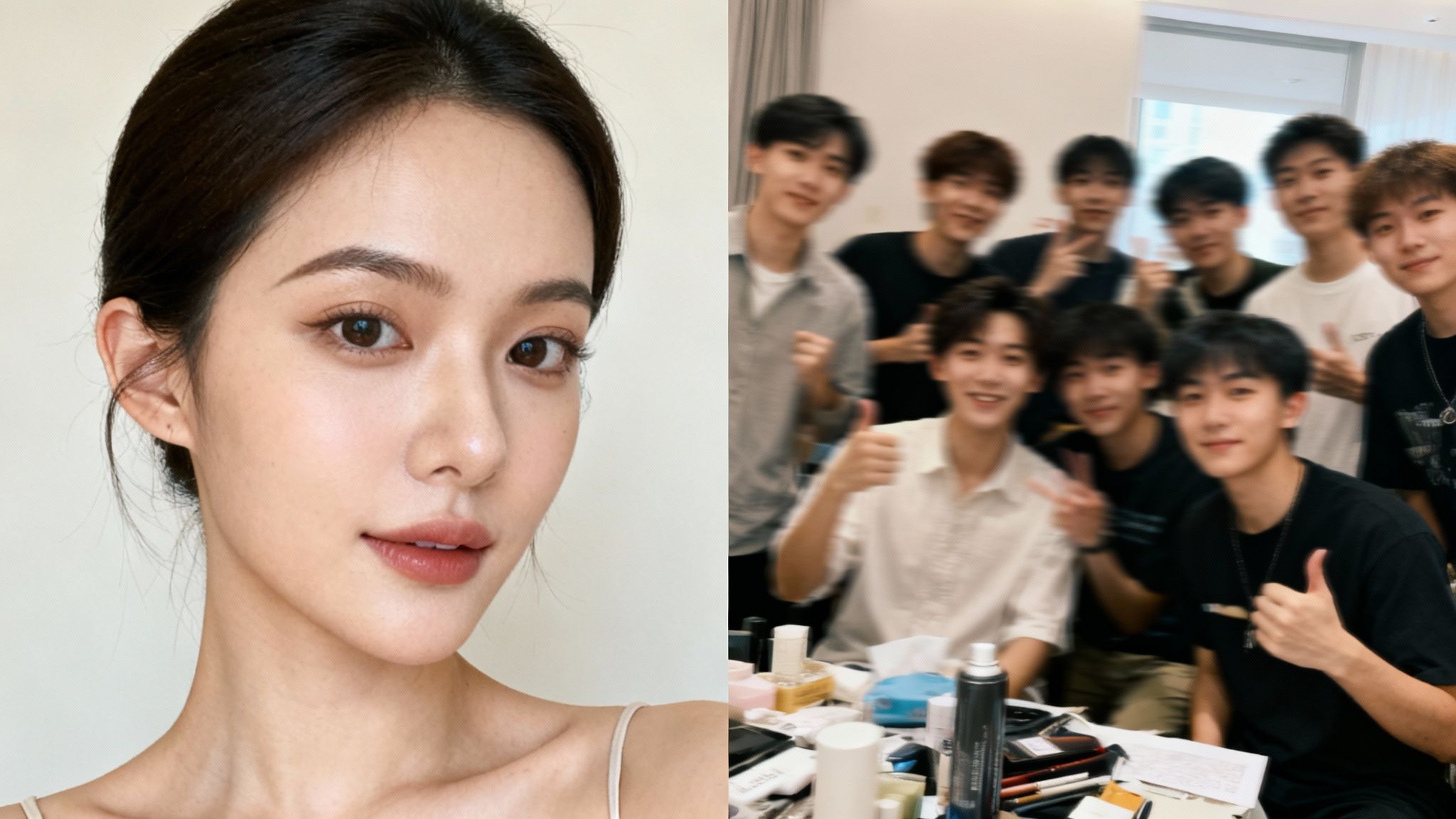
The real secret to getting stunning AI cartoons has less to do with the software and more to do with the photo you start with. It's like cooking—give the AI the best ingredients, and you’ll get a much better result. A sharp, well-composed image lets the AI clearly see and map all the facial features, which is essential for translating a real person into a believable cartoon character.
Before you jump into the fun part, take a second to look at your source image. A simple, well-lit selfie is almost always going to outperform a blurry, chaotic group shot from across the room. The AI needs clear details to latch onto. A messy background or bad lighting just confuses it, often leading to a muddy or weirdly distorted final image.
What Makes a Perfect Source Photo?
To get the most out of any tool that turns pictures into cartoons, you need to nail a few basics. I consider these non-negotiable if you're aiming for a clean, professional-looking conversion.
Here's a quick checklist of what to look for:
- High Resolution: Always try to use the original, uncompressed photo. A low-quality, pixelated image will just give you a blurry cartoon. It’s that simple.
- Clear Facial Features: Make sure the person's face is in sharp focus. Eyes, nose, and mouth should be totally visible. Photos with sunglasses or hair covering the face are usually a no-go.
- Good, Even Lighting: Soft, natural light is your best friend. Harsh shadows or super bright, blown-out spots can completely hide details the AI needs.
- Simple Background: A plain or uncluttered background makes the AI's job so much easier. It helps the tool focus entirely on the subject, which means a more accurate character.
This idea of prepping your source material isn't unique to AI. Artists in other fields do the same thing. For instance, people who want to turn your image into an embroidery pattern find that starting with a clean, clear digital file is absolutely crucial.
Here's a good rule of thumb: if a human would have trouble making out the details in your photo, an AI will struggle even more. Taking a minute to pick the right image will save you from a ton of frustrating do-overs later.
Quick Edits That Make a Huge Difference
You don't need to be a Photoshop wizard to dramatically improve your starting image. In fact, your phone's built-in photo editor probably has everything you need for a quick tune-up.
A great first move is to crop the photo to focus on the person's head and shoulders. This gets rid of distracting background junk and puts the most important features front and center for the AI. After that, try bumping up the brightness and contrast just a little. It really helps make those facial details pop and can make a world of difference in how the AI "sees" your photo.
For anyone who's serious about creating content with these tools, getting these fundamentals right is a game-changer. If you want to dive deeper, you can also check out our guide on more advanced AI image editing techniques.
Finding the Right AI Style for Your Content
Alright, you've got your photo ready to go. Now comes the fun part: picking the actual cartoon style. This is a bigger deal than you might think. It's not just about what looks cool; the style you choose sets the entire tone for your content and can seriously impact how well it performs.
Think about it this way. If you're cranking out those quick, punchy Reddit story videos for TikTok, a simple 2D anime style is perfect. It’s clean, easy for viewers to digest, and fast to render. But if you’re a brand launching a new product, you’ll probably want something more polished, like a 3D Pixar-style avatar, to give off that high-quality, professional vibe.
Match Your Style to Your Platform and Goal
Where your content is going to live matters a ton. A quirky, hand-drawn look might be a smash hit on TikTok, but it could look out of place on a polished corporate YouTube channel. Before you jump in and turn your pictures into cartoons, take a second to think about what you're trying to accomplish.
- Going for Viral on TikTok & Reels? Think bold and expressive. Styles like classic anime, comic book art, or simple 2D cartoons are your best friends here. They’re designed to grab attention fast in a doom-scrolling world.
- Telling Stories on YouTube? You have a bit more time to connect with your audience. A more detailed 3D character or a softer, Ghibli-inspired aesthetic can help build that deeper emotional connection in longer videos.
- Creating Branded Content & Ads? Go for polish. Sleek 3D avatars, the kind that look like they walked out of an animated movie, usually perform best. They scream professionalism and can be tweaked to match your brand's colors and identity.
And this isn't just guesswork. The data shows that AI cartoon generators have chewed through over 2 billion images worldwide, helping drive a massive 450% year-over-year jump in conversions for social media content. On Instagram alone, posts featuring AI cartoon makeovers saw 62% higher like rates and 35% more comments. With some tools offering more than 80 styles, it’s clear that picking the right one is a huge piece of the engagement puzzle. If you want to dive deeper into these trends, check out the insights on easemate.ai.
A Quick Guide to Popular Cartoon Styles
To help you decide, I've put together a quick cheat sheet. Think of this as a starting point for finding a look that fits your content goals and will resonate with your target audience on different platforms.
| AI Cartoon Style | Best For (Content Type) | Platform | Key Benefit |
|---|---|---|---|
| 3D Pixar Style | Explainer Videos, Brand Ads, Storytelling | YouTube, Instagram | High-quality, professional, and trustworthy feel. |
| 2D Anime | Reddit Stories, Gaming Recaps, Memes | TikTok, YouTube Shorts | Highly expressive, great for fast-paced, emotional content. |
| Classic Comic Book | Action/Adventure Narratives, Tech Reviews | Instagram Reels, TikTok | Dynamic and edgy, grabs attention with bold lines. |
| Minimalist/Flat | Quick Tips, Educational Snippets | All Platforms | Clean and easy to follow, keeps the focus on the message. |
| Ghibli-Inspired | Cozy Vlogs, Artistic Content, Storytelling | YouTube, Instagram | Whimsical and nostalgic, builds a warm connection. |
Choosing a style isn't a one-and-done decision. Feel free to experiment! See what your audience responds to. Sometimes the most unexpected choice can become your signature look.
How to Steer the AI with Prompts
Here's where you get to be the artist. Many AI tools, like Aicut, don't just give you presets; they let you use text prompts to fine-tune the style. This gives you a ridiculous amount of control over the final character.
Simply uploading a photo and clicking "cartoonify" will give you something generic. But adding a well-written prompt? That changes the game completely.
Key Takeaway: Think of your prompt as your creative director. Get specific. Mention the artistic style, the mood, and even famous artists you want the AI to mimic. A great prompt is what separates a basic filter from a truly unique character.
Here’s a practical look at how different prompts can radically alter the same photo:
- For a Friendly & Approachable Vibe: Try a prompt like, "3D animated character, Pixar style, friendly smile, soft lighting." This is perfect for creating a polished, movie-quality character for an explainer video.
- For an Edgy & Cool Look: Go with something like, "Anime character, cel-shaded, dynamic pose, cyberpunk city background." This will give you a stylized look that's great for gaming or tech content.
- For a Simple & Clean Style: Use a prompt like, "2D cartoon, minimalist line art, flat colors, white background." This is super efficient for those quick, narrated story videos where you need to produce a lot of content fast.
The best way to nail this is to just start playing around. Pick a base style you like and then start adding descriptive words to tweak the lighting, expression, and background. Before you know it, you'll have a character that is 100% yours.
Your Workflow for Creating an Animated Video
Alright, let's pull all these ideas together and walk through how this actually works in practice. I'll show you how to take a simple photo, turn it into a cartoon character, and then build a complete animated video around it.
I use a tool called Aicut for this, which honestly makes the whole process feel almost too easy. You can go from a still image to a video ready for YouTube in just a few minutes. The secret is just following a logical path from your source image to the final, polished video.
It all starts with a single click: uploading your photo. Once you're in the Aicut dashboard, you can't miss the upload button. This is where all that prep work we talked about earlier really pays off. A clean, high-resolution photo gives the AI the best possible canvas to work with.
From Static Image to Animated Character
As soon as your photo is uploaded, the magic starts. The platform immediately offers up a library of viral templates and formats that are already proven to work. This is a huge time-saver. Instead of guessing what might work, you can pick a layout that's already getting views on TikTok or YouTube for things like Reddit stories, top-10 lists, or quick explainers.
After you’ve picked a template, it's time to apply your cartoon style. This is where you can use those specific prompts we covered. For example, if you're making an educational video, you might pick a 3D character style and add a prompt like "friendly and expressive, soft studio lighting" to create a warm, welcoming avatar.
Here's a simple way to think about how your content, platform, and style all connect.
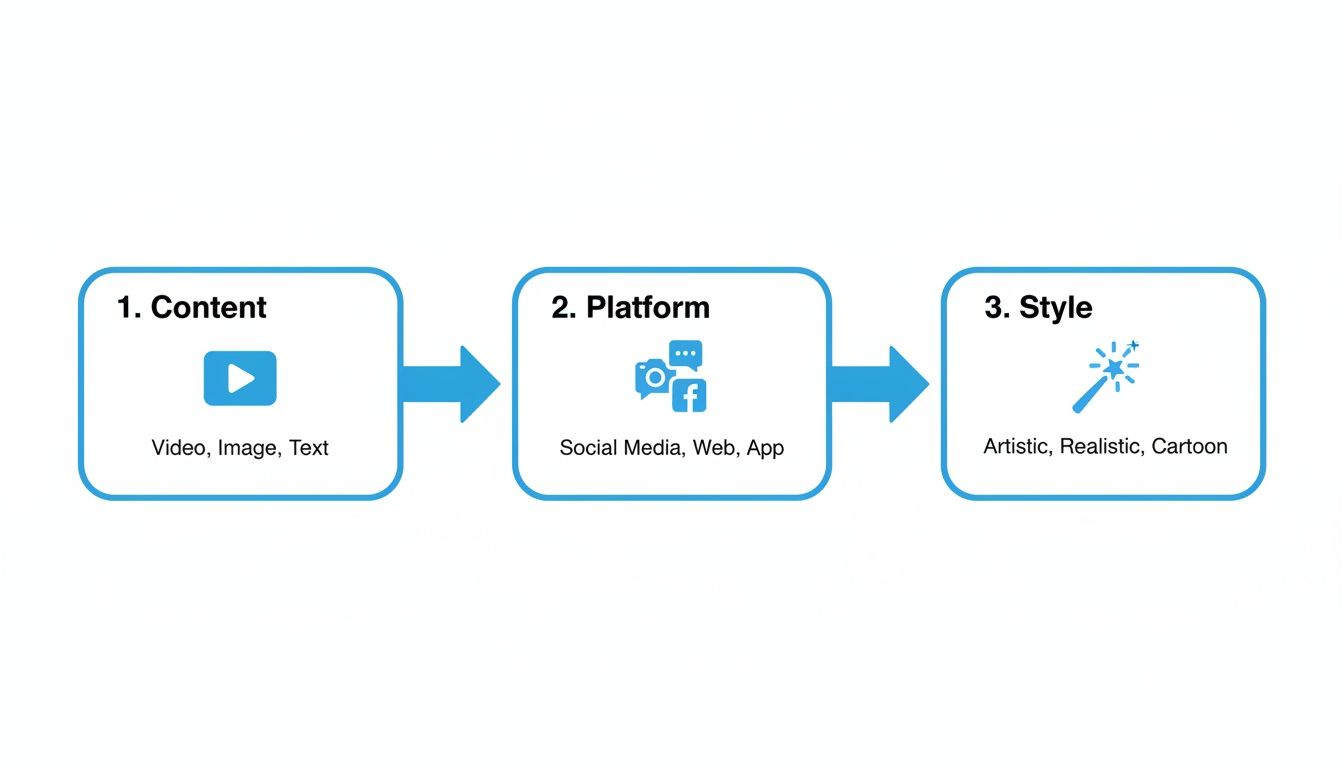
The takeaway here is that your creative choices should always be strategic. You want the visual style to match where your audience is going to see it.
Bringing Your Cartoon to Life with AI
Now that you have your character, you need a story. Aicut has a built-in AI scriptwriter that’s a real game-changer. Just give it a simple topic—or even just paste a link to an article—and it will whip up a script for you. This completely bypasses writer's block and makes sure your content has a solid structure.
With a script in hand, the next step is the voice-over. You can browse through a ton of different AI voices to find one that fits your character's personality. From there, the platform automatically animates your character, perfectly syncing its lip movements to the audio. No manual keyframing or animation skills needed. The AI does all the heavy lifting.
Pro Tip: Don't just settle for the default camera angle. Jump into the editor and add some subtle zooms, pans, or cuts between different shots. These little changes make a huge difference, making the final video feel way more dynamic and professional.
Once you have the core video, it's all about the finishing touches. You can add background music, throw in some sound effects, and generate captions automatically to make your video more accessible and engaging.
If you want to dive even deeper, we have a full guide where you can learn how to animate still photos with more advanced techniques. When you’re happy with how everything looks, just hit export and share it directly to your social channels.
A Little Polish Goes a Long Way
Getting your character designed and animated is a huge win, but the magic that turns a good video into a great one often happens in the final touches. After you’ve turned your pictures into cartoons, a few extra tweaks can make all the difference in how your audience reacts.
First things first: export in high definition. Always. A blurry, pixelated video is an immediate scroll-past for most people. Aim to upscale your final cut to at least 1080p, and if you can, push it to 4K. Clean, crisp visuals tell your audience you care about quality, and that alone can keep them watching.
Don't just take my word for it—the numbers back this up. TikTok videos using cartoon filters saw a 520% explosion in use, pulling in a massive 15 billion views. Over on YouTube, faceless channels using AI cartoon narrators are getting 2.5x more watch hours, which is a huge deal for monetization. It's clear that polished, eye-catching visuals are what win on social feeds. You can find more data on the photo to cartoon AI trend on bigmotion.ai.
Bringing Your Animation to Life
A static shot can feel a bit dull, even if the character looks great. Fortunately, you don't need to be a professional editor to add a little life to your video. Many of these tricks are built right into tools like Aicut or can be done in any basic video editor.
- Subtle Movements: Instead of just letting the character sit there, try adding a slow zoom-in or a gentle pan. This simple move creates a feeling of depth and keeps the viewer’s eye engaged.
- Smooth Transitions: When you switch between scenes, use simple fades or clean cuts. Jarring jumps can pull people out of the experience, while smooth transitions help the story flow naturally.
- Music and Sound Effects: Never underestimate the power of audio. The right background music sets the entire mood. Find a royalty-free track that matches your video's vibe—something upbeat for a funny clip or calm for an explainer.
Here's a little secret: treat your animated video like a mini-movie. Even tiny changes in camera movement and sound can make your content feel more professional and keep your audience hooked from start to finish.
Your Pre-Publish Checklist for Social Media
Okay, your video is polished and ready. But how you post it is just as important as how you made it. Each platform has its own quirks, and a little prep can dramatically boost your reach.
Run through this quick checklist before you hit that publish button:
- Get the Aspect Ratio Right: This is crucial. Use 9:16 (vertical) for TikTok, Instagram Reels, and YouTube Shorts. For standard YouTube videos, stick with the classic 16:9 (horizontal).
- Keep It Short and Sweet: On short-form platforms, aim for under 60 seconds. Get to the point fast. For a longer YouTube video, make sure the length is justified by the topic you're covering.
- Write a Killer Caption: Your caption is your hook. Ask a question or drop a bold statement to spark a conversation in the comments.
- Use Smart Hashtags: Don't just throw random tags in. Mix broad ones like
#CartoonAnimationwith more specific tags that relate directly to what your video is about.
Got Questions About AI Cartoon Creation?
Diving into AI animation for the first time usually brings up a handful of common questions. I see them pop up all the time in forums and comments. People often wonder about the skills needed, the legal stuff, and just how long this whole process actually takes. Let's clear up some of the most frequent questions I hear about turning pictures into cartoons.
Do I Need to Be an Artist for This?
One of the biggest things that holds people back is the idea they need to be a skilled artist. Let me put that to rest right now: you absolutely don't.
Modern AI tools are built to handle all the creative heavy lifting. You don't need to know a thing about drawing, painting, or complex animation software. Your job is simply to feed the AI a good photo and pick a style you like. The tech takes it from there, figuring out the facial features and applying the cartoon look automatically.
Can I Actually Use These Cartoons in My Monetized Videos?
This is a big one, especially for creators looking to earn money. The short answer is yes, you almost always can.
Tools like Aicut are designed with commercial use in mind. That means you can create characters for your ad campaigns, sponsored TikToks, and branded YouTube content without worrying about copyright strikes. It's always a smart move to quickly skim the terms of service of any tool you use, but most are built for this exact purpose.
The bottom line is that modern AI tools have completely leveled the playing field. They've removed the old barriers—like needing artistic skills or a huge budget—making professional-looking animation accessible to anyone with a smartphone and a good idea.
Seriously, How Long Does This Take?
If you've ever dabbled in traditional animation, you know it can take days or even weeks to produce a short clip. This is where AI really blows everything else out of the water.
The whole process is incredibly quick. Turning a photo into a static cartoon image? That often takes less than 60 seconds. From there, creating a full-blown animated video with your script and a voice-over can be done in about five to ten minutes on an all-in-one platform. The AI handles the tedious stuff like lip-syncing and captioning for you.
What Kind of Photo Gives the Best Results?
Your final cartoon is only as good as the photo you start with. For the best results, you need a clear, high-resolution picture.
Make sure your subject’s face is well-lit and, ideally, looking straight at the camera. I’ve found that photos with harsh shadows, blurry focus, or super cluttered backgrounds tend to throw the AI off. A simple, clean headshot or a selfie against a plain wall will almost always give you a cleaner, more accurate cartoon. The AI needs a clear view of the facial features to map everything correctly.
Ready to turn your own pictures into viral videos? With Aicut, you can go from a single photo to a fully animated character in minutes. Start creating for free today at aicut.pro.