
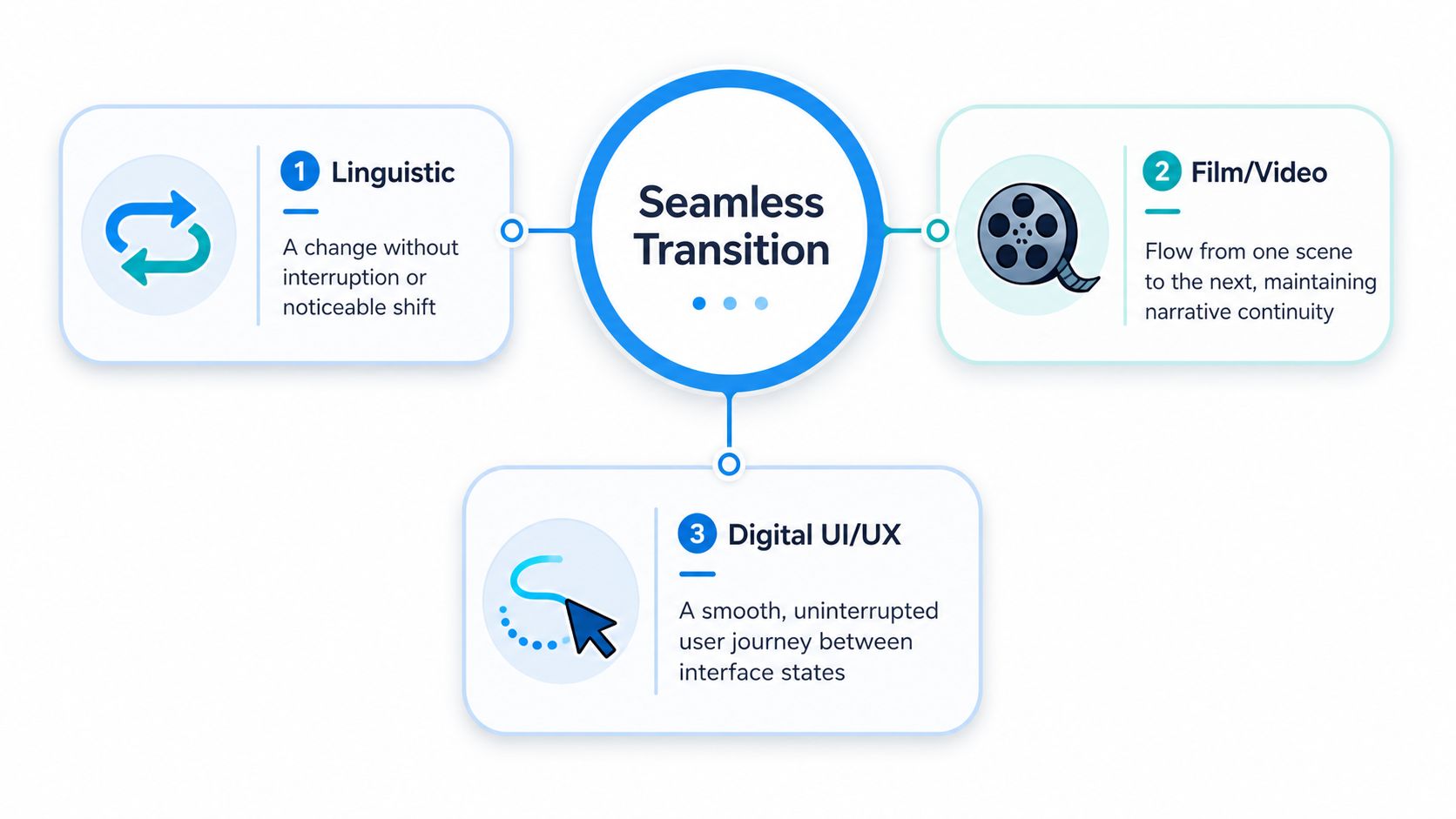
A transition that feels natural is a change from one state, scene, or system to another without interruption, repeated effort, or loss of context. In short-form video, that means your viewer keeps moving with the story instead of feeling the cut.
If you've ever watched a clip that felt effortless from the first second to the last, you've already felt the difference. A transition that doesn't just look smooth keeps attention intact, which is why creators obsess over it in editing and why brands care about it in support, onboarding, and software handoffs. The word sounds simple, but the meaning is practical.
What Makes a Transition Feel Invisible
You know the feeling when a TikTok or Reel keeps pulling you forward. The scene changes, but your brain never has to stop and ask what happened, because the next shot connects to the last one in a way that feels natural. That is the test of a good transition. It should keep the viewer inside the flow instead of making them notice the edit.
A choppy cut does the opposite. The motion resets, the audio drops out, the story loses direction, and you become aware of the editing instead of the message. In video, that is usually where retention slips, not because the content is weak, but because the handoff feels abrupt.

The viewer should feel continuity, not correction
A transition works best when the audience feels like the cut belongs there. The story keeps its context, the motion makes sense, and the viewer does not need to mentally patch anything together. That is why a clean handoff between shots can feel invisible, even when the edit itself is carefully planned.
The same idea shows up in editing timelines and product flows. If you want a clear look at the kinds of cuts and movement shifts creators use, this guide to transitions in video breaks down how different choices keep momentum intact without breaking the chain from one shot to the next.
Practical rule: if the viewer notices the transition more than the story, the transition is doing too much work.
A useful way to frame it is simple. A transition should feel continuous. It preserves rhythm, meaning, and attention.
The Definition Behind the Buzzword
The transition meaning is clearer when you strip away the marketing language. Major dictionaries describe the term as having no awkward transitions or breaks, and transition as the process of changing from one state to another. Cambridge goes even further in plain terms, describing it as happening without any sudden changes, interruption, or difficulty and with no awkward transitions, interruptions, or indications of disparity Cambridge Dictionary. That definition matters because it sets a standard, the user must perceive continuity, not just completion.
Why the phrase matters outside editing
The term shows up in customer experience, software, and service design because the same principle applies there. Gartner's December 2022 survey of 1,492 B2B and B2C customers found that 62% of customer-service channel transitions were high-effort, which meant the switch didn't resolve the issue and often forced customers to repeat themselves. When the transition was frictionless, 93% of respondents reported high customer satisfaction (CSAT), customers spent 27% less time in assisted channels after moving from self-service to a representative, and Gartner estimated that such transitions save an average of 4 minutes of rep time per customer journey because agents don't need to re-collect information already provided Gartner-based CX summary.
Those numbers are useful for creators because they show that continuity isn't a soft preference. It affects satisfaction, time, and effort. That same logic applies to a video edit, if the viewer has to re-orient after every cut, the experience becomes work.
Continuity is the benchmark. If the handoff feels like a reset, it isn't seamless.
In implementation settings, the phrase is often used for a low-friction state change, where integrated parts preserve context across the handoff. Ludwig's usage examples reinforce that idea by treating the phrase as a shift that happens smoothly without interruptions or difficulties Ludwig usage examples. For editors, that translates into one simple standard, don't just ask whether the cut happened, ask whether the viewer stayed inside the same experience.
Seamless vs High-Effort Transitions in Practice
The contrast becomes obvious when you compare two editing choices side by side. In one video, the motion from clip to clip carries the eye forward, the sound bridges the cut, and the subject stays clear. In another, the edit lands like a trapdoor, the viewer has to reprocess the frame, and the energy drops.
The same split shows up in service flows. A support handoff that preserves the customer's context feels like one conversation. A handoff that forces the customer to repeat the issue feels like a reset, which is exactly what high-effort channel transitions do in CX.
Side-by-side comparison
| Metric | Seamless Transition | High-Effort Transition |
|---|---|---|
| Context | Carries the story forward | Forces the viewer or user to restart |
| Experience | Feels continuous and natural | Feels interrupted or awkward |
| Editing impact | Keeps attention on the message | Pulls attention to the cut |
| Support impact | Preserves information already shared | Makes people repeat themselves |
| Outcome | Higher satisfaction and less friction | More effort, less momentum |
The table makes one thing clear, transitions are not decoration. They're a control point for how much effort the audience has to spend. In video, that effort shows up as dropped attention. In customer service, it shows up as repeated questions and wasted time.
A creator can spot the difference by watching a cut without audio. If the visual handoff still makes sense, the edit is probably doing real work. If it looks like a jump between unrelated moments, it's a high-effort transition hiding behind motion or effects.
Editing Techniques That Create Flow
A transition is built, not hoped for. In the edit bay, that usually means giving the viewer's eye, ear, and memory a clear path from one shot to the next.
Match the visual shape
A match cut links two shots through similar movement, shape, or framing. If a hand lifts a phone in one shot and a product enters frame the same way in the next, the viewer reads the connection instantly. The edit feels connected because the visual action carries over, like passing a baton instead of stopping the race.
That approach works especially well in tutorials and product demos. The cut reuses visual logic, so the audience does not have to reorient to a completely new setup.
Let audio lead or follow
J-cuts and L-cuts smooth over visual jumps by moving the sound before or after the image change. The ear accepts the new context before the eye does, so the transition feels softer. In story videos, talking-head clips, and faceless edits where voiceover carries the narrative, this can keep the viewer anchored even when the picture changes quickly.
A simple rule helps here. If the audio already points the viewer toward the next shot, the cut has less work to do.
Use motion to hide the handoff
A quick motion blur transition can cover a scene change when the clip already has fast movement. The key is restraint. If every edit shakes or spins, the transition becomes the point of attention instead of the bridge, and viewers start watching the trick rather than the content.
Automated scene continuity tools can also help when speed matters, especially in short-form work with lots of variants. A practical example is a workflow where you set starting and ending frames and let a system generate smoother movement between scenes, which can reduce the amount of manual cleanup needed.
Keep color and timing consistent
Color grading continuity matters more than most beginners think. If one shot is warm and clean while the next is cold and flat, the cut feels louder than it should. Matching exposure, contrast, and color temperature keeps the transition from feeling like two different worlds stitched together.
Timing matters in the same way. A shot that lingers too long can make the next cut feel late, while a shot that ends too early can make the handoff feel abrupt.
For a broader editing workflow, this beginner guide to video editing tips gives useful context for making better cut decisions from the start.
Why Smooth Transitions Build Audience Trust
Viewers judge a creator fast. A cut that feels controlled tells them the creator knows exactly what belongs in the frame and why it belongs there. That reads as competence, and competence builds trust. A cut that feels accidental can still carry useful information, but it gives the impression that the video is less stable.
That matters even more for faceless channels, AI-generated videos, and automated content pipelines. In those formats, the edit often carries more personality than the on-camera presence does, so transition quality becomes part of the brand voice. If the flow stays steady, the channel feels deliberate. If the flow stutters, the channel feels assembled from pieces that do not fully belong together.
Consistency lowers mental load
A smooth transition reduces the work the viewer has to do to follow the story. They do not need to keep re-figuring out where they are, who is speaking, or why the scene changed. That mental ease is one reason edits that feel unbroken often come across as more professional, even when the production itself is simple.
Short-form content is unforgiving. A viewer can swipe away in seconds, so every awkward handoff adds friction. A transition that keeps the clip moving lets the viewer stay in the same rhythm and gives the next beat a better chance to land.
A good edit feels like a clean doorway. The viewer walks through it without noticing the hinge.
The bigger lesson is that transition quality compounds. Strong flow makes the whole video feel easier to watch, and easy-to-watch content is easier to finish, share, and return to later. Creators who treat transitions as part of storytelling usually get cleaner pacing across their whole channel, not just in a single post.
Quick Audit Checklist for Your Next Video
Before you publish, scrub through the edit and look for the moments where the viewer has to work. Don't judge the transition by how impressive it looks, judge it by whether the next shot makes immediate sense.
Use this quick pass on every short-form video:
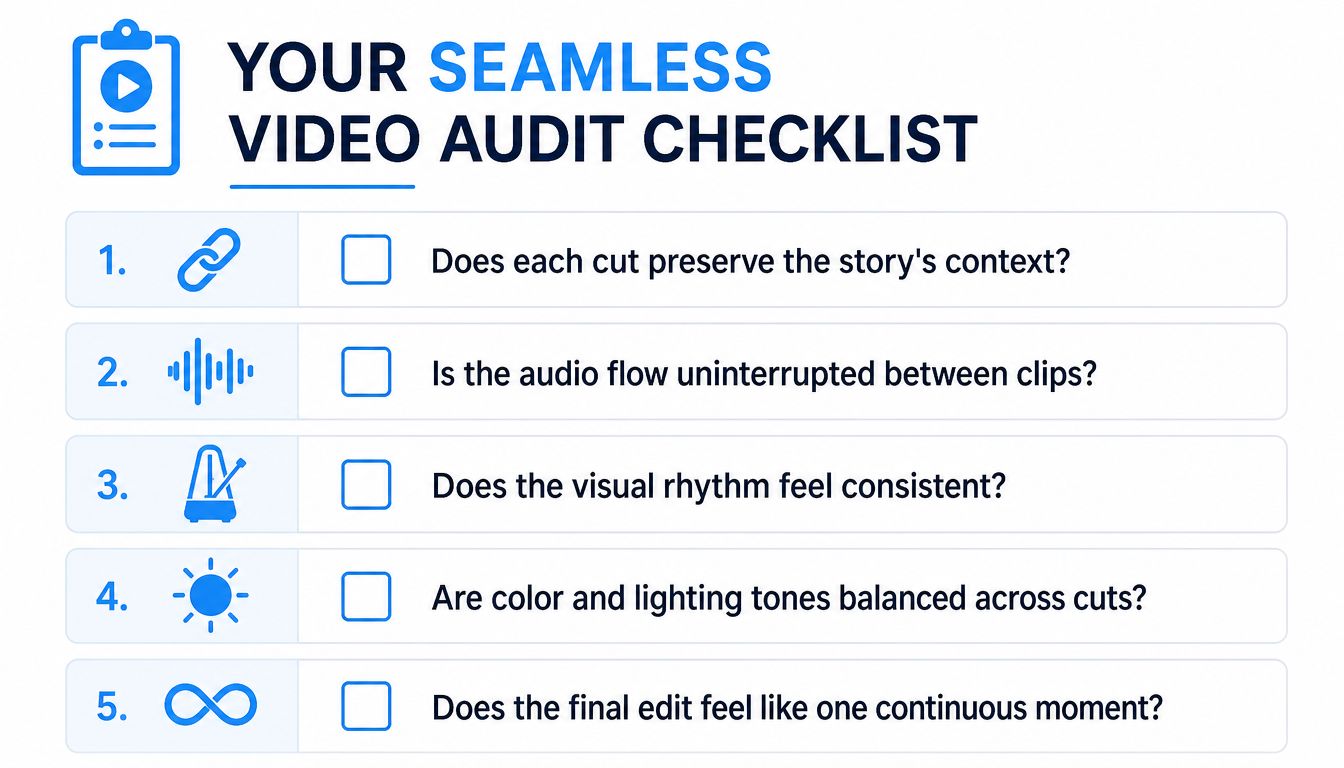
- Does each cut preserve the story's context? If the viewer has to guess what changed, the handoff needs work.
- Is the audio flow uninterrupted between clips? Sound can bridge a cut even when the picture changes sharply.
- Does the visual rhythm feel consistent? If one clip rushes and the next drifts, the edit will feel uneven.
- Are color and lighting tones balanced across cuts? Big shifts in brightness or tone make transitions feel louder than they should.
- Does the final edit feel like one continuous moment? If it feels like separate fragments, keep refining the flow.
For a tighter production process, this guide to video editing workflow can help you organize the steps before you even reach the transition stage. The cleaner the workflow, the less you need to fix later.
If you want to turn transition quality into a repeatable part of your editing process, Aicut gives short-form creators tools for generating and automating video content with smoother scene continuity in mind. It's a practical place to build faster edits without losing the flow your viewers notice.