
You've probably had this happen. One Reel looks rich and punchy, the next one looks gray, and the clip after that has skin tones drifting into orange because you shot in different light or used different generators. The edit is fine, the hook is decent, but the whole post still feels less polished than the videos you're trying to compete with.
That's where ai color grading becomes useful for short-form creators. Not as a film-school exercise. As a speed tool. If you're publishing TikToks, Shorts, or Reels at volume, you don't need a heroic manual grade on every cut. You need your videos to look consistent, trend-aware, and ready to post fast.
What Is AI Color Grading and Why It Matters for Viral Videos
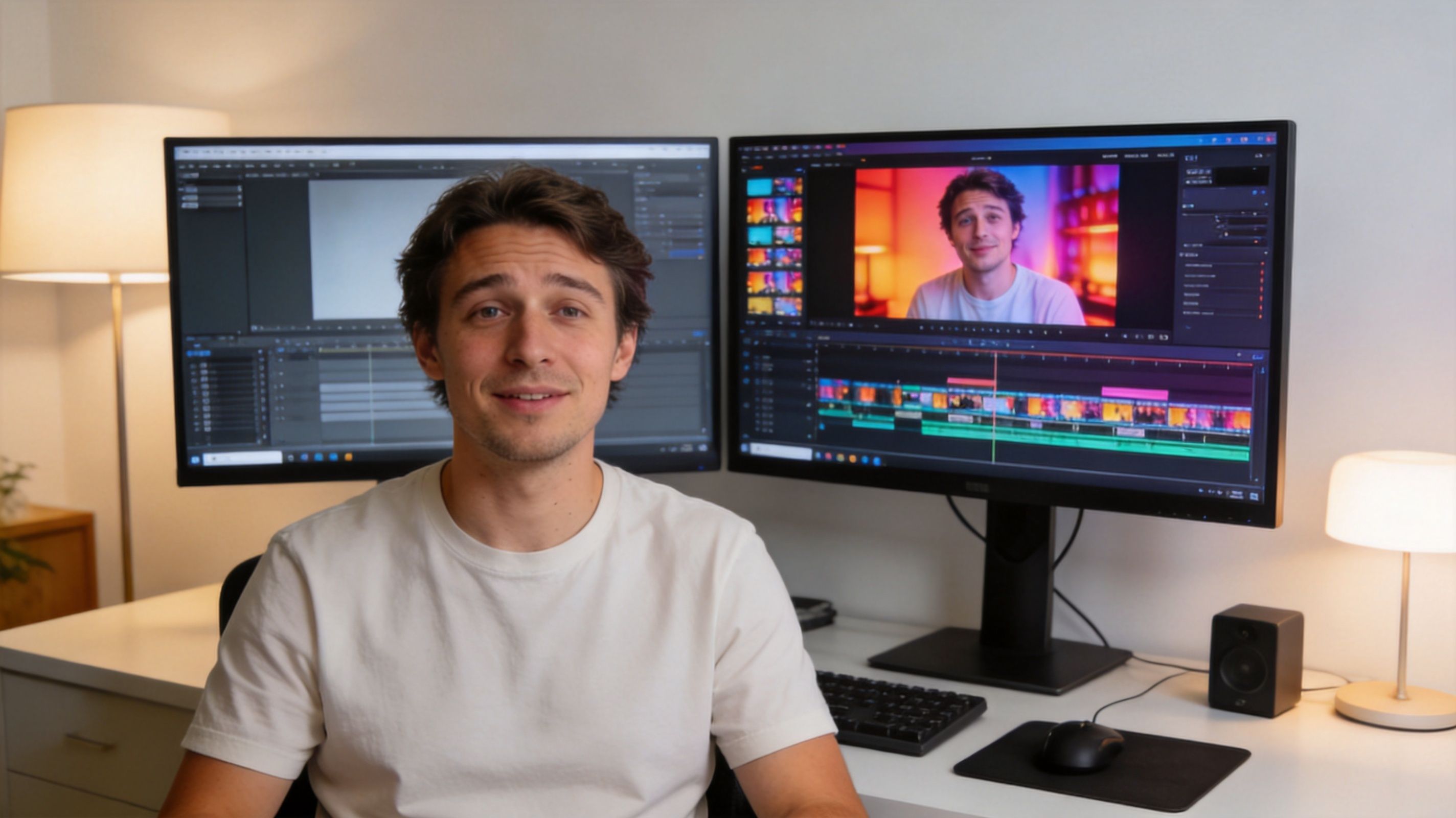
AI color grading is software that analyzes your footage and automatically adjusts things like exposure, contrast, saturation, white balance, and skin tones so the video looks more polished and more consistent. In practice, it acts like a fast starting point that can also apply a recognizable style.
For short-form creators, that matters because attention is visual before it's verbal. If your first frame looks muddy, flat, or inconsistent with the rest of your feed, viewers feel it immediately. They may not know why the clip looks off, but they know it doesn't feel premium.
Why short-form creators need a different workflow
Most advice about color grading still points creators toward DaVinci Resolve, Premiere Pro, and long-form production workflows. That's useful if you're finishing a commercial or a documentary. It's less useful if you're trying to push daily vertical content.
A discussion of AI color grading workflows for creators notes that existing coverage overwhelmingly focuses on professional workflows for long-form films, while ignoring faceless YouTube Shorts, TikTok, and Instagram Reels creators. The same source says adoption of short-form AI video tools has surged 300% since mid-2025, while color grading still remains a post-generation bottleneck for solo creators.
That gap is why AI grading feels so valuable in vertical content. You're often working with:
- Mixed source footage: AI-generated clips, phone footage, stock, and exports from different tools
- Fast trend cycles: A look can feel current this week and stale next week
- High output pressure: You need repeatable results, not endless tweaking
- Brand consistency: Even faceless channels need a recognizable visual identity
Practical rule: Viral content doesn't need perfect cinema color. It needs a clean, deliberate look that stays consistent from clip to clip.
What it actually helps you do
For vertical creators, ai color grading is most useful when it helps you do three things well:
- Match clips fast so your sequence doesn't jump between warm, cool, dark, and overcooked.
- Replicate a trend look without rebuilding it manually every time.
- Keep your channel recognizable even when your raw inputs change from post to post.
That's the actual win. Not technical purity. Posting faster without your feed looking random.
Understanding How AI Learns to See Color
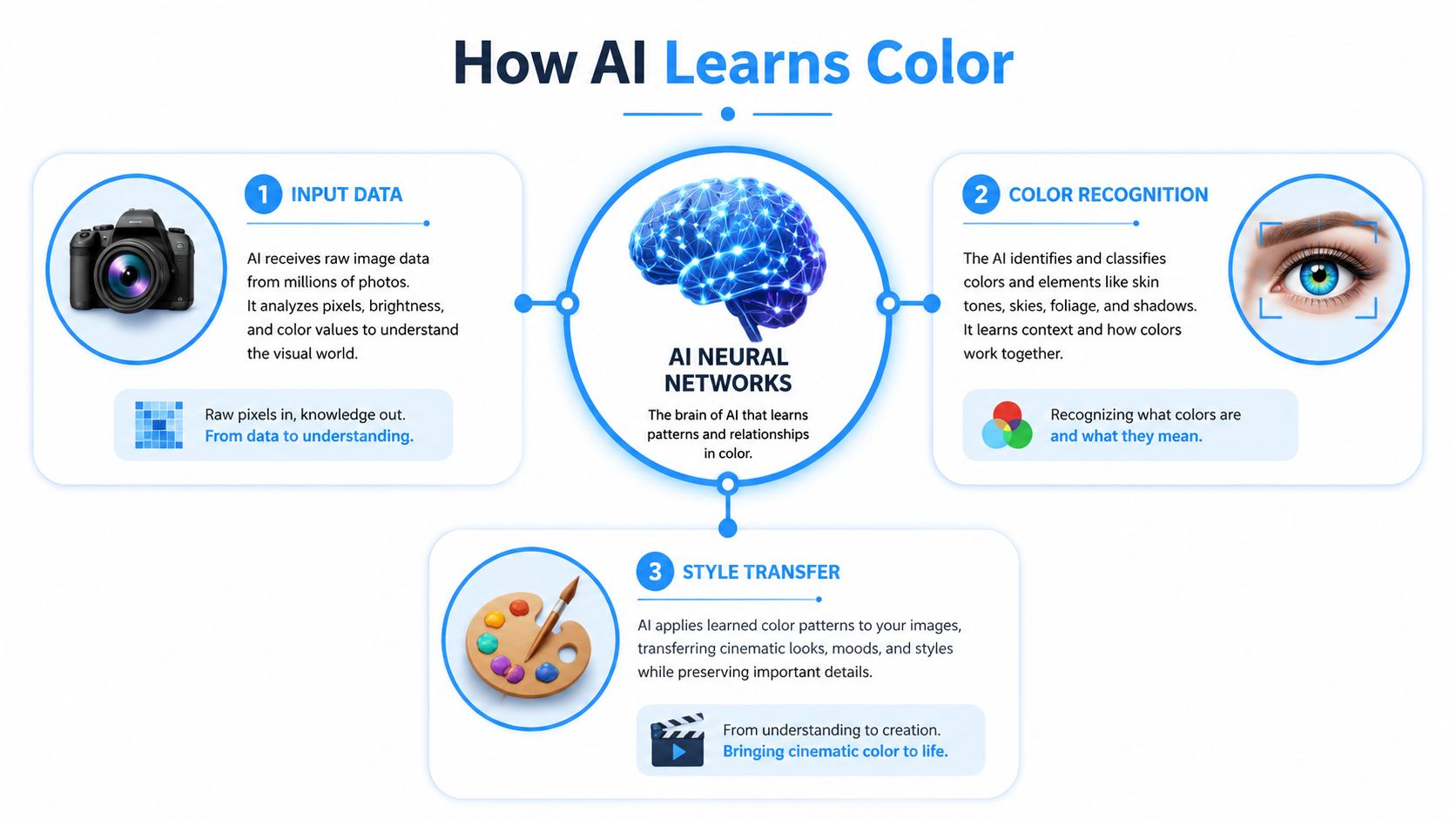
Think of AI grading like an art student that has studied a huge library of images and videos. Over time, it learns what usually makes a frame feel balanced, what skin should generally look like, how shadows behave, and how certain palettes create moods like cinematic, retro, glossy, or energetic.
That's why these tools can often make decent first-pass decisions without you touching a color wheel.
What the model pays attention to
AI color grading tools are trained on large visual datasets to automate adjustments across footage. A Nyckel overview of color grading quality models explains that these systems are built to handle repetitive tasks like matching colors across shots, and industry tests show they can reduce grading time by up to 80% for video editors.
Under the hood, the AI is usually looking at patterns such as:
- Exposure: Is the frame too dark or too bright?
- Contrast: Are the shadows muddy or the highlights washed out?
- Saturation: Are colors flat, or are they pushed too far?
- White balance: Does the image lean too warm or too cool?
- Skin tones: Does the subject still look human after the grade?
- Shot-to-shot consistency: Does one cut feel like it belongs next to the next one?
Some systems also analyze footage frame by frame. That matters in short-form edits where lighting changes quickly, especially in AI-generated clips, montage posts, and UGC-style sequences.
Why this matters for creators, not just editors
You don't need to understand every technical layer to benefit from it. What matters is knowing what the AI is good at and where it still needs direction.
It's usually good at:
- Neutralizing obvious problems
- Creating a usable base grade
- Applying a broad style consistently
- Saving you from repetitive corrections
It's weaker at:
- Highly specific emotional choices
- Subtle scene-by-scene storytelling
- Footage with confusing mixed lighting
- Aesthetic decisions that depend on taste more than pattern recognition
If you already use AI for visuals, the same logic applies in adjacent workflows. This is similar to what creators see in AI image editing workflows, where the fastest results come from combining automation with a clear creative direction.
AI doesn't “know” your story. It recognizes patterns that usually produce a pleasing result.
The part most people miss
The model only sees what you give it. Clean footage, decent lighting, and a clear reference or prompt lead to stronger output. Messy source material gives the AI more room to guess, and guessing is where weird skin tones and fake-looking grades start.
So the simplest way to think about it is this. AI learns color by comparing what's in the frame to patterns it has already seen, then pushing your footage toward a balanced or stylistic result based on those patterns.
AI Grading Versus Traditional Manual Color Grading
Manual grading still has a place. If you're shaping the mood of a narrative short, controlling every highlight, and building a look shot by shot, nothing beats full manual control. But that isn't how most TikTok, Reels, and Shorts creators work day to day.
For short-form, the choice usually comes down to speed, consistency, and whether the result looks strong enough on a phone screen.
Where AI wins
In mobile app evaluations from Webtest's testing of AI color correction tools, top AI tools achieved an average CIEDE2000 color accuracy of 2.5–3.5, which falls in a range considered noticeable but acceptable for professional use. For short-form video, that's a practical benchmark because it means the result can look visually consistent and polished without manual tweaking.
That matters more than many creators realize. On social platforms, viewers aren't pausing your video to inspect waveform precision. They're deciding, almost instantly, whether the post looks sharp, modern, and worth watching.
Where manual still wins
Manual grading gives you:
- Precise control over shadows, highlights, and individual color ranges
- Creative nuance when you want one scene to feel different from another
- Better rescue options for difficult footage
- More intentional storytelling if color itself is part of the narrative
If you're delivering a hero brand film or a cinematic spec ad, manual work still gives you more control than one-click AI.
Side-by-side trade-offs
| Factor | AI grading | Manual grading |
|---|---|---|
| Speed | Fast starting point and fast batch work | Slower, especially across many clips |
| Consistency | Strong for repeated looks and shot matching | Depends on editor skill and time |
| Learning curve | Easier for solo creators | Steeper |
| Control | Broad and efficient | Deep and precise |
| Best use case | Daily social content, vertical video, templated workflows | Narrative work, hero edits, high-touch campaigns |
Use AI when volume matters more than microscopic control.
The real decision for vertical creators
If you post often, manual grading every clip is usually a bad trade. It eats time that would be better spent on hooks, pacing, scripting, thumbnails, and testing new formats. AI gets you to a strong baseline fast.
The better approach for most creators is hybrid. Let AI handle the repetitive correction and matching. Then step in only where it matters, usually on skin tone, saturation intensity, and the first few shots that define the look of the post.
That's how you keep quality high without turning every Reel into a finishing session.
A Practical Workflow for Short-Form Creators
The most reliable ai color grading workflow for vertical content is simple. Generate or gather your clips, normalize the sequence so it feels coherent, then push a creative look on top. Don't start with style before you fix consistency.

Start with a clean base look
If you're mixing clips from tools like Sora or Veo with stock or phone footage, start by making them feel like they live in the same world. Apply a one-click balance or auto-match pass first. You're not chasing a style yet. You're removing obvious differences in brightness, temperature, and contrast.
AI earns its keep here. You avoid wasting time building a cool look on top of mismatched footage.
A useful companion skill here is understanding how effects stack after color, especially in fast edits. If you use overlays, glow, blur, or motion treatments, this guide to video effects editing pairs well with a grading workflow because it helps you decide what should happen before and after the grade.
Then add the style with prompts or LUTs
Once the footage is balanced, add the vibe. AI models can now generate grading LUTs as .cube files directly from text prompts, referencing datasets of 50,000+ films, and this process can reduce prep time by 80% according to this video on AI LUT generation workflows.
That's useful for short-form because you can move from vague inspiration to a reusable look quickly. Instead of trying to hand-build “clean luxury skincare ad” or “neon dystopian street clip,” you describe it, preview it, and keep refining.
A workflow that holds up in production
Use this order:
Lock the edit first
Don't grade while you're still swapping clips every minute. You'll waste time redoing work.Run AI normalization
Let the tool balance exposure and white balance across the sequence.Choose one reference direction
That can be a prompt, a frame from your own archive, or a trend look you want to echo.Generate or apply a LUT
Save the look if your tool allows export so you can reuse it across future posts.Review the key shots manually
Check intros, faces, product close-ups, and any scene with bright reds or skin.Dial the look back if needed
Most overprocessed videos don't fail because the idea was wrong. They fail because the effect strength was too high.
For broader inspiration on how creative teams think about style systems and repeatable visual design, the Sarra Pro blog is worth browsing. It's useful when you want better taste references, not just faster automation.
Example AI Color Grading Prompts
| Desired Vibe | Example Prompt | Key Elements |
|---|---|---|
| Warm lifestyle ad | warm golden-hour commercial look, soft contrast, natural skin, gentle highlight roll-off | warmth, soft contrast, skin preservation |
| Clean product reel | bright neutral ecommerce grade, crisp whites, balanced shadows, polished but not oversaturated | neutrality, clean whites, clarity |
| Cyberpunk clip | cyberpunk neon grading, deep blues, magenta highlights, glossy night-city mood | neon palette, cool shadows, stylized contrast |
| Nostalgic summer short | nostalgic summer evening, soft warmth, faded blacks, subtle film-like saturation | faded contrast, warm mids, relaxed mood |
| Luxury beauty content | premium beauty campaign look, smooth skin tones, refined contrast, elegant muted background colors | skin control, restrained saturation, premium feel |
Here's a quick visual walkthrough of the kind of workflow creators use in practice:
Prompt cloning works better than starting from zero
If a trend is working, don't reinvent the palette. Clone the look direction, then adapt it to your niche. Keep the emotional tone, but shift details so it fits your content. A faceless finance page may want cool, controlled contrast. A beauty or fashion account may need softer highlights and cleaner skin handling.
Workflow note: The best AI prompt is usually a style brief, not a single adjective.
Good prompts tell the system what to protect. Natural skin. Clean whites. Soft shadows. No heavy orange cast. Those details often matter more than the aesthetic label itself.
Common AI Grading Issues and How to Fix Them
AI grading is fast, but it's not magic. The usual failure points are easy to spot once you know what to look for. Skin turns strange, shadows get crushed, highlights clip too hard, or one clip still looks like it came from a different universe.
Exposure mismatch and uneven scenes
When clips are underexposed in one moment and overexposed in the next, advanced AI tools can use histogram matching to normalize luminance and white balance in one click, and this approach has been shown to be up to 5x faster than manual shot matching in professional software, as described in Cined's coverage of AI color grading tools.
That speed is useful. But if the result still feels off, the problem usually isn't the tool. It's the input.
Try this:
- Use cleaner source clips: Bad compression, mixed lighting, and clipped highlights limit what AI can fix.
- Group similar shots together: Grade daylight clips together and indoor clips together before trying a full sequence match.
- Lower the effect strength: Many AI grades look better at reduced intensity than at full power.
Unnatural skin and overprocessed color
Skin is where viewers notice mistakes first. If faces look waxy, orange, gray, or oddly pink, don't keep stacking filters. Back up and simplify.
Use these fixes:
- Be more specific in your prompt: Ask for natural skin and restrained saturation
- Swap the reference image: A bad reference often creates a bad look
- Check your output on a phone: Vertical content lives on small screens, so review there
- Enhance quality before grading if needed: If the clip is already weak, AI video quality enhancement can help before you apply a strong grade
If the grade looks “impressive” but the person looks fake, the grade is wrong.
A real limitation worth remembering
AI can reflect bias in how it interprets different skin tones and lighting conditions. That means you shouldn't trust auto results blindly, especially on people-focused content. Review faces, hands, and neutral backgrounds every time.
The fix isn't to avoid AI. It's to treat it like an assistant. Fast, useful, and occasionally wrong in predictable ways.
The Future of Automated Video Aesthetics

AI color grading is already good at the part most short-form creators hate doing. Repetitive balancing, matching, and look-building. The next step is tighter integration with the rest of the creation process so style doesn't happen after the video is made, but during generation and editing.
That shift matters for vertical content more than for traditional post-production. Short-form creators work in loops. Generate, test, tweak, repost. The faster color becomes part of that loop, the more usable it gets.
What's likely to improve next
The direction is pretty clear:
- Real-time grading during generation so clips come out closer to the final look
- Smarter style memory so your channel keeps a consistent palette over time
- Better prompt interpretation that understands mood with fewer revisions
- Tighter links between filters, effects, and grade so the whole visual stack feels unified
For creators who want a broader sense of how stylistic automation is evolving, this guide for AI video filters is a helpful companion read. Filters and grading are starting to overlap more, especially in short-form workflows where speed matters more than strict category boundaries.
What won't change
Taste still matters. Reference selection still matters. Source quality still matters. The creators who get the best results from ai color grading won't be the ones pressing the most buttons. They'll be the ones who know what kind of look fits their audience and when to keep the grade subtle.
Big takeaway: Automation raises your floor. Your creative judgment still sets the ceiling.
That's the opportunity. You don't need to become a traditional colorist to make your content look deliberate. You need a workflow that gives you consistency, speed, and enough control to keep your posts feeling current.
If you want to create faceless Shorts, Reels, and TikToks faster, Aicut gives you an AI-native workflow built for short-form production. You can generate clips, adapt proven styles, streamline editing, and publish more consistently without getting stuck in manual post.