
You're probably doing the same thing most faceless creators do at the start. You save trending sounds, copy formats that look easy, open five tabs, test two generators, and spend half the night trying to make one short video feel polished enough to post.
Then the next day starts, and you have to do it again.
This is the core reason most channels stall. It isn't usually a lack of ideas. It's a weak AI setup. If your process depends on daily improvisation, you burn time on prompt rewrites, asset hunting, bad renders, and manual posting. The channel never becomes a system. It stays a grind.
A good setup fixes that. It turns short-form creation into a repeatable workflow with clear inputs, reusable prompts, saved visual assets, and scheduled output. That matters now because generative AI adoption moved from 33% of organizations in 2023 to 71% by July 2024, according to this AI adoption roundup. For creators, that shift means the tools are no longer early toys. They're part of normal production.
Stop Chasing Trends and Start Building an AI Content Engine
Most creators chase trends because trend chasing feels safer than building a format. You see a style working, copy it fast, and hope the algorithm gives you a turn. The problem is that borrowed momentum disappears fast. If the workflow behind the video is messy, you can't repeat the result.

The better move is to build a content engine. That means your AI setup handles the repeatable parts and leaves your time for angle selection, hook testing, and packaging. A faceless channel grows faster when you stop treating each post like a custom project.
What creators usually get wrong
A lot of people think AI setup means picking a video model and typing prompts until something good happens. That's too narrow. A complete setup includes account connections, content templates, asset libraries, voice choices, prompt versions, approval rules, posting schedules, and credit discipline.
If one of those breaks, the whole pipeline slows down.
Practical rule: If you have to rebuild your workflow every time you make a video, you don't have a workflow yet.
Short-form creators need a system that does four things well:
- Captures ideas quickly so trends or story angles don't disappear before production starts
- Reuses winning structures instead of starting from a blank prompt box
- Maintains visual identity across videos so the page looks like one brand, not random experiments
- Publishes consistently without requiring manual uploads every day
What an effective AI setup actually does
The strongest channels don't rely on one viral hit. They build a repeatable machine around a niche and a recognizable format. That could be AI skeleton stories, talking objects, animated explainers, faceless commentary, or UGC-style ad concepts. The exact niche matters less than the consistency.
A strong AI setup gives you an advantage in plain, practical ways:
One idea becomes many outputs A single concept can turn into multiple hooks, scenes, captions, and platform variations.
Your best prompts become templates Once a style works, you clone it, name it, and reuse it.
Editing becomes lighter You swap characters, backgrounds, or voiceovers instead of rebuilding the whole video.
The goal isn't to automate creativity. It's to automate repetition so creativity survives daily publishing.
That's the mindset shift. Stop asking, “How do I make today's post?” Start asking, “What system makes the next fifty posts easier?”
Your Foundation Choosing the Right Accounts and AI Models
Before you generate anything, clean up the foundation. This part looks boring compared with prompts and visuals, but it saves more wasted effort than any fancy trick later.
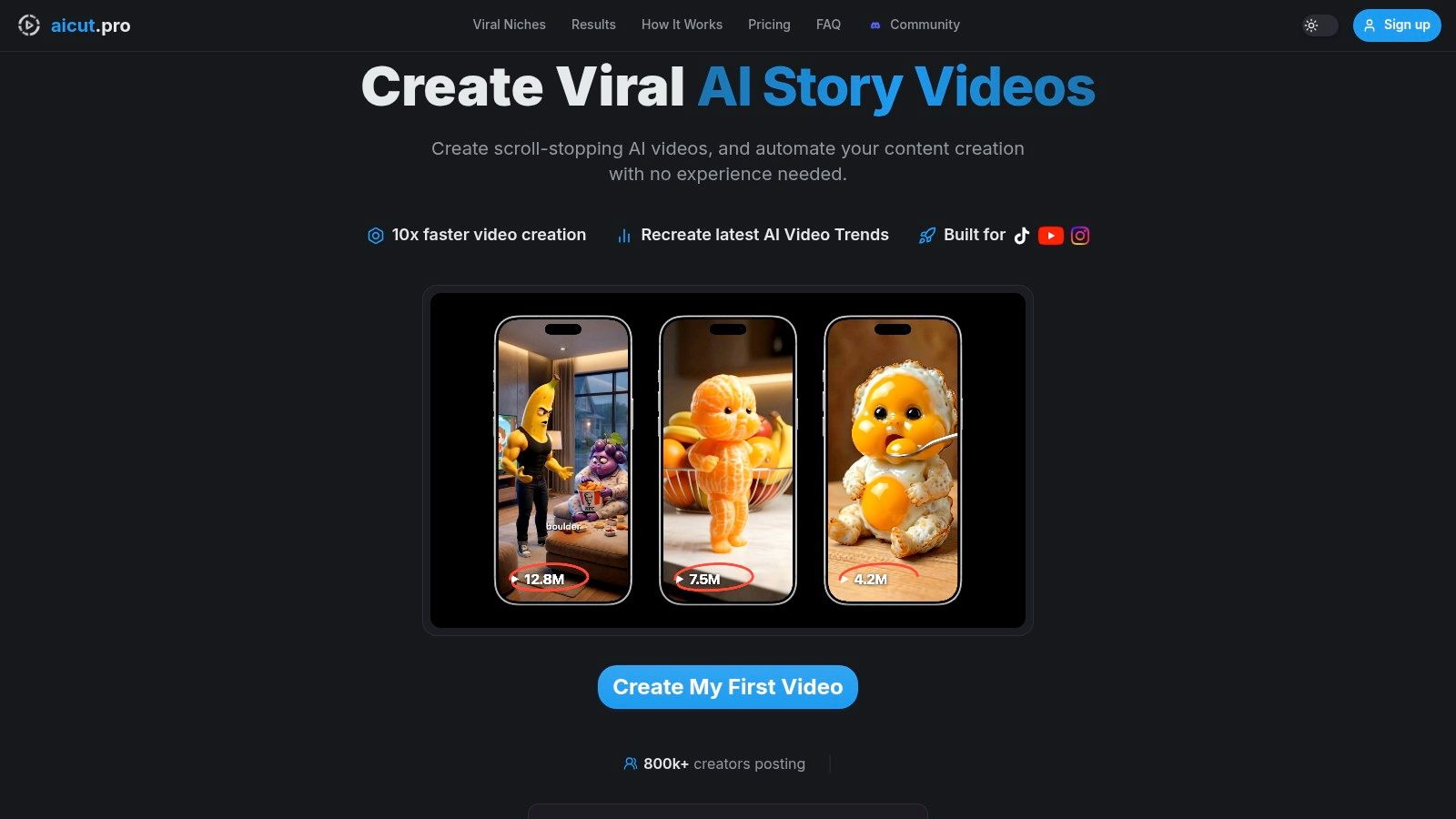
The first job is account setup. Connect the channels you plan to use. For most faceless creators that means YouTube, TikTok, and Instagram. If you post manually because it feels safer, you usually create a new problem. Videos pile up on your desktop, captions get rushed, and publishing becomes inconsistent.
Set up channels before content
Connect your channels early for one reason. It changes how you build the workflow. When posting is already connected, you start thinking in batches and campaigns instead of isolated exports.
Use a simple setup order:
Connect the destination accounts Start with the platforms where you already have audience signals or where you can post most consistently.
Standardize your profile assets Keep channel names, bios, logos, and positioning aligned. Faceless pages still need a recognizable identity.
Choose one primary platform Repurpose everywhere, but let one platform drive your creative decisions first.
Decide what counts as success Views alone can mislead. Save, share, retention, click intent, or profile visits might matter more depending on the page.
Pick models by output, not hype
Creators lose credits when they choose models by reputation instead of use case. A model can be excellent and still be wrong for your format. The right choice depends on clip length, style, and how much cleanup you can tolerate.
Here's a simple comparison framework.
| AI Model | Best For | Typical Credit Cost | Max Length |
|---|---|---|---|
| Sora 2 | Cinematic scenes, stylized faceless storytelling, higher-end visual concepts | Varies by platform settings and output choices | Depends on platform limits |
| Veo 3.1 | Short-form social clips where motion quality matters and scenes need stronger realism | Varies by platform settings and output choices | Depends on platform limits |
| Kling | Experimental short scenes, visual ideas, and quick concept testing | Varies by platform settings and output choices | Depends on platform limits |
| Grok Imagine | Image-led ideation, concept art, and source assets for later animation | Varies by platform settings and output choices | Depends on platform limits |
The point of this table isn't to pretend every model has one perfect role. It's to stop you from using your most expensive option for every single task.
A practical way to choose
Use this decision logic:
- If the hook depends on realism, start with the model that gives the strongest believable motion.
- If the hook depends on quantity, choose the model that lets you test more variations for fewer credits.
- If the format is template-based, consistency matters more than novelty.
- If you're building image-first stories, generate stable source assets first, then animate selectively.
For a broader guide for choosing AI models, compare strengths before locking your production stack. It's worth doing once so you don't keep switching models mid-workflow.
If your format relies on image generation before video, this photo model breakdown is useful for deciding what kind of visual base to build from.
Cheap testing beats expensive guessing.
A smart AI setup keeps your premium credits for scenes that need them. Everything else should be done with the most efficient model that still protects quality.
Build Your Content Machine with Prompts and Assets
Once the technical base is stable, the creative engine starts with two things: repeatable prompts and reusable assets. That's what separates a scalable faceless page from a channel that looks different every day.
Most creators waste time in the blank-prompt phase. They open a generator, type something broad, dislike the result, rewrite it five times, and then call AI inconsistent. Usually the inconsistency came from the workflow, not the model.
Start with a template, then force your angle
Viral-ready templates are useful because they remove one layer of decision-making. Formats like talking objects, story-driven character clips, skeleton-style shorts, or influencer-style scenes already have a proven rhythm. The mistake is copying the template without changing the creative angle.
Use templates as scaffolding, not identity.
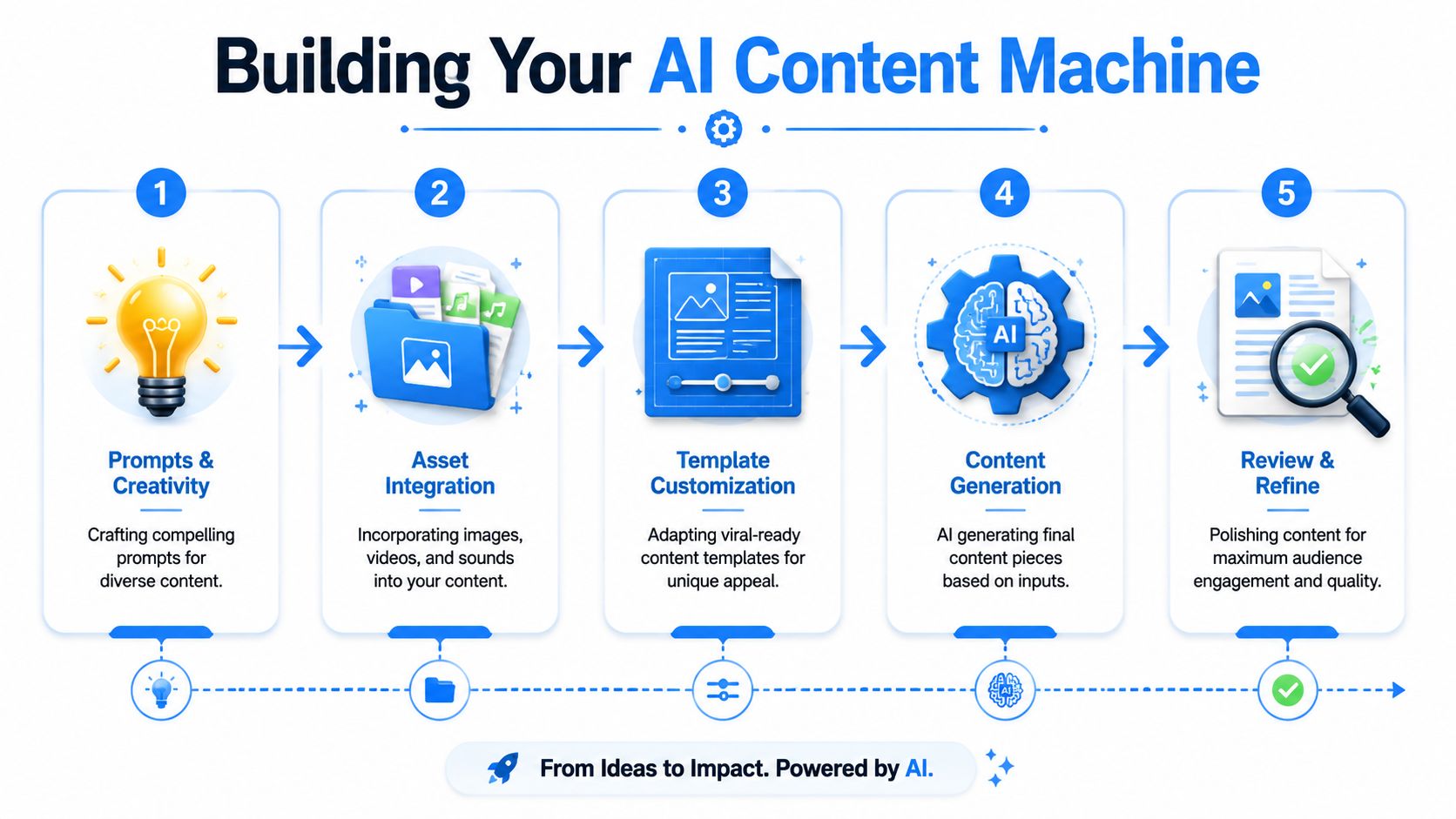
Three practical moves help here:
Keep the structure Preserve pacing, shot logic, and emotional flow if the format already works.
Change the subject Swap the niche, character type, or story frame so the content belongs to your page.
Rename every prompt version If you don't label versions clearly, you'll never know which prompt produced the keeper.
Prompt cloning works best when you don't clone blindly
Prompt cloning is one of the fastest ways to learn what makes a format work. Reverse-engineering a popular video gives you a head start on scene composition, motion language, subject framing, and style cues. But exact copying creates two problems. First, your page becomes generic. Second, cloned prompts often carry hidden assumptions that don't fit your niche.
A better prompt-cloning workflow looks like this:
Find the format, not just the topic Ask what makes the video recognizable. Is it the camera movement, the character, the pacing, or the visual joke?
Extract the reusable core Keep the elements that define the style, such as scene framing, lighting tone, or character behavior.
Swap one variable at a time Change subject first. Then environment. Then voice. Don't rewrite everything in one pass.
Save winners into a prompt bank Your future speed comes from retrieval, not memory.
If you want tighter prompting habits, this explanation of prompt engineering basics for creators helps sharpen how you write reusable instructions.
The fastest creators aren't the ones with the most ideas. They're the ones with the best prompt library.
Build brand consistency like an operator
A key challenge in AI video is multi-shot visual consistency. The practical fix is disciplined prompting and asset management, as discussed in Runway's guidance on camera angles and shot consistency. For faceless channels, this matters more than people think. A page grows faster when viewers can recognize the world of the content before they even read the caption.
That means you need a lightweight brand system:
Recurring character rules Decide facial style, outfit logic, age range, and expression boundaries.
Environment rules Save background descriptions, lighting conditions, and color palette notes.
Voiceover rules Pick one or two voice styles and stick with them long enough to build familiarity.
Caption behavior Keep on-screen text rhythm consistent. Fast-cut captions on one video and slow subtitles on the next makes the page feel stitched together.
There's also a broader lesson here from enterprise AI. Teams often fail on governance, approvals, and ownership rather than pure model performance, as noted in Vizient's perspective on AI governance and operating models. Creators run into the same issue on a smaller scale. If you don't define your visual rules, naming system, and asset ownership early, your channel drifts.
Create one source pack per content series
A strong shortcut is building a “source pack” for every repeatable content series. That pack should include:
Core prompts Hero prompt, fallback prompt, and quick-test prompt
Visual references Character examples, background references, and thumbnail frames
Audio references Preferred voice, pacing notes, and music mood
Publishing notes Best caption style, title formula, and platform-specific tweaks
If you also repurpose your ideas for text-based platforms, tools that improve X content with AI can help turn your short-form ideas into supporting social posts without rewriting from scratch.
That's how the content machine starts to feel light. You aren't creating from zero anymore. You're operating from a bank of tested creative parts.
Automate Your Workflow from Generation to Scheduling
A good faceless workflow should keep moving even when you're not at your desk. That doesn't mean full autopilot with no review. It means your system handles the predictable parts in order, and you step in only where judgment matters.
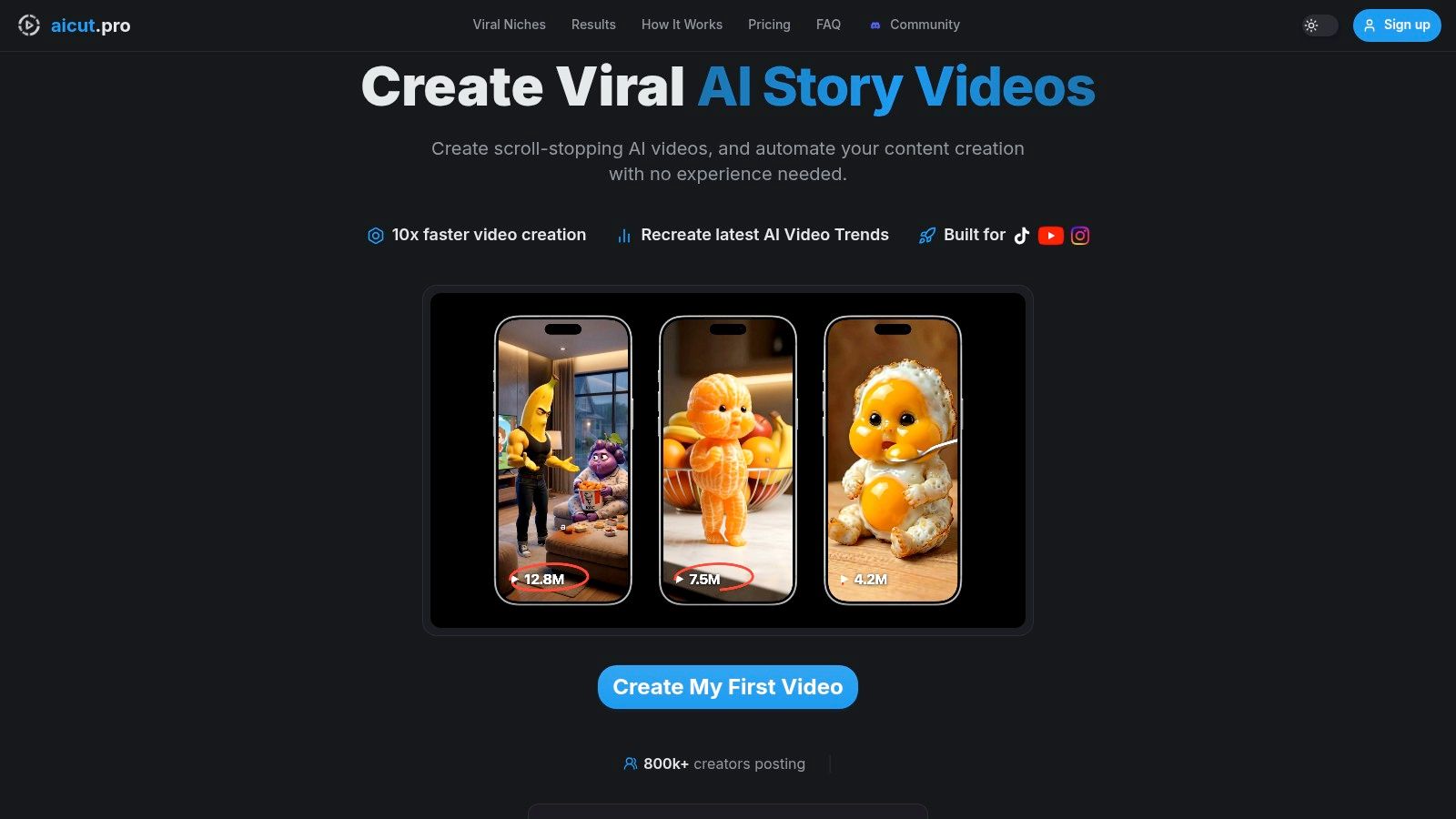
Think of one video as a production line, not a project file. A concept starts as a saved prompt variation. That prompt feeds a generation batch. From there, you review outputs, make a quick swap if a character or setting is off, approve the final cut, and send it into the scheduler.
What automation should handle
The easiest place to automate is repeat production inside a proven format. If one content series already works, you don't need to reinvent the sequence every day.
The workflow usually looks like this:
Daily generation batches Queue several prompt variants under the same content series so the system keeps producing fresh options.
Light editing only Use an AI editor for fast swaps. Replace the background, change the character, or tune the opening scene instead of requesting a full rebuild.
Scheduled publishing Send approved videos straight to connected social accounts rather than exporting and uploading manually later.
That middle step matters more than people expect. Quick swaps preserve momentum. Full reshoots kill it.
A practical operating rhythm
A simple rhythm works well for solo creators and agencies:
Morning: review the overnight outputs, reject the weak ones, and mark the strongest hooks.
Midday: make only the smallest edits needed for publishable quality.
Evening: let the scheduler handle the release cadence while the next generation batch is already running.
Good automation removes decisions you've already made once.
That's the core test. If you're making the same choice every day, automate it. If the choice affects positioning, story angle, or brand voice, keep it manual.
For creators who want to set up repeatable publishing loops, this walkthrough on how to automate AI video workflows is worth studying.
Where creators over-automate
Automation goes wrong when people skip review and assume generated equals finished. A scheduler is useful. A queue of unchecked videos is not. The platform should save time by moving approved work forward, not by publishing random drafts at scale.
The strongest setup uses automation in layers:
- Prompt bank
- Batch generation
- Fast editing
- Approval pass
- Scheduled posting
That sequence keeps quality under control while still taking most of the daily friction out of publishing.
Closing the Loop with Analytics and Cost Management
A lot of creators stop at posting. That's where the waste starts. If you aren't reading performance and tying it back to credit spend, your AI setup becomes a content factory with no control panel.
The first thing to track is not visual beauty. It's business outcome. Research on AI project failure keeps coming back to the same issue: teams miss their core objective when they optimize the wrong metric. Svitla's write-up on problem framing and KPI design in AI projects makes that point clearly. For creators, the equivalent mistake is chasing “best-looking video” when the actual KPI is retention, shares, clicks, or consistent publishing output.
Read the dashboard like an operator
When your channels are connected to one dashboard, don't just sort by views and call it analysis. Break performance down by creative decision.
Look at patterns like:
Hook style Which opening line or visual opener gets viewers to stay?
Voice choice Which narration style feels native to the niche instead of sounding synthetic?
Format family Which series deserves more production because it repeatedly earns stronger engagement?
At this stage, your AI setup stops being creative guesswork and becomes a managed system.
Match output quality to credit cost
Credit management is simple when you think in format economics. Some content types need premium generation because realism is part of the hook. Others work fine with lighter models because pacing and concept carry the video.
Use a short review loop every week:
| Checkpoint | What to review | Why it matters |
|---|---|---|
| Format review | Which series consistently performs | Tells you where to focus generation volume |
| Model review | Which model is being used for each format | Prevents overpaying for scenes that don't need premium quality |
| Prompt review | Which saved prompts create the fewest failed outputs | Reduces wasted credits on weak generations |
| Publish review | Which platform gets the cleanest response from each format | Helps assign videos to the right destination |
The best-performing format isn't always the one with the best render. It's the one that earns attention at a cost you can repeat.
A practical creator mindset is to keep a “cheap test, expensive scale” rule. Test new ideas with efficient settings. Once a format proves itself, spend more to polish the versions you'll publish often.
That's how AI setup stays profitable. Not by cutting every cost, but by spending credits where the return is most repeatable.
Common AI Video Pitfalls and How to Avoid Them
Most AI video problems aren't mysterious. They come from loose prompts, weak asset discipline, or too much time spent fixing things that don't matter to the viewer.
The first trap is visual perfectionism. If a hand looks a little odd in a fast-moving comedic short, that usually isn't the reason the video fails. The bigger risk is spending an hour repairing one frame when you could have tested three new hooks instead.
The issues that slow creators down
Here are the failures that show up most often:
Inconsistent characters This usually happens when you rewrite the subject description every time instead of using one locked character profile.
Robotic audio The fix is rarely “find the perfect voice.” It's usually choosing one believable voice and writing lines that sound like speech, not like copy.
Prompt drift Each small change compounds. After enough edits, the original format disappears and results become random.
Too much manual cleanup If every output needs rescue work, the format is wrong or the prompt bank is weak.
Measure output, not the feeling of speed
There's a useful warning here from operational AI research. In a randomized trial with experienced developers, AI tool use increased task completion time by 19%, even though the developers expected a 24% speedup and still believed they had gained 20% afterward, according to METR's study on experienced open-source developers. The lesson applies directly to creators. AI can feel faster while your actual workflow gets slower.
That's why pros track outputs such as completed videos, approved batches, failed generations, and posting consistency.
If your AI setup creates more tweaking than publishing, it's not saving time.
Use a simple rule. Get the video good enough to test the idea. Save the high-effort polish for formats that already earned the right to scale.
If you want to turn faceless short-form creation into a repeatable system instead of a daily scramble, Aicut is built for exactly that workflow. You can generate videos from viral-ready templates, clone prompts from proven formats, swap characters or backgrounds without reshoots, automate daily campaigns, schedule posts across YouTube, TikTok, and Instagram, and manage everything from one place. It's a practical way to make your AI setup faster, cleaner, and easier to scale.