
You're probably in the same loop most short-form creators hit. You need to post every day, sometimes more than once a day. You've got ideas, saved references, half-written hooks, maybe a folder full of trend screenshots, but turning that into finished videos keeps eating the entire day.
That's where people start looking for ways to automate content creation with AI. The promise sounds simple. Type a prompt, get a video, schedule it, repeat. The part most guides skip is what happens next. You can absolutely generate more content faster, but speed alone doesn't hold attention. A faceless channel can post nonstop and still lose viewers if every video feels synthetic, flat, or copied from the same prompt pattern.
The workflow that works is different. Use AI to remove the slow parts. Keep human judgment where retention is won or lost. That's the balance that lets you publish at volume without training your audience to scroll away.
Why AI Video Automation Is No Longer Optional
Creators used to have a clear trade-off. You could post often and burn out, or post less and stay sane. That trade-off is breaking down because the volume standard has changed. Teams and solo creators now have tools that can script, generate visuals, cut scenes, add voiceover, and publish across platforms in one workflow.
The shift isn't theoretical. The global AI-powered content creation market is projected to reach USD 10.59 billion by 2033, growing at a 19.4% CAGR from 2025, and 80% of marketers now use AI for content creation according to Templated's social media marketing automation statistics and trends. That tells you something important. AI content automation is no longer a side experiment. It's part of the default workflow.
For short-form video creators, that matters because the bottleneck isn't usually ideas. It's execution.
The real pressure isn't creativity
Most creators don't run out of concepts. They run out of time to package them. A simple faceless video still needs:
- A hook that lands fast
- A visual style that fits the niche
- A script with pacing
- Voiceover or on-screen text
- Editing and formatting for each platform
- Scheduling and account management
If you do that manually every day, you spend more energy assembling content than improving it.
Practical rule: Automate the repeatable parts first. Keep the audience-facing judgment for yourself.
That's why platforms built around short-form automation matter. If you want a deeper breakdown of how social workflows are changing, Aicut's guide to AI content creation for social media is a useful reference point for mapping the full pipeline from generation to posting.
The same pattern is showing up outside creator media. If you work with visual brands, this overview on understanding AI in the fashion industry is useful because it shows how AI is being used in image-heavy, trend-sensitive environments where speed matters, but consistency still matters more.
What changes when you automate correctly
The best reason to automate isn't that you'll make more videos. It's that you'll stop wasting your best attention on production chores.
That changes your role. You stop acting like a one-person assembly line and start acting like an operator. You choose formats, define angles, review outputs, and keep what feels watchable. That's a much better use of your time than manually rebuilding the same style from scratch every morning.
Building Your Automated Video Factory
The first mistake most creators make is treating automation like a one-video shortcut. It works better when you build a system that can produce the same style repeatedly with small variations.
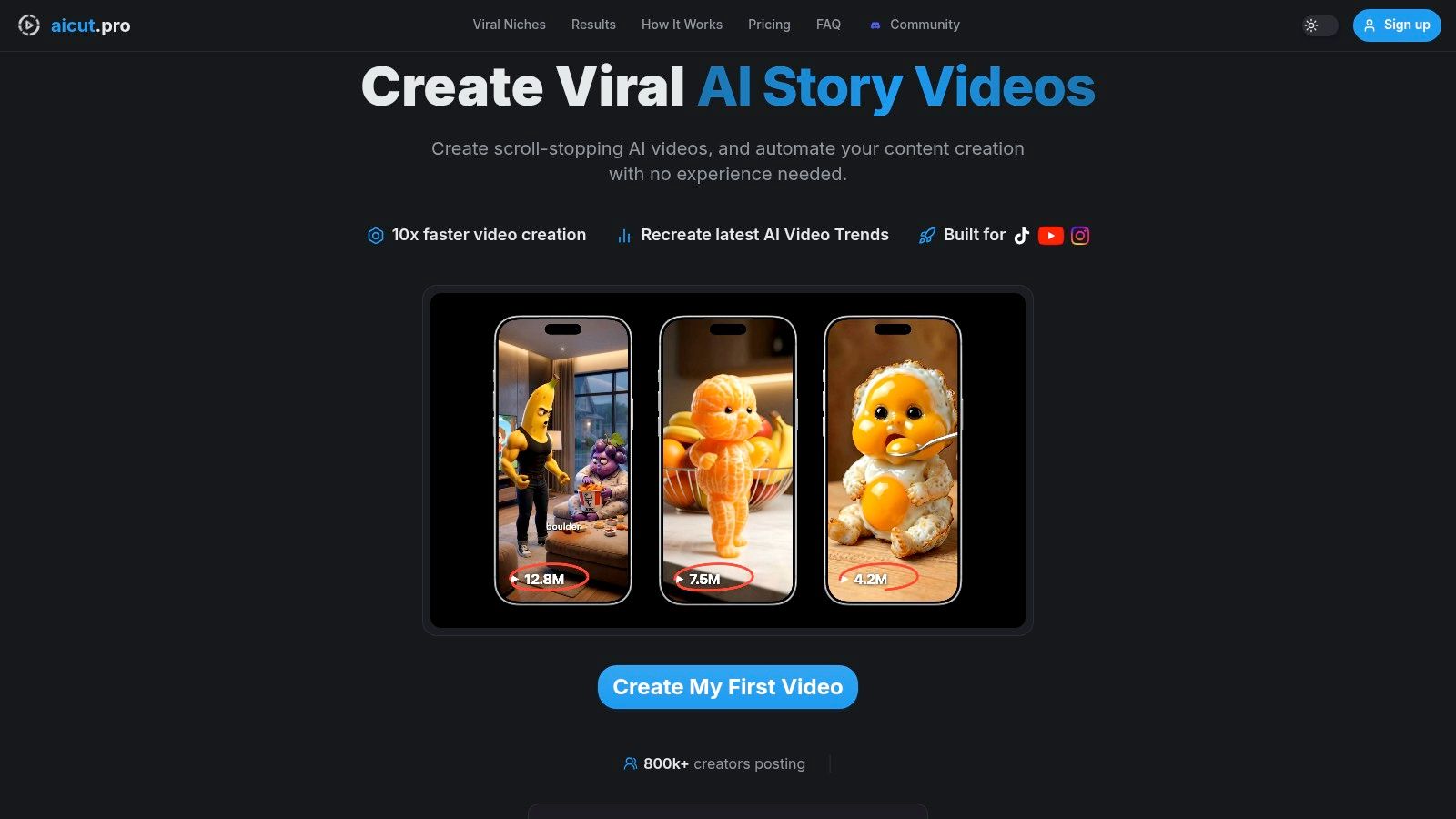
By 2025, an estimated 90% of online content will be AI-generated, and 83% of departments automate social media posting according to Seedblink's review of generative AI and content creation at scale. That doesn't mean quality stops mattering. It means setup becomes part of the job.
Start with one repeatable format
Don't begin by trying to automate your entire content strategy. Start with one format that can handle repetition without feeling repetitive.
For faceless channels, that usually means one of two paths:
Template-first Pick a proven structure. That could be a visual story format, a motion-heavy explainer, a character-driven meme style, or a niche listicle with the same pacing every time.
Prompt-clone-first Reverse engineer a video that already performs in your niche, then adapt the structure instead of copying the output.
The second option is stronger when you already know what your audience responds to. The first option is faster when you're launching from zero.
Build a style library, not a pile of drafts
This is the part many people skip. They generate a few clips, post them, then start over from scratch on the next batch. That kills consistency.
A better workflow is to save reusable building blocks:
- Opening hook styles for curiosity, shock, humor, or problem-first intros
- Scene rhythms such as fast-cut text overlays, slow zoom story beats, or meme interruption edits
- Voice patterns like robotic neutral, dramatic storyteller, or casual creator tone
- Ending structures that fit the platform, such as open loops or payoff reveals
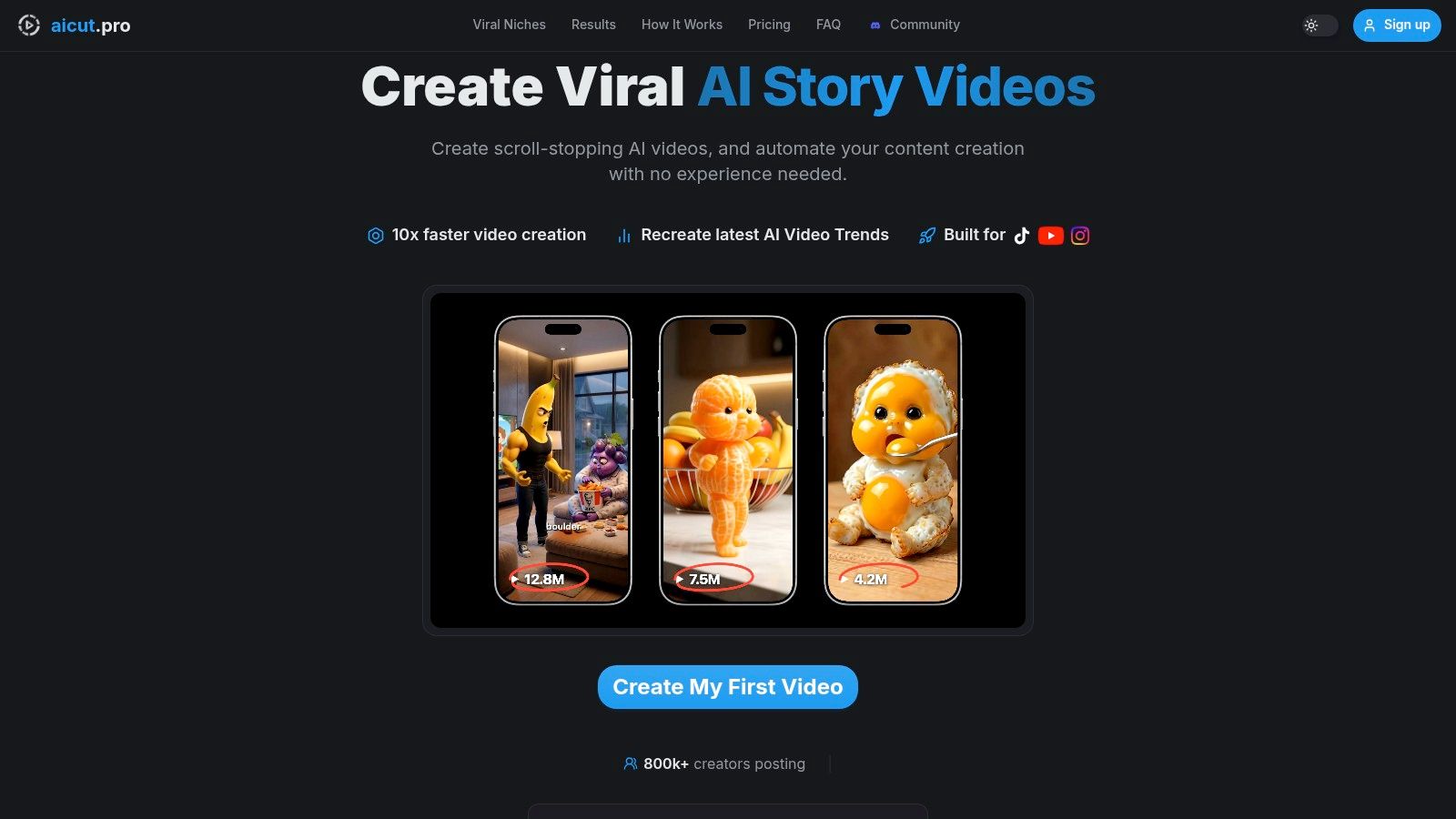
One practical setup is using a tool like Aicut, which supports templates, prompt cloning, voiceovers, editing, and connected publishing in one environment. If you want to map the broader system before building your own, this walkthrough of a video production workflow is useful.
There's also value in studying adjacent content systems. If you write alongside video, tools that generate LinkedIn posts with AI can sharpen your thinking on repeatable post structures, especially for hooks and topic batching.
Connect distribution early
A lot of creators leave account connection and scheduling until the end. That creates friction right where consistency should be easiest. Connect your channels early. Name your formats clearly. Keep output folders tied to platform ratios and publishing destinations.
That's what turns “I made an AI video” into “I have a content factory.”
After the base is in place, watch a full example of the workflow in action:
Mastering Batch Generation and Prompting
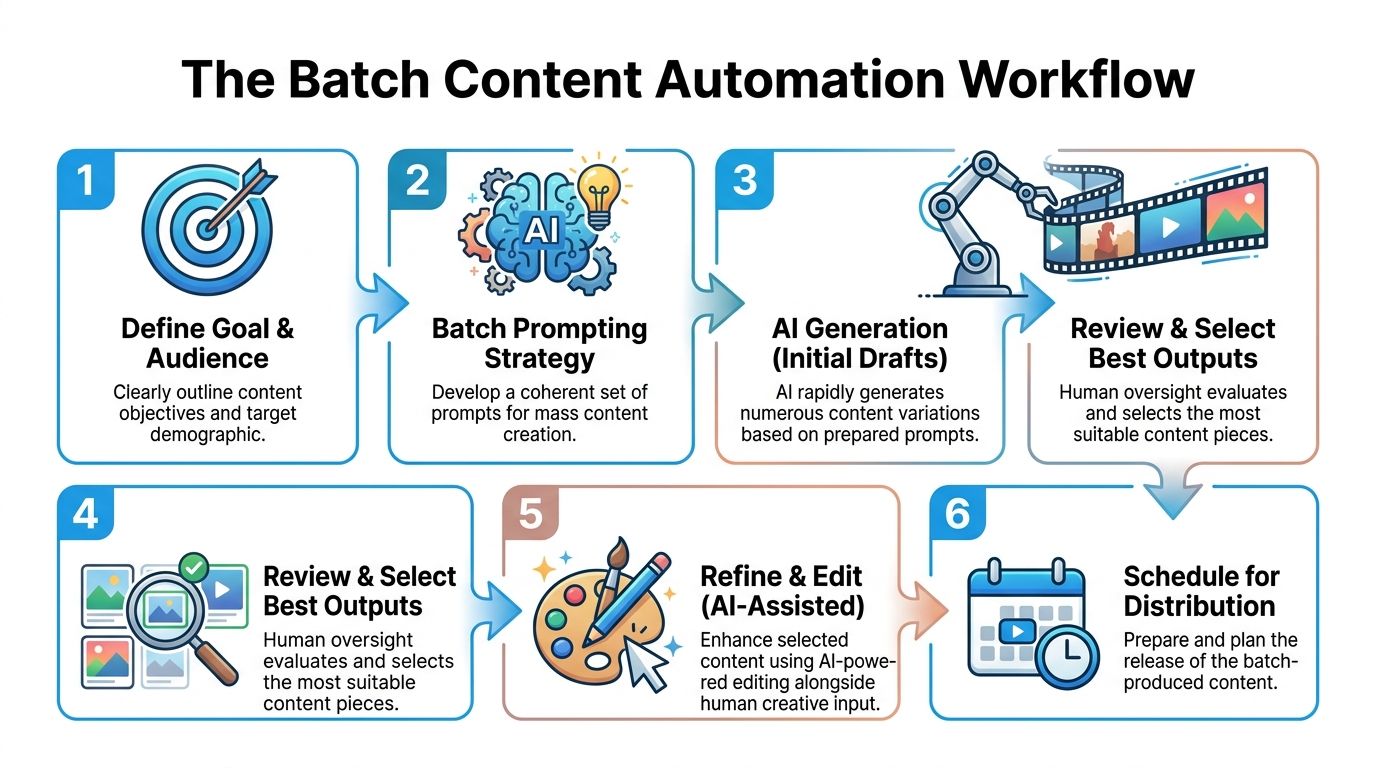
The fastest creators don't work video by video. They work batch by batch. That shift matters more than any single prompt trick.
If you're still opening a generator, writing one idea, tweaking it, exporting one clip, and repeating the whole process, you're using AI like a manual tool. The primary gain comes when you prepare input in lists and design prompts that produce controlled variation.
According to Cited's guide on AI content marketing automation, automating content creation with AI can reduce production time from 8 hours to 2.7 hours per piece, with 70–90% time savings for standardized content like social videos and ROI often appearing within 2–4 months. That only happens when the workflow is structured.
Use a batch sheet before you open any generator
Before generating anything, build a simple sheet with these columns:
- Topic
- Hook
- Core payoff
- Visual style
- Voice style
- Platform
- Variation note
That last field matters. It prevents the entire batch from feeling cloned. One video might use a stronger first line. Another might switch from cinematic pacing to meme pacing. Another might replace narration with text-heavy overlays.
The prompt shouldn't try to create genius. It should create usable versions fast enough that you can choose the strongest one.
Write one master prompt that bends
A strong master prompt gives the model a frame, not a prison. It should define the output style clearly enough to stay consistent while leaving room for topic changes.
Here's the structure that works well for short-form faceless content:
Role and output goal
Tell the model what kind of video it's making.Audience and emotional angle
Specify who should care and what they should feel.Scene structure
Set the opening, middle progression, and ending pattern.Visual language
Define motion, framing, overlays, pacing, and transitions.Voice and script behavior
Keep the wording punchy, spoken, and easy to subtitle.Variation field
Insert one changing instruction for each batch item.
If you want to sharpen this skill, Aicut's article on what prompt engineering is is a practical starting point for turning rough ideas into repeatable generation inputs.
Pick models based on output type, not hype
Creators waste time chasing whichever model is being discussed most. That's not the right filter. The right question is what kind of asset you need.
Use decision criteria like these:
| Need | Better choice |
|---|---|
| Fast drafts for testing hooks | Lower-cost, quicker generation models |
| Cleaner cinematic scenes | Higher-quality video models |
| Heavy image-to-video workflows | Models that handle style continuity well |
| Short loops and frequent iteration | Credit-efficient options |
| Longer scenes with polished motion | Models built for extended generation |
If your tool supports several models, don't lock one model to your entire channel. Match the model to the format.
Run campaigns, not exports
A daily automated campaign usually works like this:
- Monday: Build the batch list
- Generate: Create multiple variants for each topic
- Review: Keep only the clips with a clear opening and clean pacing
- Edit lightly: Fix the weak middle or ending
- Schedule: Queue platform-specific versions
This is the point where “automate content creation with AI” stops being a buzz phrase and starts acting like a production method. You're no longer asking the tool to save you. You're using it to multiply decisions you already know how to make.
Refining Content with AI-Powered Editing
Raw AI output is rarely publish-ready. That's not a flaw. It's the normal state of generated content.
The creators getting durable results aren't the ones posting untouched drafts. They're the ones using AI generation for speed, then using AI editing and human judgment to shape the final watch experience.
By Bit Flows' review of AI content creation in digital marketing, 88% of marketers use AI daily, but 86% still edit the output before publishing. The same source says companies that personalize content with AI achieve 40% higher revenue growth than non-adopters. The useful takeaway isn't “edit because editing is good.” It's that personalization is where the lift comes from.
Fix the part viewers feel first
Most weak AI videos don't fail because the render is bad. They fail because the emotional signal is missing. The opening line is generic. The visuals don't escalate. The voice feels detached from the point.
That's why editing matters. You don't need to rebuild the whole video. You need to fix the moments that decide whether someone keeps watching.
Focus on these areas first:
Hook clarity
If the first beat feels broad, rewrite it. A specific promise almost always outperforms a vague one.Scene relevance
Swap visual elements that don't support the line being spoken or shown on screen.Pacing
Remove the extra half-second where nothing new happens. Short-form audiences feel dead air immediately.Ending shape
Many AI drafts end softly. Tighten the final beat so it either pays off or opens a loop.
Use voice strategically
The fastest route is a clean AI voiceover. That's fine for formats where neutrality helps. But if the niche depends on trust, reaction, confession, or opinion, a real voice note usually performs better qualitatively because it carries timing and texture AI still struggles to fake consistently.
Editing cue: If the video is technically clean but feels forgettable, the problem is usually tone, not rendering.
A practical rule is to use AI voice for volume content and personal voice notes for videos where credibility is part of the hook. That's especially true for storytelling, commentary, and creator-led explainers.
Edit with intent, not perfection
One of the best things about modern AI editors is that you can change a character, replace a background, or alter a visual direction without regenerating the full piece. That saves hours, but only if you know what you're trying to improve.
Use this quick review lens:
| Question | If yes | If no |
|---|---|---|
| Does the first second create curiosity? | Keep the opening | Rewrite the first line or first shot |
| Do visuals reinforce each key beat? | Leave scenes mostly intact | Swap mismatched shots |
| Does the voice fit the emotion? | Publish after light polish | Replace voice or retime captions |
| Does the ending create a reason to watch more? | Schedule it | Add payoff or loop |
The point isn't to make every output perfect. The point is to make it feel intentional. Viewers can tolerate synthetic visuals. They don't tolerate content that feels empty.
Automating Distribution and Measuring What Matters
You can generate 30 videos in an afternoon and still end the week with flat retention. I see that happen when creators automate production but leave distribution and analysis as an afterthought. The result is volume without feedback, which is how faceless channels start to feel interchangeable.
Publishing needs the same system thinking as scripting and editing. Aicut helps on the front end by turning one idea into multiple short-form assets fast, but the win only shows up if those assets are scheduled, compared, and reviewed in a way that reveals what keeps people watching.
Research from MIT Sloan Management Review on generative AI and customer engagement points to the same trade-off many creators are seeing in practice. AI can increase output, but engagement drops when the content feels repetitive or generic. For short-form video, that usually shows up as weaker hold in the first seconds and fewer meaningful interactions after the view.

Schedule in batches, review in clusters
Single-post scheduling hides patterns. Batch scheduling exposes them.
The practical setup is simple. Build 10 to 20 videos in Aicut around one topic, then group the uploads by one controlled variable. Keep the hook the same and change the visuals. Keep the template the same and change the voice. Keep the script the same and test two endings. That structure makes distribution useful instead of administrative.
Review content in clusters like:
- Same hook, different visuals
- Same template, different niches
- Same idea, different voice styles
- Same script, different endings
That is where the useful insight shows up. If one version gets clicks but loses viewers in the first beat, the packaging worked and the delivery failed. If another version starts slower but gets more saves and shares, that format may have stronger long-tail value even with fewer raw views.
Track signals that reflect retention
Views are a traffic metric. Retention tells you whether the creative did its job.
For faceless AI videos, I track a short list first. Average watch duration. Percentage still watching after the opening beat. Rewatches. Saves. Shares. Comments that signal actual interest instead of shallow reactions.
Use those signals to answer specific questions:
Watch time trends
A weak curve usually means the hook promised more than the body delivered, or the pacing turned robotic.Engagement quality
Saves and shares often matter more than likes if the goal is repeatable reach.Template durability
Some templates spike once because the idea is fresh. Others keep working because they can carry new angles without feeling cloned.
If a batch gets distribution but weak retention, stop scaling that format and fix the viewer experience first.
Feed the data back into creation
The strongest automation loop is not publish and forget. It is publish, compare, adjust, and regenerate.
Aicut makes that loop faster because you can keep the winning core idea and rebuild only the weak layer. If the opening line works, keep it. If the footage feels generic, swap the visual style. If the script holds but the voice loses trust, replace the narration and rerun the batch. You do not need to start from zero every time.
Use a simple review process after each batch:
- Sort recent videos by watch quality, not just views
- Mark the hook pattern that held attention longest
- Note where drop-off started
- Remove weak templates from the next production run
- Keep one control version so new tests stay comparable
That process closes the gap between fast AI generation and audience retention. Speed matters. Retention decides whether the system is producing assets or producing videos people want to finish.
Common Pitfalls and Pro Creator Tips
A creator batches 30 faceless shorts on Sunday, schedules them through the week, and watches the first few get decent reach. By Friday, retention is sliding, comments are thin, and the feed starts to feel interchangeable. The problem is rarely the automation itself. The problem is scaling content before adding enough human judgment to make people care.
High-volume AI generation creates a real retention gap. The workflow gets faster, but the audience burns out if every post carries the same rhythm, the same phrasing, and the same emotional temperature. MIT Sloan Management Review's analysis of generative AI and brand authenticity makes the broader point well. Audiences respond to content that still feels intentional, not fully machine-smoothed.
The authenticity gap
The failure pattern is predictable. A creator finds one prompt that works, clones it across a week of posts, and assumes consistency will carry the channel. What happens is sameness. The videos are clean enough to publish, but not specific enough to hold attention.
The fix is simple and easy to miss. Keep AI on the production-heavy layers, then add human signal at the moments viewers use to decide whether to stay.
Use that signal in places like:
- Hook wording that sounds spoken, not generated
- Voice notes for story-led or trust-heavy videos
- Reaction framing that shows a clear point of view
- Selective imperfections like a pause, sharper emphasis, or an unexpected line that breaks the template feel
In Aicut, this usually means starting with an AI script draft, then rewriting only three parts before batch generation starts. The first line. The turn in the middle. The closing payoff. That small edit often changes a disposable clip into something people finish.
AI Automation Pitfalls and Solutions
| Pitfall | Impact | Solution |
|---|---|---|
| Copying a viral format too literally | Videos feel familiar and easy to skip | Keep the structure, change the tension, wording, and point of view |
| Using one master prompt across every niche | Scripts start sounding stamped out | Build niche-specific prompt branches with different hook rules, pacing, and vocabulary |
| Letting AI write every line | Scripts get broad, safe, and forgettable | Rewrite the hook, payoff, and CTA yourself before rendering |
| Choosing speed over voice fit | Visuals look fine, but trust drops | Match narration style to format. Use voice notes or a more natural voice for story, opinion, and proof-based clips |
| Scaling a weak template too early | You produce more low-retention content | Test five to ten variations first, then batch only the format that keeps watch time stable |
| Measuring success by views alone | Clicky hooks hide weak audience satisfaction | Judge formats by retention, rewatches, saves, shares, and comment quality |
Pro creator habits that compound
Strong operators build around repeatable format families, not random ideas. That is how a channel stays recognizable without feeling cloned.
I use a simple rule inside Aicut. One idea becomes three versions before it becomes thirty. Version one tests the hook. Version two tests pacing and scene order. Version three tests voice and caption treatment. Only the winner gets turned into a larger batch with the same core structure.
Another habit matters even more. Keep a swipe file of openings, objections, and payoff lines, not just topics. Topics are easy to generate. Strong openings are harder, and they transfer well across niches when adapted with care.
Separate test content from scale content, too. Test content exists to learn. Scale content exists to repeat what already proved it can hold attention. Mixing those two usually leads to bloated batches and weak retention data.
Do not clone virality. Rebuild the watchability, then add a distinct opinion, sharper tension, or a more believable voice.
Advanced creators also keep the system consistent while changing the creative rules for each format. A UGC-style short needs different pacing than a faceless explainer. A reaction clip needs a stronger viewpoint than a listicle. The automation stack can stay the same. The audience experience cannot.
If you want one place to generate faceless short-form videos, adapt prompts, edit scenes, add voiceovers, schedule posts, and manage multi-platform publishing, Aicut is built for that workflow. It helps creators automate content creation with AI while keeping control over the parts that affect retention.