
Gone are the days of tedious manual edits. Modern AI tools can remove backgrounds, erase unwanted objects, expand scenes, and even generate entirely new visuals in seconds. But with so many options, which platform offers the best AI image editing for your specific needs? Whether you're a marketer creating social media assets, a photographer perfecting portraits, or a creator building a faceless YouTube channel, the right tool can transform your workflow.
This guide breaks down the top 12 AI image editors, analyzing their unique strengths, practical limitations, and ideal use cases to help you choose the perfect fit. We move beyond generic feature lists to give you a clear picture of what each platform truly excels at. For users seeking immediate enhancements directly on their devices, the advent of powerful mobile chipsets has led to sophisticated on-device solutions, such as the capabilities found in the Samsung Galaxy S24's advanced AI photo editing tools. However, for more advanced control and creative flexibility, dedicated web and desktop applications are essential.
Our goal is to help you find the most efficient and powerful solution for your projects. We'll explore everything from one-click background removers like PhotoRoom and Remove.bg to comprehensive creative suites like Adobe Photoshop and Canva's Magic Studio. You will find direct links, sample outputs, and honest assessments to guide your decision, ensuring you can quickly identify which AI editor will save you the most time and deliver professional-quality results for your brand or creative channel.
1. Adobe Photoshop (with Firefly creative AI)
Adobe Photoshop remains the undisputed industry standard for professional image manipulation, and its integration with the Firefly AI engine solidifies its top spot for anyone serious about the best AI image editing. Rather than being a standalone AI tool, Firefly is woven directly into Photoshop’s core workflow. This allows creators to use features like Generative Fill to seamlessly add, remove, or replace objects within an image using simple text prompts, all while working non-destructively on separate layers.
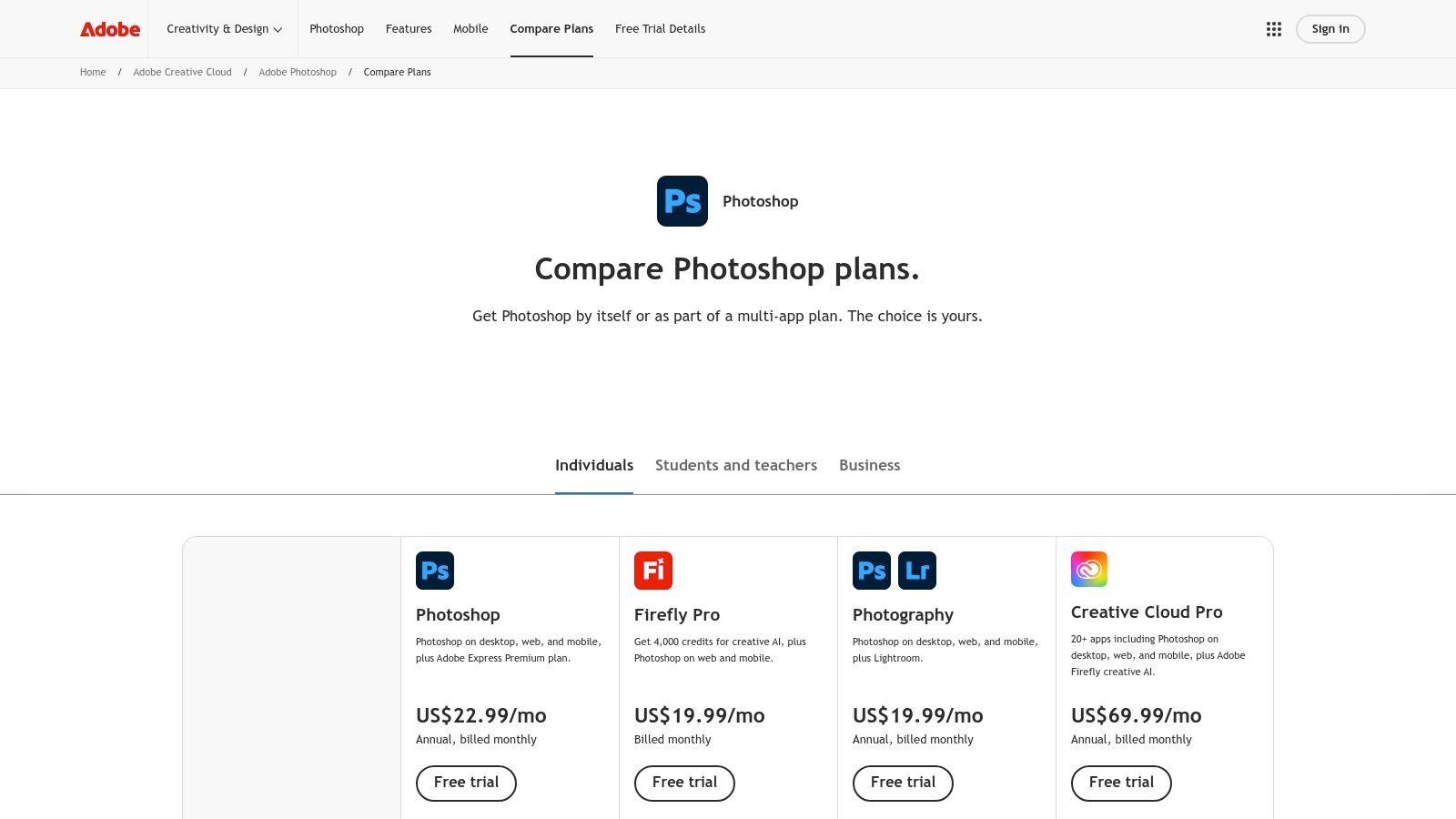
What truly sets Photoshop apart is its precision. You can make a specific selection with the lasso tool and command the AI to fill only that area, giving you unparalleled control over the final composite. This is ideal for e-commerce brands needing to clean up product shots or social media managers creating complex ad creatives. For a deeper dive into its capabilities, you can find a comprehensive breakdown in this guide to AI image editing with Adobe Photoshop.
The integration also ensures brand safety. Adobe trained Firefly on its own stock library and public domain content, making the generated assets commercially safe to use. This is a critical consideration for businesses and professional creators.
Key Features & User Experience
- Generative Fill & Expand: Seamlessly add, remove, or extend image content with text prompts.
- Layer-Based Workflow: AI-generated elements are added on new layers, preserving your original image and allowing for precise adjustments.
- Commercial Safety: Firefly models are trained on licensed and public domain content, providing peace of mind for commercial projects.
- Cross-Platform Access: Your work syncs across desktop, web, and mobile versions, offering flexibility for editing on the go.
| Feature | Best For |
|---|---|
| Generative Fill | Adding or removing objects, changing clothing, cleaning up backgrounds. |
| Generative Expand | Changing aspect ratios, extending scenery for ad copy placement. |
| Commercially Safe | E-commerce brands, marketing agencies, professional content creators. |
| Subscription Plan | Includes access to other Adobe apps like Lightroom and Adobe Express. |
Pricing: Photoshop is available through an Adobe Creative Cloud subscription, typically starting at $22.99/month for the Photography Plan (which includes Lightroom). Plans come with a monthly allocation of "Generative Credits" for using Firefly features.
Website: https://www.adobe.com/products/photoshop/plans.html
2. Adobe Firefly + Adobe Express
For creators and marketing teams who need to generate assets and immediately deploy them in social media graphics, Adobe Firefly combined with Adobe Express is a powerhouse. This pairing offers one of the best AI image editing workflows for speed and brand consistency. Firefly serves as the dedicated generative AI studio for creating images from text prompts, while Express provides a user-friendly editor with templates, brand kits, and quick tools like background removal and resizing.
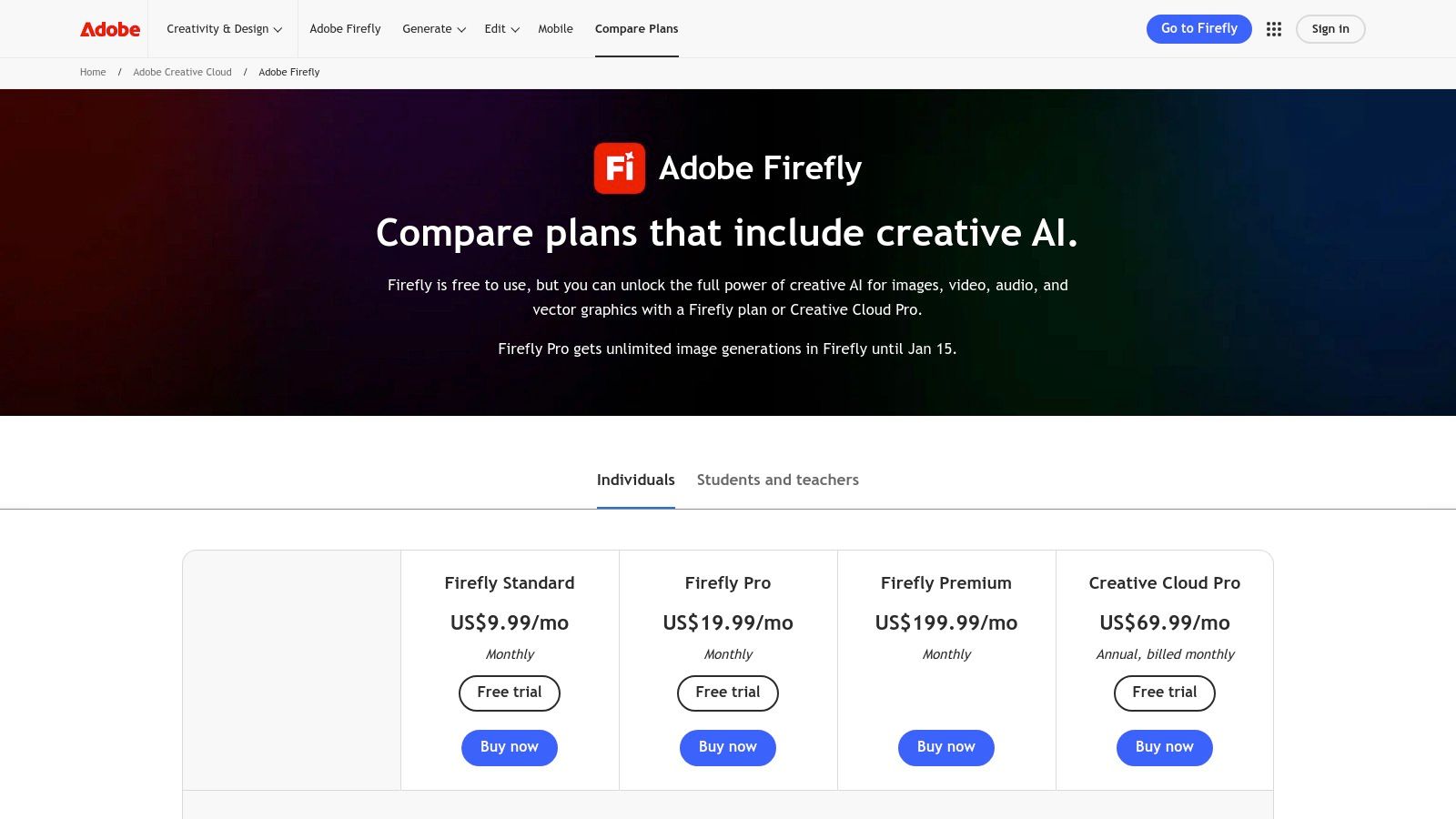
The key advantage is the seamless integration. You can generate a custom image in Firefly, and with a single click, send it directly to Adobe Express to add text, logos, or place it into a pre-designed template for an Instagram post or YouTube thumbnail. This streamlined process eliminates the need to download and re-upload assets, saving valuable time for social media managers and content creators. If you want to compare its output quality, you can see how it stacks up against the best realistic image generator tools.
Like its Photoshop counterpart, Firefly is trained on commercially safe content, providing essential legal protection for businesses. This focus on brand governance, combined with shareable templates and asset libraries, makes it an ideal solution for teams that need to maintain a consistent visual identity across all marketing channels.
Key Features & User Experience
- Integrated Workflow: Generate images in Firefly and edit them directly in Express for a seamless content creation process.
- Brand Kits & Templates: Maintain brand consistency with unified templates, logos, fonts, and color palettes that teams can share.
- Commercially Safe AI: All AI-generated content is created from Adobe's licensed and public domain library, ensuring it's safe for commercial use.
- All-in-One Social Tools: Express includes features for background removal, animation, and a content scheduler for publishing directly to social platforms.
| Feature | Best For |
|---|---|
| Firefly Generations | Creating unique, on-brand imagery for campaigns from scratch. |
| Adobe Express Editor | Quickly creating social media graphics, ads, and thumbnails using templates. |
| Brand Kits | Marketing teams, agencies, and businesses needing brand consistency. |
| Commercial Safety | E-commerce stores, corporate marketing, and professional creators. |
Pricing: Adobe offers a free plan with a monthly allocation of generative credits. Premium plans for Firefly and Express start at around $4.99/month, providing more credits, premium features, and access to Adobe Fonts.
Website: https://www.adobe.com/products/firefly/plans.html
3. Canva (Magic Studio)
Canva has evolved from a simple template editor into a comprehensive design platform, and its Magic Studio suite brings powerful and accessible AI image editing to the masses. It’s an ideal choice for social media managers, marketers, and small business owners who need to create professional-looking assets quickly without a steep learning curve. Features like Magic Edit and Magic Expand are integrated directly, allowing users to alter or extend images with simple text prompts inside their existing design workflow.
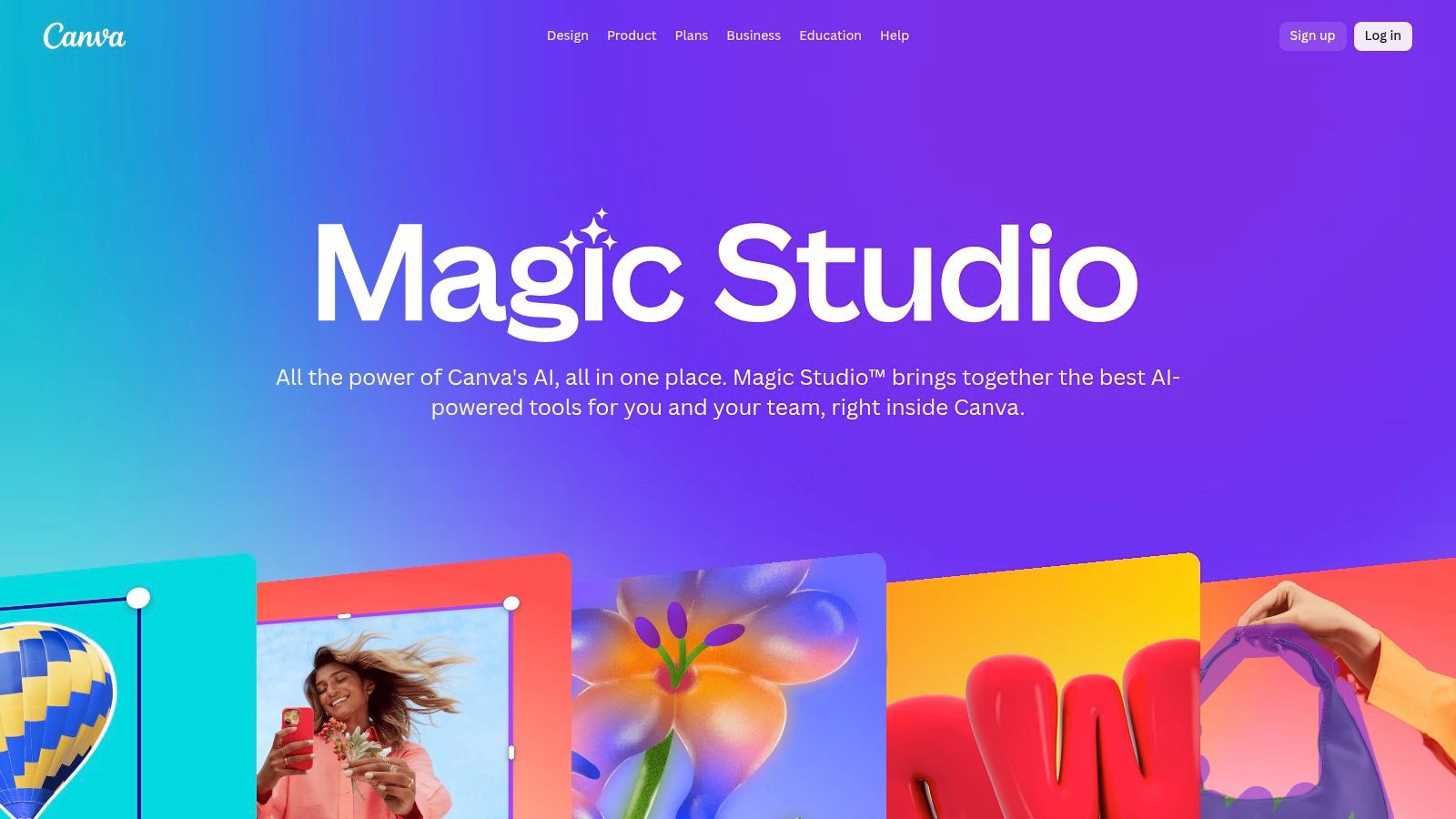
What makes Canva stand out is its all-in-one ecosystem. You can perform AI image editing, pull from millions of stock assets, apply your brand kit, and schedule the final design to your social media channels all from one dashboard. This seamless workflow is a massive time-saver for teams focused on speed and consistency. While it doesn't offer the pixel-perfect control of a dedicated photo editor like Photoshop, its strength lies in speed and ease of use, making it one of the best AI image editing tools for day-to-day marketing tasks.
Key Features & User Experience
- Magic Edit & Expand: Intuitively edit objects within an image or extend its boundaries using simple text descriptions.
- Background Remover: One-click tool to instantly remove the background from any photo, perfect for product shots.
- Template & Asset Library: AI editing is combined with a vast library of templates, stock photos, and design elements.
- Collaboration & Scheduling: Designed for teams, allowing real-time collaboration and direct publishing to social platforms.
| Feature | Best For |
|---|---|
| Magic Edit | Swapping objects or altering specific parts of an image for mockups. |
| Magic Expand | Adjusting an image to fit different social media aspect ratios. |
| Template-Based AI | Non-designers needing to create branded marketing assets quickly. |
| All-in-One-Platform | Social media teams managing content from creation to scheduling. |
Pricing: Canva offers a robust free plan. AI features are primarily available on the Canva Pro plan, starting at $14.99/month, which also includes the full asset library, brand kits, and background remover.
Website: https://www.canva.com/magic/
4. Topaz Photo AI (Topaz Labs)
While many AI tools focus on generative creation, Topaz Photo AI excels at pure enhancement, making it an essential tool for photographers and e-commerce brands who need to perfect existing images. It bundles sharpening, denoising, and upscaling into a single, intelligent workflow. This makes it one of the best AI image editing solutions for rescuing noisy, blurry, or low-resolution photos and restoring them to professional quality.
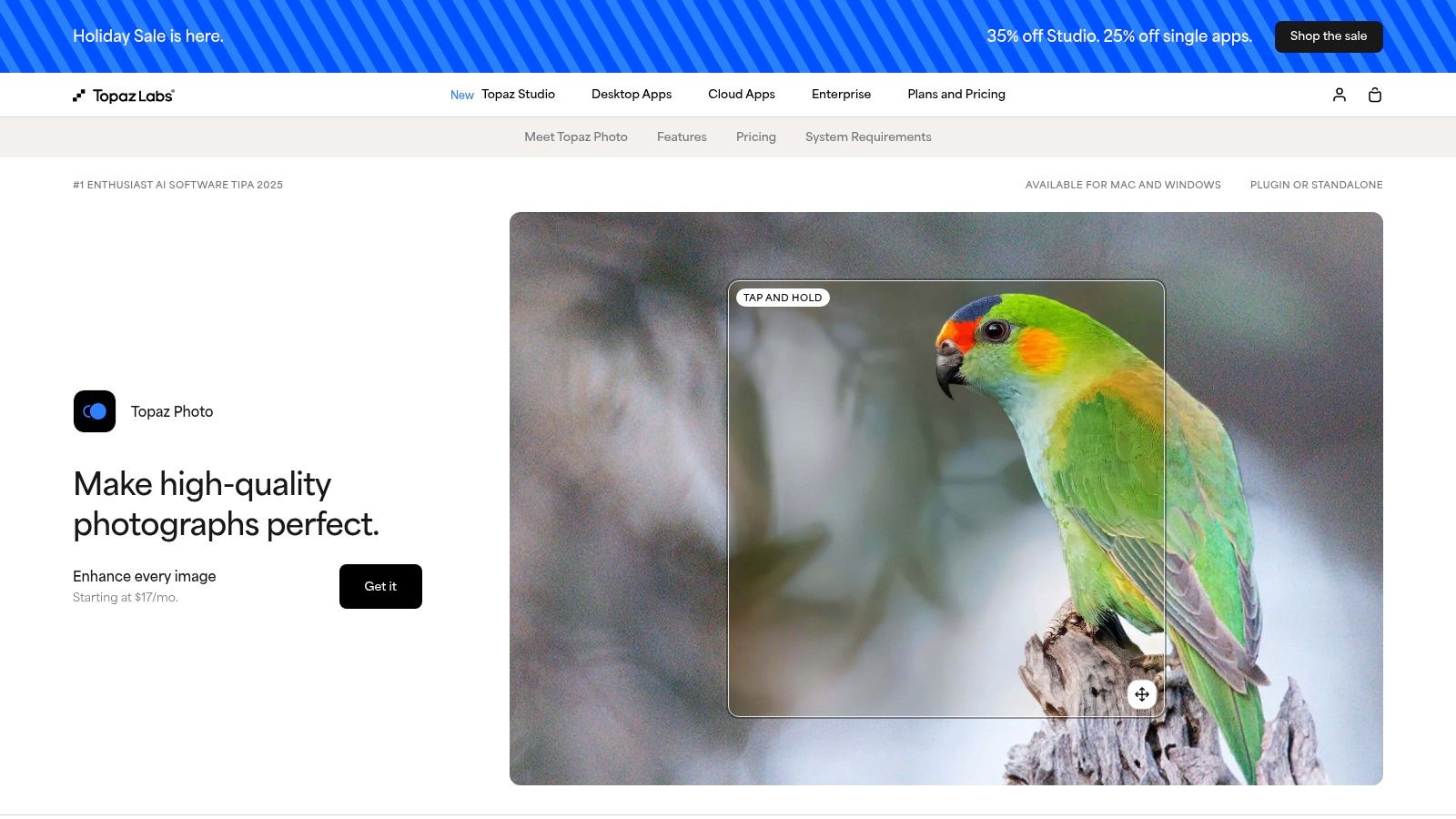
What makes Topaz Photo AI unique is its local processing power. The application runs directly on your computer, meaning you don't need an internet connection to work and your images remain private. Its Autopilot feature analyzes each photo and automatically applies the optimal adjustments, saving significant time for creators dealing with large batches of user-generated content or product shots. For a deeper look at its upscaling capabilities, check out this guide to AI image upscaling.
The results are often best-in-class for detail recovery. Its Face Recovery AI is particularly impressive, reconstructing details in portraits that would otherwise be unusable. This is a game-changer for marketers repurposing older campaign photos or creators working with less-than-perfect source material.
Key Features & User Experience
- Autopilot Analysis: Intelligently detects subjects, noise, blur, and low resolution to apply the right fixes automatically.
- Local Processing: Runs on your machine for complete privacy and offline access, a major plus for sensitive projects.
- Dedicated Enhancement Models: Specialized AI for denoising, sharpening, upscaling, and recovering facial details.
- Standalone or Plugin: Works as its own application or as a plugin for Adobe Photoshop and Lightroom, fitting into existing workflows.
| Feature | Best For |
|---|---|
| Denoise & Sharpen | Photographers fixing low-light shots, cleaning up noisy product images. |
| Upscale & Recover Faces | Up-resizing old photos, enhancing user-generated content for ads. |
| Local Processing | Professionals concerned with data privacy or working without internet. |
| Perpetual License | Users who prefer a one-time purchase over a recurring subscription. |
Pricing: Topaz Photo AI is available for a one-time purchase of $199, which includes a perpetual license for the app and one year of software updates. After the first year, users can purchase an upgrade for continued access to new features.
Website: https://www.topazlabs.com/topaz-photo-ai
5. Luminar Neo (Skylum)
Luminar Neo by Skylum carves out its niche by focusing on an AI-first approach that simplifies complex edits into intuitive slider adjustments. It’s an excellent choice for photographers and creators who want powerful results without the steep learning curve of traditional software, making it a strong contender for the best AI image editing platform for streamlined workflows. Its standout features like Sky AI and Relight AI can transform a dull landscape or portrait in seconds, automatically detecting subjects and scenes to apply realistic changes.
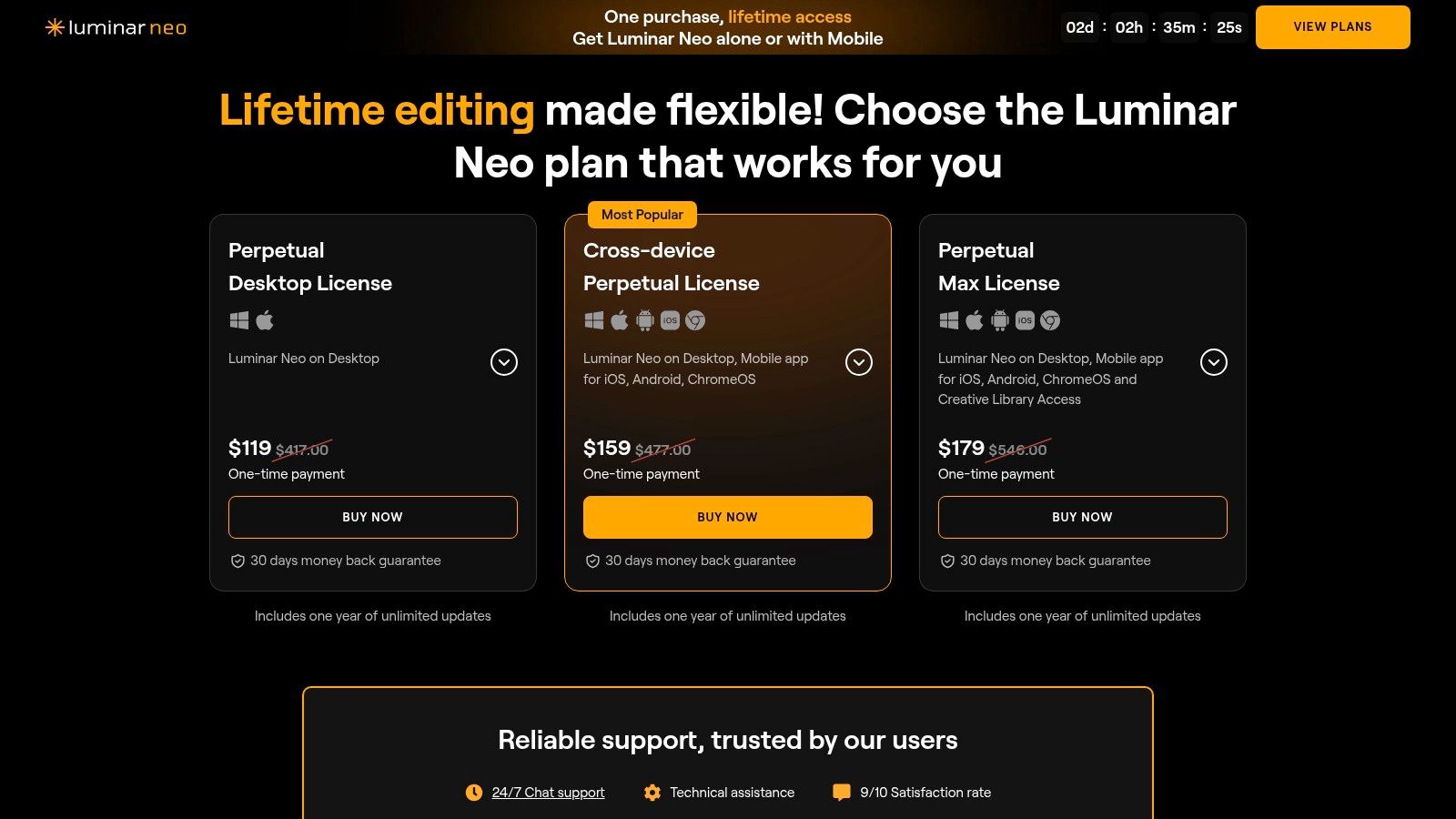
Unlike subscription-only models, Luminar Neo offers a perpetual license, which is a significant draw for users who prefer to own their software. It works as a standalone application or as a plugin for Adobe Photoshop and Lightroom, providing flexibility for different creative processes. This makes it ideal for social media managers who need to batch-enhance photos quickly or for e-commerce brands looking to perfect product shots with consistent, high-quality lighting and backgrounds.
The platform is designed for speed and impact, allowing users to achieve professional-level edits with minimal manual effort. The AI handles the masking and intricate selections behind the scenes, so you can focus on the creative outcome.
Key Features & User Experience
- Scene-Aware AI Tools: Dedicated tools like Sky AI, Enhance AI, and Relight AI automatically analyze and adjust specific parts of your image.
- Powerful Portrait AI: Easily enhance skin, eyes, and facial structure with simple sliders, perfect for retouching headshots or social media content.
- One-Time Purchase Option: Offers a perpetual license, providing an alternative to the recurring costs of subscription-based software.
- Standalone & Plugin Functionality: Use it as your main editor or integrate it directly into your existing Photoshop or Lightroom workflow.
| Feature | Best For |
|---|---|
| Sky AI | Landscape photographers, real estate agents, travel content creators. |
| Portrait AI | Headshot photographers, social media managers, personal branding. |
| One-Time Fee | Budget-conscious creators, hobbyists, users avoiding subscriptions. |
| Plugin Mode | Professionals wanting to speed up their existing Adobe workflows. |
Pricing: Luminar Neo offers both a monthly/yearly subscription and a one-time perpetual license. The "Lifetime" license typically starts around $199, with subscriptions offering a lower entry point. Extensions and asset packs are often available as additional purchases.
Website: https://skylum.com/luminar/pricing
6. Picsart
Picsart has carved out a niche as the go-to mobile-first editor for social media creators, and its AI suite makes it a powerhouse for quick, engaging visuals. It blends user-friendly design with powerful AI features, making it one of the best AI image editing platforms for on-the-go content creation. Tools like its AI Background Remover and Object Remover are incredibly intuitive, allowing users to create clean product shots or memes in just a few taps.
Where Picsart truly shines is its ecosystem. Beyond simple edits, it offers a vast library of templates, stickers, fonts, and stock assets that can be combined with AI-generated content. This makes it ideal for social media managers and solo creators who need to produce a high volume of varied content without starting from scratch. Its batch editing feature is another significant time-saver for e-commerce brands needing to process multiple product images with consistent branding.
The platform operates on a credit-based system for its AI tools, which is accessible even on its more affordable plans. While heavy users might find the credit limits restrictive, it provides an excellent entry point for those new to AI editing.
Key Features & User Experience
- All-in-One Creator Suite: Combines AI tools with a massive library of templates, stock photos, stickers, and fonts.
- Mobile-First Design: An intuitive interface optimized for creating and editing directly on your smartphone.
- Batch Editor: Apply the same edits, like background removal or filters, to multiple images at once.
- AI Image Generator: Create new visuals from text prompts directly within the app to supplement your creative projects.
| Feature | Best For |
|---|---|
| AI Background Remover | E-commerce product shots, creating transparent PNGs for social graphics. |
| Batch Editing | Brands needing to quickly process and apply consistent edits to image sets. |
| Mobile Experience | Social media managers, TikTok/Instagram creators editing on the go. |
| Template Library | Solo creators needing fast, professional-looking designs for posts & ads. |
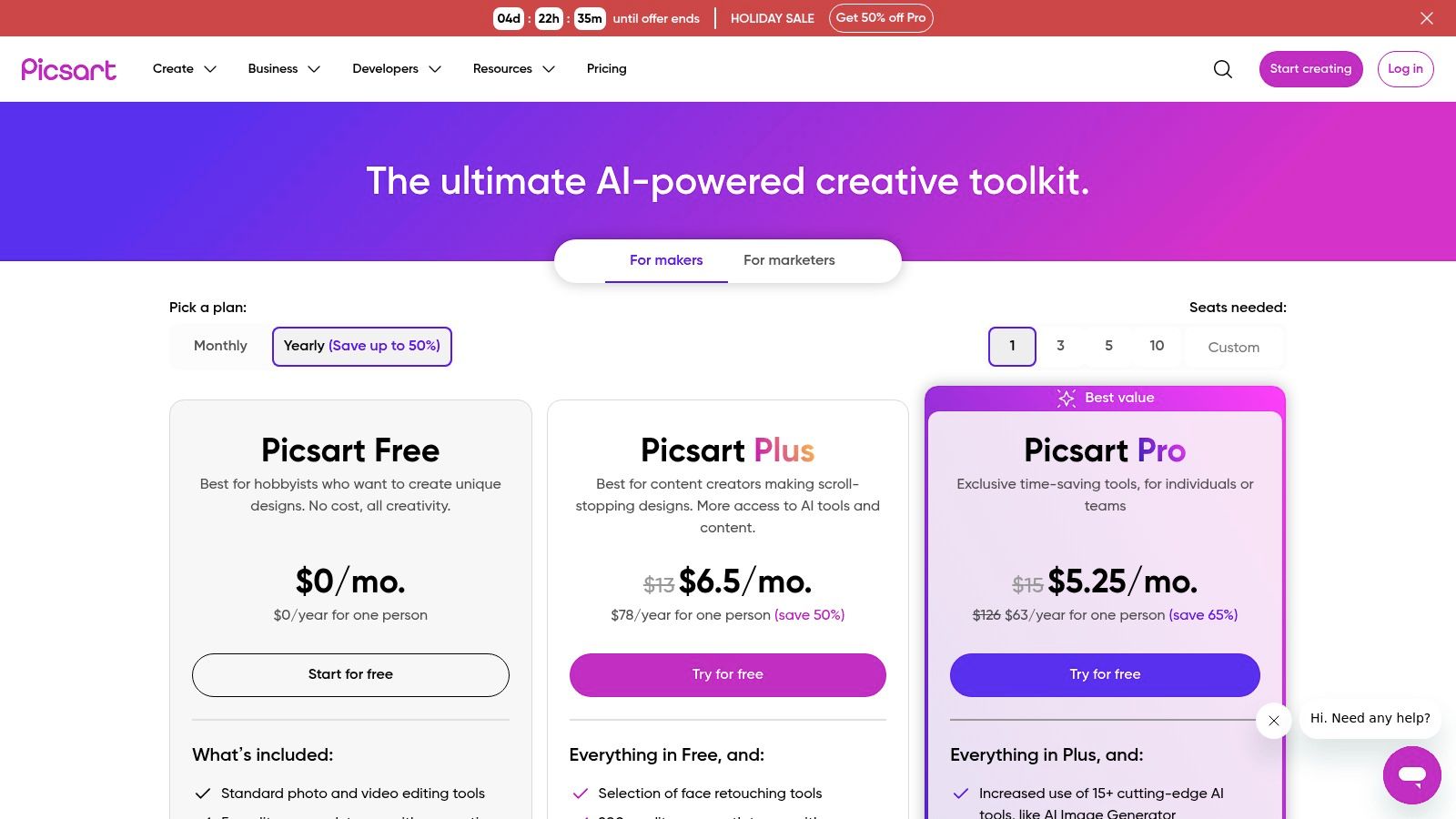
Pricing: Picsart offers a free version with limited features. Paid plans, which include AI credits and advanced tools like the batch editor, start as low as $5/month for the Plus plan and $7/month for the Pro plan.
Website: https://picsart.com/pricing/
7. Pixlr
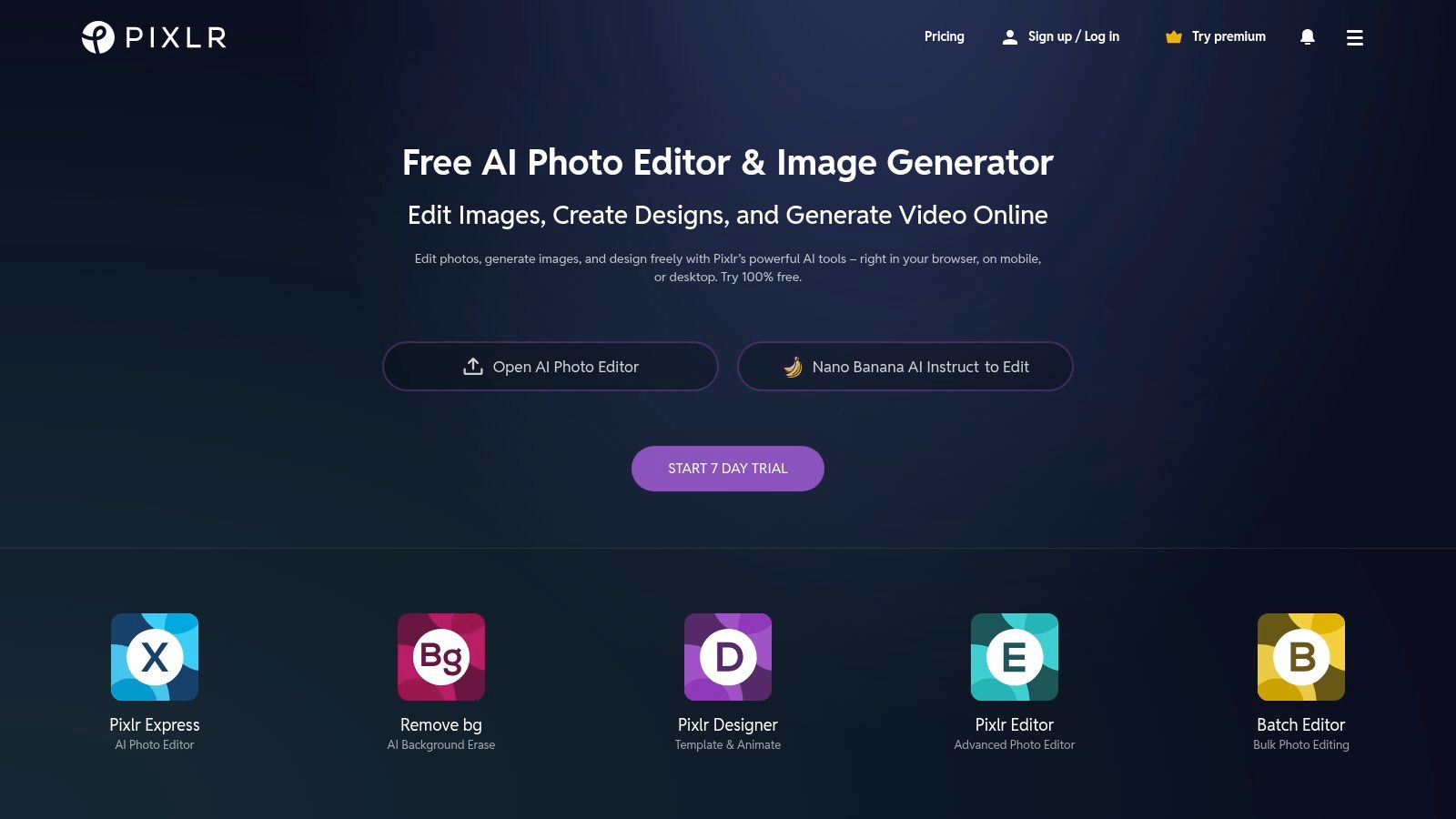
Pixlr stands out as a powerful and accessible browser-based tool, making it a strong contender for the best AI image editing for users who need speed and simplicity. It offers two interfaces, Pixlr X (for beginners) and Pixlr E (for advanced users), both of which integrate a suite of AI-powered features. This setup provides a lightweight, Photoshop-like experience directly in your browser without any software installation, which is perfect for quick edits and social media content creation.
The platform’s strength lies in its immediate accessibility. You can upload an image and start using AI tools like Generative Fill to add or replace elements, or use the AI Background Remover in a single click. This makes it ideal for e-commerce store owners needing to quickly create clean product shots or Instagram creators wanting to experiment with creative composites without committing to a heavy-duty software subscription.
While it doesn't have the same depth as a professional suite like Photoshop, its combination of ease of use and powerful AI functionality offers incredible value, especially for budget-conscious creators and small businesses. The workflow is intuitive, allowing you to get high-quality results in just a few minutes.
Key Features & User Experience
- Generative Fill & Expand: Add, remove, and extend parts of your image with simple text prompts.
- One-Click AI Tools: Features like background and object removal are incredibly fast and easy to use.
- Browser-Based Access: No installation required, making it fast to start editing on any computer.
- Affordable Premium Plans: Offers robust features at a fraction of the cost of traditional desktop software.
| Feature | Best For |
|---|---|
| Generative Fill | Quickly adding creative elements or removing distractions from photos. |
| AI Background Remover | E-commerce product images, social media profile pictures, and collages. |
| Browser-Based Editor | Users needing quick edits on different devices without software installs. |
| Low-Cost Subscription | Freelancers, students, and small businesses on a tight budget. |
Pricing: Pixlr offers a free version with ads and limitations. Premium plans start at just $1.99/month (Plus plan) and go up to $7.99/month (Team plan), with pricing tiers that include more AI credits and features.
Website: https://pixlr.com/
8. PhotoRoom
PhotoRoom is a purpose-built AI editor laser-focused on creating pristine, consistent product photography for e-commerce. While other tools offer general editing, PhotoRoom excels at the specific tasks sellers need most: instant background removal, AI-generated backdrops, and realistic shadow creation. This makes it an indispensable tool for brands that require a high volume of professional-looking product shots without the cost of a traditional studio photoshoot.
What makes PhotoRoom stand out is its speed and simplicity for its target audience. Users can upload a photo, and the AI instantly isolates the subject, allowing them to place it on a clean white background, a lifestyle scene, or a custom-generated environment with a text prompt. The platform's Batch Mode is a game-changer for sellers, enabling them to edit hundreds of images simultaneously to ensure catalog consistency.
The focus on commercial use is clear, with features like team collaboration "Spaces" and an available API for programmatic image creation. This positions PhotoRoom as a scalable solution that grows with a business, from a solo Etsy seller to a large enterprise.
Key Features & User Experience
- Instant Background Removal: Highly accurate AI that precisely cuts out product subjects from any photo.
- AI Backgrounds & Scenes: Generate custom backdrops with text prompts or choose from a library of professional templates.
- Batch Mode Editor: Apply edits, backgrounds, and settings to hundreds of photos at once for a uniform catalog.
- Team Collaboration & API: Designed for business workflows with shared spaces and enterprise-level integration options.
| Feature | Best For |
|---|---|
| Batch Mode | E-commerce stores needing to process and standardize entire product lines. |
| Instant Backgrounds | Creating clean, white-background shots for Amazon, Shopify, or eBay. |
| Magic Studio | Generating creative lifestyle scenes and ad visuals from a single product photo. |
| API Access | Businesses wanting to automate visual content creation at scale. |
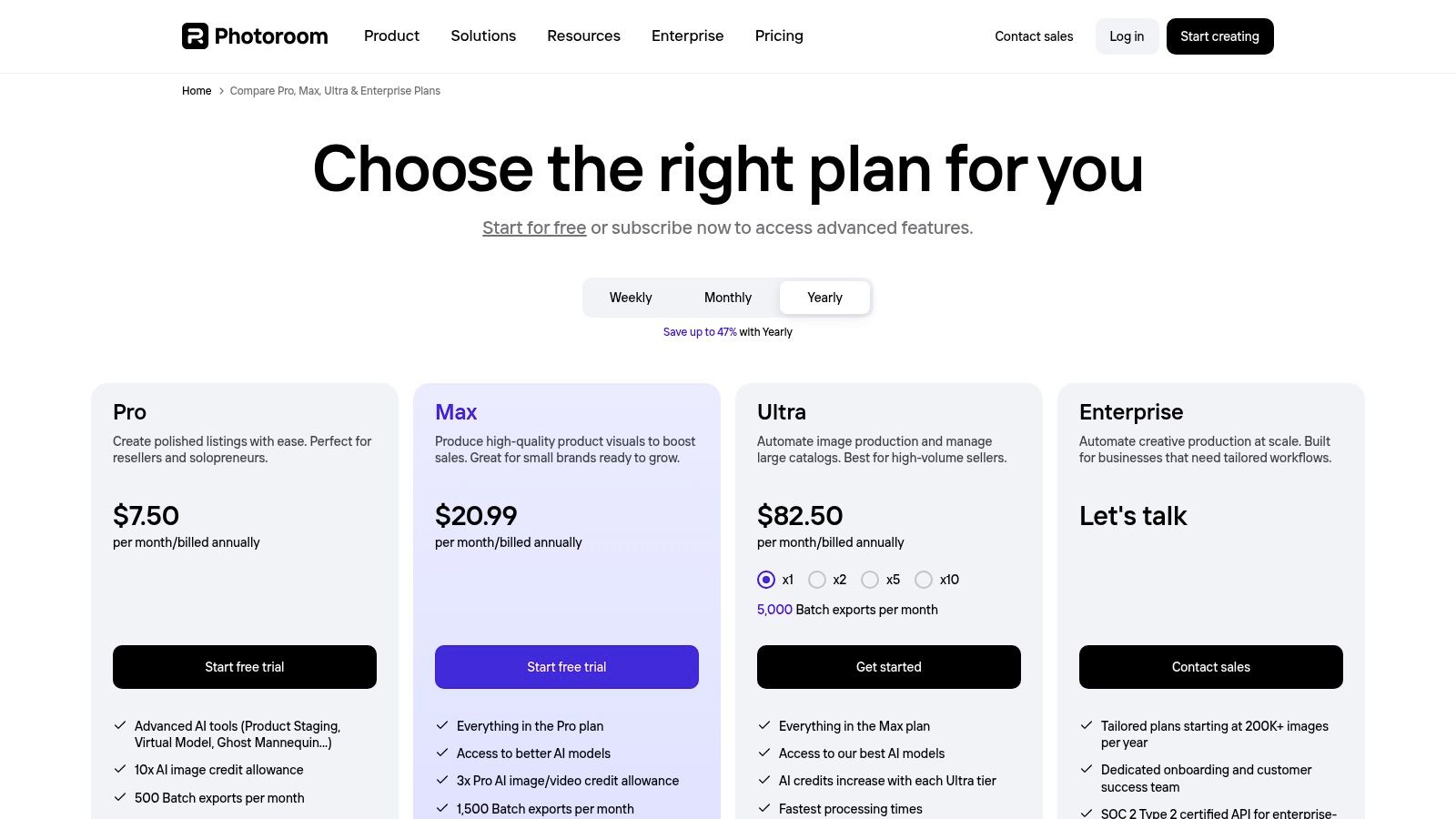
Pricing: PhotoRoom offers a free plan with watermarks. The Pro plan, which unlocks key features like batch editing and higher-resolution exports, starts at $12.99/month (or $89.99/year). Business and API plans are available with custom pricing.
Website: https://www.photoroom.com/pricing
9. Remove.bg
For tasks where speed and precision in background removal are paramount, Remove.bg is an indispensable tool. It’s a highly specialized platform that does one thing exceptionally well: it uses AI to instantly and accurately remove the background from any image containing a person or product. This single-purpose focus makes it one of the best AI image editing solutions for e-commerce stores, graphic designers, and social media managers who need clean cutouts without the manual effort of using a pen tool.
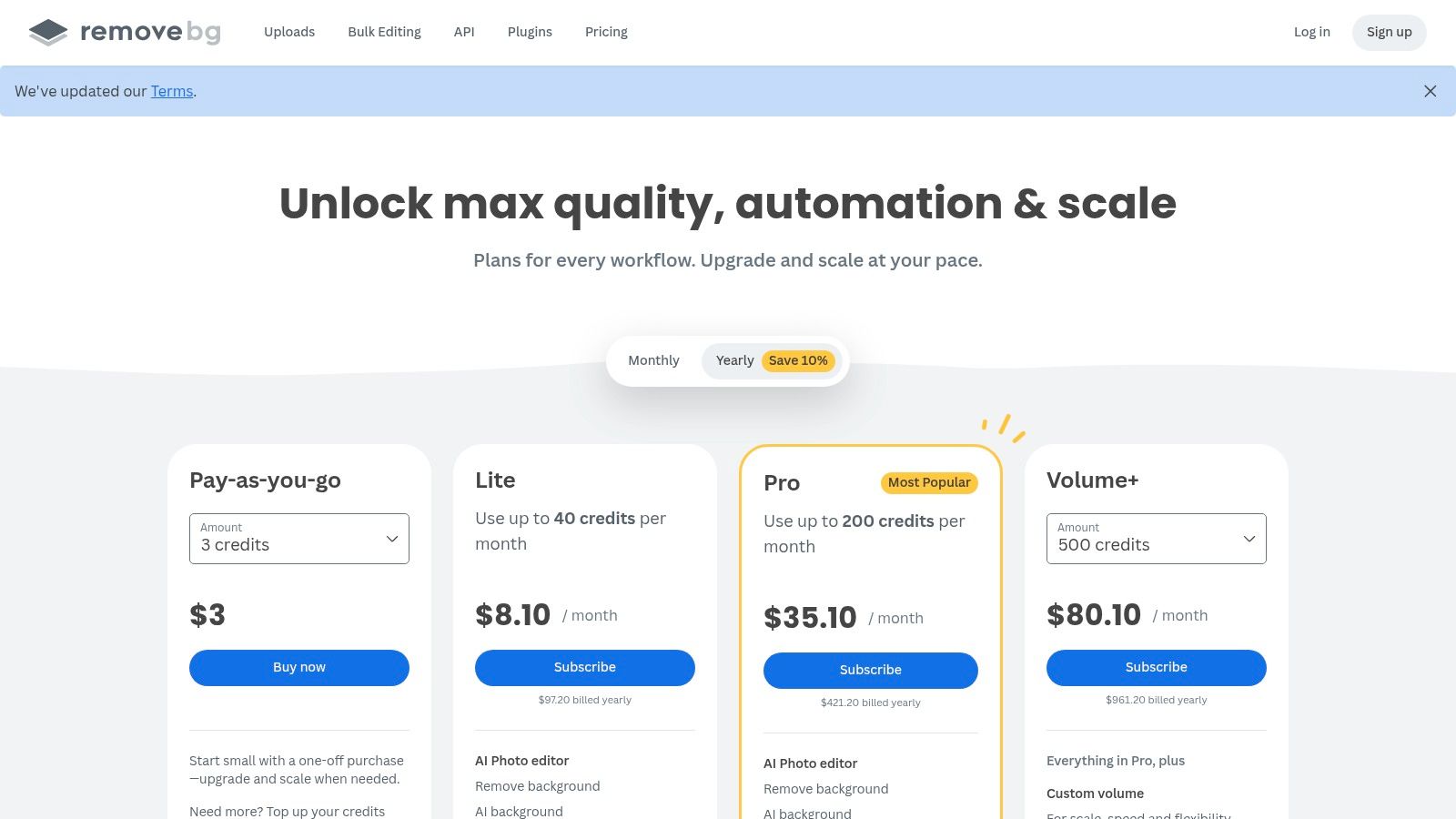
What makes Remove.bg so powerful is its accessibility and scalability. You can use it directly on the web, through a desktop app, or integrate it directly into your workflow via a Photoshop plugin or its powerful API. This API access is a game-changer for businesses like online marketplaces or print-on-demand services, allowing them to automate the background removal process for thousands of user-submitted images, ensuring a consistent and professional look across their entire platform.
Key Features & User Experience
- One-Click Removal: Simply upload an image and the AI automatically detects and removes the background in seconds.
- High-Quality Cutouts: The AI is specifically trained on subjects like people and products, delivering clean edges with impressive accuracy.
- API Integration: Automate background removal for high-volume needs, perfect for e-commerce platforms and app developers.
- Multiple Platform Access: Available as a web tool, desktop app, and Photoshop plugin for seamless workflow integration.
| Feature | Best For |
|---|---|
| Instant Removal | Quickly creating transparent PNGs for social media posts or thumbnails. |
| Bulk Processing | E-commerce sellers preparing hundreds of product photos for their store. |
| API Automation | Marketplaces and web apps that need to process user-generated content. |
| Credit-Based System | Users who need a flexible pay-as-you-go option for occasional use. |
Pricing: Remove.bg operates on a credit system. You can get a limited number of free low-resolution downloads. For high-resolution images, you can buy pay-as-you-go credit packs (starting from $9 for 10 credits) or subscribe to a monthly plan, which offers a lower cost per image.
Website: https://www.remove.bg/pricing
10. Clipdrop (now part of Jasper)
Clipdrop, now integrated into the Jasper ecosystem, stands out as a collection of lightning-fast, task-specific AI utilities rather than a full-fledged editor. It excels at providing quick fixes and enhancements, making it a go-to for creators who need to perform a single, high-quality operation like removing a background or upscaling an image without opening a complex application. This focus on individual tasks makes it a powerful tool for those seeking the best AI image editing for specific, isolated problems.
The platform’s strength lies in its simplicity and speed. For instance, its "Cleanup" tool is remarkably effective at removing unwanted objects or blemishes from a photo with just a few brushstrokes. Social media managers can use "Relight" to adjust the lighting on a product shot instantly, or use "Uncrop" to extend an image to fit different aspect ratios for various platforms. Its API also makes it valuable for businesses wanting to integrate these tools directly into their own workflows.
While it doesn't offer the multi-layer, complex editing of a tool like Photoshop, its specialized nature is precisely its advantage for quick, high-quality results.
Key Features & User Experience
- Task-Focused Tools: A suite of individual utilities including Cleanup, Relight, Uncrop, and Background Replacement.
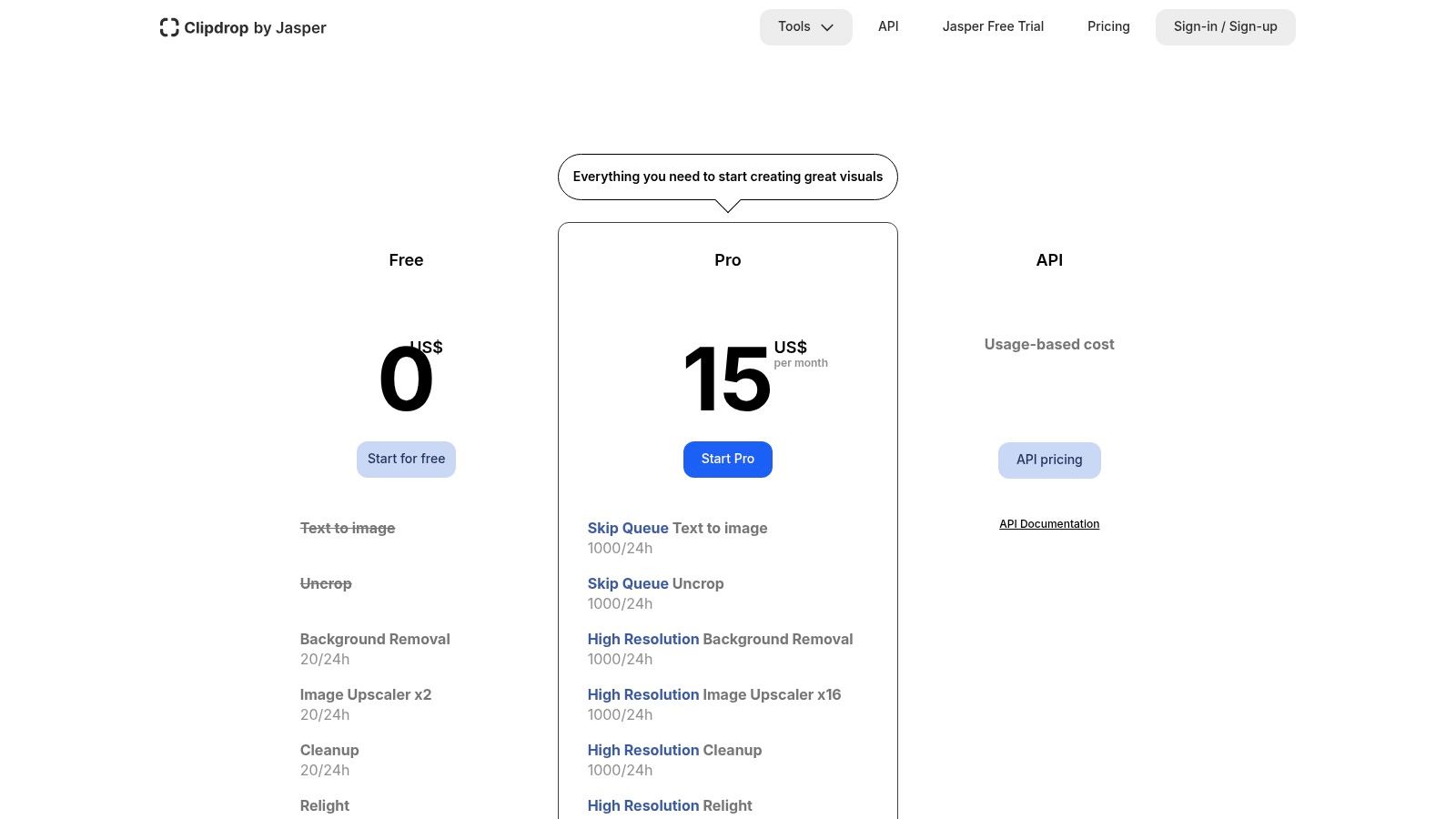
- High-Resolution Upscaling: The Image Upscaler can increase image resolution by up to 16x while intelligently enhancing details.
- API Access: Developers can integrate Clipdrop's powerful AI models into their own applications and services.
- Streamlined Interface: Each tool has a simple, drag-and-drop interface, making it incredibly easy for beginners to get professional results.
| Feature | Best For |
|---|---|
| Cleanup | Quickly removing objects, text, or defects from product photos and UGC. |
| Image Upscaler | Enhancing the quality of low-resolution images for print or web use. |
| Relight | Adjusting lighting on portraits or product shots for a more dynamic look. |
| API Integration | E-commerce platforms or apps needing automated image processing. |
Pricing: Clipdrop offers a free plan with limitations. The Pro plan is priced at $9/month, offering higher resolution processing, no watermarks, and significantly increased usage limits for all tools.
Website: https://clipdrop.co/pricing
11. Playground AI
Playground AI is a powerful web-based platform that blends high-quality image generation with a user-friendly editor, making it a strong contender for the best AI image editing tool for rapid concepting and creative iteration. It excels at prompt-driven workflows, allowing users to generate images and then immediately jump into an editing canvas to modify them. The platform’s standout feature is its fluid inpainting and outpainting (called "Extend Image"), where you can easily mask an area and regenerate just that part or expand the canvas in any direction.
What makes Playground AI particularly versatile is its support for multiple AI models, including its own refined versions and Stable Diffusion models. This gives creators the flexibility to choose an engine that best suits their desired aesthetic, from photorealistic to illustrative. The browser-based nature means there's no software to install, making it accessible for quick edits and brainstorming sessions from any device.
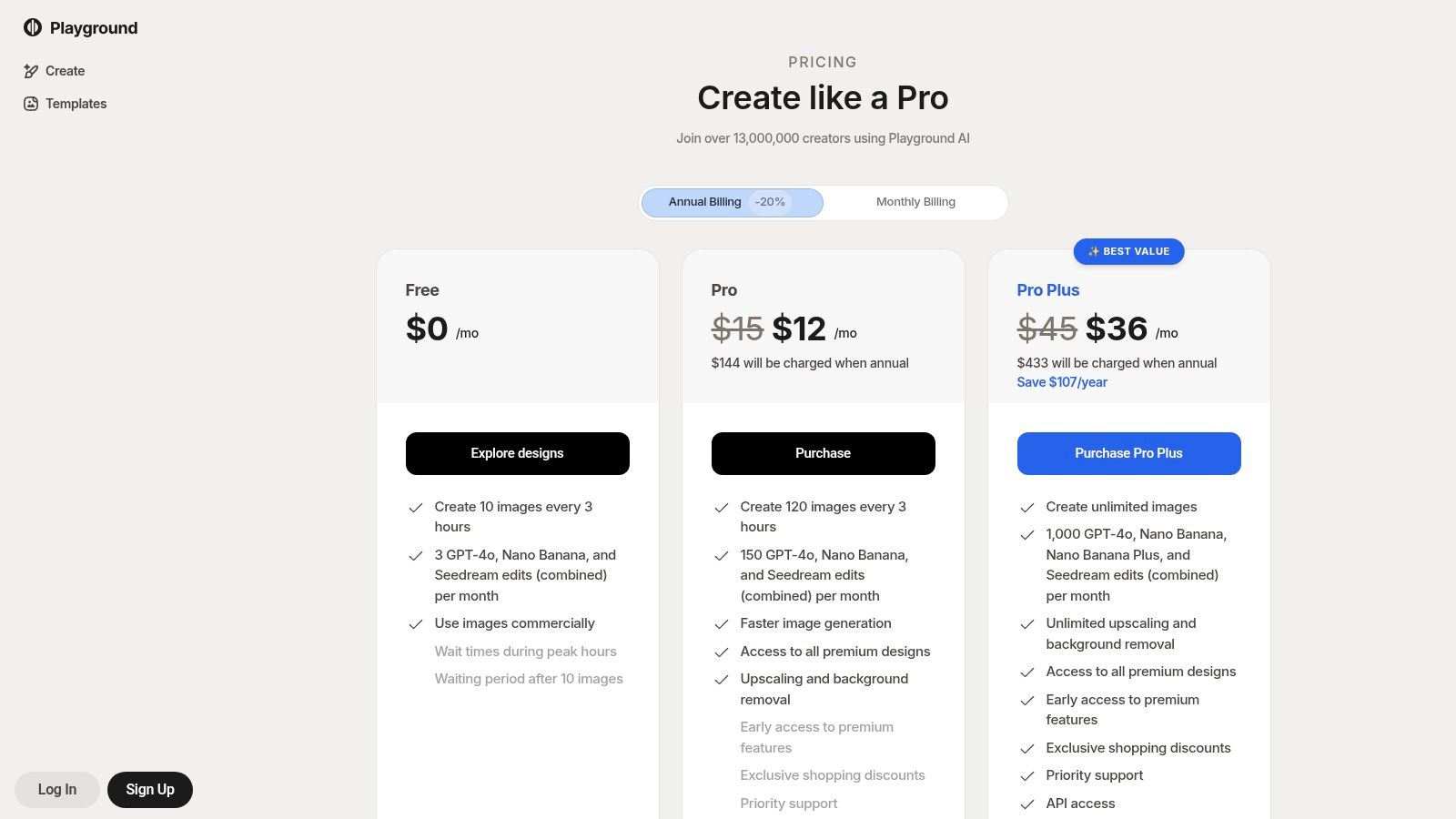
The platform is also notable for its flexible pricing, including a "day pass" option. This is perfect for freelancers or small businesses that have a one-off project and don't want to commit to a monthly subscription, offering a practical solution for short-term, intensive work.
Key Features & User Experience
- Inpainting & Outpainting: Easily edit specific parts of an image or extend the canvas with AI-generated content.
- Multiple Model Options: Choose from Playground's proprietary models or various Stable Diffusion versions to achieve different styles.
- Web-Based Canvas: No installation required; generate and edit directly in your browser.
- Flexible Pricing: Offers traditional subscriptions and a unique day-pass option for temporary access to premium features.
| Feature | Best For |
|---|---|
| Extend Image | Creating wider shots from existing images, changing aspect ratios. |
| Inpainting | Swapping objects, fixing flawed details, or adding new elements to a scene. |
| Day-Pass Option | Freelancers or creators with occasional, high-volume project needs. |
| Team Workspaces | Small agencies or creative teams needing a shared environment for projects. |
Pricing: Playground AI offers a free plan with daily image limits. Paid plans start at $12/month (billed annually) for the Pro tier, which includes more image generations and access to advanced features. A 24-hour "Day Pass" is also available for a one-time fee.
Website: https://playground.com/design/pricing
12. Remini
Remini is a mobile-first AI photo enhancer designed for one purpose: making your portraits and older photos look stunning with a single tap. It excels at deblurring faces, restoring detail in low-resolution images, and generating crystal-clear HD outputs, making it one of the best AI image editing tools for on-the-go social media creators. Instead of offering a complex suite of tools, its strength lies in its simplicity and speed, turning blurry selfies or old family photos into share-worthy content in seconds.
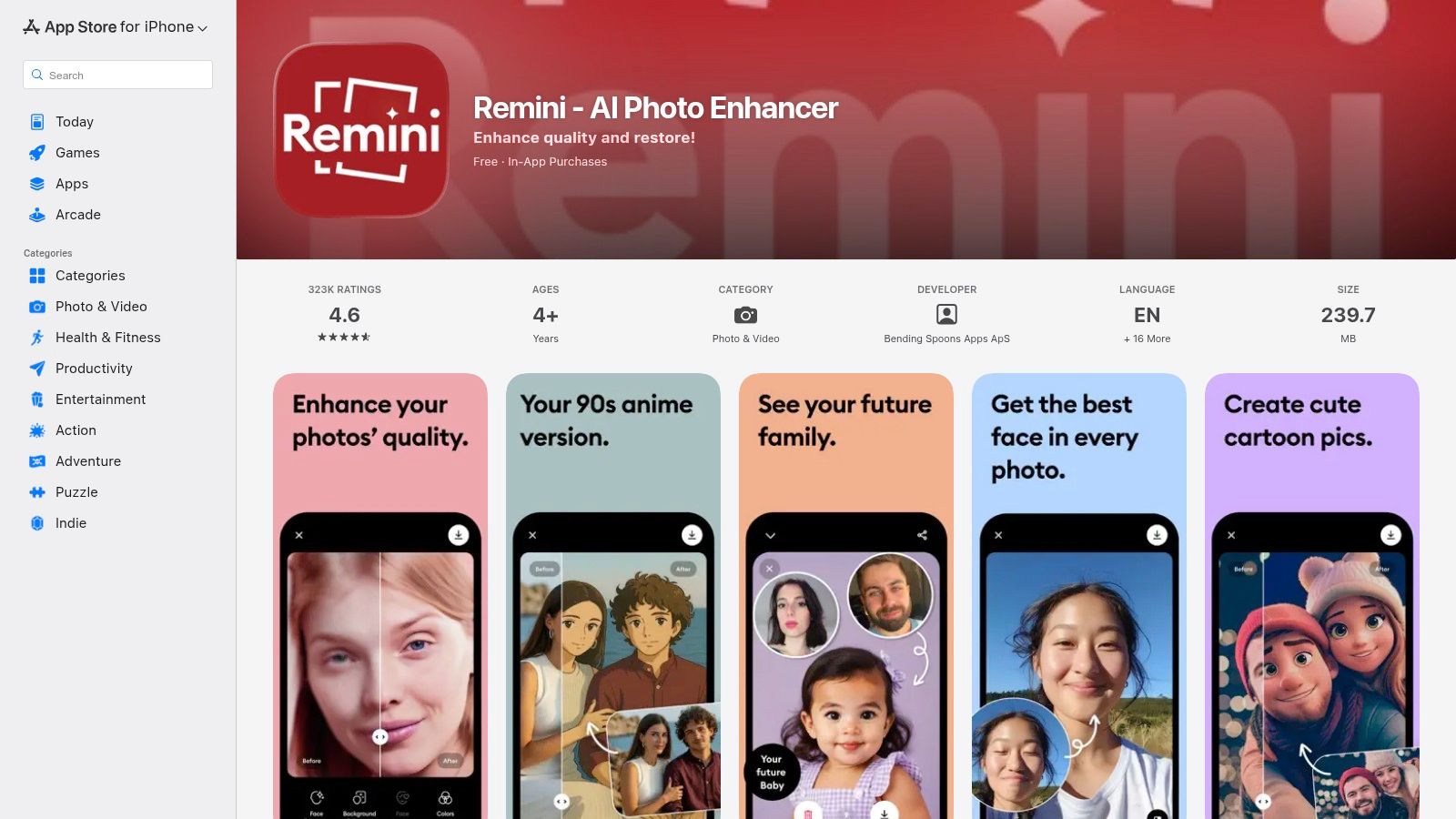
The app’s core technology focuses on facial reconstruction, which is perfect for influencers or anyone who needs to quickly improve a headshot without opening a desktop editor. The user experience is incredibly straightforward: you upload a photo, tap the enhance button, and the AI handles the rest. While the free version includes ads and watermarks, the results are often impressive enough to justify a subscription for users who frequently need to rescue imperfect shots for platforms like Instagram or TikTok.
Key Features & User Experience
- AI Portrait Enhancement: Specializes in sharpening faces, deblurring motion, and recovering fine details in portraits and selfies.
- One-Tap HD Outputs: Instantly upscales and enhances images to high definition, ready for social sharing.
- Old Photo Restoration: Brings faded, scratched, or blurry old photographs back to life by clarifying features and improving overall quality.
- Mobile-First Workflow: Available as dedicated iOS and Android apps, designed for quick edits directly from your phone.
| Feature | Best For |
|---|---|
| AI Face Enhance | Sharpening blurry selfies, improving portrait quality for social media. |
| Old Photo Restore | Digitizing and enhancing old family photos for sharing online. |
| Mobile-Centric UI | TikTok and Instagram creators needing fast, high-quality image fixes. |
| Simple Retouching | Users who want immediate results without learning complex software. |
Pricing: Remini offers a free version with ads and watermarks. Paid plans are available as weekly or annual subscriptions, starting around $4.99/week, which unlocks unlimited enhancements, removes watermarks, and provides access to premium features.
Website: https://apps.apple.com/us/app/remini-ai-photo-enhancer/id1470373330
Top 12 AI Image-Editing Tools — Feature Comparison
| Tool | Core features ✨ | Quality ★ | Target 👥 | Price/value 💰 | USP 🏆 |
|---|---|---|---|---|---|
| Adobe Photoshop (with Firefly) | Layered editing + Firefly generative fill/expand & upscaling | ★★★★★ | 👥 Pros, studios, retouchers | 💰 Subscription + generative credits | 🏆 Industry‑standard editing & brand‑safe AI |
| Adobe Firefly + Adobe Express | Text‑to‑image, upscale, templates, scheduler | ★★★★ | 👥 Marketing teams & social creators | 💰 Monthly credits + plans | 🏆 Brand governance + easy social exports |
| Canva (Magic Studio) | Magic Edit/Expand, bg/object remover, brand kits & templates | ★★★★ | 👥 Non‑designers & social teams | 💰 Freemium → Pro/Business tiers | 🏆 Fast templates + collaboration |
| Topaz Photo AI | Denoise, sharpen, deblur, face recover, upscale (local) | ★★★★★ | 👥 Photographers & e‑commerce teams | 💰 One‑time license (updates limited) | 🏆 Best‑in‑class detail recovery (offline) |
| Luminar Neo | Sky/Relight/Portrait AI, background remove, batch | ★★★★ | 👥 Creators & hobbyists wanting fast results | 💰 One‑time or subscription options | 🏆 Friendly UI + one‑time purchase choice |
| Picsart | Mobile AI generator, bg/object remover, templates, batch | ★★★ | 👥 Mobile creators, UGC producers | 💰 Affordable subs + credit model | 🏆 Strong mobile tools & community content |
| Pixlr | Web generative fill/expand, bg remover, templates | ★★★ | 👥 Budget creators & educators | 💰 Low‑cost premium + credits | 🏆 Fast no‑install browser edits |
| PhotoRoom | Product bg removal, batch exports, team Spaces, API | ★★★★ | 👥 E‑commerce, advertising teams, agencies | 💰 Tiered plans; enterprise/API options | 🏆 Rapid consistent product catalog tooling |
| Remove.bg | Instant background removal, API & bulk processing | ★★★★ | 👥 Marketplaces, apps, studios, devs | 💰 Pay‑as‑you‑go credits & subscriptions | 🏆 Fast, consistent automated cutouts |
| Clipdrop (Jasper) | Cleanup, relight, uncrop, bg replace, upscale up to x16 | ★★★★ | 👥 Creators needing quick fixes & devs | 💰 Pro plans + API quotas | 🏆 Rapid task‑focused utilities |
| Playground AI | Inpainting/outpainting, upscaling, multiple models | ★★★ | 👥 Concept artists & prompt‑driven creators | 💰 Subscriptions, day‑passes & quotas | 🏆 Flexible model selection & outpainting |
| Remini | Mobile face restoration, deblur, one‑tap HD outputs | ★★★ | 👥 Mobile users restoring portraits & old photos | 💰 Freemium (ads/watermark) → weekly subs | 🏆 One‑tap portrait restoration on mobile |
Choosing the Right AI Editor for Your Creative Workflow
We've explored a wide spectrum of tools, from the all-in-one creative powerhouses to highly specialized, single-task platforms. The journey to finding the best AI image editing software isn't about finding a single "best" tool, but rather the right tool that aligns perfectly with your specific creative and business objectives. The landscape is no longer dominated by one-size-fits-all solutions; instead, it's about building a customized toolkit that accelerates your workflow and elevates your final product.
The key takeaway is that your choice should be driven by your primary use case. A professional photographer’s needs are vastly different from those of a social media manager or an e-commerce brand owner. By understanding this, you can move past the hype and make a strategic decision.
Key Takeaways for Selecting Your AI Editor
For Unmatched Control and Integration: Professionals already invested in the Adobe ecosystem will find Adobe Photoshop with its integrated Firefly AI to be the undisputed champion. Its precision, non-destructive editing, and seamless workflow are built for high-stakes creative work where every pixel matters.
For Speed, Collaboration, and Brand Consistency: Teams and solo creators focused on rapid content creation for social media and marketing should look no further than Canva’s Magic Studio or Adobe Express. Their template-driven approach, combined with powerful one-click AI features, democratizes design and ensures brand consistency across multiple channels.
For Specialized Image Enhancement: When your sole focus is on rescuing a blurry photo or achieving technical perfection, specialized tools are superior. Topaz Photo AI excels at noise reduction, sharpening, and upscaling, while Luminar Neo offers creative, AI-driven enhancements for landscape and portrait photography. They do one thing, and they do it exceptionally well.
For E-commerce and Product Photography: The name of the game is clean, consistent, and conversion-focused imagery. PhotoRoom is an essential tool for any e-commerce brand, offering best-in-class background removal and professional-grade product shot creation. For online sellers, using such tools is a critical step in optimizing main product images for higher click-through rates on platforms like Amazon, directly impacting visibility and sales.
Your Action Plan: How to Choose
Making the right choice involves a simple, practical evaluation. Don't just read reviews; get hands-on experience. Most of the tools we've covered offer free trials or generous freemium plans.
- Define Your Core Task: What is the single most time-consuming image editing task you perform daily? Is it background removal? Color correction? Creating social media graphics from scratch? Start there.
- Evaluate Your Skill Level: Be honest about your technical expertise. Are you a Photoshop veteran, or do you need a simple, intuitive interface like Picsart or Canva?
- Consider Your Budget: Your budget will guide whether you opt for a subscription-based model like Adobe's Creative Cloud, a one-time purchase like Topaz Photo AI, or a freemium tool like Pixlr.
- Test Your Top 2-3 Candidates: Take a single project and try to complete it using your top contenders. This hands-on comparison will reveal which workflow feels most natural and efficient for you.
The AI image editing revolution is here, and it's empowering creators and marketers to produce higher-quality content faster than ever before. This isn't about replacing creativity; it's about augmenting it. By embracing these tools, you can automate the tedious tasks and free up more time to focus on what truly matters: your unique vision and the story you want to tell. The right AI assistant is waiting to become an indispensable part of your creative process.
Ready to take your perfectly edited images and bring them to life? Aicut helps you transform your static AI-generated photos into engaging, animated video content for TikTok, Reels, and Shorts. Turn your visual creations into scroll-stopping videos and scale your content production effortlessly with Aicut.