The best social media automation tools do more than schedule posts - the strongest ones create the content too. aicut is the standout for video: it generates faceless short-form videos from viral formats and auto-publishes them to TikTok, YouTube, and Instagram from one dashboard, so creation and distribution live in the same place; see the AI video maker that auto-posts.
This guide covers the 12 best social media automation tools for 2026 - what each is for, honest limitations, and how to combine them into an automation stack that runs without burning you out.
1. Aicut
Aicut establishes itself as a leader among the best social media automation tools by offering an end-to-end AI video creation and distribution pipeline. Designed for creators and brands aiming for rapid growth, it transforms simple prompts or photos into high-quality, ready-to-post videos in minutes. This platform excels at producing content for faceless channels, e-commerce ads, and authentic-looking UGC, making it a versatile asset for modern social media strategies.
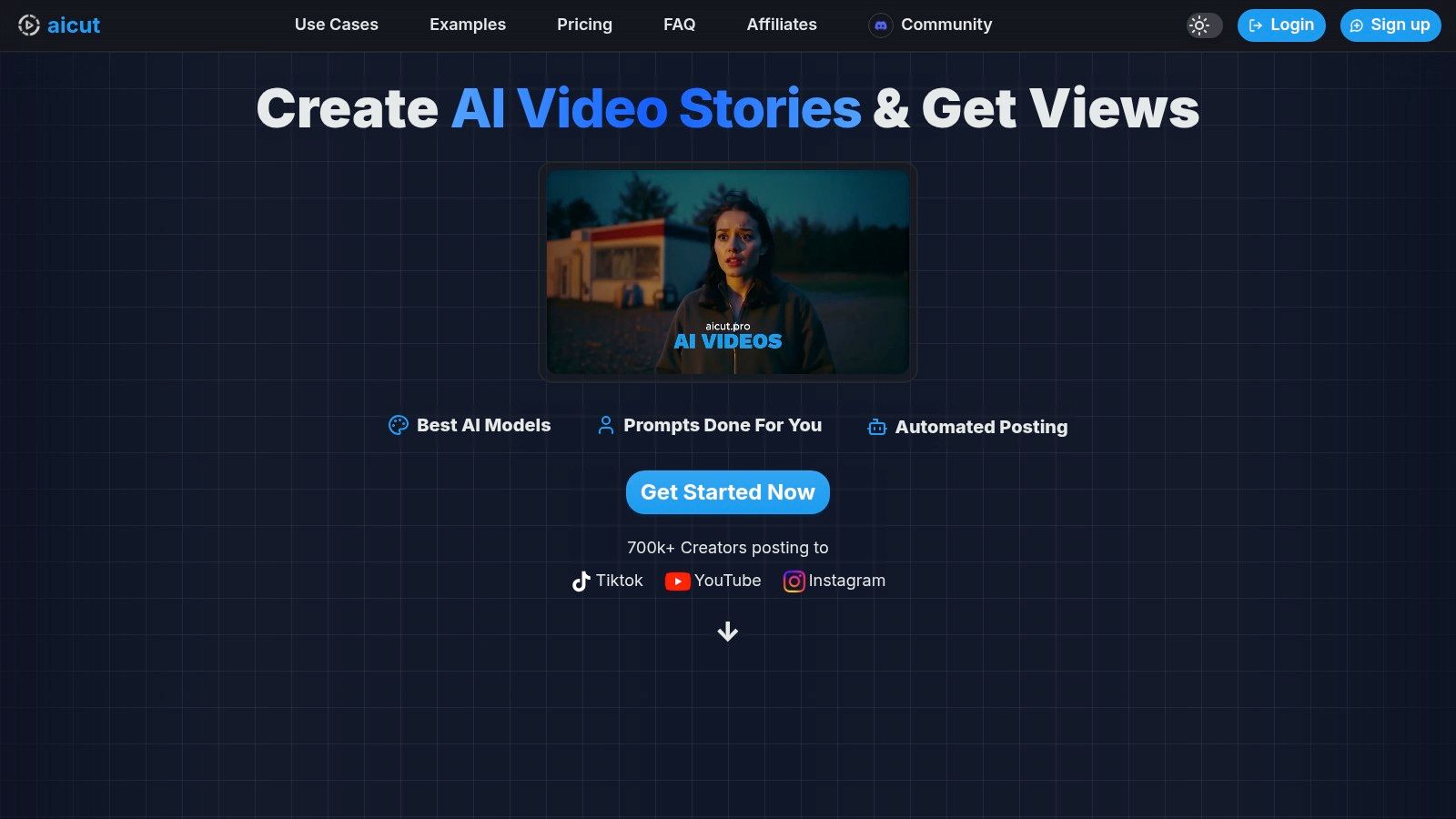
What truly sets Aicut apart is its integration of cutting-edge AI models (like Sora 2 and Veo 3.1) with a robust automation engine. Users can leverage a library of viral templates and prompts to generate diverse video formats, from POV-style clips to Reddit story narrations. The platform then automates the entire distribution workflow, including daily auto-posting and multi-platform scheduling, which is a significant time-saver for anyone managing multiple accounts. This combination of speed, scale, and built-in automation makes consistent content production highly achievable. For those new to this space, exploring the fundamentals of AI-driven content can provide valuable context; you can learn more about AI content creation for social media to better understand its strategic impact.
Key Features & User Experience
- End-to-End Workflow: Aicut handles everything from ideation and video generation to scheduling and automated posting across TikTok, YouTube, and Instagram.
- Photorealistic AI Models: Access to modern generative models ensures professional, high-quality video output that captures audience attention.
- Viral Content Templates: A built-in library of proven formats and prompts helps creators quickly produce content that aligns with current trends.
- Transparent Pricing: The token-based system is clear and straightforward, with two primary plans: CREATOR (around $19.99/mo) and AUTOMATE (around $39.99/mo), with significant savings on annual billing.
Ideal For: Faceless creators, e-commerce brands needing scalable ad creatives, and agencies managing high-volume social media accounts.
| Pros | Cons |
|---|---|
| All-in-one creation and automation saves significant time | Token consumption can be high for complex, long videos |
| Access to cutting-edge photorealistic video models | Potential for platform policy issues with AI-generated content |
| Strong community support and tutorials via Discord | Heavy users may need to purchase additional tokens |
2. Hootsuite
Hootsuite is one of the original and most established names in social media management, making it a reliable choice for organizations needing a comprehensive, all-in-one platform. It excels at large-scale content planning and publishing, allowing users to schedule an unlimited number of posts across multiple networks from a single dashboard. This makes it one of the best social media automation tools for teams managing a high volume of content.
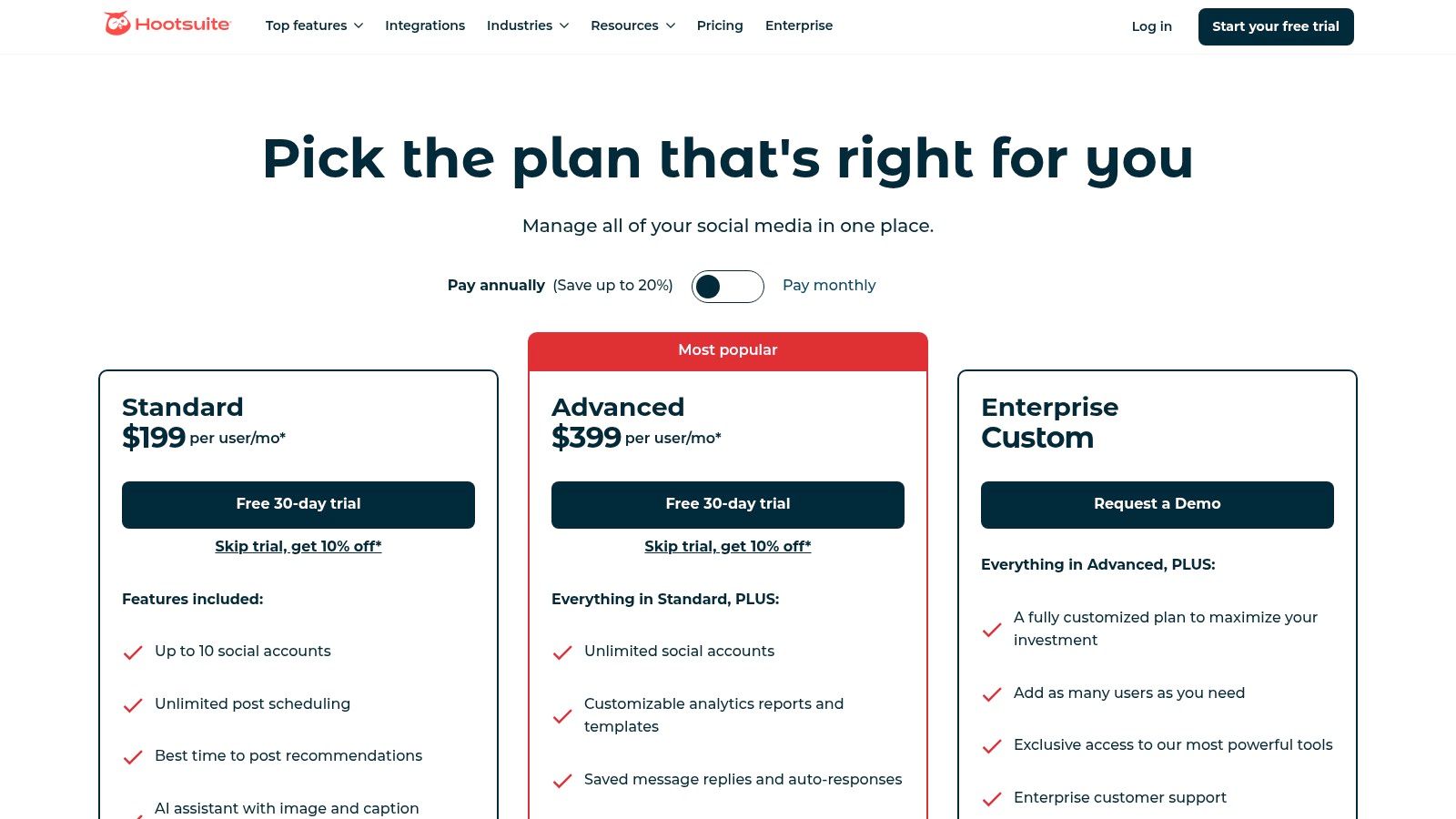
Its unified inbox is a standout feature for agencies and e-commerce brands, centralizing comments and DMs from all channels into one stream. This significantly streamlines engagement workflows. The platform also offers practical AI assistance, with OwlyWriter AI for generating captions and a feature that recommends the optimal times to post for maximum reach.
Key Features and Pricing
| Feature | Details | Ideal User |
|---|---|---|
| Unified Inbox | Manage all comments and DMs from one place. | Agencies, E-commerce |
| Unlimited Scheduling | Schedule as many posts as you need in advance. | High-volume creators |
| AI Content Assistant | OwlyWriter AI helps generate post ideas and captions. | Social Media Managers |
| Advanced Analytics | In-depth reporting and competitor benchmarking. | Growth Marketers |
Hootsuite offers a 30-day free trial to explore its full capabilities. Paid plans start with the Professional tier at $99 per month (billed annually) for one user and 10 social accounts. The Team plan, at $249 per month, adds seats for 3 users and includes team collaboration tools.
- Pros: Robust enterprise-level features, powerful analytics, and extensive integrations.
- Cons: The per-seat pricing can become expensive for larger teams, and its depth may be excessive for solo creators.
Website: https://www.hootsuite.com
3. Sprout Social
Sprout Social is a premium, all-in-one platform built for brands and agencies that require sophisticated analytics, collaboration, and governance. It excels at unifying social media workflows, from publishing and engagement to social listening and reporting, making it one of the best social media automation tools for organizations focused on data-driven strategy and team scalability. Its powerful reporting capabilities are a key differentiator, providing clear, presentation-ready insights that stakeholders love.
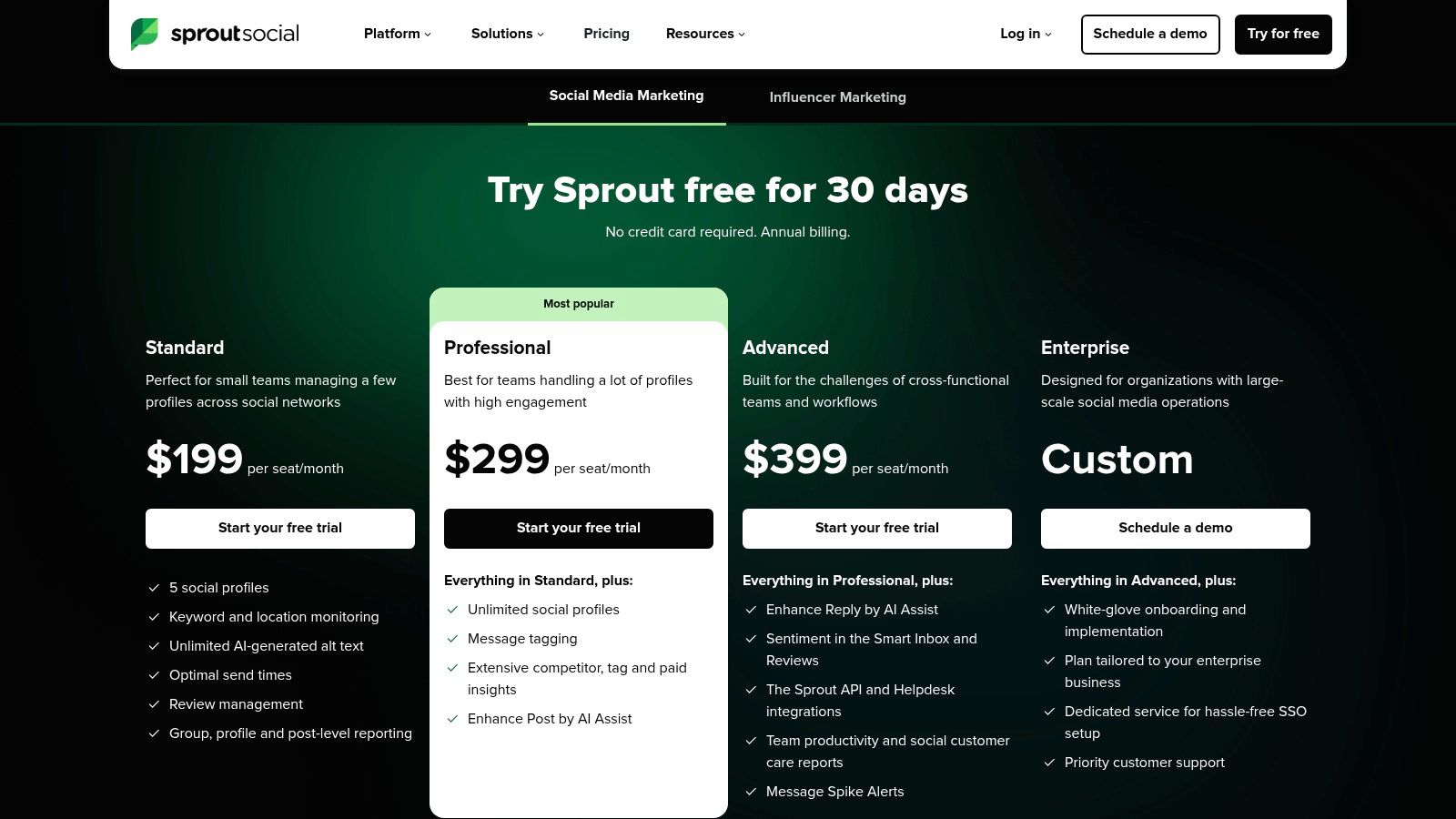
The platform features an intelligent Smart Inbox that consolidates messages, mentions, and reviews into a single, manageable feed with powerful filtering and tagging. This streamlines engagement for busy teams. Sprout Social also integrates AI to assist with content creation and suggests optimal send times for posts, ensuring content reaches the right audience at the right moment. The multi-level approval workflows are invaluable for agencies and regulated industries needing tight control over published content.
Key Features and Pricing
| Feature | Details | Ideal User |
|---|---|---|
| Advanced Reporting | In-depth analytics, competitive insights, and paid performance tracking. | Data-driven Marketers |
| Smart Inbox | Unified inbox with message tagging and review management. | Customer Support Teams |
| Team Collaboration | Content approval workflows and task assignment. | Agencies, Enterprise |
| AI Assist | AI tools for generating content and optimizing replies. | Social Media Managers |
Sprout Social offers a 30-day free trial. Its paid plans begin with the Standard tier at $249 per month (billed annually) for one user, which includes 5 social profiles. The Professional plan, at $399 per month, adds features like custom workflows and advanced reporting.
- Pros: Deep reporting and analytics, excellent for team collaboration, and a user-friendly interface.
- Cons: Higher per-seat pricing makes it a significant investment, and some key features are locked behind more expensive tiers.
Website: https://sproutsocial.com/pricing/?utm_source=openai
4. Buffer
Buffer is renowned for its simplicity and creator-friendly approach, making it an ideal starting point for those new to social media automation. Its clean, intuitive interface and straightforward queue-based scheduling system allow solo creators and small teams to plan and publish content efficiently without a steep learning curve. This focus on ease of use makes it one of the best social media automation tools for getting started quickly.
The platform offers a helpful AI Assistant for generating post ideas, rewriting copy, and finding relevant hashtags. While its engagement and analytics features are more basic compared to enterprise-level platforms, they provide the core data needed for most small-scale operations. Buffer's unique per-channel pricing is a major advantage, allowing users to pay only for the accounts they need, which offers excellent value. To get the most out of platforms like this, it's wise to learn how to automate social media posts effectively from the start.
Key Features and Pricing
| Feature | Details | Ideal User |
|---|---|---|
| Simple Scheduling | Intuitive queue and calendar for easy content planning. | Beginners, Solo Creators |
| Per-Channel Pricing | Pay only for the social channels you manage. | Small Businesses |
| AI Assistant | Helps generate and refine content and hashtags. | Content Creators |
| Basic Engagement | A simple inbox to manage comments and interactions. | Faceless Creators |
Buffer offers a generous free plan for up to 3 channels. The Essentials plan starts at just $6 per month per channel (billed annually) and includes planning, publishing, analytics, and engagement tools. The Team plan at $12 per month per channel adds unlimited users and collaboration features.
- Pros: Extremely easy to use with a fast onboarding process, affordable and transparent pricing model.
- Cons: Analytics and collaboration features are less robust than competitors on lower tiers.
Website: https://buffer.com/pricing?utm_source=openai
5. Later
Later began as an Instagram-first scheduling tool and has evolved into a powerhouse for visual content planning, especially for short-form video. It provides a visual calendar and direct auto-publishing for Instagram Reels, TikTok videos, and YouTube Shorts, making it a top choice for creators and brands focused on video-first platforms. Its user-friendly interface simplifies content workflows, which is why many consider it one of the best social media automation tools for visual-heavy strategies.
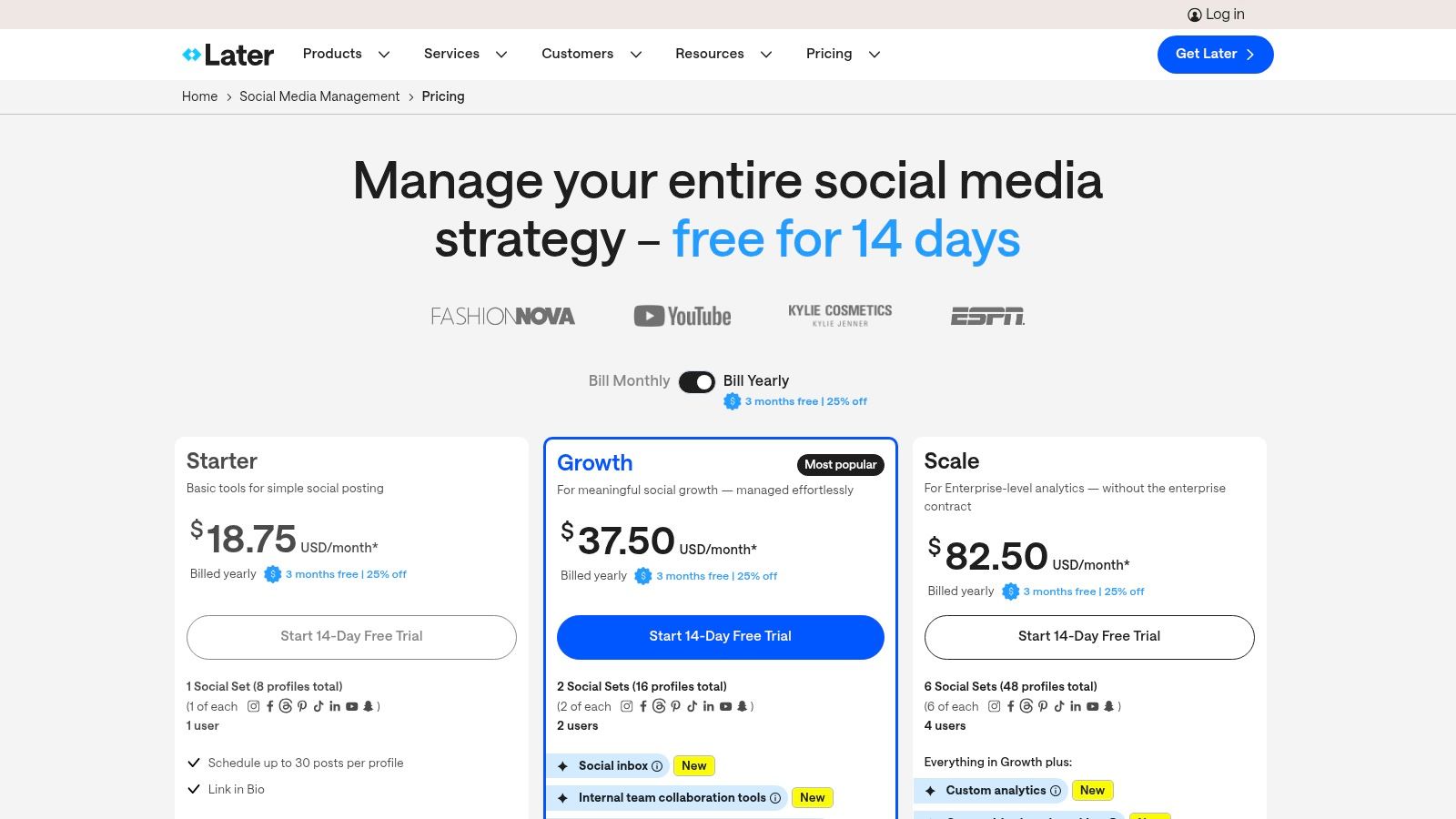
The platform’s strength lies in its collaboration features, such as content approval links that allow external stakeholders to review and approve posts without needing an account. This is ideal for agencies managing brand collaborations or teams working with user-generated content (UGC). For those new to the platform, exploring a detailed guide on how to schedule posts on Instagram can help maximize its features from day one.
Key Features and Pricing
| Feature | Details | Ideal User |
|---|---|---|
| Visual Calendar Planner | Drag-and-drop your content on a visual calendar. | Visual Creators, Brands |
| Auto-Publish Reels/TikTok | Directly schedule and auto-publish short-form video. | Video Content Creators |
| External Approval Links | Share links for external partners to approve content. | Agencies, UGC Teams |
| Link in Bio Tool | Create a customizable, shoppable link-in-bio page. | E-commerce, Influencers |
Later offers a free-forever plan with limitations. Paid plans start with the Starter tier at $25 per month (billed monthly) for one user and 30 posts per profile. The Growth plan at $45 per month increases post limits and adds analytics features.
- Pros: Excellent visual planner for UGC and short-form teams, useful creator-brand collaboration tools, and a simple, intuitive interface.
- Cons: Post volume caps on lower tiers can be restrictive, and adding extra users or social sets incurs add-on fees.
Website: https://later.com/pricing-v0/?utm_source=openai
6. Agorapulse
Agorapulse is a comprehensive social media management platform that excels at team collaboration and unified engagement. It combines publishing, monitoring, and reporting into a single, user-friendly interface, making it one of the best social media automation tools for agencies and mid-sized businesses that need to streamline their workflows and prove ROI. Its standout feature is a powerful social inbox that simplifies audience interaction.
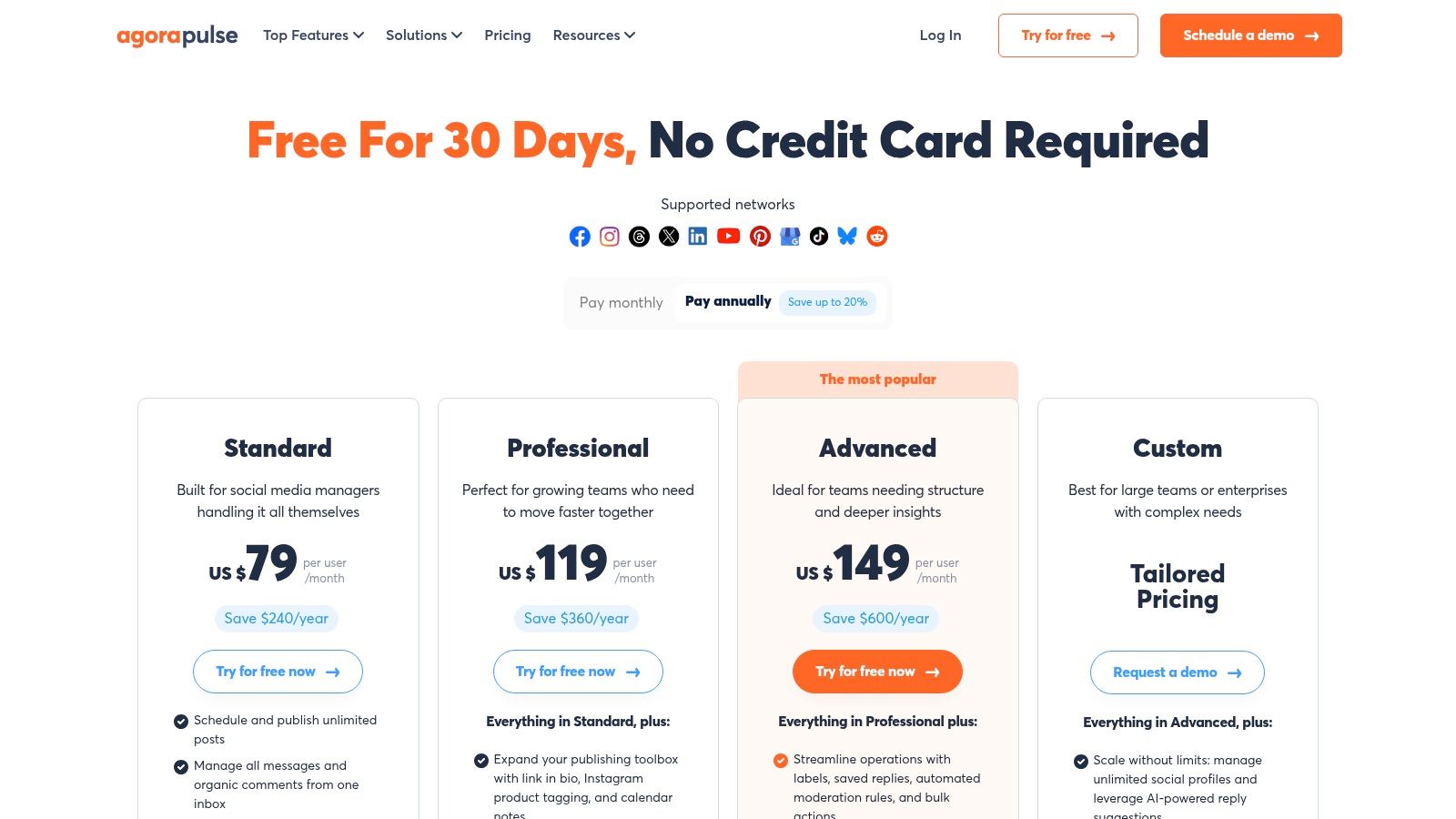
The platform is particularly well-suited for agencies, offering shared calendars, client approval workflows, and white-label reports that showcase team performance. Automated inbox rules help filter out noise and assign messages to the right team members, saving significant time. Agorapulse also supports key e-commerce functions like monitoring ad comments and integrating a link-in-bio tool for driving traffic.
Key Features and Pricing
| Feature | Details | Ideal User |
|---|---|---|
| Unified Social Inbox | Manage comments, mentions, and DMs with automated rules. | Customer Service Teams |
| Unlimited Publishing | Schedule unlimited posts and use bulk publishing features. | Content Agencies |
| Agency-Focused Tools | Shared calendars, approval workflows, and white-label reports. | Social Media Agencies |
| Advanced Reporting | In-depth analytics and reports on team performance. | Growth Marketers |
Agorapulse provides a 30-day free trial on its paid plans. The Standard plan starts at $49 per user per month (billed annually) for 10 social profiles. For more robust needs, the Professional plan is $79 per user per month and adds features like ad comments monitoring.
- Pros: Strong balance of publishing, engagement, and reporting features; agency-friendly tools for collaboration and approvals.
- Cons: Per-user pricing can become costly for large teams; some advanced features for X/Twitter require a paid add-on.
Website: https://www.agorapulse.com/pricing/?utm_source=openai
7. Metricool
Metricool is a powerful all-in-one tool that combines social media scheduling with deep analytics, making it a favorite among data-driven creators and small to medium-sized businesses. It moves beyond basic publishing by offering robust competitor analysis, custom reporting, and even an ad campaign planner. This focus on performance metrics makes it one of the best social media automation tools for users who need to prove ROI without an enterprise-level budget.
The platform supports scheduling for all major networks, including auto-publishing for Instagram Reels and TikTok, with practical features like content queues and bulk uploads. What truly sets it apart is its integration with data tools like Looker Studio (formerly Google Data Studio) and its API access, allowing for highly customized analytics dashboards. Its SmartLinks feature also provides a capable link-in-bio solution directly within the platform.
Key Features and Pricing
| Feature | Details | Ideal User |
|---|---|---|
| Competitor Tracking | Analyze competitor performance on major social platforms. | Growth Marketers |
| Unlimited Analytics History | Access historical data without limits on paid plans. | Data Analysts, Agencies |
| Custom Report Templates | Create branded, professional reports for clients or stakeholders. | Freelancers, Agencies |
| Looker Studio Connector | Integrate social media data into advanced BI dashboards. | E-commerce, Data Analysts |
Metricool offers a generous free plan for one brand. Paid plans start with the Starter tier at €18 per month (billed annually) for 5 brands and increase to the Advanced tier at €45 per month for 15 brands.
- Pros: Excellent analytics and reporting for the price, scales from a free solo plan to multi-brand agency setups, and offers strong integrations.
- Cons: The user interface defaults to EUR pricing (though a USD toggle is available), and some of the most powerful features are reserved for higher-tier plans.
Website: https://metricool.com/pricing/?utm_source=openai
8. Loomly
Loomly is a calendar-first social media management platform designed for teams that prioritize structured collaboration and organized content planning. It provides a clean, intuitive interface centered around a content calendar, making it easy to visualize and manage campaigns across a wide range of networks, including emerging platforms like TikTok, Threads, and Bluesky. This focus on clear workflows makes it one of the best social media automation tools for teams needing oversight and control.
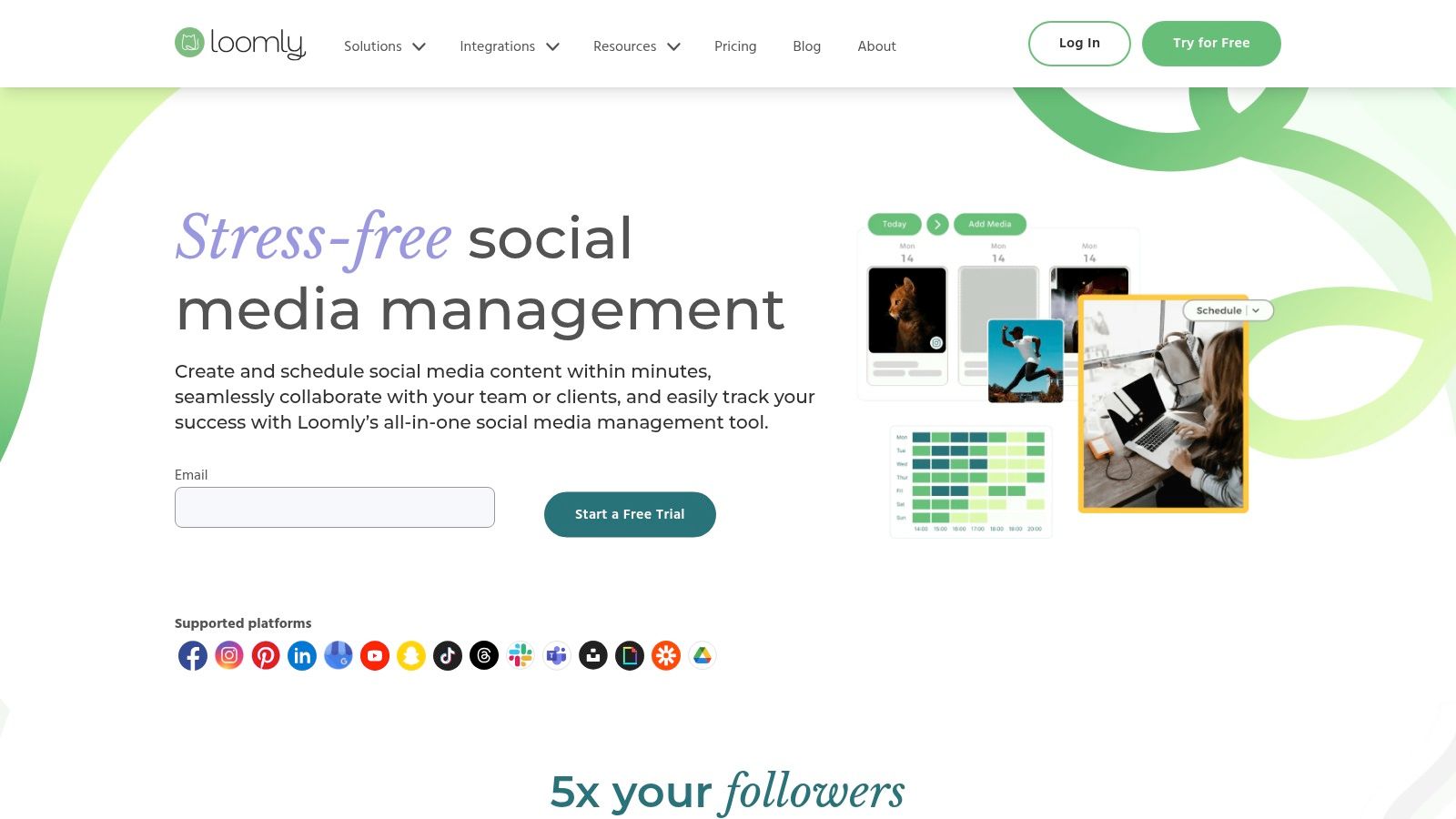
The platform’s strength lies in its built-in approval workflows, custom roles, and permission levels, which are included even in lower-tier plans. This allows managers, clients, and creators to collaborate seamlessly on content creation, review, and scheduling. Features like unlimited bulk scheduling, post ideas, hashtag suggestions, and integrations with Slack and Microsoft Teams further streamline the content production pipeline for busy marketing departments and agencies.
Key Features and Pricing
| Feature | Details | Ideal User |
|---|---|---|
| Approval Workflows | Custom roles and multi-step approvals for content. | Agencies, Marketing Teams |
| Broad Channel Support | Post to TikTok, Threads, Bluesky, Snapchat, and more. | Brands on new platforms |
| Unlimited Scheduling | Plan and schedule as much content as needed. | High-volume content teams |
| Team Collaboration | Integrates with Slack and Teams for notifications. | Collaborative environments |
Loomly offers a 15-day free trial. Paid plans start with the Base tier at $32 per month (billed annually) for 2 users and 10 social accounts. The Standard plan, at $64 per month, increases limits to 6 users and 20 accounts while adding advanced analytics.
- Pros: Excellent team-friendly collaboration and approval features, supports a wide range of social channels, and offers a clean user interface.
- Cons: Pricing is not always clearly displayed until checkout, and its social listening capabilities are less robust than enterprise-focused competitors.
Website: https://www.loomly.com
9. SocialBee
SocialBee excels at content categorization and evergreen recycling, making it a powerful choice for small businesses and agencies focused on building a consistent, long-term content strategy. Its standout feature is the ability to create content "queues" based on categories you define, such as "Blog Posts," "Promotions," or "Industry Tips." You then set a schedule for each category, and SocialBee automatically pulls the next post from the appropriate queue, ensuring a balanced content mix without manual intervention.
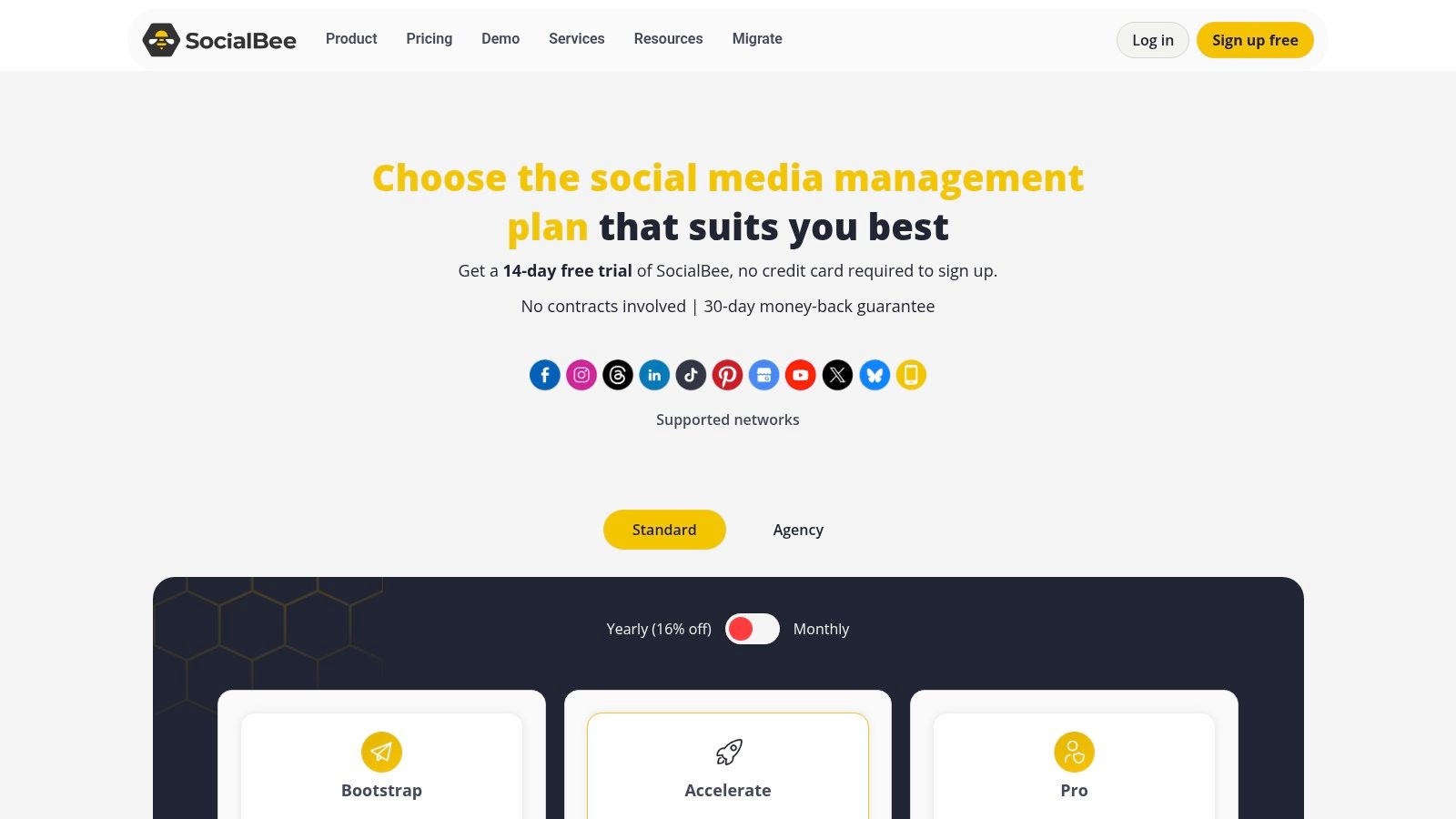
This platform is one of the best social media automation tools for users who want to maximize the lifespan of their content. Posts can be set to expire or, more importantly, be re-added to the back of the queue to be published again later. This evergreen recycling is a huge time-saver for brands with a large library of valuable content. The platform also supports a wide range of networks, including newer additions like Threads and Bluesky, and offers an AI assistant for content creation.
Key Features and Pricing
| Feature | Details | Ideal User |
|---|---|---|
| Category-Based Queues | Organize posts into categories and schedule them to auto-publish. | SMBs, Solopreneurs |
| Evergreen Recycling | Automatically re-queue and re-publish your best-performing content. | Content Marketers |
| AI Content Assistant | Generate post captions and ideas directly within the platform. | Social Media Managers |
| Agency Workspaces | Manage multiple clients with separate workspaces and user permissions. | Agencies, Freelancers |
SocialBee offers a 14-day free trial. Paid plans begin with the Bootstrap tier at $29 per month ($24.20/mo billed annually) for one workspace and five social accounts. The agency-focused Pro plan, at $99 per month, supports five workspaces and 25 social accounts.
- Pros: Excellent value for the price, powerful content recycling features, and great for managing multiple clients.
- Cons: The user interface prioritizes scheduling functions over in-depth social listening, and advanced analytics are less robust than enterprise-level alternatives.
Website: https://socialbee.com/pricing/?utm_source=openai
10. Publer
Publer stands out for its highly flexible and modular pricing model, allowing users to pay only for the social accounts and team members they actually need. This makes it a cost-effective solution for solo creators, small businesses, and agencies looking to scale efficiently. Its paid plans offer unlimited post scheduling and a suite of powerful automation tools for content repurposing, making it one of the best social media automation tools for optimizing workflows.
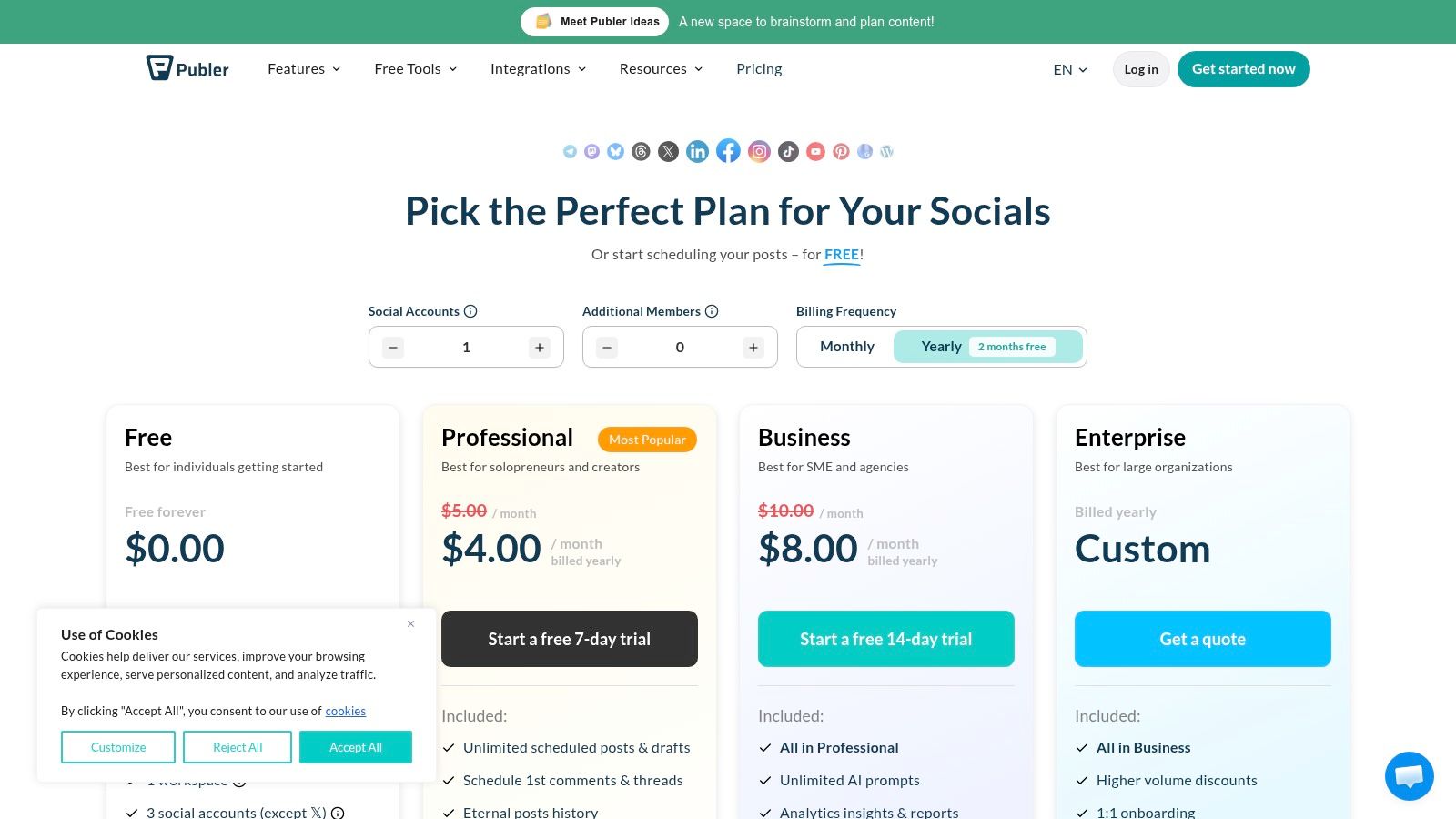
The platform's strength lies in its automation features, which include RSS feed integration to automatically share blog posts and spintax recycling to create unique variations of the same content. The Business plan adds valuable insights like competitor analysis and hashtag suggestions, while also providing a link-in-bio tool and API access for custom integrations. This granular approach lets users build a plan that fits their specific needs without paying for unnecessary extras.
Key Features and Pricing
| Feature | Details | Ideal User |
|---|---|---|
| Unlimited Scheduling | Schedule and store unlimited posts in advance on all paid plans. | High-volume creators |
| Modular Pricing | Pay per social account and per additional user for full flexibility. | Solo creators, Agencies |
| Content Recycling | Automate content repurposing with RSS feeds and spintax variations. | Content Marketers |
| Link-in-Bio Tool | Create a custom link-in-bio page directly within the platform. | Instagram Creators |
Publer offers a free plan for up to 3 accounts with basic scheduling. Paid plans start with the Professional tier at $12 per month (billed annually) for 3 social accounts, which unlocks unlimited scheduling. The Business plan, at $21 per month for 3 accounts, adds advanced analytics, AI assistance, and API access.
- Pros: Highly flexible and affordable pricing, strong content recycling automation, and unlimited workspaces on paid tiers.
- Cons: The free plan is quite limited and excludes X/Twitter, while some key analytics and AI features are reserved for the higher-tier Business plan.
Website: https://publer.com/plans?utm_source=openai
11. CoSchedule Social Calendar
CoSchedule is built around its marketing calendar, which unifies social media scheduling with other marketing projects, making it a standout choice for teams that need a single source of truth for all their campaigns. Its strength lies in visualizing your entire content strategy, not just your social posts. This calendar-centric approach helps teams coordinate efforts and see how social media fits into the bigger picture.
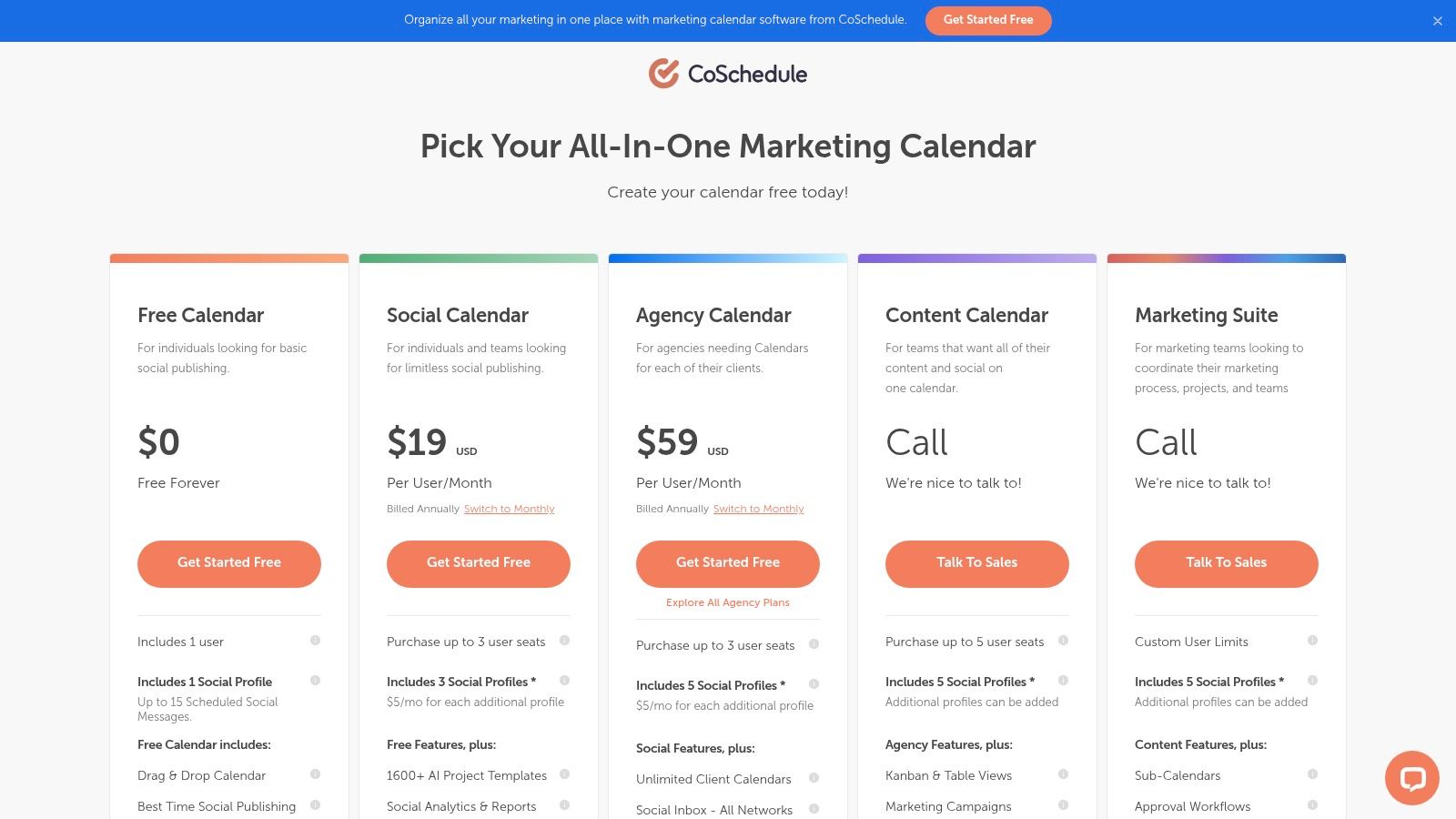
The platform’s ReQueue feature is a powerful automation tool that automatically re-shares your best evergreen content at optimal times, ensuring your profiles stay active and your top-performing posts get maximum visibility. This makes it one of the best social media automation tools for content-heavy brands looking to maximize the lifespan of their work without constant manual effort.
Key Features and Pricing
| Feature | Details | Ideal User |
|---|---|---|
| Unified Marketing Calendar | Plan and visualize all marketing projects and social media in one place. | Marketing Teams |
| ReQueue Automation | Automatically re-shares your best evergreen content to fill schedule gaps. | Content Creators |
| Best Time Scheduling | Analyzes engagement data to suggest the optimal times to post. | Growth Marketers |
| Social Analytics | Track performance and generate reports to prove social media ROI. | Agencies |
CoSchedule offers a generous Free plan that includes 2 social profiles and basic scheduling. The paid Social Calendar plan starts at $19 per user per month (billed annually), unlocking ReQueue, advanced analytics, and support for 5 social profiles.
- Pros: Calendar-centric approach unifies projects and social, affordable entry tier and a free plan available, and ReQueue is excellent for evergreen content.
- Cons: X/Twitter profiles are billed separately as an add-on, and collaboration features can be limited on lower-tier plans.
Website: https://coschedule.com/pricing?utm_source=openai
12. Zapier
Zapier is not a traditional social media scheduler but a powerful no-code automation platform that connects over 8,000 different apps. It earns its spot among the best social media automation tools by acting as the glue between your social media platforms and the rest of your tech stack. You can create automated workflows, or "Zaps," to trigger actions between apps, such as automatically posting new blog articles to Twitter or saving new Instagram leads to a Google Sheet.
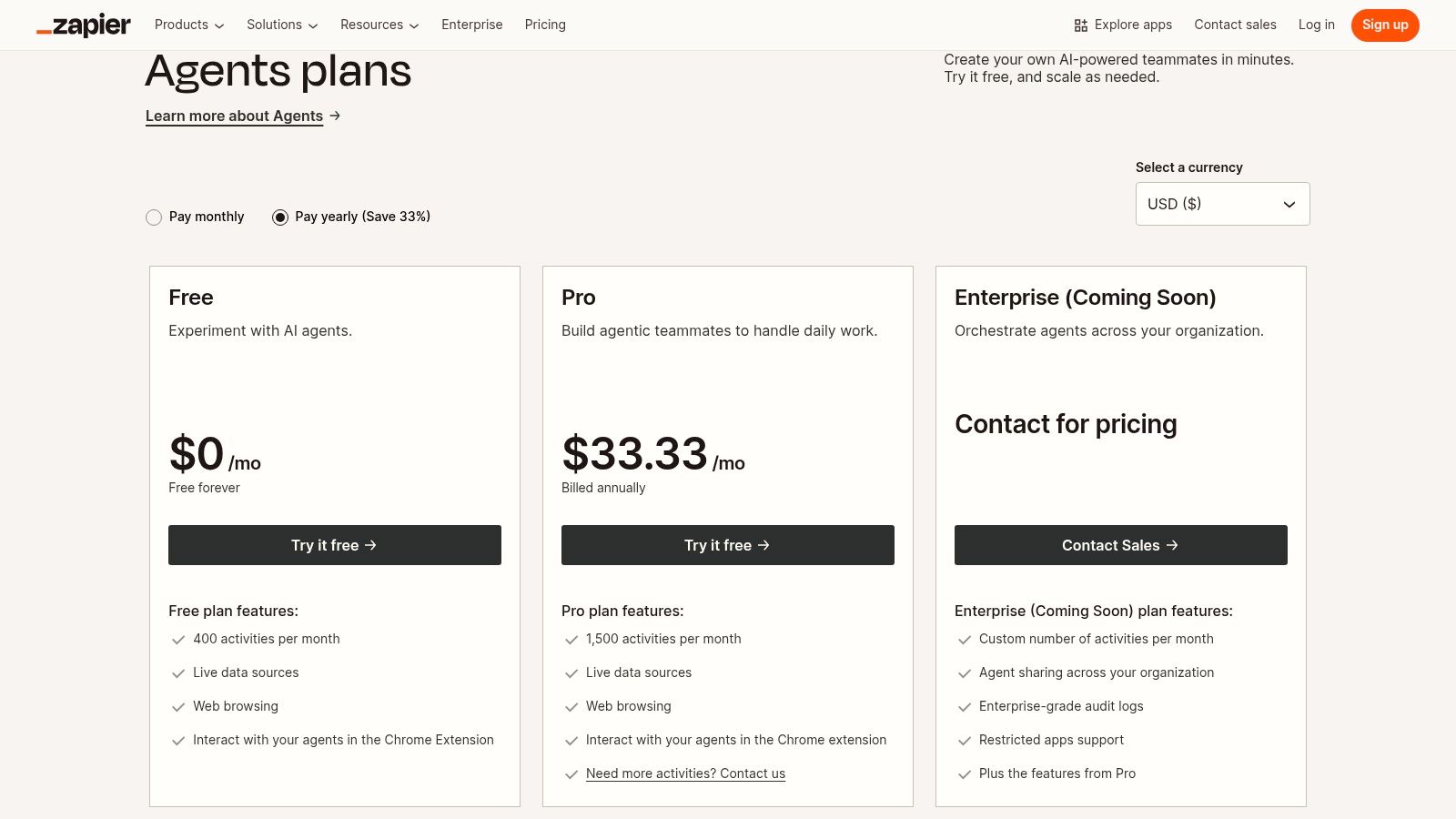
This tool excels at automating the processes around social media management, like content repurposing and data collection. For instance, a Zap can take a newly published YouTube video, send its transcript to an AI tool for summarization, and then create draft posts for LinkedIn and Facebook. This makes Zapier indispensable for creators looking to build efficient, end-to-end content pipelines without manual intervention.
Key Features and Pricing
| Feature | Details | Ideal User |
|---|---|---|
| Multi-Step Zaps | Create complex workflows with conditional logic and branching. | Content Agencies |
| 8,000+ Integrations | Connect virtually any app, from social media to CRMs and AI tools. | Growth Marketers |
| Zapier Tables | Use a simple database to store and manage data for your workflows. | E-commerce Brands |
| Managed Connections | Easily hook into AI agents and language models for content tasks. | AI Video Creators |
Zapier offers a free-forever plan with limited features. Paid plans, which offer more tasks and multi-step Zaps, start with the Starter tier at $19.99 per month (billed annually). The Professional plan at $49 per month is popular for small teams needing more advanced logic and unlimited premium apps.
- Pros: Unmatched integration capabilities and workflow flexibility, ready-made templates to start quickly, and can extend the power of any other social media tool.
- Cons: Pricing is based on task usage, which can become costly at high volumes, and it lacks native social media features like a unified inbox or analytics.
Website: https://zapier.com/l/agents-pricing?utm_source=openai
Top 12 Social Media Automation Tools Comparison
| Product | Core focus & key features | Quality/UX ★ | Value & Pricing 💰 | Target 👥 | Standout ✨ |
|---|---|---|---|---|---|
| 🏆 Aicut | AI video creation + automation: photorealistic models, viral templates, auto-posting | ★★★★☆ — fast, creator-first | 💰 Token-based; Creator ~$19.99/mo (50 tokens); Automate ~$39.99/mo (100) | 👥 Faceless creators, brands, agencies | ✨ Photorealistic Sora/Veo models; motion animation; no-watermark exports |
| Hootsuite | All-in-one social suite: scheduling, inbox, analytics, AI captions | ★★★★☆ — enterprise-grade | 💰 Per-seat enterprise pricing; can scale high | 👥 Enterprises & large teams | ✨ Unified inbox + broad integrations |
| Sprout Social | Publishing, listening, reporting, governance & collaboration | ★★★★☆ — deep reporting | 💰 Premium per-seat pricing; higher-tier features | 👥 Brands & agencies | ✨ Advanced analytics & stakeholder-ready reports |
| Buffer | Simple scheduler + AI caption help, basic inbox & link-in-bio | ★★★☆☆ — beginner-friendly | 💰 Budget-friendly; free for 3 channels; pay-per-channel | 👥 Solo creators & small teams | ✨ Low-cost, transparent plans |
| Later | Visual planner + auto-publish for Reels/Shorts; approvals | ★★★★☆ — short-form focused | 💰 Mid-tier; posting caps on lower plans; top-tier unlimited | 👥 Creators & brand-collab teams | ✨ Visual content calendar & creator approval flows |
| Agorapulse | Social management: inbox, reporting, white-label & approvals | ★★★★☆ — team/agency focused | 💰 Per-user pricing; agency add-ons | 👥 Agencies & social teams | ✨ White-label reports & automated inbox rules |
| Metricool | Scheduler + competitor analytics, ads planner & integrations | ★★★★☆ — analytics-forward | 💰 Strong analytics value; free→multi-brand tiers | 👥 SMBs & analytics-minded creators | ✨ Unlimited analytics history; Looker Studio connectors |
| Loomly | Calendar-first scheduling with approvals, roles & wide channel support | ★★★★☆ — structured workflows | 💰 Team pricing; some pricing revealed at checkout | 👥 Teams needing structured collaboration | ✨ Broad platform coverage incl emerging networks |
| SocialBee | Category queues, evergreen recycling, AI assistant & workspaces | ★★★☆☆ — scheduling-centric | 💰 Competitive pricing & promos; money-back guarantee | 👥 Solopreneurs & agencies | ✨ Evergreen recycling + category-based queues |
| Publer | Modular scheduler with per-account pricing, RSS & spintax automation | ★★★☆☆ — flexible billing | 💰 Pay-for-what-you-need (per-account); unlimited posts on paid | 👥 Creators/agencies managing many accounts | ✨ Flexible account pricing; RSS & spintax automation |
| CoSchedule Social Calendar | Marketing calendar + ReQueue for automated evergreen reposts | ★★★★☆ — calendar-first | 💰 Affordable entry tier; agency calendars available | 👥 Marketing teams & agencies | ✨ Calendar-centric campaign coordination |
| Zapier | No-code automation: connect 8,000+ apps, multi-step logic, tables/forms | ★★★★☆ — powerful integrations | 💰 Task-based pricing; can grow costly at scale | 👥 Teams automating cross-tool workflows | ✨ Massive integrations & conditional multi-step Zaps |
What aicut actually costs
Because aicut both creates and posts, its pricing covers your whole video pipeline, not just scheduling. aicut prices by video token, and the real 2026 numbers are simple: a free pay-as-you-go plan at $0.60 per token lets you generate a real video before committing, the Creator plan is $19.99/month for 50 tokens, and the Automate plan is $39.99/month for 100 tokens and adds automation campaigns that create and post videos for you.
A full AI Video Story runs about 12.5 tokens - roughly 4 finished stories a month on Creator and 8 on Automate - while short 5-10 second clips start around 1.5 tokens (about 33 a month on Creator). That create-and-post loop is the Automate plan: AI video maker that auto-posts.
How to Build Your Perfect Social Automation Stack
We've explored a dozen of the best social media automation tools, from comprehensive management suites like Sprout Social to budget-friendly schedulers like Publer. Navigating this landscape can feel overwhelming, but the goal isn't to find a single, magical "best" tool. The real secret to unlocking social media efficiency and growth is to build your perfect automation stack - a personalized combination of tools that solves your specific challenges.
Your ideal setup is a direct reflection of your workflow, goals, and team structure. The right stack for a large agency managing twenty clients will be completely different from the one used by a faceless creator building a YouTube channel from scratch. The key is to stop searching for one tool to do everything and start identifying your most significant bottleneck.
Start with Your Biggest Pain Point
Instead of getting distracted by endless feature lists, perform a simple audit of your current social media process. Where are you losing the most time and energy? Your answer will point you directly to your starting tool.
Is it content creation? If the thought of scripting, editing, and producing a steady stream of video content is what's holding you back, then your priority is an end-to-end creation platform. A tool like Aicut is a game-changer here, as it automates the entire video pipeline from idea generation to final edit, effectively solving the content problem before you even need to think about scheduling.
Is it scheduling and consistency? If you have content ready but struggle to post consistently across multiple platforms, a dedicated scheduler is your answer. For robust client management and deep analytics, Agorapulse or Sprout Social are top-tier choices. For simplicity and affordability, especially for solopreneurs, Buffer, Later, or Metricool provide immense value.
Is it connecting different systems? If you already have tools you love but they don't talk to each other, a connector like Zapier is non-negotiable. It acts as the digital glue for your stack, automating data flow between your content creator, your scheduler, your email list, and your analytics dashboard, creating a seamless, hands-off system.
A Practical Framework for Choosing Your Tools
Once you've identified your primary need, use a strategic approach to build out the rest of your stack. Think of it as assembling a team where each tool has a specific job.
Define Your Core Workflow: Map out your process from A to Z. For an e-commerce brand, this might look like:
AI Video Ad Creation (Aicut) -> Scheduling & Approval (Loomly) -> Community Engagement (Agorapulse) -> Performance Analytics (Metricool).Set a Realistic Budget: Don't overinvest. Many of the tools we've covered, like Publer and SocialBee, offer incredible features on their free or entry-level plans. Start lean, prove the ROI, and then scale your investment as your brand grows.
Test, Test, Test: Almost every tool on this list offers a free trial or a freemium plan. Use them. Set up two or three top contenders and run them simultaneously for a week. The one with the most intuitive interface and the features you actually use is the winner. Pay attention to how the tool feels - if it's frustrating to use, you won't stick with it.
Consider Your Long-Term Goals: Are you focused solely on brand awareness, or is lead generation a primary objective? Your automation stack should support these goals. As you grow, you may want to integrate specialized platforms. When curating your perfect social automation stack, consider diving deeper into the top social media lead generation tools to find platforms that align with your growth objectives.
Ultimately, the best social media automation tools are the ones that disappear into the background, allowing you to focus on strategy and creativity instead of tedious, repetitive tasks. By thoughtfully selecting a stack that fits your unique needs, you're not just buying software; you're buying back your most valuable asset: time.
Ready to eliminate your biggest content bottleneck? If creating high-quality social video is your main challenge, Aicut is your all-in-one solution. Stop piecing together different tools and start generating, editing, and scheduling viral-style videos from a single AI-powered platform. Try Aicut for free today and see how simple social media automation can be.